

React state management: keep it boring in generated apps
React state management made simple: separate server state from client state, follow a few rules, and spot early signs of rising complexity.
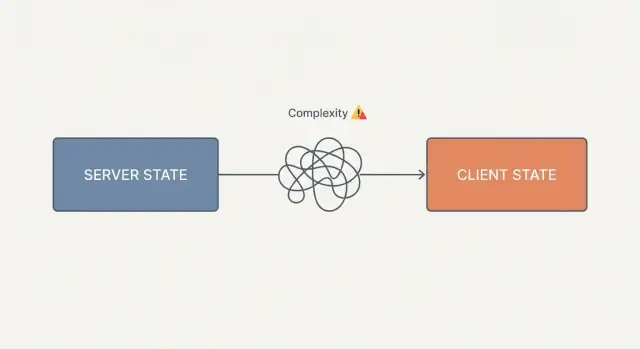
What goes wrong with state in real React apps
State is any data that can change while your app runs. That includes what you see (a modal is open), what you're editing (a form draft), and data you fetch (a list of projects). The trouble is that all of these get called state, even though they behave very differently.
Most messy apps break the same way: too many state types get mixed in the same place. A component ends up holding server data, UI flags, form drafts, and derived values, then tries to keep them aligned with effects. Before long, you can't answer simple questions like "where does this value come from?" or "what updates it?" without hunting through several files.
Generated React apps drift into this faster because it's easy to accept the first working version. You add a new screen, copy a pattern, patch a bug with another useEffect, and now you have two sources of truth. If the generator or the team changes direction mid-way (local state here, global store there), the codebase collects patterns instead of building on one.
The goal is boring: fewer kinds of state, and fewer places to look. When there's one obvious home for server data and one obvious home for UI-only state, bugs get smaller and changes stop feeling risky.
"Keep it boring" means you stick to a few rules:
- Don't mirror server data into client state unless you have a clear reason.
- Don't promote local UI state to a global store just because it might be useful later.
- Don't let derived values become their own state unless calculating them is truly expensive.
A concrete example: if a user list comes from the backend, treat it as server state and fetch it where it's used. If selectedUserId only exists to drive a details panel, keep it as small UI state near that panel. Mixing those two is how complexity starts.
Server state vs client state in plain English
Most React state problems start with one mix-up: treating server data like UI state. Separate them early and state management stays calm, even as your app grows.
Server state belongs to the backend: users, orders, tasks, permissions, prices, feature flags. It can change without your app doing anything (another tab updates it, an admin edits it, a job runs, data expires). Because it's shared and changeable, you need fetching, caching, refetching, and error handling.
Client state is what only your UI cares about right now: which modal is open, which tab is selected, a filter toggle, sort order, a collapsed sidebar, a draft search query. If you close the tab, it's fine to lose it.
A quick test is: "Could I refresh the page and rebuild this from the server?"
- If yes, it's probably server state.
- If no, it's probably client state.
There's also derived state, which saves you from creating extra state in the first place. It's a value you can compute from other values, so you don't store it. Filtered lists, totals, isFormValid, and "show empty state" usually belong here.
Example: you fetch a list of projects (server state). The selected filter and the "New project" dialog open flag are client state. The visible list after filtering is derived state. If you store the visible list separately, it will drift out of sync and you'll chase "why is it stale?" bugs.
This separation helps when a tool like Koder.ai generates screens quickly: keep backend data in one fetching layer, keep UI choices close to the components, and avoid storing computed values.
A boring set of rules that prevents most issues
State gets painful when one piece of data has two owners. The fastest way to keep things simple is to decide who owns what and stick to it.
- Treat API data as something you fetch and cache, not something you manually maintain in component state.
- Don't clone fetched data into local state "just in case". Copies create drift.
- Keep client state close to where it's used. Move it up only when separate parts of the tree truly need it.
- Store IDs and small flags, not entire objects. Re-derive the object from the cache when you render.
Example: you fetch a list of users and show details when one is selected. A common mistake is storing the full selected user object in state. Store selectedUserId instead. Keep the list in the server cache. The details view looks up the user by ID, so refetches update the UI without extra syncing code.
In generated React apps, it's also easy to accept "helpful" generated state that duplicates server data. When you see code that does fetch -> setState -> edit -> refetch, pause. That's often a sign you're building a second database in the browser.
How to handle server state without overthinking it
Server state is anything that lives on the backend: lists, detail pages, search results, permissions, counts. The boring approach is to pick one tool for it and stick to it. For many React apps, TanStack Query is enough.
The goal is straightforward: components ask for data, show loading and error states, and don't care how many fetch calls happen under the hood. This matters in generated apps because small inconsistencies multiply fast as new screens get added.
Treat query keys like a naming system, not an afterthought. Keep them consistent: stable array keys, only include inputs that change the result (filters, page, sort), and prefer a few predictable shapes over lots of one-offs. Many teams also put key building in small helpers so every screen uses the same rules.
For writes, use mutations with explicit success handling. A mutation should answer two questions: what changed, and what should the UI do next?
Example: you create a new task. On success, either invalidate the tasks list query (so it reloads once) or do a targeted cache update (add the new task into the cached list). Pick one approach per feature and keep it consistent.
If you feel tempted to add refetch calls in multiple places "just to be safe," pick a single boring move instead:
- Invalidate the exact query key that became stale.
- Update the cache for the exact query that changed.
- Navigate to a screen that already fetches the right query.
Client state patterns that stay small
Client state is the stuff the browser owns: a sidebar open flag, a selected row, filter text, a draft before you save. Keep it close to where it's used and it usually stays manageable.
Start small: useState in the nearest component. When you generate screens (for example with Koder.ai), it's tempting to push everything into a global store "just in case." That's how you end up with a store nobody understands.
A simple promotion rule
Only move state upward when you can name the sharing problem.
- Keep UI-only state local by default.
- Lift it to the closest common parent when siblings need it.
- Use a tiny shared store only when multiple routes or distant components need the same value at the same time.
Example: a table with a details panel can keep selectedRowId in the table component. If a toolbar in another part of the page also needs it, lift it to the page component. If a separate route (like bulk edit) needs it, that's when a small store can make sense.
Store shapes that stay readable
If you do use a store (Zustand or similar), keep it focused on one job. Store "what" (selected IDs, filters), not "results" (sorted lists) that you can derive.
When a store starts to grow, ask: is this still one feature? If the honest answer is "kind of," split it now, before the next feature turns it into a ball of state you're scared to touch.
Forms, drafts, and temporary UI state
Form bugs often come from mixing three things: what the user is typing, what the server has saved, and what the UI is showing.
For boring state management, treat the form as client state until you submit. Server data is the last saved version. The form is a draft. Don't edit the server object in place. Copy values into draft state, let the user change it freely, then submit and refetch (or update cache) on success.
Decide early what should persist when the user navigates away. That one choice prevents a lot of surprise bugs. For example, inline edit mode and open dropdowns should usually reset, while a long wizard draft or an unsent message draft might persist. Persist across reload only when users clearly expect it (like a checkout form).
Keep validation rules in one place. If you spread rules across inputs, submit handlers, and helpers, you'll end up with mismatched errors. Prefer one schema (or one validate() function), and let the UI decide when to show errors (on change, on blur, or on submit).
Example: you generate an Edit Profile screen in Koder.ai. Load the saved profile as server state. Create draft state for the form fields. Show "unsaved changes" by comparing draft vs saved. If the user cancels, drop the draft and show the server version. If they save, submit the draft, then replace the saved version with the server response.
Step by step: simplify a messy state setup
As a generated React app grows, it's common to end up with the same data in three places: component state, a global store, and a cache. The fix usually isn't a new library. It's choosing one home for each piece of state.
A cleanup flow that works in most apps:
- Inventory your state. List what you have (lists, selected item, filters, modals, drafts) and label each as server or client.
- Delete duplicates. Remove state like
filteredUsersif you can compute it fromusers+filter. PreferselectedUserIdover a duplicatedselectedUserobject. - Put fetching in one layer. Use one server-state approach so caching, refetching, and invalidation have one rulebook.
- Add a tiny client store only where it earns its keep (cross-page UI needs like a wizard draft).
- Lock in naming rules so the mess doesn't creep back.
Example: a Koder.ai generated CRUD app often starts with a useEffect fetch plus a global store copy of the same list. After you centralize server state, the list comes from one query, and "refresh" becomes invalidation instead of manual syncing.
For naming, keep it consistent and boring:
- Queries:
users.list,users.detail(id) - Client state:
ui.isCreateModalOpen,filters.userSearch - Actions:
openCreateModal(),setUserSearch(value) - Server writes:
users.create,users.update,users.delete
The goal is one source of truth per thing, with clear boundaries between server state and client state.
Early signs your state complexity is about to explode
State problems start small, then one day you change a field and three parts of the UI disagree about the "real" value.
The clearest warning sign is duplicated data: the same user or cart lives in a component, a global store, and a request cache. Each copy updates at a different time, and you add more code just to keep them equal.
Another sign is sync code: effects that push state back and forth. Patterns like "when query data changes, update the store" and "when the store changes, refetch" can work until an edge case triggers stale values or loops.
A few quick red flags:
- You can't explain "where this value comes from" and "who owns it" in one sentence.
- Your store or reducer imports API clients or knows about HTTP status codes.
- Each new screen adds shared flags like
needsRefresh,didInit,isSavingthat nobody deletes. - You're writing effects mainly to mirror one state into another.
- Fixing a bug means updating the same field in multiple layers.
Example: you generate a dashboard in Koder.ai and add an Edit Profile modal. If profile data is stored in a query cache, copied into a global store, and duplicated in local form state, you now have three sources of truth. The first time you add background refetching or optimistic updates, mismatches show up.
When you see these signs, the boring move is to pick a single owner for each piece of data and delete the mirrors.
Common traps and how to avoid them
Storing things "just in case" is one of the fastest ways to make state painful, especially in generated apps.
Copying API responses into a global store is a common trap. If data comes from the server (lists, details, user profile), don't copy it into a client store by default. Pick one home for server data (usually the query cache). Use the client store for UI-only values the server doesn't know about.
Storing derived values is another trap. Counts, filtered lists, totals, canSubmit, and isEmpty should usually be computed from inputs. If performance becomes a real problem, memoize later, but don't start by storing the result.
A single mega-store for everything (auth, modals, toasts, filters, drafts, onboarding flags) becomes a dumping ground. Split by feature boundaries. If state is only used by one screen, keep it local.
Context is great for stable values (theme, current user id, locale). For fast-changing values, it can cause broad re-renders. Use Context for wiring, and component state (or a small store) for frequently changing UI values.
Finally, avoid inconsistent naming. Near-duplicate query keys and store fields create subtle duplication. Pick a simple standard and follow it.
Quick checklist before you add more state
When you feel the urge to add "just one more" state variable, do a quick ownership check.
First, can you point to one place where server fetching and caching happens (one query tool, one set of query keys)? If the same data is fetched in multiple components and also copied into a store, you're already paying interest.
Second, is this value only needed inside one screen (like "is filter panel open")? If so, it shouldn't be global.
Third, can you store an ID instead of duplicating an object? Store selectedUserId and read the user from your cache or list.
Fourth, is it derived? If you can compute it from existing state, don't store it.
Finally, do a one-minute trace test. If a teammate can't answer "where does this value come from?" (prop, local state, server cache, URL, store) in under a minute, fix ownership before adding more state.
Example: a CRUD app that stays boring as it grows
Picture a generated admin app (for example, one produced from a prompt in Koder.ai) with three screens: a customer list, a customer detail page, and an edit form.
State stays calm when it has obvious homes:
- Server state: customer list, customer record, save/delete requests.
- Client state: list filters, selected row, edit draft.
The list and detail pages read server state from a query cache. When you save, you don't store customers again in a global store. You send the mutation, then let the cache refresh or update.
For the edit screen, keep the form draft local. Initialize it from the fetched customer, but treat it as separate once the user starts typing. That way, the detail view can refresh safely without overwriting half-finished changes.
A boring optimistic update
Optimistic UI is where teams often duplicate everything. You usually don't need to.
When the user hits Save, update only the cached customer record and the matching list item, then roll back if the request fails. Keep the draft in the form until the save succeeds. If it fails, show an error and keep the draft so the user can retry.
When a second feature wants the same state
Say you add bulk edit and it also needs selected rows. Before creating a new store, ask: should this state survive navigation and refresh?
If yes, put it in the URL (selected IDs, filters). If no, keep it in the page component. If multiple distant components truly need it at the same time (toolbar + table + footer), introduce a tiny shared store for that client state only.
Next steps: keep your rules consistent in generated apps
Generated screens can multiply fast, and that's great until each new screen brings its own state decisions.
Write down a short team note in the repo: what counts as server state, what counts as client state, and what tool owns each. Keep it short enough that people will actually follow it.
Add a small pull request habit: label each new piece of state as server or client. If it's server state, ask "where does it load, how is it cached, and what invalidates it?" If it's client state, ask "who owns it, and when does it reset?"
If you're using Koder.ai (koder.ai), Planning Mode can help you agree on state boundaries before generating new screens. A snapshot and rollback give you a safe way to experiment when a state change goes sideways.
Pick one feature (like edit profile), apply the rules end-to-end, and let that be the example everyone copies.
FAQ
What’s the simplest way to untangle messy React state?
Start by labeling every piece of state as server, client (UI), or derived.
- Server: fetched data like users, tasks, permissions.
- Client: UI choices like “modal open”, selected tab, filter text.
- Derived: values you can compute (filtered list, totals,
isValid).
Once you label them, make sure each item has one obvious owner (query cache, local component state, URL, or a small store).
How do I tell if something is server state or client state?
Use this quick test: “Could I refresh the page and rebuild this from the server?”
- If yes, treat it as server state (fetch/cache/refetch).
- If no, treat it as client state (local UI state, maybe a store).
Example: a project list is server state; the selected row ID is client state.
Why is copying API data into local or global state such a big problem?
Because it creates two sources of truth.
If you fetch users and then copy them into useState or a global store, you now have to keep them in sync during:
- background refetches
- updates from other tabs/users
- partial updates after mutations
Default rule: read server data from one place (a query cache) and only create local state for UI-only concerns or drafts.
When is it okay to store derived values instead of computing them?
Store derived values only when you truly can’t compute them cheaply.
Usually you should compute from existing inputs:
visibleUsers = users.filter(...)total = items.reduce(...)canSubmit = isValid && !isSaving
If performance becomes real (measured), prefer useMemo or better data structures before introducing more stored state that can go stale.
What’s a “boring” way to handle server state in React?
Default: use a server-state tool (commonly TanStack Query) so components can just “ask for data” and handle loading/error states.
Practical basics:
- Use stable, consistent query keys (include only inputs that change results).
- For writes, use mutations and pick one strategy per feature:
- invalidate the exact list/detail query, or
- update the cache in a targeted way.
Avoid sprinkling refetch() calls everywhere “just in case.”
When should I move UI state into a global store?
Keep it local until you can name a real sharing need.
Promotion rule:
- Local component state by default.
- Lift to the closest common parent when siblings need it.
- Use a small shared store only when multiple distant components/routes need it at the same time.
This keeps your global store from becoming a dumping ground for random UI flags.
Should I store the selected object or just its ID?
Store IDs and small flags, not full server objects.
Example:
- ✅
selectedUserId - ❌
selectedUser(copied object)
Then render details by looking up the user from the cached list/detail query. This makes background refetches and updates behave correctly without extra syncing effects.
What’s the cleanest way to manage forms and drafts?
Treat the form as a draft (client state) until you submit.
A practical pattern:
- Fetch the saved record as server state.
- Initialize a local draft from it.
- Let the user edit the draft freely.
- On save, submit the draft and then refresh/update the server cache.
- On cancel, drop the draft and show the server version.
This avoids accidentally editing server data “in place” and fighting refetches.
What are early warning signs that state complexity is about to explode?
Common red flags:
- The same data exists in a component, a global store, and a query cache.
- Effects that mirror state back and forth ("when query changes, set store", "when store changes, refetch").
- Shared flags like
needsRefresh,didInit,isSavingthat keep accumulating. - You can’t explain “where does this value come from?” in one sentence.
The fix is usually not a new library—it’s deleting mirrors and picking one owner per value.
How do I keep state “boring” when using a generator like Koder.ai?
Generated screens can drift into mixed patterns fast. A simple safeguard is to standardize ownership:
- Server state: always via the same fetching/caching layer.
- Client UI state: local by default, store only when needed.
- Derived values: computed, not stored.
If you’re using Koder.ai, use Planning Mode to decide ownership before generating new screens, and rely on snapshots/rollback when experimenting with state changes so you can back out cleanly if a pattern goes wrong.