

Reed Hastings and Netflix: Entertainment as a Software Problem
How Reed Hastings and Netflix treated entertainment like software—using data, CDN distribution, and streaming infrastructure to reshape how video is built and delivered.
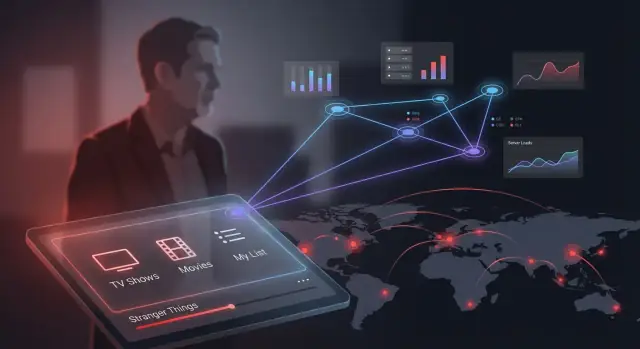
The Big Shift: Entertainment as a Software Product
Netflix’s most important innovation wasn’t a new genre or a slicker TV interface—it was treating entertainment like a software product. Reed Hastings pushed the company to operate less like a traditional media distributor and more like a team shipping continuous updates: measure what happens, change what users see, and improve performance on every screen.
That shift turns “what should we offer?” into an engineering problem—one that blends product decisions with data, networks, and operational reliability. The movie or show is still the star, but the experience around it—finding something to watch, pressing play, and getting uninterrupted video—became something Netflix could design, test, and refine.
The three pillars
1) Data (behavior, not opinions). Netflix learned to treat viewing activity as a signal: what people start, abandon, binge, rewatch, and search for. This data doesn’t just report results; it shapes product choices and even influences content strategy.
2) Distribution (getting bits to your device). Streaming isn’t “one big pipe.” Performance depends on how video moves across the internet to living rooms and phones. Caches, peering, and content delivery networks (CDNs) can decide whether playback feels instant or frustrating.
3) Streaming infrastructure (turning video into a reliable experience). Encoding, adaptive bitrate, apps on dozens of devices, and systems that stay up during peaks all determine whether “Play” works every time.
What you’ll learn in this article
We’ll break down how Netflix built capabilities in data, distribution, and infrastructure—and why those ideas matter beyond Netflix. Any company delivering a digital experience (education, fitness, news, live commerce, or retail video) can apply the same lesson: the product isn’t only what you offer; it’s the system that helps people discover it and enjoy it smoothly.
From DVDs to Streaming: The Context Reed Hastings Navigated
Netflix didn’t “pivot to streaming” in a vacuum. Reed Hastings and his team were operating inside a moving set of constraints—consumer internet speeds, Hollywood licensing norms, and the plain fact that the DVD business was still working.
A quick timeline of the shift
Netflix launched in 1997 as an online DVD rental service and soon differentiated with subscriptions (no late fees) and a growing fulfillment network.
In 2007, Netflix introduced “Watch Now,” a modest streaming catalog that looked small compared to the DVD library. Over the following years, streaming moved from an add-on feature to the main product as more viewing time shifted online. By the early 2010s, Netflix was pushing into international markets and increasingly treating distribution and software as the core of the company.
What changed when delivery moved to the internet
Physical media is a logistics problem: inventory, warehouses, postal speed, and disc durability. Streaming is a software-and-network problem: encoding, playback, device compatibility, and real-time delivery.
That change rewrote both costs and failure modes. A DVD can arrive a day late and still feel acceptable. Streaming failures are immediate and visible—buffering, blurry video, or a play button that doesn’t work.
It also changed the feedback loop. With DVDs, you know what was shipped and returned. With streaming, you can learn what people tried to watch, what they finished, and exactly where playback struggled.
Why timing mattered
Netflix’s move aligned with three external trends:
- Broadband adoption and Wi‑Fi at home reached a point where long-form video became practical.
- New devices (game consoles, smart TVs, later phones and tablets) created “living room apps” that made streaming feel like television, not a computer task.
- Licensing realities forced experimentation: studios were cautious, rights were fragmented by region, and early streaming catalogs were constrained.
This wasn’t just technological optimism—it was a race to build a product that could ride improving networks while negotiating content access that was never guaranteed.
Data as a Core Competency (Not a Dashboard)
“Data-driven” at Netflix didn’t mean staring at charts until a decision appeared. It meant treating data like a product capability: define what you want to learn, measure it consistently, and build mechanisms to act on it quickly.
A dashboard is a snapshot. A competency is a system—instrumentation in every app, pipelines that make events trustworthy, and teams that know how to turn signals into changes.
What “data-driven” looks like in practice
Instead of arguing in the abstract (“people hate this new screen”), teams agree on a measurable outcome (“does it reduce time-to-play without hurting retention?”). That shifts conversations from opinions to hypotheses.
It also forces clarity about tradeoffs. A design that increases short-term engagement but increases buffering may still be a net negative—because the streaming experience is the product.
The metrics that actually matter
Netflix’s most useful metrics are tied to viewer satisfaction and business health, not vanity numbers:
- Retention: do people keep their subscription over time?
- Engagement: are viewers finding things they want to watch and returning regularly?
- Start time: how long from pressing Play to video starting?
- Buffering / rebuffering rate: how often playback stalls.
- Search success: do searches lead to a play (and how quickly)?
These metrics connect product decisions (like a new homepage layout) with operational realities (like network performance).
Instrumentation: decisions start in the app
To make those metrics real, every client—TV apps, mobile apps, web—needs consistent event logging. When a viewer scrolls, searches, hits Play, or abandons playback, the app records structured events. On the streaming side, players emit quality-of-experience signals: bitrate changes, startup delay, buffering events, device type, and CDN information.
That instrumentation enables two loops at once:
- Product loop: improve discovery and UI based on what helps people choose.
- Ops loop: detect playback issues by device, region, ISP, or CDN path—and fix them fast.
The result is a company where data is not merely reporting; it’s how the service learns.
Personalization and Recommendations: Helping Viewers Choose
Netflix’s recommendation system isn’t just about finding “the best movie.” The practical goal is to reduce choice overload—helping someone stop browsing, feel confident, and press play.
The high-level engine: signals → ranking → a personal homepage
At a simple level, Netflix gathers signals (what you watch, finish, abandon, rewatch, search for, and when), then uses those signals to rank titles for you.
That ranking becomes your homepage: rows, ordering, and the specific titles shown first. Two people can open Netflix at the same time and see dramatically different screens—not because the catalog is different, but because the probability of a good match is.
Key trade-offs: comfort vs discovery
Personalization has a built-in tension:
- Personalization vs. exploration: If Netflix only shows what you already like, it can trap you in a “more of the same” loop. If it pushes too much novelty, it risks feeling random.
- Short-term clicks vs. long-term satisfaction: A flashy pick might win the click, but if you quit after 10 minutes, that’s a loss. The system has to balance immediate engagement with outcomes like completion, repeat viewing, and sustained subscriber happiness.
The underrated levers: artwork, titles, and row order
Recommendations aren’t only about which show you see—they’re also about how it’s presented. Netflix can:
- show different artwork to different viewers for the same title
- place a title in a different row (or change the row’s position)
- adjust ordering within a row to nudge “good first choices” upward
For many viewers, these UI choices influence what gets watched as much as the catalog itself.
Experimentation at Scale: A/B Testing the Viewing Experience
Netflix didn’t treat the product as “done.” It treated every screen, message, and playback decision as something that could be tested—because small changes can shift viewing hours, satisfaction, and retention. That mindset turns improvement into a repeatable process rather than a debate.
What A/B testing is (and why it matters)
A/B testing splits real members into groups that see different versions of the same experience—Version A vs. Version B—at the same time. Because the groups are comparable, Netflix can attribute differences in outcomes (like play starts, completion rate, or churn) to the change itself, not to seasonality or a new hit show.
The key is iteration. One experiment rarely “wins forever,” but a steady stream of validated improvements compounds.
Where experiments usually happen
Common Netflix experiment areas include:
- UI and navigation: row order, artwork selection, preview behavior, and how quickly a title can be started.
- Playback experience: start-up flow, “Skip Intro,” buffering strategies, and controls layout.
- Recommendations: ranking logic, category groupings, and how confidence is expressed (“Top Picks for You”).
- Messaging: plan prompts, email/push copy, and in-product explanations that reduce confusion.
Pitfalls to avoid
At scale, experimentation can backfire if teams aren’t disciplined:
- Moving metrics: changing success criteria mid-test invites cherry-picking.
- Tests that are too short: weekends, holidays, and binge cycles can distort results.
- Biased samples: excluding device types, geographies, or new members can produce “wins” that fail in the real world.
Culture: experiments as decision-making
The most important output isn’t a dashboard—it’s a habit. A strong experimentation culture rewards being right over being loud, encourages clean tests, and normalizes “no lift” outcomes as learning. Over time, that’s how a company operates like software: decisions are grounded in evidence, and the product keeps evolving with its audience.
Distribution: Why CDNs Decide Whether Streaming Feels Instant
Streaming isn’t just “sending a file.” Video is huge, and people notice delays immediately. If your show takes five extra seconds to start, or it keeps pausing to buffer, viewers don’t blame the network—they blame the product. That makes distribution a core part of the Netflix experience, not a back-office detail.
The distribution problem (in human terms)
When you press play, your device requests a steady flow of small video chunks. If those chunks arrive late—even briefly—the player runs out of runway and stutters. The challenge is that millions of people may press play at once, often on the same popular title, and they’re spread across neighborhoods, cities, and countries.
Shipping all that traffic from a few central data centers would be like trying to supply every grocery store from one warehouse on the other side of the continent. Distance adds delay, and long routes add more chances for congestion.
What a CDN actually does
A Content Delivery Network (CDN) is a system of “nearby shelves” for content. Instead of pulling every video from far away, the CDN stores popular titles close to where people watch—inside local facilities and along major network routes. That shortens the path, reduces delay, and lowers the odds of buffering during busy hours.
Netflix’s Open Connect (conceptual overview)
Rather than relying only on third-party CDNs, Netflix built its own distribution system, commonly referred to as Open Connect. Conceptually, it’s a network of Netflix-managed caching servers placed closer to viewers, designed specifically for Netflix’s traffic patterns and streaming needs. The goal is straightforward: keep heavy video traffic off long-haul routes whenever possible.
Why ISP partnerships and local caching matter
Many caches live inside, or very near, internet service providers (ISPs). That partnership changes everything:
- Quality improves because video travels fewer “hops” before reaching the home.
- Congestion drops because traffic stays local instead of crossing expensive, crowded links.
- Costs are controlled since less data has to traverse long-distance transit networks.
For Netflix, distribution is product performance. CDNs determine whether “Play” feels instant—or frustrating.
Streaming Quality: The Engineering Behind “Play”
When Netflix made “Play” feel simple, it hid a lot of engineering. The job isn’t just sending a movie—it’s keeping video smooth across wildly different connections, screens, and devices, without wasting data or collapsing under bad network conditions.
Why adaptive bitrate (ABR) needs multiple encodes
Streaming can’t assume a stable link. Netflix (and most modern streamers) prepares many versions of the same title at different bitrates and resolutions. Adaptive bitrate (ABR) lets the player switch between these versions every few seconds based on what the network can handle.
That’s why a single episode might exist as a whole “ladder” of encodes: from low-bitrate options that can survive weak mobile coverage to high-quality streams that look great on a 4K TV. ABR isn’t about maximizing quality at all times—it’s about avoiding stalls.
What “quality” actually means in streaming
Viewers experience quality as a handful of measurable moments:
- Startup time: how quickly video begins after pressing play.
- Rebuffering: how often playback pauses to load more data.
- Bitrate: how much data per second is delivered.
- Visual quality: what the picture looks like at that bitrate (sharpness, banding, artifacts).
Devices, networks, and the reliability tradeoff
A phone on mobile data, a smart TV on Wi‑Fi, and a laptop on Ethernet behave differently. Players must react to changing bandwidth, congestion, and hardware limits.
Netflix also has to balance better picture with data usage and reliability. Pushing bitrate too aggressively can trigger rebuffering; being too conservative can make great connections look worse than they should. The best streaming systems treat “no interruptions” as part of the product—not just an engineering metric.
Cloud and Platform Engineering: Building for Global Scale
Cloud infrastructure fits streaming because demand isn’t steady—it spikes. A new season drop, a holiday weekend, or a hit in one country can multiply traffic in hours. Renting compute and storage on-demand is a better match than buying hardware for peak load and letting it sit idle the rest of the time.
A platform, not a pile of servers
Netflix’s key shift wasn’t only “move to the cloud.” It was treating infrastructure like a product that internal teams can use without waiting on tickets.
Conceptually, that means:
- Microservices so teams can ship changes independently instead of coordinating one giant release.
- Automation everywhere (builds, deploys, scaling, recovery) to reduce manual work and human error.
- Self-service platforms—standard tools and paved paths for logging, metrics, CI/CD, and safe deployments.
When engineers can provision resources, deploy, and observe behavior through shared tooling, the organization moves faster without adding chaos.
Reliability is a feature users feel
Streaming doesn’t get credit for “mostly working.” Platform engineering supports reliability with practices that sound internal but show up on screen:
- Redundancy across services and regions so one failure doesn’t stop playback.
- Monitoring and alerting that catch issues before they become widespread.
- Clear incident response (on-call, runbooks, postmortems) so the company learns and improves after every outage.
Infrastructure choices shape product speed
A strong cloud platform shortens the path from idea to viewer. Teams can run experiments, launch features, and scale globally without rebuilding the foundation each time. The result is a product that feels simple—press play—but is backed by engineering designed to grow, adapt, and recover quickly.
Reliability as a Product Feature: Designing for Failure
When people talk about “reliability,” they often picture servers and dashboards. Viewers experience it differently: the show starts quickly, playback doesn’t randomly stop, and if something breaks, it gets fixed before most people even notice.
Resilience, explained in viewer terms
Resilience means the service can take a hit—an overloaded region, a failed database, a bad deploy—and still keep playing. If an issue does interrupt playback, resilience also means faster recovery: fewer widespread outages, shorter incidents, and less time spent staring at an error screen.
For a streaming company, that’s not just “engineering hygiene.” It’s product quality. The Play button is the product promise.
Why test failures on purpose (chaos engineering)
One way Netflix popularized reliability thinking is injecting failures in controlled ways. The point isn’t to break things for sport; it’s to reveal hidden dependencies and weak assumptions before real life does.
If a critical service fails during a planned experiment and the system automatically reroutes, degrades gracefully, or recovers quickly, you’ve proven the design works. If it collapses, you’ve learned where to invest—without waiting for a high-stakes outage.
Seeing problems early: logs, metrics, traces, alerts
Reliable systems depend on operational visibility:
- Logs tell you what happened.
- Metrics tell you how much and how fast (errors, latency, buffering).
- Traces show how a single request travels across services.
- Alerting turns these signals into action when thresholds are crossed.
Good visibility reduces “mystery outages” and speeds up fixes because teams can pinpoint the cause instead of guessing.
Reliability protects trust
Brand trust is built quietly and lost quickly. When streaming feels consistently dependable, viewers keep habits, renew subscriptions, and recommend the service. Reliability work is marketing you don’t have to buy—because it shows up every time someone presses play.
Content Meets Analytics: Programming with Feedback Loops
Netflix didn’t just use analytics to “measure what happened.” It used analytics to decide what to make, buy, and surface next—treating entertainment like a system that can learn.
What data can do (and what it can’t)
Viewing data is strong at answering behavioral questions: what people start, what they finish, when they drop off, and what they return to. It can also reveal context—device type, time of day, rewatching, and how often a title is discovered via search versus recommendations.
What it can’t do reliably: explain why someone loved something, predict culture-shaping hits with certainty, or replace creative judgment. The most effective teams treat data as decision support, not a creativity substitute.
Informing acquisition and commissioning
Because Netflix sees demand signals at scale, it can estimate the upside of licensing a title or investing in an original: which audiences are likely to watch, how strongly, and in which regions. That doesn’t mean “the spreadsheet writes the show,” but it can de-risk choices—like funding a niche genre with a quietly loyal audience or identifying that a local-language series could travel internationally.
The loop: performance → placement → learning
A key idea is the feedback loop:
- Content performance (starts, completion, rewatching)
- Product placement (row positioning, artwork selection, trailers)
- More learning (how placement changes outcomes)
This turns the UI into a programmable distribution channel where content and product continuously shape each other.
Risks to manage
Feedback loops can misfire. Over-personalization can create filter bubbles, optimization can favor “safe” formats, and teams can chase short-term metrics (starts) instead of durable value (satisfaction, retention). The best approach pairs metrics with editorial intent and guardrails—so the system learns without narrowing the catalog into sameness.
Global Expansion: Localization, Rights, and Network Constraints
Netflix’s international growth wasn’t just “launch the app in a new country.” Each market forced the company to solve a bundle of product, legal, and network problems at the same time.
Localization is more than translation
To feel native, the service has to match how people browse and watch. That starts with basics like subtitles and dubbing, but it quickly expands into details that affect discovery and engagement.
Localization typically includes:
- Subtitles and dubbing that fit local idioms (and release schedules)
- Artwork variations (thumbnails and title cards) that resonate culturally
- Search and metadata so users can find titles using local spellings, alternate names, and cast
Even small mismatches—like a title known by a different name locally—can make the catalog feel thinner than it is.
Rights determine the catalog users actually see
Viewers often assume the library is global. In reality, regional licensing means the catalog varies by country, sometimes dramatically. A show might be available in one market, delayed in another, or missing entirely due to existing contracts.
That creates a product challenge: Netflix has to present a coherent experience even when the underlying inventory differs. It also affects recommendations—suggesting a “perfect” title that a user can’t watch is worse than a decent suggestion they can play instantly.
Networks shape the experience in every country
Streaming depends on local internet quality, mobile data costs, and how close content can be served to the viewer. In some regions, congested last-mile connections, limited peering, or inconsistent Wi‑Fi can turn “Play” into buffering.
So global expansion also means building delivery plans for each market: where to place caches, how aggressively to adapt bitrate, and how to keep startup time fast without over-consuming data.
Expansion is operations as much as marketing
Launching in a new country is a coordinated operational effort: partner negotiations, compliance, localization workflows, customer support, and network coordination. The brand may open the door, but the day-to-day machinery is what keeps viewers watching—and keeps growth compounding.
Leadership and Culture: Operating Like a Software Company
Netflix’s technical choices worked because the culture made them executable. Reed Hastings pushed an operating model built around freedom and responsibility: hire strong people, give them room to decide, and expect them to own outcomes—not just tasks.
Culture as an execution system
“Freedom” at Netflix isn’t casualness; it’s speed through trust. Teams are encouraged to act without waiting for layers of approval, but they’re also expected to communicate decisions clearly and measure impact. The word that matters most is context: leaders invest in explaining the why (customer goal, constraints, trade-offs) so teams can make good calls independently.
Aligning teams without heavy process
Instead of central committees, alignment comes from:
- Clear goals and metrics (e.g., playback success, retention, engagement)
- Named ownership for systems and customer outcomes
- Accountability through visibility: results are shared, debated, and improved
This turns strategy into a set of measurable bets, not vague intentions.
The tensions: speed vs safety
A culture that favors shipping and learning can collide with reliability expectations—especially in streaming where failures are instantly felt. Netflix’s answer is to make reliability “everyone’s job” while still protecting experimentation: isolate changes, roll out gradually, and learn quickly when something breaks.
Takeaways for non-Netflix teams
You don’t need Netflix-scale traffic to borrow the principles:
- Write down decision context so teams can move without permission
- Define a small set of metrics that represent customer value
- Give real ownership (and authority) to the people closest to the work
- Treat reliability and experimentation as complementary: ship in small slices, measure impact, and roll back quickly when needed
If you’re building software products where experience quality depends on data, delivery, and operational stability, tools that shorten the build–measure–learn loop can help. For example, Koder.ai is a vibe-coding platform that lets teams prototype and ship web (React) and backend services (Go + PostgreSQL) through a chat-driven workflow, with practical features like planning mode, snapshots, and rollback—useful when you’re iterating on product flows while keeping reliability front and center.
FAQ
What does it mean to treat entertainment like a software product?
Netflix’s key shift was treating the entire viewing experience as a software product: instrument it, measure it, ship improvements, and iterate.
That includes discovery (homepage and search), playback reliability (“Play” starts fast and stays smooth), and distribution (how video gets to your device).
How did the move from DVDs to streaming change Netflix’s core problems?
DVDs are a logistics problem: inventory, shipping, and returns.
Streaming is a software-and-network problem: encoding, device compatibility, real-time delivery, and handling failures instantly (buffering and errors are visible immediately).
What are the “three pillars” that made streaming work at Netflix?
The article frames three pillars:
- Data: behavioral signals (starts, finishes, abandons, searches) that guide decisions.
- Distribution: CDNs, caching, and network routes that control startup time and buffering.
- Streaming infrastructure: encoding, adaptive bitrate, apps across devices, and reliability at peak load.
Which metrics matter most for a streaming product?
They focus on metrics tied to viewer satisfaction and business health, such as:
- Retention and engagement
- Start time (time-to-play)
- Rebuffering rate (how often playback stalls)
- Search success (search → play, and how quickly)
These connect product changes (UI, ranking) to operational reality (streaming quality).
Why is app instrumentation so important for data-driven decisions?
Instrumentation means every client (TV, mobile, web) logs consistent events for browsing, search, and playback.
Without it, you can’t reliably answer questions like “Did this UI change reduce time-to-play?” or “Is buffering concentrated on a specific device, region, or ISP?”
What problem is Netflix’s recommendation system really solving?
Recommendations aim to reduce choice overload by ranking titles using signals like what you start, finish, abandon, and rewatch.
The output isn’t just “a list”—it’s your personalized homepage: which rows you see, their order, and which titles appear first.
How do artwork and row order influence what people watch?
Because presentation changes behavior. Netflix can test and personalize:
- Artwork (different images for the same title)
- Row placement (which shelf a title appears on)
- Ordering within rows
Often, how a title is shown affects viewing as much as whether it’s in the catalog.
How does Netflix use A/B testing, and what are common pitfalls?
A/B testing splits members into comparable groups that see different versions of an experience at the same time.
To keep tests trustworthy:
- Set success metrics before the test (don’t move goalposts).
- Run long enough to avoid weekend/holiday distortions.
- Avoid biased samples (include devices, geos, and member types you actually serve).
What does a CDN do, and why does it decide whether streaming feels instant?
A CDN stores video close to viewers so playback pulls small chunks from a nearby cache instead of a distant data center.
Shorter paths mean faster startup, fewer buffering events, and less congestion on long-haul internet links—so distribution directly affects perceived product quality.
Why is reliability considered a product feature in streaming?
Reliability shows up as simple user outcomes: the video starts quickly, doesn’t stall, and errors are rare and short.
To achieve that, teams design for failure using practices like redundancy, strong monitoring (logs/metrics/traces/alerts), and controlled failure testing (chaos engineering) to expose weak dependencies before real outages do.