

Refactor checklist for chat-built apps: prototype to codebase
Use this refactor checklist to turn a chat prototype into a maintainable codebase with clearer naming, folders, state, API boundaries, and less duplication.
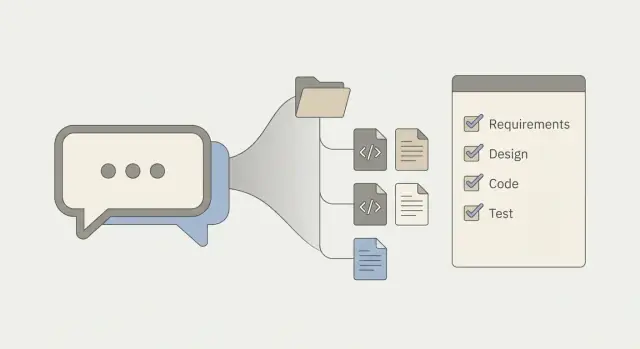
Why chat prototypes get messy fast
A chat prototype is the version of your app you build by describing what you want in plain language and letting the tool generate the pieces. With platforms like Koder.ai, that feels natural: ask for a screen, a form, or an API call, and you can have something working in minutes.
The tradeoff is that speed tends to optimize for "it works right now," not "it will be easy to change later." Each new request often becomes one more component, one more state variable, or a copied function with a tiny tweak. After a few rounds, the app still runs, but even small changes start to feel risky.
Prototype mode has a familiar smell:
- You avoid renaming or moving files because something will break.
- A simple UI change requires edits in several places.
- Debugging means reading huge components that do too many jobs.
- The same logic exists in two or three slightly different versions.
- Data rules are scattered across UI, API calls, and random helpers.
Fast, chat-driven changes also blur responsibilities. A single page might fetch data, validate it, format it, handle errors, and render UI. Naming gets inconsistent because every new prompt chooses different words. Copy-paste grows because it's faster than pausing to design a shared helper.
"Maintainable" doesn't mean perfect architecture. For a solo builder or small team, it usually means you can find things quickly, each file has one main job, state has a clear home (local, global, server), the UI and backend have a clean boundary, and you can change one feature without breaking three others.
A good refactor checklist turns that messy, fast prototype into those everyday guarantees, one safe step at a time.
Before you refactor: protect behavior and set a target
Refactors go sideways when the goal is fuzzy. Pick one clear reason you're doing it: add features faster, reduce bugs, or help a new person understand the project in one afternoon. If you try to "clean everything," you'll end up rewriting, not refactoring.
Draw a hard boundary around scope. Choose one feature area (authentication, checkout, admin dashboard) and treat everything else as out of scope, even if it looks ugly. That constraint is what keeps a safe cleanup from turning into a rebuild.
Before touching code, write down the user flows you must not break. Keep it concrete: "Sign in, land on dashboard, create a record, see it in the list, log out." Chat-built apps often store these flows in someone's head. Put them on paper so you can re-check them after every small change.
Then define a small set of success checks you can run repeatedly:
- The app builds and starts without new warnings you don't understand.
- The main screens in your chosen area load and render correctly.
- Key actions work with real data (save, delete, search, submit).
- Errors show a helpful message instead of a blank screen.
- You have a way to roll back if a change surprises you.
If your platform supports snapshots and rollback (for example, when building on Koder.ai), use that safety net. It pushes you toward smaller steps: refactor one slice, run the checks, snapshot, and keep going.
Naming that makes the next change easier
In a chat-built app, names often reflect the conversation, not the product. Cleaning them up early pays off because every future change starts with searching, scanning, and guessing. Good names reduce that guesswork.
Start by renaming anything that describes history instead of purpose. Files like temp.ts, final2.tsx, or newNewComponent hide the real shape of the app. Replace them with names that match what the code does today.
Pick a simple naming rule set and apply it everywhere. For example: React components use PascalCase, hooks use useThing, utilities use clear verbs like formatPrice or parseDate. Consistency matters more than the specific style.
A quick pass that fits well in a checklist:
- Components: name them by user-facing responsibility (
InvoiceList, notDataRenderer). - Functions: name them by action (
saveDraft, nothandleSubmit2). - Booleans: start with
is/has/can(isLoading,hasPaid). - Event handlers: use
onXfor props andhandleXinside a component. - Files: match the main export (
InvoiceList.tsxexportsInvoiceList).
While you rename, delete dead code and unused props. Otherwise you carry confusing "maybe needed" bits that make future edits feel dangerous. After deleting, do a focused run through the UI to confirm nothing depended on what you removed.
Add comments only when the intent isn't obvious. A note like "We debounce search to avoid rate limits" helps. Comments that restate the code don't.
Snapshots and rollback also make it easier to do a naming pass confidently: you can rename and reorganize in one focused sweep, then roll back quickly if you missed an import or prop.
Folder structure you can grow without pain
Chat-built prototypes usually start as "whatever file was fastest to create." The goal here isn't perfection. It's predictability: anyone should know where to add a new feature, fix a bug, or adjust a screen without opening ten files.
Pick one organizing rule and stick to it
Choose one primary way to group code and keep it consistent. Many teams do well with feature-first structure (everything for "Billing" together) because changes tend to be feature-shaped.
Even with feature grouping, keep responsibilities separated inside each feature: UI (components/screens), state (stores/hooks), and data access (API calls). That keeps "one giant file" from reappearing in a new folder.
A practical starting structure
For a React web app, a simple structure that stays readable looks like this:
src/
  app/            # app shell, routes, layout
  features/       # grouped by feature
    auth/
      ui/
      state/
      api/
    projects/
      ui/
      state/
      api/
  shared/
    ui/           # buttons, modals, form controls
    lib/          # small helpers (date, format, validators)
    api/          # API client setup, interceptors
    types/        # shared types/models
  assets/
A few rules keep this from turning into a maze:
- Keep folders shallow. If you need four levels deep to find a component, the structure is too clever.
- Put "shared" code on a diet. If something is only used by one feature, keep it in that feature.
- Make "api" mean one thing: talking to the server. Don't mix business rules into request files.
- Decide one home for constants and types. Keep feature-specific ones inside the feature, and only truly shared ones in
shared/types. - Name folders by nouns (auth, projects) and files by what they are (ProjectList, useProjects, projectsApi).
If you built on Koder.ai and exported code early, moving into a predictable structure like this is a strong next step. It gives every new screen a clear landing spot without forcing a rewrite.
State management: decide what lives where
Fast chat-built apps often "work" because state is duplicated in a few places and nobody has cleaned it up yet. The goal of a refactor is simple: one clear owner for each piece of state, and a predictable way to read and update it.
Start by naming the types of state you actually have:
- UI state (modals, tabs, selected row, theme)
- Server data (lists, detail records, permissions)
- Form state (inputs, validation errors, dirty flags)
- Derived state (counts, filtered views, computed totals)
- Session state (current user, feature flags)
Then decide where each bucket belongs. UI state usually stays closest to the component that needs it. Form state stays with the form. Server data shouldn't be duplicated across multiple local states. Keep it in one server-cache layer or one shared store so it can be refreshed and invalidated cleanly.
Watch for two sources of truth. A common React prototype trap is keeping items in a global store and also keeping items in a component, then trying to sync them. Pick one owner. If you need a filtered view, store the filter inputs, not the filtered result.
To make data flow visible, pick a few important values and write down:
- Who owns it
- Who reads it
- Who can update it
- What triggers the update
Choose one state pattern and apply it consistently. You don't need perfection. You need a team-wide expectation for where state lives and how updates are handled.
API boundaries: draw a clear line
Chat-built prototypes often let the UI talk to "whatever works" right now: raw database fields, internal IDs, or endpoints that return a different shape depending on the screen. That speed costs you later, because every screen does extra work and changes become risky.
A clean boundary means the frontend only knows a small, stable set of operations, and those operations return predictable data. One practical move is to create a small API client layer that is the only place your UI can call.
What the UI should not know
If a screen needs to know table names, join rules, or which IDs are internal, the boundary is leaking. The UI shouldn't depend on database details like a PostgreSQL primary key or a created_by_user_id field. Return a product-level shape like taskId, title, status, and dueDate, and keep database specifics on the server.
Signs the boundary is leaking:
- Components build URLs, query strings, or headers directly.
- Screens map several response shapes into "almost the same" object.
- Errors are handled differently on every page.
- UI code checks database-only fields (like
deleted_at). - Backend changes break multiple screens.
Make the boundary boring and consistent
The checklist mindset here is: fewer entry points, fewer shapes, fewer surprises. Normalize request and response shapes so each screen does less mapping.
A simple template that stays readable:
- One API module per domain (auth, tasks, billing)
- Basic input checks before calling the server (required fields, simple formats)
- One consistent error shape (message, code, retryable) returned to the UI
- Business rules live outside the UI (and not buried inside components)
If you're building in Koder.ai, treat generated endpoints as a starting point, then lock down a stable client interface. That way you can adjust the backend later without rewriting every component.
Remove duplicated logic without creating a junk drawer
Duplication is normal in chat-built prototypes. You ask for a feature, it works, then you ask for something similar elsewhere and copy-paste is the fastest path. The goal isn't "zero duplication." The goal is "one obvious place to change it."
Start by hunting repeats that quietly break when rules change: input validation, date and currency formatting, API response mapping, permission checks. A quick scan for similar error messages, regexes, or repeated if role === ... blocks often finds the biggest wins.
Extract the smallest piece that has a clear name. Pull out isValidPhone() before you build a whole "validation module." Small helpers are easier to name, easier to test, and less likely to turn into a dumping ground.
Avoid a generic utils folder that collects unrelated helpers. Name code after the job it does and where it belongs, like formatMoney, mapUserDtoToUser, or canEditInvoice. Keep it close to the feature that uses it most, and only move it into shared code when at least two parts of the app truly need it.
A practical mini checklist for duplicates:
- Pick one repeated block and choose the best version.
- Extract it behind a clear name that matches the rule.
- Replace the copies by calling the helper (avoid "almost the same" forks).
- Add a quick check: a small test, a few real inputs, or a basic runtime assertion.
- Delete the old copies immediately so they can't drift.
If you built quickly in Koder.ai, it's common to find the same mapping or permission logic repeated across screens and endpoints. Consolidate it once and future changes will land in one place.
A simple example: turning a chat-built app into a real project
Imagine you used Koder.ai to build a small task list app with email login. It works, but the code feels like one long thought: UI renders a list, button clicks call fetch, responses get formatted inline, and error handling differs across screens.
After a few fast iterations, prototypes often end up like this:
- Components do API calls directly, each in a slightly different way.
- Date and status formatting is copied into multiple files.
- Files live wherever they were first created, so you have to hunt.
- Names match chat prompts, not what the app means now.
A good start is one narrow goal: make "tasks" a clean feature with clear boundaries.
First, extract an API client. Create one place that knows how to talk to the server (auth header, JSON parsing, consistent errors). Then update screens to call tasksApi.list() and tasksApi.create() instead of ad hoc fetch calls.
Next, rename and move a few things so the structure matches how you think. Rename TaskThing to TaskItem, move login screens into an auth area, and group task-related UI and logic together.
Finally, remove duplicated formatting by giving it a home. Put task-specific formatting near the tasks feature (not in a random shared file), and keep it small.
The payoff shows up the next time you add a feature like tags. Instead of sprinkling tag logic across three screens, you update the task model, add one API method, and adjust the task components that already live in the right place.
Step-by-step refactor order that stays safe
Safe refactoring is less about big rewrites and more about keeping one small path working while you tidy around it. Pick a slice that starts at a screen and ends at the database or an external service. "Create task" or "checkout" is better than "clean the whole frontend."
Before touching structure, write down 3 to 5 success checks you can rerun in minutes. For example: "I can sign in, add one item, refresh, and the item is still there." If you built on Koder.ai, take a snapshot first so you can roll back quickly if something breaks.
A refactor order that usually stays calm:
- Pick one end-to-end slice and confirm it works today. Freeze behavior. Fix obvious bugs first, but don't redesign.
- Rename for clarity, then move files into the new structure. Keep changes small so you can undo them.
- Extract the API boundary, then push business rules out of the UI. The UI should call simple functions like
createInvoice()orfetchProfile(), not assemble rules inside buttons and components. - Remove duplication and simplify state handling. If two screens keep their own version of the same data, choose one source of truth.
- Clean up, rerun your success checks, and stop. Delete dead code, remove unused props, and simplify names.
Stopping after each slice is the point. You get steady progress, fewer surprises, and a codebase that becomes easier to change with every pass.
Common refactor mistakes and traps
The biggest trap is trying to design a perfect architecture before you fix what's actively hurting you. When a chat-built app starts to creak, the pain is usually specific: a confusing name, a messy folder, a state bug, or an API call that leaks everywhere. Fix those first and let patterns emerge.
Another common mistake is refactoring the whole app in one sweep. It feels faster, but it makes reviews harder and bugs harder to isolate. Treat each refactor as a small patch you could roll back if needed.
Common traps:
- Making large cross-app changes at once (folders, naming, state, APIs) so you can't tell what caused a break.
- Adding abstractions too early, like a "ServiceFactory" or "BaseStore," before you have two real cases that need them.
- Keeping duplicate logic "for now" in a second file, then forgetting to delete it.
- Mixing server rules into the UI because it's faster in the moment (like validating permissions in a React component instead of a backend handler).
- Turning a shared utility folder into a junk drawer that's hard to trust.
A realistic example is price calculation. If you have the same logic in a checkout screen, an order summary widget, and a backend endpoint, changing only the UI can still leave the backend charging a different total. Put the rule in one place (often the server) and have the UI display what the API returns. That decision prevents a whole category of "it worked on my screen" bugs.
If you feel stuck, choose one source of truth per rule, remove the duplicates, and add a small test or quick manual check to prove behavior stayed the same.
Quick checklist and next steps
This checklist is a final pass before you call the work "done." The goal isn't perfection. It's making the next change cheaper and less risky.
Five fast checks that catch most prototype problems:
- Names tell the truth: components, files, and functions say what they do (no "temp," "final2," "helper").
- Folders match how the app works: clear homes for screens, shared UI, domain logic, and data access.
- One source of truth: values are owned in one place (state, config, constants), not copied across files.
- API calls are clean: UI doesn't build URLs or parse responses; that logic lives in one data layer.
- State updates are predictable: the same pattern across the app (loading, success, error), with no surprise side effects.
Then do a short pass on the paper cuts users notice: consistent error messages, fewer copy-paste blocks, and business rules (validation, formatting, permissions) that live in one spot.
Choose what to refactor next by following your change history. Start with the areas you touch most often: the screen you tweak daily, the API you keep adjusting, the state that keeps breaking. Refactoring quiet parts of the app first can feel good, but it rarely pays back.
If you're using Koder.ai, its snapshots, rollback, and source code export give you a practical workflow: refactor in small steps, verify the slice still works, and keep a clean checkpoint before moving on.
FAQ
How do I know it’s time to refactor a chat-built prototype?
Start when small changes feel risky: you avoid renaming files, UI tweaks require edits in several places, and you keep finding the same logic copied with tiny differences.
A good trigger is when you’re spending more time understanding the code than shipping the next feature.
What’s the safest way to start refactoring without breaking everything?
Pick one clear goal first (for example: “add features faster in the tasks area” or “reduce bugs in checkout”). Then set a strict scope boundary around one feature area.
Write down 3–5 user flows you must not break (sign in, create record, refresh, delete, log out) and rerun them after each small change.
What should I rename first in a messy codebase?
Default: start with the stuff you read every day—files, components, functions, and key variables.
Practical rules that help fast:
- Components: name by user responsibility (
InvoiceList) - Functions: name by action (
saveDraft) - Booleans:
is/has/can(isLoading) - Handlers:
onXfor props,handleXinside
Delete dead code as you go so you don’t keep “maybe used” confusion.
What folder structure works well for chat-generated React apps?
Pick one organizing rule and stick to it. A common default is feature-first: keep everything for “auth” or “projects” together.
Inside each feature, keep clear separation:
ui/for screens/componentsstate/for stores/hooksapi/for server calls
Keep folders shallow and don’t move feature-only code into shared/ too early.
How do I clean up state when the same data exists in multiple places?
Use one clear owner per state type:
- UI state stays near the component (modals, tabs)
- Form state stays in the form
- Server data should live in one cache/store layer (not copied into multiple components)
Avoid “two sources of truth.” Store the filter inputs, not both the inputs and the filtered list.
How do I draw a clean API boundary between frontend and backend?
Default: create a small API client layer that is the only place the UI calls the server.
The UI should not:
- build URLs/headers in components
- map five response shapes into “almost the same” object
- handle errors differently per page
Aim for consistent inputs/outputs and one error shape so screens stay simple.
What’s the best way to remove duplicated logic without creating a “utils junk drawer”?
Start with rules that silently drift when duplicated:
- validation
- formatting (dates, money)
- permission checks
- response mapping
Extract the smallest named helper (like canEditInvoice()), replace the copies, then delete the old versions immediately. Avoid dumping everything into a generic utils file—name helpers by what they do.
In what order should I refactor to keep changes safe?
Refactor one end-to-end slice at a time (a screen through to the API): “create task” beats “clean the whole frontend.”
A calm order:
- Freeze behavior with quick checks
- Rename + move files into a predictable structure
- Extract API client and push business rules out of UI
- Simplify state and remove duplication
- Cleanup and stop (don’t expand scope mid-slice)
What are the most common refactor mistakes in chat-built apps?
The most common traps are:
- doing huge cross-app changes at once (naming + folders + state + API)
- adding abstractions before you have 2 real use cases
- keeping duplicates “for now” and never deleting them
- mixing server rules into UI because it’s faster
If you can’t explain “where this rule lives,” pick one place (often the server for pricing/permissions) and remove the other copies.
How should I use Koder.ai features like snapshots and rollback during refactoring?
Use snapshots/rollback as a workflow tool:
- take a snapshot before each refactor slice
- make one small change, rerun your success checks
- snapshot again when the slice is stable
If you’re on Koder.ai, combine that with source code export so you can keep clean checkpoints while you reorganize files, tighten API boundaries, and simplify state without fear of getting stuck.