

Resume Websites in 2026: The Easiest Way to Stand Out
Learn why resume websites matter in 2026, what to include, and how to build one fast. Get best practices, examples, and a launch checklist.
Why Resume Websites Win Attention in 2026
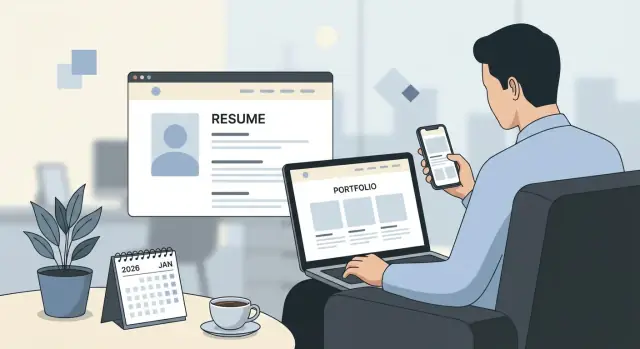
A resume website is a single, easy-to-share link that presents your professional story: what you do, what you’ve done, and how to contact you. Think of it as your “home base” online—more structured than a social profile, and more flexible than a one-page document.
What it is (and what it isn’t)
A good resume website is not a flashy personal brand project or a full blog you have to maintain. It’s also not a replacement for every application document.
It is a curated hub: a clean summary, proof of work, and clear next steps (download resume, book a call, email you). Done well, it helps people understand you in under two minutes—and then explore deeper if they’re interested.
Why a link is more memorable than a PDF attachment
Hiring teams juggle dozens of candidates, tabs, and threads. A single link is frictionless: it can be dropped into an email, a LinkedIn message, a referral intro, or an application field that asks for “website.”
More importantly, a link is consistent. Your resume file name might change (Final_v7.pdf), but your URL stays the same. That makes it easier for recruiters and referrers to find you again later—and easier for you to control what they see first.
Who benefits most
- Students and new grads: you can show projects, coursework, and internships in context, even if your work history is short.
- Career switchers: you can connect the dots between past experience and your new direction with a narrative, not just bullet points.
- Freelancers and contractors: a website doubles as a lightweight portfolio and a lead-gen asset.
- Managers and leaders: you can highlight outcomes, scope, and leadership style without cramming it into one page.
When a traditional resume is still necessary
Many companies still require a PDF or a form-based resume upload for compliance, internal systems, or standardized review. You’ll also want a traditional resume for roles that screen heavily through structured application steps.
The practical approach in 2026: keep a strong resume and include your resume website link wherever you can—so reviewers who want more context can get it instantly.
How Hiring Teams Actually Use Your Online Presence
Hiring teams don’t “read” your online presence the way you do. They skim it for fast proof that you’re real, relevant, and worth a deeper conversation.
What recruiters scan for in under a minute
Recruiters and hiring managers typically open your link while they’re triaging a shortlist. They’re looking for credibility cues that are hard to fit into a one-page PDF:
- A clear role focus (“Product Designer in B2B SaaS,” not “Open to anything”)
- Evidence of results (metrics, outcomes, impact)
- Signs you communicate well (clean writing, structure, no broken pages)
- Proof you actually did the work (case studies, demos, screenshots, GitHub/Dribbble links)
A resume website works best when it makes those answers obvious without forcing people to hunt.
How your website complements LinkedIn (instead of replacing it)
LinkedIn is the directory: it’s where people verify dates, titles, mutual connections, and basic fit. Your website is the “show me” layer: it explains context, decisions, and outcomes.
A simple approach is to keep LinkedIn for chronology and networking, and use your site for depth—projects, writing samples, and a short narrative about what you’re aiming for next.
How links are used during shortlisting
When a recruiter is deciding who moves forward, your link is often used to answer one question: “Is this candidate consistently strong?”
They’ll click 1–3 items max. That’s why a tight homepage and a focused Projects/Portfolio page matter more than having 20 pages.
Common objections (and practical fixes)
Privacy: Use a contact form, remove your home address, and keep sensitive client details anonymized.
Time: Start with one strong page plus a projects page. You can expand later.
Tech: Use a template, a site builder, or a vibe-coding platform like Koder.ai (chat your requirements, generate the app, and deploy). Hiring teams don’t care how it’s built—only that it’s easy to evaluate.
What to Include: A Simple, High-Impact Structure
A resume website works best when it’s intentionally small. Hiring teams don’t want to “browse”—they want to confirm your fit quickly, find proof, and grab a link they can share.
1) Homepage: role + value in one sentence
Treat the top of your homepage like the headline on your resume. In one clear line, say what you do and the kind of outcomes you deliver.
Example: “Product Designer who ships user-tested flows that improve activation and reduce support tickets.”
Add 2–3 quick proof points beneath it (a metric, a recognizable domain, a specialty). Keep the rest of the page scannable.
2) About: short, specific, human
Your About section should answer: “What kind of teammate are you?” Keep it concrete and avoid buzzword overload. Mention your focus area, the environments you thrive in, and one or two personal details that are safe and relevant (e.g., “I mentor juniors” or “I like messy problems”).
A simple structure:
- What you do + who you help
- How you work (1–2 sentences)
- What you’re looking for next
3) Experience highlights: outcomes, scope, tools
You don’t need your full job history here—just the highlights. For each role, include outcomes (results), scope (team size, budget, traffic, quota), and tools only where they clarify your work.
Aim for 3–5 bullets per role, each starting with a strong verb and ending with impact.
4) Projects / case studies: proof behind the claims
Projects are where credibility happens. Pick 2–4 and go deeper: the problem, your approach, what you shipped, and what changed. If you have visuals, add them—but the story matters more than the screenshots.
5) Contact: make “reach out” effortless
Include a clear email address, your LinkedIn profile, and (optionally) a calendar link for quick scheduling. Add a short line on what you’re open to (full-time, contract, remote, location).
Copy That Gets You Interviews (Without Sounding Salesy)
A resume website works best when the copy reads like a clear introduction—not an ad. Your goal is to make it easy for a hiring manager to answer three questions quickly: Who are you? What do you do well? What proof do you have?
Start with a headline that’s specific
Skip vague titles like “Hard-working professional.” A strong headline combines role + niche + value.
Examples:
- Product Designer for B2B SaaS | Turns complex workflows into simple, shippable UI
- Marketing Analyst (Lifecycle) | Improves retention with experimentation and clean reporting
- Frontend Engineer | Builds fast, accessible interfaces for content-heavy products
Follow with 1–2 sentences that add context (industry, typical users, what you’re known for).
Pick 3–5 signature achievements (not 20 bullets)
Most visitors won’t read everything. Feature 3–5 “signature” wins that represent your best work and match the roles you want.
A good achievement is:
- relevant to the target job
- easy to understand in one breath
- supported by a number, example, or artifact
Turn responsibilities into outcomes
Responsibilities describe what you were assigned. Outcomes show what changed because you did it.
Try this rewrite pattern:
- Responsibility: “Managed email campaigns.”
- Outcome: “Built lifecycle email campaigns that increased trial-to-paid conversion by 18% over 3 months.”
If you can’t use exact numbers, use ranges or scope: “reduced turnaround from days to hours,” “supported 30+ client accounts,” “served 200K monthly users.”
Add social proof (tastefully)
One short, credible quote can do more than a page of claims.
Use:
- a brief testimonial (2–3 lines) with name, title, and company
- a reference line like “References available upon request” if privacy is a concern
- notable clients or logos only if you’re allowed to share them
Keep the tone calm and factual. Confidence reads best when the proof is doing the talking.
Portfolio and Projects: Make Your Work Easy to Evaluate
A resume website works best when it answers a reviewer’s unspoken question: “Can I understand your impact in two minutes—and verify it in five?” Your portfolio is where that happens.
What to show (by role)
- Engineering: 2–4 projects with architecture notes, tradeoffs, performance or reliability wins, and links to code where possible.
- Design: 3–6 case studies with your role, constraints, iterations, and final outcomes (not just glossy screens).
- Marketing/Growth: campaigns with audience, channel mix, testing plan, and measurable lift (CPL, CAC, conversion rate).
- Ops/Program/PMO: process improvements, timelines, stakeholder map, risks managed, and outcomes (cycle time, cost, SLA).
- HR/People: programs (hiring, onboarding, L&D), adoption metrics, retention or time-to-hire changes, and what you’d refine.
Use a mini case study format (fast to scan)
Keep each project in the same structure so hiring teams can compare quickly:
Problem → Approach → Result → Learnings
Example:
- Problem: Checkout abandonment was high on mobile.
- Approach: Audited funnel, ran 3 experiments, simplified form, improved page speed.
- Result: Conversion +12%, support tickets -18% over 6 weeks.
- Learnings: Biggest gains came from reducing steps, not copy tweaks.
Handling confidential work
If you can’t share details, don’t skip the project—reshape it:
- Anonymize names (“enterprise fintech client”), remove numbers if needed (use ranges), and avoid screenshots.
- Focus on your process, decision-making, constraints, and what changed after your work.
- Consider a “What I can share in an interview” note to signal openness without breaking trust.
Link to proof (without overwhelming)
Use a small “Artifacts” row per project:
GitHub repo, Figma prototype, writing sample, or a short deck. If links are private, say so and offer access on request. Keep the best work one click away from your homepage, then point recruiters to a dedicated /projects page for depth.
Design Basics That Instantly Look Professional
A resume website doesn’t need “designer energy” to look polished. It needs clarity: easy to read, easy to scan, and easy to act on.
Mobile-first: design for thumbs and short attention
Most people will open your link on a phone first (often between meetings). Use a single-column layout, generous spacing, and headings that break the page into obvious sections.
Keep your key info above the fold on mobile:
- Name + role (one line)
- One-sentence positioning (“Operations manager focused on process improvement and customer experience”)
- Two or three quick highlights
- Primary call to action
Typography that reads like a good document
Readable typography is your fastest “instant professional” upgrade.
- Use one clean body font and one heading style.
- Aim for 16–18px body text and comfortable line spacing.
- Keep line length reasonable (wide text blocks feel exhausting).
If it feels like a well-formatted PDF, you’re on the right track—just more scannable.
Speed and navigation: remove friction
Hiring teams are impatient, not rude. They’re just busy.
- Avoid heavy animations and giant background media.
- Keep navigation short (3–6 links). “Home,” “Resume,” “Projects,” and “Contact” is plenty.
- Make it obvious where to click next.
Accessibility basics that also improve aesthetics
Accessibility isn’t a separate “nice-to-have.” It’s how your site stays readable in different lighting, devices, and browsers.
- Use strong contrast (light gray on white looks modern… and unreadable).
- Add alt text for meaningful visuals (for example, project screenshots).
- Ensure keyboard navigation works: tabbing should reach links and buttons in a sensible order.
Clear calls to action (CTAs)
Don’t hide your next step in a paragraph. Add visible buttons or links that say exactly what they do:
- “Download PDF”
- “Email me”
- “View projects”
Place at least one CTA near the top and repeat it at the bottom. Your goal is simple: make it easy to say yes.
ATS and Applications: How a Website Fits the Process
An ATS (applicant tracking system) is still the gatekeeper for many roles in 2026. Your resume website won’t replace the formal application—but it can make the “human” part of hiring faster and more confident once your resume is in the system.
The safest approach: keep a PDF resume on your site
Treat your website as the hub and your PDF as the “official document.” Make the PDF easy to find from every page (header and/or footer) with a clear label like “Download Resume (PDF).” If you have multiple versions (e.g., Product vs. Ops), name them plainly.
Also consider a simple “Resume” page with a clean, readable HTML version. It helps recruiters skim on mobile and makes it easy to copy/paste details into forms.
How to mirror keywords without stuffing
Use job descriptions to guide wording, but keep it natural:
- Match the same skill names you actually use (e.g., “Salesforce,” “SQL,” “stakeholder management”).
- Reflect tools and outcomes in context (“Reduced onboarding time by 30% using…”).
- Add a small “Skills” or “Tools” section that’s accurate, not aspirational.
If a keyword doesn’t represent real experience, leave it out. Stuffing reads fake to people and doesn’t reliably help with systems.
Plain headings and consistent job titles
ATS-friendly writing is also human-friendly. Use straightforward headings like “Experience,” “Projects,” “Education,” and “Skills.” Keep job titles consistent across your PDF, LinkedIn, and website—small mismatches can create doubt.
What not to do (it can backfire)
Avoid tactics that hurt readability or trust:
- Hidden text or keyword blocks
- Gimmicky animations that slow pages or obscure content
- Hard-to-read layouts (tiny type, low contrast, busy backgrounds)
Your website should make evaluating you easier—not make someone work to understand you.
Domains, Hosting, and Privacy: Practical Choices
A resume website should feel effortless to visit and safe to share. The right domain and hosting setup helps you look established, keeps your link stable, and lets you control what’s public.
Custom domain vs. platform subdomain
A custom domain (yourname.com) is the cleanest, most memorable option. It also travels well across jobs and platforms—if you rebuild your site later, the link can stay the same.
A platform subdomain (for example, yourname on a builder subdomain) is fine for testing or tight budgets, but it can feel temporary and may change if you switch tools. If you’re actively applying, a custom domain usually pays off in credibility.
Simple URL naming that hiring teams remember
Keep it short, obvious, and easy to type:
- firstlast.com (best when available)
- firstlast.design / firstlast.dev (great for creative/tech roles)
- firstlastresume.com (acceptable, but longer)
Avoid hyphens, numbers, and clever spellings. The goal is “I can recall this after one glance.”
HTTPS, backups, and avoiding expired domains
Make sure your site uses HTTPS (the lock icon). Most modern hosts provide free SSL—turn it on and force HTTPS.
Two practical safety steps:
- Backups: export your site or keep a copy of key text in a doc. If your builder account gets locked or a template breaks, you can recover quickly.
- Domain renewal: turn on auto-renew and keep your contact email current. An expired domain can be bought by someone else, breaking your resume link at the worst time.
Password-protected pages (when and what)
Use a password-protected page only when you must share sensitive material—client work under NDA, internal dashboards, or detailed case study metrics.
What to include there: a short context note, the protected work, and a contact method. Keep your public site strong enough that you’re not forcing every recruiter to ask for access.
Recommended Pages and Navigation (Keep It Simple)
A resume website works best when people can answer two questions in seconds: “What do you do?” and “Where can I see proof?” The easiest way to get there is a small set of pages with clear labels and predictable navigation.
Essential pages (the minimum that still feels complete)
- Home: A one-sentence headline (role + specialty), a short “value” paragraph, and prominent links to Projects and Resume.
- Projects: Your strongest work first, with short context and outcomes. Make it scannable.
- About: A human, 3–6 paragraph story: what you do, what you’re good at, and what you’re looking for.
- Resume: A web version plus a PDF download link (labeled clearly).
- Contact: Email button, LinkedIn, and (if relevant) a simple form.
If you’re using a builder, start from a resume website template so the structure is handled for you. See /templates for quick layouts.
Optional pages (only if they support your goal)
Add these when you have real material—and a reason someone would click.
- Writing: Articles that show your thinking and communication.
- Speaking: Talks, panels, podcasts, and topics you can present.
- Press: Mentions, awards, or notable features.
- Volunteering: Leadership, community impact, or role-relevant service.
If you’re unsure, skip it. A strong Projects page beats five thin pages.
Navigation rules that keep attention
Keep the top navigation to 4–6 items and aim for “one click to proof” (Projects, Resume, Contact). Use plain labels (“Projects,” not “Case Studies & Insights”). Put Contact at the far right, and repeat it in the footer.
Avoid dropdowns unless you truly need them; they hide your best work. If you want inspiration for clean menus, browse examples in /blog.
Need help deciding what to include (and what to cut)? A simple package comparison at /pricing can clarify how much structure you actually need.
Common Mistakes That Make a Resume Website Backfire
A resume website can help you stand out—or quietly raise red flags. Most “bad” sites fail for simple reasons: they make it hard to verify your story, hard to contact you, or hard to find the evidence.
1) Trust breakers: broken links and mismatched details
If your GitHub, LinkedIn, or portfolio links 404, a reviewer may assume the rest is unreliable too. The same goes for inconsistencies: job titles that don’t match your PDF resume, date ranges that change from page to page, or roles that are clearly outdated.
Do a quick credibility sweep: every link works, every role is current, and dates are consistent across your website, /resume page, and LinkedIn.
2) Design that hides the content
Overdesigned layouts can bury what hiring teams want: your skills, scope, and outcomes. Common culprits include tiny fonts, low contrast, long animations, and trendy navigation that makes basic info hard to locate.
Aim for “scan-friendly”: clear headings, readable type, and a simple menu that always keeps Resume, Projects, and Contact one click away.
3) No clear next step
A surprising number of sites don’t say what to do next. Missing contact info, no email link, or a contact form that doesn’t confirm delivery can cost you interviews.
Add a direct call to action near the top and bottom: “Email me” and “Download resume.” Make your email visible (not only behind a form).
4) Generic claims without proof
Phrases like “hard-working team player” don’t help unless you back them up. Replace them with specifics: metrics, before/after results, tools used, and a brief description of your role.
5) Skipping proofreading and performance basics
Typos, inconsistent capitalization, and blurry screenshots read as carelessness. Also, giant images can make pages feel slow.
Proofread out loud, compress images, and check your site on mobile. Small fixes here make your work look instantly more polished.
Launch Checklist: Build Fast, Publish Confidently
A resume website doesn’t need weeks of polishing. A simple, accurate, easy-to-navigate site that loads fast and answers hiring questions will outperform a “perfect” site that never ships.
A 60-minute build plan
0–10 min: Outline
Decide on 3–5 pages max (Home, Resume, Projects, About, Contact). Write one sentence for what each page must accomplish.
10–30 min: Content
Draft: headline (role + value), 3–5 impact bullets, links to 2–4 best projects, and a clear contact method. Keep copy skimmable.
30–50 min: Template + layout
Pick a clean template or generate a simple site quickly with a chat-driven builder like Koder.ai. Set one font, one accent color, and generous spacing. Put the most important items above the fold: name, role, location/time zone, and primary call-to-action (email or calendar link).
50–60 min: Publish
Connect your domain, enable HTTPS, and double-check your resume link and contact form.
Pre-launch checklist (10 minutes)
- Spelling and dates: job titles, months/years, company names
- Mobile: check on your phone; buttons must be tappable
- Speed: avoid giant images; keep pages light
- Contact test: send yourself a message and confirm it arrives
- Link audit: every project link opens correctly (no “404”)
Post-launch checklist (stay current)
Update on a simple cadence: monthly (quick scan) and after every major project (add outcomes + link).
Version your resume so you never lose a strong draft:
- Keep a “master resume” and a role-specific version (e.g., “Product-Analyst-Resume.pdf”)
- Date your PDFs (e.g., “Resume-2026-02.pdf”) and keep older versions in a private folder
How to share (without spamming)
- Add your resume website link to your email signature
- Put it in LinkedIn: Featured section + the top of your About
- In applications, paste the link in the “website/portfolio” field and reference it once in your cover letter (e.g., “Portfolio + case studies: …”)
FAQ
What is a resume website, and what should it do?
A resume website is a single link that acts as your “home base” online: a clear summary of what you do, proof of work (projects/case studies), and easy ways to contact you.
It’s most effective when it’s intentionally small and scannable—something a recruiter can understand in under two minutes.
Why is a resume website link more memorable than attaching a PDF?
A URL is frictionless to share in email, DMs, referral intros, and application fields. It’s also stable—your URL can stay the same even when your PDF filename changes.
Practically: keep your website as the hub, and link to a downloadable PDF from it.
Who benefits most from having a resume website in 2026?
It’s especially helpful for:
- Students/new grads who need to show projects and context.
- Career switchers who need to connect past work to a new direction.
- Freelancers/contractors who benefit from a lightweight portfolio + lead-gen.
- Managers/leaders who need space for scope, outcomes, and leadership approach.
When do I still need a traditional PDF resume?
You’ll still need a traditional resume when a company requires:
- ATS/form-based uploads
- Compliance or standardized review
- Heavily structured screening steps
Best practice: maintain a strong PDF resume and add your website link anywhere you can.
What do recruiters and hiring managers look for on your site in under a minute?
They typically scan for fast credibility:
- Clear role focus (specific, not “open to anything”)
- Evidence of results (metrics, outcomes)
- Clear communication (structure, no broken pages)
- Proof you did the work (case studies, demos, GitHub/Figma links)
Design your homepage so those answers are obvious without digging.
How should a resume website complement LinkedIn (not replace it)?
Use LinkedIn for verification and networking (titles, dates, connections). Use your website for depth (context, decisions, outcomes, artifacts).
A simple setup:
- LinkedIn = chronology
- Website = proof (Projects) + narrative (About) + clear CTAs (Contact, PDF)
What pages should I include on a simple, high-impact resume website?
Keep it minimal and high-impact:
- Home: role + value in one sentence, 2–3 proof points, strong CTA
- About: short, concrete, human (how you work + what you want next)
- Experience highlights: outcomes, scope, tools only when helpful
- Projects: 2–4 deeper case studies
- Contact: email + LinkedIn (optional calendar)
If you’re using a builder, starting from a template can speed this up (see /templates).
What’s the best format for project case studies?
Use a consistent, fast-to-scan structure:
Problem → Approach → Result → Learnings
Add an “Artifacts” row (e.g., GitHub, prototype, deck) and keep your best work one click from the homepage via a focused /projects page.
How do I show NDA or confidential work without breaking trust?
Don’t skip confidential projects—reshape them:
- Anonymize names (e.g., “enterprise fintech client”)
- Remove or generalize sensitive numbers (use ranges if needed)
- Focus on your role, constraints, decisions, and what changed
- Add a note like “More details available in an interview”
You can also put sensitive items on a password-protected page, but keep the public site strong enough to evaluate you without requesting access.
What mistakes make a resume website hurt your chances?
Avoid common backfires:
- Broken links or mismatched dates/titles across site, PDF, and LinkedIn
- Overdesigned layouts (tiny fonts, low contrast, heavy animation)
- No clear next step (missing email, unclear CTA)
- Generic claims with no proof
- Slow pages from huge images
Before sharing, do a quick link audit, test mobile, and send yourself a message via the contact method to confirm it works.