

Ryan Dahl’s Node.js and Deno: Runtimes That Shaped JS Backends
A practical guide to how Ryan Dahl’s Node.js and Deno choices shaped backend JavaScript, tooling, security, and daily developer workflows—and how to choose today.
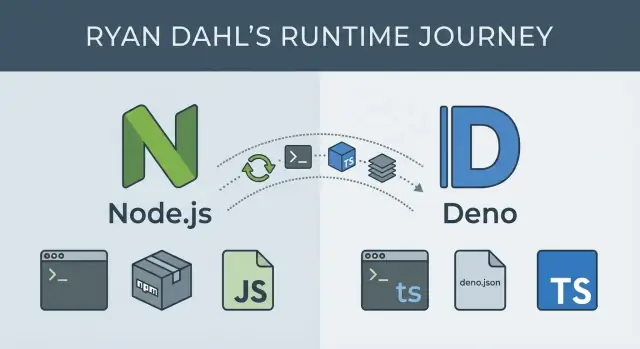
Why runtime choices shaped backend JavaScript
A JavaScript runtime is more than a way to execute code. It’s a bundle of decisions about performance characteristics, built-in APIs, security defaults, packaging and distribution, and the everyday tools developers rely on. Those decisions shape what backend JavaScript feels like: how you structure services, how you debug production issues, and how confidently you can ship.
Runtimes influence the work, not just the speed
Performance is the obvious part—how efficiently a server handles I/O, concurrency, and CPU-heavy tasks. But runtimes also decide what you get “for free.” Do you have a standard way to fetch URLs, read files, start servers, run tests, lint code, or bundle an app? Or do you assemble those pieces yourself?
Even when two runtimes can run similar JavaScript, the developer experience can be dramatically different. Packaging matters too: module systems, dependency resolution, lockfiles, and how libraries are published affect build reliability and security risk. Tooling choices influence onboarding time and the cost of maintaining many services over years.
Decisions and trade-offs—not hero worship
This story is often framed around individuals, but it’s more useful to focus on constraints and trade-offs. Node.js and Deno represent different answers to the same practical questions: how to run JavaScript outside the browser, how to manage dependencies, and how to balance flexibility with safety and consistency.
You’ll see why some early Node.js choices unlocked a huge ecosystem—and what that ecosystem demanded in return. You’ll also see what Deno tried to change, and what new constraints come with those changes.
What you’ll learn, and who this is for
This article walks through:
- The origins of Node.js and why its event-driven model mattered for backend work
- The ecosystem effects of npm, and how that shaped workflows and risk
- Deno’s goals (including security and TypeScript-first ergonomics)
- How these runtime differences show up in day-to-day shipping and maintenance
It’s written for developers, tech leads, and teams choosing a runtime for new services—or maintaining existing Node.js code and evaluating whether Deno fits parts of their stack.
Ryan Dahl in context: two runtimes, two sets of goals
Ryan Dahl is best known for creating Node.js (first released in 2009) and later initiating Deno (announced in 2018). Taken together, the two projects read like a public record of how backend JavaScript evolved—and how priorities shift once real-world usage exposes trade-offs.
Node.js: make JavaScript viable on the server
When Node.js appeared, server development was dominated by thread-per-request models that struggled under lots of concurrent connections. Dahl’s early focus was straightforward: make it practical to build I/O-heavy network servers in JavaScript by pairing Google’s V8 engine with an event-driven approach and non-blocking I/O.
Node’s goals were pragmatic: ship something fast, keep the runtime small, and let the community fill gaps. That emphasis helped Node spread quickly, but it also set patterns that became hard to change later—especially around dependency culture and defaults.
Deno: revisit assumptions after a decade of lessons
Nearly ten years later, Dahl presented “10 Things I Regret About Node.js,” outlining issues he felt were baked into the original design. Deno is the “second draft” shaped by those regrets, with clearer defaults and a more opinionated developer experience.
Instead of maximizing flexibility first, Deno’s goals lean toward safer execution, modern language support (TypeScript), and built-in tooling so teams need fewer third-party pieces just to start.
The theme across both runtimes isn’t that one is “right”—it’s that constraints, adoption, and hindsight can push the same person to optimize for very different outcomes.
Node.js fundamentals: event loop, non-blocking I/O, real-world impact
Node.js runs JavaScript on a server, but its core idea is less about “JavaScript everywhere” and more about how it handles waiting.
The event loop, in plain English
Most backend work is waiting: a database query, a file read, a network call to another service. In Node.js, the event loop is like a coordinator that keeps track of these tasks. When your code starts an operation that will take time (like an HTTP request), Node hands that waiting work off to the system, then immediately moves on.
When the result is ready, the event loop queues a callback (or resolves a Promise) so your JavaScript can continue with the answer.
Non-blocking I/O and “single-threaded” concurrency
Node.js JavaScript runs in a single main thread, meaning one piece of JS executes at a time. That sounds limiting until you realize it’s designed to avoid doing “waiting” inside that thread.
Non-blocking I/O means your server can accept new requests while earlier ones are still waiting on the database or network. Concurrency is achieved by:
- Letting the OS handle many I/O operations in parallel
- Using the event loop to resume the right request when its I/O finishes
This is why Node can feel “fast” under lots of simultaneous connections, even though your JS isn’t running in parallel in the main thread.
Practical implications: CPU-bound work and offloading
Node excels when most time is spent waiting. It struggles when your app spends lots of time computing (image processing, encryption at scale, large JSON transformations), because CPU-heavy work blocks the single thread and delays everything.
Typical options:
- Worker threads for CPU-heavy tasks that must stay in-process
- Offload compute to separate services (job queues, dedicated compute workers)
- Use native modules or external tools when appropriate
Where Node.js is usually a great fit
Node tends to shine for APIs and backend-for-frontend servers, proxies and gateways, real-time apps (WebSockets), and developer-friendly CLIs where quick startup and rich ecosystem matter.
What Node.js optimized for—and what it traded off
Node.js was built to make JavaScript a practical server language, especially for apps that spend a lot of time waiting on the network: HTTP requests, databases, file reads, and APIs. Its core bet was that throughput and responsiveness matter more than “one thread per request.”
The core design: V8 + libuv + a small standard library
Node pairs Google’s V8 engine (fast JavaScript execution) with libuv, a C library that handles the event loop and non-blocking I/O across operating systems. That combination let Node stay single-process and event-driven while still performing well under many concurrent connections.
Node also shipped with pragmatic core modules—notably http, fs, net, crypto, and stream—so you could build real servers without waiting for third-party packages.
Trade-off: a small standard library kept Node lean, but it also nudged developers toward external dependencies earlier than in some other ecosystems.
From callbacks to async/await: power with some scars
Early Node leaned heavily on callbacks to express “do this when the I/O finishes.” That was a natural fit for non-blocking I/O, but it led to confusing nested code and error-handling patterns.
Over time, the ecosystem moved to Promises and then async/await, which made code read more like synchronous logic while keeping the same non-blocking behavior.
Trade-off: the platform had to support multiple generations of patterns, and tutorials, libraries, and team codebases often mixed styles.
Backward compatibility: stability that slows big cleanups
Node’s commitment to backward compatibility made it safe for businesses: upgrades rarely break everything overnight, and core APIs tend to stay stable.
Trade-off: that stability can delay or complicate “clean break” improvements. Some inconsistencies and legacy APIs remain because removing them would hurt existing apps.
Native addons: huge ecosystem reach, more complexity
Node’s ability to call into C/C++ bindings enabled performance-critical libraries and access to system features through native addons.
Trade-off: native addons can introduce platform-specific build steps, tricky installation failures, and security/update burdens—especially when dependencies compile differently across environments.
Overall, Node optimized for shipping networked services quickly and handling lots of I/O efficiently—while accepting complexity in compatibility, dependency culture, and long-term API evolution.
npm and the Node ecosystem: power, complexity, and risk
npm is a big reason Node.js spread so quickly. It turned “I need a web server + logging + database driver” into a few commands, with millions of packages ready to plug in. For teams, that meant faster prototypes, shared solutions, and a common language for reuse.
Why npm made Node productive
npm lowered the cost of building backends by standardizing how you install and publish code. Need JSON validation, a date helper, or an HTTP client? There’s likely a package—and examples, issues, and community knowledge to go with it. This accelerates delivery, especially when you’re assembling many small features under deadline.
Dependency trees: where the pain starts
The trade-off is that one direct dependency can pull in dozens (or hundreds) of indirect dependencies. Over time, teams often run into:
- Size and duplication: multiple versions of the same library get installed because different packages require different ranges.
- Operational drag: installs can slow down, CI caches grow, and “works on my machine” becomes more common.
- Supply-chain risk: the larger your tree, the more you rely on maintainers you’ve never met—and the more attractive the target for account takeovers or malicious updates.
SemVer: expectations vs reality
Semantic Versioning (SemVer) sounds comforting: patch releases are safe, minor releases add features without breaking, and major releases can break. In practice, large dependency graphs stress that promise.
Maintainers sometimes publish breaking changes under minor versions, packages get abandoned, or a “safe” update triggers behavior changes through a deep transitive dependency. When you update one thing, you may update many.
Practical guardrails that work
A few habits reduce risk without slowing development:
- Use lockfiles (
package-lock.json,npm-shrinkwrap.json, oryarn.lock) and commit them. - Pin or tightly range critical dependencies, especially security-sensitive ones.
- Audit regularly:
npm auditis a baseline; consider scheduled dependency review. - Prefer fewer, well-known packages over many tiny ones; delete dependencies that you no longer use.
- Automate updates carefully (for example, grouped PRs with tests required before merge).
npm is both an accelerator and a responsibility: it makes building fast, and it makes dependency hygiene a real part of backend work.
Tooling and workflows in Node: flexibility with extra setup
Node.js is famously unopinionated. That’s a strength—teams can assemble exactly the workflow they want—but it also means a “typical” Node project is really a convention built from community habits.
How Node projects usually organize scripts
Most Node repos center on a package.json file with scripts that act like a control panel:
dev/startto run the appbuildto compile or bundle (when needed)testto run a test runnerlintandformatto enforce code style- sometimes
typecheckwhen TypeScript is involved
This pattern works well because every tool can be wired into scripts, and CI/CD systems can run the same commands.
The tooling layers you often stack
A Node workflow commonly becomes a set of separate tools, each solving one piece:
- Transpilers (TypeScript compiler, Babel) to turn modern syntax into something your runtime can execute
- Bundlers (Webpack, Rollup, esbuild, Vite) to package code for deployment or the browser
- Linters/formatters (ESLint, Prettier) to keep code consistent
- Test runners (Jest, Mocha, Vitest) plus assertion and mocking libraries
None of these are “wrong”—they’re powerful, and teams can pick best-in-class options. The cost is that you’re integrating a toolchain, not just writing application code.
Where friction shows up
Because tools evolve independently, Node projects can hit practical snags:
- Configuration sprawl: multiple config files (or deeply nested options) that new teammates must learn
- Version mismatches: a plugin expects a different major version of the linter, bundler, or TypeScript
- Environment drift: local Node versions differ from CI or production, leading to “works on my machine” bugs
Over time, these pain points influenced newer runtimes—especially Deno—to ship more defaults (formatter, linter, test runner, TypeScript support) so teams can start with fewer moving parts and add complexity only when it’s clearly worth it.
Why Deno was created: revisiting earlier assumptions
Deno was created as a second attempt at a JavaScript/TypeScript server runtime—one that reconsiders some early Node.js decisions after years of real-world usage.
Ryan Dahl has publicly reflected on what he would change if starting over: the friction caused by complex dependency trees, the lack of a first-class security model, and the “bolt-on” nature of developer conveniences that became essential over time. Deno’s motivations can be summarized as: simplify the default workflow, make security an explicit part of the runtime, and modernize the platform around standards and TypeScript.
“Secure by default” in practical terms
In Node.js, a script can typically access the network, file system, and environment variables without asking. Deno flips that default. By default, a Deno program runs with no access to sensitive capabilities.
Day-to-day, that means you grant permissions intentionally at run time:
- Allow reading a directory:
--allow-read=./data - Allow network calls to a host:
--allow-net=api.example.com - Allow environment variables:
--allow-env
This changes habits: you think about what your program should be able to do, you can keep permissions tight in production, and you get a clearer signal when code tries to do something unexpected. It’s not a complete security solution on its own (you still need code review and supply-chain hygiene), but it makes “least privilege” the default path.
URL-based imports and a different dependency mindset
Deno supports importing modules via URLs, which shifts how you think about dependencies. Instead of installing packages into a local node_modules tree, you can reference code directly:
import { serve } from "https://deno.land/std/http/server.ts";
This pushes teams to be more explicit about where code is coming from and which version they’re using (often by pinning URLs). Deno also caches remote modules, so you don’t re-download on every run—but you still need a clear strategy for versioning and updates, similar to how you’d manage npm package upgrades.
An alternative, not a universal replacement
Deno isn’t “Node.js but better for every project.” It’s a runtime with different defaults. Node.js remains a strong choice when you rely on the npm ecosystem, existing infrastructure, or established patterns.
Deno is compelling when you value built-in tooling, a permission model, and a more standardized, URL-first module approach—especially for new services where those assumptions fit from day one.
Security model: Deno permissions vs Node defaults
A key difference between Deno and Node.js is what a program is allowed to do “by default.” Node assumes that if you can run the script, it can access anything your user account can access: the network, files, environment variables, and more. Deno flips that assumption: scripts start with no permissions and must ask for access explicitly.
Deno’s permission model in plain language
Deno treats sensitive capabilities like gated features. You grant them at run time (and can scope them):
- Network (
--allow-net): Whether code can make HTTP requests or open sockets. You can restrict it to specific hosts (for example, onlyapi.example.com). - Filesystem (
--allow-read,--allow-write): Whether code can read or write files. You can limit this to certain folders (like./data). - Environment (
--allow-env): Whether code can read secrets and configuration from environment variables.
This makes the “blast radius” of a dependency or a copied snippet smaller, because it can’t automatically reach into places it shouldn’t.
Safer defaults: scripts and small services
For one-off scripts, Deno’s defaults reduce accidental exposure. A CSV parsing script can run with --allow-read=./input and nothing else—so even if a dependency is compromised, it can’t phone home without --allow-net.
For small services, you can be explicit about what the service needs. A webhook listener might get --allow-net=:8080,api.payment.com and --allow-env=PAYMENT_TOKEN, but no filesystem access, making data exfiltration harder if something goes wrong.
The trade-off: convenience vs explicit access
Node’s approach is convenient: fewer flags, fewer “why is this failing?” moments. Deno’s approach adds friction—especially early on—because you must decide and declare what the program is allowed to do.
That friction can be a feature: it forces teams to document intent. But it also means more setup and occasional debugging when a missing permission blocks a request or file read.
Making permissions part of CI and code review
Teams can treat permissions as part of the contract of an app:
- Commit the exact run command (or task) that includes permissions, so “works on my machine” is less likely.
- Review permission changes like API changes: if a PR adds
--allow-envor broadens--allow-read, ask why. - CI checks: run tests with the minimum permissions needed, and fail if a test requires unexpected access.
Used consistently, Deno permissions become a lightweight security checklist that lives right next to how you run the code.
TypeScript and built-in tools: workflow differences in Deno
Deno treats TypeScript as a first-class citizen. You can run a .ts file directly, and Deno handles the compilation step behind the scenes. For many teams, that changes the “shape” of a project: fewer setup decisions, fewer moving parts, and a clearer path from “new repo” to “working code.”
First-class TypeScript: what it changes
With Deno, TypeScript isn’t an optional add-on that requires a separate build chain on day one. You typically don’t start by picking a bundler, wiring tsc, and configuring multiple scripts just to execute code locally.
That doesn’t mean TypeScript disappears—types still matter. It means the runtime takes responsibility for common TypeScript friction points (running, caching compiled output, and aligning runtime behavior with type-checking expectations) so projects can standardize faster.
Built-in tooling: fewer decisions, more consistency
Deno ships with a set of tools that cover the basics most teams reach for immediately:
- Formatter (
deno fmt) for consistent code style - Linter (
deno lint) for common quality and correctness checks - Test runner (
deno test) for running unit and integration tests
Because these are built-in, a team can adopt shared conventions without debating “Prettier vs X” or “Jest vs Y” at the start. Configuration is typically centralized in deno.json, which helps keep projects predictable.
Compared to Node: flexibility with extra assembly
Node projects can absolutely support TypeScript and great tooling—but you usually assemble the workflow yourself: typescript, ts-node or build steps, ESLint, Prettier, and a test framework. That flexibility is valuable, but it can also lead to inconsistent setups across repositories.
Integration points: editor support and conventions
Deno’s language server and editor integrations aim to make formatting, linting, and TypeScript feedback feel uniform across machines. When everyone runs the same built-in commands, “works on my machine” issues often shrink—especially around formatting and lint rules.
Modules and dependency management: different paths to shipping code
How you import code affects everything that follows: folder structure, tooling, publishing, and even how fast a team can review changes.
Node.js: CommonJS first, ES modules later
Node grew up with CommonJS (require, module.exports). It’s simple and worked well with early npm packages, but it isn’t the same module system browsers standardized on.
Node now supports ES modules (ESM) (import/export), yet many real projects live in a mixed world: some packages are CJS-only, some are ESM-only, and apps sometimes need adapters. That can show up as build flags, file extensions (.mjs/.cjs), or package.json settings ("type": "module").
The dependency model is typically package-name imports resolved through node_modules, with versioning controlled by a lockfile. It’s powerful, but it also means the install step and dependency tree can become part of your day-to-day debugging.
Deno: ESM-first with URL-style imports
Deno started from the assumption that ESM is the default. Imports are explicit and often look like URLs or absolute paths, which makes it clearer where code comes from and reduces “magic resolution.”
For teams, the biggest shift is that dependency decisions are more visible in code reviews: an import line often tells you the exact source and version.
Import maps: making imports readable and stable
Import maps let you define aliases like @lib/ or pin a long URL to a short name. Teams use them to:
- avoid repeating long versioned URLs everywhere
- centralize upgrades (change the map once, not every file)
- keep internal module boundaries clean
They’re especially helpful when a codebase has many shared modules or when you want consistent naming across apps and scripts.
Packaging and distribution: libraries vs apps vs scripts
In Node, libraries are commonly published to npm; apps are deployed with their node_modules (or bundled); scripts often rely on a local install.
Deno makes scripts and small tools feel lighter-weight (run directly with imports), while libraries tend to emphasize ESM compatibility and clear entry points.
A simple decision guide
If you’re maintaining a legacy Node codebase, stick with Node and adopt ESM gradually where it reduces friction.
For a new codebase, choose Deno if you want ESM-first structure and import-map control from day one; choose Node if you depend heavily on existing npm packages and mature Node-specific tooling.
Choosing Node.js vs Deno: a practical checklist for teams
Picking a runtime is less about “better” and more about fit. The fastest way to decide is to align on what your team must ship in the next 3–12 months: where it runs, which libraries you depend on, and how much operational change you can absorb.
A quick decision checklist
Ask these questions in order:
- Team experience: Do you already have strong Node.js skills and established patterns (frameworks, testing, CI templates)? If yes, switching has a real cost.
- Deployment target: Are you deploying to serverless platforms, containers, edge runtimes, or on-prem servers? Verify first-class support and local-to-prod parity.
- Ecosystem needs: Do you rely on specific packages (ORMs, auth SDKs, observability agents, enterprise integrations)? Check maturity and maintenance status.
- Security posture: Do you need strong guardrails for scripts and services that run with access to files, network, and environment variables?
- Tooling expectations: Do you prefer “bring your own tools,” or do you want a runtime that ships with more built-ins (formatting, linting, testing) to reduce setup drift?
- Operational constraints: What monitoring, debugging, and incident response workflows do you already run? Changing runtime can change how you diagnose issues.
If you’re evaluating runtimes while also trying to compress time-to-delivery, it can help to separate the runtime choice from the implementation effort. For example, platforms like Koder.ai let teams prototype and ship web, backend, and mobile apps through a chat-driven workflow (with code export when you need it). That can make it easier to run a small “Node vs Deno” pilot without committing weeks of scaffolding up front.
Common scenarios where Node.js is the safer bet
Node tends to win when you have existing Node services, need mature libraries and integrations, or must match a well-trodden production playbook. It’s also a strong choice when hiring and onboarding speed matters, because many developers have prior exposure.
Common scenarios where Deno is a great fit
Deno often fits best for secure automation scripts, internal tools, and new services where you want TypeScript-first development and a more unified built-in toolchain with fewer third-party setup decisions.
Reduce risk with a small pilot
Instead of a big rewrite, pick a contained use case (a worker, a webhook handler, a scheduled job). Define success criteria up front—build time, error rate, cold-start performance, security review effort—and time-box the pilot. If it succeeds, you’ll have a repeatable template for broader adoption.
Adoption and migration: minimizing risk while modernizing workflows
Migration is rarely a big-bang rewrite. Most teams adopt Deno in slices—where the payoff is clear and the blast radius is small.
What adoption looks like in practice
Common starting points are internal tooling (release scripts, repo automation), CLI utilities, and edge services (lightweight APIs close to users). These areas tend to have fewer dependencies, clearer boundaries, and simpler performance profiles.
For production systems, partial adoption is normal: keep the core API on Node.js while introducing Deno for a new service, a webhook handler, or a scheduled job. Over time, you learn what fits without forcing the entire organization to switch at once.
Compatibility checks to do early
Before committing, validate a few realities:
- Libraries: Do you rely on Node-only packages, native addons, or deep npm tooling?
- Runtime APIs: Node globals and modules don’t always map 1:1 to Deno (and vice versa).
- Deployment platform: Some hosts assume Node conventions; confirm support for Deno, containers, or edge runtimes.
- Observability: Logging, tracing, and error reporting should work the same way across services.
A phased approach that reduces risk
Start with one of these paths:
- Build a Deno CLI that reads/writes files and calls internal APIs.
- Ship an isolated service with a narrow contract (one endpoint, one queue consumer).
- Add shared conventions: formatting, linting, dependency policies, and security reviews.
Wrap-up
Runtime choices don’t just change syntax—they shape security habits, tooling expectations, hiring profiles, and how your team maintains systems years later. Treat adoption as a workflow evolution, not a rewrite project.
FAQ
What does “JavaScript runtime” mean beyond just running code?
A runtime is the execution environment plus its built-in APIs, tooling expectations, security defaults, and distribution model. Those choices affect how you structure services, manage dependencies, debug production, and standardize workflows across repos—not just raw performance.
Why did Node.js’s event-driven model matter for backend development?
Node popularized an event-driven, non-blocking I/O model that handles many concurrent connections efficiently. That made JavaScript practical for I/O-heavy servers (APIs, gateways, real-time) while pushing teams to think carefully about CPU-bound work that can block the main thread.
When does Node.js struggle, and what are common ways to handle it?
Node’s main JavaScript thread runs one piece of JS at a time. If you do heavy computation in that thread, everything else waits.
Practical mitigations:
- Use worker threads for CPU-heavy tasks that must stay in-process
- Offload compute to background workers via a queue
- Move heavy processing to separate services/tools
What are the trade-offs of Node.js having a relatively small standard library?
A smaller standard library keeps the runtime lean and stable, but it often increases reliance on third-party packages for everyday needs. Over time, that can mean more dependency management, more security review, and more maintenance for toolchain integration.
How does npm boost productivity, and what risks come with it?
npm accelerates development by making reuse trivial, but it also creates large transitive dependency trees.
Guardrails that usually help:
- Commit lockfiles and keep CI using them
- Pin or tightly range critical/security-sensitive dependencies
- Run
npm audit(plus periodic review) and remove unused deps - Require tests for dependency update PRs
Why can SemVer still lead to breakage in Node.js projects?
In real dependency graphs, updates can pull in many transitive changes, and not every package follows SemVer perfectly.
To reduce surprises:
- Prefer cautious ranges for core dependencies
- Use lockfiles to keep installs reproducible
- Batch updates and rely on automated tests to catch behavior changes
What causes “tooling sprawl” in Node.js, and how do teams reduce it?
Node projects often assemble separate tools for formatting, linting, testing, TypeScript, and bundling. That flexibility is powerful, but it can create config sprawl, version mismatches, and environment drift.
A practical approach is to standardize scripts in package.json, pin tool versions, and enforce a single Node version in local + CI.
Why was Deno created, and what is it trying to change?
Deno was built as a “second draft” that revisits Node-era decisions: it’s TypeScript-first, ships built-in tools (fmt/lint/test), uses ESM-first modules, and emphasizes a permission-based security model.
It’s best treated as an alternative with different defaults, not a blanket replacement for Node.
How does Deno’s permission model differ from Node.js defaults?
Node typically allows full access to the network, filesystem, and environment of the running user. Deno denies those capabilities by default and requires explicit flags (e.g., --allow-net, --allow-read).
In practice, this encourages least-privilege runs and makes permission changes reviewable alongside code changes.
How should a team decide between Node.js and Deno for a new service?
Start with a small, contained pilot (a webhook handler, scheduled job, or internal CLI) and define success criteria (deployability, performance, observability, maintenance effort).
Early checks to run:
- Dependency compatibility (Node-only packages, native addons)
- Deployment support on your target platform
- Logging/tracing/error reporting parity with existing services