

Salesforce: How CRM Evolved Into a Platform Ecosystem
A plain-English look at how Salesforce turned CRM into a platform, built an ecosystem, and why partners and apps can beat feature wars in enterprise SaaS.
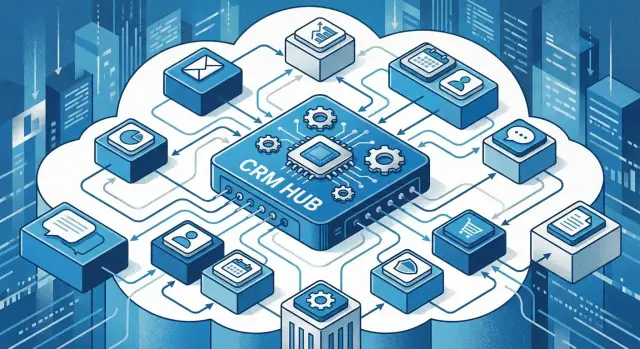
The big shift: from CRM tool to business platform
A traditional CRM is something you “use”: it stores contacts, tracks deals, logs activity, and produces reports. You buy a license, configure a few fields, train your team, and you’re mostly done.
A CRM platform is something you build on. It still covers the basics, but the real value is that the CRM becomes the place where your sales process, customer data, automations, and connected apps live together—shaped around how your business actually operates.
Product vs. platform (in plain terms)
With a product mindset, the question is: “Does it have feature X?”
With a platform mindset, the question becomes: “Can it adapt as we change?” That usually includes:
- Custom objects and workflows that match your terminology
- Integrations with billing, support, marketing, data tools, and legacy systems
- Extensions built by your team or third parties without waiting for the vendor’s roadmap
This shift matters because enterprise needs rarely stay still. New revenue models, compliance rules, reorganizations, and acquisitions can turn “good enough features” into a bottleneck.
Why ecosystems beat features in enterprise buying
Feature checklists converge. Most CRMs can handle pipelines, email sync, dashboards, and automation. What doesn’t converge as easily is the ecosystem around the CRM: the integrations available on day one, the prebuilt industry add-ons, the partners who can implement it, and the talent pool who already knows it.
Enterprises often choose the option that reduces long-term risk: not just “Can it do this today?” but “Will we be able to make it do what we need next year?” Strong ecosystems make that answer more predictable.
What you’ll learn in this article
Next, we’ll break down the platform moves that enabled this shift—customization, APIs and integrations, marketplaces, and partner networks—plus the less glamorous side: lock-in, cost creep, complexity, and governance.
Why CRM features stopped being the main battleground
Early CRM buying was straightforward: store contacts, track deals through a pipeline, and produce basic reports. If a tool could log calls, send reminders, and show “what’s closing this month,” it felt complete.
When “good enough” became universal
As CRM matured, those core capabilities became standardized. Vendors learned the same lessons about what sales teams need, and best practices spread quickly across products. After years of competition, feature parity became the norm: stages, dashboards, email syncing, mobile access, forecasting.
At that point, new features still matter—but they rarely decide the purchase on their own. Incremental improvements (a better report builder, a nicer UI, a new automation rule) can be copied, matched, or worked around. Differentiation shifts from what the CRM does out of the box to how well it fits your business and how safely it scales.
What enterprises optimize for instead
Large companies usually aren’t looking for “the best pipeline view.” They’re optimizing for rollout and risk reduction:
- Fit across teams: sales, service, marketing, ops, and finance all need to align on definitions and workflows.
- Integration reality: CRM has to connect to ERP, billing, data warehouses, identity systems, and industry tools.
- Governance and security: permissions, audit trails, data retention, and admin controls become non-negotiable.
- Change management: training, adoption, and the ability to evolve processes without breaking everything.
In other words, the battleground moved from features to delivery: implementation speed, extensibility, controls, and the ecosystem that helps a company adapt the CRM to its operating model.
What “platform” means (without the jargon)
A product is something you use as-is. A platform is something you can build on.
In plain terms, a platform is an extensible core (the main system you rely on) plus rules (how data, security, and changes are controlled) plus interfaces (how other tools and teams connect to it). The goal isn’t to ship every feature to every customer—it’s to make it easy for each customer to shape the system to how they work.
The extensible core
For Salesforce, the core started as CRM (accounts, contacts, leads, opportunities). As it evolved, the differentiator became less “which CRM screen is better” and more “how easily can this become our CRM?”
That’s what extensibility provides: custom objects and fields, tailored workflows, industry-specific processes, and user experiences that match real teams.
The key building blocks (in normal language)
Most platforms share a few essential pieces:
- APIs and integrations: reliable ways to connect data and actions with other systems (ERP, billing, marketing, support tools).
- Identity and access control: one place to manage who can see and do what—critical when many apps and teams share the same system.
- A shared data model: consistent definitions of customers, products, orders, cases, etc., so apps don’t create conflicting “versions of the truth.”
- Admin controls and governance: tools to manage changes, permissions, environments, and compliance without relying on developers for everything.
- Automation: workflows and rules that make the system respond to events (new lead, contract signed, case escalated) without manual handoffs.
Why platforms lower the cost of change
Businesses change constantly: new products, new regions, mergers, pricing updates, new compliance rules. In a product-only world, each change becomes a mini-project—workarounds, spreadsheets, and expensive re-implementations.
A platform reduces that pain by giving you standard ways to adapt: extend the data model instead of bolting on a separate database; update automation instead of retraining teams on new manual steps; connect systems through stable interfaces instead of one-off scripts. Over time, this lowers the cost (and risk) of evolving your CRM as your business evolves.
How Salesforce made customization a first-class feature
Sales teams have always needed CRM to match how they sell. Early on, that often meant bolting custom code onto the side—scripts, databases, and one-off tools that worked until the next upgrade broke them.
Salesforce flipped that model by treating customization as a supported part of the product, not a risky workaround. Instead of “forking” the CRM, companies could extend it in ways designed to survive updates, be managed by admins (not only developers), and stay visible to IT.
From one-off hacks to supported extension
A key shift was making many changes configuration-first: tailor data, processes, and screens using built-in tools, and only drop into code when you truly need something unique. That reduced the classic trade-off of “customize now, regret later.”
Common ways teams extend Salesforce
Customization usually shows up in a few practical forms:
- Custom objects and fields to model your business (e.g., Partners, Renewals, Properties)
- Workflows and automations to route leads, trigger follow-ups, enforce approvals, or update records
- UI tweaks such as page layouts, guided paths, dynamic forms, and role-based views
- Validation rules and permissions to prevent bad data and keep teams in their lane
The upside—and the hidden costs
The biggest benefit is speed: teams can adapt processes without waiting for a full software release cycle. It also improves adoption because the CRM matches the real workflow.
The risk is that “easy to change” can become “easy to overbuild.” Too many automations, bespoke fields, and exceptions can create complexity, slow down change, and make ownership unclear. The winning approach is intentional: customize to standardize the business, document what you build, and retire what no longer serves a real process.
APIs and integrations: the quiet engine of platform growth
Features win demos. Integrations win renewals.
As Salesforce expanded beyond sales into service, marketing, finance, and operations, the center of gravity shifted from “what can the CRM do?” to “how well does it connect to everything else?” APIs and integrations became the engine of platform growth because they turn a single application into part of an enterprise architecture.
Why integrations move to the center
Most companies don’t run one system—they run a chain of systems. A lead might start in a web form, route through marketing automation, qualify in Salesforce, trigger a contract in a CPQ tool, create an account in ERP, and open a support entitlement in a service system.
If that chain breaks, people don’t blame “integration.” They blame the CRM.
What customers actually want from connectors
Enterprises aren’t looking for one-off scripts. They want connectors that behave like products:
- Reliability: predictable sync behavior, retries, clear error messages, and monitoring.
- Standardized security: least-privilege access, token management, SSO compatibility, and consistent permission models.
- Auditability: logs that answer “who changed what, when, and from where,” plus data lineage for compliance.
When Salesforce and its ecosystem provide these qualities, IT can approve integrations faster, and business teams trust the data enough to run core processes on top of it.
Reuse beats reinvention
A mature ecosystem reduces integration effort by reusing common patterns: customer identity, account hierarchies, product catalogs, event-driven updates. Instead of every company building the same “sync contacts to X” logic from scratch, standardized approaches emerge—through native capabilities, partners, and packaged connectors.
That compounding reuse is subtle but powerful. It lowers project risk, shortens time-to-value, and creates a practical reason to stay on the platform: the next integration is cheaper because the last ten already established the patterns, tooling, and governance.
App marketplaces and the power of AppExchange-style distribution
App marketplaces turn “integration” from a custom project into a product you can evaluate, buy, and deploy. For B2B software, that’s a major shift: instead of every vendor building its own sales motion from scratch, the marketplace becomes a shared distribution channel where customers actively shop for add-ons that fit their existing CRM.
Marketplaces as B2B distribution
An AppExchange-style marketplace works like a storefront attached to the platform your business already uses. That creates a natural advantage for third-party apps:
- The audience is pre-qualified (they already run the platform).
- The “why now?” is clear (solve a specific gap without replacing the core system).
- Discovery happens inside the workflow of buying CRM-related tools, not through broad outbound marketing.
Listings, reviews, and procurement shortcuts
A good listing is more than marketing copy. It standardizes the information buyers need: features, supported editions, security notes, pricing, and implementation expectations. Reviews and ratings add social proof and reduce perceived risk—especially for teams that don’t want to be the first to test a niche tool.
Marketplaces can also compress procurement cycles. When legal, security, and IT have a familiar process for “marketplace apps,” buying behavior changes: more comparison shopping, smaller initial commitments, and faster pilots.
What makes a marketplace valuable
Three traits separate a useful marketplace from a noisy directory:
- Trust: clear security requirements, vendor verification, and transparency around data access.
- Curation: relevant categories, quality guidelines, and incentives that reward maintainable apps.
- Installability: easy setup, dependable upgrades, and clean uninstalls—so trying an app feels reversible.
When those pieces work, the marketplace doesn’t just sell apps—it accelerates the whole ecosystem.
Partners, SIs, and consultants: turning software into outcomes
Buying Salesforce rarely means “install and go.” The real work is translating a company’s sales process, data model, approvals, security rules, reporting needs, and integrations into something people actually use. That gap—between software capabilities and business outcomes—is where partners earn their keep.
The main partner types (and what they actually do)
ISVs (Independent Software Vendors) build products that run on or integrate with Salesforce—think CPQ add-ons, data enrichment, e-signature, industry compliance tooling, or analytics packages. Their value is packaging a repeatable capability into a maintained product with updates, support, and a roadmap.
Systems Integrators (SIs) and consultants design and implement solutions: requirements, architecture, configuration, custom development, data migration, testing, change management, and training. Large SIs specialize in complex, multi-system programs; smaller consultancies often move faster for focused rollouts.
Agencies typically concentrate on front-end experiences—web, portals, branded experiences, campaign operations—or Sales/Service workflows that touch marketing and content. They’re common when Salesforce is part of a customer experience program.
Managed services providers run Salesforce after go-live: admin coverage, release management, backlog triage, monitoring, minor enhancements, and governance. Instead of a one-time project, they provide ongoing operational stability.
Why partners matter beyond “extra hands”
Partners add implementation capacity (your internal team can’t do everything) but, more importantly, they bring pattern recognition. Someone who has implemented the same workflow across ten companies can warn you where adoption breaks, where data gets messy, and which shortcuts create future rework.
They also contribute vertical expertise—how healthcare handles consent, how financial services handles audit trails, how manufacturing thinks about channels and distributors. That industry context often determines whether the system fits real-world constraints.
Repeatable solutions become unofficial standards
The ecosystem’s compounding effect is that partners don’t just deliver projects—they create templates, accelerators, and packaged approaches that get reused. Over time, those repeatable solutions can become the “default” way an industry implements a process on Salesforce, even if it isn’t a core feature.
That’s a big reason Salesforce behaves like a platform: outcomes emerge from many specialized players, not from a single vendor roadmap.
Ecosystem moats: network effects and switching costs
A product moat is about what the software does. An ecosystem moat is about what the software unlocks—through apps, partners, and shared know-how. Once a CRM becomes a platform, competition stops being “feature A vs feature B” and starts being “which world do you want to live in for the next five years?”
Network effects: why ecosystems compound
When a platform attracts more app builders, customers get more options to solve niche problems without waiting for the core vendor’s roadmap. That, in turn, attracts more customers—because they can point to a mature marketplace and say, “Whatever we need, we can probably buy it.”
The loop strengthens over time:
- More customers create a bigger market for app vendors.
- More apps reduce friction in buying decisions.
- More implementation experience creates repeatable playbooks.
It’s not just volume—it’s coverage. The ecosystem fills gaps for industries, regions, and edge cases that a single product team would struggle to prioritize.
Switching costs: the real glue
Platforms become sticky because they accumulate “hard-to-move” assets:
- Data models and reporting history
- Integrations to finance, marketing, support, and data warehouses
- Custom workflows that mirror how a business actually operates
- User training and internal habits (“this is how we do it here”)
Even if another CRM looks cheaper, recreating the total setup can be expensive, risky, and disruptive.
“Default choice” dynamics in enterprises
Ecosystems also shape perception. Buyers often choose what feels safest: lots of certified talent, proven integrations, and a familiar marketplace. That creates a self-reinforcing pattern—more adoption leads to more ecosystem investment, which makes the platform even easier to justify as the default choice.
Vertical solutions: why ecosystems win in specific industries
Enterprise buyers rarely want “more CRM features.” They want a CRM that already understands their world: their data fields, their handoffs, their regulations, and their vocabulary. That’s where vertical solutions—industry-specific versions of a platform—tend to outperform generic products.
Industry templates turn setup into a head start
A platform ecosystem can package proven patterns into templates: prebuilt objects, page layouts, approval flows, and reports that match how a sector actually operates. For a healthcare provider, that might include consent management and patient communication workflows. For financial services, it could be case intake, suitability checks, and audit-ready logging.
This matters because “starting from scratch” isn’t neutral—it often means months of workshops and rework to translate real processes into software.
Vertical depth beats generic breadth
In regulated industries, depth is often the deciding factor. Compliance requirements aren’t optional add-ons; they shape the entire workflow. Vertical solutions also encode terminology (what a “member,” “policy,” or “claim” means) and processes (who must approve what, in which order, with which evidence).
A generic CRM can be customized to fit, but vertical products reduce risk by baking in guardrails: required fields, retention rules, permission models, and reporting structures that auditors recognize.
Ecosystems serve niches faster than core teams
No single vendor team can keep up with every sub-industry: credit unions vs. investment firms, clinical labs vs. hospitals, manufacturers vs. distributors. An ecosystem of partners and independent software vendors can build for those niches quickly—then distribute and maintain those solutions across many customers.
The result is speed and specialization: customers get “closer-to-ready” solutions, while the platform provider stays focused on the foundation that makes those solutions possible.
The trade-offs: complexity, cost creep, and governance needs
Turning a CRM into a platform unlocks speed and flexibility—but it also changes what “success” looks like. Instead of managing one product, you’re managing an ecosystem of apps, integrations, and custom work that can drift over time.
Complexity shows up as “admin sprawl”
A common pattern is admin sprawl: more objects, fields, automations, and reports than anyone can fully explain. Teams add tools to solve local problems, and soon you have overlapping apps, duplicate data entry, and conflicting processes. The platform still works, but it’s harder to understand—and harder to change safely.
Cost creep is rarely one big line item
License costs rise gradually as new teams join, new add-ons get approved, and multiple point solutions keep renewing “just in case.” Integrations can add their own fees (middleware, connectors, monitoring). Custom work can become a permanent budget line when small tweaks turn into ongoing maintenance.
Technical debt: the hidden tax on speed
Too many customizations and unmanaged integrations create technical debt: brittle automations, undocumented flows, and one-off API connections that only one person knows how to fix. Over time, even simple changes take longer because every update risks breaking something else.
Governance is what keeps a platform usable
Governance doesn’t need to be heavy, but it must be real:
- Standards: naming conventions, data definitions, integration patterns
- Ownership: who approves new apps, fields, automations, and access
- Change control: testing, release calendars, rollback plans
- Documentation: what exists, why it exists, and who uses it
Without these basics, a platform can still grow—but it grows messy, expensive, and increasingly difficult to trust.
How to evaluate a platform vendor beyond the feature list
A feature comparison is easy to spreadsheet—and easy to regret. When a CRM is really a platform, you’re buying the ability to adapt over time: new workflows, new data sources, new apps, new compliance rules, and new teams.
A buyer’s checklist (what “platform fit” looks like)
Start with the day-2 realities: what happens after the first rollout.
- Platform fit: Does it support your operating model (centralized vs. distributed teams, multiple business units, multiple regions)?
- Extensibility: Can you add objects/data, automate processes, and build lightweight apps without custom code everywhere?
- Integration: Are there proven connectors for your core systems (ERP, billing, data warehouse), plus support for event-driven patterns when needed?
- Partner quality: Is there a credible pool of implementers with references in your industry and at your scale?
Questions to ask vendors (and verify)
Ask for specifics, not marketing:
- Marketplace health: How many active apps in your category, and how many were updated in the last 6–12 months?
- API limits and throttling: What are the real quotas, what triggers slowdowns, and what monitoring tools exist?
- Portability: How do you export your full dataset (including custom objects, attachments, and audit history)? In what formats?
- Admin tools: Can admins manage permissions, environments/sandboxes, releases, and logging without constant developer involvement?
How to avoid unhealthy vendor dependency
Platform ecosystems can create gravity. Keep leverage with intentional architecture.
- Data strategy: Define a “system of record” per domain and maintain clean identifiers; replicate critical data to your warehouse/lake for analytics and recovery.
- Integration patterns: Prefer loosely coupled integrations (events/queues, canonical models) over point-to-point scripts.
- Exit planning: Document customizations, keep integration contracts versioned, and run a periodic “can we migrate?” tabletop exercise—before you need it.
A practical roadmap for building your own CRM ecosystem
Building a CRM “ecosystem” sounds big, but you can approach it like any other business initiative: start with outcomes, then choose the smallest set of extensions that get you there.
1) Map what’s truly core (and what’s not)
Begin by documenting your highest-volume workflows end to end—lead-to-cash, case-to-resolution, renewals, onboarding. Keep it plain: who does what, in which system, and where handoffs fail.
From that map, separate:
- Core CRM needs: customer records, pipeline visibility, service history, reporting.
- Extension needs: approvals, document generation, CPQ, field service, data enrichment, identity, analytics, industry-specific objects.
This gives you a prioritized list of “extension slots” where apps, integrations, or customizations will deliver measurable value.
2) Decide build vs. buy with a simple test
For each extension slot, ask:
- Is this a differentiator for our business, or a standard capability?
- Do we need it fast, or can we invest in a longer build?
- Will requirements change often (favoring configurable products) or stay stable (favoring custom build)?
Buying usually wins for standard needs; building can win when you’re encoding unique processes or data models.
One practical middle path is using a development accelerator to ship “small-but-real” internal apps quickly. For example, teams use Koder.ai (a vibe-coding platform) to create CRM-adjacent web apps, lightweight portals, and workflow tools from a chat interface—then export the source code when they’re ready to take full ownership. That can be especially useful for things like approval front-ends, internal request forms, or operational dashboards that need to integrate with Salesforce but don’t justify a long custom build cycle.
3) Start small and prove adoption
Pick 1–2 high-impact use cases (e.g., quote approvals or support triage). Define success before you build:
- adoption (weekly active users)
- cycle time reduction
- data quality (required fields, duplicate rate)
- downstream impact (win rate, CSAT)
Ship the smallest version, train a pilot group, and iterate based on real usage.
If you do build extensions (whether on-platform or adjacent), treat them like product: versioning, release notes, and rollback plans. Platforms that support snapshots and easy rollback—Koder.ai includes this as part of its workflow—reduce the fear of change and make iteration safer.
4) Put light governance in place early
Even small ecosystems need guardrails: ownership for integrations, change review, naming conventions, and a clear process for requesting new apps. This prevents “one-off” solutions from multiplying.
As the ecosystem grows, keep an inventory of what you’ve added (apps, automations, integration points, data owners). Governance is less about bureaucracy and more about keeping the system explainable.
Suggested next reads
- Browse more guides: /blog
- Compare plans and costs: /pricing
- Explore connectivity options: /integrations
FAQ
What’s the difference between a CRM product and a CRM platform?
A CRM tool is primarily something you use out of the box (contacts, deals, activities, reports). A CRM platform is something you build on: you extend the data model, automate workflows, and connect other systems so the CRM becomes a shared operating layer for multiple teams.
Practical test: if your roadmap includes custom objects, multiple integrations, and ongoing process changes, you’re evaluating a platform—not just a tool.
Why don’t CRM feature checklists decide enterprise purchases anymore?
Because core CRM capabilities have largely converged: pipelines, email sync, dashboards, and basic automation are table stakes.
Enterprise buyers usually optimize for:
- Fit across teams (sales/service/ops/finance)
- Integration maturity (ERP, billing, data warehouse, identity)
- Security and governance controls
- Ability to evolve without reimplementing every year
How does a CRM ecosystem lower risk for enterprises?
An ecosystem reduces long-term risk by making “day-2” changes easier.
Look for signals like:
- Many relevant, recently updated marketplace apps
- A deep partner network (SIs/consultants) with industry references
- A large talent pool (admins/devs) you can hire
- Proven connectors and integration patterns that don’t require one-off scripts
What are the most effective ways to customize Salesforce (without overbuilding)?
Start with your business language and processes, then extend deliberately:
- Add only the objects/fields you need to represent real entities (e.g., Renewals, Partners)
- Use configuration-first automation (approval flows, routing) before custom code
- Enforce data quality with validation rules and permissions
- Document each customization: purpose, owner, and retirement criteria
Avoid “nice-to-have” fields and automations that nobody owns.
What should I require from CRM integrations and APIs?
Prioritize integrations that behave like products, not ad hoc scripts.
Minimum bar:
- Reliability: retries, monitoring, clear error handling
- Security: least-privilege access, token hygiene, SSO compatibility
- Auditability: logs for who/what/when, and data lineage where needed
If an integration can’t be monitored and explained, it will become a support problem later.
How do CRM app marketplaces (like AppExchange) change buying and implementation?
A marketplace turns add-ons into purchasable, evaluable products.
It helps you:
- Pilot faster (install, test, uninstall cleanly)
- Compare vendors with standardized info (security notes, compatibility, reviews)
- Reduce procurement friction when your org has a repeatable “marketplace app” process
Treat marketplace apps like software dependencies: review update cadence and support quality before committing.
What do partners, SIs, and consultants actually do in a Salesforce program?
They turn platform capability into business outcomes.
Common roles:
- ISVs: packaged products (CPQ, e-sign, compliance, enrichment)
- SIs/consultants: architecture, implementation, migration, change management
- Managed services: ongoing admin, release management, governance
When selecting partners, check for pattern knowledge in your industry and references at your scale—not just certifications.
When do vertical (industry) CRM solutions beat a generic CRM?
Vertical solutions package industry-specific data models and workflows so you don’t start from scratch.
They typically provide:
- Prebuilt objects/layouts/approvals aligned to industry terms
- Guardrails for regulated processes (required fields, permissions, retention)
- Faster time-to-value with fewer “translation workshops”
Use vertical offerings when compliance and terminology are central to how you operate.
What are the biggest downsides of turning CRM into a platform, and how do I manage them?
The biggest trade-offs are complexity and cost creep.
Common failure modes:
- “Admin sprawl”: too many objects/fields/flows nobody can explain
- Duplicated apps and overlapping workflows
- Rising costs from licenses, add-ons, middleware, and ongoing maintenance
Countermeasures:
- Naming/data standards and clear ownership
- Change control (testing, release calendar, rollback plan)
- Regular cleanup: retire fields, flows, and unused apps
How do I evaluate a CRM platform vendor beyond the feature list?
Evaluate the platform on day-2 operations and exit readiness, not demos.
Practical checks:
- Extensibility: can you add objects and automation without custom code everywhere?
- Integration reality: proven connectors for your core systems; clear API limits and monitoring
- Admin/governance tooling: sandboxes, permissions, logging, release management
- Portability: documented, tested exports of custom objects, attachments, and history
Also create an “exit plan” early: document customizations, version integration contracts, and replicate critical data to your warehouse/lake for recovery and leverage.