

Why Serverless Databases Change Cost Models for Startups
Serverless databases shift startups from fixed capacity costs to pay-per-use billing. Learn how pricing works, hidden cost drivers, and how to forecast spend.
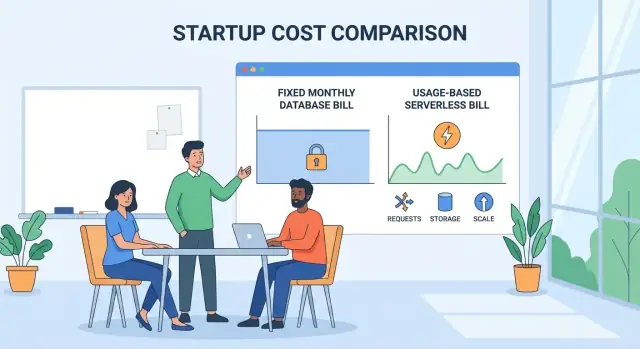
What changes with serverless databases
Serverless databases change the core question you ask at the start: instead of “How much database capacity should we buy?” you’re asking “How much database will we use?” That sounds subtle, but it rewires budgeting, forecasting, and even product decisions.
From capacity planning to pay-per-use
With a traditional database, you typically pick a size (CPU/RAM/storage), reserve it, and pay for it whether you’re busy or quiet. Even if you autoscale, you’re still thinking in terms of instances and peak capacity.
With serverless, the bill usually tracks units of consumption—for example requests, compute time, read/write operations, storage, or data transfer. The database can scale up and down automatically, but the tradeoff is that you’re paying directly for what happens inside your app: every spike, background job, and inefficient query can show up as spend.
Why the cost model shift matters early
At an early stage, performance is often “good enough” until you hit clear user pain. Cost, on the other hand, affects your runway immediately.
Serverless can be a huge win because you avoid paying for idle capacity, especially during pre‑product‑market fit when traffic is unpredictable. But it also means:
- Your cost becomes variable, not mostly fixed.
- Spend can change faster than headcount, making it harder to notice until after the invoice lands.
- Engineering choices (query patterns, caching, batching) influence unit economics sooner than you might expect.
This is why founders often feel the shift as a finance problem before it’s a scaling problem.
What to expect from this guide
Serverless databases can simplify operations and reduce upfront commitments, but they introduce new tradeoffs: pricing complexity, potential cost surprises during spikes, and new performance behaviors (like cold starts or throttling, depending on the provider).
In the next sections, we’ll break down how serverless pricing commonly works, where hidden cost drivers live, and how to forecast and control spend—even when you don’t have perfect data yet.
The traditional database cost model for startups
Before serverless, most startups bought databases the same way they bought office space: you picked a size, signed up for a plan, and paid for it whether you fully used it or not.
Fixed costs: paying for provisioned capacity
The classic cloud database bill is dominated by provisioned instances—a specific machine size (or cluster size) you keep running 24/7. Even if traffic drops at night, the meter keeps running because the database is still “on.”
To reduce risk, teams often add reserved capacity (committing to one or three years for a discount). That can lower the per-hour rate, but it also locks you into a baseline spend that may no longer fit if your product pivots, your growth slows, or your architecture changes.
Then there’s overprovisioning: choosing a bigger instance than you currently need “just in case.” It’s a rational choice when you’re afraid of outages, but it pushes you toward higher fixed costs earlier than your revenue can support.
The common startup pattern: buying for peak, paying for idle
Startups rarely have stable, predictable load. You might get a press spike, a product launch surge, or end-of-month reporting traffic. With traditional databases, you typically size for the worst week you can imagine, because resizing later can be risky (and often requires planning).
The result is a familiar mismatch: you pay for peak capacity all month, while your average usage is far lower. That “idle spend” becomes invisible because it looks normal on the invoice—yet it can quietly become one of the largest recurring infrastructure line items.
Operational overhead is also a cost
Traditional databases also carry a time cost that hits small teams hard:
- Routine maintenance (patching, upgrades, backups, tuning)
- Scaling work (capacity planning, load testing, resizing)
- Incident response when performance degrades under unexpected load
Even if you’re using managed services, someone still owns these tasks. For a startup, that often means expensive engineering time that could have gone into product work—an implicit cost that doesn’t show up as a single line item, but affects runway all the same.
How serverless pricing typically works
“Serverless” databases are usually managed databases with elastic capacity. You don’t run database servers, patch them, or pre-size instances. Instead, the provider adjusts capacity up and down and bills you based on usage signals.
The core meters you’re billed on
Most providers combine a few billing meters (names vary, but the ideas are consistent):
- Compute: the work the database does to process queries (often measured as “capacity units” per second/minute).
- Storage: how much data you keep at rest, sometimes split into data vs indexes.
- Reads/Writes (I/O): how many read and write operations you perform, or how much data you scan.
- Requests/Queries: API calls or SQL requests, sometimes with tiers for “simple” vs “complex.”
- Connections: active connections or connection time (less common, but important when it exists).
Some vendors also bill separately for backups, replication, data transfer, or special features (encryption keys, point-in-time restore, analytics replicas).
Autoscaling: why your bill moves with demand
Autoscaling is the main behavior shift: when traffic spikes, the database increases capacity to maintain performance, and you pay more during that period. When demand drops, capacity scales down, and costs can fall—sometimes dramatically for spiky workloads.
That flexibility is the appeal, but it also means your spend is no longer tied to a fixed “instance size.” Your cost follows product usage patterns: a marketing campaign, a batch job, or one inefficient query can change your monthly bill.
“Serverless” doesn’t mean “cheap”
It’s best to read “serverless” as pay-for-what-you-use plus operational convenience, not a guaranteed discount. The model rewards variable workloads and fast iteration, but it can punish constant high usage or unoptimized queries.
From infrastructure costs to unit economics
With traditional databases, early costs often feel like “rent”: you pay for a server size (plus replicas, backups, and ops time) whether customers show up or not. Serverless databases push you toward “cost of goods sold” thinking—spend tracks what your product actually does.
Map product activity to billable units
To manage this well, translate product behavior into the database’s billable units. For many teams, the most practical mapping looks like:
- Signups → user records created, profile writes, verification lookups
- Sessions → reads for home feeds, cached views, personalization queries
- API calls → query executions, transactions, or request units
- Orders/events → write bursts, inventory checks, audit logs
Once you can tie a feature to a measurable unit, you can answer: “If activity doubles, what exactly doubles on the bill?”
Introduce simple unit economics metrics
Instead of only tracking total cloud spend, introduce a few “cost per” metrics that match your business model:
- Cost per user (monthly active)
- Cost per 1,000 requests (or per 1,000 reads/writes)
- Cost per order (or per workflow completion)
These numbers help you evaluate whether growth is healthy. A product can be “scaling” while margins quietly deteriorate if database usage grows faster than revenue.
How pricing shapes freemium and trial design
Usage-based pricing directly influences how you structure free tiers and trials. If each free user generates meaningful query volume, your “free” acquisition channel may be a real variable cost.
Practical adjustments include limiting expensive actions (e.g., heavy search, exports, long history), shortening retention in free plans, or gating features that trigger bursty workloads. The goal isn’t to cripple the product—it’s to ensure the free experience aligns with a sustainable cost per activated customer.
Why startups feel the impact first
Startups usually experience the most extreme mismatch between “what you need today” and “what you might need next month.” That’s exactly where serverless databases change the cost conversation: they turn capacity planning (guesswork) into a bill that closely follows real usage.
Unlike mature companies with steady baselines and dedicated ops teams, early teams are often balancing runway, rapid product iteration, and unpredictable demand. A small shift in traffic can move your database spend from “rounding error” to “line item,” and the feedback loop is immediate.
Spiky traffic is normal, not an edge case
Early growth doesn’t arrive smoothly. It shows up in bursts:
- Launch days and Product Hunt spikes
- Campaigns, influencer mentions, press, and partnership referrals
- Seasonal peaks (holidays, annual renewals, end-of-quarter usage)
With a traditional database setup, you often pay for peak capacity all month to survive a few hours of peak. With serverless, elasticity can reduce waste because you’re less likely to keep expensive idle headroom running “just in case.”
Early uncertainty makes fixed sizing painful
Startups change direction frequently: new features, new onboarding flows, new pricing tiers, new markets. That means your growth curve is unknown—and your database workload can shift without warning (more reads, heavier analytics, larger documents, longer sessions).
If you pre-provision, you risk being wrong in two costly ways:
- Over-sizing: paying for capacity you don’t use while trying to conserve cash
- Under-sizing: hitting performance ceilings that lead to slow pages, failed checkouts, or degraded user experience
Serverless can lower the risk of outages from under-sizing because it can scale with demand rather than waiting for a human to resize instances during an incident.
The impact is financial and operational
For founders, the biggest win isn’t only lower average spend—it’s reduced commitment. Usage-based pricing lets you align cost with traction and learn faster: you can run experiments, survive a sudden spike, and only then decide whether to optimize, reserve capacity, or consider alternatives.
The tradeoff is that costs can become more variable, so startups need lightweight guardrails early (budgets, alerts, and basic usage attribution) to avoid surprises while still benefiting from elasticity.
Hidden cost drivers to watch
Serverless billing is great at matching spend to activity—until “activity” includes lots of work you didn’t realize you were generating. The biggest surprises usually come from small, repeated behaviors that multiply over time.
Storage growth and retention
Storage rarely stays flat. Event tables, audit logs, and product analytics can grow faster than your core user data.
Backups and point-in-time recovery can also be billed separately (or effectively duplicate storage). A simple guardrail is to set explicit retention policies for:
- application logs and events
- historical snapshots and exports
- test environments that accidentally keep production-like datasets
Network and data transfer charges
Many teams assume “database cost” is only reads/writes and storage. But network can quietly dominate when you:
- run app servers in one region and the database in another
- replicate data cross-region for reliability
- send large result sets back to clients or analytics tools
Even if your provider markets a low per-request price, inter-region traffic and egress can turn a modest workload into a noticeable line item.
Inefficient queries that multiply usage
Usage-based pricing magnifies bad query patterns. N+1 queries, missing indexes, and unbounded scans can turn one user action into dozens (or hundreds) of billed operations.
Watch for endpoints where latency climbs with dataset size—those are often the same endpoints where costs rise nonlinearly.
Connection storms and concurrency limits
Serverless apps can scale instantly, which means connection counts can spike instantly too. Cold starts, autoscaling events, and “thundering herd” retries can create bursts that:
- increase billed compute/request units
- trigger throttling that causes more retries (and more usage)
If your database uses per-connection or per-concurrency billing, this can be especially expensive during deploys or incidents.
Background jobs and analytics workloads
Backfills, re-indexing, recommendation jobs, and dashboard refreshes don’t feel like “product usage,” but they often generate the largest queries and longest-running reads.
A practical rule: treat analytics and batch processing as separate workloads with their own budgets and schedules, so they don’t silently consume the budget meant for serving users.
Cost vs performance tradeoffs
Serverless databases don’t just change how much you pay—they change what you pay for. The core tradeoff is simple: you can minimize idle spend with scale-to-zero, but you may introduce latency and variability that users notice.
Cold starts and scale-to-zero: when it helps and when it hurts
Scale-to-zero is great for spiky workloads: admin dashboards, internal tools, early MVP traffic, or weekly batch jobs. You stop paying for capacity you’re not using.
The downside is cold starts. If your database (or its compute layer) goes idle, the next request may pay a “wake-up” penalty—sometimes a few hundred milliseconds, sometimes seconds—depending on the service and query pattern. That can be fine for background tasks, but painful for:
- Checkout and login flows
- User-facing search or feeds
- APIs with strict p95/p99 latency targets
A common startup pitfall is optimizing for lower monthly bills while unknowingly spending performance “budget” that hurts conversion or retention.
Caching and warm-up strategies that balance cost and latency
You can reduce cold-start impact without fully giving up on cost savings:
- Cache hot reads (e.g., user profiles, feature flags) in an edge cache or managed Redis to offload repeated queries.
- Precompute expensive results (counts, rollups, recommendations) so requests do less work per hit.
- Warm-up schedules (a lightweight ping every few minutes) keep the system responsive during business hours, while still scaling down overnight.
The catch: each mitigation moves cost to a different line item (cache, functions, scheduled jobs). This is still often cheaper than always-on capacity, but it needs measurement—especially once traffic becomes steady.
Choosing between real-time serving, batch, and hybrid approaches
Workload shape determines the best cost/performance balance:
- Real-time serving (low latency, high availability): consider paying for minimum provisioned capacity or keeping services warm.
- Batch (ETL, reports, backfills): serverless shines—run hard, finish fast, pay only for the job.
- Hybrid: serve from precomputed tables or caches in real time, and run heavy joins/aggregations in batch.
For founders, the practical question is: which user actions require consistent speed, and which can tolerate delay? Align the database mode to that answer, not just the bill.
Forecasting spend without perfect data
Early on, you rarely know your exact query mix, peak traffic, or how quickly users will adopt features. With serverless databases, that uncertainty matters because billing tracks usage closely. The goal isn’t perfect prediction—it’s getting a “good enough” range that prevents surprise bills and supports pricing decisions.
A simple forecasting method: baseline + growth + peak multiplier
Start with a baseline week that represents “normal” usage (even if it’s from staging or a small beta). Measure the few usage metrics your provider charges for (common ones: reads/writes, compute time, storage, egress).
Then forecast in three steps:
- Baseline: today’s average daily usage and cost.
- Growth: a weekly/monthly growth rate tied to a product metric you do track (signups, WAU, orders).
- Peak multiplier: multiply baseline by a factor (often 2× to 5×) for launches, marketing spikes, and batch jobs.
This gives you a band: expected spend (baseline + growth) and “stress spend” (peak multiplier). Treat the stress number as the one your cash flow must survive.
Estimate costs at key milestones with load tests
Run lightweight load tests against representative endpoints to estimate cost at milestones like 1k, 10k, and 100k users. The aim is not perfect realism—it’s discovering when cost curves bend (for example, when a chat feature doubles writes, or an analytics query triggers heavy scans).
Document assumptions alongside results: average requests per user, read/write ratio, and peak concurrency.
Put guardrails in place before surprises happen
Set a monthly budget, then add alert thresholds (for example 50%, 80%, 100%) and an “abnormal spike” alert on daily spend. Pair alerts with a playbook: disable non-essential jobs, reduce logging/analytics queries, or rate-limit expensive endpoints.
Finally, when comparing providers or tiers, use the same usage assumptions and sanity-check them against the plan details on /pricing so you’re comparing like-for-like.
Practical cost controls and guardrails
Serverless databases reward efficiency, but they also punish surprises. The goal isn’t to “optimize everything”—it’s to prevent runaway spend while you’re still learning your traffic patterns.
Set budgets per environment
Treat dev, staging, and prod as separate products with separate limits. A common mistake is letting experimental workloads share the same billing pool as customer traffic.
Set a monthly budget for each environment and add alert thresholds (for example, 50%, 80%, 100%). Dev should be intentionally tight: if a migration test can burn real money, it should fail loudly.
If you’re iterating quickly, it also helps to use tooling that makes “safe change + fast rollback” routine. For example, platforms like Koder.ai (a vibe-coding workflow that generates React + Go + PostgreSQL apps from chat) emphasize snapshots and rollback so you can ship experiments while keeping a tight loop on cost and performance regressions.
Make cost visible with tagging and allocation
If you can’t attribute cost, you can’t manage it. Standardize tags/labels from day one so every database, project, or usage meter is attributable to a service, team, and (ideally) a feature.
Aim for a simple scheme you can enforce in reviews:
- service: api, worker, analytics
- team: growth, core, data
- feature: search, onboarding, recommendations
This turns “the database bill went up” into “search reads doubled after release X.”
Prevent runaway bills with sensible defaults
Most cost spikes come from a small number of bad patterns: tight polling loops, missing pagination, unbounded queries, and accidental fan-out.
Add lightweight guardrails:
- Query review for any change that touches hot paths (especially new indexes, joins, or full scans).
- Rate limits per endpoint and per customer to stop a single tenant from dominating spend.
- Safe defaults: pagination required, max page size, timeouts, and maximum result limits.
Caps, quotas, and circuit breakers
Use hard limits when the downside of downtime is smaller than the downside of an open-ended bill.
- Caps/quotas: good for dev/staging and internal tools; consider per-tenant quotas in prod.
- Circuit breakers: if spend or QPS exceeds a threshold, degrade gracefully (serve cached data, disable heavy features, or return “try again later”).
If you’re building these controls now, you’ll thank yourself later—especially when you start doing serious cloud spend management and FinOps for startups.
When serverless may not be the cheapest option
Serverless databases shine when usage is spiky and uncertain. But once your workload becomes steady and heavy, the “pay for what you use” math can flip—sometimes dramatically.
Steady high load: provisioned can win
If your database is busy most hours of the day, usage-based pricing can add up to more than a provisioned instance (or reserved capacity) that you pay for whether you use it or not.
A common pattern is a mature B2B product with consistent traffic during business hours, plus background jobs running overnight. In that case, a fixed-size cluster with reserved pricing may deliver a lower effective cost per request—especially if you can keep utilization high.
Workload fit matters
Serverless isn’t always friendly to:
- Predictable traffic where you could right-size a fixed deployment
- Heavy analytics (large scans, big joins) that consume lots of read/compute units
- Long-running queries that hold resources for minutes at a time
These workloads can create a double hit: higher metered usage and occasional slowdowns when scaling limits or concurrency caps are reached.
Vendor comparison checklist (before you commit)
Pricing pages can look similar while the meters differ. When comparing providers, confirm:
- What is metered (compute, reads/writes, storage, I/O, backups, egress)
- Free tier details and what happens when you exceed it
- Scaling behavior (how fast it scales, minimum billing increments, scale-to-zero rules)
- Limits (max concurrency, max connections, rate limits, query timeouts)
The “switching” decision point
Re-evaluate when you notice either of these trends:
- Your baseline usage stops fluctuating and looks more like a flat line
- Your unit cost per customer rises as you grow (a warning sign for margins)
At that point, run a side-by-side cost model: current serverless bill vs a right-sized provisioned setup (with reservations), plus the operational overhead you’d be taking on. If you need help building that model, see /blog/cost-forecasting-basics.
Quick decision checklist for founders
Serverless databases can be a great fit when you have uneven traffic and you value speed of iteration. They can also surprise you when the “meters” don’t match how your product actually behaves. Use this checklist to decide quickly, and to avoid signing up for a cost model you can’t explain to your team (or investors).
1) Fast checklist: can you model your workload?
- Define the workload: What’s the core path—logins, feeds, checkouts, analytics? Which operations are “always on” vs. bursty?
- Estimate the meters: Reads/writes, storage growth, compute time, request count, data transfer, backups, and any per-feature charges (indexes, vector search, change streams).
- Set budgets and alerts: Create a monthly budget plus a “panic threshold” (e.g., 2× normal week). Enforce limits in billing, not just dashboards.
- Test peaks: Run a load test or replay production traffic for your worst hour/day. Pricing often changes at the extremes.
2) Questions to ask providers before committing
- What exactly is billable, and at what granularity? (per request, per second, per GB, per region)
- What are the default settings that increase spend? (retention, backups, replicas, autoscaling minimums)
- How do you price spikes? Is there throttling, smoothing, or surge pricing?
- Are there free tiers, credits, or committed-use discounts—and what happens when they end?
- What are the escape hatches? Data export speed/cost, lock-in risks, and migration paths.
- How do you handle multi-tenant vs. dedicated isolation? (noisy neighbors, performance variance)
Main takeaway
Align the pricing model with your growth uncertainty: if your traffic, queries, or data size could change quickly, prefer models you can forecast with a few drivers you control.
Next step
Run a small pilot for one real feature, review costs weekly for a month, and keep notes on which meter drove each jump. If you can’t explain the bill in one paragraph, don’t scale it yet.
If you’re building that pilot from scratch, consider how quickly you can iterate on instrumentation and guardrails. For instance, Koder.ai can help teams spin up a working React + Go + PostgreSQL app fast, export the source code when needed, and keep experimentation safe with planning mode and snapshots—useful when you’re still learning which queries and workflows will drive your eventual unit economics.
FAQ
What’s the biggest cost-model difference between serverless and traditional databases?
A traditional database forces you to buy (and pay for) capacity upfront—instance size, replicas, and reserved commitments—whether you use it or not. A serverless database typically bills by consumption (compute time, requests, reads/writes, storage, and sometimes data transfer), so your costs track what your product actually does day to day.
Why do startups feel the impact of serverless pricing sooner than larger companies?
Because spend becomes variable and can change faster than headcount or other expenses. A small increase in traffic, a new background job, or an inefficient query can materially change your invoice, which makes cost management a runway issue earlier than most scaling concerns.
What are the most common things serverless databases charge for?
Common meters include:
- Compute or “capacity units” (per second/minute)
- Storage (data and sometimes indexes)
- Reads/writes or I/O volume
- Requests/queries
- Extras like backups, replication, data transfer/egress, and special features (e.g., PITR, encryption keys)
Always confirm what’s included vs. separately metered on the provider’s /pricing page.
How do I connect product usage to my serverless database bill?
Start by mapping user actions to billable units. For example:
- Signups → record writes + verification lookups
- Sessions → repeated reads for feeds/profiles
- Orders/events → write bursts + consistency checks
Then track simple ratios like cost per MAU, cost per 1,000 requests, or cost per order so you can see whether usage (and margins) are trending in a healthy direction.
What hidden cost drivers cause surprise bills with serverless databases?
Frequent offenders are:
- Unbounded queries or missing pagination (large scans)
- N+1 query patterns that multiply reads
- Storage growth from logs/events plus long retention
- Backups/PITR that effectively duplicate storage
- Cross-region traffic and egress to analytics tools
- Background jobs (backfills, reindexing, dashboards) that run heavy queries
These often look “small” per request but scale into meaningful monthly spend.
What are cold starts, and when do they matter for cost and performance?
Scale-to-zero reduces idle costs, but it can introduce cold starts: the first request after idling may see extra latency (sometimes hundreds of milliseconds or more, depending on the service). That’s often fine for internal tools or batch jobs, but risky for login, checkout, search, and other user-facing flows with strict p95/p99 latency targets.
How can I reduce serverless database costs without hurting user experience?
Use a mix of targeted mitigations:
- Cache hot reads (profiles, flags) to reduce repeated queries
- Precompute expensive aggregates (counts, rollups)
- Batch writes and avoid chatty request patterns
- Keep services warm during business hours with lightweight scheduled pings (when appropriate)
Measure before and after—mitigations may shift cost to other services (cache, functions, schedulers).
How can I forecast spend when I don’t have much production data yet?
A practical approach is baseline + growth + peak multiplier:
- Measure a representative week’s usage meters
- Tie growth to a product metric you already track (WAU, orders)
- Add a peak multiplier (often 2×–5×) for launches, spikes, and batch jobs
Plan cash flow against the “stress spend” number, not just the average.
What guardrails should we implement to avoid runaway serverless bills?
Put lightweight guardrails in place early:
- Monthly budgets and alerts (e.g., 50%, 80%, 100%)
- Separate budgets per environment (dev/staging/prod)
- Cost attribution via consistent tags/labels (service, team, feature)
- Rate limits, required pagination, query timeouts, and max result sizes
- Circuit breakers that degrade non-essential features when spend/QPS spikes
The goal is to prevent runaway bills while you’re still learning workload patterns.
When is serverless likely not the cheapest database option?
Serverless is often less cost-effective when usage becomes steady and high:
- Your database is busy most hours of the day
- Heavy analytics (large scans/joins) dominates compute and reads
- Unit cost per customer rises as you grow
At that point, compare your current bill to a right-sized provisioned setup (possibly with reserved pricing), and include the operational overhead you’d take on.