

How Snap Uses Camera-First UX, AR, and Youth Culture to Stand Out
Explore how Snap uses camera-first design, AR lenses, and youth culture insights to build a distinct consumer platform and durable product differentiation.
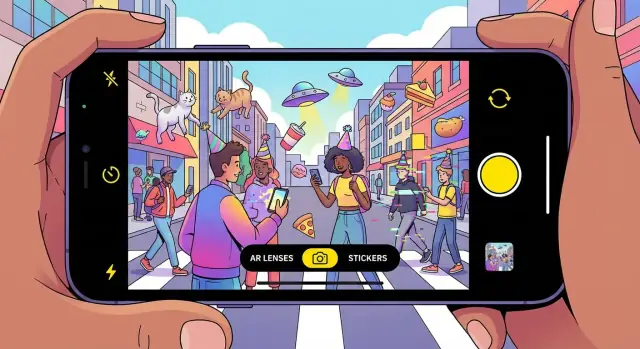
What makes Snap different at a glance
Snap stands out because it treats the camera as the starting point of the experience, not an add-on.
Camera-first UX, in plain terms
“Camera-first UX” means the app opens straight into the camera. The first thing you’re invited to do is make something—take a photo, record a video, add text, draw, or drop in an AR lens—before you scroll through other people’s posts.
That sounds like a small UI decision, but it changes the rhythm of the entire product.
Creation before consumption changes intent
Feed-first apps train users to arrive with a passive mindset: “What’s new? What did I miss?” Snap’s camera-first flow nudges a different intent: “What can I send right now?”
Because the default action is to create, communication feels more like a quick gesture than a carefully curated publication. The result is a platform that optimizes for sending rather than broadcasting.
The emotional hook: spontaneity, play, presence
Opening on the camera invites spontaneity. You don’t need a topic, a caption, or a perfect moment—you can respond immediately with a short video, a reaction face, or something deliberately silly.
AR lenses amplify that sense of play. They turn the camera into a toy and a stage at the same time, making ordinary moments feel interactive. That “I’m here, right now” presence is a big part of why Snap feels different from polished, feed-based social.
What “differentiated consumer platform” means here
A differentiated consumer platform wins because it has a distinct default behavior and emotional payoff—not just a new feature.
For Snap, differentiation comes from the combination of camera-first creation, playful visual tools, and a social experience centered on close connections. Together, those elements shape how people communicate day to day.
Camera-first UX: design choices that shape behavior
Open many social apps and you’re greeted by a feed: a stream to scroll, react to, and occasionally post into. Snap flips that default. The first thing you see is the camera, which quietly tells you what the app is for: capture something, add a little context, and send it.
Camera-first vs. feed-first: a different daily rhythm
Feed-first onboarding trains “consumption first.” You browse, then decide whether to contribute.
Camera-first onboarding trains “expression first.” Even if you don’t send anything, you’re starting from creation. That shifts the mental model from publishing to messaging, which is why Snap often feels more like communication than performance.
Capture speed: fewer taps, more sharing
A camera-first home screen reduces the steps between an idea and a message. You can open the app, take a photo or video, and share—without detouring through a profile page, composer screen, or a complicated post flow.
That speed matters because many moments worth sharing are small: a funny sign, a quick reaction, an inside joke. When creation is frictionless, users share more frequently and more casually.
Visual messaging lowers the “writing burden”
Text-first sharing asks you to write something “good enough” for others to read. Visual messaging lightens that pressure. A photo with a quick caption, doodle, sticker, or short video often communicates the point without drafting a mini-essay.
For younger users in particular, this makes interaction feel more natural and less like a public statement. The camera becomes a conversational tool—closer to “talking” than “posting.”
Trade-offs: what you lose when the camera is the hub
The same design that optimizes quick visual communication can make other behaviors less prominent. Link sharing and long-form commentary become less central, and text-based discovery (finding ideas by reading) is weaker than on feed-led platforms.
In short: Snap’s camera-first UX deliberately prioritizes fast, expressive, private-leaning communication—at the cost of being the best place for links, lengthy text, or browsing-by-reading.
AR lenses as the product’s repeatable delight engine
AR lenses aren’t just a feature inside Snap—they’re a habit-forming loop. When you open the camera and see a rotating shelf of effects, the app offers an immediate promise: “try something fun right now.” That promise is repeatable because the content changes constantly and the payoff arrives in seconds.
The mechanics: computer vision made casual
Under the hood, lenses combine a few core building blocks:
- Face tracking that pins effects to eyes, mouth, and head movement
- Segmentation that separates you from the background for stylized scenes
- World effects that place objects into the room and respond to perspective
- Filters that shift color, lighting, or mood with one tap
The key is that none of this asks users to learn “AR.” It’s presented as a simple, tappable menu that works instantly.
Why AR feels like a “toy” you come back to
Lenses work like a pocket-sized toy: quick experimentation, surprising outcomes, and social shareability. You don’t need a plan or a polished aesthetic. You can cycle through options, laugh at the result, and move on—then do it again tomorrow because there’s always something new to test.
Identity play without permanent stakes
AR is a safe way to explore identity—different looks, moods, personas—without making a lasting statement. A lens can be silly, weird, cute, or expressive, and because it’s tied to a moment rather than a permanent feed, it encourages play rather than perfection.
Low friction is the real product
The delight only works because the path is short: open → try → record → send. No setup, no editing timeline, no pressure to caption perfectly. Snap’s AR succeeds by compressing the distance between curiosity and sharing into a few seconds.
Ephemeral sharing and the comfort of low-stakes communication
Snap’s defining social move wasn’t a new format—it was a new default. When a message is designed to disappear, it changes what people feel comfortable sending. That “ephemeral by default” expectation lowers the perceived cost of being imperfect, which reduces posting anxiety and makes casual, everyday communication feel safe.
Why disappearing messages feel easier
Permanent posts invite self-editing: the caption has to be right, the photo has to be flattering, and the moment has to be “worthy.” Ephemeral sharing shifts the frame from publishing to chatting. A blurry dog video, a weird-angle selfie, or a quick reaction becomes acceptable because it isn’t meant to be part of a lasting personal brand.
That’s the heart of low-stakes communication: content can be spontaneous, context-heavy, and slightly messy—more like real life.
Private sharing vs. broadcast posting
Snap’s emphasis on friends-first, private exchanges differs from broadcast-first platforms where the default audience is large and unknown. In a private thread, you’re communicating with “close ties” who share context and history, so you can skip the performance layer.
This dynamic supports lightweight daily habits—think streak-like routines or quick check-ins—without needing big creative effort each time. The app becomes a place to maintain relationships through frequent small touches, not occasional polished posts.
Ephemeral doesn’t mean “nothing lasts”
Importantly, disappearing content can coexist with choiceful permanence. Snap’s memories/archives idea gives users control: everyday messages can vanish, while meaningful moments can be saved intentionally. That combination preserves the comfort of impermanence while still allowing a personal history when users want it.
Youth culture as a product input, not just a marketing angle
Younger audiences tend to adopt new communication formats first because their social lives are higher-frequency and more peer-driven: lots of check-ins, quick coordination, and constant micro-updates. When the cost of sending a message is low—and the reward is immediate feedback—new “languages” spread fast.
Norms before features
On Snap, the norms are easy to spot: short bursts instead of long posts, quick replies instead of threaded debates, and shared humor that works without context. Visual slang—faces, gestures, filters, scribbles—often communicates tone faster than text. Inside jokes thrive because the content is meant for a small circle, not for public interpretation.
The key is to treat these behaviors as patterns, not permanent traits. People move between modes depending on the moment: sometimes they want performance (public), sometimes comfort (private), and sometimes speed (ephemeral). Snap leans into the comfort-and-speed modes.
How the product reinforces the culture
Snap’s design doesn’t just “target Gen Z”; it operationalizes community norms into repeatable actions:
- Bitmoji turns identity into a lightweight, playful signal—more “vibe” than biography.
- Stickers and reactions make acknowledgement frictionless, supporting rapid back-and-forth without demanding a full response.
- Visual tools (drawing, captions, lenses) encourage messages that feel personal, even when they’re fast.
That feedback loop matters: when an app makes the “native” way a group communicates feel effortless, it stops being a marketing story and becomes a daily habit.
Social graph dynamics: friends-first network effects
Snap’s social graph is built around people you actually know. That sounds simple, but it changes the physics of growth: instead of chasing “followers,” users return because their closest friends are there—and because the app makes those relationships feel active.
A graph made of friends, not audiences
Snap encourages small, high-frequency interactions: quick replies, short bursts of video, and casual check-ins. Features like Best Friends (and the social signals around streaks and quick-response behavior) create lightweight incentives to keep a handful of relationships warm.
This produces a different kind of network effect than public platforms. It’s less about one creator drawing millions, and more about many private micro-networks reinforcing daily habit.
Private loops create compounding network effects
When communication is mostly 1:1 or small group:
- Each message increases the likelihood of a reply, which increases the likelihood of another message.
- The “reward” isn’t reach—it’s belonging and responsiveness.
- Content is inherently personalized because it’s tied to specific relationships.
These loops are hard for competitors to copy because they depend on real social ties and established norms between friends (how you joke, what you share, what’s considered “too much”).
Switching costs: identity, history, and routines
Leaving Snap isn’t like uninstalling a utility app. Users would have to rebuild:
- Friend groups and group chat rhythms
- Shared context (inside jokes, streak habits, who responds quickly)
- A camera-first way of talking that feels different on other apps
Even if another platform offers similar features, the cost is social: convincing your circle to move together.
The trade-off: harder to monetize private graphs
Friends-first graphs don’t naturally produce public reach, which limits easy “broadcast” monetization. Ads and branded content have fewer obvious surfaces than a feed built for mass consumption—so Snap has to work harder to create premium inventory without breaking the intimate vibe. That tension shows up across product choices and ad formats (see /blog/ar-advertising).
From friends to entertainment: how content is organized
Snap’s content layout is designed to start with people you know, then gently expand outward into entertainment. That ordering matters: it keeps the app feeling personal first, and “media” second.
The main surfaces (high level)
Stories are the familiar, lightweight update format—quick moments that live for a limited time. In practice, Stories are where you keep up with friends and a few accounts you’ve chosen to follow.
Spotlight is Snap’s short-form, viral video feed. It’s built for browsing when you don’t have a specific person in mind—more like “show me something fun,” less like “message my friend.”
Discover is the more produced side: publishers, shows, and creator series. It’s where you go for something that looks closer to entertainment programming than a personal update.
How Snap balances friends vs. entertainment
The app’s default “home base” is friends and direct communication, with entertainment placed as a secondary destination. That separation reduces the feeling that you’re performing for a public audience every time you open the app. You can catch up with close friends, then switch modes when you want to be entertained.
Curation vs. algorithmic discovery (in plain terms)
Snap mixes two approaches:
- Curation: You intentionally choose who to follow, and some content (especially in Discover) is more clearly packaged and editorial.
- Algorithmic discovery: Spotlight learns what you tend to watch and tries to serve more of it, helping new creators get found beyond their existing friends.
The result is a simple mental model: relationships are explicit; entertainment is optimized.
A reader-friendly diagram idea
You can visualize the flow like this:
Friends → Stories → Spotlight/Discover
Start with people you know, then “zoom out” to wider content when you’re in a browsing mood.
Creators and publishers: supply that keeps the app fresh
Snap stays interesting because there’s always something new to watch, remix, or respond to—and that supply isn’t coming from one “creator class.” On Snap, creators range from big influencers and professional media partners to everyday users who casually post Stories, Spotlight clips, or quick friend updates.
Who “creators” are on Snap
Influencers and semi-pro creators bring repeatable formats: skits, beauty routines, sports takes, or daily vlogs.
Publishers and media partners provide consistent, higher-production content that can feel closer to “lean-back” viewing.
Everyday users matter just as much: their Snaps, Stories, and inside jokes create the social gravity that keeps the app personal.
Tools that make creation easy (and fun)
Snap’s creation stack reduces the friction between “idea” and “post.” AR lenses let people instantly add a visual hook; templates and editing shortcuts help content look polished without feeling over-produced; music and sound tools make short clips more emotionally legible; and lightweight editing (trim, captions, stickers) supports fast iteration.
If you want a deeper walkthrough of what’s available, see /blog/creator-tools-guide.
Why people keep making content
The incentives are mostly about feedback loops rather than flashy status:
- Visibility: good content gets discovered and shared
- Audience: creators build habitual viewers over time
- Recognition and potential earnings: some creators can access monetization paths, depending on programs and eligibility
The net effect is steady freshness: professional content raises the floor, while everyday creativity keeps the tone authentic and socially relevant.
AR advertising: turning play into measurable marketing
Snap’s most distinctive ad unit isn’t a banner or a pre-roll—it’s an experience. With augmented reality (AR) lenses, ads can behave more like a mini product demo you use than a message you scroll past.
AR as an ad format: from try-ons to interactive brand moments
AR advertising on Snap often takes the form of sponsored lenses and filters that let people “try” something instantly:
- Virtual try-ons for makeup, sunglasses, shoes, or hair color—users see the product on their face/body, in real time.
- Interactive brand lenses that add playful effects, games, or transformations tied to a campaign (e.g., themed animations, character masks, or a quick challenge).
- Product visualization that places an object in your space—useful for items where scale and context matter.
The key is that the camera is already the primary interface. So the ad doesn’t feel like a detour; it’s a natural extension of what people came to do.
Why this differs from standard feed ads
Most feed ads work by interruption: you’re consuming content, then an ad blocks the next piece of content.
AR ads work through participation: users opt in by tapping, trying, playing, and sharing. That changes the psychology. Instead of “I was forced to watch,” it becomes “I discovered something fun (and it happened to be branded).” Participation can also create more memorable product understanding—because the user is actively exploring rather than passively receiving.
Trust considerations: disclosure, relevance, and frequency
The more immersive an ad is, the more it depends on trust. A few things matter most:
- Clear disclosure that a lens is sponsored, so users don’t feel tricked.
- Relevance to the audience and the moment—AR works best when the brand concept fits playful, visual communication.
- Frequency control so the camera doesn’t start feeling “taken over” by ads.
When those basics are handled well, AR ads can feel like value-added content rather than clutter.
If you’re evaluating AR as a channel, you might pair creative testing with clear measurement goals and packaging options—see /pricing for an example of how teams often compare formats and spend levels.
Where Snap wins (and where it doesn’t) versus rivals
Snap doesn’t try to “win social” in every dimension. It competes on a specific bundle of strengths—and accepts trade-offs elsewhere.
Where Snap wins
Camera-first UX: The app opens to creation, not consumption. That single default pushes users toward making quick, visual messages instead of drafting posts.
AR depth (not just filters): Lenses are a repeatable habit, with fresh, playful drops that make the camera feel like a toy you can’t quite exhaust.
Friends-first graph: Snap’s core interactions lean into real relationships. Compared with interest-led feeds, this can feel more private, more personal, and less performative.
Culture fit with younger users: Features, tone, and pacing often match how younger audiences actually communicate—fast, visual, and informal.
Where rivals may do better
Long-form video and discovery: YouTube (and increasingly TikTok) can be stronger for intentional viewing sessions, search, and “I want to learn/watch X.”
Public text discourse: Platforms like X or Reddit excel when the primary unit is opinion, debate, and link sharing.
Commerce and monetization infrastructure: Meta’s ecosystem is typically ahead on mature ad tooling, shopping integrations, and cross-app business workflows.
Differentiation is stacking advantages
Snap’s defensibility isn’t one feature. It’s the way camera-first UX + AR novelty + friend graph + cultural resonance reinforce each other.
A quick moat checklist for product teams
- Is your default screen the behavior you want most?
- Do you have a “repeatable delight” engine (not a one-off gimmick)?
- Does your social graph meaningfully change what people share?
- Can competitors copy the feature without copying the context?
- Do you win a specific use case clearly, even if you lose others?
If you’re building consumer products, this is also where rapid prototyping matters. Teams sometimes use vibe-coding tools like Koder.ai to spin up testable React front-ends and Go/PostgreSQL backends from a chat prompt—useful when you want to validate a “default screen” (camera-first vs. feed-first), a creation flow, or an interaction loop before committing to a full engineering cycle.
Scaling the platform without losing what users love
Snap’s growth challenge is unusual: the “product feel” is the point. If scaling adds friction, makes the app louder, or turns private moments into public performance, users notice immediately.
Grow by extending use cases, not rewriting the core loop
The safest path to scale is to preserve the camera-first, friends-first loop and expand around it. That can mean:
- Making creation faster (better capture, editing, and discovery of lenses)
- Increasing “reasons to open” through lightweight utility (memories, chat, group planning)
- Organizing entertainment so it doesn’t spill into intimate spaces
The goal is additive growth: new surfaces for new audiences without turning the main experience into a feed that competes with itself.
Safety, privacy, and wellbeing as product constraints
At Snap’s scale, safety and wellbeing aren’t separate initiatives—they constrain design. Defaults (who can contact you, how content is shown, what gets recommended) shape user comfort. Privacy expectations are especially high for messaging and close-friends sharing, so product changes should minimize surprises: clearer controls, predictable visibility, and interfaces that help people understand where content goes before they post.
Moderation at scale: the hard part is the mix
Snap has to moderate different formats at once: private messaging, public creator content, and user-generated stories. Each has different risks and signals. Messaging can be harder because context is private; public surfaces can amplify issues faster.
Scaling requires investing in systems that combine automated detection with human review, plus product design that reduces abuse opportunities (for example, thoughtful friction and reporting flows).
Section note on evidence
Avoid unverifiable claims about user intent, harm reduction, or algorithm performance. When writing about outcomes, ground statements in public sources (e.g., Snap Inc. investor materials, earnings letters, and transparency reporting) rather than speculation.
Key takeaways: a blueprint for differentiated consumer platforms
Snap’s differentiation can be summarized in three reinforcing pillars: a camera-first UX that makes creation the default, AR lenses that turn creativity into a repeatable habit, and youth-driven norms that keep the product aligned with how people actually communicate (fast, visual, and socially contextual).
Reusable product principles you can borrow
Start with a “default action” that expresses your product’s core value in one tap. For Snap, that’s opening to the camera—no choice paralysis, no feed-first detour.
Design for playful creation, not just consumption. AR works because it lowers the effort to make something worth sharing, while still feeling personal.
Treat culture as product input. If your audience’s norms change weekly, your UX, content formats, and moderation expectations can’t be updated quarterly.
Build social loops that feel like friendship, not broadcasting. Friends-first dynamics encourage frequent, low-pressure sharing—then you can layer discovery and entertainment on top without losing intimacy.
Metrics worth watching (no vanity math)
To see whether these principles are working in your own app, track:
- Creation rate: how often users make something, not just view
- Shares per user: how much content is sent to other people
- Lens (or effect) usage: adoption, repeat use, and time-to-first-try
- Retention: whether the habit survives beyond novelty
Where to go next
If you want practical frameworks for designing defaults and interaction loops, continue at /blog/product-design. For a clearer view of how playful formats translate into measurable campaigns, see /blog/ar-marketing-basics.
FAQ
What does “camera-first UX” mean on Snap?
Snap opens directly to the camera, so the first thing you’re prompted to do is create (photo/video/lens/text) rather than scroll a feed. That default makes sharing feel like quick communication instead of public publishing.
Why does opening to the camera change how people behave in the app?
Starting with creation changes the user’s intent from “what’s new?” to “what can I send right now?” That shift reduces the pressure to be polished and increases casual, frequent sharing—especially in 1:1 or small-group contexts.
How does camera-first design reduce friction compared with feed-first apps?
A camera-first home screen cuts steps between idea and send:
- Open app → capture
- Add a bit of context (text/doodle/sticker/lens)
- Send
Fewer taps matters because many shareable moments are small and time-sensitive (reactions, inside jokes, quick updates).
What are AR lenses, and why do they feel so easy to use?
They’re presented as a simple, tappable menu, but commonly rely on capabilities like:
- Face tracking
- Segmentation (foreground/background separation)
- World effects (objects placed in your space)
- Filters (color/lighting/mood shifts)
The product win is that it feels instant—users don’t have to “learn AR” to enjoy it.
Why do AR lenses create a habit instead of feeling like a one-time gimmick?
Because they function like a “repeatable delight” loop:
- The shelf of effects changes often
- The payoff arrives in seconds
- Results are inherently shareable
It becomes a quick habit: open → try → record → send.
How does ephemeral sharing reduce posting anxiety?
When content is designed to disappear, it lowers the perceived cost of imperfection. Users feel freer to send:
- quick reactions
- messy or context-heavy moments
- playful experiments
That shifts communication from “posting for a profile” to “chatting with people who get it.”
What’s different about Snap’s “friends-first” network effects?
A friends-first graph is built around people you actually know, which changes the reward:
- The “win” is responsiveness and belonging, not reach
- Interactions are high-frequency and lightweight
- Private loops compound (message → reply → more messages)
It’s also harder to copy, because it depends on real-world relationships and shared norms.
How do Stories, Spotlight, and Discover fit together?
Snap typically starts with friends, then expands outward:
- Stories: lightweight updates (often friends and chosen follows)
- Spotlight: viral, short-form discovery when you want to browse
- Discover: more produced publisher/creator programming
A useful mental model is Friends → Stories → Spotlight/Discover.
What makes AR advertising on Snap different from standard feed ads?
AR ads behave more like interactive experiences than interruptions. Common uses include:
- Virtual try-ons (makeup, glasses, shoes)
- Interactive branded lenses (games, transformations)
- Product visualization in your space
For trust, campaigns need clear sponsorship disclosure, strong relevance, and frequency control so the camera doesn’t feel “taken over.”
What metrics best reflect whether a camera-first, creation-led product is working?
Track metrics that reflect creation and sharing, not just passive viewing:
- Creation rate (how often users make something)
- Shares per user (sending behavior)
- Lens/effect usage (adoption and repeat)
- Retention (habit beyond novelty)
If you need related frameworks, see /blog/product-design.