

Snapshots and rollback: save points for big app changes
Learn snapshots and rollback to create safe save points during big changes like auth rewrites, schema updates, and UI redesigns, with clear labeling and checks.
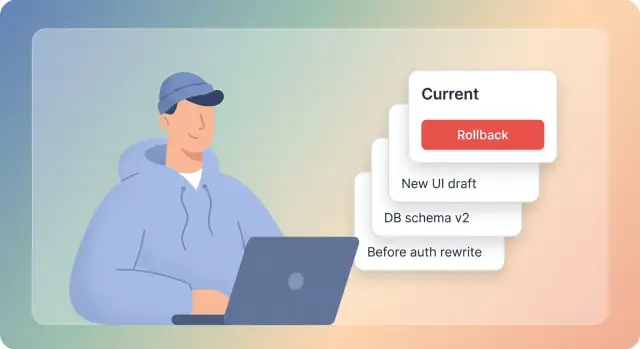
Why snapshots matter when you are moving fast
A snapshot is a saved state of your app that you can return to later. Think of it like a save point in a game: you can try something risky, and if it goes wrong, you can go back to the exact moment when things were working.
Moving fast usually means bigger changes, more often. That speed is useful, but it also raises the odds of landing in a half-broken state where it’s unclear what the “last good version” was. Snapshots give you a clean escape hatch. You can move forward with less fear because you know you can return to a known working point without guessing which change caused the problem.
They matter most during changes where small mistakes ripple through the whole app. An auth rewrite (new login flow, new roles, new token handling), a database schema change (tables renamed, columns split, relationships changed), or a UI redesign (new layout components, new routing, new state logic) can look fine in one place and quietly break five others you haven’t checked yet.
Rollback is the other half of the idea. Rollback isn’t “undo the last click.” It’s “return to a known good state” so you can keep shipping while you investigate what went wrong.
If you’re building quickly through chat on a platform like Koder.ai, the pace can be even faster. That makes snapshots more valuable: you can ask for a large change, test it, and if it’s not right, roll back and try a different approach without losing your working baseline.
When to take a snapshot (and when not to)
A snapshot is most valuable right before you do something that’s hard to undo. Think “before the point of no return.” In practice, snapshots usually pay for themselves in four moments:
- Right before a risky change that touches many files.
- Right after you reach a stable milestone you don’t want to lose.
- Before you upgrade or swap a major dependency or service.
- Right before you merge several changes into one release.
If you’re unsure whether something is risky enough, watch for this feeling: “A lot is changing and I can’t fully predict the side effects.” Unclear requirements, new libraries, wide refactors, and deadline pressure are all good reasons to snapshot. It’s also worth snapshotting when multiple people are touching the same area, because one person’s progress shouldn’t block everyone else.
One-way door changes
Snapshot before anything that feels like a one-way door, especially:
- data migrations
- auth and session logic
- payment steps
If a change could lock users out, double-charge them, or corrupt data, take a snapshot first. After you verify the core flow works, take another one so you have a “new known good” point.
When not to snapshot
Snapshots become noise if you take them for every tiny tweak. Skip them for small, low-risk edits you can redo in minutes, like copy changes or minor spacing fixes.
Also avoid taking a snapshot while the app is clearly broken unless you label it as broken. Otherwise you’ll eventually roll back into a mess and waste time figuring out why.
A simple rule of thumb: snapshot at each meaningful checkpoint. If you’d be upset to lose the last 30 to 60 minutes of work, or if the next step could break production behavior, that’s your cue.
Labeling snapshots so you can find the right one later
A snapshot is only useful if you can recognize it in two seconds. When you’re under pressure, the label should answer three questions fast:
- What changed?
- Why did it change?
- Is it safe to return to?
A naming pattern that stays readable
Pick one format and stick to it. A solid default is:
YYYY-MM-DD - area - intent - status
The date sorts naturally, the area narrows the search, and the intent tells the story.
Examples that still make sense weeks later:
2026-01-09 - auth - switch to email links - draft2026-01-09 - db - add invoices table - ready2026-01-10 - ui - new dashboard layout - release2026-01-11 - api - fix pagination bug - hotfix
What to avoid: labels like “v2”, “test”, “try again”, or “johns-fix”. They feel quick in the moment and turn into a guessing game later.
Put the “why” in the label (not just the “what”)
Two snapshots can touch the same area for different reasons. “auth - refactor” is vague, but “auth - refactor to support SSO” is clear. The goal matters because it hints at what might break (or stop working) if you restore that snapshot.
If a label is getting too long, keep the label consistent and add one sentence in the snapshot notes (if your tool supports it): what you did, why you did it, and what to verify after restore.
Use status tags so nobody restores the wrong one
A small set of tags prevents accidents:
draft- mid-work, may not runready- passes basic checks, safe to continue fromrelease- matches what shippedhotfix- created for a production issue
If you adopt only one rule, make it this: don’t mark anything release unless you’d be comfortable restoring it without debate.
Avoid confusion with simple permissions
Decide who can rename or delete snapshots. Renaming is helpful because labels usually improve once the change is understood, but it shouldn’t be chaotic.
A practical approach: anyone can create snapshots, but only a small owner group can rename or delete, and only after the team agrees it’s not needed. That keeps the timeline readable during big changes like an auth rewrite, schema change, or UI redesign.
How to organize snapshots to avoid a messy timeline
Snapshots are only helpful if you can quickly answer: “Which one should I roll back to?” A clean timeline is less about taking fewer snapshots and more about using the same simple system from project to project.
Start by grouping snapshots by theme, not by mood. Most big changes land in a few buckets like Auth, Database, UI, and Release candidates. If you keep those buckets consistent, your future self won’t need to decode “try-3-final-final.”
You can keep the same naming pattern as above, or use an all-caps theme prefix if that’s easier to scan. For example:
AUTH-2026-01-09 - session rewrite - preDB-2026-01-09 - schema v2 - known good
If your platform supports notes, use them sparingly. Two or three lines is enough:
- Goal: what you were trying to change
- Risk: what might break (login, migrations, payments)
- Rollback safety: known good or only for reference
It also helps to keep two “tiers” of snapshots:
- Milestones: the small set you trust when things go wrong.
- Workbench: quick save points during experiments.
When an experiment is done, delete it or archive it with a label that admits what it is. The timeline stays useful when you don’t pretend every snapshot is safe.
Finally, mark “known good” snapshots on purpose. Do it only after a quick sanity check (app starts, core flow works, no obvious errors). If everything breaks later, you won’t waste time guessing which snapshot is safe.
Step by step: using snapshots as save points during big changes
Big changes feel risky because you’re mixing new code with unknown side effects. The fix is boring but effective: treat snapshots and rollback like save points. Move forward in small, reversible steps.
A workflow you can repeat
Start with one clean “known good” moment, then leave a trail you can trust.
- Take a baseline snapshot before you touch anything important. Label it clearly, like
KNOWN-GOOD main 2026-01-09. - Make one small chunk of change (one file group, one feature slice, one migration step).
- Run quick checks immediately, while the change is still fresh.
- If the chunk passes, snapshot again. If it fails, roll back and redo the chunk smaller.
- Keep the best path and delete or archive experiments you won’t return to.
On platforms where snapshots are cheap and rollback is fast (including Koder.ai), this encourages good habits. You stop relying on “I’ll fix it later” because recovery isn’t painful.
What to check after each chunk
Keep checks short and repeatable. You’re not doing a full QA cycle every time. You’re catching obvious breakage early.
- Can you log in and log out (or complete your main auth flow)?
- Do key screens load (home, settings, one core feature page)?
- Does a basic create-read-update flow still work for your main data?
- Are there loud errors (blank pages, failing API calls, broken navigation)?
How this looks during real big-change work
For an auth rewrite, break the work into slices: introduce new auth config, switch one route to the new guard, then move the rest. Snapshot after each switch. If session handling breaks, roll back to the last known good snapshot and retry with a smaller slice.
For a schema change, use phases: add new tables or columns first (no behavior change), snapshot, then update reads and writes, snapshot, and only then remove old fields. If data writes break, rollback saves you from guessing what changed.
For a UI redesign, resist changing every page at once. Redesign one key screen, snapshot, then apply the same pattern to the next. Labels like UI header+nav, UI dashboard v2, and UI forms cleanup stop the “Which snapshot was the good one?” problem later.
Practical snapshot patterns for auth, schema, and UI work
Big changes fail in boring ways: a missing redirect, a migration that half-ran, a layout that looks fine on desktop but breaks on mobile. The easiest safety net is to take snapshots at the moments where you cross a line you can’t easily undo.
Auth rewrite: save points around user flow changes
Auth work is risky because one small change can lock everyone out. Take snapshots at the points where the login path changes shape.
- Before changing flows:
auth | baseline | current login+signup works | status: ready - After adding a new provider (Google, email magic link, SSO):
auth | add provider X | status: draft - After switching defaults (new provider becomes primary, new session rules):
auth | switch default | status: ready
Keep old and new versions comparable by using the same test path every time: new user signup, logout, login, password reset (if you have it), and one protected page visit.
Schema change: snapshots around irreversible data steps
Database changes are where rollback matters most. A clean sequence is:
- Before migration:
db | pre-migration | status: ready - After migration (structure changed, app may be partially broken):
db | post-migration | status: draft - After backfill (data copied or transformed):
db | post-backfill | status: ready - After app updates (code now uses the new schema):
db | app updated | status: ready
Remember that rollback can surprise you when the “problem” isn’t only code. If your schema migrated forward, an environment variable changed, or config drifted, restoring code alone may not restore behavior. Make external changes visible in names or notes.
UI redesign: snapshots after each visible milestone
UI work feels reversible until it isn’t. Snapshot when you hit a clear viewing milestone:
- Before layout changes:
ui | baseline | status: ready - After new components land:
ui | new header+cards | status: draft - After responsive fixes:
ui | responsive pass | status: ready
To compare versions without arguing from memory, use the same quick demo script each time: open three key screens, resize to mobile width, and complete one primary action (like “create project” or “checkout”).
A realistic example: one weekend release that almost broke
A solo builder was working on a small subscription app on a Saturday. The plan sounded simple: swap the login flow to use a new token format, and refresh the Settings page so it looked cleaner on mobile.
They treated snapshots and rollback like save points. Before touching anything big, they created a snapshot and named it like a bookmark they could trust.
Here’s what they captured during the weekend:
fri-1900_main_green(everything working, last calm point)sat-1030_auth_token_v2_start(right before changing auth)sat-1400_settings_redesign_start(right before UI work)sat-1730_pre_merge_smoke_pass(after quick manual checks)
The failure hit on Saturday night. After merging the auth changes and the redesigned Settings page, users could log in, but then got stuck in a loop: the app kept sending them back to the login screen. The cause was small: the new token was being stored under a different key than the rest of the app expected, so every page load looked like “logged out.”
Stress went up fast because the Settings redesign also touched user profile fields, and one query started returning empty data. Suddenly it was unclear whether the problem was auth, the database call, or the UI state.
Rollback made it boring again. They rolled back to sat-1030_auth_token_v2_start, confirmed the old login still worked, then re-applied only the auth change until the loop was gone. After that, they moved forward from sat-1400_settings_redesign_start and fixed the missing state on the Settings page without mixing it up with auth debugging.
On Sunday, they changed one habit: every snapshot name included (1) what was changing, (2) the risk level, and (3) a quick “last known good” check, like ..._green_smoke. They also started taking one extra snapshot right after a minimum working test, not just before risky work. That one rule cut the next release panic in half.
Common mistakes that cause confusion or lost work
Most snapshot problems aren’t about the tool. They happen when you move fast, make wide edits, and later can’t remember what was stable and what was experimental. Snapshots work best when you treat them like clear save points, not a random pile of backups.
A frequent mistake is skipping the last known good snapshot. People start an auth rewrite, touch routes, middleware, and session storage, and only then think about saving. If the change snowballs, there’s no clean place to return to.
The opposite is also painful: taking a snapshot every few minutes with names like “test”, “fix”, or “ok”. You end up with many save points, but none of them tell you what changed or which one is safe.
Rollback also surprises people when they forget what sits outside code. Restoring app state might not help if your database schema already migrated forward, an environment variable changed, or a config file was edited after the snapshot.
Another common pattern is keeping failed snapshots “just in case,” then forgetting they never worked. Days later someone restores “before UI update” and lands on a build that was broken from the start.
Finally, teams sometimes roll back and stop there. They assume the issue is fixed, but don’t re-run a basic smoke test. That’s how you ship a different bug after “saving” the release.
A few guardrails prevent most confusion:
- Take one snapshot right before the risky step (migration, auth switch, big redesign).
- Name snapshots with what changed and whether it passed checks (for example:
auth-v2-login-ok). - Record external changes in the name or notes (env, config, DB migration).
- Delete or clearly mark snapshots that never reached a working state.
- After rollback, re-test the one or two flows users rely on most.
If you’re using Koder.ai, a helpful habit is to snapshot after you’ve planned the change but before wide edits are applied. That keeps your “safe refactors” safe because you can return to a version you trust, not just a version you saved.
Quick checklist: snapshot and rollback in 5 minutes
When you’re about to touch something risky, treat snapshots as save points, not an afterthought. Spending a few minutes setting up a clean return point and a simple test loop lets you move fast without guessing later.
The 5-minute routine
- Create a clean baseline snapshot before you change anything. Name it like
Baseline - known good - 2026-01-09 10:15, and add a one-line note on what’s working (sign-in OK, billing page loads). - Work in small chunks (15 to 45 minutes), then snapshot again. Don’t wait until the end of the day.
- Do a quick smoke test after each chunk: sign in, open key pages, and create or edit one real record. If any of these fail, stop and decide whether to fix now or roll back.
- Before schema changes, confirm your escape hatch. Make sure you have a backup or source code export strategy you actually trust, not one you “plan to set up later.”
- Before merging or deploying, mark a release candidate. Take a snapshot named like
RC - auth rewrite - 2026-01-09 18:40so you can roll back instantly if production shows a surprise.
If you do nothing else, do the baseline + smoke test loop. That alone prevents most “where did it break?” moments.
If you roll back, don’t stop at “it works again”
Rolling back is only half the job. After you revert, confirm the bug is gone (same smoke test), then reapply changes carefully from the last good snapshot forward. Reintroduce pieces one by one so you know exactly which chunk caused the issue.
Next steps: make this a habit (and where Koder.ai fits)
Snapshots only pay off when they’re boring and consistent. The goal isn’t to snapshot more. It’s to snapshot at the moments that would hurt the most to lose.
A simple team rule helps: agree to snapshot right before any change that touches login, data structure, or shared UI components. If you work solo, treat it the same way. Your future self is your teammate.
Keep a short “golden path” list of snapshots everyone trusts. This is the set you’d confidently roll back to when something is on fire. Keep it short so it stays believable.
If you want a lightweight habit most teams can follow:
- Snapshot before starting a risky change (clean baseline)
- Snapshot after the new path works in a basic happy case
- Snapshot right before merging or releasing
- Use one naming style for everyone
- Delete or archive snapshots that aren’t worth keeping
This fits naturally into Koder.ai because the chat-driven flow can produce large edits quickly, and the platform supports snapshots and rollback as part of the workflow. If you use Planning Mode to outline the change and write down your snapshot points first, you’ll ship faster without turning every risky edit into a permanent commitment.
Next action: pick one upcoming change (auth rewrite, schema change, or UI redesign) and define three snapshot points in advance:
- Baseline: last known good state
- Midpoint: the new approach works end to end in a simple test
- Pre-release: final polish done, ready to ship or hand off
Do that once and it starts to feel automatic.
FAQ
What’s the difference between a snapshot and a rollback?
A snapshot is a saved state of your app that you can restore later. Use it like a reliable “last known good” point before you try something risky.
Rollback is the act of restoring that snapshot so you can keep moving while you debug the broken change.
When should I take a snapshot?
Take one right before any change that’s hard to undo:
- Auth/session changes (login flow, roles, token storage)
- Database migrations or backfills
- Payment or checkout changes
- Wide refactors that touch many files
A good rule: if losing the next 30–60 minutes would hurt, snapshot first.
When should I NOT take a snapshot?
Skip snapshots for tiny edits you can redo quickly (copy tweaks, small spacing fixes). Too many low-value snapshots make it harder to find the one you actually trust.
Also avoid snapshotting an obviously broken state unless you label it clearly as broken or draft.
How should I name snapshots so they’re easy to restore later?
Use a consistent pattern that answers “what/why/safe?” fast:
YYYY-MM-DD - area - intent - status
Example: 2026-01-09 - auth - switch token storage key - ready.
Avoid names like test, v2, or final-final—they turn rollback into guessing.
What do “draft”, “ready”, and “release” labels actually mean?
Keep a small set of status tags and apply them consistently:
draft: mid-work, might not runready: passes a quick smoke testrelease: matches what shippedhotfix: created to address a production issue
If you only enforce one rule: don’t mark anything release unless you’d restore it without debate.
How do I keep snapshots from becoming a messy timeline?
Create two layers:
- Milestones: a short list of trusted snapshots (your go-to rollback points)
- Workbench: temporary save points during experiments
When an experiment ends, delete it or relabel it so nobody mistakes it for a safe restore point.
What’s a simple snapshot workflow for big refactors?
Use snapshots as checkpoints between small, testable chunks:
- Snapshot a baseline
known good - Make one small slice of change
- Run a quick smoke test
- Snapshot again only if it passes
- If it fails, roll back and redo the slice smaller
This prevents one big change from hiding the real breakage.
What should I test before I mark a snapshot as “ready”?
Keep it short and repeatable. After each chunk, verify:
- App starts without obvious errors
- Your main auth flow works (login/logout, one protected page)
- One key screen loads (dashboard/settings/core feature)
- A basic create/read/update action works for your main data
If any of these fail, either fix immediately or roll back before stacking more changes on top.
How should I use snapshots during an auth rewrite?
Auth breaks in small, high-impact ways. Snapshot around user-flow shape changes:
- Before any auth rewrite (
auth - baseline - ready) - After adding a provider or new token/session logic (
draft) - After switching the default flow and it passes smoke tests (
ready)
Always re-run the same “happy path” so results are comparable.
Can rollback fail to fix the problem? Why would that happen?
Not always. Rollback restores your app state, but some issues live outside code:
- A database schema migrated forward
- Environment/config changed
- Data backfills partially ran
If external changes happened, note them in the snapshot label/notes and plan a safe way to revert or reapply those changes too.