

Solomon Hykes and Docker: Why Containers Became the Default
Learn how Solomon Hykes and Docker popularized containers, making images, Dockerfiles, and registries the standard way to package and deploy modern apps.
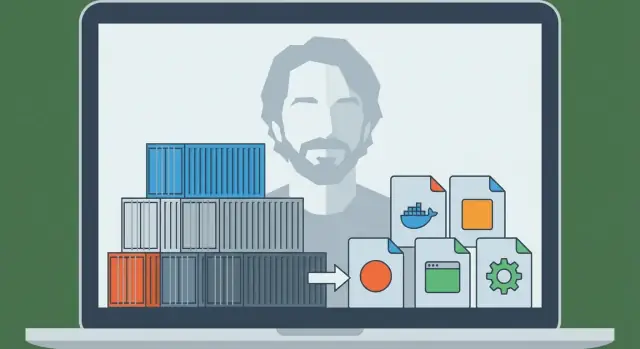
What This Story Explains (and Why It Matters)
Solomon Hykes is the engineer who helped turn a long-standing idea—isolating software so it runs the same everywhere—into something teams could actually use day to day. In 2013, the project he introduced to the world became Docker, and it quickly changed how companies ship applications.
At the time, the pain was simple and familiar: an app worked on a developer’s laptop, then behaved differently on a teammate’s machine, then broke again in staging or production. These “inconsistent environments” weren’t just annoying—they slowed releases, made bugs hard to reproduce, and created endless handoffs between development and operations.
The problem Docker solved (in plain terms)
Docker gave teams a repeatable way to package an application together with the dependencies it expects—so the app can run the same way on a laptop, a test server, or in the cloud.
That’s why people say containers became the “default packaging and deployment unit.” Put simply:
- Packaging unit: the thing you build and store (a container image)
- Deployment unit: the thing you run in an environment (a container)
Instead of deploying “a zip file plus a wiki page of setup steps,” many teams deploy an image that already includes what the app needs. The result is fewer surprises and faster, more predictable releases.
What you’ll get from this story
This article mixes history with practical concepts. You’ll learn who Solomon Hykes is in this context, what Docker introduced at the right moment, and the basic mechanics—without assuming deep infrastructure knowledge.
You’ll also see where containers fit today: how they connect to CI/CD and DevOps workflows, why orchestration tools like Kubernetes became important later, and what containers do not automatically fix (especially around security and trust).
By the end, you should be able to explain—clearly and confidently—why “ship it as a container” became a default assumption for modern application deployment.
Before Docker: Why Shipping Apps Was So Hard
Before containers became mainstream, getting an application from a developer’s laptop to a server was often more painful than writing the app itself. Teams didn’t lack talent—they lacked a reliable way to move “the thing that works” between environments.
“Works on my machine” was a real problem
A developer might run the app perfectly on their computer, then watch it fail in staging or production. Not because the code changed, but because the environment did. Different operating system versions, missing libraries, slightly different config files, or a database running with different defaults could all break the same build.
Dependency conflicts and endless setup docs
Many projects relied on long, fragile setup instructions:
- install this language runtime
- compile that system package
- pin a specific library version
- set environment variables in just the right place
Even when written carefully, these guides aged quickly. One teammate upgrading a dependency could accidentally break onboarding for everyone else.
Worse, two apps on the same server might require incompatible versions of the same runtime or library, forcing teams into awkward workarounds or separate machines.
Packaging and deployment were separate—and didn’t line up
“Packaging” often meant producing a ZIP file, a tarball, or an installer. “Deployment” meant a different set of scripts and server steps: provision a machine, configure it, copy files, restart services, and hope nothing else on the server was impacted.
Those two concerns rarely matched cleanly. The package didn’t fully describe the environment it needed, and the deployment process depended heavily on the target server being prepared “just right.”
The missing piece: a portable unit
What teams needed was a single, portable unit that could travel with its dependencies and run consistently across laptops, test servers, and production. That pressure—repeatable setup, fewer conflicts, and predictable deployment—set the stage for containers to become the default way to ship applications.
Solomon Hykes and the Birth of Docker (High-Level Timeline)
Docker didn’t start as a grand plan to “change software forever.” It grew out of practical engineering work led by Solomon Hykes while building a platform-as-a-service product. The team needed a repeatable way to package and run applications across different machines without the usual “it works on my laptop” surprises.
From a platform problem to a reusable tool
Before Docker was a household name, the underlying need was straightforward: ship an app with its dependencies, run it reliably, and do it again and again for many customers.
The project that became Docker emerged as an internal solution—something that made deployments predictable and environments consistent. Once the team realized the packaging-and-running mechanism was broadly useful beyond their own product, they released it publicly.
That release mattered because it turned a private deployment technique into a shared toolchain the whole industry could adopt, improve, and standardize around.
“Docker” vs. “containers”: not the same thing
It’s easy to blur these together, but they’re different:
- Containers are the concept: isolated processes using OS-level features (like namespaces and cgroups on Linux) to run apps with their dependencies.
- Docker (the project and later the company) was the productized experience that made containers approachable for everyday developers.
Containers existed in various forms before Docker. What changed is that Docker packaged the workflow into a developer-friendly set of commands and conventions—build an image, run a container, share it with someone else.
Milestones that changed daily developer work
A few widely known steps pushed Docker from “interesting” to “default”:
- A simple build format (Dockerfile) made app packaging feel like writing a recipe instead of maintaining fragile setup docs.
- A standard artifact (the image) meant teams could finally treat environments like versioned deliverables.
- Easy sharing via registries enabled “pull and run” workflows across laptops, CI servers, and production.
- Ecosystem and standardization efforts helped container images and runtimes become less tied to one vendor and more like a common industry interface.
The practical result: developers stopped debating how to replicate environments and started shipping the same runnable unit everywhere.
Containers 101: What They Are (and Aren’t)
Containers are a way to package and run an application so it behaves the same on your laptop, on a coworker’s machine, and in production. The key idea is isolation without a full new computer.
Containers vs. Virtual Machines (simple mental model)
A virtual machine (VM) is like renting an entire apartment: you get your own front door, your own utilities, and your own copy of the operating system. That’s why VMs can run different OS types side by side, but they’re heavier and usually take longer to boot.
A container is more like renting a locked room inside a shared building: you bring your furniture (app code + libraries), but the building’s utilities (the host operating system kernel) are shared. You still get separation from other rooms, but you’re not starting a whole new OS each time.
How containers isolate apps (conceptually)
On Linux, containers rely on built-in isolation features that:
- give processes their own “view” of the system (so app A doesn’t see app B’s files and processes)
- limit and account for resources like CPU and memory (so one noisy app can’t easily starve others)
You don’t need to know the kernel details to use containers, but it helps to know they’re leveraging OS features—not magic.
Why people love them
Containers became popular because they’re:
- Lightweight: smaller than VM images because they don’t bundle a full OS
- Fast to start: often seconds (or less), which is great for scaling and testing
- Consistent: the same packaged runtime reduces “it works on my machine” problems
What containers are not
Containers are not a security boundary by default. Because containers share the host kernel, a kernel-level vulnerability can potentially affect multiple containers. It also means you can’t run a Windows container on a Linux kernel (and vice versa) without extra virtualization.
So: containers improve packaging and consistency—but you still need smart security, patching, and configuration practices.
The Docker Model: Dockerfile, Image, Container
Docker succeeded partly because it gave teams a simple mental model with clear “parts”: a Dockerfile (instructions), an image (the built artifact), and a container (the running instance). Once you understand that chain, the rest of the Docker ecosystem starts to make sense.
Dockerfile: a repeatable recipe
A Dockerfile is a plain-text file that describes how to build your application environment step by step. Think of it like a cooking recipe: it doesn’t feed anyone by itself, but it tells you exactly how to produce the same dish every time.
Typical Dockerfile steps include: choosing a base (like a language runtime), copying your app code in, installing dependencies, and declaring the command to run.
Image vs. container: blueprint vs. running app
An image is the built result of a Dockerfile. It’s a packaged snapshot of everything needed to run: your code, dependencies, and configuration defaults. It’s not “alive”—it’s more like a sealed box you can ship around.
A container is what you get when you run an image. It’s a live process with its own isolated filesystem and settings. You can start it, stop it, restart it, and create multiple containers from the same image.
Layers and caching: why builds can be fast
Images are built in layers. Each instruction in a Dockerfile usually creates a new layer, and Docker tries to reuse (“cache”) layers that haven’t changed.
In plain terms: if you only change your application code, Docker can often reuse the layers that installed the operating system packages and dependencies, making rebuilds much faster. This also encourages reuse across projects—many images share common base layers.
A tiny end-to-end flow
Here’s what the “recipe → artifact → running instance” flow looks like:
FROM node:20-alpine
WORKDIR /app
COPY package*.json ./
RUN npm ci
COPY . .
CMD ["node", "server.js"]
- Dockerfile: the instructions above
- Build an image:
docker build -t myapp:1.0 . - Run a container:
docker run --rm -p 3000:3000 myapp:1.0
This is the core promise Docker popularized: if you can build the image, you can run the same thing reliably—on your laptop, in CI, or on a server—without rewriting installation steps each time.
From Laptop to Team: Registries and Sharing Images
Running a container on your own laptop is useful—but it’s not the breakthrough. The real shift happened when teams could share the exact same build and run it anywhere, without “it works on my machine” arguments.
Docker made that sharing feel as normal as sharing code.
What a registry is (in plain language)
A container registry is a store for container images. If an image is the packaged app, a registry is the place you keep packaged versions so other people and systems can fetch them.
Registries support a simple workflow:
- Push: upload an image you built
- Pull: download an image someone else built
- Version: keep multiple named releases so you can roll forward or back
Public registries (like Docker Hub) made it easy to start. But most teams quickly needed a registry that matched their access rules and compliance requirements.
Tags: the small habit that prevents big problems
Images are usually identified as name:tag—for example myapp:1.4.2. That tag is more than a label: it’s how humans and automation agree on which build to run.
A common mistake is relying on latest. It sounds convenient, but it’s ambiguous: “latest” can change without warning, causing environments to drift. One deploy might pull a newer build than the previous deploy—even if nobody intended to upgrade.
Better habits:
- Use explicit version tags (e.g.,
1.4.2) for releases - Consider also tagging with a commit hash for traceability
- Treat tags as part of your release process, not an afterthought
Why private registries matter for real teams
As soon as you’re sharing internal services, paid dependencies, or company code, you typically want a private registry. It lets you control who can pull or push images, integrate with single sign-on, and keep proprietary software out of public indexes.
This is the “laptop to team” leap: once images live in a registry, your CI system, your coworkers, and your production servers can all pull the same artifact—and deployment becomes repeatable, not improvisational.
Why Containers Fit CI/CD So Well
CI/CD works best when it can treat your application like a single, repeatable “thing” that moves forward through stages. Containers provide exactly that: one packaged artifact (the image) that you can build once and run many times, with far fewer “it worked on my machine” surprises.
Standardized local development
Before containers, teams often tried to match environments with long setup docs and shared scripts. Docker changed the default workflow: pull the repo, build an image, run the app. The same commands tend to work across macOS, Windows, and Linux because the application runs inside the container.
That standardization speeds up onboarding. New teammates spend less time installing dependencies and more time understanding the product.
“Build once, run everywhere” in practice
A strong CI/CD setup aims for a single pipeline output. With containers, the output is an image tagged with a version (often tied to a commit SHA). That same image is promoted from dev → test → staging → production.
Instead of rebuilding the app differently per environment, you change configuration (like environment variables) while keeping the artifact identical. This reduces environment drift and makes releases easier to debug.
Natural fit for CI pipelines
Containers map cleanly to pipeline steps:
- Build: create the image from a Dockerfile
- Test: run unit/integration tests inside the container
- Scan: check the image for known vulnerabilities and unsafe packages
- Deploy: push to a registry, then pull and run in the next environment
Because each step runs against the same packaged app, failures are more meaningful: a test that passed in CI is more likely to behave the same after deployment.
If you’re refining your process, it’s also worth setting simple rules (tagging conventions, image signing, basic scanning) so the pipeline stays predictable. You can expand from there as your team grows (see /blog/common-mistakes-and-how-to-avoid-them).
Where this connects to modern “vibe-coding” workflows: platforms like Koder.ai can generate and iterate on full-stack apps (React on the web, Go + PostgreSQL on the backend, Flutter for mobile) through a chat interface—but you still need a reliable packaging unit to move from “it runs” to “it ships.” Treating every build as a versioned container image keeps even AI-accelerated development aligned with the same CI/CD expectations: reproducible builds, predictable deploys, and rollback-ready releases.
Running at Scale: Why Kubernetes Entered the Picture
Docker made it practical to package an app once and run it anywhere. The next challenge showed up quickly: teams didn’t run one container on one laptop—they ran dozens (then hundreds) of containers across many machines, with versions changing constantly.
At that point, “starting a container” stops being the hard part. The hard part becomes managing a fleet: deciding where each container should run, keeping the right number of copies online, and recovering automatically when things fail.
Why orchestrators appeared
When you have many containers across many servers, you need a system that can coordinate them. That’s what container orchestrators do: they treat your infrastructure like a pool of resources and continually work to keep your applications in the desired state.
Kubernetes became the most common answer for this need (though not the only one). It provides a shared set of concepts and APIs that many teams and platforms have standardized on.
Docker vs. orchestration: different jobs
It helps to separate responsibilities:
- Docker (and similar tools) focuses on building container images and running containers on a single machine.
- Kubernetes focuses on running containers at scale: across multiple machines, across availability zones, across rolling updates.
The core ideas Kubernetes brought to the table
Kubernetes introduced (and popularized) a few practical capabilities that teams needed once containers moved beyond a single host:
- Scheduling: placing containers on suitable machines based on available CPU/memory and constraints.
- Scaling: increasing or decreasing the number of running copies to match demand.
- Service discovery and load balancing: giving containers stable ways to find each other even as IPs and instances change.
- Self-healing: restarting crashed containers, replacing unhealthy instances, and rescheduling work when a machine fails.
In short, Docker made the unit portable; Kubernetes helped make it operable—predictably and continuously—when there are many units in motion.
How Containers Changed Application Architecture
Containers didn’t just change how we deploy software—they also nudged teams to design software differently.
“Microservices made easier to ship” (without banning monoliths)
Before containers, splitting an app into many small services often meant multiplying operational pain: different runtimes, conflicting dependencies, and complicated deployment scripts. Containers reduced that friction. If every service ships as an image and runs the same way, creating a new service feels less risky.
That said, containers also work well for monoliths. A monolith in a container can be simpler than a half-finished microservices migration: one deployable unit, one set of logs, one scaling lever. Containers don’t force a style—they make multiple styles more manageable.
Standard interfaces became the norm
Container platforms encouraged apps to behave like well-behaved “black boxes” with predictable inputs and outputs. Common conventions include:
- Ports: the app listens on a known port and the platform routes traffic.
- Environment variables: configuration is injected at runtime, not baked into code.
- Volumes: persistent data is mounted, making the container itself easier to replace.
These interfaces made it easier to swap versions, roll back, and run the same app across laptops, CI, and production.
New patterns (and new temptations)
Containers popularized repeatable building blocks such as sidecars (a helper container alongside the main app for logging, proxies, or certificates). They also reinforced the guideline of one process per container—not a hard rule, but a helpful default for clarity, scaling, and troubleshooting.
The main trap is over-splitting. Just because you can turn everything into a service doesn’t mean you should. If a “microservice” adds more coordination, latency, and deployment overhead than it removes, keep it together until there’s a clear boundary—like different scaling needs, ownership, or failure isolation.
Security and Trust: What Containers Do Not Solve Automatically
Containers make software easier to ship, but they don’t magically make it safer. A container is still just code plus dependencies, and it can be misconfigured, outdated, or outright malicious—especially when images are pulled from the internet with minimal scrutiny.
Trust starts with image provenance
If you can’t answer “Where did this image come from?” you’re already taking a risk. Teams often move toward a clear chain of custody: build images in controlled CI, sign or attest what was built, and keep a record of what went into the image (dependencies, base image version, build steps).
That’s also where SBOMs (Software Bills of Materials) help: they make your container’s contents visible and auditable.
Scanning is the next practical step. Regularly scan images for known vulnerabilities, but treat results as inputs to decisions—not as a guarantee of safety.
Least privilege and secrets: common pitfalls
A frequent mistake is running containers with overly broad permissions—root user by default, extra Linux capabilities, host networking, or privileged mode “because it works.” Each of these widens the blast radius if something goes wrong.
Secrets are another trap. Environment variables, baked-in config files, or committed .env files can leak credentials. Prefer secret stores or orchestrator-managed secrets and rotate them as if exposure is inevitable.
Runtime risks people overlook
Even “clean” images can be dangerous at runtime. Watch for exposed Docker sockets, overly permissive volume mounts, and containers that can reach internal services they don’t need.
Also remember: patching your host and kernel still matters—containers share the kernel.
A simple checklist mindset
Think in four phases:
- Build: controlled builds, SBOMs, scan, minimize base images
- Store: private registries, access control, immutability policies
- Run: least privilege, network limits, resource limits, no secret sprawl
- Monitor: logs, alerts, anomaly detection, rapid rebuild-and-redeploy
Containers reduce friction—but trust still has to be earned, verified, and continuously maintained.
Common Mistakes and How to Avoid Them
Docker makes packaging predictable, but only if you use it with a bit of discipline. Many teams hit the same potholes—then blame “containers” for what are really workflow issues.
Anti-patterns that slow everyone down
A classic mistake is building huge images: using full OS base images, installing build tools you don’t need at runtime, and copying the entire repo (including tests, docs, and node_modules). The result is slow downloads, slow CI, and more surface area for security issues.
Another common issue is slow, cache-busting builds. If you copy your whole source tree before installing dependencies, every small code change forces a full dependency reinstall.
Finally, teams often use unclear or floating tags like latest or prod. That makes rollbacks painful and turns deployments into guesswork.
“It works locally but not in prod”: the real causes
This usually comes down to differences in configuration (missing env vars or secrets), networking (different hostnames, ports, proxies, DNS), or storage (data written to the container filesystem instead of a volume, or file permissions that differ between environments).
Practical fixes you can apply today
Use slim base images when possible (or distroless if your team is ready). Pin versions for base images and key dependencies so builds are repeatable.
Adopt multi-stage builds to keep compilers and build tools out of the final image:
FROM node:20 AS build
WORKDIR /app
COPY package*.json ./
RUN npm ci
COPY . .
RUN npm run build

FROM node:20-slim
WORKDIR /app
COPY --from=build /app/dist ./dist
CMD ["node","dist/server.js"]
Also, tag images with something traceable, like a git SHA (and optionally a human-friendly release tag).
When not to containerize
If an app is truly simple (a single static binary, run rarely, no scaling needs), containers may add overhead. Legacy systems with tight OS coupling or specialized hardware drivers can also be poor fits—sometimes a VM or managed service is the cleaner choice.
What “Default Unit” Means Today—and What to Do Next
Containers became the default unit because they solved a very specific, repeatable pain: getting the same app to run the same way across laptops, test servers, and production. Packaging the app and its dependencies together made deployments faster, rollbacks safer, and handoffs between teams less fragile.
Just as important, containers standardized the workflow: build once, ship, run.
What “default” means in practice
“Default” doesn’t mean everything runs in Docker everywhere. It means most modern delivery pipelines treat a container image as the primary artifact—more than a zip file, VM snapshot, or set of manual setup steps.
That default usually includes three pieces working together:
- Images: immutable build outputs tagged with versions (and ideally, a commit SHA).
- Registries: a shared place to store and retrieve images (private or public), enabling teams to reuse the same artifact across environments.
- Orchestration: a scheduler (often Kubernetes) that runs containers reliably, replaces failed instances, and scales up/down.
Next steps you can take this week
Start small and focus on repeatability.
- Learn Dockerfile basics: keep images minimal, pin base image versions, and structure layers so rebuilds are fast. Add a
.dockerignoreearly. - Use a registry deliberately: publish images with meaningful tags (e.g.,
1.4.2,main,sha-…) and define who can push vs. pull. - Adopt CI build rules: build images in CI, run tests inside the container context, and promote the same image through staging to production (no rebuilding per environment).
If you’re experimenting with faster ways to build software (including AI-assisted approaches), keep the same discipline: version the image, store it in a registry, and make deployments promote that single artifact forward. That’s one reason teams using Koder.ai still benefit from container-first delivery—rapid iteration is great, but reproducibility and rollback are what make it safe.
Keep a balanced view
Containers reduce “works on my machine” problems, but they don’t replace good operational habits. You still need monitoring, incident response, secrets management, patching, access control, and clear ownership.
Treat containers as a powerful packaging standard—not a shortcut around engineering discipline.
FAQ
Who is Solomon Hykes, and what was his role in Docker’s rise?
Solomon Hykes is an engineer who led the work that turned OS-level isolation (containers) into a developer-friendly workflow. In 2013, that work was released publicly as Docker, which made it practical for everyday teams to package an app with its dependencies and run it consistently across environments.
What’s the difference between Docker and containers?
Containers are the underlying concept: isolated processes using OS features (like namespaces and cgroups on Linux). Docker is the tooling and conventions that made containers easy to build, run, and share (e.g., Dockerfile → image → container). In practice, you can use containers without Docker today, but Docker popularized the workflow.
What problem did Docker actually solve for teams?
It solved “works on my machine” by bundling application code and its expected dependencies into a repeatable, portable unit. Instead of deploying a ZIP plus setup instructions, teams deploy a container image that can run the same way on laptops, CI, staging, and production.
What do Dockerfile, image, and container mean in plain terms?
A Dockerfile is the build recipe.
An image is the built artifact (immutable snapshot you can store and share).
A container is a running instance of that image (a live process with isolated filesystem/settings).
Why should I avoid the `latest` tag, and what should I use instead?
Avoid latest because it’s ambiguous and can change without warning, causing drift between environments.
Better options:
- Use explicit version tags like
1.4.2 - Also tag with a commit SHA for traceability (e.g.,
sha-<hash>) - Promote the same tag through dev → staging → prod instead of rebuilding per environment
What is a container registry, and when do I need a private one?
A registry is where you store container images so other machines and systems can pull the exact same build.
Typical workflow:
- Build an image in CI
- Push it to a registry
- Pull that same image in staging/production
For most teams, a private registry matters for access control, compliance, and keeping internal code out of public indexes.
How are containers different from virtual machines in practice?
Containers share the host OS kernel, so they’re typically lighter and start faster than VMs.
A simple mental model:
- VM: includes its own OS (heavier, slower boot)
- Container: isolated process on a shared kernel (lighter, faster start)
One practical limit: you generally can’t run Windows containers on a Linux kernel (and vice versa) without additional virtualization.
Why do containers fit CI/CD so well?
They let you produce a single pipeline output: the image.
A common CI/CD pattern:
- Build the image once
- Run tests against that image
- Scan the image
- Promote the exact same image through environments
You change configuration (env vars/secrets) per environment, not the artifact itself, which reduces drift and makes rollbacks easier.
Why did Kubernetes become important after Docker?
Docker made “run this container” easy on one machine. At scale, you also need:
- scheduling (where containers run)
- scaling (how many copies)
- self-healing (restart/replace failures)
- stable networking/service discovery
Kubernetes provides those capabilities so fleets of containers can be operated predictably across many machines.
What security and reliability gaps do containers not solve automatically?
Containers improve packaging consistency, but they don’t automatically make software safe.
Practical basics:
- Build in controlled CI; track provenance (SBOMs/attestations if possible)
- Scan images, and treat results as decision inputs
- Run with least privilege (avoid
privileged, minimize capabilities, don’t run as root when possible) - Keep secrets out of images and repos; use a secrets manager/orchestrator secrets
For common workflow pitfalls (huge images, cache-busting builds, unclear tags), see also: /blog/common-mistakes-and-how-to-avoid-them