

Speed Over Perfection: A Guide for First-Time Builders
A practical guide for first-time builders on why shipping quickly beats polishing endlessly—so you learn faster, get feedback sooner, and improve with each version.
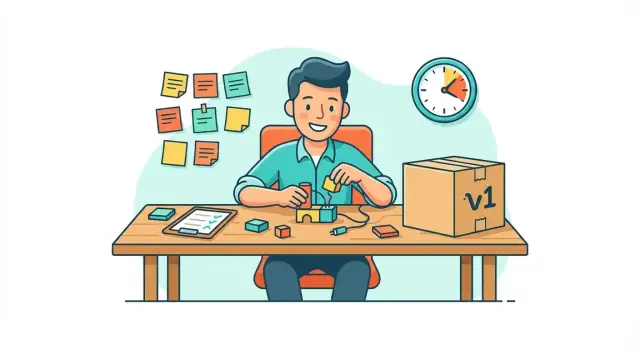
Speed vs. Perfection: What We Mean (and Don’t Mean)
“Speed over perfection” can sound like a permission slip to be sloppy. That’s not the point—especially for first-time builders.
What “speed” means here
Speed means shortening the time between having an idea and putting something real in front of someone else. It’s about momentum: making small decisions, building the simplest version, and getting it into the world while you still have energy and curiosity.
For a first build, speed is mostly about learning faster. Every week you spend polishing in private is a week you’re not discovering what users actually want, what confuses them, or what you misjudged.
What “perfection” usually means
Perfection often means trying to eliminate every rough edge before anyone sees the work: perfect copy, perfect UI, perfect feature set, perfect branding. The problem is that “perfect” is based on your guesses—because you don’t have real feedback yet.
Chasing perfection on version one also tends to hide a different goal: impressing on day one. But first versions aren’t graded. They’re experiments.
A simple rule of thumb
Ship small, then improve.
If you can’t explain what you’re shipping in one sentence, it’s probably too big for a first release. Aim for a clear, useful “slice” that solves one problem end-to-end, even if it looks plain.
What speed is not
Speed is not rushing, ignoring bugs, or making users suffer. It’s not “move fast and break things.” You still need a baseline of care: the core flow should work, data shouldn’t be at risk, and you should be honest about what’s unfinished.
Think of it this way: ship early, but don’t ship careless.
Why the First Version Is Mostly for Learning
Your first version isn’t the “real” product in the way you imagine it. It’s a test that turns your assumptions into something you can observe.
Most first-time builders start with a long list of confident beliefs: what users want, what they’ll pay for, which features matter, what wording will convince them, and what “quality” looks like. The uncomfortable truth is that many of those beliefs are guesses—reasonable guesses, but still guesses—until real people interact with your work.
Early assumptions are usually wrong (or incomplete)
Even when your core idea is right, the details are often off. You might discover that users don’t understand your terminology, care less about your favorite feature, or need a simpler first step. These aren’t failures; they’re exactly what the first version is supposed to uncover.
Real users reveal priorities you can’t predict
Watching someone try your first version quickly exposes what matters:
- Where they get stuck (your “obvious” flow isn’t obvious)
- What they try to do first (their priorities beat your roadmap)
- What they ask for repeatedly (a pattern worth building)
This kind of clarity is hard to get from brainstorming alone. One honest user session can save weeks of building the wrong thing.
The opportunity cost of polishing guesses
Perfectionism feels productive because it creates visible progress: cleaner screens, better copy, nicer branding. But if you’re polishing features users won’t use, you’re paying a high price for certainty you don’t actually have.
Shipping sooner converts time into information. And information compounds: faster shipping leads to faster clarity, which leads to better decisions, which builds real confidence—confidence based on evidence, not hope.
The Hidden Costs of Perfectionism
Perfectionism often disguises itself as “being responsible.” For first-time builders, it can feel like you’re protecting your idea—when you’re really postponing the moment you learn whether it works.
How perfectionism shows up (without announcing itself)
It’s rarely one big decision to delay. It’s lots of small moves that look productive:
- Endless tweaks: adjusting spacing, renaming buttons, changing colors, polishing copy for the tenth time
- Rewriting instead of finishing: starting over because the first draft “isn’t you” yet
- Tool-hopping: switching frameworks, project managers, note apps, design systems, or hosting because a new setup will “save time later”
- Pre-building everything: analytics dashboards, settings pages, and edge cases before anyone has used the core feature
Each one can be useful in moderation. The cost appears when these tasks replace shipping.
Delayed feedback, higher stress
Perfectionism delays feedback—the only kind that matters: real people trying a real version. When you’re not getting signals from users, you fill the gap with guesswork. That creates stress because you’re carrying the full weight of “getting it right” alone.
Worse, perfectionism adds pressure over time. The longer you wait, the more the project feels like a verdict on your ability, not an experiment you can improve.
When “almost ready” becomes a habit
If you keep your work in “almost ready,” you train yourself to avoid the finish line. You start to expect that every release needs a final round of polishing—and then another. Shipping begins to feel abnormal, even risky.
A gentler reframe
Progress is often safer than endless planning. A small, imperfect release reduces uncertainty, builds confidence through action, and gives you something real to improve. Perfection can wait; learning can’t.
Feedback Loops Beat Guesswork
If you’re building your first product, your biggest risk usually isn’t “bad execution.” It’s building the wrong thing confidently.
Internal opinions—yours, your cofounder’s, your friends’—feel useful because they’re immediate. But they’re also cheap to give and often disconnected from real constraints: budgets, switching costs, and what people will actually do on a busy Tuesday.
Why feedback beats opinions
A feedback loop is evidence that someone understood your idea, cared enough to respond, and is willing to take a step (sign up, pay, try a pilot). That’s worth more than ten “sounds cool” reactions.
Early feedback reduces wasted work by:
- Catching misunderstandings before you build features around them
- Revealing what users value (and what they ignore)
- Forcing clearer messaging—if you can’t explain it, you can’t sell it
Small tests you can run this week
You don’t need a full build to learn.
- Demo first: a clickable mockup or short screen recording. Ask, “What would you do next?”
- Waitlist: a simple page with one promise and one call to action (email). Measure conversion, not compliments.
- Simple pilot: do a manual version for 3–5 users. Deliver the outcome without automation.
Set a date, not a feeling
Perfection is an emotion; it never arrives on schedule. Pick a fixed date to gather feedback—Friday at 3 pm, two weeks from now—and commit to showing whatever exists.
Your goal isn’t to be “done.” It’s to complete the loop: build a small thing, put it in front of people, learn, and adjust.
MVP Thinking: Build the Smallest Useful Thing
An MVP (minimum viable product) isn’t a “cheap” version of your idea. It’s the smallest version that reliably delivers one clear outcome for someone.
If you can’t describe that outcome in a single sentence, you’re not ready to build features—you’re still deciding what you’re building.
Define “smallest useful” with an outcome
Start with: “A user can do X and end up with Y.” Examples:
- “A freelancer can send an invoice and get paid.”
- “A student can capture a task and get a reminder at the right time.”
Your MVP exists to prove you can create that result end-to-end, not to impress anyone with extras.
Pick one primary user and one primary problem
First-time builders often try to serve “everyone who might benefit.” That’s how MVPs become bloated.
Choose:
- One primary user (be specific: “new Etsy sellers,” not “small businesses”)
- One primary problem (a painful, frequent moment they’d happily solve)
If you feel tempted to add a second user type, treat it as a future iteration—not a launch requirement.
Focus on one main workflow
A good MVP usually has one main path:
- Start → 2) Do the core action → 3) Get the outcome.
Everything that isn’t required for that path is a distraction. Profiles, settings, dashboards, and integrations can wait until you have proof the core workflow matters.
Use a must-have vs. nice-to-have filter
When deciding on a feature, ask:
- Must-have: Without this, the user cannot reach the outcome.
- Nice-to-have: The outcome is still possible, just less polished or convenient.
If it’s “nice-to-have,” park it in a backlog with a note about when it would matter (e.g., “after 10 active users” or “once people request it twice”).
Your goal isn’t to build the smallest product—it’s to build the smallest product that’s actually useful.
Timeboxing: A Simple System to Move Faster
Timeboxing means you decide in advance how much time you’ll spend on a task—and you stop when the time is up.
It prevents endless polishing because it shifts your goal from “make it perfect” to “make progress by a fixed deadline.” For first-time builders, that’s powerful: you get something real sooner, learn sooner, and avoid spending weeks optimizing details users may not even notice.
If you’re using a vibe-coding tool like Koder.ai, timeboxing gets even easier to enforce: you can set a tight goal (“one working flow in a day”), build through chat, and export source code later if you decide to keep investing.
What timeboxing looks like in practice
A few starter timeboxes that work well:
- 2-hour decisions: Pick a solution, write down why, and move on. If it’s reversible (most early decisions are), it doesn’t deserve a week of debate.
- 1-day prototype: Build a rough version that demonstrates the core idea. No branding, no edge cases—just enough to show someone and ask, “Would you use this?”
- 2-week v1: A small, usable release with one clear promise. This isn’t your “final product,” it’s your first learning tool.
Use a checklist to keep scope contained
Before you start a timebox, define what “done” means with a short checklist. Example for a v1 feature:
- The main flow works end-to-end once
- Basic copy is understandable (not clever)
- One obvious error message exists for failures
- You can measure one key action (sign-up, upload, purchase, etc.)
If it’s not on the checklist, it’s not part of this timebox.
Stopping rules: “good enough to test”
Stop when these are true:
- A user can try the core action without you explaining every step
- The result is visible (even if it’s ugly)
- You can collect feedback within 24–48 hours
Polish becomes valuable after you’ve confirmed you’re building the right thing.
Quality Without Perfection: Set a Clear Baseline
Shipping fast doesn’t mean shipping junk. It means choosing a minimum quality bar that protects users and your credibility—then letting everything else improve through iteration.
Your minimum quality bar: clear, usable, not misleading
A first release should let someone understand what it does, use it without getting stuck immediately, and trust what you tell them. If a user can’t complete the core action (sign up, place an order, publish a page, save a note), you don’t have “rough edges”—you have a product that can’t be evaluated.
Clarity matters as much as functionality. A simple, honest explanation beats polished marketing copy that overpromises.
A few non-negotiables
You can move quickly while still protecting people and your future self. Common non-negotiables include:
- Basic reliability: the main flow works most of the time; obvious crash loops are fixed.
- Honest messaging: pricing, limitations, and what’s “beta” are stated plainly.
- Safety and privacy: don’t expose user data, don’t collect what you don’t need, and don’t create risky default behavior.
If your product touches money, health, kids, or sensitive data, raise the bar accordingly.
“Rough edges” vs. “broken”
Rough edges are things like uneven spacing, a button label you’ll rewrite later, or a slow page you plan to optimize. Broken is when users can’t complete the main task, lose work, get charged incorrectly, or receive confusing errors with no way forward.
A helpful test: if you’d feel embarrassed explaining the behavior to a real user, it’s probably broken.
Fix the pain users feel, not the polish you notice
Early on, prioritize the top issues users hit repeatedly: confusing steps, missing confirmations, unclear pricing, and failures in the core workflow. Cosmetic details (colors, perfect copy, fancy animations) can wait until they’re blocking understanding or trust.
Set the baseline, ship, watch where people struggle, and improve the few things that actually change outcomes.
How to Collect and Use Early User Signals
Early signals aren’t about “proving” your idea. They’re about reducing uncertainty fast: what people try, where they get stuck, and what they actually value.
Fast ways to get input this week
You don’t need a big audience to learn a lot. Start with a handful of real conversations and lightweight tests.
- 5 user calls (20 minutes each): Ask them to do one task while sharing their screen. Stay quiet; watch where they hesitate.
- Short survey (5 questions max): Use it to learn why they tried your product and what outcome they wanted.
- Live walkthroughs: Send a link and guide them in real time. You’ll spot confusing labels and missing steps instantly.
Tip: recruit from anywhere you already have trust—friends-of-friends, relevant communities, or people who asked about your project before.
What to measure early (keep it simple)
Pick a few signals that match your “first success moment.” Common early metrics:
- Activation: how many new users reach the first meaningful outcome (e.g., “created first project,” “sent first invoice”).
- Repeat use: do they come back within 7 days and do the core action again?
- Drop-off points: where do they abandon the flow—signup, onboarding, first task, payment?
A spreadsheet is enough. The key is consistency, not perfection.
Capture quotes and problems as a running log
Keep a single doc titled “User signals.” For each session, paste:
- exact user quotes (especially complaints and “aha” moments)
- the task they were trying to do
- where they got stuck
Over time, patterns become obvious—and those patterns are your roadmap.
How to prioritize fixes (frequency × severity)
When deciding what to fix next, score issues by:
- Frequency: how often it shows up across users
- Severity: does it block success or just annoy?
Fix “high frequency + high severity” first. Ignore one-off preferences until you see them repeated. This keeps you shipping changes that measurably improve the experience.
Handling Fear: The Emotional Side of Shipping
Fear is a normal part of building—especially the first time. You’re not just sharing a product; you’re sharing your taste, your judgment, and your identity as “someone who makes things.” That’s why the fear shows up early, before you have proof that anyone wants what you’re making.
Why fear spikes before the first release
When you haven’t shipped yet, every imagined reaction feels equally possible: praise, silence, criticism, or being ignored. Perfectionism often sneaks in as a safety strategy: “If I make it flawless, I can’t be judged.” But shipping isn’t a verdict on you—it’s a step in a process.
Choose low-stakes ways to ship
You can practice shipping without putting it on a public stage:
- Private beta: invite 5–20 people and treat it like a test, not a debut.
- Friends-of-friends: ask for “curious users,” not “supportive friends.”
- Small communities: share in a niche Slack/Discord/forum where feedback is practical.
Simple scripts to share a work-in-progress
Use language that sets expectations and invites useful input:
- “I’m testing an early version. If you have 10 minutes, I’d love your honest take.”
- “This is v0.1—rough edges included. What’s confusing, and what feels valuable?”
- “If this didn’t exist, what would you do instead?”
Celebrate shipping, not only outcomes
Mark milestones you control: “first person signed up,” “first feedback call,” “first weekly update.” Keep a small shipping log. The goal is to train your brain to associate release with progress, not danger.
Iteration: How Fast Shipping Leads to Better Work
Iteration is a set of small, repeatable cycles: build → ship → learn → adjust. When you work this way, quality improves because you’re responding to reality—not your best guess of what reality will be.
A first version is rarely “wrong.” It’s incomplete. Shipping quickly turns that incomplete version into a source of information: what people try to do, where they get stuck, and what they ignore entirely. The faster you get that information, the faster your work becomes clearer and more focused.
A simple cadence you can actually sustain
Pick a rhythm that fits your life and stick to it:
- Weekly improvements: small fixes, clearer copy, one meaningful feature tweak.
- Monthly releases: one bigger step forward that users can feel.
The point isn’t to go as fast as possible. It’s to move at a steady pace so you keep learning. Consistency beats heroic bursts followed by silence.
Document decisions so you stop re-arguing them
Iteration can get messy if you keep revisiting old debates. Create a lightweight “decision log” (a single doc or page) and capture:
- What you decided (“We won’t support X yet”)
- Why (“No demand in early feedback”)
- When to revisit (“After 20 active users”)
This prevents your project from turning into a loop of repeated conversations—especially if you’re building with a partner.
Removing features is clarity, not failure
Fast shipping often reveals a surprising truth: some features don’t matter. Cutting them is progress.
If users keep succeeding without a feature, or if it complicates onboarding, removing it can make the product feel better overnight. Treat subtraction as a sign you understand the problem more deeply.
Iteration is how “ship fast” turns into “build well.” Each cycle reduces uncertainty, narrows your scope, and raises your baseline quality—without waiting for perfection.
Realistic Examples: What “Ship Fast” Looks Like
Shipping fast doesn’t mean pushing something sloppy. It means releasing a small, usable first version so reality can shape what you build next.
Mini-story 1: A simple app that changed its “main feature”
A first-time builder launches a tiny habit-tracking app with three features they assumed everyone wanted: reminders, streaks, and detailed charts. They publish v1 with just reminders and a basic streak.
After a week of early users, the surprise: people love reminders, but most ignore charts. Several ask for an easier way to set reminders around irregular schedules (shift work, travel). The builder drops the chart plan, focuses v2 on flexible reminder presets, and rewrites the app store description to highlight “fits unpredictable days.”
Mini-story 2: A course that gets shorter—and sells better
Someone records a 6-hour course because they want it to feel “complete.” Instead, they ship a 60-minute “starter workshop” and a one-page checklist.
Feedback is clear: learners don’t want more content; they want a faster win. So v2 becomes a 7-day email format with short daily tasks. The messaging shifts from “master the topic” to “get your first result in a week.” Completion goes up, support questions go down.
Mini-story 3: A service offer that becomes more specific
A freelancer launches a broad service: “I do marketing strategy for small businesses.” Early calls stall because it’s vague. They ship a tighter v1 offer: a 90-minute audit with three deliverables.
Clients respond best to one deliverable—rewriting the homepage. v2 becomes “Homepage Rewrite Sprint,” priced and packaged clearly.
The pattern
In each case, v1 isn’t the final product—it’s the fastest route to the information that makes v2 worth building. Polishing alone can’t reveal what real users actually choose, ignore, or misunderstand.
A Practical Starter Plan and Checklist
You don’t need a perfect system to move faster—you need a repeatable one. Use this one-week plan to get from “idea” to “something people can try,” then use the checklists to keep shipping on schedule.
One-week starter plan (day by day)
Day 1: Define the promise. Write one sentence: “This helps who do what.” Decide what success looks like for week one.
Day 2: Pick the smallest useful outcome. List 10 possible features, then circle the one that delivers the core value.
Day 3: Sketch the flow. Draw the steps a user takes (even on paper). Remove steps until it feels almost too simple.
Day 4: Build the MVP. Implement only what’s needed for the flow to work end-to-end.
Day 5: Add a baseline quality pass. Fix obvious bugs, confusing wording, and anything that blocks completion.
Day 6: Prep feedback. Create 3 questions to ask users and one place to collect responses.
Day 7: Ship. Publish, invite a small group, and set the next ship date immediately.
Pre-launch checklist
- Goal: What action should a user complete?
- Audience: Exactly who is this for (one clear segment)?
- MVP scope: What’s included, and what’s explicitly not?
- Ship date: The date and time you will publish.
- Feedback method: Form, email replies, short calls, or DMs—pick one.
Post-launch checklist
- Top issues: What stopped people from finishing?
- Next experiment: One change to test (not five).
- Next ship date: Put it on the calendar.
Speed is a practice you build over time—each small ship makes the next one easier.
If you want to reduce the friction of getting to “something real,” tools like Koder.ai can help you turn a one-sentence promise into a working web app through chat—then iterate quickly with snapshots/rollback and export the code when you’re ready to own the next stage.
FAQ
What does “speed over perfection” actually mean?
It means reducing the time between having an idea and putting a usable version in front of real people.
The goal is faster learning and clearer decisions—not skipping care or lowering your standards forever.
Does shipping fast mean shipping something sloppy?
No. Speed is not “move fast and break things.”
A fast first release still needs a baseline: the core flow works, users don’t lose data, and you’re honest about limitations (e.g., “beta,” missing features).
How do I know if my first release is too big?
Aim for one sentence: “This helps [specific user] do [one job] and get [one outcome].”
If you can’t explain it simply, your scope is probably too big for v1.
What’s the difference between an MVP and a “cheap” version of my product?
An MVP is the smallest version that reliably delivers one clear outcome.
To keep it small:
- Pick one primary user
- Pick one primary problem
- Build one main workflow end-to-end
How do I decide which features to include in v1?
Start with “must-have vs. nice-to-have.”
- Must-have: without it, the user can’t reach the outcome
- Nice-to-have: the outcome still happens, just less polished
Put nice-to-haves in a backlog with a trigger like “after 10 active users” or “after 2+ users request it.”
What is timeboxing, and how does it help me ship sooner?
Timeboxing is deciding in advance how long you’ll spend—then stopping when time is up.
Examples:
- 2-hour decision: choose and move on
- 1-day prototype: prove the core idea
- 2-week v1: a usable slice you can test with users
How do I know when to stop polishing and ship?
Use “good enough to test” stopping rules:
- A user can attempt the core action without constant explanation
- The result is visible (even if ugly)
- You can collect feedback within 24–48 hours
If you’re polishing beyond that, you’re likely optimizing guesses.
What are practical ways to get feedback before or right after launch?
Run small tests that create real signals:
- Clickable mockup or screen recording: ask “What would you do next?”
- Waitlist page: measure sign-ups, not compliments
- Manual pilot for 3–5 users: deliver the outcome without automation
These loops often teach more than weeks of private building.
What should I measure early on without overdoing analytics?
Pick a simple “first success moment” and track it consistently:
- Activation: % who reach the first meaningful outcome
- Drop-off points: where users abandon the flow
- Repeat use: do they return within 7 days?
A spreadsheet is fine; consistency beats complex analytics early on.
When should I prioritize higher quality over speed?
Raise the bar when the stakes are higher.
If you handle money, health, kids, or sensitive data, prioritize:
- privacy and secure defaults
- clear error handling and recovery
- reliability in the core workflow
“Plain” is okay; harmful or misleading is not.