

Spotify’s Secret Product: Discovery Built on Data and Deals
Explore how Spotify’s personalization, licensing deals, and creator tools work together to make discovery the core product for listeners and artists.
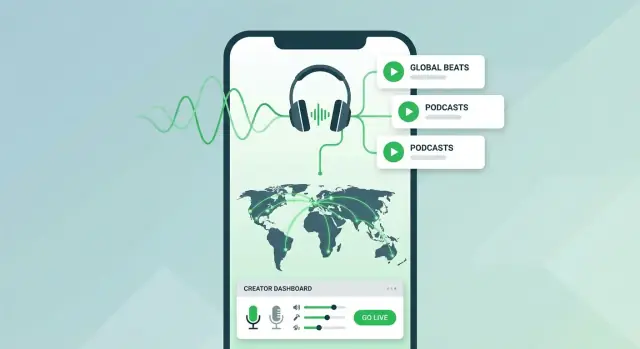
What it means when discovery is the product
Spotify isn’t just a place to play audio—it’s a place that constantly decides what to put in front of you next. When people say “discovery is the product,” they mean the main value isn’t the catalog itself (millions of tracks and episodes), but the experience of finding something you didn’t know you wanted.
Discovery as the core experience
On a streaming platform, playback is table stakes. Discovery is what keeps you coming back: the right song at the right moment, a podcast you finish in one sitting, a playlist that matches your mood without you searching for it.
That experience is built from two big ingredients:
- Personalization: using signals like what you play, skip, save, or replay to tailor recommendations.
- Availability: what Spotify is actually allowed to show you in your country (licensing rules can quietly shape your “choices”).
Who benefits—and what they want
Discovery sits at the center of a system where different groups are trying to get different outcomes:
- Listeners want less searching and more “that’s exactly what I needed.”
- Artists and podcasters want to be surfaced to the right audience, not buried under the biggest names.
- Labels and rights holders want reliable distribution and predictable economics.
- Advertisers want attention—ideally from audiences that are likely to engage.
A discovery-first product has to balance these incentives while still feeling personal and effortless.
What this post will cover (and what it won’t)
This article looks at Spotify’s discovery machine at a high level: how personalization works in principle, how licensing affects what you can stream, and how creator tools influence reach and growth.
It’s intentionally non-technical and avoids insider claims. The goal is to give you a clear mental model for why your home screen looks the way it does—and what listeners and creators can do with that reality.
The listener journey: where discovery happens in the app
Spotify’s discovery engine isn’t a single feature—it’s a set of “surfaces” that nudge you toward the next play at different moments in your session. The journey matters because every tap and skip is both a listening choice and a feedback signal.
Home: discovery on autopilot
Home is designed for quick decisions. You’ll see shortcuts to what you already play, alongside recommendations that feel adjacent—new releases from familiar artists, “made for you” rows, and timely suggestions (workout, commute, focus). This is low-friction discovery: minimal searching, maximum continuation.
Search: intentional exploration
Search looks like a utility, but it’s also a discovery hub. Beyond typing an exact artist or track, you’re guided by categories, trending searches, mood/genre tiles, and query suggestions. Even when you arrive with a plan, Search often turns it into a branch—“people also search for,” playlists matching your intent, or related artists.
Playlists and mixes: the daily diet
Editorial playlists offer a human-curated angle (theme, culture, moment). Personalized mixes focus on you—balancing “safe bets” with tracks you haven’t heard. That balance is a core trade-off: too much novelty and people bail; too much familiarity and discovery stalls.
Radio-style flows: endless next plays
Track Radio, Artist Radio, Autoplay, and similar flows turn a single selection into an infinite stream. This is where the loop tightens:
listen → Spotify collects signals (plays, skips, repeats, saves) → recommendations improve → you listen longer.
Why this journey is tuned for retention
Whether you’re on a subscription or ad-supported plan, long sessions are the goal. More listening reduces churn for subscribers and increases ad inventory for free users. Discovery isn’t just about finding something new—it’s about consistently finding “good enough, right now” so you keep pressing play.
Personalization inputs: the signals behind recommendations
Spotify’s recommendations aren’t mind-reading—they’re pattern-matching. Every tap, pause, and replay can act like a tiny vote about what you want next, and the system tries to turn those votes into a useful “next track” guess.
The signals that add up
Some inputs are obvious and deliberate:
- Searches and profile follows (artists, playlists)
- Saves/likes and playlist adds (strong “more like this” signals)
Others are indirect but constant:
- Skips (especially quick skips) and early exits
- Repeats and full listens
- Shares, queueing, and session length
- Time of day and day of week (weekday commute vs. late-night listening)
A save or playlist add often carries more weight than a casual play, because it suggests commitment—not just curiosity.
Intent vs. taste
It helps to separate two different modes of listening:
- Intent (active): You search for a specific track, play an album end-to-end, or pick a known playlist. You’re steering.
- Taste (passive): You let Autoplay, Radio, or mixes run. Spotify is steering, using your past behavior to predict what will feel “right.”
Both modes teach the system, but they can mean different things. Searching for a one-off party song doesn’t always mean you want that style every day.
Context changes the answer
Recommendations can shift based on situational clues like:
- Mood/activity proxies: upbeat tracks during workouts, calmer picks late at night
- Device: smart speaker vs. phone with headphones
- Session type: background listening vs. focused exploration
The limits (and why it can feel wrong)
Signals are messy. You might skip because you’re distracted, not because you dislike the song. Shared devices can blend multiple people into one profile. And for new users or new releases, there’s simply less history—so early recommendations can lean on broader trends, location, or lightweight actions until clearer preferences emerge.
Algorithmic and editorial discovery: playlists, mixes, and beyond
Spotify discovery isn’t one thing—it’s a bundle of surfaces that work differently depending on who’s curating and what the listener is trying to do.
Editorial: human taste, clear intent
Editorial playlists are built by people (often by genre, mood, region, or cultural moment). They’re great when you want a point of view: a coherent vibe, a fresh take, or a trusted filter during a new release cycle.
For creators, editorial placement can be a step-change event. One strong slot can:
- Put a track in front of listeners who don’t share your existing audience
- Drive saves and follows (signals that can influence future recommendations)
- Spark press, social sharing, and additional playlist adds
But editorial playlists are limited by space and timing. They don’t scale infinitely, and they don’t update personally for each listener.
Algorithmic: personalized, always-on distribution
Algorithmic playlists and mixes (think personalized daily mixes, radio-style queues, and “made for you” recommendations) are driven by listener behavior at massive scale—millions of users generating billions of plays.
They work best when the goal is relevance, not narrative: “Give me something I’m likely to enjoy next.” They also adapt quickly, which means a track can grow steadily as the system gains confidence about who responds to it.
The feedback effect (and why it matters)
Discovery systems have feedback loops: tracks that get early traction often earn more exposure, and that additional exposure can create even more traction. This can be great for breakout hits, but it can also concentrate attention.
That’s why playlist placement can change outcomes so dramatically. A single high-visibility placement can kick-start the loop—more plays lead to more data, which can lead to more algorithmic reach. For creators, the goal isn’t just “get on a playlist,” but to turn that moment into durable signals: strong completion rates, saves, and repeat listening.
Solving the cold start problem for new listeners and new tracks
“Cold start” is the awkward moment when a recommendation system has very little to go on. For Spotify, it happens in two places at once: when a new listener opens the app with no history, and when a new track arrives with few plays, saves, or skips.
Cold start for new listeners
A brand-new account has no personal signals—no “you liked this,” no patterns, no context. To avoid serving random music, Spotify leans on a few practical shortcuts:
- Onboarding picks: asking for favorite artists, genres, or moods creates an instant starting map.
- Fast feedback loops: early listening behavior (skips, replays, saves, follows) quickly outweighs what you selected on day one.
- Lookalike clusters: if you choose Artist A, Spotify can infer neighboring artists and fan communities to suggest reasonable next steps.
The goal isn’t perfection—it’s to get you to “good enough” recommendations quickly, so you keep listening and generating clearer signals.
Cold start for new tracks
A fresh release has limited engagement data, which makes it harder to recommend confidently. Common ways platforms reduce this uncertainty include:
- Similar-artist mapping: using the artist’s existing audience and neighboring scenes as an initial match.
- Editorial seeding: placements in curated playlists can provide early listens that help the system learn how different audiences react.
- Metadata and context: track attributes (genre, language, mood descriptors, collaborators) can help route the song to likely listeners before it has a history.
How emerging creators can still surface
Even without a “big history,” creators can break through when the early audience response is clear. A smaller but highly engaged group—people who save, replay, add to playlists, or follow—can be more informative than raw play counts.
Why the first 24–72 hours can matter
Early activity often shapes how confidently a system tests a track with new listeners. That window can influence initial distribution, but it’s not a promise: great releases can grow slowly, and early spikes don’t always translate into long-term traction.
Licensing 101: the rules that decide what can be streamed
Licensing is the foundation of streaming because discovery can only happen inside the catalog a platform is legally allowed to offer. A recommendation engine can be brilliant, but if a track isn’t licensed for your country—or for that specific use case—it simply can’t be played, surfaced, or saved. The “data” side of discovery runs on top of the “rights” side.
The major parties behind the music you hear
A single song can involve multiple rights and multiple decision-makers.
- Creators (songwriters, composers, performers) create the work.
- Rights holders (often record labels for sound recordings, and publishers for compositions) control how those rights are used.
- Publishers represent songwriters and manage the composition rights.
- Collecting societies / PROs (varies by country) help license and collect money for certain uses, then distribute royalties to rights holders and creators.
The practical takeaway: Spotify isn’t “buying songs.” It’s negotiating permission to stream specific recordings and compositions under defined conditions.
Why licensing terms vary (and why they change)
Licensing isn’t one global switch that turns a track on everywhere forever. Deals can vary by:
- Region (country-by-country or territory bundles)
- Rights type (recording vs. composition)
- Format and use (on-demand streaming, radio-style playback, offline downloads, previews, podcasts, etc.)
- Time (contracts expire, renew, or get renegotiated)
Because terms change over time, availability can change too—sometimes unexpectedly from a listener’s perspective.
How licensing shapes what you can do (not just what you can play)
Licensing decisions shape the user experience: which releases appear in search, which versions are available (clean/explicit, deluxe editions, remasters), and whether a track can be played in a specific country.
They can also affect features:
- Offline listening may require specific permissions, and availability can shift when you travel or switch regions.
- Previews/snippets still involve rights (even short clips), so deals can vary.
- User-generated content (UGC)—fan uploads, remixes, or background music in creator audio—adds another layer of clearance complexity, which can limit upload rules or regional access.
This is why two people can open the same service and have different catalogs—even before personalization starts.
Business model basics: subscriptions, ads, and incentives
Spotify runs on two main ways of paying the bills: subscriptions and ad-supported listening. That split doesn’t just affect your monthly cost—it shapes what the app prioritizes, which experiments get funded, and how quickly new discovery features roll out.
Subscription listening: paying for fewer interruptions
With a subscription, the core promise is straightforward: an uninterrupted experience with full on-demand control (plus quality and offline features, depending on the plan). Because revenue is more predictable, subscriptions are often what bankroll long-term product work—things like improving recommendations, testing new home-screen layouts, or building smarter library tools. If you’re curious about plan differences, Spotify’s own summary is usually easiest to start with (/pricing).
Ad-supported listening: free access, funded by ads
On the free tier, Spotify earns money by selling advertising around listening sessions. Ads are designed to be part of the flow (audio spots between tracks, and sometimes display ads in the app). What matters for listeners is the trade-off: you get access without paying, but with interruptions and some feature limits.
It’s also worth being realistic about ad targeting. Platforms can use broad signals (like approximate location, device type, and general listening behavior) to decide which ads to show, but it’s not a magical “read your mind” system—and it can be constrained by privacy rules and user settings.
Incentives: time spent vs. satisfaction
Both models reward engagement, but not in the same way. Ads push for more listening time and more ad opportunities, while subscriptions push for retention—keeping people happy enough to stay. The tension is constant: maximize hours listened, but not at the cost of trust, fatigue, or the feeling that the app is trying too hard to keep you streaming.
Creator toolkits: helping artists and podcasters grow
Discovery isn’t only something Spotify does to audiences—it’s also something creators can steer. The platform’s creator tools are designed to turn “I uploaded a track” into a repeatable growth loop: present your identity clearly, release consistently, and learn what’s working.
The core tools and what they’re for
For music, the hub is Spotify for Artists. For podcasts, it’s Spotify for Creators (the podcast-side dashboard and publishing tools). In practice, both toolkits focus on three jobs:
- Profiles: making your page look trustworthy and easy to follow
- Releases: getting new music/episodes out cleanly, with the right credits and timing
- Insights: understanding how people actually found you—so you can do more of it
The analytics creators actually use
You don’t need a spreadsheet obsession to benefit from data. Most creators look at a few recurring metrics:
- Listeners vs. streams: are you reaching new people or looping the same small group?
- Saves and follows: strong signals of “this should come back in recommendations.” If saves are low, the song/episode might be getting sampled but not kept.
- Source of streams: where plays came from—your profile, listeners’ libraries, playlists, “radio”/autoplay, or search. This is often the most actionable view.
A simple pattern: if search is high, your name/title is working; if playlists drive most plays, your priority is converting those listeners into followers.
Messaging and brand building that supports discovery
Your profile is a mini landing page. A clear artist bio, consistent visuals, and updated links/featured content reduce friction for first-time listeners. Playlists are part of branding too: an artist playlist that mixes your tracks with obvious influences can help new fans understand you in minutes.
What you can do this week
Update your bio and images, pin your best release, and check “source of streams” for your top track/episode. Then set one goal (e.g., raise saves) and test one change—like a tighter intro, clearer titles, or a playlist pitch—before your next release.
Metadata and releases: the hidden engine of discoverability
People tend to think discovery is driven by playlists and algorithms alone, but metadata is the plumbing underneath. If the “who/what/where” details of a track are messy, even a strong recommendation system can’t confidently match it to the right listeners—or even the right creator.
Why metadata matters
Metadata includes basics like track and artist names, featured artists, credits (writers, producers), label/distributor info, explicit flags, genres and moods, ISRC/UPC identifiers, and artwork. These fields help Spotify:
- Connect your release to the correct artist profile
- Understand what the track is (and isn’t) similar to
- Route royalties and attribution to the right people
- Avoid confusing listeners with near-identical duplicates
Accurate credits help both discovery and attribution
Credits aren’t just legal paperwork. When songwriter and producer data is complete and consistent, it improves attribution and can also strengthen the “web” of connections between releases. That makes it easier for systems—and people browsing credits—to find related work, collaborators, and back catalogs.
Release planning basics that affect momentum
Singles often work well when you’re building attention: they create more frequent “moments” for listeners to save, share, and return. Albums can convert that attention into deeper listening once you have an audience. Timing matters too—release days, avoiding clashes with your own major announcements, and maintaining a consistent cadence all help listeners (and recommendation systems) understand that you’re active.
Common pitfalls to avoid
The biggest discoverability killers are preventable: duplicate uploads, tracks landing on the wrong artist page, inconsistent naming (different spellings across releases), missing featured-artist data, and incomplete credits. A quick pre-release metadata check with your distributor can save weeks of cleanup—and prevent your best song from being effectively invisible.
Trust and fairness: when personalization feels opaque
Personalization can feel magical—until it feels arbitrary. When listeners don’t understand why something is showing up, it’s easy to assume the system is biased, bought, or simply broken.
What “fairness” can mean
Fairness isn’t one thing. Depending on who you ask, it can mean:
- Exposure opportunities: new artists (and niche genres) get a real chance to be heard, not just the already-famous.
- Diversity: recommendations don’t collapse into one narrow mood or genre just because it performs well.
- Transparency: people can understand the basic logic—what signals matter and what doesn’t.
The risks when it’s a black box
Opaque personalization creates predictable failure modes:
- Filter bubbles happen when the system keeps reinforcing what you already play, shrinking exploration.
- Homogenized taste can follow if the “safe” tracks dominate playlists, making discovery feel samey.
- Pay-to-play perceptions grow when certain songs seem to appear everywhere—especially if listeners can’t see the difference between advertising, editorial picks, and algorithmic predictions.
Listener controls that rebuild agency
Platforms can’t (and shouldn’t) expose every detail, but they can give meaningful controls. As concepts, useful ones include:
- Hide a song / not interested to cut off repeat recommendations.
- Follow/unfollow artists and shows to clarify intent.
- Reset taste signals (or “fresh start” modes) to recover from a month of sleep playlists or a shared speaker.
What platforms can communicate to build trust
Small explanations go a long way: “Because you listened to…,” “Popular in your area,” or “Similar to artists you follow.” Pair that with clear labeling (ad vs. editorial vs. personalized) and easy-to-find settings, and personalization feels less like manipulation—and more like a service you can steer.
Takeaways: practical lessons for listeners and creators
Discovery on Spotify isn’t powered by one “magic algorithm.” It’s a loop: personalization learns from behavior, licensing determines what’s available to recommend in each place, and creator tools help artists and podcasters shape the inputs (profiles, releases, data) that feed the system. When those three line up, discovery feels effortless; when one breaks (missing rights, messy metadata, unclear signals), recommendations can feel random.
Checklist for listeners: improve your recommendations
Small habits make your taste profile clearer.
- Use Like (and un-like) intentionally—save only what you truly want more of.
- Finish tracks you love; skip quickly when you don’t (skips are strong signals).
- Follow artists/podcasts you care about, not just playlists.
- When sharing a device, consider a separate profile—mixed listening confuses personalization.
- If your home feed is off, reset the pattern: spend a week actively liking, following, and skipping with purpose.
Checklist for creators: make yourself easier to discover
You can’t control recommendations directly, but you can make the system’s job easier.
- Claim and complete your profile (bio, photos, links) in creator tools.
- Nail the basics: clean metadata, correct credits, consistent artist name, clear episode titles.
- Release consistently enough to generate fresh signals (even smaller drops help).
- Watch audience data and iterate: which tracks/episodes drive saves, follows, completion?
- Promote in ways that create strong signals (saves, follows, playlist adds), not just one-time clicks.
A practical note for builders (optional)
If you’re product-minded and want to experiment with “discovery surfaces” yourself—home feeds, onboarding flows, simple recommendation rules, analytics dashboards—tools like Koder.ai can help you prototype quickly from a chat interface. It’s not a Spotify clone, but it’s useful for turning an idea into a working web/mobile app (with exportable source code, planning mode, and snapshots/rollback) so you can test what actually improves retention and perceived relevance.
Open questions
As audio grows beyond music into podcasts and audiobooks, will discovery shift from “what you like” to “what you’ll finish”? How transparent should recommendations be—and who gets to audit them? And as licensing keeps fragmenting by country and catalog, will “global” discovery remain a realistic promise?
FAQ
What does “discovery is the product” mean on Spotify?
It means the main value you’re paying for isn’t access to the catalog, but the system that reliably puts the next “right” track, playlist, or episode in front of you.
Playback is expected; finding something worth playing next is the differentiator that keeps people listening (and returning).
Where does discovery actually happen inside the Spotify app?
Spotify uses many “surfaces” that recommend content at different moments:
- Home for low-friction, “press play” suggestions
- Search that nudges you with categories, trends, and suggestions
- Playlists/mixes (editorial and personalized)
- Radio/Autoplay flows that turn one choice into an endless queue
Each surface both serves recommendations and collects feedback from what you do next.
What actions most influence Spotify recommendations?
Common signals include:
- Strong positive: saves/likes, playlist adds, follows, repeat listens
- Negative: quick skips, early exits
- Contextual: time of day, device type, session length, sharing/queueing
In general, a save or playlist add is a clearer “more like this” vote than a casual play.
What’s the difference between “intent” listening and “taste” listening?
Intent is when you steer (search a specific song, play an album, choose a known playlist). Taste is when Spotify steers (Autoplay, Radio, personalized mixes).
Both teach the system, but they don’t mean the same thing. A one-off search for a party track might reflect a moment—not your everyday preferences—so mixing intent and passive listening can produce surprising recommendations.
What is the cold start problem, and how does Spotify handle it?
Cold start is when the system has too little data to personalize confidently.
- For new listeners, it leans on onboarding choices and early feedback (skips, saves, follows).
- For new tracks, it may rely on similar-artist relationships, metadata (genre/language), and initial seeding (like early playlist exposure).
The practical goal is to get to “good enough” fast, then refine as real behavior accumulates.
Why do songs disappear or show as unavailable in some countries?
Licensing determines what Spotify is legally allowed to offer in your country and for specific uses.
So two people can see different availability because of:
- territory-by-territory rights deals
- different rights layers (recording vs. composition)
- contract timing (renewals/expirations)
- differences between versions (clean/explicit, remaster, deluxe)
Personalization can’t recommend what isn’t licensed where you are.
How can licensing affect features like offline listening or previews?
Some features require additional permissions beyond basic streaming. Examples discussed in the post include:
- Offline listening (downloading for playback without a connection)
- Previews/snippets (clips still involve rights)
- limitations around certain kinds of user-generated content (hard to clear at scale)
This is why traveling or switching regions can change what you can play—even with the same account.
What’s the difference between editorial and algorithmic discovery on Spotify?
- Editorial playlists are human-curated and provide a clear point of view (genre, mood, moment). Placement can create a big spike, but space is limited.
- Algorithmic playlists/mixes are behavior-driven and personalized at scale. They can grow a track steadily as the system learns who responds well.
A key dynamic is the feedback loop: early engagement can lead to more exposure, which generates more data, which can lead to even more exposure.
What can creators do to improve their odds of being discovered?
Focus on actions that create durable signals and reduce friction:
- Complete your profile (bio, images) in Spotify for Artists/Creators
- Ensure clean metadata (correct artist name, featured artists, credits)
- Release consistently enough to generate fresh engagement signals
- Watch source of streams and optimize for conversion (e.g., playlist listeners → follows)
- Promote for saves, follows, and playlist adds, not just one-time clicks
Small, highly engaged audiences can matter more than raw play counts early on.
How can listeners improve their Spotify recommendations without guessing?
Try quick, practical interventions:
- Like/save intentionally (and un-save what you don’t want more of)
- Skip quickly when you’re not feeling something (clear negative signal)
- Follow artists/shows you genuinely want updates from
- Avoid mixing households on one profile; shared devices can confuse personalization
- If your Home feed feels off, spend a week doing more active listening (search, saves, follows) to retrain signals
These habits make your preference data less noisy.