

Sundar Pichai and the Making of AI an Internet Primitive
A practical look at how Sundar Pichai steered Google to make AI a foundational layer of the internet—across products, infrastructure, and safety.
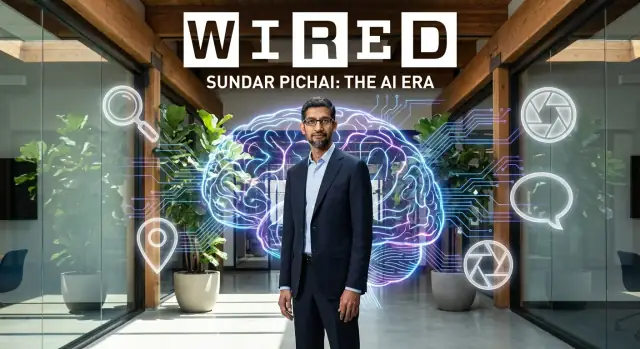
What It Means to Make AI an “Internet Primitive”
An internet primitive is a basic building block you can assume will be there—like hyperlinks, search, maps, or payments. People don’t think about how it works; they just expect it to be available everywhere, cheaply, and reliably.
Sundar Pichai’s big bet is that AI should become that kind of building block: not a special feature tucked into a few products, but a default capability that sits underneath many experiences on the web.
From “nice feature” to “default capability”
For years, AI showed up as add-ons: better photo tagging here, smarter spam filtering there. The shift Pichai pushed is more structural. Instead of asking, “Where can we sprinkle AI?” companies start asking, “How do we design products assuming AI is always available?”
That mindset changes what gets prioritized:
- Speed and consistency matter as much as accuracy—because defaults must work for everyone.
- Distribution matters—AI has to reach billions of people through familiar tools.
- Cost and efficiency become strategic—because primitives need to be affordable at massive scale.
What this article focuses on (and what it doesn’t)
This isn’t a technical deep dive into model architectures or training recipes. It’s about strategy and product decisions: how Google under Pichai positioned AI as shared infrastructure, how that influenced products people already use, and how internal platform choices shaped what was possible.
What you’ll learn in the sections ahead
We’ll walk through the practical components required to turn AI into a primitive:
- Products: how AI moves from occasional features to a default layer inside Search, Workspace, Android, and more.
- Infrastructure: why custom chips, data centers, and cloud platforms matter when AI has to run at internet scale.
- Developer platforms: how tools like TensorFlow—and later model platforms—help others build on top of Google’s approach.
- Safety and trust: why responsible AI, privacy, and security become non-negotiable when billions of people rely on the outputs.
By the end, you’ll have a clear picture of what it takes—organizationally and strategically—for AI to feel as basic and ever-present as the rest of the modern web.
Pichai’s Background: A Platform Builder’s Mindset
Sundar Pichai’s influence on Google’s AI direction is easier to understand if you look at the kind of work that made his career: products that don’t just win users, but create foundations other people build on.
From shipping products to shaping ecosystems
Pichai joined Google in 2004 and quickly became associated with “default” experiences—tools that millions rely on without thinking about the underlying machinery. He played a central role in Chrome’s rise, not only as a browser, but as a faster, safer way to access the web that nudged standards and developer expectations forward.
He later took on major responsibility for Android. That meant balancing a massive partner ecosystem (device makers, carriers, app developers) while keeping the platform coherent. It’s a specific kind of product leadership: you can’t optimize only for a single app or feature—you have to set rules, APIs, and incentives that scale.
Why that matters for AI adoption
That platform-builder mindset maps neatly onto the challenge of making AI feel “normal” online.
When AI is treated as a platform, leadership decisions tend to prioritize:
- distribution (getting capabilities into products people already use)
- consistency (shared tools and models across teams)
- developer leverage (making it easier for others to build on top)
Pichai became Google CEO in 2015 (and Alphabet CEO in 2019), putting him in position to push a company-wide shift: AI not as a side project, but as shared infrastructure. This lens helps explain later choices—standardizing internal tooling, investing in compute, and turning AI into a reusable layer across products rather than reinventing it each time.
The Google Context: Scale, Products, and Distribution
Google’s path to making AI feel “basic” wasn’t just about clever models—it was about where those models could live. Few companies sit at the intersection of massive consumer reach, mature products, and long-running research programs. That combination created an unusually fast feedback loop: ship improvements, see how they perform, and refine.
Scale that rewards small improvements
When billions of queries, videos, and app interactions flow through a handful of core services, even tiny gains matter. Better ranking, fewer irrelevant results, slightly improved speech recognition—at Google scale, those increments translate into noticeable everyday experiences for users.
It’s worth being precise about what “data advantage” means here. Google doesn’t have magical access to the internet, and it can’t guarantee results just because it’s large. The advantage is mainly operational: long-running products generate signals that can be used (within policy and legal limits) to evaluate quality, detect regressions, and measure usefulness.
Search set the bar for relevance and prediction
Search trained people to expect fast, accurate answers. Over time, features like autocomplete, spelling correction, and query understanding raised expectations that systems should anticipate intent—not just match keywords. That mindset maps directly to modern AI: predicting what a user means is often more valuable than reacting to what they typed.
Android as a global delivery channel
Android gave Google a practical way to distribute AI-driven features at worldwide scale. Improvements in voice input, on-device intelligence, camera features, and assistant-like experiences could reach many manufacturers and price tiers, making AI feel less like a separate product and more like a built-in capability.
From “Mobile-First” to “AI-First”: The Strategic Pivot
“Mobile-first” meant designing products around the smartphone as the default screen and context. “AI-first” is a similar kind of organizing principle, but broader: it treats machine learning as a default ingredient in how products are built, improved, and delivered—rather than a specialty feature added at the end.
What “AI-first” means in plain terms
In practice, an AI-first company assumes that many user problems can be solved better when software can predict, summarize, translate, recommend, or automate. The question shifts from “Should we use AI here?” to “How do we design this so AI is safely and helpfully part of the experience?”
What changes when AI is central
An AI-first posture shows up in everyday decisions:
- Product roadmaps: teams plan for AI-enabled capabilities (like smarter search, better assistance, or content understanding) as core milestones, not optional experiments.
- Hiring and org design: more roles focus on applied ML, data quality, evaluation, and user experience around AI outputs—not just model research.
- Tooling and process: teams invest in shared model platforms, reusable components, and common evaluation methods so AI features can ship consistently and be measured for quality.
It also changes what “shipping” means. Instead of a single launch, AI features often require ongoing tuning—monitoring performance, refining prompts or model behavior, and adding guardrails as real-world usage reveals edge cases.
Why leadership signals matter
Company-wide pivots don’t work if they stay at the slogan level. Leadership sets priorities through repeated public framing, resource allocation, and incentives: which projects get headcount, which metrics matter, and which reviews ask “How does this improve with AI?”
For a company as large as Google, that signaling is mainly about coordination. When teams share a common direction—AI as a default layer—platform groups can standardize tools, product teams can plan with confidence, and researchers can translate breakthroughs into things that scale.
Turning Research Into a Shared Foundation
For AI to feel like an “internet primitive,” it can’t live only in isolated research demos or one-off product experiments. It needs shared foundations—common models, standard tooling, and repeatable ways to evaluate quality—so teams can build on top of the same base instead of reinventing it each time.
From breakthroughs to pipelines
A key shift under Pichai’s platform-builder mindset was treating AI research less like a series of independent projects and more like a supply chain that reliably turns new ideas into usable capabilities. That means consolidating work into scalable pipelines: training, testing, safety review, deployment, and ongoing monitoring.
When that pipeline is shared, progress stops being “who has the best experiment” and becomes “how fast can we safely ship improvements everywhere.” Frameworks like TensorFlow helped standardize how models are built and served, while internal practices for evaluation and rollout made it easier to move from lab results to production features.
Why consistency matters
Consistency is not just operational efficiency—it’s what makes AI feel dependable.
- Quality: A common evaluation approach helps compare model changes honestly and catch regressions.
- Speed: Shared tools reduce duplicated effort, so product teams focus on real user needs.
- Trust: Standard privacy and safety checks make behavior more predictable across products.
Without this, users experience AI as uneven: helpful in one place, confusing in another, and hard to rely on.
The power grid analogy
Think of it like electricity. If every household had to run its own generator, power would be expensive, noisy, and unreliable. A shared power grid makes electricity available on demand, with standards for safety and performance.
Google’s goal with a shared AI foundation is similar: build a dependable “grid” of models, tooling, and evaluation so AI can be plugged into many products—consistently, quickly, and with clear guardrails.
Developer Platforms: Making AI Easier to Build and Deploy
If AI was going to become a basic building block for the internet, developers needed more than impressive research papers—they needed tools that made model training and deployment feel like normal software work.
Why TensorFlow mattered
TensorFlow helped turn machine learning from a specialized craft into an engineering workflow. Inside Google, it standardized how teams built and shipped ML systems, which reduced duplicated effort and made it easier to move ideas from one product group to another.
Outside Google, TensorFlow lowered the barrier for startups, universities, and enterprise teams. A shared framework meant tutorials, pretrained components, and hiring pipelines could form around common patterns. That “shared language” effect accelerated adoption far beyond what any single product launch could do.
(If you want a quick refresher on the basics before going deeper, see /blog/what-is-machine-learning.)
Open-source as an ecosystem multiplier
Open-sourcing tools like TensorFlow wasn’t just generosity—it created a feedback loop. More users meant more bug reports, more community contributions, and faster iteration on features that mattered in the real world (performance, portability, monitoring, and deployment).
It also encouraged compatibility across the ecosystem: cloud providers, chip makers, and software vendors could optimize for widely used interfaces rather than proprietary ones.
The trade-offs: openness vs. safety
Openness brings real risks. Widely available tooling can make it easier to scale misuse (fraud, surveillance, deepfakes) or to deploy models without adequate testing. For a company operating at Google’s scale, that tension is constant: sharing accelerates progress, but it also expands the surface area for harm.
The practical outcome is a middle path—open frameworks and selective releases, paired with policies, safeguards, and clearer guidance on responsible use.
As AI becomes more “primitive,” the developer experience shifts too: builders increasingly expect to create app flows through natural language, not just APIs. That’s where vibe-coding tools like Koder.ai fit—letting teams prototype and ship web, backend, and mobile apps via chat, while still exporting source code when they need full control.
Infrastructure at Internet Scale: Chips, Data Centers, Cloud
If AI is going to feel like a basic layer of the web, it can’t behave like a “special project” that only works sometimes. It has to be fast enough for everyday use, cheap enough to run millions of times per minute, and dependable enough that people trust it in routine tasks.
Why infrastructure decides what’s possible
AI workloads are unusually heavy. They require huge amounts of computation, move a lot of data around, and often need results quickly. That creates three practical pressures:
- Cost: Even small improvements in efficiency matter when usage is measured in billions.
- Speed: Responses need to be quick enough to feel natural in search, docs, or assistants.
- Reliability: Outages or slowdowns don’t just affect one tool—they affect an entire product suite.
Under Pichai’s leadership, Google’s strategy leaned into the idea that the “plumbing” determines the user experience as much as the model itself.
TPUs: purpose-built engines for AI
One way to keep AI usable at scale is specialized hardware. Google’s Tensor Processing Units (TPUs) are custom chips designed to run AI calculations more efficiently than general-purpose processors. A simple way to think about it: instead of using a multipurpose machine for every job, you build a machine that’s especially good at the repetitive math AI relies on.
The benefit isn’t just bragging rights—it’s the ability to deliver AI features with predictable performance and lower operating cost.
Data centers and networks: making AI feel “always on”
Chips alone aren’t enough. AI systems also depend on data centers, storage, and high-capacity networking that can shuttle information between services quickly. When all of that is engineered as a cohesive system, AI can behave like an “always available” utility—ready whenever a product needs it.
Cloud as a delivery channel
Google Cloud is part of how this infrastructure reaches businesses and developers: not as a magic shortcut, but as a practical way to access the same class of large-scale computing and deployment patterns behind Google’s own products.
AI in Everyday Google Products: From Feature to Default
Under Pichai, Google’s most important AI work didn’t always show up as a flashy new app. It showed up as everyday moments getting smoother: Search guessing what you mean, Photos finding the right memory, Translate capturing tone instead of just words, and Maps predicting the best route before you ask.
When AI stops being a “feature”
Early on, many AI capabilities were introduced as add-ons: a special mode, a new tab, a separate experience. The shift was making AI the default layer underneath products people already use. That changes the product goal from “try this new thing” to “this should just work.”
Across Search, Photos, Translate, and Maps, the intent is consistent:
- Reduce friction: fewer steps, less typing, less manual sorting
- Increase helpfulness: better answers, better suggestions, better context
New user expectations: fast, accurate, private by default
Once AI is built into the core, the bar rises. Users don’t evaluate it like an experiment—they expect it to be instantaneous, reliably correct, and safe with their data.
That means AI systems have to deliver:
- Speed that feels immediate, even at huge scale
- Accuracy that’s dependable, not just occasionally impressive
- Privacy and security as defaults, not opt-ins
Before vs. after: Google Photos search
Before: finding a picture meant scrolling by date, digging through albums, or remembering where you saved it.
After: you can search naturally—“beach with red umbrella,” “receipt from March,” or “dog in the snow”—and Photos surfaces relevant images without you organizing anything. The AI becomes invisible: you notice the result, not the machinery.
This is what “from feature to default” looks like—AI as the quiet engine of everyday usefulness.
The Generative AI Wave: From Models to Assistants
Generative AI changed the public’s relationship with machine learning. Earlier AI features mostly classified, ranked, or predicted: “is this spam?”, “which result is best?”, “what’s in this photo?” Generative systems can produce language and media—drafting text, writing code, creating images, and answering questions with outputs that can look like reasoning, even when the underlying process is pattern-based.
Google’s direction: Gemini and assistants
Google has been explicit that its next phase is organized around the Gemini models and AI assistants that sit closer to how people actually work: asking, refining, and deciding. Instead of treating AI as a hidden component behind a single feature, the assistant becomes a front door—one that can call tools, search, summarize, and help you move from question to action.
New UX patterns people now expect
This wave has introduced new defaults across consumer and business products:
- Chat interfaces for iterative prompts and follow-up questions
- Multimodal input (text, images, voice, sometimes video) so “show and tell” replaces form-filling
- Summaries that compress long pages, emails, or documents into decisions-ready highlights
- Agents that can take steps on your behalf (within permissions), like planning, drafting, or organizing
A necessary caution: trust is earned
Generative outputs can be confident and wrong. That’s not a minor edge case—it’s a core limitation. The practical habit is verification: check sources, compare answers, and treat generated text as a draft or hypothesis. The products that win at scale will make that checking easier, not optional.
Responsible AI: Safety, Privacy, and Trust at Scale
Making AI feel like a basic layer of the web only works if people can rely on it. At Google’s scale, a small failure rate becomes a daily reality for millions—so “responsible AI” isn’t a side project. It has to be treated like product quality and uptime.
The core risks that show up in real use
Generative systems can confidently output errors (hallucinations), reflect or amplify social bias, and expose privacy risks when they handle sensitive inputs. There are also security concerns—prompt injection, data exfiltration through tool use, and malicious plugins or extensions—and broad misuse risks, from scams and malware to disallowed content generation.
These aren’t theoretical. They emerge from normal user behavior: asking ambiguous questions, pasting private text, or using AI inside workflows where one wrong answer has consequences.
High-level mitigations that actually scale
No single safeguard solves the problem. The practical approach is layered:
- Evaluations and benchmarks to measure factuality, bias, and harmful outputs before launch and after updates.
- Red teaming (internal and external) to pressure-test models the way attackers or bad actors would.
- Policies and enforcement that limit certain outputs and guide how models behave in sensitive categories.
- User controls and transparency, such as citations where possible, easy feedback, and settings that help people manage what’s stored or used.
- Privacy and security by design, including data minimization, access controls, and hardened tool integrations.
Why safety must scale like infrastructure
As models are embedded into Search, Workspace, Android, and developer tools, safety work has to be repeatable and automated—more like monitoring a global service than reviewing a single feature. That means continuous testing, fast rollback paths, and consistent standards across products, so trust doesn’t depend on which team shipped a given AI feature.
At this level, “trust” becomes a shared platform capability—one that determines whether AI can be a default behavior rather than an optional experiment.
Competition and Regulation: Constraints That Shape the Strategy
Google’s AI-first strategy didn’t develop in a vacuum. As generative AI moved from labs to consumer AI products, Google faced pressure from multiple directions at once—each one affecting what ships, where it runs, and how quickly it can be rolled out.
Competitive pressure across models, devices, and cloud
At the model layer, competition isn’t just “who has the best chatbot.” It includes who can offer reliable, cost-efficient models (like the Gemini models) and the tooling to integrate them into real products. That’s why Google’s emphasis on platform components—TensorFlow historically, and now managed APIs and model endpoints—matters as much as model demos.
On devices, operating systems and default assistants shape user behavior. When AI features are embedded into phones, browsers, and productivity suites, distribution becomes a strategic advantage. Google’s position across Android, Chrome, and Search creates opportunities—but also raises expectations that features are stable, fast, and widely available.
In cloud platforms, AI is a major differentiator for enterprise buyers. Choices about TPUs, pricing, and where models can be hosted often reflect competitive comparisons customers are already making between providers.
Regulation themes that influence what ships
Regulation adds another constraint layer. Common themes include transparency (what is generated vs. sourced), copyright (training data and outputs), and data protection (how user prompts and enterprise data are handled). For a company operating at Google’s scale, these topics can influence UI design, logging defaults, and which features are enabled in which regions.
How this shapes product choices and release pacing
Together, competition and regulation tend to push Google toward staged releases: limited previews, clearer product labeling, and controls that help organizations adopt AI gradually. Even when the Google CEO frames AI as a platform, shipping it broadly often requires careful sequencing—balancing speed with trust, compliance, and operational readiness.
What to Take Away: How AI Becomes a Basic Layer of the Web
Making AI an “internet primitive” means it stops feeling like a separate tool you go find, and starts behaving like a default capability—similar to search, maps, or notifications. You don’t think about it as “AI”; you experience it as the normal way products understand, generate, summarize, and automate.
The idea in 5 takeaways
-
AI becomes the interface. Instead of navigating menus, users increasingly describe what they want in natural language—and the product figures out the steps.
-
AI becomes a shared foundation. Models, tooling, and infrastructure are reused across many products, so improvements compound quickly.
-
AI moves from “feature” to “default behavior.” Autocomplete, summarization, translation, and proactive suggestions become baseline expectations.
-
Distribution matters as much as breakthroughs. When AI is embedded into widely used products, adoption isn’t a marketing campaign—it’s an update.
-
Trust becomes part of the core spec. Safety, privacy, and governance aren’t add-ons; they determine whether AI can sit in the “plumbing” of the web.
What this changes for users and businesses
For users, the “new defaults” are convenience and speed: fewer clicks, more answers, and more automation across everyday tasks. But it also raises expectations around accuracy, transparency, and control—people will want to know when something is generated, how to correct it, and what data was used.
For businesses, the “new expectations” are tougher: customers will assume your product can understand intent, summarize content, assist with decisions, and integrate across workflows. If your AI feels bolted on—or unreliable—it won’t be compared to “no AI,” but to the best assistants users already have.
Practical questions to ask when evaluating AI tools
- What job is it doing by default? Is it replacing steps users already take, or creating new work to “manage the AI”?
- How does it handle mistakes? Can users verify sources, see confidence, or roll back outputs easily?
- What data does it learn from and store? What’s optional, what’s required, and what controls exist?
- Does it fit your workflow? Can it connect to your docs, tickets, CRM, or knowledge base without messy copy-pasting?
- What’s the cost curve? Do pricing and limits make sense as usage grows (/pricing)?
If you want a simple way to assess tools consistently, use a structured checklist like /blog/ai-product-checklist. If you’re evaluating build-vs-buy for AI-enabled products, it’s also worth testing how quickly you can go from intent to a working app—platforms like Koder.ai are designed for that “AI-as-default” world, with chat-based building, deployment, and source export.
FAQ
What does it mean to make AI an “internet primitive”?
An internet primitive is a foundational capability you can assume exists everywhere (like links, search, maps, or payments). In this framing, AI becomes a reliable, cheap, always-available layer that many products can “plug into,” instead of a standalone feature you go looking for.
How is “AI as a default capability” different from “AI as a feature”?
A feature is optional and often isolated (e.g., a special mode or tab). A default capability is baked into the core flow—users expect it to “just work” across the product.
Practical signs AI is becoming default:
- It’s on by default in common tasks (searching, writing, organizing)
- It’s consistent across surfaces (web, mobile, apps)
- It improves continuously without “relaunches”
Why do speed, cost, and reliability matter as much as accuracy at internet scale?
Because primitives have to work for everyone, all the time. At Google’s scale, even small latency or cost increases become huge.
Teams therefore prioritize:
- Low latency and predictable performance
- Efficiency (cheaper inference and serving)
- Reliability (graceful degradation, rollback plans)
What does “distribution” mean in Google’s AI strategy?
It’s about shipping AI through products people already use—Search, Android, Chrome, Workspace—so adoption happens via normal updates rather than “go try our AI app.”
If you’re building your own product, the analogue is:
- Put AI where users already work
- Minimize new UI and workflow changes
- Treat AI as an enhancement to existing tasks, not a separate destination
How did Pichai’s “platform builder” background influence Google’s approach to AI?
It’s a leadership style optimized for ecosystems: setting standards, shared tools, and reusable components so many teams (and external developers) can build consistently.
In AI, that translates into:
- Shared model platforms and evaluation methods
- Reusable infrastructure (compute, deployment, monitoring)
- Product integration patterns that scale across teams
What does it mean to turn AI research into a shared foundation?
It means turning research breakthroughs into repeatable production workflows—training, testing, safety review, deployment, and monitoring—so improvements ship broadly.
A practical takeaway for teams:
- Invest in an internal “model supply chain” (data → eval → release)
- Standardize metrics and regression tests
- Make post-launch monitoring a first-class requirement
Why is consistency across products such a big deal for AI?
Consistency makes AI feel dependable across products and reduces duplicated work.
You get:
- More comparable quality measurements (fewer “apples to oranges” launches)
- Faster shipping because teams reuse the same pipelines
- More predictable trust and safety behavior across surfaces
Why did TensorFlow matter for making AI easier to build and deploy?
TensorFlow standardized how models are built, trained, and served—inside Google and across the industry—making ML feel more like normal software engineering.
If you’re choosing a developer stack, look for:
- Strong deployment/monitoring tooling
- A large ecosystem (tutorials, integrations, hiring pipeline)
- Clear patterns for evaluation and versioning
What role do TPUs and infrastructure play in making AI feel “always on”?
TPUs are specialized chips designed to run common AI math efficiently. At massive scale, that efficiency can lower cost and improve response times.
You don’t need custom chips to benefit from the idea—what matters is matching workloads to the right infrastructure:
- Use accelerators where latency/cost matter
- Benchmark with real traffic patterns
- Plan capacity and fallbacks for peak demand
What are the biggest trust and safety challenges when AI becomes a default layer?
Because generative models can be confidently wrong, and at scale small failure rates affect millions of people.
Practical guardrails that scale:
- Layered evaluations (factuality, bias, safety) before and after launch
- Red teaming to simulate attacker behavior
- User controls (feedback, settings, citations where possible)
- Secure tool use to reduce prompt injection and data exfiltration risks