

Taste & Judgment in Vibe Coding: Ship Value Before Cleanup
Explore how taste and judgment shape “vibe coding,” why early momentum can beat perfect code, and how to add guardrails so speed doesn’t become chaos.
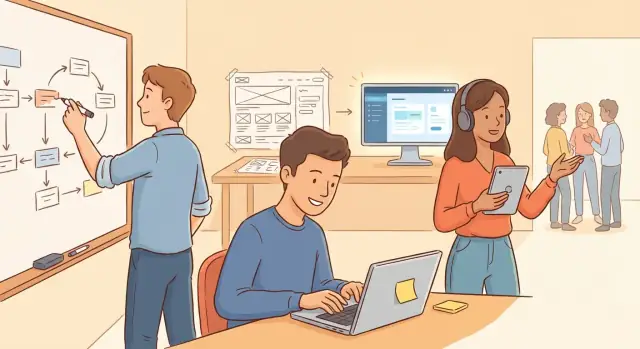
What “Vibe Coding” Really Means
“Vibe coding” is building software by feel—using fast feedback, intuition, and momentum to get something real in front of users quickly. It’s the mode you’re in when you stop debating the perfect architecture and instead ask: Can we ship a small, useful version by Friday and learn what people actually do with it?
This approach isn’t random or careless. It’s a deliberate focus on learning speed. You make a change, watch what happens (support tickets, usage, churn, qualitative feedback), and adjust. The “vibe” is the tight loop between building and reality.
Two skills keep the loop productive instead of chaotic:
- Taste: knowing what matters to users (and what can wait).
- Judgment: making tradeoffs under uncertainty without creating irreversible damage.
Vibe coding also isn’t an anti-quality argument. It’s a strategy for the early stages: prioritize validated value first, then earn the right to clean up.
Why Good Vibes Can Beat Clean Code Early On
Early-stage product work is mostly about learning, not elegance. Your goal isn’t to prove you can design a perfect architecture—it’s to find out what users actually want, what they’ll pay for, and what assumptions are wrong. “Good vibes” here means momentum: a team that can turn ideas into something real quickly, put it in front of people, and iterate without getting stuck in debates.
Learning beats polish when the target keeps moving
Clean code is easiest when requirements are stable. Early on, they aren’t. You might think you’re building “a simple onboarding flow,” then discover you’re actually building a trust-building sequence, a pricing explainer, or a permissions system.
If you spend two weeks perfecting abstractions for version one, you can end up polishing the wrong thing—and making it harder to change later. A messy prototype that answers a key question (“Do users understand this value?”) is often more valuable than a beautifully engineered feature that solves the wrong problem.
Momentum creates feedback—and clarity
Shipping fast isn’t just about speed for speed’s sake. Momentum attracts:
- User feedback loops: real reactions beat internal opinions
- Internal clarity: once something exists, priorities get sharper
- Energy and morale: progress makes the next hard decision easier
When a team is moving, you learn what’s confusing, what’s missing, what’s unnecessary, and what users ignore. That learning is what eventually guides better engineering decisions.
Over-polishing can lock in the wrong solution
Over-polishing isn’t just wasted effort; it can be actively harmful. If you invest heavily in a specific structure—deep abstractions, perfect naming schemes, a fully generalized system—you create friction against change. People become reluctant to modify it, or they try to preserve the design even when the product needs something different.
Good vibes keep you adaptable. They make it socially acceptable to say, “This is temporary,” and then actually replace it once you know what the real problem is.
Speed can be responsible if you choose the right shortcuts
Vibe coding isn’t permission to be careless. It’s a strategy: move fast by choosing shortcuts that are reversible and visible.
Examples include hard-coding a workflow to test demand, using a simple table instead of an elaborate model, or writing a straightforward implementation before extracting a reusable pattern.
The key is intent: you’re not avoiding quality—you’re postponing it until the product earns it.
Taste vs. Judgment: Two Different Skills
Vibe coding rewards speed, but speed without direction is just motion. The two skills that keep “vibes” productive are taste and judgment—and they’re not the same thing.
Taste: knowing what feels valuable to users
Taste is your ability to pick the simplest solution that feels correct from the user’s point of view. It’s less about architecture and more about the experience: what the user expects, what they’ll forgive, and what they’ll notice immediately.
With taste, you might decide:
- A slightly clunky onboarding flow is acceptable if it proves the core value.
- A new feature is not worth it until you confirm the existing one is being used.
- A manual workaround is fine for 10 customers, but not for 10,000.
Taste isn’t innate. It’s learned by watching real usage, copying patterns that work, and building a personal library of “this friction kills adoption” moments.
Judgment: making tradeoffs under uncertainty
Judgment is deciding how to ship when you don’t know all the answers yet. It’s the skill of trading off speed vs. risk, short-term hacks vs. long-term maintainability, and experimentation vs. reliability.
Good judgment says, “We can move fast here because the blast radius is small,” or “This area touches billing/security—slow down and do it carefully.”
A helpful mental model is “reversible vs. hard-to-undo” decisions:
- Reversible: UI copy, a feature flag, a temporary data model, a quick integration you can swap.
- Hard to undo: public APIs, data migrations, security assumptions, billing logic, anything that silently corrupts data.
When taste and judgment work together, vibe coding becomes intentional: you ship the smallest thing users love, while deliberately tracking what you’re borrowing against the future—and why.
Taste in Practice: Knowing What to Build (and What Not to)
Taste is the ability to point your effort at the right thing. In vibe coding, that usually means optimizing for a user outcome that’s easy to feel: “I got value quickly,” “I trust this,” “This makes sense,” even if the internals are messy.
Start from the outcome, not the architecture
Before you sketch tables, services, or component hierarchies, name the result a user wants in plain language.
- “Create an invoice and send it” is an outcome.
- “Add a billing microservice” is a solution.
A quick test: if you removed this feature, what user problem would immediately return? If you can’t answer that crisply, you’re designing vibes for yourself—not value for them.
One-layer-deeper thinking
Ask “why does this exist?” one step past the first answer.
- “Users want notifications.” Why? “So they don’t miss deadlines.”
- Great—then the feature isn’t “notifications,” it’s “no missed deadlines.” That might be a daily digest, a calendar sync, or an in-product reminder at the moment of action.
Taste shows up in choosing the simplest thing that delivers the real benefit.
Prefer clear flows over clever abstractions
Early on, users experience flows, not frameworks. Taste means making the happy path obvious:
- Fewer steps to reach the outcome
- Clear labels and predictable actions
- Sensible defaults that reduce decision-making
If an abstraction makes the UI or behavior harder to explain, it’s probably too early.
Keep the product’s voice consistent
Vibes aren’t just visuals—they’re copy, error messages, loading states, and edge-case behavior. A consistent voice builds trust: the product feels intentional, even when it’s evolving quickly.
Avoid building options nobody asked for
Options feel like progress but often hide uncertainty. Instead of adding settings, tiers, and toggles, ship one strong opinionated path, learn from usage, then expand when real demand shows up.
Judgment in Practice: Making Tradeoffs Under Uncertainty
Judgment is what you use when you don’t have enough information to be sure—and you still have to decide. The goal isn’t to ignore quality; it’s to spend your limited time on the uncertainty that matters most.
Start with the biggest unknown
When you’re unsure what users will actually do, don’t build the whole system. Build a lightweight prototype that answers the riskiest question first:
- Will people complete the core action?
- Do they understand the value in 30 seconds?
- Where do they get stuck?
A scrappy flow that produces real feedback beats a polished feature nobody uses.
Prefer reversible choices
If you’re guessing, choose options that are easy to swap later: a simple data model, a basic queue, a single integration.
Reserve “hard to reverse” commitments—complex permissions, multi-tenant schemas, heavy abstractions—until you’ve earned them with usage.
Defaults and constraints that lower effort
Users rarely want more settings; they want fewer decisions.
Pick sensible defaults that reduce user effort (auto-filled values, one-click onboarding, a single recommended path). Then add constraints that simplify the product: fewer modes, fewer toggles, fewer “advanced” branches. Constraints can feel like taste, but they’re also judgment: they reduce surface area, bugs, and support costs.
Know when to stop
Shipping fast isn’t “ship everything.” It’s “ship when the core loop works.” If users can reliably:
- start,
- get value,
- return again,
then you’ve learned enough to justify cleanup or expansion. Until then, technical debt can be a deliberate refactoring strategy—an IOU with a clear reason and an expiration date.
Examples of “Vibes Over Cleanliness” That Worked
The point of “vibes over cleanliness” isn’t being sloppy—it’s choosing speed where it buys learning, and being strict where it protects trust.
1) The scrappy feature that proved demand
A founder wanted to add “team comments” to a prototype. The clean version included permissions, notifications, threading, and a polished editor.
Instead, they shipped a barebones comment box: plain text, no @mentions, no reactions, minimal styling. It looked a little off next to the rest of the UI, but it answered the real question in 48 hours: Do people actually talk inside the product, or do they keep using Slack?
Result: heavy usage in the first week, which justified investing in a proper model and UI later.
2) Manual ops before automation
A marketplace team dreamed of automated matching. They started with a button labeled “Request a match,” which created a ticket in a shared inbox.
Behind the scenes, an ops person did the matching manually and emailed the result. It wasn’t scalable, but it revealed what “good matches” meant, what info was missing, and which edge cases mattered.
Result: when they automated, they automated the right workflow—not guesses.
3) Today’s data model, not tomorrow’s
A startup building subscriptions avoided a future-proof schema with ten tables and “flexible” metadata. They stored just what they needed: plan, status, renewal date.
Result: fewer bugs, faster iteration on pricing, and clear signals on what fields should become first-class later.
4) Acceptable inconsistencies vs. unacceptable breakage
One product shipped with slightly different button styles across screens. Users barely noticed.
But they refused to ship a core flow that could lose a user’s saved work. They spent their limited time on autosave and error handling.
That’s the trade: tolerate small UI messiness, protect the moments where trust is won or lost.
When Vibe Coding Goes Wrong
Vibe coding is useful when speed creates learning. It fails when speed creates risk—or when messy shortcuts stop you from learning at all. The common thread isn’t “unclean code.” It’s missing judgment about what can’t be hand-waved.
The prototype that leaks
Even early experiments can create security and privacy risks. A quick “temporary” admin endpoint, logging tokens to the console, or skipping basic access control can turn a harmless demo into a real incident—especially once teammates, testers, or early customers start using it.
The one-way door bug
Fast code often forgets to protect state. That’s how you get data loss and unrecoverable states: deleting the wrong record, overwriting user input, or running migrations without backups. These aren’t “minor bugs”; they erase the very evidence you need to understand users.
Mess that blocks every change
The hidden cost of vibes is complexity you can’t see yet. When everything is tightly coupled, each change breaks three other things. The codebase starts resisting progress: onboarding slows, fixes take longer than rebuilds, and “just one more feature” becomes a week.
Team confusion compounds the damage
If nobody can explain how a core flow works, you get team confusion: inconsistent fixes, duplicated logic, and accidental rewrites. Vibes become folklore.
Trust is fragile in the wrong places
Some areas are not vibe-friendly. Bugs in billing, authentication, permissions, and core reliability don’t just annoy users—they damage trust.
If you want to move fast, draw hard boundaries: experiments at the edges, correctness at the center.
Guardrails: How to Move Fast Without Breaking Trust
Vibe coding works when “fast” doesn’t mean “reckless.” Guardrails are the small set of practices that keep your shipping tempo high while protecting users (and your future self) from preventable damage.
A tiny set of non-negotiables
Keep this list short enough that it actually happens every time:
- Tests for critical paths: flows that create value or handle money/data (signup, checkout, billing changes, export/import). A few high-signal integration tests beat a huge test suite nobody runs.
- Linting/formatting: automate consistency so review time goes to product and risk.
- Code review: one other human must read changes that touch user data, auth, or payments.
Basic monitoring that catches problems early
Add just enough visibility to answer: “Is it broken?” and “Who is it hurting?”
Track errors, performance, and a few key user actions (e.g., activation step completion, successful payment, file processed). You’re not building a data warehouse—just a smoke alarm.
Define “stop-the-line” bugs
Decide in advance what triggers an immediate rollback or hotfix:
- crashes or login lockouts
- data corruption or incorrect writes
- payment failures, double charges, invoice mistakes
Reduce blast radius by default
Use staged rollouts (internal → small cohort → everyone) when risk is unclear. It lets you ship imperfectly while limiting how many users experience the rough edges.
Document only what you’ll forget
Skip essays. Write down:
- key decisions (and why)
- important data shapes
- the main flows through the system
That’s enough to move quickly now without creating mysteries later.
Technical Debt as a Strategy, Not a Surprise
Technical debt isn’t the sin; untracked debt is. Vibe coding works when you treat shortcuts like a financing decision: you borrow speed now, and you plan how you’ll repay it once the bet pays off.
Make debt visible with a “debt register”
Create a lightweight debt register (a doc or a single issue tracker view) where every intentional shortcut gets a line item:
- What you did (the shortcut)
- Why you did it (the value you were trying to unlock)
- What risk it creates (performance, correctness, security, maintainability)
This converts “we’ll fix it later” into a concrete agreement.
Assign owners and triggers
Every debt item needs two things: an owner and a trigger to revisit. Triggers should be measurable, not emotional.
Examples: “When this endpoint hits 1k requests/day,” “When revenue from this plan crosses $10k MRR,” or “If churn mentions this bug twice in a week.” Now the team knows when the loan is due.
Pay it down in small chunks
Prefer frequent, boring repayments over a dramatic rewrite. Fold cleanup into the work: touch a module, improve one function; add one test; remove one hack.
Tie cleanup windows to milestones
Schedule short cleanup windows right after product milestones (launch, pricing change, major integration). You’ve just learned what matters—perfect timing to stabilize the parts users actually touched.
Separate “ugly but safe” from “unsafe and urgent”
Some code is merely messy; some is risky. Treat unsafe debt (data loss, security issues, silent correctness bugs) as urgent. Treat ugly-but-safe debt as planned, scheduled work.
When to Clean Up: Signals It’s Time to Invest in Code Quality
Early on, messy code can be a smart trade: you’re buying speed and learning. The mistake is letting “temporary” turn into “permanent” without noticing. Cleanup isn’t a moral upgrade—it’s an investment decision.
The clearest signals
Refactor when changes start to feel scary, slow, or unpredictable. If a simple tweak triggers a chain of side effects, or you need “the one person who knows that file” to ship anything, you’re paying interest on debt.
Watch for repeated workarounds and copy‑paste growth. The first workaround is a patch. The fifth is a pattern begging to become a shared abstraction.
Let traction justify foundations
Use traction signals to time bigger quality upgrades. When a feature is clearly sticky—growing usage, revenue, retention, support tickets—you’ve proven it matters. That’s when it’s worth hardening the underlying code, adding tests, improving monitoring, and cleaning the rough edges.
A useful rule: don’t over-engineer speculative paths. Invest in the paths users already walk.
Where to start (and where not to)
Upgrade quality around stable interfaces first: APIs, data models, and core user flows. These are the parts other code depends on, so improvements here compound.
Avoid rewriting everything. Instead, target bottlenecks:
- the slowest part of delivery (where PRs stall)
- the most error-prone area (where incidents cluster)
- the most reused component (where inconsistencies spread)
If you need a concrete trigger: when you’re spending more time “working around the code” than adding value, it’s cleanup time.
How to Develop Better Taste (Individually and as a Team)
Taste sounds fuzzy, but it’s trainable. In vibe coding, taste is the ability to notice what feels clear, inevitable, and helpful to users—and to strip away everything that doesn’t earn its place.
Study great products with intent
Don’t just admire a product—interrogate it. When something feels simple, ask why it feels simple.
Look for details like: What’s the default? What’s the first screen? What’s conspicuously missing? Which decisions are irreversible, and how are they delayed until necessary?
Collect “before/after” decisions
Keep a lightweight log of judgment calls you’d revise (not bugs).
Examples:
- “We added three settings, but users only needed one strong default.”
- “We optimized for edge cases and made the main flow feel heavy.”
- “We built a flexible system, but a hard-coded version would’ve validated the idea sooner.”
Revisiting these notes later turns experience into taste instead of just scars.
Learn by pairing with someone you trust
Pairing isn’t only for correctness; it’s for calibration. Work with someone whose product sense you respect and ask one question repeatedly: “What matters here?”
You’re trying to absorb their priorities—what they ignore, what they insist on, and how they decide when “good enough” is truly enough.
Run post-launch reviews that focus on outcomes
Most teams review releases by looking at tickets and timelines. Taste improves faster when you review impact:
- What did users actually do?
- Where did they hesitate or drop off?
- What did support questions reveal?
- If we rebuilt this feature in one day, what would we keep?
This builds the habit of designing for reality, not for the spec.
Turn taste into team principles
Individual taste is helpful; shared taste is leverage. Write down a few principles that guide fast decisions—then use them in reviews and debates.
Examples:
- Defaults over options
- Optimize for clarity over cleverness
- Make the happy path feel inevitable
- Reduce steps before adding features
When these principles are explicit, “vibes” become discussable—and the team can move quickly without pulling in different directions.
A Practical Checklist for Vibe Coding with Good Judgment
Vibe coding works when you’re clear about the goal: deliver early value, learn fast, and only “pay for perfection” when the product has earned it. The trick isn’t choosing vibes or cleanliness—it’s pairing speed with guardrails and a cleanup plan you actually intend to execute.
Before you start the next feature
Ask these questions in order:
- What user outcome are we targeting? Name the moment of success (e.g., “user completes onboarding in under 3 minutes”). If you can’t describe it, you’re not ready to build.
- What’s the smallest version that proves value? Cut scope until you can ship in days, not weeks.
- What can we safely be sloppy about? UI polish, internal structure, naming—fine. Anything touching money, privacy, auth, or data integrity—be strict.
- What guardrails are non-negotiable? Error handling, basic tests around core flows, logging, and a rollback path.
- What are we betting is true? Write the assumption down (e.g., “this reduces support tickets”). Decide how you’ll measure it.
While building
Keep a lightweight loop:
- Ship behind a limited rollout when risk is unclear.
- Leave a “debt receipt”: a short TODO with a reason and a trigger (“refactor after 50% of users adopt”).
- Prefer reversible decisions over deep rewrites.
After shipping (measure, then decide)
Track impact using a few signals: user success (activation, retention), reliability (errors, incidents), and speed of change (how hard the next edit feels).
Align the team on “good enough” in plain language: what you’ll tolerate this week, what you won’t, and what must be cleaned before the next milestone. If you can’t agree, the code won’t save you.
Where a Vibe-Coding Platform Fits (and Where It Doesn’t)
If vibe coding is about compressing the idea→software→feedback loop, tooling matters. A chat-driven build platform like Koder.ai can be useful when you want to turn a rough product intent into a running app quickly—especially for early validation.
A practical way teams use Koder.ai in a vibe-coding workflow:
- Start with Planning Mode to force clarity on the user outcome and the “smallest shippable” scope before generating implementation.
- Ship early versions with snapshots and rollback so experiments stay reversible (a key judgment skill).
- Iterate on a real stack (React on the front end, Go + PostgreSQL on the back end, Flutter for mobile) while keeping the option to export source code when you’re ready to harden, refactor, or move into a more traditional pipeline.
It doesn’t replace engineering judgment—especially around security, billing, permissions, and data integrity—but it can reduce the cost of “try it, show it, learn from it,” which is the core promise of good vibes.
FAQ
What does “vibe coding” actually mean?
It’s building software with a tight feedback loop: ship a small, real version quickly, observe what happens in reality (usage, support, churn, qualitative feedback), then iterate. The “vibe” is momentum plus learning speed—not random hacking.
Why can “good vibes” beat clean code in early-stage product work?
Early on, requirements move and your biggest risk is building the wrong thing. Shipping a scrappy version can answer key questions faster than a perfectly engineered feature, and it keeps you adaptable before you lock in the wrong abstractions.
What’s the difference between taste and judgment in vibe coding?
Taste is choosing what will feel valuable and clear to users (the right outcome, the simplest flow, the right level of polish). Judgment is deciding what you can postpone safely (and what you can’t) based on risk, reversibility, and blast radius.
How do you pick the “smallest useful version” of a feature?
Start from the user outcome in plain language, then cut scope until you can ship in days.
- Define the moment of success (e.g., “user gets value in 3 minutes”).
- Remove “nice-to-haves” until only the core loop remains.
- Prefer clear flows and sensible defaults over extra options.
How do you tell if a shortcut is reversible or a one-way door?
Treat irreversible decisions as expensive.
- Reversible: UI copy, feature flags, simple data shapes, a swap-friendly integration.
- Hard to undo: public APIs, data migrations, auth/permissions assumptions, billing logic.
When you’re guessing, choose the option you can replace without breaking users or corrupting data.
What are the minimum guardrails for moving fast without breaking trust?
Use guardrails that protect trust while keeping tempo high:
- A few high-signal tests for critical paths (signup, checkout, data writes).
- Automated formatting/linting.
- Code review for anything touching auth, payments, or customer data.
- Minimal monitoring (errors, latency, key actions) so you notice breakage quickly.
What are the most common ways vibe coding goes wrong?
Avoid shortcuts that create silent, hard-to-recover failures:
- Skipping access control “temporarily” (privacy/security incidents).
- Unsafe writes/migrations without backups (data loss).
- Tight coupling everywhere (every change breaks three things).
- Shipping known billing/auth issues (trust damage).
How can a team track technical debt without slowing down?
Keep a lightweight “debt register” so debt is intentional, not accidental:
- What you did (the shortcut).
- Why you did it (the learning/value you needed).
- The risk it creates (security, correctness, performance, maintainability).
- An owner and a measurable trigger to repay (usage, revenue, incident rate).
What are the clearest signals it’s time to clean up the codebase?
Refactor when the interest becomes visible:
- Changes feel scary, slow, or unpredictable.
- You need “the one person” to edit a core area.
- Copy-paste workarounds keep multiplying.
- Incidents cluster around the same modules.
Start with stable interfaces (APIs, data models, core flows) and fix the biggest bottleneck—not everything.
How do you develop better taste as an individual or a team?
Make taste a repeatable team habit:
- Study strong products and write down what makes them feel obvious (defaults, missing options, delayed irreversible choices).
- Do post-launch reviews focused on outcomes (where users dropped off, what confused them).
- Pair with someone whose product sense you trust and ask, “What matters here?”
- Turn lessons into a few principles (e.g., “defaults over options,” “clarity over cleverness”).