

Taylor Otwell and Laravel: A Playbook for Modern PHP
How Taylor Otwell shaped Laravel into a modern PHP ecosystem—clear conventions, practical tooling, and a community that helps teams ship reliably.
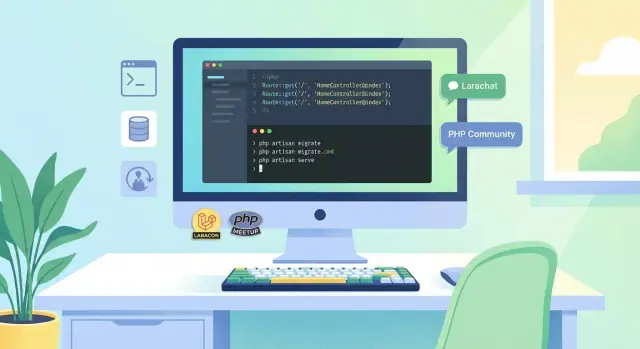
Why Laravel Made PHP Feel Modern
Before Laravel took off, a lot of PHP development felt like assembling an application from spare parts. You could absolutely build serious products—but you often had to decide everything up front: folder structure, routing approach, database access style, form handling, authentication, validation, and how to keep all of it consistent across a team. Many projects ended up as “your company’s PHP framework,” complete with hand-rolled conventions that worked until they didn’t.
Laravel didn’t “fix PHP” as a language so much as it fixed the day-to-day experience of building with it. It made common tasks predictable, readable, and repeatable—especially for teams shipping real apps under deadlines.
What “modern” means in practical terms
When developers say Laravel made PHP feel modern, they usually mean very tangible things:
- Readability by default: expressive APIs and clear project structure that new teammates can learn quickly.
- Sensible defaults: you start with a coherent application, not a blank folder and a pile of decisions.
- Automation over ceremony: repetitive work becomes commands and generators, not copy/paste.
- Testing and reliability as first-class: the framework nudges you toward testable code and safer deployments.
These are product decisions as much as technical ones—and they’re a big part of why Laravel lowered the stress level of building in PHP.
More than a framework: an ecosystem playbook
Laravel is best understood as a playbook for how to ship web applications: clear conventions, strong tooling, and a cohesive set of “official” solutions for the stuff every team eventually needs. That ecosystem effect is simple: less time stitching tools together, more time building features.
In the sections ahead, we’ll look at the conventions that keep you moving without boxing you in, the tooling that guides your workflow, and the community resources that make the whole experience easier to adopt and harder to abandon.
Taylor Otwell’s Product Mindset Behind the Framework
Laravel didn’t become the “default” modern PHP framework by accident. A big part of it is Taylor Otwell’s role as both creator and long-term steward. Instead of treating Laravel as a one-off open-source release, he’s guided it like a product: keeping the core coherent, setting expectations, and making sure the day-to-day experience stays pleasant as the framework grows.
Developer experience is the feature
Taylor’s decisions consistently optimize for developer experience: sensible defaults, readable APIs, and workflows that feel smooth rather than “clever.” That doesn’t just make Laravel nice to use—it lowers the cost of building and maintaining applications over time.
When a framework helps you do common things in a consistent way, teams spend less energy debating patterns and more energy shipping. The result is a tool that feels welcoming to new developers without frustrating experienced ones.
Consistency builds trust
Laravel earns trust through repeated, predictable decisions. Naming conventions, folder structure, and “the Laravel way” reduce surprise. That predictability matters: when you upgrade, add a new package, or hand a project to another developer, you’re relying on the framework to behave like it did yesterday.
Over time, that consistency becomes a brand promise: if you learn one part of Laravel well, the rest tends to make sense.
Opinionated, not restrictive
Laravel is opinionated, but it generally leaves escape hatches. You can follow conventions for speed, then customize when your needs demand it—swap components, extend behavior, or build your own abstractions.
That balance is the product mindset in action: make the common path fast and comfortable, while keeping the framework flexible enough for real-world complexity.
Conventions Over Configuration (Without Feeling Locked In)
Laravel’s “conventions over configuration” approach is less about strict rules and more about giving you a sensible starting point. When a framework makes the common choices for you, you spend less time debating folder names, wiring boilerplate, or hunting for “the right way” to do routine tasks.
What “conventions” actually mean
A convention is an agreed default: where things go, how they’re named, and what happens if you do nothing. Laravel quietly standardizes a lot of decisions that otherwise create friction.
For example:
- Project structure is predictable: controllers in
app/Http/Controllers, models inapp/Models, views inresources/views. - Naming patterns align across the stack: a
Postmodel naturally maps to apoststable; a controller likePostControllersuggests where request-handling lives. - Configuration defaults are ready to ship: sessions, cache, queues, and mail have sensible out-of-the-box settings, plus clear “swap this driver” options.
The payoff is lower decision fatigue. You don’t need to design a custom architecture for every new project just to reach “hello world.”
Why onboarding gets easier
Conventions also act like a shared language inside teams. A new developer can open a Laravel codebase and make accurate guesses about where to find things—without reading a custom wiki first.
That predictability reduces the cost of handoffs and code reviews. When everyone expects the same structure, feedback can focus on product logic rather than style debates.
Flexible where it matters
Laravel’s conventions don’t trap you. They’re defaults, not handcuffs.
- Override points are common: you can customize exception handling, middleware, authentication flows, and more.
- The service container lets you swap implementations cleanly (bind an interface to a different class, decorate services, or replace drivers).
- Config files are explicit and environment-friendly, so changing behavior between local, staging, and production is straightforward.
The result is a framework that feels opinionated in the small (daily decisions) but adaptable in the large (architecture and scale).
Tooling That Guides You: Artisan and the CLI Workflow
Artisan is Laravel’s command-line tool, and for many teams it becomes the “front door” to daily work. Instead of hunting through docs or remembering file locations, you start with a command: create something, run something, or check something.
That matters because it turns good habits into defaults. When the easiest path is also the recommended path, teams naturally converge on consistent structure and fewer one-off solutions.
The everyday entry point to productivity
Artisan groups common tasks into clear, readable commands. Even if you don’t memorize them, you can discover them quickly with php artisan list or get help for a single command with php artisan help migrate.
A few workflows you’ll see constantly:
- Scaffolding and generators: Create controllers, jobs, events, policies, and more without manual boilerplate.
- Database changes: Generate and run migrations in a repeatable way.
- Background work: Run queues and queue workers with predictable options.
- Scheduling: Centralize cron-like tasks in code and run them consistently.
Common workflows that keep teams aligned
A CLI-first workflow standardizes how work moves from laptop to production. New teammates don’t need to learn “our special setup”—they learn Laravel’s defaults, which are widely understood.
Here’s what that looks like in practice:
# Generate a controller (and optionally resources)
php artisan make:controller BillingController

# Create and run a migration
php artisan make:migration add_status_to_orders_table
php artisan migrate

# Work queues locally
php artisan queue:work

# Run scheduled tasks (often triggered every minute by cron)
php artisan schedule:run
The benefit isn’t just speed. These commands encourage best practices: migrations keep schema changes versioned, queues push slow tasks out of the request cycle, and schedules live alongside application code instead of being scattered across servers.
Why this “tooling voice” is a product feature
Artisan is opinionated in a friendly way: the commands nudge you toward separation of concerns (jobs for background work, policies for authorization, etc.) without forcing you into a rigid box. As a result, a Laravel codebase often feels familiar even when switching companies.
This idea—encode the “happy path” into tools—isn’t limited to frameworks. It’s also why newer development platforms are moving toward guided workflows. For example, Koder.ai applies a similar mindset with a chat-driven interface: instead of starting from a blank repo and a thousand choices, you describe what you’re building, and the platform scaffolds and evolves the app (web, backend, or mobile) with conventions baked in—while still letting you export source code and iterate with snapshots and rollback.
Eloquent, Migrations, and a Smooth Database Experience
Laravel’s database story is where “modern PHP” becomes tangible. Instead of treating the database as a separate world with its own scripts, Laravel makes it feel like a first-class part of your application.
Eloquent in plain language: the “active record” style
Eloquent is Laravel’s built-in ORM (Object-Relational Mapper), but you don’t need the acronym to understand the idea: each database table is represented by a PHP class, and each row becomes an object you can work with.
So rather than writing SQL for common tasks, you can say things like “find this user,” “update their email,” or “create a new order,” and Eloquent handles the database details behind the scenes. It’s called an “active record” style because the model object doesn’t just describe data—it can also fetch and save itself.
Migrations and seeders: repeatable changes, fewer surprises
Migrations are version-controlled files that describe database changes (create a table, add a column, rename an index). This makes changes repeatable: every environment can be brought to the same schema state by running the same set of migrations.
Seeders complement that by filling the database with predictable starter data—great for local development, staging, and demos. Together, migrations + seeders reduce “works on my machine” drift and make rollbacks safer.
Relationships as shared vocabulary
Eloquent relationships (a user has many posts, an order belongs to a customer) act like a shared language across the codebase. When your team agrees on these relationships, the rest of the app becomes easier to read: controllers, services, and views can all rely on the same model vocabulary.
Tradeoffs and tips: avoid over-fetching
Convenience can hide costly queries. The common pitfall is over-fetching—loading related data one record at a time (the “N+1 query” problem). The fix is usually eager loading: explicitly load relationships when you know you’ll need them, and keep it targeted. Thoughtful eager loading keeps pages fast without turning every query into a giant data dump.
Blade and the “Just Enough” Front-End Story
Laravel’s front-end story is intentionally pragmatic, and Blade is the clearest example. It’s a templating system that feels like writing HTML first, with a light layer of helpers for the moments when you need dynamic output, conditions, loops, and layouts.
What Blade is (and why it stays approachable)
Blade templates look like normal markup, so they’re easy to read in code reviews and easy to hand off between teammates. Instead of inventing a new syntax for everything, Blade adds a few well-named directives (like @if and @foreach) and keeps PHP available when you truly need it.
The result is “just enough” structure: your views stay clean, but you don’t feel like you’re fighting a framework-specific language.
Components: reusable UI without heavy ceremony
As apps grow, repeated UI patterns become a maintenance problem—buttons, alerts, navbars, form fields. Blade components solve this with a simple, file-based pattern:
- Create a component once
- Pass data in as props
- Keep the markup close to where it’s used
Because components are still essentially HTML templates, they don’t introduce a big conceptual jump. You get reuse and consistency without building a front-end architecture just to render a form.
Conventions that keep teams consistent
Blade nudges teams toward patterns that scale: layout files, named sections, partials, and predictable folder organization. These conventions matter because views are where many projects quietly drift into “every page is different” chaos.
When everyone follows the same layout and component patterns, new pages become assembly work instead of custom carpentry—faster to build, easier to QA, and simpler to update when the design changes.
Integrating with modern front-end approaches (high level)
Blade doesn’t pretend to replace modern JavaScript when you need it. Laravel supports a spectrum:
- Mostly server-rendered pages with small interactive sprinkles
- Full-page apps where Blade is used for the base shell
- Hybrid approaches using tools like Inertia or Livewire when you want SPA-like UX without a large client-side framework
That flexibility is the point: Blade gives you a comfortable default, and Laravel leaves room to evolve your front end as the product demands it.
Shipping with Confidence: Testing, Queues, and Reliability
Shipping isn’t just “deploy and hope.” Laravel bakes in habits that make reliability feel like a normal part of building—something you do every day, not only when things break.
Testing that’s part of the framework
Laravel treats testing as a first-class workflow, not an add-on. The default project structure assumes you’ll write tests, and the framework gives you helpers that make tests readable: HTTP request testing, database assertions, and convenient factories for generating realistic data.
That matters because confidence scales. When you can verify behavior quickly—authentication, permissions, forms, payments—you’re more willing to refactor, upgrade dependencies, and ship smaller changes more often. “Move fast” becomes safer when you can prove what still works.
Queues, jobs, and scheduling for real apps
Real products do work that shouldn’t happen during a web request: sending emails, generating PDFs, resizing images, syncing to third-party APIs. Laravel makes that the default story through jobs and queues.
Instead of writing one-off scripts or background hacks, you model the work as a job, push it to a queue driver, and let workers process it reliably. You also get sensible tools for retries, timeouts, and failed-job tracking—things that quickly become essential once users depend on the app.
Scheduling follows the same philosophy. Many teams start with a mess of cron entries across servers. Laravel centralizes scheduled tasks in code, so the schedule is versioned, reviewable, and consistent across environments.
Logging and errors you can actually act on
When something goes wrong, Laravel’s logging and exception handling help turn “mystery outage” into a clear next step. Logs are structured around channels and levels, exceptions can be reported consistently, and the framework encourages handling failures in predictable places.
Reliability through repeatable patterns
The common thread is repeatability: tests you can run on demand, background work that follows a standard shape, scheduled tasks defined in code, and errors that surface in consistent ways. Reliability becomes a set of patterns the whole team can follow—no heroics required.
Packages and Composer: The Ecosystem Multiplier
Laravel didn’t become “modern PHP” on framework features alone. A big part of the story is how easily Laravel projects can borrow, share, and reuse code—mostly thanks to Composer.
Composer gave PHP a dependable, standard way to declare dependencies, install them, and keep versions under control. That sounds mundane, but it changed behavior: instead of copying snippets between projects, teams could publish a package once and improve it over time. Laravel benefited because it arrived right when PHP developers were ready to collaborate through shared building blocks.
Why Laravel packages are so tempting to build
Laravel makes extension feel natural. Service providers, facades, configuration publishing, middleware, events, and macros create clear “hooks” where third-party code can plug in without hacks. Package authors can offer a clean install experience—often just a Composer require—and developers get features that feel native.
That combination (Composer + good extension points) turns one successful idea into an ecosystem. A well-made package doesn’t just save time; it sets a pattern other packages follow.
Common package categories you’ll run into
You’ll see packages for almost every layer of an app:
- Authentication and permissions (roles, OAuth, SSO helpers)
- Payments and billing (Stripe, PayPal integrations, subscription helpers)
- Admin panels and CRUD tooling
- Developer tools (debugging, IDE helpers, testing utilities, code generators)
The best ones don’t fight Laravel—they lean into its conventions and make your app feel more consistent.
Practical advice for choosing packages
Before you adopt a package, do a quick quality check:
- Maintenance: recent releases, active issue responses, clear compatibility with your Laravel version
- Fit: does it match your architecture, or does it force a different approach?
- Surface area: smaller, focused packages are easier to replace later
- Signals: tests, good docs, examples, and a clear upgrade path
A healthy Laravel codebase often depends on packages—but not on “mystery code.” Choose thoughtfully, and Composer becomes a multiplier rather than a risk.
First-Party Tools That Complete the Loop
Laravel doesn’t stop at “here’s the framework, good luck.” A big part of why it feels cohesive is the set of official tools that follow the same conventions you use in your code. That alignment matters: when the framework, deployment, queues, and admin UI all “speak Laravel,” you spend less time translating between products and more time shipping.
Deployment and server management that fits the workflow
Most teams eventually hit the same checklist: you need a server, a deploy process, and a way to avoid turning releases into a nervous ritual. Laravel offers options that map neatly onto common setups.
With Laravel Forge, you can provision and manage servers without assembling a pile of scripts yourself. With Envoyer, you can handle zero-downtime deployments and rollbacks using patterns that Laravel developers already recognize (environments, release directories, build steps).
If your app is a good fit for serverless, Laravel Vapor provides an opinionated path that still feels familiar—configure your app, push changes, and let the platform manage scaling details.
Monitoring, queues, and admin screens without a “Frankenstack”
Real applications need visibility. Laravel Horizon gives you a focused view of queue workloads (jobs, failures, throughput) using concepts that match Laravel’s queue system. Instead of gluing a generic queue dashboard to custom conventions, you get a tool designed around the framework’s primitives.
On the “business app” side, Laravel Nova is a practical answer to a recurring need: an admin UI. It reflects Laravel’s model and authorization patterns, which lowers the mental overhead for CRUD-heavy back offices.
Why this reduces work for small teams
A coherent suite means fewer integration projects:
- Fewer mismatched config styles and edge-case adapters
- Clearer upgrade paths because tools evolve with the framework
- Less time evaluating alternatives when you just need something that works
You can still mix in third-party services when it makes sense, but having first-party defaults gives small teams a dependable “happy path” from code to production.
Documentation and Community as Core Features
Laravel’s polish isn’t just in the code—it’s in how quickly you can understand the code. The documentation reads like a product, not a dump of API references. Pages follow a consistent structure (what it is, why it matters, how to use it), with examples that map to real app work: validating requests, sending mail, handling files, working with queues. That consistency creates trust: when you learn one section, you know how the next one will be laid out.
Docs that teach, not just describe
A big reason Laravel “sticks” is that the docs help you form correct habits early. You’re guided toward framework conventions—directory structure, naming patterns, recommended defaults—without feeling scolded or boxed in. Practical upgrade notes and clear versioning also reduce anxiety when you return to a project months later.
If you maintain a product, this is a lesson: documentation is part of the UX. A framework that’s easy to read is a framework people keep.
Laracasts: a shortcut to competence
Where docs give you the “what” and “how,” Laracasts supplies the “do it with me.” Structured series and learning paths compress the time it takes to become productive, especially for people new to modern PHP practices. You’re not left assembling a curriculum from random tutorials; you can follow a sequence that builds confidence step by step.
Community norms that reinforce conventions
Laravel’s community isn’t an accessory—it reinforces the framework’s approach.
- Community channels (forums, Discord/Slack groups, meetups, conferences) make it normal to ask questions early.
- Open-source culture encourages sharing packages, small helpers, and patterns others can copy.
- Mentorship and code reviews spread conventions organically—people learn “the Laravel way” by seeing it repeated in public.
When documentation, learning resources, and community all point in the same direction, conventions stop feeling like rules and start feeling like the easiest path to a working app.
The Ecosystem Playbook You Can Apply to Any Product
Laravel’s “secret” isn’t any single feature. It’s the reinforcing loop: clear conventions reduce decision fatigue, tooling makes the happy path fast, and the community (plus first‑party products) turns that happy path into a shared standard.
The simple loop to copy
-
Conventions: pick defaults that feel obvious and reduce bikeshedding.
-
Tooling: make the default workflow frictionless (create, test, deploy, debug).
-
Community reinforcement: keep teaching the same path through docs, examples, upgrades, and support.
When these three align, users stop asking “how do I wire this up?” and start asking “what should I build next?”
An actionable checklist for internal “ecosystems”
If you’re building a platform, design system, data toolkit, or shared services inside a company, steal the structure:
- Define a golden path for 80% of use cases (naming, folders, APIs, error handling).
- Ship scaffolding that creates the right shape by default (starter projects, templates, generators).
- Automate the boring parts: local setup, linting, tests, migrations, releases.
- Write docs like a product: one “Getting Started,” one “Common Tasks,” one “Reference.”
- Make upgrades predictable: versioning rules, deprecation notices, upgrade guides, codemods if possible.
- Add feedback loops: office hours, a single help channel, issue templates, and a known turnaround time.
This same checklist shows up in modern “vibe-coding” tooling as well: users don’t just want raw power, they want a guided path from idea → working app → deployment. That’s one reason platforms like Koder.ai emphasize planning mode, repeatable deployments/hosting, and the ability to snapshot and roll back changes—because reliability and velocity are workflow features, not just infrastructure details.
What to copy (and what to resist)
Copy defaults that are opinionated, examples that look like real apps, and support loops that reward consistency.
Resist the urge to make everything configurable. Instead, offer escape hatches: documented ways to deviate when the project truly needs it.
Staying opinionated while welcoming
The best ecosystems don’t win by having infinite options; they win by being clear, teachable, and kind to beginners. Be strict about the path, generous about the journey: explain “why,” provide on-ramps, and make the next right step easy.
FAQ
What does it mean when people say Laravel made PHP feel “modern”?
Laravel felt “modern” because it standardized the everyday workflow: predictable structure, expressive APIs, and built-in solutions for routing, validation, auth, queues, and testing.
Practically, that means less time inventing conventions and more time shipping features with confidence.
How can Laravel be opinionated without feeling restrictive?
An opinionated framework gives you a fast default path (naming, folders, patterns) so teams don’t debate basics on every project.
Laravel typically stays flexible by providing “escape hatches” (service container bindings, configurable drivers, middleware, custom auth flows) when your app outgrows defaults.
What are “conventions over configuration” in Laravel, in practical terms?
Laravel’s conventions reduce decision fatigue by making common choices predictable:
- Where code lives (controllers, models, views)
- How things are named (model/table conventions)
- Which defaults are safe to start with (cache, sessions, queues, mail)
This makes onboarding easier because new developers can guess where to look and how to extend the app.
How does Artisan (Laravel’s CLI) improve day-to-day development?
Artisan turns repeatable tasks into commands, which helps teams stay consistent.
Common daily commands include:
php artisan make:controller …for scaffoldingphp artisan make:migration …+php artisan migratefor schema changesphp artisan queue:workfor background jobsphp artisan schedule:runfor scheduled tasks
Using the CLI as the “front door” keeps projects aligned and reduces ad-hoc scripting.
What is Eloquent, and when is it most useful?
Eloquent models represent tables and let you work with data through PHP objects instead of hand-written SQL for every operation.
It’s especially effective when you:
- Model relationships clearly (has-many, belongs-to)
- Keep business logic organized (avoid dumping everything into controllers)
- Use eager loading to prevent performance traps
How do I avoid performance issues like N+1 queries with Eloquent?
The classic pitfall is the N+1 query problem (loading related data one row at a time).
Practical fixes:
- Eager load relationships when rendering lists
- Select only the columns you need
- Watch query counts in development and add indexes where appropriate
Convenience is great—just make query behavior explicit when performance matters.
Why are migrations and seeders a big part of Laravel’s database experience?
Migrations put database changes in version-controlled code so every environment can be brought to the same schema state.
Seeders add predictable starter data for local dev, staging, and demos.
Together they reduce “works on my machine” drift and make rollbacks and onboarding much safer.
What role does Blade play in Laravel’s front-end approach?
Blade is Laravel’s templating system that stays close to HTML while adding lightweight directives (conditions, loops, layouts).
Blade components help you reuse UI without heavy framework ceremony:
- Make a component once
- Pass props in
- Keep markup consistent across the app
It’s a strong default for server-rendered apps and works well alongside modern JS when needed.
How does Laravel help teams ship reliably (testing, queues, scheduling)?
Laravel treats reliability as a normal workflow:
- Testing helpers make HTTP, auth, and database checks readable
- Jobs and queues move slow work out of the request cycle
- Scheduling keeps cron-like tasks in versioned application code
The result is fewer “deployment rituals” and more predictable behavior as the codebase grows.
What’s a practical way to evaluate Laravel packages before adding them?
Adopt packages like you’re adopting dependencies long-term:
- Check maintenance (recent releases, responsive issues)
- Confirm compatibility with your Laravel version
- Prefer focused packages with smaller surface area
- Look for tests, clear docs, and an upgrade path
Composer makes reuse easy, but being selective keeps your codebase understandable and replaceable.