

Tim Berners-Lee’s Web: URLs, HTTP, HTML and Why It Matters
Learn how Tim Berners-Lee combined URLs, HTTP, and HTML to form the World Wide Web—and why these simple ideas still power modern apps and APIs.
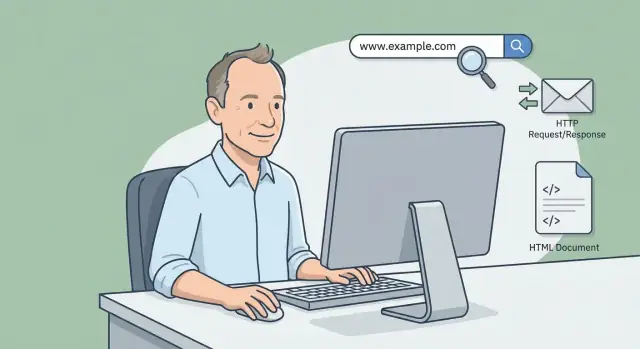
What the World Wide Web Is (and Isn’t)
The World Wide Web (often just “the Web”) is a way of publishing and accessing information using links. It’s the system that lets you click from one page to another, open a product page from a search result, or share a link that works on almost any computer or phone.
The Web is built from three simple ideas
At its core, the Web is powered by a practical trio:
- URL (Uniform Resource Locator): the address of something on the Web (a page, an image, a file, an endpoint).
- HTTP (Hypertext Transfer Protocol): the delivery conversation—how a browser asks for a thing and how a server responds.
- HTML (HyperText Markup Language): the page format—a structured way to describe content and, crucially, links to other URLs.
You don’t need to be a programmer to feel their impact: every time you paste a link, load a page, or click a button that takes you somewhere, you’re leaning on URL + HTTP + HTML.
The Web vs. the Internet (not the same thing)
People often use “Web” and “Internet” interchangeably, but they’re different:
- The Internet is the underlying infrastructure: a global network of connected computers.
- The Web is one service that runs on top of it: a linked collection of resources accessed using URLs and HTTP, commonly presented in HTML.
Email, online gaming, and many chat apps use the Internet without being “the Web” in the strict sense.
Why this still matters
Even modern experiences—single-page apps, mobile apps, and APIs—still rely heavily on these foundations. They may hide the details, but they continue to use URLs to identify resources, HTTP to exchange requests and responses, and often HTML to bootstrap what you see in a browser.
The Problem Tim Berners-Lee Set Out to Solve
Tim Berners-Lee wasn’t trying to invent “the internet.” In 1989, while working at CERN, he was focused on a practical frustration: important information existed, but it was scattered across incompatible systems, stored in different formats, and hard to find again later.
Researchers, teams, and departments used different computers and software. Even when two groups had the “same” kind of document, they might store it in different places, name it differently, or require a special program to open it. Sharing often meant sending files around, duplicating copies, and losing track of which version was current.
A simple goal: make information linkable and shareable
Berners-Lee’s core idea was to let anyone publish a document on their own computer, then let others access it using a consistent method—without needing to know the machine type, operating system, or internal directory structure.
That required a few things to work together:
- A way to name and locate information consistently (addresses).
- A basic way to request and receive that information across networks.
- A lightweight document format that could include links to other documents.
Simplicity and interoperability first
The breakthrough wasn’t a single feature—it was the decision to keep the system small and universal. If the rules were simple enough, different computers and organizations could implement them and still communicate.
This is also why open standards mattered from the start: the web needed shared, public rules so that many independent systems could participate. That focus on common standards—rather than one vendor’s toolchain—made it possible for the web to spread quickly and for new browsers and servers to work with existing content.
URLs: The Address System for the Web
If you’ve ever tried to “share a file” on a messy office drive, you’ve seen the core problem networks have: naming things consistently is hard. Different computers store information in different places, folders get reorganized, and two documents can have the same filename. Without a shared naming system, you can’t reliably say “get that thing over there.”
URLs solved this for the World Wide Web by providing a universal, copy‑and‑pasteable address for a resource.
A URL you can read
Here’s an example you might recognize:
https://www.example.com:443/products/shoes?color=black&size=42#reviews
What each part means (in plain English):
- https — the scheme: which rules to use to fetch it (HTTP over encryption).
- www.example.com — the host: which server to talk to.
- :443 — the port (often implied, so it’s usually hidden).
- /products/shoes — the path: which resource on that server.
- ?color=black&size=42 — the query: extra parameters (often used for filtering or tracking).
- #reviews — the fragment: a position inside the page (handled by the browser).
URLs don’t just point to “pages”
A URL can identify almost anything a server can return: an HTML page, an image, a PDF, a downloadable file, or even an API endpoint used by an app.
For example:
/images/logo.png(an image)/docs/terms.pdf(a document)/api/orders/123(data for an application)
URL vs. URI vs. “link” (keep it simple)
People often use these words interchangeably:
- URL: the web “address” you can use to fetch something.
- URI: a broader term that includes URLs.
- Link: what you click—usually a piece of text or a button that contains a URL.
For practical purposes, thinking “URL = address” will get you 95% of the way there.
HTTP: The Web’s Request-and-Response Language
HTTP is the web’s basic conversation style. It’s a simple deal: your browser asks for something, and a server replies with what it has (or an explanation of why it can’t).
The core idea: browser asks, server replies
When you type a URL or click a link, your browser sends an HTTP request to a server. The request is like a note that says: “I want this specific resource.”
The server then sends back an HTTP response. The response is the package that contains the result: the content you asked for (like a page), or a message that something else happened.
Requests in everyday terms (GET and POST)
HTTP requests include a method, which is just the kind of action you’re taking.
- GET: “Please give me this.” Example: loading a page or downloading a file.
- POST: “Please accept this data.” Example: submitting a signup form or sending a comment.
A GET usually doesn’t change anything on the server; it’s mainly for reading. A POST is commonly used when you’re sending information to be processed.
Status codes: the outcome of the request
Every response includes a status code—think of it as the delivery outcome.
- 200: Success. Here’s what you requested.
- 404: Not found. That resource doesn’t exist at that address.
- 301: Moved permanently. The resource has a new address; update your bookmark.
Headers and content types: labels on the package
Requests and responses also include headers, which are like labels: “This is who I am,” “This is what I accept,” or “This is how this content should be handled.”
One of the most useful labels is the Content-Type, such as text/html for a web page or application/json for data. It tells the browser what’s inside so it can display it correctly.
HTML: A Simple Format for Pages and Links
HTML (HyperText Markup Language) is the format used to describe the structure of a web page—what the content is and how it’s organized. Think of it as a document with labels: “this is a heading,” “this is a paragraph,” “this is a link,” “this is a form field.”
Tags: labels around your content
HTML uses tags to mark up content. A tag usually has an opening and a closing version, wrapping the content it describes.
Headings and paragraphs give a page shape. A heading tells both people and browsers, “this is an important section title.” A paragraph tells them, “this is body text.”
Links and images are also described in HTML. An image tag points to an image file (a resource), while a link tag points to another URL.
Hypertext: why links changed everything
The “HT” in HTML—hypertext—is the big idea that made the web feel different from earlier systems. Instead of navigating only by menus, file folders, or special commands, you could jump directly from one document to another using clickable links embedded in the text.
That shift sounds simple, but it’s powerful: knowledge becomes connected. A page can reference sources, related topics, definitions, and next steps instantly—no need to “go back” to a central index every time.
A tiny example: a link in plain language
Here’s what a basic link looks like:
<a href="/blog/how-http-works">Read more about HTTP</a>
In plain language: “Show the words Read more about HTTP and, when clicked, take the reader to the page at /blog/how-http-works.”
Forms: from reading to interacting
HTML isn’t only for publishing documents. It can also describe inputs like text fields, checkboxes, and buttons. Those pieces let a page collect information (like a login, a search, or a checkout) and send it to a server.
HTML vs. CSS vs. JavaScript
It’s easy to mix these up, but they have different jobs:
- HTML defines structure and meaning (headings, paragraphs, links, forms).
- CSS controls style (colors, spacing, fonts, layout).
- JavaScript adds behavior (validation, dynamic updates, interactive features).
Even as web apps have become more complex, HTML remains the starting point: it’s the shared, readable way to describe what a page contains—and where it can lead next.
How a Web Page Loads: A Plain-English Walkthrough
When you visit a website, your browser is basically doing two jobs: finding the right computer to talk to, and asking for the right file.
1) You type a URL
A URL (like https://example.com/page) is the page’s address. It includes a host name (example.com) and often a path (/page).
2) The browser finds the site (DNS lookup)
Computers on the internet talk using numeric addresses called IP addresses. DNS (Domain Name System) is like a phone book that maps example.com to an IP address.
This lookup is usually quick—and sometimes it’s skipped because the answer is already stored from a recent visit.
3) The browser connects to that computer
Now the browser opens a connection to the server at that IP address. If the URL starts with https://, the browser also sets up an encrypted connection so others can’t easily read what’s being sent.
4) The browser asks using HTTP
HTTP (Hypertext Transfer Protocol) is the “request-and-response” language of the web. The browser sends an HTTP request like: “Please give me /page.”
The server replies with an HTTP response that includes a status (like “OK” or “Not Found”) and the content.
5) The browser receives HTML and renders the page
That content is often HTML (HyperText Markup Language). HTML is a simple format that describes the structure of a page—headings, paragraphs, links, and more.
As the browser reads the HTML, it may discover it also needs other files (CSS for styling, JavaScript for interaction, images, fonts). It then repeats the same HTTP request/response pattern for each.
6) Caching: “saving a copy to load faster”
To speed things up, browsers keep a cache—a saved copy of files they’ve already downloaded. If nothing has changed, the browser can reuse that copy instead of downloading it again.
Quick checklist (the flow):
- Enter URL
- DNS finds the IP address
- Browser connects (and encrypts if HTTPS)
- HTTP request for a path/resource
- Server sends HTML (plus other files)
- Browser renders; cache helps future loads
Servers, Browsers, and Resources: The Basic Roles
When people say “the web,” they often mean a smooth experience: you tap a link and a page appears. Underneath, it’s a simple relationship between three ideas: servers, browsers, and resources.
Servers: where things live
A server is a computer (or a cluster of computers) connected to the internet that hosts resources at URLs. If a URL is an address, the server is the place that receives visitors at that address and decides what to send back.
That “thing” the server sends might be a web page, a file, or data. The key point is that the server is set up to respond to requests for specific URLs.
Browsers: where things are requested and shown
A browser is a program (like Chrome, Safari, or Firefox) that fetches resources from servers and displays them in a human-friendly way.
When you enter a URL or click a link, the browser:
- asks a server for the resource at that URL
- receives a response
- renders it (for HTML) or saves/uses it (for images, downloads, and more)
Resources: what gets transferred
A resource is anything the web can identify and deliver at a URL. Common examples include:
- documents (HTML pages)
- images (PNG, JPEG, SVG)
- scripts (JavaScript files)
- styles (CSS files)
- APIs (endpoints that return data, often JSON)
This same model isn’t limited to browsers. A mobile app can also request a URL—typically a web API endpoint—and receive data to display in the app’s own interface. The roles stay the same: app as the “client,” server as the “host,” and the API response as the resource.
From Documents to Interaction: Forms and Data
Early web pages mostly showed information. Forms are what let the web collect information—turning a page into a two-way conversation.
What a form actually does
An HTML form is a structured set of fields (like text boxes, checkboxes, and buttons) plus two key instructions:
- Where to send the data (the
actionURL) - How to send it (the
method, usually GET or POST)
When you click “Submit,” the browser packages what you typed and sends it using HTTP to the server at that URL. That’s the bridge between “a document with fields” and “an application that processes input.”
GET vs POST (the practical difference)
At a high level:
- GET attaches form data to the URL as a query string (often used for searches and filters). The result is easy to bookmark and share.
- POST sends form data in the body of the HTTP request (commonly used when creating or changing something, like an account or an order).
So a search might look like /search?q=shoes (GET), while a checkout submission might POST order details to /checkout.
How the server “handles” a form
On the server side, a program receives the HTTP request, reads the submitted values, and decides what to do next:
- Validate inputs (required fields, valid email format)
- Check credentials (logins)
- Create records (sign-ups, support tickets)
- Charge payments and confirm orders (checkout)
The server then responds—often with a new HTML page (“Thanks!”), an error message, or a redirect to another URL.
A quick security note: why HTTPS matters
If a form includes anything sensitive—passwords, addresses, payment details—HTTPS is essential. It prevents others on the network from reading or altering what’s being sent between your browser and the site. Without it, even a simple login form can expose users.
Why Modern Apps Still Depend on URLs, HTTP, and HTML
Modern “apps” on the Web aren’t just web pages. Most are web plus code: an HTML page that loads JavaScript and CSS, then uses that code to update what you see without constantly reloading the whole page.
Even when an app feels like a native program (infinite scrolling feeds, real-time updates, drag-and-drop), it still relies on the same three building blocks Tim Berners-Lee introduced.
URLs still identify everything
A URL isn’t only for “a page.” It’s an address for any resource: a product, a user profile, a search query, a photo, or a “send message” endpoint. Good apps use URLs to make content shareable, bookmarkable, and linkable—core Web behavior.
HTTP still moves the messages
Behind the scenes, apps send HTTP requests and receive HTTP responses, just like classic websites. The rules are the same whether you’re fetching an HTML page or loading data for part of the screen:
- methods like GET (read), POST (submit), PUT/PATCH (update), DELETE (remove)
- status codes like 200, 404, 500
- headers for things like caching, content type, and authentication
APIs are “web pages for data”
Most modern apps talk to APIs: URLs that return data—often JSON—over HTTP.
For example:
- a maps feature requests nearby places from a maps API
- a checkout flow sends payment details to a payment API
- chat loads messages and posts new ones to a messaging API
- analytics sends events to an analytics endpoint
HTML still matters because it’s often the starting point (and sometimes the fallback). More broadly, the Web is a platform for integration: if systems can agree on URLs and HTTP, they can connect—no matter who built them.
A practical way to see these building blocks in action is to build something small—say, a React front end that talks to a JSON API and has shareable URLs for key screens. Tools like Koder.ai lean into this same model: you describe the app in chat, and it generates a standard web stack (React on the front end, Go + PostgreSQL on the back end), so you’re still working with real URLs, HTTP endpoints, and browser-delivered HTML—just with far less manual setup.
Standards and Compatibility: How the Web Scales
The Web works at global scale because it’s built on shared standards—public “rules of the road” that let different systems communicate reliably. A browser from one company can request a page from a server run by another, hosted anywhere, written in any programming language, because they agree on basics like URLs, HTTP, and HTML.
Why standards matter
Without standards, every site would need a custom app to view it, and every network would have its own private way of sending requests. Standardization solves simple but critical questions:
- How do we name a resource? (URL)
- How does a client ask for it and receive it? (HTTP)
- How is the result structured so it can be displayed and linked? (HTML)
When those rules are consistent, the Web becomes “mix and match”: any compliant browser + any compliant server = it works.
Standards evolve—without breaking the Web
The impressive part is that standards can improve while the fundamentals stay recognizable. HTTP has moved from early versions to HTTP/1.1, then to HTTP/2 and HTTP/3, adding better performance and efficiency. Yet the core idea remains the same: a client requests a URL, a server responds with a status code, headers, and a body.
HTML has also grown—from simple documents to richer semantics and embedded media—while preserving the basic concept of pages and hyperlinks.
Backwards compatibility is a feature, not an accident
Much of the Web’s staying power comes from a strong preference for backwards compatibility. New browsers still try to render old pages; new servers still understand older HTTP requests. That means content and links can live for years—often decades.
Designing for longevity
If you want your site or app to age well, lean on standards-based design: use real URLs for shareable states, follow HTTP conventions for caching and status codes, and write valid HTML before adding extra layers. Standards aren’t restrictive—they’re what keep your work portable, dependable, and future-friendly.
Common Misconceptions (and Quick Fixes)
Even if you use the web daily, a few terms get mixed up so often that they can quietly derail troubleshooting, planning, or even simple conversations. Here are common mix-ups—and the fastest way to correct them.
“The Internet” vs “the Web”
Misconception: The Internet and the World Wide Web are the same thing.
Quick fix: The Internet is the global network (cables, routers, connections). The Web is one service that runs on top of it, built from URLs, HTTP, and HTML.
URL vs domain (and why the extra parts matter)
Misconception: “My URL is example.com.”
Quick fix: example.com is a domain. A URL is a full address that can include the path, query, and more, like:
https://example.com/pricing(a specific route)https://example.com/search?q=shoes(a route plus a query)
Those extra parts can change what the server returns.
HTML vs HTTP
Misconception: HTML and HTTP are interchangeable.
Quick fix: HTTP is the “delivery conversation” (request and response). HTML is one possible “package” delivered—often the one that describes a page and its links. HTTP can also deliver JSON data, images, PDFs, or video.
Status codes and redirects
Misconception: Any error means “the site is down,” and redirects are always bad.
Quick fix: Status codes are signals:
- 404: the server is reachable, but that resource isn’t found
- 500: the server had an internal problem
- 301/302: you’re being redirected (often normal after a page move)
“A URL always points to a page”
Misconception: Every URL should open a human-readable page.
Quick fix: A URL can point to data (/api/orders), a file (/report.pdf), or an action endpoint for a form submission.
HTTPS = trustworthy?
Misconception: If it’s HTTPS, the site is safe and honest.
Quick fix: HTTPS encrypts the connection and helps confirm you’re talking to the right domain—but it doesn’t guarantee the business is reputable. You still need to evaluate the source, content, and context.
Key Takeaways and Where to Learn More
Tim Berners-Lee’s core idea was surprisingly small: connect documents (and later, applications) using a shared addressing scheme, a shared way to request data, and a shared format to display and link it.
The three building blocks (in one minute)
URL is the address. It tells you what you want and where it lives (and often how to reach it).
HTTP is the conversation. It’s the set of rules a browser and server use to ask for something and reply with it (status codes, headers, caching, and more).
HTML is the page format. It’s what a browser can read to render content—and, crucially, it’s where links connect one resource to another.
A reusable mental model
Think of the web like a simple three-step loop:
- Name it (URL) — “Go to this address.”
- Ask for it (HTTP) — “Give me this resource.”
- Show it and link onward (HTML) — “Here’s what it means, and here are the next paths.”
Once you have that loop in your head, modern details (cookies, APIs, single-page apps, CDNs) become easier to reason about: they’re usually refinements to naming, requesting, or rendering.
Next reads
If you want to go a bit deeper without getting overly technical:
- HTTP in plain English: /blog/how-http-works
- URLs demystified: /blog/what-is-a-url
- HTML essentials and links: /blog/html-basics
Understanding these basics pays off quickly: you’ll be better at evaluating web tools (“Does this rely on URLs and standard HTTP?”), communicating with developers, and troubleshooting everyday issues like broken links, caching surprises, or “404 vs 500” errors.
FAQ
What’s the difference between the World Wide Web and the Internet?
The Internet is the global network (routers, cables, IP routing) that connects computers. The Web is a service that runs on top of it: resources identified by URLs, transferred with HTTP, and often displayed as HTML.
Many things use the Internet without being “the Web,” like email, some multiplayer games, and many chat systems.
What is a URL, and what do the different parts mean?
Think of a URL as a precise address for a resource. It can point to an HTML page, an image, a PDF, or an API endpoint.
A typical URL includes:
- scheme (
https) — how to access it - host (
example.com) — which server - path (
/products/shoes) — which resource - query (
?color=black) — extra parameters - fragment (
#reviews) — a location within a page (browser-side)
Is “example.com” a URL or a domain—and why does it matter?
A domain (like example.com) is just the name of a host. A URL can include much more detail—like the path and query—that changes what you actually get back.
For example:
https://example.com/pricinghttps://example.com/search?q=shoes
What does the “#something” part of a URL do?
The fragment (the part after #) is handled by the browser, not sent to the server in the HTTP request.
Common uses:
- Jump to a section on a page (
#reviews) - Track client-side state in some apps
If you change only the fragment, you often won’t trigger a full page reload.
What is HTTP in plain English?
HTTP is the rules for the request-and-response conversation between a client (browser/app) and a server.
In practice:
- Your browser sends an HTTP request for a URL
- The server replies with a status code, headers, and a body (HTML, JSON, an image, etc.)
When should I use GET vs POST?
Use GET when you’re retrieving something (read-only in intent), like loading a page or fetching data.
Use POST when you’re submitting data to be processed, like creating an account, posting a comment, or starting a checkout.
A practical tip: if the action should be bookmarkable/shareable (like a search), GET is usually the better fit; if it changes server state, POST is typical.
What do common HTTP status codes like 200, 404, 301, and 500 mean?
Status codes summarize the outcome of a request:
- 200 — success
- 404 — the server is reachable, but that resource isn’t at that URL
- 301/302 — the resource moved (redirect)
- 500 — server error while trying to handle the request
When troubleshooting, a 404 often points to a wrong URL or deleted page; a 500 usually means a server-side bug or outage.
What is DNS, and why does it happen before a page loads?
A browser needs an IP address to connect to a server. DNS is the system that translates a human name (like example.com) into an IP address.
If a site sometimes “doesn’t resolve,” DNS is a common suspect—especially if it fails on one network/device but works on another.
What is browser caching, and how can it cause “stale” pages?
Caching is when your browser saves copies of previously downloaded resources so repeat visits load faster.
Practical implications:
- You might not see an update immediately because your browser reused an older file.
- Hard refreshes or clearing site data can help during debugging.
Servers control a lot of caching behavior via HTTP headers (like cache lifetime and revalidation).
Does HTTPS mean a website is trustworthy?
HTTPS encrypts traffic and helps ensure you’re connected to the intended domain, which protects logins, forms, and sensitive data in transit.
It does not guarantee the site is honest or safe. You still need to evaluate:
- the reputation of the source
- whether the URL is the one you expect
- what you’re being asked to download or submit