

How to Move AI Prototypes Into Production-Ready Systems
A practical guide to turning AI prototypes into production systems: goals, data, evaluation, architecture, security, monitoring, and rollout steps.
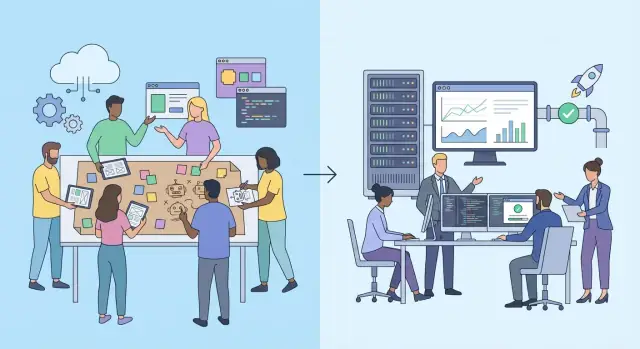
Prototype vs. Production: What Really Changes
A prototype is built to answer one question: “Can this work?” A production system must answer a different set: “Can this work every day, for many people, at an acceptable cost, with clear accountability?” That gap is why AI prototypes often shine in demos but stumble after launch.
Why demos succeed (and production doesn’t)
Prototypes usually run under ideal conditions: a small, hand-picked dataset, a single environment, and a person in the loop who quietly fixes issues. In a demo, latency spikes, missing fields, or an occasional wrong answer can be explained away. In production, those issues become support tickets, churn, and risk.
What “production-ready” really means
Production-ready AI is less about a better model and more about predictable operations:
- Reliability: clear uptime targets, graceful failure modes, and consistent performance.
- Safety: controls to reduce harmful outputs, plus escalation paths when the system is uncertain.
- Cost and speed: budgets for compute and APIs, and latency that fits the user journey.
- Supportability: logging, documentation, and on-call ownership so problems don’t linger.
Common transition risks to watch for
Teams often get surprised by:
- Data drift: real-world inputs change, and accuracy quietly drops.
- Hidden manual steps: someone “just” cleans a column, pastes prompts, or reruns jobs when they fail.
- Unclear ownership: no single team owns the end-to-end outcome (model, data, infra, UX).
What you’ll have by the end of this guide
You’ll leave with a repeatable transition plan: how to define success, prepare data, evaluate before scaling, choose a production architecture, plan cost/latency, meet security expectations, design human oversight, monitor performance, and roll out safely—so your next prototype doesn’t stay a one-off demo.
Lock in the Goal, Scope, and Success Metrics
A prototype can feel “good enough” because it demos well. Production is different: you need a shared, testable agreement on what the AI is for, what it is not for, and how you’ll judge success.
Start with the user workflow
Describe the exact moment the AI is used and what happens before and after it. Who triggers the request, who consumes the output, and what decision (or action) it supports?
Keep it concrete:
- What screen, form, ticket, or chat does the user start from?
- What does the AI return (answer, draft, classification, recommendation)?
- What does the user do next (approve, edit, escalate, ignore)?
If you can’t draw the workflow in five minutes, the scope isn’t ready.
Define the business outcome
Tie the AI to an outcome the business already cares about: fewer support handle minutes, faster document review, higher lead qualification rate, reduced defect escapes, etc. Avoid goals like “use AI to modernize” that can’t be measured.
Pick success metrics (not just quality)
Choose a small set of metrics that balance usefulness with real-world constraints:
- Quality: task success rate, factuality/precision, error severity, or a graded rubric.
- Latency: p95 response time and time-to-first-token (for LLMs).
- Cost: cost per request, cost per resolved case, or monthly spend cap.
- Adoption: activation rate, repeated usage, completion rate, or human override rate.
Set non-negotiables and a v1 “definition of done”
Write down the constraints that can’t be violated: uptime target, acceptable failure modes, privacy limits (what data can/can’t be sent), and escalation requirements.
Then create a simple v1 checklist: which use cases are included, which are explicitly out of scope, what minimum metric thresholds must be met, and what evidence you’ll accept (dashboards, test results, sign-off). This becomes your anchor for every later decision.
Data Readiness: Sources, Quality, and Governance
A prototype can look impressive with a small, hand-picked dataset. Production is different: data arrives continuously, from multiple systems, and the “messy” cases become the norm. Before you scale anything, get explicit about what data you will use, where it originates, and who relies on the outputs.
Map your data flows end-to-end
Start by listing the full chain:
- Inputs: user text, images, clickstream events, documents, sensor data, CRM fields—anything the model will read.
- Labels / feedback: ground truth labels, human reviews, user corrections, thumbs up/down, support tickets.
- Downstream consumers: product features, agents, dashboards, automated actions, or other services.
This map clarifies ownership, required permissions, and what “good” output means for each consumer.
Decide what you store (and for how long)
Write down what you can store, for how long, and why. For example: store request/response pairs for debugging, but only for a limited retention period; store aggregated metrics longer for trend analysis. Make sure your storage plan matches privacy expectations and internal policy, and define who can access raw data versus anonymized samples.
Create a practical data quality checklist
Use a lightweight checklist that can be automated:
- Missing values and empty payloads
- Duplicates and replayed events
- Outliers (length, size, unusual formats)
- Class imbalance and bias signals (skew by region, device, language)
- “Silent failures” (defaults, placeholder text, truncated files)
Version datasets and prompts for reproducibility
If results change, you need to know what changed. Version your datasets (snapshots or hashes), labeling rules, and prompts/templates. Tie each model release to the exact data and prompt version used, so evaluations and incident investigations are repeatable.
Evaluation: Build Tests Before You Scale
Prototype demos often “feel” good because you’re testing happy paths. Before you scale to real users, you need a repeatable way to measure quality so decisions aren’t based on vibes.
Use two layers of evaluation
Start with offline tests you can run on demand (before every release), then add online signals once the system is live.
Offline tests answer: Did this change make the model better or worse on the tasks we care about? Online signals answer: Are users succeeding, and is the system behaving safely under real traffic?
Build a small, representative “golden set”
Create a curated set of examples that reflect real usage: typical requests, your most common workflows, and outputs in the format you expect. Keep it intentionally small at first (e.g., 50–200 items) so it’s easy to maintain.
For each item, define what “good” looks like: a reference answer, a scoring rubric, or a checklist (correctness, completeness, tone, citations, etc.). The point is consistency—two people should score the same output similarly.
Add edge cases early
Include tests that are likely to break production:
- Sensitive or restricted content (PII, medical/legal claims, policy violations)
- Ambiguous requests that require clarification
- Very long inputs and messy formatting (tables, copied emails, mixed languages)
- Adversarial prompts (prompt injection attempts, jailbreak-style phrasing)
Set thresholds—and define rollback triggers
Decide in advance what’s acceptable: minimum accuracy, maximum hallucination rate, safety pass rate, latency budget, and cost per request. Also define what triggers an immediate rollback (e.g., safety failure above X%, spike in user complaints, or a drop in task success).
With this in place, each release becomes a controlled experiment—not a gamble.
Architecture: From Notebook to Reliable System
A prototype usually mixes everything in one place: prompt tweaks, data loading, UI, and evaluation in a single notebook. Production architecture separates responsibilities so you can change one part without breaking the rest—and so failures are contained.
Pick the operating mode (API, batch, or real-time)
Start by deciding how the system will run:
- API-only: a request/response service (common for chat, search, recommendations).
- Batch jobs: scheduled processing (e.g., nightly document classification, report generation).
- Real-time service: low-latency streaming or event-driven responses (e.g., fraud checks).
This choice drives your infrastructure, caching, SLAs, and cost controls.
Separate components so they can evolve independently
A dependable AI system is usually a set of small parts with clear boundaries:
- UI / client: collects input, shows outputs, explains uncertainty.
- Orchestration layer: validation, routing, prompt templates, tool/function calling, state management.
- Model calls: LLM/ML inference via a provider or self-hosted runtime.
- Data stores: feature store, vector database, document store, logs/audit tables.
Even if you deploy them together at first, design as if each component could be replaced.
Design for failure (because it will happen)
Networks time out, vendors rate-limit, and models occasionally return unusable output. Build predictable behavior:
- Timeouts for every external call (model, database, tools)
- Retries with backoff for transient errors
- Fallbacks (simpler model, cached answer, “safe mode” without tools)
- Graceful degradation (partial results, clear messaging, no broken UI)
A good rule: the system should fail “safe” and explain what happened, not silently guess.
Document dependencies and ownership
Treat the architecture like a product, not a script. Maintain a simple component map: what it depends on, who owns it, and how to roll it back. This avoids the common production trap where “everyone owns the notebook” and nobody owns the system.
Where platforms can help (without locking you in)
If your main bottleneck is turning a working demo into a maintainable app, using a structured build platform can speed up the “plumbing” work: scaffolding a web UI, API layer, database, authentication, and deployment.
For example, Koder.ai is a vibe-coding platform that lets teams create web, server, and mobile applications through a chat interface. You can prototype quickly, then keep moving toward production with practical features like planning mode, deployment/hosting, custom domains, source code export, and snapshots with rollback—useful when you’re iterating on prompts, routing, or retrieval logic but still need clean releases and reversibility.
Cost, Latency, and Scalability Planning
A prototype can look “cheap enough” when only a few people use it. In production, cost and speed become product features—because slow responses feel broken, and surprise bills can kill a rollout.
Build a baseline cost model
Start with a simple spreadsheet you can explain to a non-engineer:
- Per request: tokens in/out (for LLMs), model runtime, and any retrieval (vector search) calls
- Infrastructure: compute (CPU/GPU), storage (documents, embeddings), and network egress
- Operational overhead: logging volume, monitoring, and retries
From that, estimate cost per 1,000 requests and monthly cost at expected traffic. Include “bad days”: higher token usage, more retries, or heavier documents.
Optimize without changing behavior
Before you redesign prompts or models, look for improvements that don’t alter outputs:
- Caching: store results for repeated inputs (and cache retrieval results when documents rarely change)
- Batching: process multiple requests together where possible (embeddings, moderation, analytics)
- Smaller context: trim boilerplate instructions, remove duplicate retrieved passages, and cap history length
These usually reduce spend and improve latency at the same time.
Set budgets and anomaly alerts
Decide upfront what “acceptable” looks like (e.g., max cost per request, daily spend cap). Then add alerts for:
- Sudden spikes in tokens/request
- Increased error-driven retries
- Runaway logging volume
Plan capacity for real traffic
Model peak load, not averages. Define rate limits, consider queueing for bursty workloads, and set clear timeouts. If some tasks aren’t user-facing (summaries, indexing), move them to background jobs so the main experience stays fast and predictable.
Security, Privacy, and Compliance Requirements
Security and privacy aren’t “later” concerns when you move from a demo to a real system—they shape what you can safely ship. Before you scale usage, document what the system can access (data, tools, internal APIs), who can trigger those actions, and what failure looks like.
Start with a simple threat model
List the realistic ways your AI feature could be misused or fail:
- Prompt injection: users trick the model into ignoring rules or revealing hidden instructions.
- Data leakage: sensitive inputs (customer info, internal docs) appear in outputs, logs, or vendor dashboards.
- Insecure tool access: the model can call tools it shouldn’t (e.g., “delete user”, “export database”), or use them without proper authorization.
This threat model informs your design reviews and acceptance criteria.
Add guardrails where risk is highest
Focus guardrails around inputs, outputs, and tool calls:
- Input validation: size limits, file-type checks, profanity/abuse filters, and clear handling of “unknown” content.
- Output filtering: block or redact secrets, personal data, and disallowed content; add safe fallback responses.
- Tool allowlists: restrict which tools the model can use, which parameters are permitted, and require user confirmation for high-impact actions.
Secrets, access, and compliance basics
Keep API keys and tokens in a secrets manager, not in code or notebooks. Apply least-privilege access: each service account should only access the minimal data and actions required.
For compliance, define how you handle PII (what you store, what you redact), keep audit logs for sensitive actions, and set retention rules for prompts, outputs, and traces. If you need a starting point, align your policy with internal standards and link to your checklist at /privacy.
Human-in-the-Loop and UX for Trust
A prototype often assumes the model is “right enough.” In production, you need a clear plan for when people step in—especially when outputs affect customers, money, safety, or reputation. Human-in-the-loop (HITL) isn’t a failure of automation; it’s a control system that keeps quality high while you learn.
Decide where humans review
Start by mapping decisions by risk. Low-impact tasks (drafting internal summaries) might only need spot checks. High-impact tasks (policy decisions, medical guidance, financial recommendations) should require review, editing, or explicit approval before anything is sent or acted on.
Define triggers for review, such as:
- Low model confidence or missing citations
- Sensitive topics (legal, health, HR)
- Unusual user requests or ambiguous intent
- Large downstream impact (refunds, account changes)
Capture feedback that’s usable
“Thumbs up/down” is a start, but it’s rarely enough to improve a system. Add lightweight ways for reviewers and end users to provide corrections and structured reason codes (e.g., “wrong facts,” “unsafe,” “tone,” “missing context”). Make feedback one click away from the output so you capture it in the moment.
Where possible, store:
- The original input and the final edited version
- The reason code(s)
- Whether the issue was factual, formatting, policy-related, or safety-related
Escalate the scary cases
Create an escalation path for harmful, high-impact, or policy-violating outputs. This can be as simple as a “Report” button that routes items to a queue with on-call ownership, clear SLAs, and a playbook for containment (disable a feature, add a blocklist rule, tighten prompts).
Set expectations in the UI
Trust improves when the product is honest. Use clear cues: show limitations, avoid overstating certainty, and provide citations or sources when you can. If the system is generating a draft, say so—and make editing easy.
Observability: Logging, Monitoring, and Alerting
When an AI prototype misbehaves, you notice it instantly because you’re watching it. In production, problems hide in edge cases, traffic spikes, and slow failures. Observability is how you make issues visible early—before they become customer incidents.
Log what matters (and make it usable)
Start by deciding what you need to reconstruct an event later. For AI systems, “an error happened” isn’t enough. Log:
- The request/inputs (redacted or tokenized if they may contain sensitive data)
- Model and prompt versions, plus key configuration (temperature, context window, retrieval settings)
- Any tool calls (APIs, database queries, web search) and their outcomes
- Latency breakdowns (retrieval time vs. model time vs. downstream calls)
Make logs structured (JSON) so you can filter by tenant, endpoint, model version, and failure type. A good rule: if you can’t answer “what changed?” from logs, you’re missing fields.
Monitor quality, not just uptime
Traditional monitoring catches crashes. AI needs monitoring that catches “still running, but worse.” Track:
- Drift signals (input topics shifting, embedding distances, retrieval hit rates)
- Error rates (timeouts, tool-call failures, malformed outputs)
- Outcome/quality proxies (thumbs up/down, task completion, escalation to support)
- Safety signals (policy violations, refused answers, unsafe content)
Treat these as first-class metrics with clear thresholds and owners.
Dashboards, alerts, and runbooks
Dashboards should answer: “Is it healthy?” and “What’s the fastest fix?” Pair every alert with an on-call runbook: what to check, how to roll back, and who to notify. A noisy alert is worse than none—tune alerts to page only on user impact.
Synthetic probes: catch issues before users do
Add scheduled “canary” requests that mimic real usage and verify expected behavior (format, latency, and basic correctness). Keep a small suite of stable prompts/questions, run them against each release, and alert on regressions. This is an inexpensive early-warning system that complements real user monitoring.
MLOps Workflow: CI/CD, Versioning, and Environments
A prototype can feel “done” because it works once on your laptop. Production work is mostly about making it work reliably, for the right inputs, with repeatable releases. That’s what an MLOps workflow provides: automation, traceability, and safe paths to ship changes.
Automate builds, tests, and deployments
Treat your AI service like any other product: every change should trigger an automated pipeline.
At a minimum, your CI should:
- Build the service (container/app package)
- Run unit tests for core logic and data validation
- Run model/prompt evaluation tests on a fixed dataset (including “bad” and edge cases)
- Produce an artifact you can deploy (image, package, or bundle)
Then CD should deploy that artifact to a target environment (dev/staging/prod) using the same steps every time. This reduces “works on my machine” surprises and makes rollbacks realistic.
Version control for code, prompts, and configuration
AI systems change in more ways than traditional apps. Keep these versioned and reviewable:
- Application code (API, orchestration, feature logic)
- Prompts, templates, and system messages (for LLM-based components)
- Model identifiers (model name, checkpoint, provider settings)
- Configuration (thresholds, routing rules, tool permissions)
- Evaluation datasets and labeling guidelines (so scores mean the same thing over time)
When an incident happens, you want to answer: “Which prompt + model + config produced this output?” without guessing.
Use staged environments: dev → staging → production
Use at least three environments:
- Dev: fast iteration with mock integrations
- Staging: production-like data flows and permissions; run full evaluation gates
- Production: controlled releases, strict access, and auditing
Promote the same artifact through environments. Avoid “rebuilding” for production.
Practical rollout checklists and reusable scaffolding
If you want ready-to-use checklists for CI/CD gates, versioning conventions, and environment promotion, see /blog for templates and examples, and /pricing for packaged rollout support.
If you’re using Koder.ai to build the surrounding application (for example, a React web UI plus a Go API with PostgreSQL, or a Flutter mobile client), treat its snapshot/rollback and environment setup as part of the same release discipline: test in staging, ship via a controlled rollout, and keep a clean path back to the last known-good version.
Deployment and Rollout Strategies
Shipping an AI prototype isn’t a single “deploy” button—it’s a controlled experiment with guardrails. Your goal is to learn fast without breaking user trust, budgets, or operations.
Choose a rollout mode that matches risk
Shadow mode runs the new model/prompt in parallel but doesn’t affect users. It’s ideal for validating outputs, latency, and cost using real traffic.
Canary releases send a small percentage of live requests to the new version. Increase gradually as metrics stay healthy.
A/B tests compare two variants (model, prompt, retrieval strategy, or UI) against predefined success metrics. Use this when you need evidence of improvement, not just safety.
Feature flags let you enable the AI feature by user segment (internal users, power users, a specific region) and instantly switch behavior without redeploying.
Define launch criteria and stop conditions
Before the first rollout, write down the “go/no-go” thresholds: quality scores, error rates, hallucination rate (for LLMs), latency, and cost per request. Also define stop conditions that trigger an automatic pause—e.g., a spike in unsafe outputs, support tickets, or p95 latency.
Plan rollback and safe fallback behavior
Rollback should be a one-step operation: revert to the previous model/prompt and configuration. For user-facing flows, add a fallback: a simpler rules-based answer, a “human review” path, or a graceful “can’t answer” response rather than guessing.
Communicate the change
Tell support and stakeholders what’s changing, who is affected, and how to identify issues. Provide a short runbook and an internal FAQ so the team can respond consistently when users ask, “Why did the AI answer differently today?”
Continuous Improvement After Launch
Launching is the start of a new phase: your AI system is now interacting with real users, real data, and real edge cases. Treat the first weeks as a learning window, and make “improvement work” a planned part of operations—not an emergency reaction.
Keep evaluation aligned with reality
Track production outcomes and compare them to your pre-launch benchmarks. The key is to update your evaluation sets regularly so they reflect what users actually ask, the formats they use, and the mistakes that matter most.
Set a cadence (for example, monthly) to:
- Add newly observed failure cases to the test suite
- Rebalance examples so you don’t overfit to old scenarios
- Re-check quality after upstream changes (data sources, UI, policies)
Retraining or prompt iterations—with change control
Whether you retrain a model or adjust prompts/tools for an LLM, run changes through the same controls you’d apply to product releases. Keep a clear record of what changed, why, and what you expect to improve. Use staged rollouts and compare versions side-by-side so you can prove impact before switching everyone.
If you’re new to this, define a lightweight workflow: proposal → offline evaluation → limited rollout → full rollout.
Post-launch reviews: incidents, costs, feedback
Run regular post-launch reviews that combine three signals: incidents (quality or outages), costs (API spend, compute, human review time), and user feedback (tickets, ratings, churn risk). Avoid “fixing by intuition”—turn each finding into a measurable follow-up.
Build a v1 → v2 roadmap
Your v2 plan should focus on practical upgrades: more automation, broader test coverage, clearer governance, and better monitoring/alerting. Prioritize the work that reduces repeat incidents and makes improvements safer and faster over time.
If you’re publishing learnings from your rollout, consider turning your checklists and postmortems into internal docs or public notes—some platforms (including Koder.ai) offer programs where teams can earn credits for creating content or referring other users, which can help offset experimentation costs while you iterate.
FAQ
What’s the real difference between an AI prototype and a production system?
A prototype answers “Can this work?” under ideal conditions (small dataset, a human quietly fixing issues, forgiving latency). Production must answer “Can this work reliably every day?” with real inputs, real users, and clear accountability.
In practice, production readiness is driven by operations: reliability targets, safe failure modes, monitoring, cost controls, and ownership—not just a better model.
How do I define success metrics that actually work in production?
Start by defining the exact user workflow and the business outcome it should improve.
Then pick a small set of success metrics across:
- Quality (task success, rubric score, error severity)
- Latency (p95 response time, time-to-first-token)
- Cost (cost/request, spend caps)
- Adoption (activation, completion, override rate)
Finally, write a v1 “definition of done” so everyone agrees what “good enough to ship” means.
What does “data readiness” mean before scaling an AI feature?
Map the end-to-end data flow: inputs, labels/feedback, and downstream consumers.
Then put governance in place:
- Decide what you store, for how long, and who can access it
- Automate a data quality checklist (missing fields, duplicates, outliers, truncation)
- Version datasets and prompts/templates so results are reproducible
This prevents “it worked in the demo” issues caused by messy real-world inputs and untracked changes.
How should I evaluate quality before I expose the system to real users?
Start with a small, representative golden set (often 50–200 items) and score it consistently with a rubric or reference outputs.
Add edge cases early, including:
- Sensitive/PII content
- Ambiguous requests
- Very long or messy inputs
- Prompt injection attempts
Set thresholds and rollback triggers in advance so releases are controlled experiments, not opinion-driven debates.
What are “hidden manual steps,” and why do they break production?
Hidden manual steps are “human glue” that makes a demo look stable—until that person is unavailable.
Common examples:
- Cleaning a column by hand
- Re-running failed jobs manually
- Copy/pasting prompts or results
- Manually removing bad inputs
Fix it by making each step explicit in the architecture (validation, retries, fallbacks) and owned by a service, not an individual.
What architecture changes are most important when moving beyond a notebook?
Separate responsibilities so each part can change without breaking everything:
- Client/UI
- Orchestration (validation, routing, state, prompt templates, tool calling)
- Model inference (provider or self-hosted)
- Data stores (documents, vectors, logs/audit)
Choose an operating mode (API, batch, real-time), then design for failure with timeouts, retries, fallbacks, and graceful degradation.
How do I keep cost and latency from blowing up after launch?
Build a baseline cost model using:
- Tokens in/out (LLMs), retrieval calls, tool calls
- Infrastructure (compute, storage, egress)
- Operational overhead (logging volume, retries)
Then optimize without changing behavior:
- Cache repeated results
- Batch where possible (embeddings, moderation)
- Trim context (remove boilerplate, cap history)
Add spend caps and anomaly alerts (tokens/request spikes, retry surges).
What security and privacy controls are essential for production AI?
Start with a simple threat model focused on:
- Prompt injection
- Data leakage (outputs, logs, vendor dashboards)
- Insecure tool access
Apply practical guardrails:
- Input validation (limits, file checks)
- Output filtering/redaction and safe fallbacks
- Tool allowlists plus confirmation for high-impact actions
Also use least-privilege access, secrets management, retention rules, and link your policy/checklist at /privacy.
When should I add human-in-the-loop, and how do I make it effective?
Use humans as a control system, not as a patch.
Define where review is required (especially for high-impact decisions) and add triggers like:
- Low confidence or missing citations
- Sensitive topics (legal/health/HR)
- Ambiguous intent
Capture actionable feedback (reason codes, edited outputs) and provide an escalation path (queue + on-call + playbook) for harmful or policy-violating results.
What’s the safest way to roll out changes to a production AI system?
Use a staged rollout with clear stop conditions:
- Shadow mode to validate on real traffic without user impact
- Canary releases to ramp traffic gradually
- A/B tests tied to predefined success metrics
- Feature flags to control who sees what, instantly
Make rollback one-step (previous model/prompt/config) and ensure there’s a safe fallback (human review, rules-based response, or “can’t answer” rather than guessing).