

How to Turn an Idea Into a Website or App Without Coding
Learn how to turn an idea into a real website or app without coding—validate it, plan features, pick no-code tools, build an MVP, launch, and improve.
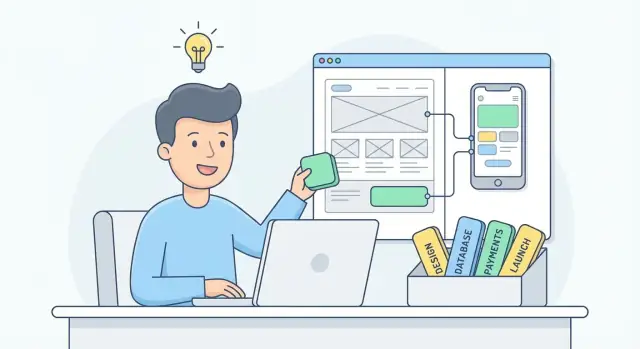
What “no-code” means (and what it doesn’t)
No-code means building a website or app using visual tools instead of writing programming code. You drag and drop elements, configure rules with simple settings, and connect ready-made services (like forms, databases, and payments). Think of it like assembling furniture with instructions: you’re still making something real—you’re just not milling the wood yourself.
What you can do with no-code
You can absolutely ship real products: landing pages, marketplaces, client portals, internal tools, simple mobile apps, and full web apps with accounts and data. Many no-code platforms also let you automate tasks (send emails, update records, trigger workflows) so your product behaves like a “proper” app.
What you can’t (or shouldn’t) expect
No-code isn’t magic, and it’s not always the best fit.
- Highly custom features (unique algorithms, complex real-time systems, heavy 3D) may be difficult or expensive.
- Performance limits can appear at large scale, depending on the tool.
- Tool constraints are real: you’re working within what the platform allows.
That said, these limits often don’t matter for a first version.
Who no-code is best for
No-code is ideal for founders, creators, and small teams who want to move fast, test an idea, and start learning from real users. It’s also great when you’d rather spend time on marketing and customer conversations than on engineering.
The main goal
Use no-code to get to a working first version quickly—something people can actually try—so you can validate the idea and improve it based on feedback.
Turn a vague idea into a clear problem statement
Most ideas start as a feature (“an app that tracks…”). A buildable product starts as a problem (“people struggle to…”). The goal of this step is clarity: who it’s for, what hurts, and what “better” looks like.
1) Define the user and the pain
Write a plain sentence that names a specific person and a specific frustration:
- Who is it for? (role, situation, frequency)
- What pain does it solve? (time, money, stress, mistakes, uncertainty)
Example: “Freelance designers waste time chasing invoices and don’t know what to follow up on.”
2) Write a one-sentence value proposition
Keep it concrete and testable:
For [user], [product] helps [solve problem] by [simple mechanism], so they can [outcome].
Example: “For freelance designers, InvoiceNudge helps you get paid faster by organizing due dates and sending reminders, so you stop chasing clients manually.”
3) List outcomes users want (not features)
Aim for 3–5 results a user would happily pay for:
- “Know what to do next”
- “Spend less time on admin”
- “Avoid missed deadlines”
- “Feel confident everything is tracked”
Notice none of these require deciding “web app vs mobile app” yet.
4) Pick the simplest first use case
Choose one moment where your product delivers value fast. Ask:
- What’s the smallest scenario where the user gets the main outcome?
Example first use case: “A designer enters one client, one invoice date, and gets an automatic reminder schedule.”
If you can’t explain this in two sentences, the idea is still too fuzzy.
Validate the idea before you build
Validation is finding evidence that real people want what you’re about to make—before you spend weeks building features no one asked for. You’re not proving your idea is perfect; you’re checking whether the problem is real and painful enough.
Fast ways to validate (in a weekend)
Start with lightweight research:
- Quick interviews: Talk to 5–10 people who match your audience. Ask about their current workaround, what it costs them (time/money/stress), and what they’ve already tried.
- Short surveys: Useful for confirming patterns, not discovering them. Keep it under 8 questions and include one open-ended “Tell me more” question.
- Competitor scan: Search for existing tools, templates, and communities. If competitors exist, that’s often a good sign—look for gaps in reviews (missing features, confusing pricing, poor onboarding).
Test demand with a landing page
Build a simple landing page that explains:
- Who it’s for
- The problem you solve
- The promised outcome
- A single call-to-action: “Join the waitlist”
Connect it to a signup form (email is enough). Share it where your audience already hangs out (relevant groups, forums, newsletters, small ads if you can).
Define what “success” looks like
Pick a clear target so you can decide objectively. For example: 50 waitlist signups in 14 days, or 10 people booking a demo call.
If you miss the target, don’t “build more.” Adjust the audience, message, or problem statement, then retest.
Decide what to build first: the MVP
An MVP (Minimum Viable Product) is the smallest version of your website or app that’s still genuinely useful. Not a “demo” and not a half-finished idea—just the simplest product that can help a real person complete one meaningful task.
Define “smallest useful” in plain terms
Ask: What is the one problem I’m solving, and what does “solved” look like for a first-time user? Your MVP should deliver that outcome with as few steps, screens, and features as possible.
Make a “must have” vs “nice to have” list
Keep it strict:
- Must have: features required for the core result (e.g., browse items, submit a request, get a confirmation)
- Nice to have: everything that improves the experience but isn’t required (profiles, ratings, multiple themes, admin dashboards)
If a feature doesn’t support the main outcome, move it to “nice to have.” You can add it after you’ve proven people want the product.
Pick one core user journey to build end-to-end
Choose a single path and support it completely. Example: Landing page → sign up → create one item → pay (or submit) → receive confirmation. Finishing one journey beats starting five.
Common MVP mistakes to avoid
MVPs usually grow because of:
- Too many pages (marketing site + help center + blog + multiple funnels)
- Too many roles (admins, vendors, customers, teams—all at once)
- Too many edge cases (handling every scenario before you have users)
Build the simplest useful flow, launch it, learn, then expand.
Choose: website, web app, or mobile app?
Before you pick tools or start designing, decide what you’re actually building. “Website,” “web app,” and “mobile app” can look similar to users—but they differ in purpose, cost, and what they can do.
Website: best for trust and discovery
A website is mostly about information and persuasion: explaining what you offer and helping people contact you.
Example: a marketing site for a new service with pages like Home, Pricing, About, and a contact form.
Web app: best for doing a task
A web app runs in the browser, but it’s interactive and data-driven. Users log in, create things, manage workflows, or complete transactions.
Examples:
- A booking system where customers pick a time slot and pay
- A marketplace where sellers list items and buyers message or purchase
- A client portal to upload files, view invoices, or track progress
Mobile app: best for frequent use or phone-specific features
A mobile app is installed from an app store (or distributed privately). It’s often worth it when you need an “always there” experience or deep device access.
Choose a mobile app when you truly need:
- Offline access (or unreliable connectivity)
- Push notifications as a core feature
- Device features like camera scanning, GPS tracking, Bluetooth, contacts, or background location
A practical rule of thumb
If people will use it occasionally, start with a responsive web app (it works on phones and desktops). Add a mobile app later once you’ve proven demand.
Also factor in constraints: app store reviews, extra design guidelines, update cycles, and higher build/maintenance effort compared to web.
Understand the basic building blocks (no jargon)
Most no-code tools look different, but they all use the same few “parts.” Once you recognize them, you can learn any website builder or app builder faster—and make better decisions about what to build.
The four building blocks you’ll use constantly
Pages (screens): What people see and click. A landing page, a checkout screen, a “My Account” page—these are all pages.
Database (your saved information): Where your app stores things like users, orders, bookings, messages, and settings. Think of it like a set of organized lists or tables.
Logic (rules): The “if this, then that” behavior. Example: “If a user is logged in, show their dashboard. If not, show the sign-in page.”
User accounts (who’s who): Logins, passwords, profiles, roles (like admin vs. customer), and permissions (who can edit or view what).
What “workflow/automation” means (with a normal-life example)
A workflow is just a chain of steps that runs when something happens.
Everyday example: someone fills out your contact form.
- Save the message in your database
- Send an email notification to you
- Send an automatic “We got it” email to them
- Add a tag like “New lead”
No-code tools let you build that sequence with clicks instead of code.
Integrations: connecting the tools you already use
You’ll often plug your project into:
- Email (newsletters, onboarding, notifications)
- Payments (one-time purchases, subscriptions)
- Analytics (track signups, purchases, drop-off)
- Calendars (booking and reminders)
Integrations usually mean “when X happens here, do Y there.”
Templates and components: speed without shortcuts
Templates give you a ready-made starting point (pages + layout). Components are reusable pieces like headers, pricing cards, and signup forms. Use both to move faster—then customize only what affects your MVP and conversion.
Pick the right no-code tools using a simple checklist
No-code can feel overwhelming because there are so many options. The goal isn’t to find the “perfect” tool—it’s to pick one that fits what you’re building right now, and lets you upgrade later.
The main tool categories (in plain English)
- Website builders: Best for marketing pages, landing pages, and simple content sites.
- App builders: Best for logged-in experiences, dashboards, marketplaces, and anything with user accounts and data.
- Automation tools: Connect your tools so they pass data around (forms → spreadsheets → email → CRM), without manual copy/paste.
You can build a lot with just one platform. Start there. Add automation or extra tools only when you hit a clear need (for example: “I need payments,” “I need a booking calendar,” or “I need to sync leads to my email list”).
If you like the speed of no-code but want more flexibility than a purely visual builder, there’s also a newer category often called vibe-coding: building apps by describing what you want in chat, with an AI generating and updating the underlying app for you. For example, Koder.ai lets you create web, backend, and mobile apps from a conversation—then export source code, deploy/host, connect a custom domain, and use snapshots/rollback when you want to ship changes safely. It can be a practical bridge between “no-code speed” and “custom-code control,” especially for MVPs that may need to evolve.
A simple side-by-side checklist
Use this to compare 2–3 tools quickly:
| What to check | Questions to ask |
|---|---|
| Ease of use | Can you build a basic page in 30 minutes? Do tutorials match your skill level? |
| Templates | Do they have templates for your use case (portfolio, directory, booking, store)? |
| Integrations | Does it connect to what you already use (payments, email, analytics)? |
| Pricing | What’s the real monthly cost after adding users, pages, or database items? |
| Support | Is there live chat, good docs, and an active community? |
If two tools tie, pick the one with simpler publishing and clearer pricing. You’ll move faster—and that matters more than fancy features early on.
Plan the pages and user flow (before designing)
Before you pick colors or fonts, get clear on what people will do on your site or app. A simple page plan and user flow prevents “wait, where does this button go?” later—and it keeps your build focused.
Start with paper (fastest)
Sketch a few key screens on paper first. It’s quicker than any tool, and it forces you to think in actions: what the user sees, taps, and decides. Aim for messy and readable, not pretty.
Make a tiny sitemap and navigation plan
Write down your main pages and how someone moves between them. For many MVPs, 4–7 pages is enough:
- Home / landing
- Sign up / log in
- Core feature page (the “do the thing” screen)
- Pricing or plan selection (if relevant)
- Account / settings
- Help / contact
Then decide how navigation works: top menu, tabs, sidebar, or a single primary button. Keep it consistent.
Wireframe to avoid design debates
Create a basic wireframe (boxes and labels). This helps you agree on layout before anyone argues about styling. Focus on:
- One primary action per screen
- Clear states (empty, loading, success, error)
- What happens after each action (the “next step”)
Don’t skip accessibility basics
Good UX is often simple UX. Make sure text is readable (comfortable size), contrast is strong enough (dark text on light background works well), and buttons look like buttons. Use clear labels like “Create account” instead of “Submit.”
If you want, you can turn this plan into build tasks in your checklist, then move on to /blog/build-a-working-version-step-by-step.
Build a working version step by step
The fastest way to get something real on screen is to start with a template (or starter kit) that already has navigation, responsive layout, and a basic design system.
Pick the template closest to your goal (booking, marketplace, dashboard, directory). Then customize only what you need: your brand colors, logo, and the 2–3 key pages. If you start from a blank canvas, you’ll spend most of your time on layout instead of making the product work.
1) Build one “happy path” first
Choose one main user goal and make that end-to-end flow work before adding extras.
Example: Sign up → complete onboarding → use the core feature once → see a result on a dashboard.
2) Add the core pages (simple versions)
Most products need a few standard screens:
- Onboarding: a short sequence that collects the minimum info to personalize the experience.
- Dashboard: the “home base” that shows what matters right now.
- Settings: profile details, notifications, plan/billing (even if billing is “coming soon”).
Keep each page plain at first. You’re proving the flow, not polishing UI.
3) Connect your database and basic logic
Set up a database with only the tables you truly need (often just Users plus one “core item” table, like Projects, Listings, or Orders).
Then add basic rules:
- When a user signs up, create their user record.
- When they submit a form, create or update a record.
- Show the right data to the right user (privacy/permissions).
4) Tight scope: finish one flow, then expand
Before adding new pages, confirm the first flow works without workarounds. A fully working small product beats a half-built big one every time.
Add the essentials: accounts, data, and payments
Once your MVP works end-to-end, the next step is making it usable day-to-day: people need a way to sign in, you need a place to store information, and (if you’re charging) a safe way to collect money.
Accounts: who’s using it?
Start by deciding whether you truly need login. If your app is personal (notes, drafts, saved items) or involves private info, you probably do.
In plain terms, think in roles:
- Visitor: can browse, but can’t save or submit much.
- Member/User: can create, edit, and view their own items.
- Admin: can view everything, manage users, and fix problems.
Permissions are just “who can do what.” Write them down before building so you don’t accidentally expose private data.
Data: what are you storing?
Most MVPs boil down to a few must-haves:
- Forms (contact, onboarding, checkout details)
- Notifications (email confirmations, reminders, status updates)
- Admin view (a simple back-office page to review submissions, update statuses, and handle support)
Keep your data model simple: one table/list per “thing” (users, orders, bookings, requests), with clear statuses like new → in progress → done.
Payments: decide how you charge
First choose your pricing shape:
- One-time payment (e.g., pay per report, booking, or download)
- Subscription (monthly/annual access)
Then decide what matters for your first version: free trial, coupons, refunds, and invoices can often wait. Use a common payment provider integration in your tool, and test the full flow with a low-price product before going live.
Don’t forget the basic legal pages
If you collect data or take payments, add the basics: Terms, Privacy Policy, and a Cookie Notice (when needed). Link them in your footer so they’re easy to find.
Test with real users and fix the biggest issues
Testing isn’t about proving your idea is “perfect.” It’s about spotting the few problems that will stop someone from completing the main task—signing up, finding an item, booking, paying, or contacting you.
Make a tiny test plan (15 minutes)
Write down 3–5 key flows you want people to try. Keep them simple and concrete, like:
- “Create an account and confirm you can log in again.”
- “Find a product/service and reach the checkout (or booking) screen.”
- “Send a message through the contact form.”
For each flow, define what “success” looks like (e.g., “user reaches confirmation screen”). This keeps feedback focused.
Test across devices and catch obvious breakpoints
Run your own quick checks before handing it to others:
- Try mobile and desktop (small screens reveal layout issues fast).
- Click every main link in the header/footer and any call-to-action buttons.
- Check loading speed on mobile data if you can; slow pages feel “broken.”
- Look for missing images, error messages, and forms that don’t submit.
Get feedback from 5–10 real people
Aim for people who match your audience, not just supportive friends. Ask them to share their screen (or record their session) and narrate what they’re thinking. Your job is to watch, not explain.
Fix now vs later: focus on blockers
After testing, group issues into:
- Blockers (fix now): can’t sign up, can’t pay, can’t find the main action, confusing error states.
- Friction (fix soon): unclear labels, too many steps, minor mobile spacing issues.
- Polish (later): colors, animations, nice-to-have features.
Fix the blockers first, then retest the same flows. That loop is where your product becomes usable quickly.
Launch, measure, and improve (the simple loop)
Launching isn’t a one-time event—it’s the moment you start learning from real behavior. A good launch is small, measurable, and easy to roll back if something breaks.
A practical launch checklist
Before anyone outside your team sees it, confirm the basics:
- Domain: your live URL works (and redirects correctly from www/non‑www).
- SSL: the site loads with HTTPS and no browser warnings.
- Analytics: install one tool and verify it records visits and key actions.
- Backups: know how to restore your database/content if you make a bad change.
- Error reporting: set up crash/error alerts (especially for forms, checkout, and login).
Also do one last “happy path” run: visit → sign up → complete the main action → log out → log back in.
Soft launch vs. public launch
A soft launch means inviting a small group first (friends, a waitlist, a niche community). Keep it limited so you can watch support messages, fix the top issues, and adjust onboarding quickly.
A public launch is when you promote broadly (social posts, communities, Product Hunt, ads). Do this only after your soft launch shows users can reliably reach the “aha moment” without hand-holding.
Track a few core metrics (not everything)
Pick 3 numbers you’ll check weekly:
- Signups (or leads): are people raising their hand?
- Activation: do new users complete the first meaningful action?
- Retention: do they come back after a few days?
The simple loop
Use a tight cycle:
feedback → changes → re-test → ship
Collect feedback with short prompts (1–2 questions), make one focused improvement, test it with a few users, then release. This is how products get better fast—without rebuilding from scratch.
Costs, timelines, and common pitfalls to avoid
Money and time are usually the two things that make a project feel “bigger” than it is. A simple budget and a realistic timeline keep you shipping.
Typical costs (what people actually pay for)
Most first MVPs have a small fixed base, plus optional growth spend:
- Tool subscriptions: ~$0–$200/month depending on whether you need automation, database features, or team access.
- Domain: ~$10–$20/year.
- Email: ~$0–$20/month (basic business email and simple email marketing).
- Payments: usually no monthly fee to start, but payment processors take a per-transaction cut.
- Ads & acquisition (optional): anywhere from $0 to “as much as you can test with.” A small test budget (even $50–$300) can be enough to learn.
Time estimates for a first MVP
Your timeline depends on how many moving parts you include:
- Landing page + waitlist: 2–8 hours.
- Simple web app (login + 1 main workflow): 3–10 days.
- Marketplace or multi-role app (buyers/sellers/admin): 2–6 weeks.
If you find yourself planning months, your scope is probably too large for an MVP.
Common pitfalls to avoid
- Tool sprawl: adding a new tool for every problem. Pick a core stack and stick to it.
- Unclear scope: “It needs to do everything” turns into “it never ships.” Write down what success looks like for v1.
- Ignoring data structure: messy fields and inconsistent naming create bugs later. Define your key data (users, items, orders) before building screens.
When to hire help or switch to custom code
Consider help when you need complex integrations, advanced permissions/security, high performance at scale, or features your tool can only do with hacks. If you’re spending more time fighting the platform than improving the product, it’s a clear signal to bring in an expert or move to custom code.
FAQ
What does “no-code” actually mean?
No-code means you build with visual tools (drag-and-drop UI, settings, and prebuilt integrations) instead of writing programming code. You’re still making a real product—you’re just using a platform’s building blocks (pages, database, logic, accounts) rather than coding them from scratch.
What kinds of products can I build with no-code?
You can ship real products like landing pages, client portals, internal tools, simple marketplaces, and web apps with logins and data. Many platforms also support automations (e.g., save a form submission, notify you by email, tag the lead, and send a confirmation message).
What are the main limitations of no-code?
Expect friction when you need:
- Highly custom or compute-heavy features (unique algorithms, complex real-time systems, heavy 3D)
- Extreme performance at large scale (depending on the platform)
- Behavior the tool simply doesn’t allow without workarounds
For a v1, these limits often don’t matter—optimize for learning, not perfection.
How do I turn a vague idea into something I can actually build?
Start with a specific problem statement:
- User + pain: “Who is struggling, and with what?”
- Value prop: “For [user], [product] helps [solve problem] by [mechanism], so they can [outcome].”
- Outcomes (not features): list 3–5 results users want
- Simplest first use case: one scenario where they get value fast
If you can’t describe the first use case in two sentences, the idea is still too fuzzy.
How can I validate demand before spending weeks building?
Do lightweight validation before building:
- Interview 5–10 target users about their current workaround and what it costs them
- Use a short survey to confirm patterns (not to discover them)
- Scan competitors and look for gaps in reviews (missing features, confusing pricing, poor onboarding)
Then build a simple landing page with one CTA (like “Join the waitlist”) and set a clear success target (e.g., 50 signups in 14 days).
What should my MVP include (and what should I cut)?
An MVP is the smallest version that is still genuinely useful—one end-to-end journey that delivers a real outcome. A practical approach:
- Write “must have” vs “nice to have” features (be strict)
- Build one core user flow end-to-end (finish one journey, don’t start five)
- Avoid common scope traps like too many pages, roles, and edge cases
Launch the simple version, learn from users, then expand.
Should I build a website, a web app, or a mobile app first?
Use this rule of thumb:
- Website: best for trust, discovery, and contact (marketing pages)
- Web app: best for doing tasks with accounts and data (dashboards, workflows, transactions)
- Mobile app: best for frequent use or phone-specific needs (offline, push notifications, camera, GPS, Bluetooth)
If usage is occasional, start with a responsive web app and add a mobile app later once demand is proven.
How do I choose the right no-code tool without overthinking it?
Compare 2–3 tools using a simple checklist:
- Can you build a basic page in ~30 minutes?
- Do they have templates for your use case?
- Do they integrate with what you need (payments, email, analytics)?
- What’s the real monthly cost after users/data/pages?
- Is support/docs/community strong?
If two tools tie, pick the one with simpler publishing and clearer pricing so you can ship faster.
What’s the simplest way to set up accounts, permissions, and data?
Keep the data model small and consistent:
- Start with Users plus one “core item” table (Projects, Listings, Orders, Requests, etc.)
- Define clear statuses like new → in progress → done
- Write roles/permissions (visitor vs member vs admin) before building screens
Messy fields and unclear permissions create bugs and privacy issues later—simple structure now saves time later.
How do I test and launch a no-code product without missing critical issues?
Test the flows that matter most and fix blockers first:
- Write 3–5 key tasks to test (sign up/login, complete the main action, pay or submit a form)
- Test on mobile and desktop; click every primary link and CTA
- Get feedback from 5–10 people who match your audience (watch them, don’t explain)
For launch, track a few core metrics weekly: signups/leads, activation (first meaningful action), and retention (do they come back).