

Why AI Helps Kill Weak Ideas Before They Burn Your Budget
Using AI to stress-test ideas early helps teams spot weak assumptions, avoid sunk costs, and focus time and capital on what can work.
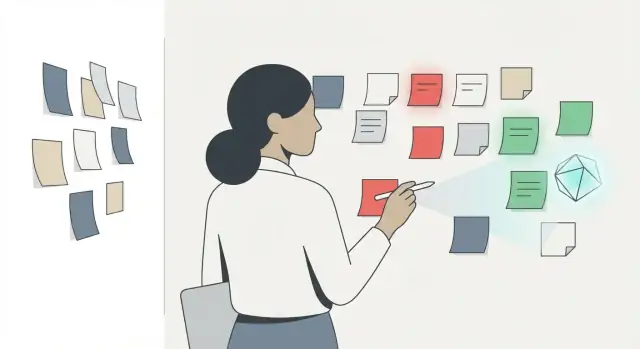
Why invalidating ideas early is a competitive advantage
Most teams treat idea validation as a search for confirmation: “Tell me this will work.” The smarter move is the opposite: try to kill the idea quickly.
AI can help—if you use it as a fast filter for weak ideas, not as a magic oracle that predicts the future. Its value isn’t “accuracy.” It’s speed: generating alternative explanations, spotting missing assumptions, and suggesting cheap ways to test what you believe.
The real cost of a weak idea
Pursuing a weak idea doesn’t just waste money. It quietly taxes your entire company:
- Time: weeks spent building the wrong thing instead of learning.
- Cash: prototypes, contractors, tooling, and marketing spend that doesn’t compound.
- Morale: teams lose trust when effort doesn’t lead to traction.
- Opportunity cost: while you’re busy, competitors iterate—or your window closes.
The most expensive outcome isn’t “failure.” It’s late failure, when you’ve already hired, built, and anchored your identity to the idea.
What AI can (and can’t) do here
AI is great at stress-testing your thinking: surfacing edge cases, writing counterarguments, and turning vague beliefs into testable statements. But it can’t replace evidence from customers, experiments, and real-world constraints.
Treat AI output as hypotheses and prompts for action, not proof.
The workflow you’re about to use
This article follows a repeatable loop:
- Assumptions: translate the idea into claims that must be true.
- Tests: design fast checks that can falsify those claims.
- Decision gates: decide when to stop, pivot, or proceed—before sunk costs take over.
When you get good at invalidation, you don’t become “negative.” You become faster than teams that need certainty before they learn.
What makes an idea weak (and why people miss it)
Weak ideas rarely look weak at the start. They feel exciting, intuitive, even “obvious.” The problem is that excitement is not evidence. Most bad bets share a few predictable failure modes—and teams miss them because the work feels productive long before it becomes provable.
Common failure modes that quietly kill ideas
A lot of ideas fail for reasons that sound almost boring:
- A vague customer: “Small businesses,” “creators,” or “busy parents” isn’t a customer. If you can’t name who has the problem, when it happens, and what they do today, you can’t validate anything.
- Unclear value: If you can’t finish the sentence “They will switch because ___,” you’re relying on hope. “It’s better” is not a reason; it’s a claim.
- Unrealistic channels: Many ideas assume distribution will be easy: “We’ll go viral,” “we’ll run ads,” “we’ll partner with X.” Channels are constraints, not footnotes.
- Pricing fantasy: Teams either avoid pricing entirely (“we’ll figure it out later”) or pick a number that makes the spreadsheet work. Real pricing is tied to urgency, alternatives, and budget owners.
Why smart teams still get trapped
Even experienced founders and product teams fall into predictable mental traps:
- Sunk cost: After a few weeks of building, it becomes emotionally harder to ask “should we stop?”
- Confirmation bias: You remember the one enthusiastic comment and forget the ten polite “not for me” responses.
- Founder attachment: The idea becomes part of identity. Criticism feels personal, so the questions get softer.
Busy work that hides a lack of proof
Some work creates motion without learning. It looks like progress but doesn’t reduce uncertainty: polished mockups, naming and branding, a backlog full of features, or a “beta” that’s really just friends being supportive. These artifacts can be useful later—but they can also disguise the absence of a single clear, testable reason the idea should exist.
The real goal: turn opinions into testable statements
An idea becomes strong when you can translate it into specific assumptions—who, what problem, why now, how they find you, and what they’ll pay—and then test those assumptions quickly.
This is where AI-assisted validation becomes powerful: not to generate more enthusiasm, but to force precision and expose gaps early.
What AI is good at in idea validation
AI is most valuable early—when your idea is still cheap to change. Think of it less as an oracle and more as a fast sparring partner that helps you pressure-test your thinking.
Where AI shines
First, speed: it can turn a fuzzy concept into a structured critique in minutes. That matters because the best time to find a flaw is before you’ve hired, built, or branded around it.
Second, breadth of perspectives: AI can simulate viewpoints you might not naturally consider—skeptical customers, procurement teams, compliance officers, budget holders, and competitors. You’re not getting “the truth,” but you are getting a wider set of plausible objections.
Third, structured critique: it’s good at turning a paragraph of enthusiasm into checklists of assumptions, failure modes, and “what would have to be true” statements.
Fourth, drafting test plans: AI can propose quick experiments—landing-page copy variants, interview questions, smoke tests, pricing probes—so you spend less time staring at a blank page and more time learning.
The limits you must plan for
AI can hallucinate details, mix time periods, or confidently invent competitor features. It can also be shallow on domain nuance, especially in regulated or highly technical categories. And it tends toward overconfidence, producing answers that sound finished even when they’re only plausible.
Treat anything it says about markets, customers, or competitors as a lead to verify—not evidence.
A simple operating principle
Use AI to generate hypotheses, not conclusions.
Ask it to produce objections, counterexamples, edge cases, and ways your plan could fail. Then validate the most damaging items with real signals: customer conversations, small experiments, and careful checks of primary sources. AI’s job is to make your idea earn its keep.
Turn the idea into assumptions you can actually test
Most ideas sound convincing because they’re phrased as conclusions: “People need X” or “This will save time.” Conclusions are hard to test. Assumptions are testable.
A useful rule: if you can’t describe what would prove you wrong, you don’t have a hypothesis yet.
Start with falsifiable hypotheses
Write hypotheses across the few variables that actually decide whether the idea lives or dies:
- Customer: who specifically has the problem?
- Problem severity: how painful and frequent is it?
- Willingness to pay: do they pay, or do they “like” it?
- Distribution: how will they discover and adopt it?
Use a simple template that forces clarity:
If
[segment]
then
[observable behavior]
because
[reason/motivation].
Example:
If independent accountants who file 50+ returns/month are shown an automated document-checker, then at least 3/10 will request a trial within a week because missing a single form creates rework and client blame.
Ask AI to convert vagueness into assumptions
Take your vague pitch and ask AI to rewrite it into 5–10 testable assumptions. You want assumptions phrased as things you can observe, measure, or hear in an interview.
For instance, “teams want better project visibility” can become:
- Managers currently spend 2+ hours/week chasing status.
- Teams already use two or more tools to cobble together reporting.
- A weekly dashboard would replace an existing ritual (not add another).
- At least one stakeholder has budget authority for workflow software.
Prioritize by risk: impact × uncertainty
Not all assumptions deserve equal attention. Rate each one on:
- Impact (if false, does the idea break?)
- Uncertainty (do you know this, or are you guessing?)
Test the high-impact, high-uncertainty assumptions first. That’s where AI helps most: turning your “idea story” into a ranked list of make-or-break claims you can validate quickly.
Use AI as a red team, not a cheerleader
Most people use AI like an enthusiastic friend: “That’s a great idea—here’s a plan!” That’s comforting, but it’s the opposite of validation. If you want to kill weak ideas early, assign AI a harsher role: an intelligent adversary whose job is to prove you wrong.
Steelman the critique (don’t strawman it)
Start by asking AI to build the strongest possible case against your idea—assuming the critic is smart, fair, and informed. This “steelman” approach produces objections you can actually learn from (pricing, switching friction, trust, procurement, legal risk), not shallow negativity.
A simple constraint helps: “No generic concerns. Use specific failure modes.”
Force alternatives and switching logic
Weak ideas often ignore a brutal truth: customers already have a solution, even if it’s messy. Ask AI to list competing solutions—including spreadsheets, agencies, existing platforms, and doing nothing—and then explain why customers won’t switch.
Pay attention when “the default” wins because of:
- Habit and low perceived pain
- Integration and workflow lock-in
- Risk (reliability, compliance, reputation)
- Hidden costs (migration, training, approvals)
Run a 12-month pre-mortem
A pre-mortem turns optimism into a concrete failure story: “It failed in 12 months—what happened?” The goal isn’t drama; it’s specificity. You want a narrative that points to preventable mistakes (wrong buyer, long sales cycle, churn after month one, CAC too high, feature parity).
Track disconfirming signals
Finally, ask AI to define what would prove the idea is wrong. Confirming signals are easy to find; disconfirming signals keep you honest.
Act as a red-team analyst.
1) Steelman the best arguments against: [idea]
2) List 10 alternatives customers use today (including doing nothing).
   For each: why they don’t switch.
3) Pre-mortem: It failed in 12 months. Write the top 7 causes.
4) For each cause, give 2 disconfirming signals I can watch for in the next 30 days.
If you can’t name early “stop” signals, you’re not validating—you’re collecting reasons to continue.
Customer discovery: faster prep, clearer learning goals
Customer discovery fails less from lack of effort and more from fuzzy intent. If you don’t know what you’re trying to learn, you’ll “learn” whatever supports your idea.
AI helps most before you ever talk to a customer: it forces your curiosity to become testable questions, and it keeps you from wasting interviews on feel-good feedback.
Start from assumptions, then write the interview
Pick 2–3 assumptions you need to verify now (not eventually). Examples: “people feel this pain weekly,” “they already pay to solve it,” “a specific role owns the budget.”
Ask AI to draft an interview guide that maps each question to an assumption. This keeps the conversation from drifting into feature brainstorming.
Also generate screening questions that ensure you’re talking to the right people (role, context, frequency of the problem). If the screen doesn’t match, don’t interview—log it and move on.
Separate “must learn” from “nice to know”
A useful interview has a narrow goal. Use AI to split your question list into:
- Must learn: answers that would change your decision (continue, pivot, stop)
- Nice to know: interesting details you can postpone
Then cap yourself: e.g., 6 must-learn questions, 2 nice-to-know. This protects the interview from turning into a friendly chat.
Build a note-taking rubric before you collect notes
Ask AI to create a simple rubric you can use while listening. For each assumption, capture:
- Evidence: what happened, what they did, what they paid
- Quote: verbatim wording (helps avoid “interpretation drift”)
- Strength of signal: strong / medium / weak, with a one-line reason
This makes interviews comparable, so you can see patterns instead of remembering the most emotional conversation.
Eliminate leading questions and vanity feedback
Many discovery questions accidentally invite compliments (“Would you use this?” “Is this a good idea?”). Have AI rewrite your questions to be neutral and behavior-based.
For example, replace:
- “Would you pay for a tool that does X?”
With:
- “When was the last time you dealt with X? What did you do? What did it cost (time, money, risk)?”
Your goal isn’t enthusiasm. It’s reliable signals that either support the idea—or help you kill it quickly.
Market and competitor checks without pretending it’s “research”
AI can’t replace real market work, but it can do something valuable before you spend weeks: create a map of what to verify. Think of it as a fast, opinionated briefing that helps you ask smarter questions and spot obvious blind spots.
Use AI to draft a market map (as hypotheses)
Start by asking for segments, existing alternatives, and a typical buying process. You’re not looking for “the truth”—you’re looking for plausible starting points you can confirm.
A useful prompt pattern:
“For [idea], list likely customer segments, the job-to-be-done for each, current alternatives (including doing nothing), and how purchase decisions are typically made. Mark each item as a hypothesis to validate.”
When AI gives you a map, highlight the parts that would kill the idea if wrong (e.g., “buyers don’t feel the pain,” “budget sits in a different department,” “switching costs are high”).
Build a competitor comparison framework
Ask AI to create a table you can use repeatedly: competitors (direct/indirect), target customer, core promise, pricing model, perceived weaknesses, and “why customers choose them.” Then add differentiation hypotheses—testable statements like “We win because we cut onboarding from 2 weeks to 2 days for teams under 50.”
Keep it grounded by forcing trade-offs:
“Based on this set, propose 5 differentiation hypotheses that require us to be worse at something else. Explain the trade-off.”
Pricing anchors and packaging options
AI is helpful for generating pricing anchors (per seat, per usage, per outcome) and packaging options (starter/pro/team). Don’t accept the numbers—use them to plan what to test in conversations and landing pages.
Verification step (non-negotiable)
Before you treat any claim as real, verify it:
- Confirm competitor features and pricing on their sites, docs, and current reviews.
- Validate buying process and willingness-to-pay via customer calls.
- Capture sources in a simple notes doc so your team can audit assumptions later.
AI accelerates the setup; your job is to pressure-test the map with primary research and reliable sources.
Rapid experiments that expose weak ideas cheaply
A weak idea doesn’t need months of building to reveal itself. It needs a small experiment that forces reality to answer one question: “Will anyone take the next step?” The goal isn’t to prove you’re right—it’s to find the fastest, cheapest way to be wrong.
Pick the cheapest test that matches the risk
Different risks need different experiments. A few reliable options:
- Landing page test: Validate demand and positioning. Send traffic, measure email signups or “request access.”
- Concierge test: Deliver the outcome manually (or with heavy human help) to learn what customers actually need before automation.
- Paid ads test: Validate message-market fit quickly. Useful when you can target a specific audience.
- Outbound test: Email/DM a curated list to test whether the problem feels urgent enough to book a call.
- Prototype/demo test: Show a clickable prototype or short video and measure whether people commit to a next step.
Ship the test artifact fast (without committing to the full build)
The subtle trap in validation is accidentally building “the real product” before you’ve earned it. One way to avoid that is to use tools that let you generate a credible demo, landing page, or thin vertical slice quickly—then throw it away if the signals are weak.
For example, a vibe-coding platform like Koder.ai can help you spin up a lightweight web app from a chat interface (often enough for a demo flow, internal prototype, or smoke test). The point isn’t to perfect architecture on day one; it’s to shorten the time between hypothesis and customer feedback. If the idea survives, you can export source code and keep building with more traditional workflows.
Use AI to define success criteria (and keep you honest)
Before you run anything, ask AI to propose:
- Success criteria: What would count as “this is working” for this test (e.g., signup rate, booked calls, pre-orders).
- Minimum sample sizes: Not academic precision—just “don’t overreact to 17 visitors.” For example, it might recommend “wait for 200–500 landing page visits” or “run outbound to 50–100 qualified prospects.”
- Expected ranges: What’s a reasonable conversion rate for your channel and offer, so you don’t celebrate noise.
Then decide what you’ll do if results are weak.
Define “kill criteria” up front
Kill criteria are pre-commitments that prevent sunk-cost spiral. Examples:
- If 300 targeted visitors produce fewer than 10 signups, pause and rewrite the offer.
- If 80 outbound messages yield fewer than 3 qualified calls, pivot audience or problem.
- If 5 concierge users won’t repeat or pay, stop building.
Watch the most common failure mode: testing to “win”
AI can help you craft persuasive copy—but that’s also a trap. Don’t optimize your test to look good. Optimize it to learn. Use plain claims, avoid hiding price, and resist cherry-picking audiences. A “failed” test that saves six months is a win.
Decision gates: how to stop before sunk costs take over
Most teams don’t fail because they never learn. They fail because they keep learning without ever deciding. A decision gate is a pre-agreed checkpoint where you either commit to the next step or deliberately reduce commitment.
A simple four-outcome gate
At each gate, force one of four outcomes:
- Proceed: evidence supports the assumptions; increase investment.
- Pivot: the core goal stays, but you change audience, problem framing, or solution.
- Pause: evidence is inconclusive; you park it until a specific condition changes.
- Stop: key assumptions are false or too expensive to make true.
The rule that keeps this honest: you decide based on assumptions, not enthusiasm.
Let AI compile the case (and the counter-case)
Before the gate meeting, ask AI to:
- Summarize evidence from interviews, experiments, and notes into “supports / contradicts / unknown.”
- Highlight contradictions (e.g., “Users say X, but behavior shows Y”).
- Restate the decision in plain language: “If we proceed, we’re betting that ___.”
This reduces selective memory and makes it harder to talk around uncomfortable results.
Time-boxes and budgets that prevent drift
Set constraints in advance for every stage:
- Time-box (example): 5 working days to validate demand signals.
- Budget cap (example): $1,000 on ads/tests, 10 customer conversations.
- Exit criteria: the specific metrics or learning needed to justify proceeding.
If you hit the time or budget limit without meeting the criteria, the default outcome should be pause or stop, not “extend the deadline.”
Document the decision so you can revisit later
Write a short “gate memo” after each checkpoint:
- The assumptions tested
- What you learned (with links to raw notes)
- The chosen outcome (proceed/pivot/pause/stop)
- What would change the decision
When new evidence arrives, you can reopen the memo—without rewriting history.
Risks, ethics, and how to avoid self-deception
AI can help you spot weak ideas faster—but it can also help you rationalize them faster. The goal isn’t “use AI,” it’s “use AI without fooling yourself or harming others.”
Common ways teams misuse AI in validation
The biggest risks are behavioral, not technical:
- Treating confident outputs as evidence. A well-written answer can feel like proof. It’s not. Ask: What would change my mind? What would I need to verify?
- Cherry-picking. If you keep rephrasing until the model agrees with you, you’re rehearsing a pitch—not validating an idea.
- Skipping real customers. AI can draft questions and simulate objections, but it can’t replace the moment a real person says, “I wouldn’t pay for that.”
Data and privacy: don’t leak what you don’t own
Validation often involves customer quotes, support tickets, or early user data. Don’t paste sensitive or identifying information into AI tools unless you have permission and you understand the tool’s data handling.
Practical defaults: remove names/emails, summarize patterns instead of copying raw text, and keep proprietary numbers (prices, margins, contracts) out of prompts unless you’re using an approved setup.
Fairness and harm: “valid” can still be wrong
An idea can test well and still be unethical—especially if it relies on manipulation, hidden fees, addictive mechanics, or misleading claims. Use AI to actively search for harm:
- Who could be excluded or unfairly targeted?
- What could a bad actor do with this?
- What incentives might push the product toward exploitation?
Transparency beats vibes
If you want AI-assisted validation to be trustworthy, make it auditable. Record the prompts you used, what sources you checked, and what was actually verified by humans. This turns AI from a persuasive narrator into a documented assistant—and makes it easier to stop when the evidence isn’t there.
A practical workflow you can reuse (with prompt examples)
Here’s a simple loop you can run on any new product, feature, or growth idea. Treat it like a habit: you’re not trying to “prove it will work”—you’re trying to find the fastest way it won’t.
The checklist (repeatable)
- Define the idea (one sentence).
- Write 5–10 assumptions (customer, problem, willingness to pay, channel, feasibility).
- Red team it with AI to generate credible failure modes.
- Do 5–8 customer conversations with clear learning goals.
- Run 1–2 rapid experiments that test the riskiest assumptions.
- Decision gate: continue, pivot, or kill—based on pre-set criteria.
Prompt pack you can copy/paste
1) Critique (red team):
Act as a skeptical investor. Here is my idea: <IDEA>.
List the top 10 reasons it could fail. For each, give (a) what would be true if this risk is real, and (b) the cheapest test to check it within 7 days.
2) Pre-mortem:
Run a pre-mortem: It’s 6 months later and this idea failed.
Write 12 plausible causes across product, customers, pricing, distribution, timing, and execution.
Then rank the top 5 by likelihood and impact.
3) Interview script:
Create a 20-minute customer discovery script for <TARGET CUSTOMER> about <PROBLEM>.
Include: opening, context questions, problem intensity questions, current alternatives, willingness to pay, and 3 disqualifying questions.
Avoid leading questions.
4) Experiment plan + kill criteria:
Design one experiment to test: <RISKY ASSUMPTION>.
Give: hypothesis, method, audience, steps, time/cost estimate, success metrics, and clear kill criteria (numbers or observable signals).
Who does what (with AI assistance)
- Founder/GM: sets the gate criteria, makes the kill/continue call.
- PM: converts the idea into assumptions and experiment designs.
- Marketer/Growth: drafts landing pages, ads, and messaging tests.
- Analyst/ops-minded teammate: tracks evidence, summarizes interviews, keeps a decision log.
- AI: drafts, critiques, and structures—your team supplies judgment and real-world input.
Your next step
Pick one current idea and run steps 1–3 today. Book interviews tomorrow. By the end of the week, you should have enough evidence to either double down—or save your budget by stopping early.
If you’re also running product experiments in parallel, consider using a fast build-and-iterate workflow (for example, Koder.ai’s planning mode plus snapshots/rollback) so you can test real user flows without turning early validation into a long engineering project. The goal stays the same: spend as little as possible to learn as much as possible—especially when the right answer is “stop.”
FAQ
How should I use AI for idea validation without treating it like an oracle?
Use AI to stress-test assumptions, not to “predict success.” Ask it to list failure modes, missing constraints, and alternative explanations, then convert those into cheap tests (interviews, landing pages, outbound, concierge). Treat outputs as hypotheses until verified with real customer behavior.
Why is invalidating an idea early a competitive advantage?
Because the cost isn’t failure—it’s late failure. Killing a weak idea early saves:
- Time you’d spend building the wrong thing
- Cash on prototypes, tools, and marketing
- Morale when effort doesn’t translate to traction
- Opportunity while competitors iterate or the timing window closes
What are the most important assumptions to test first?
Turn the pitch into falsifiable hypotheses about:
- Who has the problem (specific segment)
- How often and how painful it is
- Why they switch from what they do today
- How they discover and adopt solutions
- What they will pay and who owns budget
If you can’t describe what would prove you wrong, you don’t have a testable hypothesis yet.
What makes an idea “weak” even if it sounds exciting?
Most weak ideas hide in these patterns:
- The “customer” is too broad or vague
- Value is fuzzy (“it’s better”) with no switching logic
- Distribution is hand-wavy (“we’ll go viral” / “we’ll run ads”)
- Pricing is postponed or invented to fit a spreadsheet
AI can help by rewriting your idea into a list of assumptions and ranking them by impact × uncertainty.
How do I use AI as a red team instead of a cheerleader?
Ask AI to act as a smart adversary and constrain it to be specific. For example:
- “Steelman the best case against this idea.”
- “List 10 alternatives customers use (including doing nothing) and why they won’t switch.”
- “Write a 12-month pre-mortem with top causes of failure.”
Then pick the top 1–2 risks and design the cheapest test to falsify them within a week.
How can AI make confirmation bias worse, and how do I prevent that?
Confirmation bias shows up when you:
- Rephrase prompts until the model agrees with you
- Treat confident writing as evidence
- Collect enthusiastic comments instead of behavior
Counter it by pre-defining disconfirming signals (what would make you stop) and logging evidence as supports / contradicts / unknown before you decide.
How can AI improve customer discovery interviews without creating “vanity feedback”?
Use AI before calls to:
- Turn assumptions into a focused interview guide
- Generate screening questions to find the right participants
- Rewrite leading questions into behavior-based ones
- Create a note-taking rubric (evidence, quote, signal strength)
During discovery, prioritize: what they did, what it cost, what they already use, and what would trigger a switch.
Can AI replace market and competitor research?
AI can draft a market map (segments, JTBD, alternatives, buying process) and a competitor comparison framework, but you must verify:
- Features and pricing on competitor sites/docs
- Real buying process in customer calls
- Any market claims with primary sources
Use AI to decide what to check, not what’s true.
What are fast experiments that expose weak ideas without months of building?
Pick the cheapest test that matches the risk:
- Landing page: positioning + demand signal
- Outbound: urgency + willingness to book time
- Concierge: whether the outcome is valuable before automation
- Prototype/video: whether people take a real next step
Define success and kill criteria up front (numbers or observable signals) so you don’t rationalize weak results.
How do decision gates prevent sunk-cost spirals in validation?
Use decision gates to force one outcome: proceed, pivot, pause, or stop. Make them effective by:
- Time-boxing (e.g., 5 days) and setting a budget cap
- Deciding based on assumptions + evidence, not enthusiasm
- Writing a short memo: what you tested, what you learned, what would change your mind
AI can help compile evidence, highlight contradictions, and restate the bet you’re making in plain language.