

UUID vs ULID vs serial IDs: picking the right ID for your DB
UUID vs ULID vs serial IDs: learn how each affects indexing, sorting, sharding, and safe data export and import in real projects.
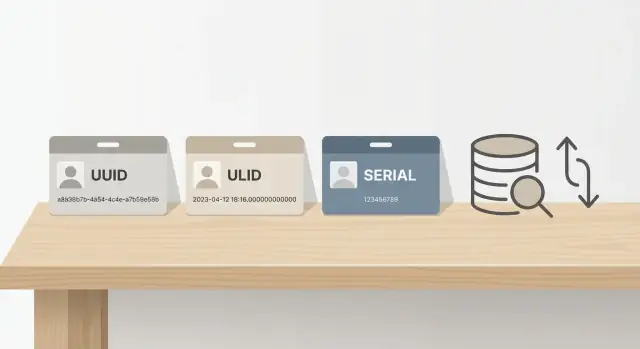
The real problem: picking an ID you will not regret later
An ID choice feels boring in week one. Then you ship, data grows, and that "simple" decision shows up everywhere: indexes, URLs, logs, exports, and integrations.
The real question is not "which is best?" It's "what pain do I want to avoid later?" IDs are hard to change because they get copied into other tables, cached by clients, and depended on by other systems.
When the ID doesn't match how the product evolves, you usually see it in a few places:
- Inserts and queries slow down because the primary key index grows in an unfriendly pattern.
- Pagination gets awkward when sorting by ID does not match creation time.
- Migrations get risky once other systems depend on your ID format.
- Debugging takes longer when IDs are hard to read or compare.
- Imports collide when you merge data from multiple sources.
There is always a tradeoff between convenience now and flexibility later. Serial integers are easy to read and often fast, but they can leak record counts and make merging datasets harder. Random UUIDs are great for uniqueness across systems, but they are rougher on indexes and harder for humans scanning logs. ULIDs aim for global uniqueness with time-ish ordering, but they still have storage and tooling tradeoffs.
A useful way to think about it: who is the ID mainly for?
If the ID is mostly for humans (support, debugging, ops), shorter and more scannable tends to win. If it's for machines (distributed writes, offline clients, multi-region systems), global uniqueness and collision avoidance matter more.
Quick definitions in plain language
When people debate "UUID vs ULID vs serial IDs," they're really choosing how each row gets a unique label. That label affects how easy it is to insert, sort, merge, and move data later.
Serial IDs (integer/bigint)
A serial ID is a counter. The database hands out 1, then 2, then 3, and so on (often stored as an integer or bigint). It's easy to read, cheap to store, and usually fast because new rows land at the end of the index.
UUIDs
A UUID is a 128-bit identifier that looks random, like 3f8a.... In most setups it can be generated without asking the database for the next number, so different systems can create IDs independently. The tradeoff is that random-looking inserts can make indexes work harder and take more space than a simple bigint.
ULIDs
A ULID is also 128-bit, but it's designed to be roughly time-ordered. Newer ULIDs usually sort after older ones, while still being globally unique. You often get some of the "generated anywhere" benefit of UUIDs with friendlier sort behavior.
A simple summary:
- Serial: smallest and ordered by default.
- UUID: easiest to generate independently, least human-friendly, often random order.
- ULID: independent like UUID, but roughly time-ordered.
Serial IDs are common for single-database apps and internal tools. UUIDs show up when data is created across multiple services, devices, or regions. ULIDs are popular when teams want distributed ID generation but still care about sort order, pagination, or "latest first" queries.
Indexing and performance: what changes in practice
A primary key is usually backed by an index (often a B-tree). Think of that index like a sorted phone book: every new row needs an entry placed in the right spot so lookups stay fast.
With random IDs (classic UUIDv4), new entries land all over the index. That means the database touches many index pages, splits pages more often, and does extra writes. Over time you get more index churn: more work per insert, more cache misses, and larger indexes than you expected.
With mostly increasing IDs (serial/bigint, or time-ordered IDs like many ULIDs), the database can usually append new entries near the end of the index. This is more cache-friendly because recent pages stay hot, and inserts tend to be smoother at higher write rates.
Key size matters because index entries are not free:
- serial bigint: 8 bytes
- UUID: 16 bytes
- ULID: 16 bytes if stored as binary, much larger if stored as a 26-character string
Bigger keys mean fewer entries fit per index page. That often leads to deeper indexes, more pages read per query, and more RAM needed to stay fast.
If you have an "events" table with constant inserts, a random UUID primary key can start feeling slower sooner than a bigint key, even if single-row lookups still look fine. If you expect heavy writes, indexing cost is usually the first real difference you notice.
Sorting, pagination, and time order
If you've built "Load more" or infinite scroll, you've already felt the pain of IDs that don't sort well. An ID "sorts well" when ordering by it gives you a stable, meaningful order (often creation time) so pagination is predictable.
With random IDs (like UUIDv4), newer rows are scattered. Ordering by id does not match time, and cursor pagination like "give me items after this id" becomes unreliable. You usually fall back to created_at, which is fine, but you need to do it carefully.
ULIDs are designed to be roughly time-ordered. If you sort by ULID (as a string or in its binary form), newer items tend to come later. That makes cursor pagination simpler because the cursor can be the last seen ULID.
What ULID gives you (and what it does not)
ULID helps with natural time-ish ordering for feeds, simpler cursors, and less random insertion behavior than UUIDv4.
But ULID does not guarantee perfect time order when many IDs are generated in the same millisecond across multiple machines. If you need exact ordering, you still want a real timestamp.
When created_at is still better
Sorting by created_at is often safer when you backfill data, import historical records, or need clear tie-breaking.
A practical pattern is to order by (created_at, id), where id is only a tie-breaker.
Sharding later: avoiding ID collisions
Sharding means splitting one database into several smaller ones so each shard holds part of the data. Teams usually do this later, when a single database is hard to scale or becomes too risky as a single point of failure.
Your ID choice can make sharding either manageable or painful.
With sequential IDs (auto-increment serial or bigint), every shard will happily generate 1, 2, 3.... The same ID can exist on multiple shards. The first time you need to merge data, move rows, or build cross-shard features, you hit collisions.
You can avoid collisions with coordination (a central ID service, or ranges per shard), but that adds moving parts and can become a bottleneck.
UUIDs and ULIDs reduce coordination because each shard can generate IDs independently with an extremely low risk of duplicates. If you think you'll ever split data across databases, this is one of the strongest arguments against pure sequences.
A simple plan that works (and what it costs)
A common compromise is adding a shard prefix and then using a local sequence on each shard. You can store it as two columns, or pack it into one value.
It works, but it creates a custom ID format. Every integration must understand it, sorting stops meaning global time order without extra logic, and moving data between shards can require rewriting IDs (which breaks references if those IDs are shared).
Ask one question early: will you ever need to combine data from multiple databases and keep references stable? If yes, plan for globally unique IDs from day one, or budget for a migration later.
Data export and import workflows
Export and import is where ID choice stops being theoretical. The moment you clone prod to staging, restore a backup, or merge data from two systems, you find out whether your IDs are stable and portable.
With serial (auto-increment) IDs, you usually cannot safely replay inserts into another database and expect references to stay intact unless you preserve the original numbers. If you import only a subset of rows (say, 200 customers and their orders), you must load tables in the right order and keep the exact same primary keys. If anything gets re-numbered, foreign keys break.
UUIDs and ULIDs are generated outside the database sequence, so they're easier to move across environments. You can copy rows, keep the IDs, and relationships still match. This helps when you restore from backups, do partial exports, or merge datasets.
Example: export 50 accounts from production to debug an issue in staging. With UUID/ULID primary keys, you can import those accounts plus related rows (projects, invoices, logs) and everything still points to the right parent. With serial IDs, you often end up building a translation table (old_id -> new_id) and rewriting foreign keys during import.
For bulk imports, the basics matter more than the ID type:
- Make sure the importer does not generate new IDs by default.
- Import parents before children and validate foreign keys after the load.
- If you use serial IDs, reset sequences or the next insert can collide.
- For ULIDs, store and export them consistently (string vs binary).
How to choose in 10 minutes
You can make a solid call quickly if you focus on what will hurt later.
-
Write down your top future risks. Concrete events help: splitting into multiple databases, merging customer data from another system, offline writes, frequent data copies between environments.
-
Decide if ID sort order must match time. If you want "newest first" without extra columns, ULID (or another time-sortable ID) is a clean fit. If you're fine sorting by
created_at, UUIDs and serial IDs both work. -
Estimate write volume and index sensitivity. If you expect heavy inserts and your primary key index is the one being hammered, a serial
BIGINTis usually easiest on B-tree indexes. Random UUIDs tend to cause more churn. -
Pick a default, then document exceptions. Keep it simple: one default for most tables, and a clear rule for when you deviate (often: public-facing IDs vs internal IDs).
-
Leave room to change. Avoid encoding meaning into IDs, decide where IDs are generated (DB vs app), and keep constraints explicit.
Common mistakes and traps
The biggest trap is picking an ID because it's popular, then discovering it clashes with how you query, scale, or share data. Most problems show up months later.
Common failures:
- Using UUIDs everywhere without checking the cost. UUIDv4 can bloat indexes and reduce cache friendliness. The app still works, but you may pay with slower writes and bigger backups.
- Relying on serial IDs, then needing to merge data from multiple systems, regions, or shards. Collisions show up during import or sync, and quick fixes like offsets and prefixes tend to leak into every integration.
- Assuming ULID makes everything faster. It helps with insertion order and time-based sorting, but it won't fix slow joins, missing indexes, or wide rows. Some generators are also not strictly monotonic under heavy concurrency.
- Exposing sequential IDs publicly. If your URLs or APIs use
123, 124, 125, people can guess nearby records and probe your system. - Changing ID types mid-project without a migration plan. Foreign keys, caches, logs, and external payloads can keep referencing the old IDs long after you think you've switched.
Warning signs you should address early:
- You expect imports from partners or you regularly merge data across environments.
- You need time-ordered pagination without relying on a separate timestamp.
- You plan to share IDs outside your system (URLs, webhooks, mobile apps).
- You can't afford downtime for a big ID migration.
- You expect very large tables where index size and write speed matter.
Quick checklist before you commit
Database and query reality check
Pick one primary key type and stick to it across most tables. Mixing types (bigint in one place, UUID in another) makes joins, APIs, and migrations harder.
Estimate index size at your expected scale. Wider keys mean bigger primary indexes and more memory and IO.
Decide how you'll paginate. If you paginate by ID, make sure the ID has predictable ordering (or accept that it won't). If you paginate by timestamp, index created_at and use it consistently.
Future-proofing check
Test your import plan on production-like data. Verify you can re-create records without breaking foreign keys and that re-imports do not silently generate new IDs.
Write down your collision strategy. Who generates the ID (DB or app), and what happens if two systems create records offline and later sync?
Make sure public URLs and logs don't leak patterns you care about (record counts, creation rate, internal shard hints). If you use serial IDs, assume people can guess nearby IDs.
A realistic example: from MVP to multi-system data
A solo founder launches a simple CRM: contacts, deals, notes. One Postgres database, one web app, and the main goal is shipping.
At first, a serial bigint primary key feels perfect. Inserts are fast, indexes stay neat, and it's easy to read in logs.
A year later, a customer asks for quarterly exports for an audit, and the founder starts importing leads from a marketing tool. IDs that were only internal now show up in CSV files, emails, and support tickets. If two systems both use 1, 2, 3..., merges get messy. You end up adding source columns, mapping tables, or rewriting IDs during import.
By year two, there is a mobile app. It needs to create records while offline, then sync later. Now you need IDs that can be generated on the client without talking to the database, and you want low collision risk when data lands in different environments.
A compromise that often ages well:
- Keep a bigint primary key for internal joins and storage efficiency.
- Add a separate immutable public ID (ULID, or UUIDv7 if available) for sharing, syncing, and imports.
- Use the public ID in export files and as the merge key across systems.
Practical next steps for your project
If you're stuck between UUID, ULID, and serial IDs, decide based on how your data will move and grow.
One-sentence picks for common cases:
- Internal tool with one database and low integration risk: use a
bigintserial primary key. - Public app with shareable URLs or client-side creation: use UUIDs (harder to guess, safe across systems).
- SaaS that may split by tenant or region later: use ULIDs (or UUIDv7) so new rows tend to land near each other in indexes.
- Lots of imports from partners and offline devices: avoid pure serial IDs for external entities.
Mixing is often the best answer. Use serial bigint for internal tables that never leave your database (join tables, background jobs), and use UUID/ULID for public entities like users, orgs, invoices, and anything you might export, sync, or reference from another service.
If you're building in Koder.ai (koder.ai), it's worth deciding your ID pattern before generating lots of tables and APIs. The platform's planning mode and snapshots/rollback make it easier to apply and validate schema changes early, while the system is still small enough to change safely.
FAQ
How do I choose between serial IDs, UUIDs, and ULIDs without overthinking it?
Start with the future pain you want to avoid: slow inserts from random index writes, awkward pagination, risky migrations, or ID collisions during imports and merges. If you expect data to move between systems or be created in multiple places, default to a globally unique ID (UUID/ULID) and keep time ordering concerns separate.
When is a serial bigint primary key the best choice?
Serial bigint is a strong default when you have one database, writes are heavy, and IDs stay internal. It’s compact, fast for B-tree indexes, and easy to scan in logs. The main downside is that it’s hard to merge data later without collisions, and it can leak record counts if exposed publicly.
When should I use UUIDs as my primary key?
Pick UUIDs when records may be created in multiple services, regions, devices, or offline clients and you want extremely low collision risk without coordination. UUIDs also work well as public-facing IDs because they’re hard to guess. The usual tradeoff is larger indexes and more random insert patterns compared to sequential keys.
What’s the practical advantage of ULIDs over UUIDs?
ULIDs make sense when you want IDs that can be generated anywhere and generally sort by creation time. This can simplify cursor pagination and reduce the “random insert” pain you often see with UUIDv4. You still shouldn’t treat ULID as a perfect timestamp; use created_at when you need strict ordering or backfill safety.
Do random UUID primary keys really hurt performance in Postgres?
Yes, especially with UUIDv4-style randomness on write-heavy tables. Random inserts spread across the primary key index, causing more page splits, cache churn, and larger indexes over time. You’ll often notice it first as slower sustained insert rates and bigger memory/IO needs rather than slow single-row lookups.
Why does pagination get weird when I sort by UUID?
Ordering by a random ID (like UUIDv4) won’t match creation time, so “after this id” cursors don’t produce a stable timeline. The reliable fix is to paginate by created_at and add the ID as a tie-breaker, such as (created_at, id). If you want to paginate by ID alone, a time-sortable ID like ULID is usually simpler.
How does my ID choice affect sharding later?
Serial IDs collide across shards because each shard will generate 1, 2, 3... independently. You can avoid collisions with coordination (ranges per shard or an ID service), but that adds operational complexity and can become a bottleneck. UUIDs/ULIDs reduce the need for coordination because each shard can generate IDs safely on its own.
Which ID type is safest for exports, imports, and merging datasets?
UUIDs/ULIDs are easier because you can export rows, import them elsewhere, and keep references intact without renumbering. With serial IDs, partial imports often require a translation table (old_id -> new_id) and careful rewriting of foreign keys, which is easy to get wrong. If you frequently clone environments or merge datasets, globally unique IDs save time.
Should I use one ID for everything, or have both internal and public IDs?
A common pattern is two IDs: a compact internal primary key (serial bigint) for joins and storage efficiency, plus an immutable public ID (ULID or UUID) for URLs, APIs, exports, and cross-system references. This keeps the database fast while making integrations and migrations less painful. The key is to treat the public ID as stable and never recycle or reinterpret it.
What’s the safest way to commit to an ID strategy when building with Koder.ai?
Plan it early and apply it consistently across tables and APIs. In Koder.ai, decide your default ID strategy in planning mode before generating lots of schema and endpoints, then use snapshots/rollback to validate changes while the project is still small. The hardest part isn’t creating new IDs—it’s updating foreign keys, cached payloads, logs, and external integrations that still reference the old ones.