

Vacation Rental Websites That Win Direct Bookings (No Airbnb Fees)
Learn how to build a vacation rental website that drives direct bookings, reduces OTA fees, and streamlines inquiries, payments, and guest communication.
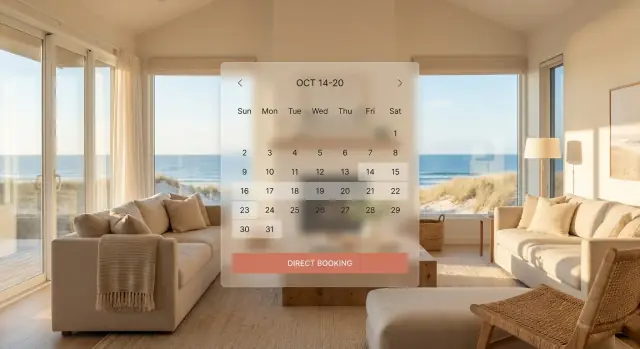
Why Direct Bookings Matter for Vacation Rentals
A direct booking happens when a guest reserves your place on a channel you control—typically your own vacation rental website (or a direct inquiry you confirm with an invoice and payment link). In contrast, a marketplace booking happens on platforms like Airbnb or Vrbo, where the platform owns the guest relationship, sets many of the rules, and charges fees for the transaction.
What you actually save (and what you won’t)
The biggest reason owners build a direct booking website is simple: keep more of each reservation.
With direct bookings, you can often avoid:
- Host service fees / commissions charged by marketplaces (the “cut” they take from your payout)
- Some platform-imposed costs tied to their tools and policies
But you can’t avoid every cost. Even when you avoid Airbnb fees, you’ll still pay:
- Payment processing fees (e.g., card processing via Stripe or similar)
- Any software costs you choose (booking engine, channel manager, email tools)
The goal isn’t “free bookings.” It’s higher net revenue and more control—without sacrificing trust or convenience.
Why control matters as much as profit
Direct booking isn’t only about margins. It also helps you:
- Own the guest relationship (email list, repeat stays, referrals)
- Set clearer policies and expectations in your own voice
- Present your property the way you want—photos, amenities, local tips, and rules without competing listings around you
- Build a brand guests remember (especially if you have a unique home or a strong local angle)
Realistic expectations: direct bookings require consistency
Marketplaces provide built-in traffic. Your website won’t magically rank or convert on day one. Direct bookings grow through steady vacation rental marketing: search visibility, repeat guest outreach, social proof, and a smooth booking experience.
You also don’t need to “replace Airbnb overnight.” Many owners start by using marketplaces to fill gaps while their direct channel steadily increases.
Who this guide is for
This guide is designed for everyone from single-property owners to small vacation rental managers who want a practical path to increase direct bookings—without getting overly technical or rebuilding their whole operation.
Direct Website vs. Airbnb: What Changes and What Doesn’t
Airbnb (and other OTAs) and a direct booking website can both fill your calendar—but they give you very different levers to pull.
What changes when you go direct
Costs: On OTAs, fees are built into every booking (guest fees and/or host fees). Direct bookings replace those fees with your own stack: payment processing, a booking engine, and sometimes a channel manager. You keep more per stay, but you now “own” the cost of getting the booking.
Control: Direct means you set the rules: your cancellation policy, damage deposit approach, upsells, minimum stays, and how you communicate. OTAs add standardization—and sometimes policy constraints.
Branding: On Airbnb, your listing competes one scroll away from substitutes. On your site, your photos, story, and house rules are the whole experience.
Guest data: Direct bookings typically give you the guest’s email/phone and permission to market (when done properly). OTAs limit what you can access and how you can follow up.
What doesn’t change
You still need great photos, clear pricing, fast responses, accurate availability, and a smooth check-in. A weak guest experience will hurt you anywhere.
Stay on OTAs while building direct demand
A practical approach is “both/and”: use OTAs for baseline occupancy while your website grows. The tradeoff is time and complexity—more systems to manage and more messaging to keep consistent.
Diversification: your risk reducer
Think of booking sources like income streams. If one channel changes fees, ranking, or rules, you’re not stuck. Direct bookings are the channel you can improve without waiting for an algorithm.
A simple decision framework
Prioritize direct bookings first if:
- You’re frequently booked and fees feel painful
- You have repeat guests you can re-capture
- Your market has strong search demand for your location
Lean on OTAs more if:
- You’re brand new and need early visibility
- You don’t yet have systems for payments, policies, and support
Most hosts aim for a gradual shift: increase direct bookings month by month while keeping OTA volume steady.
What a High-Converting Vacation Rental Website Includes
A direct booking website doesn’t need to be fancy—it needs to remove doubt and make booking feel easy. Guests are comparing tabs, prices, and policies in minutes. Your job is to answer their questions quickly, show proof you’re legitimate, and make the next step obvious.
If you’re building (or refreshing) a custom site, tools like Koder.ai can help you prototype and ship a polished web experience faster—from copy and pages to forms and a booking flow—using a chat-based build process. It’s especially useful when you want something more flexible than a template, without waiting weeks for a traditional dev cycle.
Must-have pages (the “minimum viable” site)
A high-converting vacation rental website usually includes a small set of pages that cover every stage of the decision:
- Home: A clear headline (what/where), top benefits, featured properties, and a prominent “Check availability” button.
- Property page(s): Your main sales pages—photos, amenities, rates, rules, and a booking path.
- Availability: A calendar guests can trust, ideally with real-time updates.
- Book / Inquiry: Either instant booking (preferred) or a short form that sets expectations for response time.
- About: Who’s hosting, why guests can trust you, and what makes the stay unique.
- Contact: Phone/email, location info, and a simple contact form.
- Policies: Cancellation, house rules, check-in/out, pet policy, damage deposits—written in plain language.
Trust signals that reduce hesitation
If you want guests to avoid Airbnb fees and book direct, you must replace the “platform trust” they’re used to. Focus on:
- Real reviews (from past guests) displayed near the booking button—not buried.
- Verified-looking photos: consistent, well-lit images that match the space (and avoid over-editing).
- Clear cancellation policy: short summary up top, full detail below. Ambiguity kills conversions.
Mobile-first and fast loading (non-negotiable)
Most guests will find your vacation rental website on their phone. If pages load slowly or buttons are hard to tap, they’ll bounce.
Prioritize:
- Large, clear buttons (“Check availability”, “Book now”)
- Compressed images (without looking blurry)
- Simple navigation that keeps the booking engine within one or two taps
Accessibility basics that also boost conversions
Accessibility isn’t just compliance—it’s usability. Make it easy for everyone to read and act:
- Text that’s comfortably readable (avoid tiny fonts)
- Strong contrast between text and background
- Clear labels on forms and obvious error messages
When these fundamentals are in place, your direct booking website feels credible, effortless, and worth trusting with a card payment—exactly what increases direct bookings over time.
Property Pages That Turn Browsers into Bookers
Your property page is where “looks nice” becomes “I’m booking this.” The goal is to answer the guest’s questions in the order they naturally ask them: What is it? Is it right for my trip? Can I trust it? Can I book it easily?
Write a title and summary that match search intent
Use the words guests already use. Lead with the trip type and the “why this place” hook, then confirm the basics.
Example pattern:
“Family-friendly 2BR condo near the beach — parking + pool”
In the summary, give a quick mental picture and the top 3 decision points:
- Who it’s best for (couples, families, remote workers)
- Location anchor (walk to beach, near downtown, quiet neighborhood)
- Standout benefit (hot tub, fenced yard, dedicated workspace)
Photo checklist that builds confidence
Photos reduce risk. Put the most “bookable” image first, not the most artistic.
Include, in this order:
- Hero shot (best wide, well-lit, shows the main reason to stay)
- Living area (multiple angles)
- Bedrooms (each one)
- Bathrooms (each one)
- Kitchen + dining
- Amenities in use (hot tub, pool, workspace, grill)
- Outdoor spaces + parking
- Neighborhood highlights (beach access, trailhead, main street)
Make your amenity list scannable—and honest
Group amenities into short categories (Kitchen, Comfort, Family, Work, Outdoors). Use plain language and avoid overpromising (“partial ocean view” beats “stunning views”). If something is limited, say so (e.g., “stairs required,” “street parking only”).
Say “book direct and save” without picking a fight
Add a simple value statement near the price and booking button:
“Book direct for our best rate and flexible support—no extra platform fees.”
Keep it factual, guest-focused, and paired with trust signals (clear cancellation policy, secure payment, real reviews).
Booking Flow: Availability, Checkout, and Fewer Drop-Offs
A direct booking website can feel “easy” or “risky” to a guest within seconds. The difference is usually the booking flow: real-time availability, a short checkout, and clear pricing before they commit.
Real-time availability (because guests expect it)
Guests are trained by OTAs to trust calendars. If your dates look “maybe available” or require an email to confirm, many people will bounce and keep shopping.
Real-time availability means the calendar updates instantly when a booking is made (on your site or another channel), and the guest can confidently choose dates without second-guessing. It also reduces back-and-forth messages like “Is next weekend open?”—which are conversion killers.
Instant booking vs. request-to-book
Both models can work—choose based on your property, your risk tolerance, and how much screening you truly need.
Instant booking is best when:
- You want maximum conversions and fewer drop-offs
- Your rules are straightforward and your minimum stay is predictable
- You’re comfortable relying on clear house rules, deposits, and ID/verification steps (where legal/appropriate)
Request-to-book is useful when:
- You have complex constraints (shared spaces, owner stays, unusual check-in logistics)
- Your area has higher fraud risk, or you require a quick guest conversation first
- You host longer stays where fit matters more than speed
A practical compromise: allow instant booking for “safe” windows (e.g., 3+ days in advance, weekday stays) and use request-to-book for last-minute bookings or special events.
Checkout: ask only what you need
Every extra field is a chance for someone to quit. Keep checkout to the essentials:
- Name
- Email and phone
- Number of guests
- Payment details
Save non-critical details (arrival time, special requests) for after booking via automated messages.
Transparent fees and add-ons (no surprises)
Direct bookings earn trust when pricing is clear before the final step. Show a complete price breakdown early: nightly rate, cleaning fee, taxes, deposits, and any optional add-ons.
If you offer add-ons (early check-in, pet fee, pool heat, baby gear), present them as simple choices with plain-language descriptions. Guests don’t mind paying for value—they mind discovering new charges at the last screen.
A clean, predictable flow—dates → total price → guest details → payment—reduces drop-offs and makes your direct booking website feel as reliable as any major platform.
Payments, Deposits, and Trust: How to Get Guests to Pay Direct
If guests hesitate at the payment step, it’s usually not about price—it’s about confidence. Your direct booking website needs to make payments feel familiar, safe, and clearly explained.
Deposit vs. full payment (and when to collect)
Most vacation rentals use one of these patterns:
- Full payment at booking: common for short stays, last‑minute trips, or lower nightly rates.
- Deposit now, balance later: often 20–50% upfront, with the remainder due 14–60 days before arrival.
Whatever you choose, show the timeline in plain language near the total price: “Pay $320 today, remaining $480 charged on May 10.” Avoid surprises at checkout.
Secure card payments guests recognize
Guests look for the same cues they see on major travel sites: card icons, HTTPS, and a known payment experience. Using secure card processing via Stripe (or a similar provider) helps because it supports major cards, strong fraud checks, and clean receipts.
Also consider offering Apple Pay / Google Pay where available—they reduce typing and can lower checkout drop‑offs.
Security deposit options (explain them clearly)
Security deposits cause confusion unless you spell out what happens:
- Hold / pre‑authorization: a temporary hold placed on the card (not a charge) and released after inspection.
- Refundable deposit charge: charged at booking or before arrival, then refunded after checkout.
- Damage waiver: a non‑refundable fee that covers specific incidents (list what’s included and excluded).
Put the exact amount, timing, and release/refund window in your policies.
Receipts, confirmation emails, and records
Immediately send a payment receipt and a booking confirmation email with dates, address/check‑in info, cancellation terms, and what was paid vs. what’s due. Keep a simple record of invoices and refunds for easier accounting and guest support.
Calendar and Channel Sync Without Double Bookings
If you’re building a direct booking website, you don’t have to “quit Airbnb” overnight. Keeping OTA listings while you grow direct demand is often the safest path—OTAs can fill gaps, create social proof, and keep cashflow steady. The key is making sure every calendar updates everywhere, fast.
iCal vs. a Channel Manager: What’s the Difference?
iCal links are the lightweight option: you connect calendars between platforms and they “pull” updates on a schedule. It’s easy and cheap, but updates can be delayed, which increases double-booking risk—especially for short lead-time stays.
A channel manager is purpose-built for multi-channel selling. It pushes real-time (or near real-time) availability updates, centralizes rules (min nights, check-in days), and often supports rate management across channels. If you’re serious about direct-first, a channel manager is usually worth it.
Rate Strategy: Parity or Direct-Only Perks?
Many hosts keep rate parity to avoid confusion, then offer direct-only perks that don’t undercut publicly: early check-in, a welcome basket, free parking, flexible cancellation, or a small add-on credit. This protects your OTA ranking while giving guests a reason to book on your site.
Direct-First Operational Checklist
Before you drive traffic to your direct booking website, confirm:
- One “source of truth” calendar (PMS or channel manager) is set
- Instant booking rules match across channels (lead time, min/max nights)
- Buffers are consistent (e.g., 1 night between stays)
- Cancellation and house rules are identical (or clearly explained)
- Test bookings: run one on each channel to verify sync
If you want, you can pair this with the checkout guidance in /blog/booking-flow to reduce drop-offs without increasing calendar risk.
SEO for Vacation Rental Websites (So Guests Find You)
SEO is how guests find your direct booking website when they’re searching for a place to stay—before they end up on an OTA. The goal isn’t to “game Google.” It’s to make your site easy to understand, clearly relevant to your area, and genuinely useful to travelers.
Local SEO basics (especially if you have a front desk or office)
If you meet guests in person or have a public-facing location, set up a Google Business Profile. Add accurate categories, photos, your phone number, and a link to your site.
Whether you have a profile or not, keep your NAP consistent: Name, Address (if applicable), and Phone should match everywhere you’re listed (Google, social profiles, local directories). Even small differences can confuse search engines and guests.
On-page SEO that helps real people
Start with the pages that drive revenue: your homepage and property pages.
- Page titles and headings: Use clear, location-based phrases (e.g., “2-bedroom cabin in Asheville with hot tub”).
- Image alt text: Describe what’s in the photo (“living room with fireplace,” “ocean-view balcony”), not keyword stuffing.
- Internal links: Help guests move naturally through your site—link from your homepage to your properties, from property pages to your policies, and from guides to your booking page (e.g., /book or /availability).
A simple rule: every important page should answer “Where is this, what is it, and why should I stay here?” within the first few seconds.
Location pages and neighborhood guides guests actually want
Create pages for the searches travelers really make: “Downtown,” “near the convention center,” “family-friendly beaches,” “walkable restaurants,” etc. These pages work best when they’re practical.
Mention parking tips, seasonal notes, approximate drive times, and a handful of specific recommendations. Then connect the guide back to relevant properties with a short call-to-action and internal links.
Track what works (and what doesn’t)
Connect analytics early so you can see which pages bring visitors and which ones lead to bookings.
Set up goals around intent, such as:
- clicks on “Check availability”
- starts of the booking flow
- completed bookings (if your booking engine supports it)
With tracking in place, you can improve pages based on evidence—like doubling down on the guides and keywords that consistently drive booking clicks.
Marketing That Brings Repeat Direct Bookings
Direct bookings aren’t only won on Google. They’re often won the second time—when a guest already knows you, trusts you, and would happily book again if you make it easy.
Build an email list (ethically)
Your website is the best place to capture permission-based emails without being pushy.
Use two simple sources:
- Inquiry follow-ups: If someone asks a question but doesn’t book, send a helpful reply and invite them to opt in for availability alerts or a small perk.
- Past guests: After checkout, invite guests to join your “return guest list” for early access to dates and occasional specials.
Keep it clean: make the opt-in clear, avoid pre-checked boxes, and set expectations like “1–2 emails per month.”
Automated sequences that feel personal
Automation should reduce admin—not turn your messages into spam.
A practical sequence (that also improves reviews and referrals):
- Pre-stay: confirmation, what to bring, directions, and one “how to have the best stay” tip.
- Check-in day: door code/entry instructions and a “reply if anything’s off” line.
- During stay: a quick check-in plus one local recommendation.
- Post-stay: thank-you, a direct link to leave a review/testimonial, and an invite to book direct next time.
If you use a property management system, connect these to your booking engine so timing is automatic and consistent.
Create a social proof loop
Make testimonials easy to collect and easy to reuse.
Ask one specific question (e.g., “What made your stay great?”). Then place short quotes where they matter most: on your homepage, in property pages, and near checkout. Rotate them occasionally so returning visitors see fresh proof.
Referrals: give guests a reason to share
Repeat and referral offers work best when they’re simple.
Try:
- Repeat-guest discount codes: a small, time-limited code after checkout (e.g., valid for 6–12 months).
- Partner perks: local partners (coffee shop, tours) can provide a perk for your guests, while you send them business.
One final detail: mention your direct booking link in guest-facing materials (welcome email, house manual) so the path back to your direct booking website is always obvious.
Automations That Save Time (and Help Guests Book Faster)
Speed wins direct bookings. Guests comparing tabs don’t want to wait hours for basic answers, and you shouldn’t have to repeat yourself 20 times a week. A few simple automations can make your site feel “always available” while keeping communication personal.
Fast responses without sounding robotic
Start with saved replies and message templates for your most common questions: parking, pet policy, check-in times, bedding setup, and “Is it available for these dates?”
Keep templates short, then add one personal line (guest name + one detail) before sending. Pair this with a well-organized FAQ so guests can self-serve at any hour—especially from mobile.
Automate check-in instructions and house rules
Send check-in details automatically after a booking is confirmed (or after the balance is paid): address, door code timing, Wi‑Fi, trash day, quiet hours, and a quick “how to avoid extra charges” checklist.
Also automate a pre-arrival message (e.g., 48 hours before) and a day-of message. This reduces “Where do I find…?” texts and helps guests feel taken care of—without manual chasing.
Reduce back-and-forth with one clear policies page
Direct-booking hesitation often comes from uncertainty. A clear policies page—cancellations, deposits, ID requirements, pets, events, and refunds—cuts follow-up questions and builds trust. Link it near the booking button and in your footer (e.g., /policies).
Live chat vs. contact form: what to choose
Use live chat if you can respond quickly during set hours and you get enough volume to justify it. Otherwise, a simple contact form can convert better than an ignored chat bubble.
If you use a form, make it frictionless: dates, guest count, pet toggle, and one free-text field. Then auto-reply with next steps and links to /faq and /book so guests keep moving toward checkout.
Security, Privacy, and Policies Guests Can Understand
Trust is a conversion feature. If guests feel unsure about safety, privacy, or “hidden” rules, they’ll bounce back to platforms they already know.
Security basics (simple, visible, and real)
Start with the fundamentals guests recognize:
- HTTPS everywhere (a padlock in the browser). Your booking and payment pages should never load over plain HTTP.
- Strong passwords + 2FA for every admin login. If your tools support it, turn on two-factor authentication.
- Limited admin access: give cleaners or assistants only the permissions they need (or none at all).
A small reassurance line near checkout—“Secure checkout • Encrypted connection”—helps, but only if it’s true.
Privacy essentials: collect less, explain more
Guests don’t mind sharing details when it’s clear why you need them. Keep your privacy page readable and specific:
- What you collect (name, email, phone, address, ID if required)
- Why you collect it (booking confirmation, payment processing, local compliance)
- Who receives it (payment processor, property manager software)
- How long you keep it, and how guests can request deletion
Avoid vague statements. If you use Stripe, say payments are processed by Stripe and you don’t store full card numbers.
Policy clarity that prevents disputes
Put your key policies in plain language on property pages and in the booking flow:
- Cancellation and refunds (include exact deadlines and what “non-refundable” means)
- Damage deposits / holds (amount, when it’s captured or released, typical timelines)
- Occupancy limits and visitor rules
- Fees and taxes itemized before payment
Skip risky claims like “best price guaranteed” unless you can consistently prove it. Transparent totals and understandable rules reduce chargebacks, angry emails, and abandoned checkouts.
Measure Results and Improve Your Direct Booking Rate
A direct booking website isn’t “set it and forget it.” The best-performing sites treat every month like a small experiment: measure what’s happening, fix what’s slowing guests down, and keep what works.
The few metrics that actually matter
Start with a simple dashboard (even a spreadsheet is fine) and track:
- Conversion rate: bookings ÷ website sessions. If traffic grows but bookings don’t, the issue is usually trust, pricing clarity, or checkout.
- Inquiry-to-booking rate: bookings ÷ inquiries. A low number often means slow replies, unclear policies, or guests abandoning after they see the total price.
- Cost per booking: total marketing spend ÷ direct bookings. This tells you whether ads, email campaigns, and promotions are paying off.
If you can, also note device type (mobile vs. desktop) and source (Google, Instagram, email). Many vacation rental websites lose money because they optimize for desktop while most guests book on mobile.
Easy A/B tests that move the needle
You don’t need complicated tools to test improvements—change one thing at a time and compare results over a couple of weeks.
Good first tests:
- Headline: focus on the guest outcome (walkable location, private pool, family-friendly) instead of generic “Beautiful home.”
- Hero image: swap to the strongest “wow” photo (often exterior at sunset, view, or pool) and watch engagement.
- CTA text: “Check availability” vs. “Book direct & save” vs. “See dates & price.”
- Checkout length: remove optional fields and reduce steps. Fewer screens usually means fewer drop-offs.
Common issues that quietly kill direct bookings
If your numbers are flat, look for these usual suspects:
- Slow site (especially on mobile). Speed affects both SEO and booking completion.
- Hidden fees or unclear totals. Guests will leave to “compare,” then never return.
- Weak photos. Not just quality—missing key rooms, no context, no layout clarity.
- Confusing rules. Guests should understand the essentials in 20 seconds (pets, parties, quiet hours, parking, check-in/out).
Next steps
Make a short list of improvements to your vacation rental website and prioritize anything that reduces friction in pricing and checkout. If you’re also evaluating tools (booking engine, payments, automations), compare feature sets and costs on /pricing.
If you want to move faster on implementation, consider building or iterating your direct booking site with Koder.ai—it’s a vibe-coding platform that lets you create and adjust web apps through chat, so you can ship changes (pages, forms, flows) quickly while keeping full control over your direct channel.
FAQ
What exactly counts as a “direct booking” for a vacation rental?
A direct booking is a reservation made through a channel you control—usually your own website or a direct inquiry you confirm with an invoice and payment link. You control the guest communication, policies, and checkout experience instead of relying on an OTA’s rules and interface.
Can I really avoid Airbnb fees with direct bookings?
You can often avoid marketplace host commissions (and sometimes other platform-imposed costs), but you’ll still pay:
- Payment processing fees (e.g., card fees via Stripe)
- Any software you choose (booking engine, channel manager, email tools)
The goal is higher net revenue and more control—not “free” bookings.
Why does “control” matter as much as profit when going direct?
Direct booking gives you ownership of the guest relationship and more control over how you present your property. Practically, that means you can:
- Collect guest contact info (with proper consent)
- Set and explain policies in your own voice
- Build repeat stays and referrals
- Create a consistent brand experience without competing listings one scroll away
What pages are essential for a high-converting vacation rental website?
Start with the minimum viable set:
- Home (clear location + benefits + “Check availability”)
- Property page(s) (photos, amenities, rates, rules, booking path)
- Availability calendar guests can trust
- Book/Inquiry (instant booking if possible)
- About + Contact
- Policies (cancellation, pets, deposits, check-in/out)
Keep navigation simple so the booking engine is always 1–2 taps away on mobile.
How do I replace the trust guests feel on platforms like Airbnb?
Use trust signals where guests make decisions—especially near price and the booking button:
- Real reviews/testimonials (not buried)
- Accurate, consistent photos (avoid over-editing)
- Clear cancellation policy summary + full details
- Secure checkout cues (HTTPS, recognizable payment methods)
If something is limited (stairs, street parking), say it plainly—honesty reduces chargebacks and refunds.
Do I need real-time availability on my direct booking site?
Real-time availability means your calendar updates instantly (or near-instantly) when a booking happens on any channel. It reduces:
- Guest doubt (“Is it actually open?”)
- Back-and-forth messages
- Double-booking risk
If you’re multi-channel, make sure one system is the “source of truth” for availability.
Should I offer instant booking or request-to-book on my website?
Instant booking usually converts better because it removes waiting and uncertainty. Request-to-book can make sense if you have complex logistics, higher fraud risk, or you require a quick screening step.
A common hybrid is instant booking for safer windows (e.g., 3+ days out) and request-to-book for last-minute stays or special-event dates.
What’s the best way to handle deposits and payments for direct bookings?
Show the payment timeline in plain language before the guest pays, for example: “Pay $320 today, remaining $480 on May 10.” Common patterns:
- Full payment at booking (often for short or last-minute stays)
- Deposit now (often 20–50%), balance later (14–60 days pre-arrival)
For security deposits, clarify whether it’s a hold, a refundable charge, or a damage waiver—include amount and release/refund timing in /policies.
How do I sync calendars with Airbnb/Vrbo to avoid double bookings?
iCal is simple and cheap but can update on a delay, increasing double-booking risk. A channel manager typically offers real-time (or near real-time) syncing plus centralized rules and rate tools.
If you plan to keep OTAs while growing direct, a channel manager is usually worth it for reliability and fewer operational headaches.
How do I measure whether my direct booking website is actually improving?
Start with a few metrics you can review monthly:
- Conversion rate (bookings ÷ sessions)
- Inquiry-to-booking rate
- Cost per direct booking
Then run small tests (one change at a time): headline, hero photo, CTA text, or shortening checkout. If drop-offs are happening in the booking process, audit your flow step-by-step (see /blog/booking-flow) and verify pricing is transparent early.