

Vibe Coding: How Engineers Become Curators and Editors
Vibe coding shifts engineers from writing every line to guiding, reviewing, and shaping AI output. Learn workflows, skills, and safeguards.
What “Vibe Coding” Means (Without the Hype)
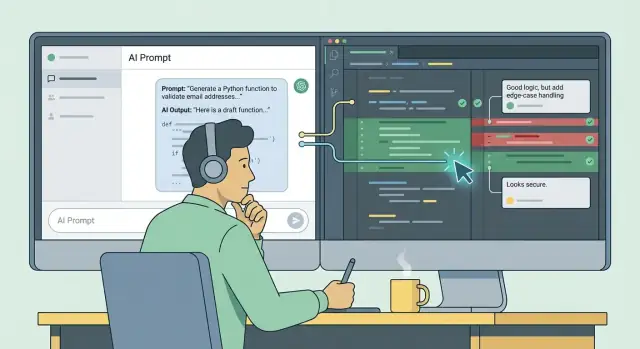
“Vibe coding” is shorthand for a specific workflow: you describe what you want in natural language, an AI assistant drafts code, and you steer the result until it matches your intent. The AI does fast first-pass implementation; you do direction, selection, and verification.
The key idea isn’t magical productivity—it’s a shift in where your time goes. Instead of spending most of your effort typing boilerplate, wiring endpoints, or translating well-known patterns from memory, you spend more effort shaping the solution: clarifying requirements, choosing tradeoffs, and ensuring the final code is correct for your product.
From implementer to curator/editor
In vibe coding, the engineer acts more like:
- A curator: picking the best approach from multiple drafts
- An editor: tightening logic, naming, structure, and edge cases
- A judge: deciding what is acceptable to ship (and what isn’t)
This role shift is subtle but important. AI can draft quickly, but it can also guess wrong, misunderstand constraints, or produce code that “looks right” while failing in production. The speedup is in drafting, not in responsibility.
Set expectations early
Vibe coding works best when you treat AI output as a starting point, not an answer key. You still own:
- Correctness and quality
- Security and privacy decisions
- Fit with your existing codebase and standards
Who it’s for
This workflow is especially useful for product teams, startups, and solo builders who need to iterate quickly—shipping small slices, learning from feedback, and refining continuously—without pretending that code generation eliminates engineering judgment.
From Implementer to Curator: The Core Role Change
The biggest shift in vibe coding isn’t that engineers “stop coding.” It’s that the center of gravity moves from typing lines to shaping outcomes.
The old loop: write → test → refactor
Traditionally, an engineer produced most of the first draft. You’d design the approach, implement it line by line, run it, fix what breaks, then refactor until it’s readable and maintainable. The keyboard was the bottleneck—and the most visible signal of progress was simply “more code exists now than before.”
The new loop: specify intent → generate drafts → judge and steer
With AI-assisted programming, the first draft becomes cheap. Your job shifts toward:
- Specifying intent clearly: what the code must do, what it must not do, edge cases, constraints, and how success will be measured.
- Curating options: selecting between multiple generated approaches (simpler, safer, faster, more maintainable).
- Editing with judgment: integrating the good parts, removing risky shortcuts, aligning with conventions, and making the design coherent.
This shift is accelerating because the tooling is finally accessible: better models, faster feedback loops, and interfaces that make iteration feel conversational rather than a compile-run grind.
What doesn’t change: accountability
Even if an AI writes 80% of the characters, the engineer still owns the outcome. You’re accountable for correctness, security, performance, and safety—especially the “boring” stuff tools often miss: error handling, boundary conditions, data validation, and clear interfaces.
Vibe coding rewards engineers who can make strong calls: “Is this the right solution for our system?” and “Would I trust this in production?” That judgment—not raw typing speed—becomes the differentiator.
Where AI Helps Most—and Where It Usually Fails
AI-assisted programming shines when the “shape” of the code is known and the main goal is speed. It’s weaker when the real work is figuring out what the software should do in messy, real-world situations.
Where AI drafts well
When you can describe the task cleanly, AI can produce solid first drafts—often faster than starting from a blank file.
- Boilerplate and scaffolding: setting up a new endpoint, a basic module structure, configuration files, CRUD handlers.
- Glue code: mapping one API’s data model to another, moving data between layers, wiring up clients.
- Tests (especially straightforward ones): unit tests for “happy path” behavior, table-driven tests, snapshot-style assertions.
In these areas, vibe coding can feel “magical” because the work is largely assembling familiar patterns.
Where it usually fails
AI tends to stumble when requirements are implicit, domain-specific, or full of exceptions.
- Edge cases: retries, timeouts, concurrency quirks, partial failures, off-by-one behavior.
- Implicit requirements: “of course it should…” rules that live in someone’s head or an old ticket comment.
- Domain rules: pricing logic, permissions, compliance constraints, and anything tied to business meaning.
A model can sound confident while silently making up constraints, misreading data shapes, or choosing a library that conflicts with your stack.
Typing time vs. editor time
AI reduces typing time (getting code onto the screen). But it can increase editor time—reviewing, clarifying requirements, running tests, debugging, and tightening behavior.
The productivity win is real when teams accept the trade: less keystroking, more judgment. The engineer’s job shifts from “write it” to “prove it works, is safe, and matches what we actually need.”
Prompting as Specification: How to Ask for the Right Code
Treat your prompt like a lightweight spec. If you want production-ready code, don’t ask for “a quick implementation.” Ask for a change with a clear purpose, boundaries, and a way to verify success.
Start with goal + constraints + acceptance criteria
Begin with what the feature must do, what it must not do, and how you’ll decide it’s done. Include constraints like performance limits, supported environments, and “don’t break” requirements (backward compatibility, existing routes, schema stability).
A useful pattern is:
- Goal: “Add endpoint to create invoices.”
- Constraints: “Node 20, Postgres, no new deps, must follow our error format.”
- Acceptance criteria: “Returns 201 with invoice id; rejects invalid items with 400; idempotent by requestId.”
Ask for small increments: plan → draft → refine
Large prompts invite large mistakes. Instead, loop in smaller steps:
- Plan: ask for a step-by-step change list and file touch points.
- Draft: generate the minimal code for one step.
- Refine: tighten types, error handling, and naming.
This keeps you in control and makes review straightforward.
Provide context (and show examples)
AI writes better code when it can “see” your world. Share existing APIs, coding style rules, and the file structure you expect. When possible, include examples:
- Sample inputs/outputs (payloads, query params)
- Expected error cases and messages
- Edge cases (empty lists, duplicates, timeouts)
End every loop with a checklist
Close each iteration by asking for a self-audit:
- Tests updated/added (and which ones)
- Edge cases handled
- Security notes (auth, injection, secrets)
- Docs or comments updated
The prompt becomes the contract—and your review becomes verifying the contract is met.
Editing and Curating: Turning Drafts into Production Code
AI-generated code is best treated as a proposal: a fast first draft that needs an editor. Your job shifts from “write every line” to “decide what belongs,” “prove it works,” and “shape it to match the codebase.” Fast teams don’t accept output wholesale—they curate it.
Treat the output like a pull request
Read AI output the way you’d review a teammate’s PR. Ask: does this fit our architecture, naming conventions, and error-handling style? If something feels unclear, assume it’s wrong until verified.
Use diffs and small commits to keep changes understandable. Instead of pasting a 300-line rewrite, land a series of focused commits: rename + restructure, then behavior change, then edge cases. This makes regressions easier to spot and roll back.
Edit in-place with “questions” for the model
When you see risky areas, add inline comments and questions for the AI to address. Examples: “What happens if this API returns null?” “Is this retry loop bounded?” “Can we avoid allocating inside the hot path?” This keeps iteration anchored to the code, not a vague chat transcript.
Keep an editor checklist
A short checklist prevents “looks good” reviews:
- Naming: consistent with existing modules and domain terms
- Logic: correct control flow, no duplicated conditions
- Error handling: useful messages, safe fallbacks, no swallowed exceptions
- Logging/metrics: actionable, not noisy
- Boundaries: timeouts, input validation, limits on retries and loops
Know when to stop iterating
If you’re spending multiple prompt rounds patching a tangled function, stop and rewrite that section manually. A clean rewrite is often faster—and produces code you can confidently maintain next month.
Quality Control: Tests, Checks, and “Definition of Done”
AI can get you to “it runs” quickly. The professional shift is insisting on “it’s verified.” Treat generated code as a draft until it passes the same bar you’d expect from a teammate.
Move from output to evidence
A good vibe-coding workflow produces artifacts you can trust: tests, clear error handling, and a repeatable checklist. If you can’t explain how you know it’s correct, it’s not done—it’s just lucky.
Testing: before when you can, immediately after when you can’t
When requirements are clear (inputs, outputs, constraints), write tests first. This gives the AI a target and reduces wandering implementations.
When requirements are still fuzzy, generate the code, then write tests right after while context is fresh. The key is timing: don’t let “temporary” untested code become permanent.
Catch edge cases on purpose
AI tends to handle the happy path well and miss weird corners. Two practical patterns help:
- Table-driven tests: a list of cases that cover typical inputs, boundaries, and invalid values.
- Property-based tests: instead of a few examples, you assert a rule (e.g., “sorting never loses elements”) and let the tool generate many inputs.
Add checks at the boundaries
Put assertions and validation where your system meets the outside world: API requests, file parsing, and especially database writes. If bad data gets in once, it becomes expensive forever.
Definition of Done (for AI-generated code too)
A simple “done” checklist keeps quality consistent:
- Tests pass locally and in CI
- Code review completed (human + optional AI)
- Clear docs/comments for non-obvious decisions
- Safe input validation and error handling in place
This is how speed stays sustainable.
Risks to Watch: Bugs, Security, and Compliance
Vibe coding can feel fast because it produces plausible code quickly. The main risk is that “plausible” is not the same as “correct,” “safe,” or “allowed.” Treat AI output as an untrusted draft that must earn its way into your codebase.
Subtle bugs and wrong assumptions
AI often fails in quiet ways: off-by-one logic, missing edge cases, incorrect error handling, or concurrency issues that only show up under load. It may also make incorrect assumptions about your architecture—like expecting a service to be synchronous, assuming a table exists, or inventing a helper function that looks consistent with your style.
A common failure mode is hallucinated APIs: the code compiles in the model’s imagination, not in your repo. Watch for “almost right” method names, outdated library usage, and patterns that were common two years ago but are discouraged now.
Security and privacy pitfalls
AI-generated code can introduce insecure defaults (weak crypto choices, missing authorization checks, unsafe deserialization, overly permissive CORS). Don’t accept security-sensitive changes without focused review and, where possible, automated scanning.
Privacy is simpler: don’t paste secrets, tokens, customer data, or proprietary code into tools unless your organization explicitly allows it. If you need help, sanitize inputs or use approved internal tooling.
Compliance, licensing, and escalation rules
Know your org’s policy on code provenance and licenses—especially for generated snippets that resemble public examples. When the change is high-impact (auth flows, payments, infra, data migrations), set an escalation rule: require a second reviewer, run the full test suite, and consider a lightweight threat model before merging.
Team Workflow: Making Vibe Coding Repeatable
Vibe coding works best as a team process, not an individual trick. The goal is to make AI output predictable, reviewable, and easy to improve—so your codebase doesn’t turn into a pile of “mystery code.”
A simple, consistent loop
Use the same workflow for most tasks:
task brief → AI draft → human edit → tests
The task brief is the key. It should define inputs/outputs, constraints, and acceptance criteria in plain language (and link to relevant files). Then the AI produces a first pass. A human makes the code production-ready: naming, structure, edge cases, error handling, and fit with existing patterns. Finally, tests and checks confirm it behaves correctly.
Keep work small and reviewable
Break work into small, reviewable slices. Smaller PRs make it easier to spot wrong assumptions, subtle regressions, and mismatched style. If the AI proposes a big refactor, split it: first add tests, then change behavior, then cleanup.
Require reasoning, not just code
To reduce “confident nonsense,” ask for explanations alongside the draft:
- “Why this approach?”
- “What tradeoffs?”
This gives reviewers something concrete to evaluate (performance, complexity, maintainability) before debating implementation details.
Make AI visible in your PRs
Track AI-influenced changes in PR descriptions. Not as a badge—just as context: what was generated, what was edited, and what you verified. This improves review quality and builds shared intuition about when AI suggestions are reliable.
Standardize what you can
Create reusable prompt templates for recurring tasks (new endpoint, data migration, CLI command, test suite additions). Templates turn one person’s prompting habits into a team asset—and make results more consistent across reviewers and repos.
New Skills That Matter More Than Raw Typing Speed
AI can produce a lot of code quickly. The differentiator isn’t how fast you type—it’s how well you steer, evaluate, and integrate what gets generated.
Think in systems, not snippets
Vibe coding rewards engineers who model the whole system: data flow, boundaries, and failure modes. When you can describe how requests move through services, where state lives, what happens on timeouts, and what “bad input” looks like, you can guide AI toward code that fits reality—not just the happy path.
Reading is the new speed
Strong reading skills become a superpower. AI outputs can look plausible while subtly missing intent: wrong edge cases, misused libraries, leaky abstractions, or mismatched types. The job is to spot gaps between the requirement and what the code actually does—quickly, calmly, and without assuming correctness.
Debugging and observability still win
When generated code fails, you still need to localize the problem. That means logs that answer questions, metrics that show trends, and traces that reveal bottlenecks. AI can suggest fixes, but you need the discipline to reproduce issues, inspect state, and verify outcomes.
Communication becomes engineering work
Clear requirements, crisp prompts, and good PR narratives reduce rework. Document assumptions, list acceptance criteria, and explain “why” in reviews. This makes AI output easier to validate and teammates faster to align.
Taste and judgment: the hidden multiplier
Consistency, simplicity, and maintainability don’t appear by accident. Curators enforce conventions, remove unnecessary complexity, and choose the most boring solution that will still survive change. That judgment—more than keystrokes—determines whether vibe coding speeds you up or adds long-term cost.
Tooling Stack: What Complements AI-Generated Code
AI can draft code quickly, but it won’t guarantee consistency, safety, or maintainability. The fastest vibe-coding teams treat the model as a generator and their tooling as the guardrails that keep output aligned with production standards.
Guardrails: make the basics automatic
Start with the tools that enforce conventions without debate:
- Pair AI with formatters, linters, and type checking (for example: Prettier/ESLint, Black/Ruff, or strict TypeScript). Run them on save and in CI so style and obvious mistakes never reach review.
- Use static analysis where it fits your stack. It’s especially helpful for catching null/undefined paths, unsafe APIs, and dead code an LLM might introduce.
Security and dependencies: trust, but verify
AI is happy to import packages or copy patterns that are outdated.
- Add dependency scanning and vulnerability alerts (SCA) in CI. Treat new dependencies like a change request: justify them, pin versions, and prefer well-known libraries.
- Include secret scanning and basic hardening rules (no credentials in code, no unsafe deserialization, etc.).
Review workflow: put humans where it matters
Use PR tooling to focus attention on risk:
- Leverage PR review tools and CODEOWNERS for sensitive areas (auth, payments, data export). Route those changes automatically to the right reviewers.
- Encourage AI-assisted reviews, but require human sign-off for critical modules.
Templates and “golden examples”
Reduce variance by giving the model a path to follow:
- Adopt templates for test scaffolds, error handling, and logging. When the AI drafts new code, it should snap into those patterns.
- Keep a golden examples folder: small, high-quality reference implementations you can point prompts to (“match this style and structure”).
Platform choice matters more than people expect
Where you run vibe coding affects what you can safely standardize. For example, platforms like Koder.ai wrap the chat-driven workflow with practical engineering controls: planning mode (so you can review a change plan before code is generated), source code export (so you’re never locked in), and snapshots/rollback (so experiments are easy to revert). If your team is generating React frontends, Go services with PostgreSQL, or Flutter mobile apps, having the stack conventions baked into the workflow can reduce variance across AI drafts.
The goal isn’t more tools—it’s a reliable pipeline where AI output is immediately formatted, checked, scanned, and reviewed like any other change.
Adoption Plan: Start Small, Measure, and Standardize
Rolling out vibe coding works best as an experiment you can observe—not a big-bang mandate. Treat it like introducing a new build system or framework: pick a bounded area, define expectations, and measure whether it improves outcomes.
1) Choose a pilot area with low blast radius
Start where mistakes are cheap and feedback is fast. Good candidates are internal tooling, a small service with clear inputs/outputs, or a self-contained UI component.
A useful rule: if you can revert the change quickly and validate behavior with automated checks, it’s a strong pilot.
2) Write lightweight guidelines before you start
Teams move faster when “what’s allowed” is explicit. Keep the first version short and practical:
- What tasks can use AI-assisted programming by default (scaffolding, refactors, test generation)
- What needs extra review (auth, payments, data access, security-sensitive code)
- What must never be delegated (secrets handling, copying code from unknown licenses)
If you already have engineering standards, link them and add an addendum rather than rewriting everything (e.g., “AI-generated code must meet the same review and test bar”).
3) Measure outcomes, not vibes
Pick a small set of metrics and track them during the pilot:
- Cycle time (idea → merged)
- Defects escaping to staging/production
- Review time and number of review rounds
- Rework rate (follow-up fixes within 1–2 weeks)
The goal is to learn where AI helps and where it increases hidden costs.
4) Run short retrospectives and extract patterns
After each sprint (or even weekly), collect examples:
- Prompts that produced clean, correct code
- Failure modes (wrong assumptions, missing edge cases, inconsistent style)
- Checks that caught problems early
Turn these into reusable prompt templates, review checklists, and “don’t do this” warnings.
5) Publish a shared playbook and standardize
Document what you learned in a central place (e.g., /engineering/playbook). Include:
- Approved workflows (draft → tests → review)
- Prompt patterns and anti-patterns
- Required validations (your Definition of Done)
Once the pilot is consistently positive, expand to the next area—without lowering the quality bar.
If you’re using a hosted vibe-coding environment (such as Koder.ai), standardization is often easier because the workflow is already structured around repeatable steps (plan, generate, review, deploy), with deployment/hosting and custom domains available when you want to move from prototype to production.
Closing: The Engineer’s Job Becomes Direction and Judgment
Vibe coding doesn’t remove engineers from the loop—it changes what “being in the loop” means. The highest-leverage work shifts from typing every line to deciding what should be built, constraining how it’s built, and verifying that the result is safe, correct, and maintainable.
From writing code to steering outcomes
When AI can draft implementations quickly, your advantage is judgment: picking the right approach, spotting subtle edge cases, and knowing when not to accept a suggestion. You become the curator of intent and the editor of output—guiding the model with clear constraints, then shaping the draft into something production-ready.
Speed is real—guardrails are non-negotiable
Yes, you can ship faster. But speed only counts when quality stays steady. The guardrails are the work: tests, security checks, code review discipline, and a clear definition of done. Treat AI as a fast junior contributor: helpful, tireless, and occasionally wrong in confident ways.
Adopt a checklist-based editor mindset
Reliable vibe coders don’t “feel” their way to completion—they review systematically. Build muscle memory around a lightweight checklist: correctness (including weird inputs), readability, error handling, performance basics, logging/observability, dependency risk, and security/privacy expectations.
Simple next steps to make it real
Create two reusable assets:
- A prompt template that forces clarity: goal, context, constraints, interfaces, examples, and what not to do.
- A review checklist that standardizes acceptance criteria and reduces “looks good” approvals.
With those in place, the job becomes less about raw typing speed and more about direction, verification, and taste—the parts of engineering that compound over time.
FAQ
What is “vibe coding” in practical terms?
“Vibe coding” is a workflow where you describe intent in natural language, an AI drafts an implementation, and you steer it through review, edits, and verification until it matches real requirements.
The speedup is mostly in first-pass drafting, not in responsibility—you're still accountable for what ships.
How does vibe coding change an engineer’s role?
Your role shifts from primarily typing code to curating and editing drafts:
- Choose between alternative approaches the AI proposes
- Refine structure, naming, and interfaces to match the codebase
- Verify behavior with tests, checks, and real constraints
Where does AI-assisted coding usually provide the biggest gains?
It helps most when the task has a known shape and clear requirements, such as:
- Scaffolding and boilerplate (endpoints, modules, configs)
- Glue code between layers or APIs
- Straightforward unit tests for well-defined behavior
Where does vibe coding most commonly go wrong?
It often fails when requirements are implicit or messy:
- Edge cases (timeouts, retries, partial failures, concurrency)
- Domain rules (permissions, pricing, compliance)
- “Hallucinated” APIs or libraries that don’t match your repo
Treat output as plausible drafts, not truth.
How should I structure prompts to get better production-ready code?
Include three things up front:
- Goal: what must be accomplished
- Constraints: stack, performance limits, “no new deps,” conventions
- Acceptance criteria: success responses, error cases, idempotency, etc.
This turns the prompt into a lightweight spec you can verify against.
What’s a good iteration loop for vibe coding?
Use a tight loop:
- Ask for a plan (steps + files to touch)
- Generate a minimal draft for one step
- Refine: types, errors, edge cases, naming
- End with a checklist: tests, security notes, docs updates
Smaller iterations reduce large, hard-to-review mistakes.
How do I “curate” AI code instead of accepting it wholesale?
Review it like a teammate’s pull request:
- Does it match architecture and conventions?
- Are errors handled and messages useful?
- Are boundaries explicit (validation, limits, timeouts)?
- Are there hidden risks (new deps, unclear logic)?
Prefer small commits and diffs so regressions are easier to spot.
What quality control should I apply to AI-generated code?
Don’t stop at “it runs.” Require evidence:
- Add/adjust tests (table-driven cases are great for boundaries)
- Validate inputs at system boundaries (API, parsing, DB writes)
- Ensure CI passes with lint/type checks
- Use a consistent “definition of done” for generated code too
What security and compliance risks should teams watch for?
Common pitfalls include:
- Missing authorization checks or overly permissive CORS
- Unsafe deserialization, weak crypto, injection risks
- Accidentally exposing secrets or sensitive data in prompts/logs
Use dependency/secret scanning in CI, and escalate review for auth, payments, infra, or data migrations.
How can a team adopt vibe coding without lowering standards?
Make it a repeatable team process:
- Standard workflow: brief → draft → human edit → tests
- Keep PRs small and reviewable
- Require explanations (“why this approach?”) alongside code
- Use templates for recurring tasks (endpoints, migrations, test scaffolds)
Document a shared checklist so “AI-generated” doesn’t become “mystery code.”