

Vibe Coding: Turning Exploration Into Surprising Product Ideas
Learn how vibe coding turns quick experiments into fresh product ideas, why planning can filter them out, and how to explore safely with real user signals.
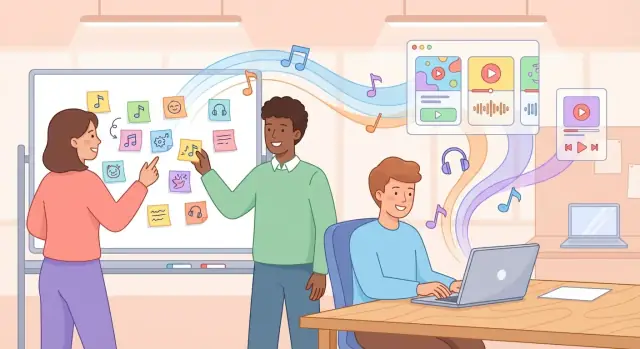
What “Vibe Coding” Means (Without the Hype)
“Vibe coding” is a simple idea: build quickly while you’re curious. Instead of trying to predict the perfect solution up front, you open a blank file (or a prototype tool), follow a hunch, and see what happens. The goal isn’t polish—it’s learning, momentum, and surprise.
At its best, vibe coding feels like sketching with software. You try a UI layout, a tiny workflow, a weird feature toggle, a different data view—whatever helps you answer “what if?” in minutes instead of meetings.
How it’s different from normal sprint work
A typical sprint is optimized for delivery: clear requirements, estimates, scoped tasks, and a definition of done. Vibe coding is optimized for discovery: unclear requirements, loose scope, and a definition of learned.
That doesn’t mean “no discipline.” It means the discipline is different: you protect speed over completeness, and you accept that some experiments will be thrown away.
What it’s for (and what it’s not)
Vibe coding doesn’t replace strategy, roadmaps, or good product judgment. It doesn’t excuse skipping user needs, ignoring constraints, or shipping half-baked ideas.
It does fuel product discovery by creating tangible artifacts early—something you can click, react to, and test. When you can see and feel an idea, you notice problems (and opportunities) that no doc can reveal.
What outcomes to expect
A good vibe coding session produces:
- Exploration: multiple paths tried quickly, without heavy commitment.
- Creativity: playful combinations that wouldn’t survive a “prove it” meeting.
- Surprising product ideas: the kind that emerge only after you build a rough version and realize, “Wait—this is the interesting part.”
Why Many Great Ideas Die in a Planning Phase
Planning is supposed to protect teams from wasting time. But it also acts like a filter—and early-stage ideas are fragile.
The “planning filters” that quietly kill novelty
Before something is approved, it often has to pass a familiar checklist:
- A clear ROI story (often with numbers that don’t exist yet)
- A detailed spec (even though the real problem isn’t fully understood)
- Stakeholder alignment (which tends to favor the safest interpretation)
- A firm timeline and resource plan (as if uncertainty is a scheduling bug)
None of these are “bad.” They’re just optimized for decisions about known work, not unknown opportunities.
Why early certainty is hard for novel ideas
Truly new product value is hard to predict from a document. If you’re exploring a fresh behavior, a new workflow, or an unfamiliar audience, the biggest questions aren’t “How much will it make?”—they’re “Do people care?” and “What do they try to do first?”
Those answers don’t appear in spreadsheets. They appear in reactions: confusion, curiosity, repeated use, quick abandonment, unexpected workarounds.
Planning rewards familiarity—and punishes “weird but promising”
Planning processes tend to reward ideas that look like successful things you’ve already built. They’re easier to explain, estimate, and defend.
Meanwhile, the weird-but-promising ideas often sound vague, have unclear categories, or break assumptions (“What if we removed that step entirely?”). They get labeled risky—not because they’re bad, but because they’re hard to justify upfront.
Planning is useful—just not for early discovery
Planning shines when you already know what you’re building and why. Early discovery is different: it needs small bets, fast learning, and permission to be wrong cheaply. Vibe coding fits here—before certainty—so surprising ideas can survive long enough to prove themselves.
Exploration as a Feature, Not a Detour
Exploration is often treated like a guilty pleasure: nice to have after “real work” is done. Vibe coding flips that. The exploration is the work—because it’s how you surface what’s worth building before you invest weeks defending a plan.
Play without permission
Play is productive when the goal is learning, not shipping. In a vibe coding session, you’re allowed to try the “silly” option, wire up an odd interaction, or test a half-formed idea without asking for approval.
That freedom matters because many promising concepts look unreasonable in a doc, yet become obvious once you can click, type, and feel them. Instead of arguing about hypotheticals, you create something small that can react back.
Small constraints make ideas sharper
Paradoxically, a little constraint boosts creativity. A 30–60 minute time box forces you to choose the simplest version of an idea and see if it has any spark. You’re less likely to over-design, and more likely to try two or three directions quickly.
Constraints can be as simple as:
- “One screen only.”
- “No new data models.”
- “If it’s not visible in 10 minutes, skip it.”
Build to learn = momentum
When you build to learn, progress is measured in insight, not features. Each tiny prototype answers a question: Does this workflow feel natural? Is the wording confusing? Is the core moment actually satisfying?
Those answers create momentum because they’re concrete and immediate.
Exploration improves product taste
Repeated exploration trains your product “taste”—your ability to sense what’s elegant, useful, and believable for your users. Over time you get faster at spotting dead ends, and better at recognizing the surprising ideas worth turning into real experiments (more on that in /blog/turning-experiments-into-real-product-signals).
Fast Feedback Loops That Unlock Creativity
Vibe coding thrives on a simple advantage: software answers you back immediately. You don’t have to “decide” what an idea means in a meeting—you can see it, click it, and feel where it breaks.
That feedback loop turns uncertainty into movement, which is why exploration stays fun instead of frustrating.
Why prototypes beat debates
Abstract discussions invite guesswork. Everyone imagines a slightly different version of the same feature, then argues about pros and cons of something that doesn’t exist yet.
A tangible prototype collapses that ambiguity. Even a rough UI with fake data can reveal:
- what users notice first
- what they ignore
- where they hesitate
- what they try to do next
Those reactions are more valuable than perfect logic, because they’re grounded in behavior.
Fast iteration reveals real signal
When you can change something in minutes, you stop treating early ideas as precious. You try variations: different wording, layouts, defaults, flows. Each version becomes a tiny experiment.
The “signal” isn’t whether people say they like it—it’s what they actually do when the screen is in front of them.
Instead of spending a week aligning on a spec, you might run five micro-iterations in an afternoon and learn which direction creates curiosity, trust, or momentum.
A small tweak that changes everything
Imagine you’re prototyping a simple habit tracker. The first version has a prominent “Add Habit” button at the top.
You try one UI tweak: replace “Add Habit” with “Start a 7‑day challenge,” and pre-fill three suggested challenges.
Suddenly users stop browsing options and start committing. The product shifts from “organize habits” to “complete short streaks.” That’s not a feature debate—that’s a new product direction discovered through a feedback loop you could only get by building.
The creative unlock is this: every build gives you a reaction, every reaction gives you a next move.
How Unexpected Ideas Appear While You Build
Vibe coding is fertile ground for “happy accidents”: the small surprises you only notice when something is running, clickable, and slightly imperfect.
Plans are great at preserving intent. Prototypes are great at revealing behavior—especially the kind you didn’t intend.
Why prototypes produce surprises
When you build quickly, you make hundreds of micro-decisions (naming, layout, defaults, shortcuts, data shapes). Each decision creates side effects: a weird but useful view, an interaction that feels smoother than expected, a messy log that tells a story.
In a planning doc, these are “edge cases.” In a prototype, they’re often the first thing people react to.
When a side effect becomes the main feature
A common pattern in vibe coding is that the thing you built “just to get unstuck” becomes the product’s most valuable surface. Three example patterns:
-
A debugging tool becomes a dashboard. You add a temporary panel to inspect events and errors. Then you realize it’s the clearest view of what users are doing. With a little polish, it turns into an internal dashboard—or even a customer-facing activity feed.
-
A shortcut becomes a workflow. You add a keyboard shortcut or one-click action to speed up your own testing. A teammate tries it and says, “This is how I want to do the whole task.” Suddenly the “hidden” shortcut is the backbone of a streamlined workflow.
-
A workaround becomes a feature flag. You add a toggle to bypass a slow step during prototyping. Later, that toggle becomes a real preference (“simple mode” vs. “advanced mode”) that helps different user types succeed.
How to capture ideas before they vanish
Unexpected ideas disappear because they feel incidental. Treat them like product signals:
- Keep a running “Surprises” note during a session (one sentence each).
- Tag the moment: record a 20–30 second screen clip or screenshot when someone says “wait—that’s cool.”
- Write the hypothesized value (“This could reduce setup time,” “This could help explain results”).
- Create a tiny follow-up test for the next session, not a big roadmap item.
That way, vibe coding stays playful—while still turning accidents into insight.
Practical Prompts to Start a Vibe Coding Session
A vibe coding session works best when you begin with a feeling, not a spec. Start with a user frustration you can almost hear: “I just want this to be done,” “Why am I still clicking around,” “I’m not sure what to do next.” That emotional signal is enough to build from.
Pick a “vibe” as your starting point
Write one sentence that captures the tension:
- “It should feel instant.”
- “It should feel obvious.”
- “It should feel calm, not stressful.”
Then choose a single moment in the flow where that vibe is currently broken.
Use prompts that force simplification
These prompts are designed to collapse complexity fast—without requiring you to know the right solution yet:
- What if this took 10 seconds? What would you remove to make the outcome happen in one short burst?
- What if we removed this step? If you delete one screen, one form field, or one confirmation, what breaks—and what suddenly becomes smoother?
- What’s the smallest input that still works? Can the user provide one piece of information instead of five?
- What would a first-time user do wrong here? Make the prototype “fail gracefully” on purpose.
Build the thinnest interactive version first
Aim for the smallest thing that can be clicked, typed into, or toggled—something that creates a reaction: a button that updates a preview, a single-screen wizard, a fake “success” state that lets you test the emotional payoff.
If you’re unsure, constrain yourself: one screen, one primary action, one result.
If your bottleneck is getting from “idea” to “running app,” a vibe-coding platform like Koder.ai can help you generate a clickable React UI (and even a Go + PostgreSQL backend) from a short chat prompt, then iterate fast with snapshots and rollback—useful when the whole point is to learn without committing to a full build pipeline.
Don’t skip basic usability (even in a rush)
Quick prototypes still need a minimum standard:
- readable text and clear labels (no mystery icons)
- keyboard access for main actions
- visible focus states and enough color contrast
- an obvious way to undo or go back
Those basics keep the experiment honest—so feedback reflects the idea, not avoidable friction.
A Lightweight Structure That Keeps It Productive
Vibe coding works best when it feels playful and finishes with something you can point to. The trick is to add just enough structure to prevent endless tinkering—without turning the session into a mini waterfall project.
1) Time-box the session (so energy stays high)
Pick a fixed window before you start. For most teams, 60–180 minutes is the sweet spot:
- 60 minutes for a quick “can we even make this idea visible?” probe
- 90–120 minutes for a prototype you can click through or react to
- 180 minutes when you also want to capture notes and compare two directions
Set a timer. When it ends, stop building and switch to reviewing what you learned.
2) Start with a single learning goal
Write one sentence that defines what you’re trying to learn, not what you’re trying to ship.
Examples:
- “Will users understand the first screen without explanation?”
- “Which of these two onboarding flows feels less confusing?”
- “Can we generate a useful output in under 30 seconds?”
If a new idea appears mid-session, park it in a “next session” note unless it directly supports the goal.
3) Use lightweight roles to stay moving
You don’t need a big team. Three simple roles keep the flow smooth:
- Driver: builds and makes quick decisions to keep momentum
- Reviewer: reacts in real time, asks “does this answer the learning goal?”
- Note-taker: records what you tried, what changed, and what surprised you
Rotate roles between sessions so one person doesn’t become the permanent “builder.”
4) Decide in advance when to stop iterating
End the session when you hit one of these clear stop conditions:
- You’ve answered the learning question well enough to choose a direction
- Changes are becoming cosmetic (“pixel polishing”)
- You’ve made the same fix twice (a signal you’re guessing)
- The next step requires real data, real users, or real integration
When you stop, capture a quick recap: what you built, what you learned, and what the next experiment should be.
Turning Experiments Into Real Product Signals
Vibe coding is fun, but it only becomes useful when you can tell whether an experiment is pointing to something real. The goal isn’t “did people like it?”—it’s “did this reduce confusion, speed up progress, or spark a clear desire to use it again?”
Quick ways to validate (without overbuilding)
Pick one lightweight test that matches what you built:
- 5-user test (30 minutes each): Ask people to complete one task while thinking out loud. Don’t explain the UI; watch where they get stuck.
- Internal demo + role-play: Have a teammate pretend to be a customer and try to use it cold. Capture objections and “wait, what does this do?” moments.
- Landing page smoke test: Describe the outcome, not the features, and add a “Join the waitlist” or “Request access” button. If you already have users, drive a small in-app announcement to it.
Signals worth watching
Early prototypes rarely produce stable numbers, so look for behavioral and clarity signals:
- Comprehension: Can they explain what it does in one sentence—accurately?
- Time-to-value: How quickly do they reach the first meaningful result?
- Repeated-use intent: Do they ask to use it again, request a link, or suggest where it fits into their workflow?
Avoid vanity metrics (especially early)
Be careful with metrics that feel scientific but don’t prove usefulness yet: raw pageviews, likes, time on page, or “sounds cool” feedback. A polite compliment can hide confusion.
Document learnings with a tiny template
Keep a running log so experiments become product knowledge:
- Hypothesis: We believe ___ for ___ because ___.
- What we built: (link/screenshot) + what’s intentionally missing.
- Test method: who, where, how long.
- What we observed: 3–5 concrete moments (quotes + actions).
- Signals: comprehension, time-to-value, repeat intent (rate: low/med/high).
- Decision: double down / revise / pause, and the next smallest step.
Risks and Guardrails (So It Doesn’t Become Chaos)
Vibe coding works because it’s permissive—but permissive can drift into messy. The goal isn’t to remove constraints; it’s to use light constraints that keep exploration safe, cheap, and reversible.
Common risks to watch for
- Scope creep: the “quick experiment” quietly turns into a half-built product.
- Technical debt: prototype shortcuts leak into main code and slow future work.
- Shiny-object chasing: each new idea interrupts the last before it teaches you anything.
Simple guardrails that keep it productive
Use boundaries that make experimentation disposable by default:
- Sandbox repos or branches: keep vibe work separate (e.g., a
vibes/repo or clearly labeled branches) so nothing merges “accidentally.” - Feature flags everywhere: if something touches production, hide it behind a flag and default it off.
- Disposable code rules: time-box the experiment and assume it will be deleted. If it shows promise, rewrite it cleanly before integrating.
- Small, testable slices: aim for one behavior you can observe, not a full workflow.
A “kill switch” criterion
Decide upfront what “done” means. Examples:
- If we can’t get a user to complete the core action within 60 seconds, stop.
- If we can’t produce a measurable signal in one day (click, completion, qualitative “aha”), stop.
- If it requires more than X hours to stabilize, stop and file findings.
Write the kill switch in the experiment doc or ticket title: “Stop if no signal by Friday 3pm.”
Keeping stakeholders comfortable (without over-reporting)
Stakeholders don’t need constant updates—they need predictability. Share a weekly roll-up: what you tried, what you learned, what you’re deleting, and what earned a follow-up.
Make deletion a positive outcome: proof you saved time.
When to Move From Vibes to a Plan
Vibe coding is great for surfacing surprising directions, but it shouldn’t be the final operating mode. The shift to planning should happen when the “interesting” becomes “repeatable”—when you can describe what’s working without relying on luck, novelty, or your own enthusiasm.
The graduation criteria: what earns a plan
Move from vibes to a plan when you can point to at least a few of these signals:
- Repeated user pull: multiple people independently try to use it, ask for it again, or feel disappointed when it’s removed.
- A clear use case: you can state who it’s for, what job it helps them do, and what success looks like in one or two sentences.
- Feasible delivery: you’ve identified a realistic path to ship (tech, time, and team), even if it’s not fully estimated yet.
If you only have “it’s cool,” keep exploring. If you have “they want it,” start planning.
Rewrite the prototype into a simple spec
Prototypes are messy by design. Once you’ve learned enough, convert the experiment into a lightweight spec that captures the truth you discovered:
- Problem statement: what frustration or desire showed up in real usage?
- Proposed solution: what is the smallest version that delivers the value?
- Non-goals: what you intentionally won’t build yet.
- Success metric: what you’ll measure in the next release.
This isn’t about polishing; it’s about making the idea transferable to others.
A transition checklist that prevents backsliding
Before you commit, write down:
- Key UX notes (what confused people, what they loved, what they ignored)
- Known constraints (data, performance, compliance, platform limits)
- Open questions (what must be tested next, and how)
Planning helps once uncertainty has dropped: you’re no longer guessing what to build—you’re choosing how to deliver it well.
Where Vibe Coding Fits Best (and Where It Doesn’t)
Vibe coding shines when your goal is to discover what’s worth building—not to perfectly execute a predetermined plan. It’s most useful in the “unknowns” zone: unclear requirements, fuzzy user needs, and early-stage concepts where speed of learning matters more than precision.
Great fits: high learning value, low blast radius
Vibe coding works best when you can prototype quickly, show something to a user (or teammate), and adapt without causing downstream damage.
Common good-fit scenarios include:
- Early product discovery: exploring a new feature idea, onboarding flow, pricing page variant, or internal tool.
- UI/UX exploration: trying alternative layouts, micro-interactions, or navigation patterns to see what “feels right” before formal design.
- Data and workflow experiments: testing whether a certain workflow can be simplified, automated, or made more delightful.
- Idea generation for a roadmap: building small demos to uncover opportunities that wouldn’t survive a planning committee.
The best vibe coding sessions create artifacts you can react to—clickable prototypes, small scripts, rough integrations, or “fake” screens that simulate value.
Poor fits: when the cost of being wrong is high
Some environments punish improvisation. In these cases, vibe coding should be tightly constrained or avoided.
It’s a poor fit for:
- Compliance-heavy changes (regulated industries, privacy-sensitive data flows, audit requirements)
- Safety-critical systems (medical, automotive, finance transfers, security controls)
- Core infrastructure migrations where partial changes can create outages or hard-to-debug instability
- High-stakes public launches with strict brand/legal requirements and limited rollback options
You can still use vibe coding around these areas—e.g., to prototype a UX concept with mocked data—without touching the production-critical surfaces.
Team readiness: make space, add support
Vibe coding is easiest when the team has:
- Junior support and pairing so less-experienced folks can explore safely without getting stuck or shipping accidental complexity
- Clear review practices (lightweight PRs, quick design check-ins, explicit “prototype only” labeling)
- A time budget that protects exploration from being constantly interrupted by urgent work
A practical cadence is one exploration slot per week (even 60–90 minutes). Treat it like a recurring lab session: small scope, fast demo, quick notes.
Try it once, then iterate
Pick one small question you genuinely don’t know the answer to, run a single vibe coding session, capture what you learned (and what surprised you), then repeat next week with a slightly sharper experiment.
FAQ
What is vibe coding, in plain terms?
Vibe coding is rapid, curiosity-led building where the goal is learning, not shipping. You sketch an idea in code or a prototype, get immediate feedback, and iterate to discover what’s worth building.
How is vibe coding different from normal sprint work?
Sprint work optimizes for delivery (clear requirements, estimates, “done”). Vibe coding optimizes for discovery (loose scope, fast experiments, “learned”). A useful rule: sprints reduce execution risk; vibe coding reduces idea risk.
Why do good ideas die during planning?
Planning demands early certainty (ROI, specs, timelines), which favors familiar ideas. Novel ideas often can’t justify themselves on paper until someone can click a prototype and react to it—confusion, delight, or “I want this.”
What kinds of outputs should a vibe coding session produce?
Aim for artifacts that create reactions, such as:
- A clickable flow with fake data
- Two alternative layouts to compare
- A script that simulates an outcome
- A tiny toggle that changes behavior
If it can’t be clicked, typed into, or observed, it’s usually too abstract to learn from quickly.
What constraints make vibe coding more productive?
Use a tight constraint like:
- 30–60 minutes per session
- One screen only
- One primary action
- No new data models
Constraints force you to build the smallest interactive version and try multiple directions without over-investing.
How do you choose a learning goal for a vibe coding session?
Pick one learning question (not a feature) and track it:
- “Will a first-time user understand this screen without help?”
- “Which of these two flows feels less confusing?”
- “Can someone reach value in under 30 seconds?”
Stop iterating when you’ve answered that question well enough to choose a direction.
Who should be in the room, and what roles help?
Use lightweight roles:
- Driver: builds and makes quick calls
- Reviewer: challenges decisions against the learning goal
- Note-taker: records what changed, what worked, and surprises
Rotate roles between sessions to avoid one person becoming the permanent builder.
How do you capture unexpected ideas that appear while building?
Treat surprises as signals and capture them immediately:
- Keep a running “Surprises” note (one sentence each)
- Record a 20–30s clip when someone says “wait—that’s cool”
- Write the hypothesized value (“reduces setup time”, “makes results clearer”)
- Schedule a tiny follow-up test next session
This prevents happy accidents from disappearing as “just a workaround.”
How do you prevent vibe coding from turning into chaos or technical debt?
Use guardrails that make experiments disposable:
- Build in a sandbox repo/branch
- Keep anything production-adjacent behind feature flags (default off)
- Assume the prototype will be deleted; rewrite cleanly if it earns investment
- Set a kill switch (e.g., “stop if no signal by Friday 3pm”)
These keep exploration fast without letting shortcuts leak into core code.
When should you move from vibes to a plan?
Graduate to planning when you see repeatable pull and clarity:
- Multiple people ask to use it again (or miss it when removed)
- You can state who it’s for, the job it does, and what success means
- There’s a feasible path to ship (even without perfect estimates)
Then convert the prototype into a lightweight spec (problem, smallest solution, non-goals, success metric). For validation ideas, see /blog/turning-experiments-into-real-product-signals.