

Vibe Coding: When the Hard Part Is Choosing What to Build
Vibe coding makes building faster, but shifts the bottleneck to deciding what should exist. Learn how to prioritize, scope, and validate ideas safely.
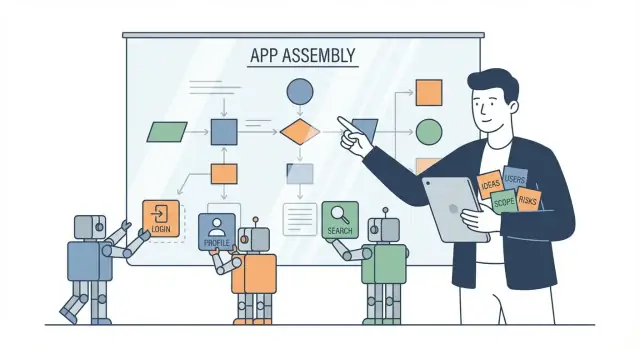
The bottleneck moved—here’s what that changes
The first time you watch AI generate a working screen, API call, or automation in minutes, it feels like a cheat code. What used to take days of tickets, waiting, and back-and-forth suddenly appears in front of you: “Here’s the feature.”
And then a different kind of silence hits.
Is this the right feature? Should it exist at all? What does “working” even mean for your users, your data, your policies, and your business?
The core shift: from typing to deciding
Vibe coding doesn’t eliminate effort—it relocates it. When producing code becomes fast and cheap, the constraint is no longer the team’s ability to implement. The constraint becomes your ability to make good decisions:
- What problem are we solving, and for whom?
- What are we willing to trade off (accuracy, time, safety, scope)?
- What needs to be true for this to be considered “done”?
When those answers are unclear, speed creates noise: more prototypes, more half-features, more “almost right” outputs.
What this article is for (and who it’s for)
This is a practical guide for people who need to turn fast output into real outcomes—product managers, founders, designers, team leads, and non-technical stakeholders who now find themselves “building” by prompting.
You’ll learn how to move from vague vibes to clear requirements, prioritize when everything feels easy to ship, decide what graduates from prototype to product, and set feedback loops so AI-assisted coding produces measurable value—not just more code.
What “vibe coding” means in practice
“Vibe coding” is a casual name for building software by directing an AI rather than manually writing every line yourself. You describe what you want in plain language, the AI proposes code, and you iterate together—like pair programming where your “pair” can draft fast, refactor on request, and explain options.
In platforms like Koder.ai, this chat-to-build workflow is the product: you describe the app you want, the system generates a working web/server/mobile implementation, and you iterate in conversation—without needing to stitch together five different tools just to get a prototype running.
What it looks like day to day
Most vibe coding cycles follow the same rhythm:
- Prompt: you state the goal, constraints, and context (“Add a checkout form with validation, keep the current design, use Stripe”).
- Generate: the AI produces code, tests, or a plan.
- Review: you read it like a code reviewer—checking correctness, edge cases, security, and fit with the product.
- Iterate: you tighten the prompt (“Don’t store card data; handle failed payments; add analytics event names”).
What it is not
It’s not magic and it’s not “build anything instantly.” The AI can be confidently wrong, misunderstand your domain, or introduce subtle bugs. Judgment, testing, and accountability still sit with humans. Vibe coding changes how code gets produced, not the need to ensure it’s safe, maintainable, and aligned with the business.
Common workflows you’ll see
- Chat-to-code: describing features in a chat, then pasting or applying suggested changes.
- Codegen in the IDE: inline suggestions, refactors, test generation, and “make this function cleaner” edits.
- Agent-style tasks: giving a goal (“add export to CSV”) and letting the tool run multi-step changes across files, then reviewing a single proposed diff.
The new limiting factor: clarity of intent
When generating code is cheap, the scarce resource becomes clear decisions: what should exist, what “done” means, what to exclude, and what risks are acceptable. The better your intent, the better the output—and the fewer expensive surprises later.
Why writing less code increases the need for better decisions
A few years ago, the main constraint in software was developer time: syntax, boilerplate, wiring services together, and “just making it run.” Those frictions forced teams to be selective. If a feature took three weeks, you argued hard about whether it was worth it.
With AI-assisted coding, a lot of that friction drops. You can generate UI variants, try different data models, or spin up a proof-of-concept in hours. As a result, the constraint shifts from production to direction: taste, tradeoffs, and deciding what’s actually valuable.
Cheaper exploration means more decisions
When options are expensive to build, you naturally limit them. When options are cheap, you create more of them—intentionally or not. Every “quick experiment” adds choices:
- Which version matches the goal?
- What should be kept, deleted, or merged?
- What edge cases are acceptable right now?
So while code output increases, the volume of decisions increases even faster.
Decision debt: the new waste
“Decision debt” is what accumulates when you avoid hard choices: unclear success criteria, fuzzy ownership, or unresolved tradeoffs (speed vs quality, flexibility vs simplicity). The code may be easy to generate, but the product becomes harder to steer.
Common signs include multiple half-finished implementations, features that overlap, and repeated rewrites because “it didn’t feel right.”
Unclear goals still cause churn
If the goal is vague (“make onboarding better”), AI can help you build something, but it can’t tell you whether it improved activation, reduced support tickets, or shortened time-to-value. Without a clear target, teams cycle through iterations that look productive—until you realize you shipped motion, not progress.
The new bottleneck: deciding what should exist
When code is cheap to produce, the scarce resource becomes clarity. “Build me a feature” stops being a request for implementation and turns into a request for judgment: what should be built, for whom, and to what standard.
The key decisions you can’t outsource
Before you prompt an AI (or a teammate), make a small set of product decisions that define the shape of the work:
- Problem: What pain are we solving, and what triggered this request?
- User: Who is it for (primary user), and who is affected indirectly?
- Outcome: What should be true after it ships (behavior change, time saved, fewer errors)?
- Constraints: Time, budget, legal/compliance, platforms, integrations, accessibility.
- Success metrics: How you’ll know it worked (adoption, conversion, retention, support tickets, latency).
Without these, you’ll still get “a solution”—but you won’t know whether it’s the right one.
Separate “what” from “how”
A useful rule: decide the “what” in human terms; let the AI help propose the “how.”
- What decisions: user flow, permissions, required data, acceptance criteria, error states.
- How decisions: frameworks, code structure, implementation details, refactors.
If you mix them too early (“Build this in React with X library”), you may accidentally lock in the wrong product behavior.
The hidden decisions that bite later
Vibe coding often ships defaults you didn’t consciously choose. Call these out explicitly:
- Defaults: initial settings, empty states, pre-filled fields.
- Edge cases: duplicates, retries, partial failures, offline behavior.
- Data handling: what gets stored, for how long, export/delete needs.
- Permissions: who can view/edit/delete, audit logs, admin overrides.
A quick pre-prompt checklist
Before you write a prompt, answer:
- Who is the user and what job are they trying to do?
- What is the smallest acceptable outcome?
- What must not happen (risks, compliance, security)?
- What inputs/outputs exist (data, systems, roles)?
- What are 3 acceptance tests that prove it works?
These decisions turn “generate code” into “deliver an outcome.”
From vague vibes to clear requirements
AI can turn a fuzzy idea into working code fast—but it can’t guess what “good” means for your business. Prompts like “make it better” fail because they don’t specify a target outcome: better for whom, in what scenario, measured how, and with what trade-offs.
Start with the outcome, not the implementation
Before you ask for changes, write down the observable result you want. “Users complete checkout faster” is actionable. “Improve the checkout” is not. A clear outcome gives the model (and your team) a direction for decisions: what to keep, what to remove, and what to measure.
Use lightweight artifacts (not heavyweight bureaucracy)
You don’t need a 30-page spec. Pick one of these small formats and keep it to a single page:
- One-page PRD: problem, goal, non-goals, success metric, constraints, open questions
- User story: “As a ___, I want ___, so that ___”
- Acceptance criteria: concrete conditions that must be true for “done”
If you’re using a chat-first builder like Koder.ai, these artifacts map cleanly to prompts—especially when you use a consistent template such as “context → goal → constraints → acceptance criteria → non-goals.” That structure is often the difference between a flashy demo and something you can actually ship.
Crisp vs. vague requirements (examples)
-
Vague: “Make onboarding smoother.”
-
Crisp: “Reduce onboarding drop-off from 45% to 30% by removing the ‘company size’ step; users can skip and still reach the dashboard.”
-
Vague: “Add a better search.”
-
Crisp: “Search returns results in <300ms for 95% of queries and supports exact match + typo tolerance for product names.”
-
Vague: “Improve security.”
-
Crisp: “Require MFA for admin roles; log all permission changes; retain audit logs for 365 days.”
Write constraints explicitly
Speed increases the risk of silently breaking boundaries. Put constraints in the prompt and the spec:
- Time/budget: “Must ship in 2 days; no new paid services.”
- Tech limits: “PostgreSQL only; don’t introduce Kafka.”
- Compliance: “No PII in logs; GDPR delete within 30 days.”
Clear requirements turn vibe coding from “generate stuff” into “build the right thing.”
Prioritization when everything feels cheap to build
AI-assisted coding makes “effort” feel like it collapsed. That’s great for momentum—but it also makes it easier to ship the wrong thing faster.
Use a lightweight scoring method
A simple impact/effort matrix still works, but you’ll get better clarity with RICE:
- Reach: how many people will use it in a given period?
- Impact: how much does it move the key metric (small/medium/large)?
- Confidence: how sure are you about reach and impact?
- Effort: time from idea to done (not “first demo”).
Even if AI reduces coding time, effort still includes product thinking, QA, docs, support, and future maintenance. That’s where “cheap to build” stops being cheap.
Speed can hide opportunity cost
When everything feels buildable, the real cost becomes what you didn’t build: the bug you didn’t fix, the onboarding flow you didn’t improve, the customer request you ignored.
A practical guardrail: keep a short “Now / Next / Later” list and cap Now to 1–2 bets at a time. If a new idea arrives, it must replace something—not stack on top.
Limit WIP and define “done” before you start
Set a definition of done that includes: success metric, basic QA checks, analytics event, and an internal note explaining the decision. If it can’t meet the definition quickly, it’s a prototype—not a feature.
How to say no (and what to cut first)
When prioritizing, cut in this order:
- Edge cases (keep the happy path)
- Nice-to-haves (keep the core promise)
- Customization (ship one opinionated default)
- Polish (only after usage proves value)
Vibe coding works best when you treat every “yes” as a commitment to outcomes, not output.
Prototyping vs product: choosing what graduates to “real”
AI-assisted coding makes prototypes appear fast—and that’s both the gift and the trap. When a team can spin up three variations of a feature in a day, those prototypes start competing for attention. People remember whichever demo looked coolest, not which one solves the right problem. Soon you’re maintaining “temporary” things that quietly become dependencies.
Why prototypes multiply (and confuse everyone)
Prototypes are easy to create, but hard to interpret. They blur important lines:
- Is this a concept or a commitment?
- Is it safe, compliant, and supportable?
- Is it measuring anything real, or just showing something possible?
Without clear labels, teams end up debating implementation details of something that was only meant to answer a question.
Use a prototype ladder
Treat prototypes as rungs with different goals and expectations:
- Sketch: clarify the idea and user flow.
- Clickable: test comprehension and desirability.
- Functional: test feasibility and edge cases with real data paths.
- Production: build for reliability, security, monitoring, and support.
Each rung should have an explicit question it’s trying to answer.
Decide with validation signals
A prototype “graduates” based on evidence, not excitement. Look for signals like:
- User interviews that confirm the problem and the proposed workflow
- Small pilots with a defined audience and success criteria
- Retention/usage patterns (repeat use, time-to-value, task completion)
The rule that prevents accidental products
Don’t scale a prototype—more users, more data, more integrations—without a documented decision to commit. That decision should name the owner, success metric, and what you’re willing to stop building to fund it.
If you’re iterating quickly, make “reversibility” a first-class requirement. For example, Koder.ai supports snapshots and rollback, which is a practical way to experiment aggressively while still being able to return to a known-good state when a prototype goes sideways.
Quality and risk: speed doesn’t remove responsibility
Vibe coding can make it feel like you can “just ship it” because the code appears quickly. But the risk profile doesn’t shrink—it shifts. When output is cheap, low-quality decisions and weak safeguards get amplified faster.
What tends to go wrong
Common failure modes aren’t exotic—they’re ordinary mistakes produced at higher volume:
- Security holes: unsafe auth checks, injection risks, exposed endpoints, overly permissive CORS.
- Broken flows: edge cases skipped, confusing UX states, partial error handling.
- Unclear data ownership: where data lives, who can access it, retention rules, and auditability.
AI-generated code still needs the same scrutiny
AI-assisted code should be treated like code written by a new teammate who works extremely fast: helpful, but not automatically correct. Review is non-negotiable—especially around authentication, payments, permissions, and anything that touches customer data.
Guardrails that keep speed safe
A few lightweight practices preserve velocity while reducing surprises:
- Code review as a gate (even for “small” changes).
- Automated tests for critical paths: login, purchase, core CRUD, and permissions.
- Threat modeling for new features: “what could go wrong, and how would we notice?”
- Logging + monitoring: structured logs, error tracking, and alerts for key workflows.
A simple “no-go” list
Make these hard rules early, and repeat them often:
- No secrets in prompts (API keys, tokens, customer data).
- No unreviewed dependencies added “because the AI suggested it.”
- No libraries with unclear or missing licenses.
- No merging features with missing tests on critical paths.
Speed is an advantage only when you can trust what you’re shipping—and detect problems quickly when you can’t.
Feedback loops that turn output into outcomes
Fast building only matters if each iteration teaches you something real. The goal isn’t “more output.” It’s turning what you shipped (or mocked) into evidence that guides the next decision.
The loop to run every time
A simple loop keeps vibe coding grounded:
prompt → build → test → observe → decide
- Prompt: State the user problem, the intended behavior, and what you’re trying to learn.
- Build: Generate the smallest version that can answer that question.
- Test: Try it with real usage, not just “it works on my machine.”
- Observe: Capture what people actually do and say.
- Decide: Stop, go, or change direction—based on evidence.
Collect feedback quickly (without heavy process)
You don’t need a research department to get signal fast:
- In-app prompts: A one-question survey after a key action (“Did this help you finish faster? Yes/No”).
- Session notes: Ask 3–5 users to try it; write down exact quotes and where they hesitated.
- Lightweight analytics: Track a few events tied to the outcome (start → complete, time-to-complete, drop-off).
- Support channel scanning: Tag messages that mention the feature; count repeats.
Decision checkpoints and timeboxes
After each iteration, run a checkpoint:
- Go: Evidence says it’s useful and safe—improve it.
- Change: Some value, but the approach is wrong—revise the hypothesis.
- Stop: Low value or high risk—archive it.
To avoid endless iteration, timebox experiments (for example, “two days or 20 user sessions”). When the timebox ends, you must decide—even if the decision is “pause until we can measure X.”
Team roles: who decides, who reviews, who owns outcomes
When AI can produce code on demand, “who can implement it” stops being the main constraint. Teams that do well with vibe coding don’t remove roles—they rebalance them around decisions, review, and accountability.
The decider: one throat to choke (in a good way)
You need a clear decider for each initiative: a PM, founder, or domain lead. This person is responsible for answering:
- What problem are we solving, for whom, and why now?
- What does “done” mean (success metric + acceptance criteria)?
- What are we explicitly not building?
Without a named decider, AI output can turn into a pile of half-finished features that nobody asked for and nobody can confidently ship.
Developers shift from typists to reviewers, architects, and coaches
Developers still build—but more of their value moves to:
- Reviewing AI-generated code for correctness, security, performance, and maintainability.
- Architecture decisions: boundaries, data models, integration patterns, and “how this fits the system.”
- Coaching others on prompts, constraints, and how to translate product intent into implementable tasks.
Think of engineers as editors and systems thinkers, not just producers of lines of code.
Non-technical contributors: spec writers and evaluators
Designers, support leads, ops, and sales can contribute directly—if they focus on clarity instead of implementation details.
Helpful inputs they can own:
- A one-page spec: user story, constraints, edge cases, examples, and what to measure.
- A test script: “click here, enter this, expect that.”
- A reality check: does the prototype actually solve the customer’s problem?
The goal is not to “prompt better,” but to define what success looks like so the team can judge outputs.
Collaboration rituals that keep speed from turning into chaos
A few lightweight rituals make roles explicit:
- Prompt reviews (10 minutes): share the prompt + constraints before generating a big chunk of code.
- Demo Fridays: show what changed, what’s next, and what got killed.
- Decision logs: a short running record of what was decided, by whom, and why (link it in your tracker or /blog/decision-log template).
Owning outcomes (not just shipping)
Assign an “outcome owner” per feature—often the same as the decider—who tracks adoption, support load, and whether the feature moves the metric. Vibe coding makes building cheaper; it should make learning faster, not accountability fuzzier.
A practical workflow for vibe coding without chaos
Speed is only useful when it’s pointed at the right target. A lightweight workflow keeps AI-assisted coding productive without turning your repo into an experiment archive.
A simple end-to-end flow
Start with a clear funnel from idea to measurable result:
- Backlog: capture requests as one-liners plus the “why” (who benefits, what problem it solves).
- Spec: turn the chosen item into a small, testable description (inputs, outputs, edge cases, and what “done” means).
- Generate: use AI to draft code, tests, and docs from the spec—not from a vague chat.
- Review: humans verify behavior, security/privacy implications, and consistency with standards.
- Merge: ship behind a flag when possible.
- Measure: confirm the outcome (activation, time saved, error rate, support tickets).
If you’re evaluating how this fits your team, keep the bar simple: can you go from “idea” to “measured change” repeatedly? (/pricing)
Helpful artifacts that keep quality high
A few small “defaults” prevent most chaos:
- Prompt templates: “context → goal → constraints → acceptance criteria → non-goals.”
- Coding standards: naming, logging, error handling, and dependency rules.
- Acceptance tests: plain-language scenarios plus automated checks (unit/integration).
Document decisions, not just code
Treat documentation as a decision record:
- What assumptions were made (and what would falsify them)
- What alternatives were rejected (and why)
- Known risks and follow-ups
One practical tip if you’re building in a managed environment: make “exitability” explicit. Tools like Koder.ai support source code export, which helps teams treat AI acceleration as leverage—not lock-in—when a prototype becomes a long-lived product.
When you need help setting up this workflow or calibrating review responsibilities, route it through a single owner and get outside guidance if needed. (/contact)
Example: turning “build me a feature” into a clear decision
A PM drops a message: “Can we add a ‘Smart Follow‑Up’ feature that reminds users to email leads they haven’t contacted?” With AI-assisted coding, the team spins up three versions in two days:
- a scheduled reminder modal
- an inbox-like “Follow‑Ups” tab
- an automatic drafted email
Then everything stalls. Sales wants more automation (“draft it for them”), Support worries about users sending wrong emails, and Design says the UI is getting cluttered. Nobody can agree which version is “best” because the original request never said what success looks like.
Where the team got stuck
They had:
- Conflicting goals: save time vs avoid mistakes vs keep the app simple
- Unclear user: SDRs? founders? agencies?
- No metric: fewer missed follow-ups, higher reply rate, or reduced churn?
So the team kept building alternatives instead of making a decision.
The fix: make it a decision, not a vibe
They rewrote the ask into a measurable outcome:
Target outcome: “Reduce the % of leads with no follow-up in 7 days from 32% → 20% for SDR teams.”
Narrow scope (v1): reminders only for leads marked ‘Hot’.
Acceptance criteria:
- user can set a follow-up date in the lead view
- reminder appears in-app (not email) once per day
- user can snooze or mark done in one click
- tracking event:
followup_reminder_completed
Now the team can choose the simplest build that proves the outcome.
Reusable takeaway checklist
- Who is the primary user?
- What outcome changes, and by how much?
- What’s in v1 (and explicitly out)?
- What would make this a “no”? (risk, compliance, support burden)
- What are the acceptance criteria and the one metric to watch?
FAQ
What is vibe coding?
Vibe coding means directing an AI to build software through plain-language requests, then reviewing and refining what it produces. You still decide the product behavior, constraints, and quality bar.
Why does vibe coding make decision-making more important?
The bottleneck shifts from writing code to making clear product decisions. You need to define the user problem, desired outcome, risks, and what counts as done before fast output creates extra churn.
What should I include in a prompt for an AI-built feature?
Start with the user, the problem, and one measurable outcome. Then state constraints, non-goals, required inputs and outputs, and a few acceptance tests.
How do I tell a prototype from a real product feature?
A prototype answers a limited question, such as whether users understand a flow or whether an integration works. A product needs reliability, security, monitoring, support, and a clear owner.
When should a prototype move into production?
Use evidence rather than the most polished demo. Look at user feedback, task completion, repeat use, and whether the feature moves the metric you chose.
How should I prioritize features when AI makes them quick to build?
Count the full cost, not only coding time. Include review, QA, analytics, documentation, support, security work, and future maintenance before you rank an idea.
Is AI-generated code safe to ship without review?
Review it as carefully as work from a fast new teammate. Test critical paths, inspect permissions and data handling, check dependencies, and keep secrets and customer data out of prompts.
Who should own decisions in a vibe-coding team?
Name one decider who owns the problem, scope, and success metric. Developers should review architecture, security, and maintainability, while other contributors can define workflows and test scenarios.
What should we measure after shipping an AI-built feature?
Track a small set of events tied to the intended outcome, such as starts, completions, drop-off, time saved, errors, or support requests. Pair the numbers with a few user sessions or direct feedback.
Why should we keep a decision log for AI-assisted projects?
Keep a short record of the problem, chosen approach, rejected options, assumptions, owner, metric, and known risks. This prevents teams from reopening the same debate after the code changes.