

VMware and Broadcom: When Virtualization Becomes the Control Plane
A plain-English look at how VMware evolved into enterprise IT’s control plane, and what Broadcom ownership may change for budgets, tools, and teams.
Why VMware Matters Beyond Virtual Machines
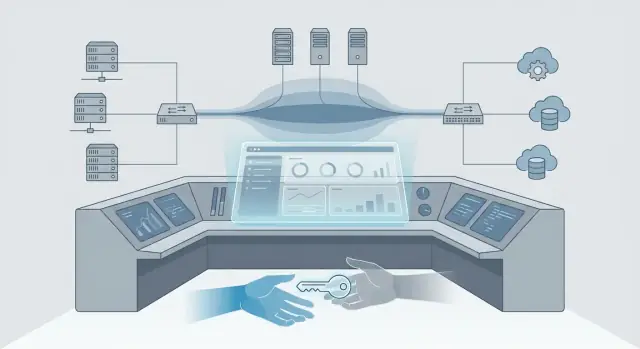
Virtualization, in plain terms, is a way to run many “virtual” servers on one physical machine—so one box can safely behave like many. A control plane is the set of tools and rules that tells a system what should run where, who can change it, and how it’s monitored. If virtualization is the engine, the control plane is the dashboard, steering wheel, and traffic laws.
VMware’s role: the default foundation
VMware didn’t just help organizations buy fewer servers. Over time, vSphere and vCenter became the place where teams:
- allocate compute capacity (and say “yes” or “no” to requests)
- standardize templates, clusters, and operational guardrails
- tie in backups, monitoring, security controls, and change management
That’s why VMware matters beyond “running VMs.” In many enterprises, it effectively became the operating layer for infrastructure—the point where decisions are enforced and audited.
What this post covers
This article looks at how virtualization grew into an enterprise control plane, why that position is strategically important, and what tends to change when ownership and product strategy shift. We’ll cover the history briefly, then focus on practical impacts for IT teams: operations, budgeting signals, risk, ecosystem dependencies, and realistic options (stay, diversify, or migrate) over the next 6–18 months.
What we can (and can’t) know
We won’t guess at confidential roadmaps or predict specific commercial moves. Instead, we’ll focus on observable patterns: what typically shifts first after an acquisition (packaging, licensing, support motions), how those shifts affect day-to-day operations, and how to make decisions with incomplete information—without freezing or overreacting.
From Consolidation to Standard Practice: A Short History
Virtualization didn’t start as a grand “platform” idea. It started as a practical fix: too many underused servers, too much hardware sprawl, and too many late-night outages caused by one application owning an entire physical box.
A quick timeline: from efficiency to expectation
In the early days, the pitch was straightforward—run multiple workloads on one physical host and stop buying so many servers. That quickly evolved into an operational habit.
- Server consolidation era: fewer physical machines, better utilization, faster provisioning.
- Standardization era: one approach for compute, storage, and networking abstractions across many teams.
- Operations era: centralized management became as important as the hypervisor itself.
How standardization reduced complexity across teams and sites
Once virtualization became common, the biggest win wasn’t just “we saved money on hardware.” It was that teams could repeat the same patterns everywhere.
Instead of every location having a unique server setup, virtualization encouraged a consistent baseline: similar host builds, common templates, predictable capacity planning, and shared practices for patching and recovery. That consistency mattered across:
- headquarters vs. branch offices
- production vs. test environments
- application teams with different release schedules
Even when the underlying hardware differed, the operational model could stay mostly the same.
vCenter-style management: the daily work surface
As environments grew, the center of gravity shifted from individual hosts to centralized management. Tools like vCenter didn’t just “manage virtualization”—they became where administrators handled routine work: access control, inventory, alarms, cluster health, resource allocation, and safe maintenance windows.
In many organizations, if it wasn’t visible in the management console, it effectively wasn’t manageable.
Why “good enough everywhere” beats “best point solution”
A single standard platform can outperform a collection of best-of-breed tools when you value repeatability. “Good enough everywhere” often means:
- fewer handoffs between teams
- simpler training and onboarding
- clearer operational ownership
That’s how virtualization moved from a cost-saving tactic into standard practice—and set the stage for becoming an enterprise control plane.
How Virtualization Turned Into an Enterprise Control Plane
Virtualization started as a way to run more workloads on fewer servers. But once most applications lived on a shared virtual platform, the “place you click first” became the place where decisions get enforced. That’s how a hypervisor stack evolves into an enterprise control plane.
One platform, many layers
IT teams aren’t only managing “compute.” Day-to-day operations span:
- Compute: CPU and memory allocation, host clusters, capacity
- Storage: datastores, performance tiers, snapshots, replication
- Network: virtual switches, segmentation, load balancing patterns
- Identity and access: who can provision, who can change policies, audit trails
- Apps and services: placement rules, uptime requirements, maintenance windows
When these layers are orchestrated from one console, virtualization becomes the practical center of operations—even when the underlying hardware is diverse.
Centralized provisioning, policies, and access
A key shift is that provisioning becomes policy-driven. Instead of “build a server,” teams define guardrails: approved images, sizing limits, network zones, backup rules, and permissions. Requests translate into standardized outcomes.
That’s why platforms like vCenter end up functioning like an operating system for the data center: not because they run your apps, but because they decide how apps are created, placed, secured, and maintained.
Automation turns choices into habits
Templates, golden images, and automation pipelines quietly lock in behaviors. Once teams standardize on a VM template, a tagging scheme, or a workflow for patching and recovery, it spreads across departments. Over time, the platform isn’t just hosting workloads—it’s embedding operating habits.
Where the center of gravity shifts
When one console runs “everything,” the center of gravity moves from servers to governance: approvals, compliance evidence, separation of duties, and change control. That’s why ownership or strategy changes don’t only affect pricing—they affect how IT runs, how fast it can respond, and how safely it can change.
What “Control Plane” Means for Daily Operations
When people call VMware a “control plane,” they don’t mean it’s just where virtual machines run. They mean it’s the place where daily work is coordinated: who can do what, what is safe to change, and how problems are detected and resolved.
Day‑2 operations: the work that fills the calendar
Most IT effort happens after the initial deployment. In a VMware environment, the control plane is where Day‑2 operations live:
- Patching and upgrades: host firmware coordination, ESXi patching, vCenter upgrades, cluster health checks, and rollback plans.
- Capacity and performance: tracking CPU/RAM/storage headroom, right‑sizing workloads, and deciding when to add hosts or rebalance.
- Troubleshooting: correlating alarms, events, and performance charts to isolate whether the issue is compute, storage, network, or the app.
Because these tasks are centralized, teams build repeatable runbooks around them—change windows, approval steps, and “known good” sequences.
Skills, runbooks, and tooling are sticky for a reason
Over time, VMware knowledge becomes operational muscle memory: naming standards, cluster design patterns, and recovery drills. That’s hard to replace not because alternatives don’t exist, but because consistency reduces risk. A new platform often means re-learning edge cases, rewriting runbooks, and re-validating assumptions under pressure.
Incident response depends on visibility and permissions
During an outage, responders rely on the control plane for:
- Visibility: alerts, event timelines, and performance history.
- Permissions: who can power-cycle a VM, move workloads, or change networking.
- Audit trails: proving what changed, when, and by whom.
If those workflows change, mean time to recovery can change too.
Hidden dependencies you only notice when they break
Virtualization rarely stands alone. Backup, monitoring, disaster recovery, configuration management, and ticketing systems integrate tightly with vCenter and its APIs. DR plans may assume specific replication behavior; backup jobs may depend on snapshots; monitoring may rely on tags and folders. When the control plane shifts, these integrations are often the first “surprises” you’ll need to inventory and test.
Ownership Changes: What Usually Shifts First
When a platform as central as VMware changes owners, the technology usually doesn’t break overnight. What shifts first is the commercial wrapper around it: how you buy it, how you renew it, and what “normal” looks like in budgeting and support.
Separate product value from commercial terms
Many teams still get enormous operational value from vSphere and vCenter—standardized provisioning, consistent operations, and a familiar toolchain. That value can remain steady even while the commercial terms change quickly.
It helps to treat these as two different conversations:
- Product value: what the platform enables (stability, automation, governance).
- Commercial terms: licensing metrics, bundles, support levels, renewal mechanics, and discounts.
Why ownership changes trigger pricing and packaging reviews
New ownership often brings a mandate to simplify the catalog, increase average contract value, or shift customers into fewer bundles. That can translate into changes in:
- licensing metrics and minimums
- bundle composition (what’s “included” vs. add-on)
- support entitlements and response tiers
- renewal timelines and contract structures
Common enterprise concerns: renewals and predictability
The most practical worries tend to be boring but real: “What will this cost next year?” and “Can we get multi-year predictability?” Finance wants stable forecasts; IT wants assurance that renewal doesn’t force rushed architectural decisions.
What to gather before renewal conversations
Before you talk numbers, build a clean fact base:
- Inventory: clusters, hosts, cores, editions, and which environments matter most.
- Usage reality: what features you actually use vs. what you’re merely entitled to.
- Contracts and history: current SKUs/bundles, renewal dates, support level, true-up terms, and prior concessions.
With that in hand, you can negotiate from clarity—whether your plan is to stay, diversify, or prepare a migration path.
Strategy Shifts: Bundles, Roadmaps, and Product Focus
When a platform vendor changes strategy, the first thing many teams feel isn’t a new feature—it’s a new way of buying and planning. For VMware customers watching Broadcom’s direction, the practical impact often shows up in bundles, roadmap priorities, and which products get the most attention.
Bundles: simpler purchasing, less flexibility
Bundling can be genuinely helpful: fewer SKUs, fewer “did we buy the right add-on?” debates, and clearer standardization across teams.
The trade-off is flexibility. If the bundle includes components you don’t use (or don’t want to standardize on), you may end up paying for shelfware or being pushed toward a “one size fits most” architecture. Bundles can also make it harder to pilot alternatives gradually—because you’re no longer buying just the piece you need.
Roadmaps: who the platform is built for
Product roadmaps tend to favor the customer segments that drive the most revenue and renewals. That can mean:
- more focus on large, standardized estates
- less attention to edge cases, smaller deployments, or niche integrations
- changes to how quickly fixes land for older versions
None of that is inherently bad—but it changes how you should plan upgrades and dependencies.
Product focus and the risk of tool sprawl
If certain capabilities are deprioritized, teams often fill gaps with point solutions (backup, monitoring, security, automation). That can solve immediate problems while creating long-term tool sprawl: more consoles, more contracts, more integrations to maintain, and more places for incidents to hide.
Questions to ask vendors (and get in writing)
Ask for clear commitments and boundaries:
- What is the supported timeline for our current versions and deployment model?
- Which features are on the roadmap, and what is the target release window?
- What is explicitly out of scope (and will not be supported) going forward?
- Where does support stop: vendor product, partner integration, or “best effort”?
These answers turn “strategy shift” into concrete planning inputs for budgets, staffing, and risk.
What Changes for IT Teams, Not Just the CFO
When VMware is treated as a control plane, a licensing or packaging change doesn’t stay in procurement. It changes how work flows through IT: who can approve changes, how quickly environments can be provisioned, and what “standard” means across teams.
Platform teams: more than “keeping the lights on”
Platform administrators often feel the first-order effects. If entitlements are simplified into fewer bundles, day-to-day operations can become less flexible: you may need internal approval to use a feature that used to be “just there,” or you may have to standardize on fewer configurations.
That shows up as more admin workload in places people don’t always see—license checks before projects start, tighter change windows to align upgrades, and more coordination with security and app teams around patching and configuration drift.
Application owners: predictable performance now needs proof
App teams are usually measured on performance and uptime, but platform shifts can change the underlying assumptions. If clusters are rebalanced, host counts change, or feature usage is adjusted to match new entitlements, application owners may need to re-test compatibility and re-baseline performance.
This is especially true for workloads that rely on specific storage, networking, or HA/DR behaviors. The practical outcome: more structured testing cycles and clearer documentation of “what this app needs” before changes are approved.
Security and compliance: policy, logs, and separation of duties
If the virtualization layer is your enforcement point for segmentation, privileged access, and audit trails, any shift in tooling or standard configurations affects compliance.
Security teams will push for clearer separation of duties (who can change what in vCenter operations), consistent logging retention, and fewer “exception” configurations. IT teams should expect more formalized access reviews and change records.
Procurement and finance: the operational ripple of cost
Even if the trigger is cost, the impact is operational: chargeback/showback models may need to be updated, cost centers may renegotiate what they consider “included,” and forecasting becomes a collaboration with platform teams.
A good sign you’re treating virtualization as a control plane is when IT and finance plan together instead of reconciling surprises after renewal.
Risk Management: Continuity, Support, and Operational Exposure
When a platform like VMware shifts ownership and strategy, the biggest risks often show up in the “quiet” parts of IT: continuity plans, support expectations, and day‑to‑day operational safety. Even if nothing breaks immediately, assumptions you’ve relied on for years can change.
Continuity isn’t just DR—it’s your recovery workflow
A major platform shift can ripple into backup, disaster recovery, and retention in subtle ways. Backup products may depend on specific APIs, vCenter permissions, or snapshot behavior. DR runbooks often assume certain cluster features, networking defaults, and orchestration steps. Retention plans may also be affected if storage integrations or archive workflows change.
Actionable takeaway: validate your end-to-end restore process (not just backup success) for the systems that matter most—tier 0 identity, management tooling, and key business apps.
Operational exposure: where teams get surprised
Common risk areas are operational rather than contractual:
- Upgrades and patching: changes in cadence or requirements can turn “routine” upgrades into projects.
- Driver/firmware compatibility: tighter support matrices can create blockers for older servers, HBAs, NICs, or storage arrays.
- Integrations: monitoring, security agents, backup connectors, and automation scripts can fail if APIs, permissions, or packaging changes.
The practical risk is downtime from “unknown unknowns,” not just higher costs.
Vendor concentration: the trade-offs
When one platform dominates, you gain standardization, a smaller skills footprint, and consistent tooling. The trade-off is dependency: fewer escape routes if licensing, support, or product focus shifts. Concentration risk is highest when VMware underpins not only workloads, but identity, backups, logging, and automation.
Practical mitigations you can start now
Document what you actually run (versions, dependencies, and integration points), tighten access reviews for vCenter/admin roles, and set a testing cadence: quarterly restore tests, semiannual DR exercises, and a pre-upgrade validation checklist that includes hardware compatibility and third‑party vendor confirmations.
These steps reduce operational risk no matter which direction your strategy takes next.
The Ecosystem Effect: Partners, Tools, and Interoperability
VMware rarely operates alone. Most environments depend on a web of hardware vendors, managed service providers (MSPs), backup platforms, monitoring tools, security agents, and disaster recovery services. When ownership and product strategy change, the “blast radius” often shows up first in this ecosystem—sometimes before you notice it inside vCenter.
Why certifications and support matrices matter
Hardware vendors, MSPs, and ISVs align their support to specific versions, editions, and deployment patterns. Their certifications and support matrices determine what they will troubleshoot—and what they’ll ask you to upgrade before they engage.
A licensing or packaging change can indirectly force upgrades (or prevent them), which then affects whether your server model, HBA, NIC, storage array, or backup proxy remains on the supported list.
Third‑party tools: pricing and support assumptions can shift
Many third-party tools have historically priced or packaged around “per socket,” “per host,” or “per VM” assumptions. If the platform’s commercial model changes, those tools may adjust how they count usage, what features require an add-on, or which integrations are included.
Support expectations can shift too. For example, an ISV might require specific API access, plugin compatibility, or minimum vSphere/vCenter versions to support an integration. Over time, “it used to work” becomes “it works, but only on these versions and these tiers.”
Kubernetes and containers: alongside, not a replacement
Containers and Kubernetes often reduce pressure on VM sprawl, but they don’t eliminate the need for virtualization in many enterprises. Teams commonly run Kubernetes on VMs, depend on virtual networking and storage policies, and use existing backup and DR patterns.
That means interoperability between container tooling and the virtualization layer still matters—especially around identity, networking, storage, and observability.
Avoiding surprises: validate dependencies early
Before committing to “stay, diversify, or migrate,” inventory the integrations you rely on: backups, DR, monitoring, CMDB, vulnerability scanning, MFA/SSO, network/security overlays, storage plugins, and MSP runbooks.
Then validate three things: what’s supported today, what’s supported on your next upgrade, and what becomes unsupported if packaging/licensing changes alter the way you deploy or manage the platform.
Your Options: Stay, Diversify, or Migrate
Once virtualization functions as your day-to-day control plane, change can’t be treated as a simple “platform swap.” Most organizations end up on one of four paths—sometimes in combination.
1) Stay put (and treat it like a renewal project)
Staying isn’t the same as “doing nothing.” It usually means tightening inventory, standardizing cluster designs, and removing accidental sprawl so you’re paying for what you actually run.
If your primary goal is cost control, start by right-sizing hosts, reducing underused clusters, and validating which features you truly need. If your goal is resilience, focus on operational hygiene: patch cadence, backup testing, and documented recovery steps.
2) Optimize (get lean before you move)
Optimization is the most common near-term move because it lowers risk and buys time. Typical actions include consolidating management domains, cleaning up templates/snapshots, and aligning storage/network standards so future migrations are less painful.
3) Diversify (use alternatives where they fit)
Diversification works best when you pick “safe” zones to introduce another stack without re-platforming everything at once. Common fits include:
- Small clusters supporting a single app team
- Edge sites with limited operational overhead
- Dev/test where downtime tolerance is higher
- VDI pilots or isolated pools
The goal is usually vendor diversification or agility, not immediate replacement.
4) Migrate (partial or full)
“Migrating” means more than moving VMs. Plan for the full bundle: workloads, networking (VLANs, routing, firewalls, load balancers), storage (datastores, replication), backups, monitoring, identity/access, and—often underestimated—skills and operating procedures.
Set realistic goals up front: are you optimizing for price, speed of delivery, risk reduction, or strategic flexibility? Clear priorities prevent a migration from turning into an endless rebuild.
A Practical Decision Framework for the Next 6–18 Months
If VMware is your operational control plane, decisions about VMware/Broadcom strategy shifts shouldn’t start with a vendor press release—they should start with your environment. Over the next 6–18 months, aim to replace assumptions with measurable facts, then choose a path based on risk and operational fit.
1) Build a decision-ready inventory
Create an inventory that your operations team would trust during an incident, not a spreadsheet built for procurement.
- Workloads: what runs on vSphere today (and where)
- Criticality: business impact, RTO/RPO, peak seasons
- Dependencies: shared storage, backup, network/security tooling, identity
- Owners: app owner + platform owner + escalation contact
This inventory is the foundation for understanding what vCenter operations truly enable—and what would be hard to reproduce elsewhere.
2) Measure utilization and right-size before you compare options
Before debating vSphere licensing or alternative platforms, quantify your baseline and remove obvious waste.
Focus on:
- CPU, memory, storage utilization at cluster and VM levels
- Overprovisioning patterns (idle VMs, oversized templates)
- License exposure (what is actually used vs. what is deployed)
Right-sizing can reduce virtualization costs immediately and makes any migration planning more accurate.
3) Define criteria that reflect your constraints
Write down your decision criteria and weight them. Typical categories:
- Risk: outage tolerance, vendor dependency, support continuity
- Cost: licensing, hardware refresh, ops headcount, training
- Time: how fast you need an answer (and a rollback)
- Skills: what your team can run confidently
- Compliance & performance: audits, data residency, latency
4) Run a pilot with guardrails
Pick one representative workload (not the easiest) and run a pilot with:
- Success metrics (performance, recovery, operational effort)
- A rollback plan (tested, with clear trigger conditions)
- Executive sign-off on risk boundaries
Treat the pilot as a rehearsal for Day‑2 operations—not just a migration demo.
5) Don’t ignore the “internal tooling” layer
In real environments, a big part of the control plane is the set of small systems around it: inventory trackers, renewal dashboards, access review workflows, runbook checklists, and change-window coordination.
If you need to build or modernize that tooling quickly, a vibe-coding platform like Koder.ai can help teams create lightweight internal web apps through a chat interface (with planning mode, snapshots/rollback, and source code export). For example, you can prototype a vCenter integration inventory app or a renewal readiness dashboard (React front end, Go + PostgreSQL back end), host it with a custom domain, and iterate fast as requirements change—without waiting for a full development cycle.
Next Steps: A Checklist You Can Start This Week
You don’t need a finished “platform strategy” to make progress. The goal this week is to reduce uncertainty: know your dates, know your coverage, and know who needs to be in the room when decisions land.
1) Confirm your contract and support reality (today)
Start with facts you can point to in a meeting.
- Key dates: current subscription/ELA start and end dates, true-up windows, renewal notice period, and any auto-renew clauses
- Support coverage: active support level, what products are covered (vSphere, vCenter, NSX, etc.), and which environments are excluded (lab, DR, subsidiaries)
- Renewal timeline: work backward from the renewal date to set internal deadlines for evaluation, budgeting, procurement, and approvals
2) Set a communication plan (this week)
Ownership and licensing shifts can create surprises when different teams hold different pieces of the puzzle.
Bring together a short working group: platform/virtualization, security, app owners, and finance/procurement. Agree on:
- one accountable owner for the plan
- a weekly 30-minute checkpoint until renewal clarity is reached
- a single place to store decisions and assumptions (even a shared doc is fine)
3) Build a decision-grade documentation pack (2–3 hours)
Aim for “good enough to estimate risk and cost,” not a perfect inventory.
- Architecture diagrams: clusters, vCenter topology, core dependencies (backup, monitoring, IAM)
- Runbooks: patching cadence, incident steps, DR procedures, and who can approve changes
- Access model: admin roles, break-glass accounts, MFA status, and third-party access
4) Put three items on a quarterly review
Treat this as an ongoing management cycle, not a one-time event.
Review quarterly: vendor roadmap/licensing updates, run-rate costs vs. budget, and operational KPIs (incident volume, patch compliance, recovery test results). Add outcomes to your next renewal and migration planning notes.
FAQ
What does it mean to say VMware is a “control plane,” not just a hypervisor?
A hypervisor runs VMs. A control plane is the decision-and-governance layer that determines:
- where workloads are placed
- who can provision or change things (RBAC)
- what policies apply (templates, zones, backup rules)
- how health, alerts, and audit trails are captured
In many enterprises, vCenter becomes the “place you click first,” which is why it functions like a control plane, not just a virtualization tool.
Why did VMware become the default operational layer for infrastructure in many enterprises?
Because the operational value concentrates in standardization and repeatability, not just consolidation. vSphere/vCenter often becomes the common surface for:
- provisioning from approved templates
- cluster/maintenance workflows (patching, upgrades)
- capacity guardrails and resource allocation
- integrations for backup, monitoring, security, and change management
Once those habits are embedded, changing the platform affects day‑2 operations as much as it affects where VMs run.
What are “Day‑2 operations,” and why are they tied to vCenter-style management?
Day‑2 operations are the recurring tasks that fill calendars after initial deployment. In a VMware-centric environment, that typically includes:
- ESXi/vCenter upgrades and cluster health checks
- capacity management and right-sizing
- troubleshooting via events, alarms, and performance history
- scheduled maintenance windows and safe workload moves
If your runbooks assume these workflows, the management layer is effectively part of your operational system.
What are the most common hidden dependencies on VMware that teams overlook?
Because they’re what fail first when assumptions change. Common hidden dependencies include:
- backup platforms that rely on snapshots, permissions, and vCenter APIs
- DR tooling that assumes specific replication and orchestration behavior
- monitoring that depends on tags, folders, events, or plugins
- automation scripts built around stable API behavior and object models
Inventory these early and test them during upgrades or pilots, not after a renewal forces a timeline.
After an ownership or strategy change, what tends to shift first in practice?
Usually the commercial wrapper changes before the technology does. Teams most often feel shifts in:
- packaging/bundles and what’s “included”
- licensing metrics/minimums and renewal mechanics
- support entitlements, response tiers, and escalation paths
- timelines that force faster decisions (notice periods, true-ups)
Treat it as two tracks: preserve product value operationally, while de-risking commercial uncertainty contractually.
What should we gather before entering renewal or licensing discussions?
Build a fact base so procurement conversations aren’t guesswork:
- Inventory: clusters/hosts/cores, editions, critical environments
- Usage reality: features you actually rely on vs. shelfware
- Contracts: current SKUs/bundles, renewal dates, support level, true-up terms
- Dependencies: backup/DR/monitoring/security integrations and their versions
This lets you negotiate with clarity and evaluate alternatives with realistic scope.
How can control-plane changes affect incident response and recovery time?
It can slow recovery and increase risk because responders depend on the control plane for:
- visibility (alerts, timelines, performance history)
- permissions (who can move/power-cycle/change network)
- auditability (what changed and by whom)
If tooling, roles, or workflows change, plan for retraining, role redesign, and updated incident runbooks before you assume MTTR stays the same.
Are bundles always bad, or can they actually help operations?
Not always. Bundles can simplify buying and standardize deployments, but the trade-offs are real:
- you may pay for components you don’t use
- flexibility to adopt alternatives gradually can decrease
- internal approvals may increase if entitlements become tighter
Practical step: map each bundled component to a real operational need (or a clear plan to adopt it) before accepting it as “the new standard.”
What are the most realistic near-term moves if we’re unsure about long-term strategy?
Start by reducing uncertainty and buying time:
- right-size clusters and eliminate obvious waste
- consolidate sprawl (templates, snapshots, underused clusters)
- validate restores end-to-end for tier‑0 systems
- build a dependency map (backup/DR/monitoring/IAM) and test key integrations
These steps lower risk whether you stay, diversify, or migrate.
How do we pilot an alternative platform without creating outages or chaos?
Use a controlled pilot that tests operations, not just migration mechanics:
- pick a representative workload (not the easiest)
- define success metrics (performance, recovery, operational effort)
- include a tested rollback plan with trigger conditions
- validate support matrices and third-party tool compatibility
Treat the pilot as a rehearsal for day‑2 operations—patching, monitoring, backups, and access control—not a one-time demo.