

Waitstaff Sidework Checklist App for Opening and Closing
A practical waitstaff sidework checklist app plan to set opening and closing tasks, assign owners, and track completion so nothing gets missed on busy shifts.
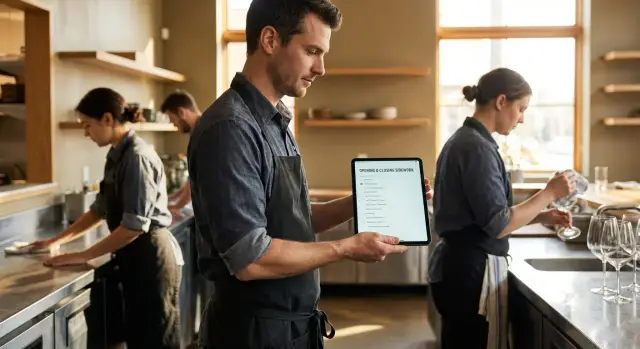
Why sidework gets missed on busy shifts
Sidework usually isn’t missed because people don’t care. It gets missed because the shift changes shape every 10 minutes, and the “small” tasks are the easiest to push to later. Then later never happens.
The failure points are predictable. Sidework falls off the radar when the team is reacting instead of planning:
- The first rush hits before the open checklist is finished
- The cut list changes and sections get shuffled mid-shift
- Late reservations or a surprise party wipe out the expected lull
- A call-out forces one person to cover too much
- Last call turns into “one more round” for three more tables
What gets skipped is consistent too: restocks (to-go, paper goods, ice, sauces), wipe-downs (stations, POS area, fridge handles), bathrooms, and floors. These jobs are quick on a normal day, but on a packed day they feel optional because there’s no ticket time attached to them.
The real cost shows up tomorrow. The opener walks into a station that’s half empty, sticky, or missing key items, so opening takes longer. The kitchen suddenly has an 86 list because nobody counted or refilled. Guests notice dirty bathrooms and crumbs under booths before they notice your new menu items, and complaints go up even if service was friendly.
“Just remind people” stops working because reminders compete with everything else. During a rush, staff are tracking tables, modifiers, refires, payments, and guest needs. A verbal reminder is easy to nod at and forget five minutes later, especially when responsibilities are shared.
Picture a common Friday: dinner runs long and you cut two servers early to save labor. The remaining closer is running food, closing checks, and dealing with a late table. Without a clear, visible list, the closer guesses what matters most, and the quiet tasks (bathrooms, restocks, mop) are the ones that disappear. That’s the gap a waitstaff sidework checklist app should close: not more pressure, just fewer things that can quietly slip.
What a sidework checklist app needs to do
A good waitstaff sidework checklist app should make sidework feel smaller, not heavier. The biggest win is keeping the list short and relevant to the moment.
Start by splitting tasks into Opening, Running, and Closing. Opening covers what must happen before doors open. Running is the small stuff that prevents chaos mid-shift. Closing is the reset that sets up tomorrow.
Core workflow
The app should answer three questions fast: What do I do now, who owns it, and is it truly finished?
To keep teams honest without slowing them down, focus on a few essentials:
- A clear owner on every task (role and who’s on today’s shift)
- Simple statuses: Not started, In progress, Done, Verified
- Time windows that match real life (before doors, pre-rush, after last table)
- Quick filtering by role so each person sees only their lane
- A manager view that highlights what’s overdue or waiting on verification
Time windows matter because the same task can be “done,” but done at the wrong time. Refilling ice before doors helps. Refilling it during the rush might be impossible, so the checklist should cue it earlier.
Notes and photo proof (use sparingly)
Notes and photos should be optional, and only used for tasks that truly need proof. A photo makes sense for a cleaned walk-in shelf or a reset patio. It’s overkill for “polish 10 wine glasses.”
A simple scenario: the opener marks “stock server station” as Done, but the shift lead Verifies it only after checking that napkins, pens, and receipt paper are all there. If something is missing, a short note like “Need more receipt paper in drawer 2” prevents the same problem on the next shift.
Turn sidework into clear opening and closing tasks
The fastest way to build sidework that actually gets done is to start with what breaks service when it’s missed. If the ice bin is empty, the floor is sticky, or the POS station is out of paper, the shift feels harder right away. Those are your first tasks.
Write each task as an action you can see, not a mood or a vague goal. “Clean better” gives no target. “Wipe and sanitize bar top” is clear. Keep tasks to one step when you can. If it takes multiple steps, split it into separate items so people can check them off as they go.
Examples of sidework tasks written in a way that works well in an app:
- Refill ice bin to the fill line.
- Restock server station napkins to two full stacks.
- Refill ramekins to 30 and place in the labeled bin.
- Wipe and sanitize POS screen and counter until dry.
- Sweep entry rug area until no visible crumbs.
For the top 10 tasks that matter most, add one short “Definition of done” line. This reduces arguments, rework, and missed details. For example, “Bathrooms checked” becomes “Bathrooms: mirrors spotless, trash under half, soap full, floor dry.”
Finally, decide the cadence so your daily list stays short. When weekly and monthly items get mixed into daily sidework, people ignore everything.
Daily items should be essentials like restocking basics, wiping high-touch areas, and resetting sections. Weekly items can cover deeper cleaning and detailing. Monthly items can be the heavy tasks, like pulling out equipment and cleaning behind it.
Once tasks are clear, opening and closing feel less like guesswork and more like a routine anyone can follow, even on the busiest days.
Assign sidework by role (not by whoever is free)
The fastest way for sidework to disappear is to treat it like extra help for “whoever has time.” On busy nights, that usually means no one does it, or the same two people do everything. A checklist works best when tasks are owned by roles, not by luck.
Start by tying each task to the person who is already closest to it. Servers own their stations (condiments, silverware, table resets). Bartenders own bar readiness (garnishes, ice levels, glassware, bar mats). Hosts handle front-door basics (menus, waitlist setup, entry wipe-down, a fast restroom check). Runners and bussers cover movement tasks like clearing bins, dish drop runs, floors, and high chairs.
Managers shouldn’t be the catch-all. Give the manager-on-duty a short, high-impact set that protects the business: counts, cash, required logs, and a final walk-through.
A simple way to assign roles without arguments:
- Attach each task to one role and one backup role
- Keep tasks small (2 to 5 minutes) so they fit between tables
- Add a clear done rule (example: “condiments filled to the top line”)
- Keep role lists consistent across days, even if staffing changes
- Review missed items at preshift, not during the rush
Example: on a Friday close, the bartender checks ice and garnishes before last call, runners handle floors and bins while the dining room clears, and servers reset their own sections. The manager confirms counts and does the last walk-through. Nothing gets dumped on the last person standing.
Step-by-step setup for your first location
The fastest way to get value from a waitstaff sidework checklist app is to start small and make the first version “good enough” for one location. You can copy it later and adjust for other stores.
Build your first checklist in one hour
Start with a shared draft (a doc, notes app, or whiteboard photo). Ask one opener, one closer, and a manager to list every recurring task they do in a normal week, not just on perfect days.
Then turn that messy list into a simple structure:
- Group tasks into Opening, Mid-shift, and Closing so people see only what matters right now.
- Assign an owner for each task (role, not a name) and pick a backup owner for when someone is slammed.
- Add a time window (for example: “before doors,” “between 4-6pm,” “after last table”) and mark priority as must-do or nice-to-do.
- Convert repeated tasks into templates, then generate a daily shift checklist from those templates.
- Keep each task description short and specific, like “Refill ice bin to the line” instead of “Stock ice.”
After you build the first version, run it for one real shift. Expect to edit it right away. If staff keep skipping a task, the problem is usually wording (what does done look like?) or timing (it’s scheduled during the rush).
A quick reality check before you roll it out
Before day two, scan for duplicates, tasks with no owner, “nice-to-do” items hiding in must-do, and anything that requires a manager but was assigned to servers.
Timing and reminders that fit real shifts
Good reminders feel like part of the shift, not an extra job. The easiest way to do that is to tie tasks to moments everyone recognizes, instead of exact clock times.
Use triggers like:
- Before doors (setup that must happen to open)
- After first seating (quick restocks that prevent early chaos)
- Before the rush ends (short pre-close block)
- After last table (closing duties that can’t start earlier)
- After cashout (final checks and lockup)
Too many pings get muted. Save notifications for the tasks that actually hurt you if missed. A practical rule is to remind for safety, money, and the next shift.
Busy nights also change the plan. If someone gets cut early, the app should make reassignment simple so sidework doesn’t vanish with them. A clean flow looks like this: mark the person as cut, flag unfinished tasks, reassign to the best-fit role, notify only the new owner, and log who accepted it.
Finally, add a 5-minute pre-close block before the rush ends. Keep it small on purpose: refill ice, restock to-go, wipe high-touch areas, stage trash bags. When the last table lingers, you’ll be glad those basics are already done.
Verification without slowing the team down
Verification only works if it takes seconds, not minutes. The goal is simple: keep the team moving while giving managers a clear way to confirm the important work actually happened. A checklist should treat verification like a quick checkpoint, not a second job.
Start by choosing a small set of tasks that truly need manager sign-off. If everything requires approval, nothing does, and your team will click through it just to get out the door.
Common tasks worth verifying (keep it to a few):
- Cash and comps (drawer count, void log, tip-out recorded)
- Food safety (walk-in temp logged, date labels checked)
- High-impact cleaning (restrooms, bar mats, sanitizer buckets refreshed)
- Big restocks (ice bin, cups, to-go supplies)
- Lock-up and security (doors, alarms, patio gates)
For everything else, use spot checks. Instead of verifying every item, verify one area per shift: restrooms one night, server stations the next, expo area the next. You still get accountability without creating a bottleneck at close.
Add a fast way to leave context when reality doesn’t match the checklist. A one-tap comment prevents confusion later: “ran out of sanitizer, replaced at 9:10” or “to-go lids backordered, used backup sleeve.” These notes make shift handoff cleaner and stop repeat mistakes.
Proof should stay lightweight. Most tasks don’t need evidence, but an optional photo can help when it matters, like a cleaning issue, a restock problem, or a damaged item that needs follow-up.
At a glance, managers should see what’s still open, what’s done but not verified, what’s overdue (and by how long), who completed each task, and any comments or photos that explain exceptions.
Example: it’s Friday and the dining room is slammed. The manager verifies three things before the rush dies down: restroom check, sanitizer buckets, and server station restock. At close, they spot-check the patio and confirm lock-up. The team gets out faster, and the next shift walks into a prepared setup instead of surprises.
Common mistakes that make checklists fail
A checklist should feel like a seatbelt: useful, quick, and there to help when your brain is overloaded. The fastest way to kill adoption is to turn it into a punishment tool. If the only time anyone mentions the checklist is when someone is in trouble, people will rush through it, click random boxes, or stop using it.
Length is another common problem. When a restaurant opening checklist or closing duties tracker tries to include every tiny preference, it turns into noise. Staff learn that “everything is always red,” so nothing feels important. Keep the core list short, and move rare tasks into a weekly or “as needed” section.
Unclear wording makes tasks hard to verify, which creates arguments. “Clean station” means different things to different people. Write tasks so a manager can check them in seconds: what, where, and what “done” looks like.
Ownership is the quiet checklist killer. If a task has no owner, everyone assumes someone else did it, especially during shift handoff. Make one person responsible per task, even if two people help.
Finally, checklists must evolve. Menu changes, a new POS printer location, fewer closers on Sundays, or a remodeled patio all change sidework. If your sidework task templates aren’t updated, the list becomes fiction.
Guardrails that help:
- Use the checklist to support, not to shame
- Keep opening and closing tasks short and realistic
- Write verifiable tasks with clear done criteria
- Assign one owner for every item
- Review and update the list after any real change
Quick checks a manager can do in 2 minutes
Busy shifts don’t fail because the team doesn’t care. They fail because the manager can’t be everywhere at once. A simple, repeatable 2-minute sweep catches small gaps before they turn into complaints, and it reinforces that the checklist matters.
Use the same sweep at three moments: right before doors open, during the first lull, and at final close.
The 2-minute sweep (opening, mid-shift, and closing)
- Opening stock glance: ice level, napkins, to-go supplies, sanitizer, and clean menus where guests will grab them.
- Guest-ready basics: bathrooms checked (paper, soap, smell), obvious floor spots handled, and music and lights set.
- Mid-shift backups: confirm backups are staged (garnishes, sauces, cutlery, cups). If one item is low, call it out early.
- Closing prep note: before the final push, leave a short “tomorrow restock” note so the closer isn’t guessing at the end of the night.
- Close-out walk-through: trash and recycling out, floors and tables done, POS count confirmed, then a final lock-up walk-through.
A quick example: you walk the dining room at 4:55 pm and spot empty napkin caddies and low ice. Fixing that now takes 30 seconds. Fixing it at 6:30 pm means a server leaves the floor, guests wait, and everyone gets frustrated.
Keep the tone simple: point, assign, confirm. No lectures. The goal is fewer surprises, smoother handoffs, and a close that doesn’t drag because someone missed one last thing.
Example: a Friday rush and a late close
It’s Friday. You’re short two servers, a surprise 20-top birthday party walks in at 6:15, and late reservations keep the dining room alive past 11. This is the kind of night when sidework slips, not because people don’t care, but because everyone is juggling guests, payments, and fires.
Before doors open, a checklist keeps the basics from getting skipped. The opener does a quick run-through and checks off only what’s done, not what’s “basically fine.” That prevents the 7 pm panic when you realize you’re out of rolled silverware or the sanitizer bucket never got set.
Keep the opening list to make-or-break items: fill ice bins, restock cups and lids, set sanitizer buckets, wipe stations, roll a minimum par of silverware, stock server stations (napkins, pens, receipts), and confirm reservations and large-party notes.
After the rush, cuts happen fast. Two servers get sent home, and suddenly closing sidework belongs to fewer people. Instead of guessing, the manager reassigns what’s left: bathrooms to the closer, patio sweep to the bartender, final station reset to the remaining server.
Verification is where time gets wasted if you overdo it. A smart split is managers verifying high-risk items (cashout complete, doors locked, fridges at temp) while the team self-checks low-risk items (chair wipe, menu count) so everyone can get out.
At 12:30, the closer leaves a short shift handoff checklist note for the opener: “Ran out of takeout bags, 86 tonic, party of 10 at 5:30 needs two highchairs.” That one note can save the next shift from starting behind.
Pilot, refine, then decide if you need a custom app
Pick one shift team (for example, weekday dinner) and run the checklist for one week. Keep the goal simple: prove it helps on busy days without adding drama or extra steps.
Before the pilot starts, tell the team what you’re testing and what feedback you want. Ask them to flag anything confusing, unrealistic, or missing. When someone says, “We never do that,” treat it as useful data.
Track only a few things so this doesn’t turn into paperwork: missed tasks (and which ones), close time, next-day issues (low stock, sticky floors, dirty restrooms, unlabeled prep), and how often the opener has to finish last night’s work.
After the week, tighten the wording so tasks are clear and finishable. Good tasks describe the outcome, not the vibe. For example, “Restock server station: cups, straws, napkins to par level” beats “Restock as needed.” Remove anything that never gets done, or break it into a smaller task that can.
Many restaurants do well with a simple checklist that has roles, time windows, and a sign-off. Go custom only if you need extra workflow like photo proof for specific items, manager-only approvals, automatic handoff notes, or different sidework task templates by daypart and section.
If you do want to build a custom version, Koder.ai (koder.ai) is a vibe-coding platform that lets you create web and mobile apps from a chat, including role-based checklists with verification and easy edits as your operation changes.
FAQ
What should I put in a sidework checklist app first?
Start with the tasks that create immediate problems when they’re missed, like ice, POS paper, restroom basics, and key restocks. Keep the first version short and only include items you’d be annoyed to discover missing on the next shift.
If you try to capture every preference on day one, people will ignore the whole thing when it gets busy.
How do I organize opening vs. running vs. closing sidework?
Split tasks into Opening, Running, and Closing so people see what matters right now. Add simple time windows tied to shift moments, like before doors, pre-rush, and after last table.
This prevents “we’ll do it later” tasks from getting pushed into the worst possible time.
How do I assign sidework so it doesn’t get dumped on one closer?
Assign tasks by role first, not by whoever seems free. Servers own their stations, bartenders own bar readiness, hosts own front-door basics, and support roles handle floors, bins, and high-traffic resets.
When each task has one clear owner and a backup role, fewer things fall into the “someone else probably did it” zone.
What does “definition of done” mean for sidework tasks?
Use a short “Definition of done” line for the few tasks that cause arguments or get half-finished. Make it something a manager can confirm in seconds, like “napkins two full stacks” or “bathroom trash under half.”
Avoid vague phrasing like “clean station,” because it’s impossible to verify consistently.
What task statuses should a sidework checklist app use?
Use the fewest statuses that still prevent false completion, typically Not started, In progress, Done, and Verified. “Verified” should be reserved for the handful of items that truly need a second set of eyes.
If everything requires verification, people will rush through it just to leave.
How do I set reminders that staff won’t mute during a rush?
Tie reminders to shift triggers instead of exact times, like after first seating or before the rush ends. Save notifications for tasks that protect safety, money, and the next shift.
Too many alerts get ignored, so keep reminders rare and meaningful.
What should happen in the app when someone gets cut early?
Make reassignment a normal workflow: mark the person as cut, flag their open tasks, and reassign only what’s unfinished to the best-fit role. The key is notifying only the new owner so the whole team doesn’t get spammed.
This keeps sidework from disappearing when labor changes mid-shift.
When should I require photo proof for sidework?
Use photos only for tasks where proof prevents repeat problems, like a reset patio, restocked walk-in shelf, or a recurring cleaning complaint. Keep photos optional so they don’t slow down routine work.
Most sidework is better handled with clear wording and fast verification, not constant picture-taking.
How can managers verify sidework without slowing closing down?
Verify a small set of high-impact items, like cash handling, required logs, restrooms, and lock-up. For everything else, do quick spot checks by area, rotating what you check each shift.
This creates accountability without turning close into a bottleneck.
Do I need a custom sidework checklist app, or can I pilot a simple setup first?
Start with a one-location pilot for one week, then tighten wording and timing based on what actually gets missed. Go custom when you need role-based views, easy reassignments, selective verification, handoff notes, or different templates by daypart.
If you want to build a custom web or mobile checklist quickly without a traditional dev cycle, a vibe-coding tool like Koder.ai can help you generate the app from a chat and adjust it as your operation changes.