

What Is a Vector Database? pgvector vs Pinecone vs Weaviate
Learn what a vector database is, how embeddings enable similarity search, and when to choose pgvector, Pinecone, or Weaviate for AI search and RAG.
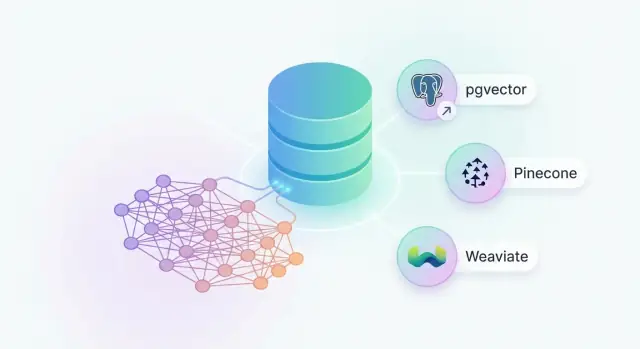
Vector databases, explained in plain English
A vector database is a system built to store and search embeddings—lists of numbers that represent the “meaning” of text, images, or other data. Instead of asking, “Does this record contain the exact word refund?”, you ask, “Which records are most similar to this question?” and get back the closest matches.
The quick mental model: “find things that are most similar”
Imagine every document (or product, ticket, or FAQ) is turned into a point on a map. Items about the same idea end up near each other—even if they use different words. A vector database is the tool that can quickly answer: what’s nearest to this new point?
How it differs from SQL databases and keyword search
Traditional SQL databases are great when you know the structure of your question: filter by date, user_id, status, and so on. Keyword search is great when the right answer literally contains the same words you type.
Vector databases are different because they focus on semantic similarity. They’re designed to handle queries like “How do I get my money back?” and find content that says “Our refund policy…” without requiring the exact same wording.
This doesn’t replace SQL or keyword search. In many real systems, you use both: SQL/filters for business rules (region, permissions, recency) and vector search for “meaning.”
What people use vector databases for
- Semantic search: search documents by intent, not exact phrasing.
- Recommendations: “users who liked this also like…” based on similarity.
- RAG (Retrieval-Augmented Generation): fetch the most relevant passages first, then have an LLM answer using that context.
If you remember one line: a vector database is a “most similar items” engine for embeddings, optimized to do that fast and at scale.
Embeddings and similarity: the core idea
Vector databases work because embeddings let you compare meaning numerically. You don’t read the numbers; you use them to rank “how close” two pieces of content are.
What an embedding is (and why it’s a list of numbers)
An embedding is a list of numbers (often hundreds or thousands long) that represents a piece of content. Each number captures some aspect of meaning learned by a machine‑learning model. You don’t interpret the individual numbers directly; what matters is that similar content ends up with similar number patterns.
Think of it like coordinates on a very high‑dimensional map: sentences about “refund policy” and “returning a product” land near each other, even if they use different words.
How text, images, and audio become vectors
Different embedding models turn different media into vectors:
- Text: a sentence, paragraph, support ticket, or product description becomes one vector.
- Images: a photo becomes a vector that captures shapes, objects, and style.
- Audio: a clip can be embedded based on acoustic patterns (or via a transcript + text embedding).
Once everything is a vector, your database can search across large collections using the same core operation: “find the closest vectors.”
What “similarity” means (without heavy math)
To decide what’s “closest,” systems use simple scoring rules:
- Cosine similarity: compares the direction of two vectors (are they pointing the same way?).
- Dot product: rewards vectors that point the same way and also have compatible magnitudes.
You don’t need to compute these by hand—the important part is that higher scores mean “more alike.”
Why good embeddings matter more than the database choice
Most search quality wins come from better embeddings and better chunking, not swapping databases. If your model doesn’t capture your domain language (product names, internal jargon, legal phrasing), even the best vector index can only return “closest wrong answers.” Choosing pgvector vs Pinecone vs Weaviate matters, but choosing the right embedding model and input format usually matters more.
Vector DB vs keyword search vs SQL queries
Keyword search, SQL queries, and vector search solve different problems—mixing them up is a common source of disappointing results.
Keyword search: exact words win
Traditional search (Elasticsearch, Postgres full-text, etc.) matches words and phrases. It’s great when users know what to type and the document contains those terms.
It struggles when:
- Synonyms: “attorney” vs “lawyer”
- Misspellings: “reciept” vs “receipt” (you can add typo-tolerance, but it’s still word-based)
- Same meaning, different words: “cancel my plan” vs “end my subscription”
Vector search: meaning wins
A vector database stores embeddings—numeric representations of meaning. Queries are also embedded, and results are ranked by similarity, so you can retrieve conceptually related content even when the exact words don’t match. This is why vector search is popular for semantic search and RAG (retrieval-augmented generation).
SQL queries: structure wins
SQL is the right tool for:
- Exact matches (IDs, SKUs, email addresses)
- Totals and reporting (counts, sums, dashboards)
- Strict joins and business logic
Vectors are a poor fit when precision is non-negotiable (e.g., “orders for customer_id = 123”).
Filters still matter
Even with semantic search, you usually need classic filters—price ranges, dates, language, category, and permissions. Most real systems do a hybrid: SQL/metadata filters first, then vector similarity ranking within the allowed set.
How vector search works under the hood (lightly)
When you store data in a vector database, each item becomes a long list of numbers (an embedding). Searching then means: “find the vectors that are closest to this query vector.”
Indexing: why you can’t compare everything
A realistic database might hold millions of vectors. Comparing your query to every vector would be too slow and too expensive. So vector databases build an index—a structure that helps narrow down the candidates quickly, so the system only measures distances for a small subset.
ANN (Approximate Nearest Neighbor) in simple terms
Most vector search uses approximate nearest neighbor (ANN). “Approximate” means the database tries to find very good matches fast, rather than guaranteeing the mathematically perfect top result every time.
A helpful analogy: instead of checking every book in a library, ANN uses a smart map to walk you to the right shelves first.
Latency vs accuracy: what “recall” means
This trade-off is usually tuned with settings like “how hard should the index search?”
- Lower latency: returns results quickly, but may miss some good matches.
- Higher recall: finds more of the true best matches, but can take longer.
Practically, recall is “how often the results include what a human would consider the right answers.” For RAG, higher recall often reduces missing key facts (but can cost more).
Index types you may hear about
- HNSW: builds a graph of vectors so the search can “hop” through nearby neighbors efficiently.
- IVF: clusters vectors into groups first, then searches only the most promising clusters.
Different products (pgvector, Pinecone, Weaviate) expose these ideas with different defaults and tuning knobs, but the goal is the same: fast similarity search with controllable accuracy.
Typical vector DB workflow for search and RAG
A vector database workflow is mostly a “store things, then retrieve the best matches” loop. The key is that you store meaning (embeddings) alongside the original content so search can match ideas, not just exact words.
1) Ingest: documents + embeddings + metadata
You start by collecting documents (pages, PDFs, tickets, product descriptions, etc.), splitting them into chunks, and generating an embedding for each chunk.
In the database you typically store:
- Text/content: the chunk users might read
- Embedding: the vector for similarity search
- Metadata: fields like tenant_id, source, category, created_at, permissions
2) Query: retrieve candidates (vectors, keywords, or both)
At search time, you embed the user’s query and ask for the nearest vectors.
Hybrid search: combine keyword signals and vectors
Many teams blend vector similarity with keyword scoring (BM25-like) so you get semantic matches and still reward exact terms like SKU codes, names, or error strings.
Filtering: narrow results by attributes (tenant, category, time)
Before or during retrieval, apply metadata filters—especially for multi-tenant apps and permissions. Filters also help precision (e.g., “only last 90 days,” “only in Help Center”).
Re-ranking: improve the top results after retrieval
A common pattern is: retrieve top 50–200 fast, then re-rank the top 10–20 using a stronger model or rules (freshness boosts, source priority).
3) RAG: add context to the model
For RAG, you take the final top chunks and send them as context to an LLM prompt, often with citations and a “don’t answer if not found” instruction. The result is an answer grounded in your stored content, not the model’s guess.
Prototyping note: ship a RAG search feature faster
If your goal is to validate retrieval quality quickly (instead of spending weeks wiring infrastructure), a vibe-coding platform like Koder.ai can help you prototype an end-to-end semantic search or RAG app from a chat interface. In practice, that means you can stand up a React UI, a Go backend, and a Postgres database (including a pgvector-based approach) and iterate using planning mode, snapshots, and rollback—then export the source code when you’re ready.
pgvector: vectors inside Postgres
pgvector is a PostgreSQL extension that lets you store and search embedding vectors directly in your existing database. Instead of running a separate “vector database,” you add a new column type (a vector) to the same tables that already hold your users, products, documents, and metadata.
When pgvector is a great fit
pgvector shines for teams already committed to Postgres and wanting fewer moving parts. If your app’s truth is in Postgres, keeping vectors there can simplify architecture: one backup strategy, one access-control model, one place to run migrations, and familiar SQL for joins and filtering.
The upside: one system for transactional + semantic data
The biggest win is putting structured data and vectors together. You can do a semantic search and still apply “normal” constraints—like tenant_id, category, status, or permissions—without stitching results across systems. Operationally, it can be simpler to ship: your existing Postgres deployment plus an extension.
The trade-offs to plan for
High-volume vector workloads can push Postgres in ways it wasn’t originally tuned for. You’ll likely need to think about vector indexes (commonly IVFFlat or HNSW), memory settings, vacuum behavior, and query patterns.
If you expect very large embedding collections, heavy concurrent similarity search, or rapid growth, scaling and tuning can become more hands-on than with a managed vector service. For many teams, pgvector is the “start simple” option that can still go surprisingly far.
Pinecone: managed vector search service
Pinecone is a fully managed vector database service: you send it embeddings (vectors) plus IDs and metadata, and it gives you fast similarity search with operational work largely handled for you.
What you get (and what you don’t manage)
With Pinecone, you typically don’t worry about provisioning machines, tuning low-level index settings day to day, or building your own scaling and failover story. You interact with an API to upsert vectors, query for nearest neighbors, and filter results by metadata (for example: language, tenant, document type, or access level).
Best fit
Pinecone is a strong choice when you need to:
- Start quickly without building an operations pipeline
- Run production semantic search or RAG where traffic can grow unpredictably
- Prioritize consistent latency and operational reliability over deep infrastructure control
Teams often pick it when the core product depends on high-quality retrieval and they want “vector search as a service” rather than another system to maintain.
Pros
Pinecone’s biggest advantage is speed-to-production. Managed scaling and reliability features (varying by plan) reduce the time you spend on capacity planning and incident response. It also tends to integrate cleanly with common AI stacks for search and RAG.
Cons and trade-offs
The main trade-offs are vendor lock-in concerns and ongoing usage costs that can rise with query volume, storage, and throughput needs. You’ll also want to confirm data residency, compliance requirements, and how your organization handles sensitive data before committing.
Weaviate: open-source vector database option
Weaviate is an open-source vector database that gives you a full-featured “AI search backend” with a GraphQL API. If you like the idea of controlling your infrastructure (or deploying on your cloud of choice) but still want a product-like experience—schema, filtering, indexing options, and integrations—Weaviate is often on the shortlist.
What it is
At a high level, Weaviate stores objects (your documents, products, tickets, etc.) along with metadata and vector embeddings. You can query it with semantic similarity (“find things like this”) while also applying filters (“only from last 30 days,” “only category = support”). The GraphQL API makes it approachable for teams that want expressive queries without designing a lot of custom endpoints.
Best fit
Weaviate tends to fit teams that:
- want self-hosting or flexible deployment options (Kubernetes, VMs, or a managed offering)
- need more than “just vectors,” including schema and metadata modeling
- expect to use connectors/modules (for embedding generation, reranking, or integrations) as the system grows
Pros and trade-offs
Pros: Strong schema/metadata support, a feature-rich ecosystem of modules/integrations, and configurable indexing approaches that let you tune performance.
Cons: If you run it yourself, you’re responsible for operating it—upgrades, scaling, monitoring, backups, and incident response. Also, as you add modules, multi-tenancy, and more complex schemas, the system can become harder to reason about unless you set clear conventions early.
If you’re comparing options, Weaviate often sits between “simple add-on inside your database” and “fully managed service,” offering flexibility at the cost of operational ownership.
How to choose between pgvector, Pinecone, and Weaviate
Picking a vector database is less about “best” and more about fit: where you want to run it, how big you expect it to get, what your queries look like, and how much operational work your team can take on.
1) Deployment model
pgvector is “vectors inside Postgres.” It’s ideal if your app already lives on Postgres and you want one database for both business data and embeddings.
Pinecone is managed. You trade control for speed of adoption: fewer knobs, less infrastructure to run.
Weaviate is open-source and can be self-hosted or consumed as a managed offering. It’s a good middle path if you want a vector-native system but still prefer open tooling.
2) Scale needs
At smaller scales, all three can work well. As you grow, ask:
- How many vectors now, and in 12 months?
- Your read/write rate (queries per second, ingest bursts)?
If you expect rapid growth and high QPS, Pinecone often wins on operational simplicity. If growth is moderate and you already run Postgres at scale, pgvector can be cost-effective.
3) Query needs
If you need heavy relational filtering (joins, complex predicates) alongside similarity search, pgvector is compelling.
If you need hybrid search (keyword + semantic), rich filtering, or strong multi-tenant isolation, compare Pinecone and Weaviate feature-by-feature.
4) Operational needs
Be honest about backups, monitoring, upgrades, and on-call load. Managed reduces burden. Self-hosted can be cheaper, but only if your team has the skills (and time) to run it reliably.
Data modeling tips that prevent future pain
Good vector search starts with a boring but reliable record shape. Treat every “searchable unit” as a row/object that can be fetched, filtered, and explained later.
A practical minimum schema
At a minimum, store:
- id: stable primary key (UUID or deterministic hash)
- vector: the embedding
- source: where it came from (document id, URL/path, workspace, tenant)
- text chunk: the exact content embedded (or a pointer to it)
- metadata: fields for filtering and debugging
This keeps retrieval simple: vector search returns ids, then you fetch the chunk + context to show users or feed RAG.
Chunking: size and overlap change your results
Chunking is the biggest quality lever you control. Smaller chunks are more “precise” but can miss context; larger chunks carry context but dilute the signal.
A common starting point is 200–400 tokens with 10–20% overlap, then adjust based on your content. For APIs and legal text, smaller chunks often work better; for narratives, slightly larger chunks tend to preserve meaning.
Metadata that helps you filter (and explain)
Store metadata you will actually query:
- access/tenant fields (auth)
- document type, language, created_at
- product, category, tags
- chunk_index and section title (great for debugging)
Avoid dumping huge JSON blobs; keep frequently-filtered fields easy to index.
Version everything that can change
Embeddings aren’t timeless. Track embedding_model, model_version, and chunking_version (plus created_at). When you upgrade models, you can re-embed in parallel and gradually switch traffic without mixing incompatible vectors.
Performance, cost, and quality considerations
Vector search can feel “instant” in a demo, then get slower or more expensive in production. The good news: the main drivers are predictable, and you can manage them whether you use pgvector in Postgres, Pinecone, or Weaviate.
Latency and cost: what actually moves the needle
Most teams underestimate the non-search parts.
- Embedding generation: Creating embeddings can be the biggest bill and the slowest step, especially if you embed lots of text or re-embed frequently. Cache embeddings and batch requests.
- Indexing and reindexing: Vector indexes speed up similarity search, but building them takes time and resources. Plan for spikes when you backfill data.
- Query volume and filters: High QPS, complex metadata filters, and frequent hybrid (keyword + vector) queries can raise latency. Track p95 latency, not just averages.
Quality: relevance is mostly about your inputs
Better similarity search doesn’t automatically mean better answers.
- Chunking: If chunks are too large, you retrieve noisy context; too small, you lose meaning. Start with 200–500 tokens and adjust by content type.
- RAG strategy: Retrieval is only step one. Simple reranking (or using a “top-k then rerank” approach) often improves results more than switching vector databases.
- Freshness: If your data changes, stale embeddings cause wrong matches. Define rules for when to re-embed (e.g., on edit, nightly, or by popularity).
Evaluation: measure before you optimize
Create a small test set: 30–100 real queries, each with a few “good” expected results. Measure relevance (hit rate in top-k) and track changes when you tweak chunking, indexes, or prompts.
Security basics you can’t ignore
Treat embeddings as potentially sensitive.
- Enforce access control per app/user.
- Use tenant separation (namespaces, schemas, or separate indexes) for multi-tenant systems.
- Have a plan for sensitive data handling: redaction, encryption at rest, and retention policies.
Operational and governance checklist
Vector search quality isn’t just about indexes—it’s also about how you operate the system day to day. A few governance habits prevent “mystery results” and make audits far less stressful.
Store content safely (or store pointers)
If your documents contain sensitive data, consider keeping the raw content in your primary datastore (object storage, database, DMS) and storing only:
- an ID (pointer),
- the embedding vector,
- minimal metadata needed for filtering.
This reduces exposure if the vector store is compromised and simplifies access control. It also helps when you use multiple backends (e.g., pgvector for internal apps, Pinecone for a public feature).
Handle updates and deletions correctly
Embeddings can “remember” old text if you don’t clean them up.
- On update: re-embed the changed content and replace the old vector.
- On delete: delete vectors and metadata, and verify the change is reflected in indexes.
- For RAG: invalidate cached chunks so removed info can’t resurface.
Observability and feedback loops
Log enough to debug relevance without logging secrets:
- query text (or a redacted version), filters, and latency,
- top-k IDs returned (and scores),
- user actions: clicks, “helpful/not helpful,” and follow-up queries.
This makes drift and regressions obvious after model or data changes.
Compliance basics
Plan for retention (how long vectors and logs live), encryption in transit/at rest, and audit needs (who searched what, when). If you operate in regulated environments, document data flows and access paths so reviews don’t block releases.
Common mistakes and how to avoid them
Even a solid vector database setup can disappoint if a few common pitfalls sneak in. Here are the ones that show up most often—and how to fix them early.
1) Using vectors for everything (and forgetting filters)
Vectors are great for “meaning,” not for hard constraints. If you use semantic search as the only tool, results can feel random or unsafe.
Avoid it: combine similarity search with structured filters (tenant_id, product category, language, date ranges). Treat metadata filtering as a first-class part of query design, not an afterthought.
2) Skipping evaluation and relying on “it feels good”
A demo that looks good on a handful of prompts can hide serious recall and relevance issues.
Avoid it: build a small evaluation set of real queries with “good answer” targets. Track simple metrics over time (top-k relevance, click/selection rate, or human judgments). Re-run evaluations whenever you change embeddings, chunking, or indexing settings.
3) Not planning for re-embedding when models change
Embedding models evolve. Switching models (or even versions) changes vector space, which can silently degrade retrieval.
Avoid it: store an embedding_model field and treat embeddings as a versioned artifact. Keep a re-embedding pipeline and plan for backfills (often done incrementally). If cost is a concern, re-embed the most-used content first.
4) Ignoring permissions
If your app has access control, retrieval must respect it—otherwise you can surface restricted content.
Avoid it: enforce permissions in the retrieval step using per-tenant indexes, metadata filters, or precomputed ACL fields. Verify this with tests: “user A must never retrieve user B’s documents,” even in top-k candidates.
Quick recap and recommended next steps
A vector database is a system designed to store embeddings (numeric representations of text, images, or other data) and quickly retrieve the most similar items. It fits best when users search by meaning (semantic search) or when you’re building RAG (retrieval-augmented generation) so an AI assistant can pull relevant passages from your own content before answering.
Which option should you pick?
Here are practical rules of thumb:
- pgvector (Postgres vector): Choose this when you already use Postgres and want to keep your stack simple. It’s ideal for small-to-medium workloads, tight relational joins, and teams that prefer one database to operate.
- Pinecone: Choose this when you want a managed service optimized for vector search with minimal ops work, especially for production workloads that need predictable scaling and performance.
- Weaviate: Choose this when you want an open-source vector database with strong features and flexibility, and you’re comfortable operating it yourself (or using a hosted offering).
A simple next step: prototype with your data
Build a tiny proof of concept in a day:
- Pick a dataset you care about (support tickets, docs, product catalog).
- Generate embeddings for 500–5,000 items.
- Implement search + evaluation: 20–50 real queries, compare results, and measure “did it find the right thing?”
- If doing RAG, add a “retrieve top-k passages → generate answer” loop and check factuality and citation quality.
If you want more implementation and cost guidance, see /blog. For pricing considerations or hosted options, check /pricing.
FAQ
What is a vector database in plain English?
A vector database stores and searches embeddings (vectors: long lists of numbers) that represent the meaning of text, images, or other data. Instead of matching exact words, it returns items that are most similar to a query in semantic space—useful when people phrase the same intent in different ways.
What is an embedding, and why is it a list of numbers?
An embedding is a numerical “fingerprint” of content produced by an ML model. You don’t interpret each number; you use the whole vector to compare items. Similar items (e.g., “refund policy” and “return a product”) end up near each other, enabling semantic retrieval.
How is vector search different from keyword search?
Keyword search matches words and phrases (often great for exact terms). Vector search matches meaning (great for synonyms and paraphrases). In practice, teams often use hybrid search:
- keyword/BM25 to reward exact strings (SKUs, error codes)
- vectors to capture intent and related phrasing
When should I use SQL vs a vector database?
SQL is best for structured, exact questions: IDs, joins, aggregations, and strict filters. Vector search is best for fuzzy “find similar” questions. A common pattern is:
- use SQL/metadata filters for business rules (tenant, permissions, time window)
- use vectors to rank what’s most semantically relevant within that allowed set
How does a vector database search quickly at scale?
Most systems use Approximate Nearest Neighbor (ANN) indexing. Rather than comparing your query vector to every stored vector, the index narrows candidates so only a small subset gets fully scored. You trade a bit of “perfect best result” for big gains in latency and cost.
What’s the difference between cosine similarity and dot product?
Cosine similarity compares vector direction (are they pointing the same way?). Dot product rewards similar direction and can also incorporate magnitude depending on how embeddings are produced/normalized.
Practically: pick the metric recommended for your embedding model and stick to it consistently during indexing and querying.
How should I chunk documents for semantic search or RAG?
Chunking controls what each vector represents. Too large: you retrieve noisy, mixed-topic context. Too small: you lose important context.
A practical starting point:
- 200–400 tokens per chunk
- 10–20% overlap
Then adjust by content type (APIs/legal often smaller; narratives often larger).
How does a vector database fit into RAG (Retrieval-Augmented Generation)?
RAG is typically a pipeline:
- Split documents into chunks and embed them.
- At query time, embed the user question.
- Retrieve top-k similar chunks (often with filters + hybrid keyword signals).
- Optionally re-rank the top results.
- Send the best chunks to the LLM as grounded context (ideally with citations).
How do I choose between pgvector, Pinecone, and Weaviate?
Choose based on deployment and ops tolerance:
- pgvector: best if you already run Postgres and want one system for relational data + vectors (simpler joins/filters, fewer moving parts).
- Pinecone: best if you want a fully managed service with predictable scaling and less operational work.
- Weaviate: best if you want an open-source, vector-native system with strong schema/filtering and are comfortable self-hosting (or using a hosted option).
What are the most common mistakes when implementing vector search?
Common pitfalls include:
- Skipping metadata filters/permissions (can return irrelevant or restricted content).
- Not versioning embeddings (embedding_model, model_version, chunking_version)—model changes can silently degrade retrieval.
- Relying on vibes instead of evaluation—build a small test set (e.g., 30–100 real queries) and track top-k relevance over time.
- Forgetting updates/deletes—re-embed on edits and delete vectors on removals so stale info can’t resurface.