

What Is NFC Technology? How Near Field Communication Works
Learn what NFC technology is, how near field communication works, common use cases, security considerations, and ways to use NFC in daily life.
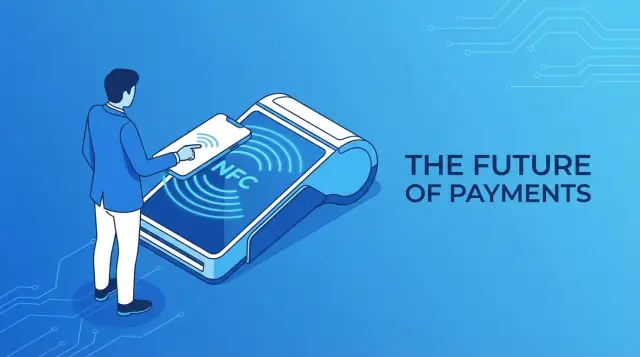
Overview: What NFC Technology Actually Is
Near Field Communication (NFC) is a short-range wireless technology that lets two devices exchange small amounts of data when they are very close together.
Typically, NFC only works at a distance of a few centimeters—often you need to tap or hold devices almost touching. This tight range is intentional: it reduces interference, helps prevent accidental connections, and adds a basic layer of security by requiring physical proximity.
Technically, NFC is built on radio-frequency identification (RFID) standards used for contactless cards, but it adds the ability for two-way communication. That means a phone can read a tag, act like a payment card, or communicate with another phone, all using the same NFC chip.
Standards and Organizations Behind NFC
NFC isn’t a proprietary technology. It is defined by international standards, primarily under ISO/IEC (for example, ISO/IEC 14443 and ISO/IEC 18092), which specify how devices should communicate over very short distances.
On top of those base standards, the NFC Forum—an industry group formed by companies like Sony, NXP, and Nokia—publishes detailed specifications. These ensure that NFC-enabled phones, cards, tags, and terminals from different manufacturers are compatible and behave consistently.
Why NFC Matters
Because NFC is simple, quick, and proximity-based, it has become a core technology for:
- Payments: Tap-to-pay with phones, watches, and contactless cards at point-of-sale terminals.
- Access and identity: Building entry badges, transit cards, hotel keys, and ID credentials.
- Smart devices and objects: Pairing headphones, reading product info, launching apps, or automating actions via NFC tags.
In practice, NFC is the glue that links your phone or card to payment terminals, doors, tickets, and everyday objects with a single tap.
How NFC Works: The Technology Behind the Tap
Near Field Communication (NFC) is a short‑range wireless technology that relies on magnetic fields rather than long‑range radio waves. That’s why it only works over a few centimeters and feels almost “wired” in how controlled and precise it is.
Radio frequency and magnetic coupling
NFC operates in the 13.56 MHz radio frequency band, part of the high‑frequency (HF) range. Instead of broadcasting powerfully in all directions, it uses inductive coupling.
Inside an NFC device or tag is a small coil of wire. When your phone’s NFC antenna generates a changing magnetic field at 13.56 MHz, it induces a current in the tag’s coil, just like a tiny transformer. This:
- Transfers energy to power passive tags wirelessly (they have no battery).
- Creates a channel that both sides can use to modulate and exchange data.
Initiator, target, and communication modes
During a tap, devices take on two roles:
- Initiator – starts the communication and usually provides the field (your phone or a payment terminal).
- Target – responds to the initiator (a card, tag, or another device).
NFC supports two basic modes:
- Passive mode – only the initiator generates the field. The target (often a tag) reflects and modulates that field to send data back. This is how most NFC tags and cards work.
- Active mode – both sides actively generate their own fields and alternate transmitting. This is used for peer‑to‑peer connections between phones or devices.
Data formats and practical limits
At the data level, NFC often uses NDEF (NFC Data Exchange Format) to wrap information such as URLs, text, or small app instructions into standardized records. Any NDEF‑aware device can read and interpret these records in a consistent way.
NFC’s design trades range for control and safety:
- Range: typically 0–4 cm, sometimes up to ~10 cm in ideal conditions.
- Data rate: commonly 106, 212, or 424 kbit/s – fine for short messages, not for large files.
- Payload size: tags usually store from a few bytes up to a few kilobytes.
These constraints are intentional: they keep NFC focused on quick, secure, tap‑based interactions rather than general wireless data transfer.
NFC vs RFID, Bluetooth, and QR Codes
Near field communication sits alongside other contactless technologies like RFID, Bluetooth, and QR codes. Each has strengths, and they’re often complementary rather than competing.
NFC vs RFID
NFC technology is actually a specialized form of high‑frequency RFID designed for very short range and two‑way communication.
- Range: Classic RFID (especially UHF RFID) can be read from several meters away, sometimes more. NFC is limited to a few centimeters.
- Power: Many RFID tags are passive and powered by the reader’s field, just like NFC tags. However, long‑range RFID readers are usually more powerful and more expensive.
- Use cases: RFID shines in inventory tracking, logistics, and access control where you need to scan many tags quickly at a distance. Near field communication is better for secure personal interactions: payments, ticketing, pairing devices, or reading a single product tag with a phone.
NFC vs Bluetooth
- Pairing and UX: NFC offers tap‑and‑go pairing: bring devices close and the connection is established or an app/action opens. Bluetooth requires discovery, selection from a list, and sometimes PIN confirmation.
- Bandwidth: Bluetooth supports continuous, higher‑bandwidth data transfer (audio streaming, file transfer). NFC is low bandwidth and used mostly for authentication, setup, or tiny data exchanges.
- Power: Bluetooth consumes more power during active connections. NFC is optimized for very short, low‑energy interactions, and passive NFC tags require no battery at all.
When NFC is better: quick pairing of headphones or speakers, secure mobile payments, transit passes, hotel keys, and smart posters.
When Bluetooth is better: wireless audio, wearables that sync data continuously, game controllers, and file transfers.
NFC vs QR Codes
- User experience: NFC payments and interactions are usually faster: tap and you’re done. With QR codes, users must open a camera or app, align the code, wait for recognition, then tap a link.
- Reliability: NFC is not affected by screen glare, low light, or damaged printed codes. QR codes can fail if scratched, distorted, or poorly lit.
- Cost and accessibility: QR codes are extremely cheap to print and visible to any camera, even on phones without NFC. NFC tags cost more per unit but enable secure encryption and device‑to‑tag authentication.
Where NFC wins: payments, access control, closed‑loop loyalty cards, and scenarios where security and speed matter.
Where QR codes are preferable: restaurant menus, marketing posters, Wi‑Fi sharing, event check‑ins, and any situation where you need a very low‑cost, widely accessible option.
Everyday Uses of NFC You Already Encounter
Near field communication (NFC) is woven into everyday routines so tightly that you often use it without thinking about the technology behind it.
Paying with a Tap
The clearest example is contactless payments. When you tap a bank card, phone, or smartwatch on a payment terminal, NFC creates a quick, secure connection just long enough to send encrypted payment data.
The same principle powers tap-in / tap-out systems on buses, trains, and metros. Transit cards, phones, or wearables with stored tickets or payment details use NFC to authenticate your ride in a fraction of a second.
Accessing Places and Rooms
Office badges and hotel key cards are usually NFC-based. Tapping your card or device on a reader at a turnstile or door sends a small burst of data that confirms who you are and what you’re allowed to access.
Many modern buildings now let you store your access card in a mobile wallet, so your phone or smartwatch becomes your digital key.
Tickets, Passes, and Digital IDs
Event tickets, boarding passes, and membership cards are steadily moving to NFC. Instead of scanning a barcode, venues can read an NFC pass stored on your phone or card.
Some ID cards—such as government-issued IDs, transport cards, or campus cards—also embed NFC to enable quick verification at gates, kiosks, or check-in points.
Tap-to-Pair Devices
NFC also simplifies pairing gadgets. Many wireless speakers, headphones, and printers let you tap your phone to a marked area to start Bluetooth pairing automatically.
NFC itself doesn’t carry the music or data stream; it just shares the pairing information so the devices can connect over Bluetooth without manual setup.
Smart Posters and Information Tags
You may see stickers or posters with an NFC symbol inviting you to “tap your phone.” These smart posters or product tags can:
- Open a web page with product details or reviews
- Trigger a special offer or coupon
- Start an app or audio guide in a museum or gallery
Museums, tourist sites, and retail stores increasingly use NFC tags to give visitors context, instructions, or interactive content with a single tap.
All of these small conveniences are powered by the same idea: two devices exchanging just enough data when they’re very close together.
NFC in Smartphones, Wearables, and Smart Devices
NFC is now standard in most modern phones, watches, and many connected devices, turning them into always-ready contactless tools.
How NFC Is Built Into Phones and Wearables
In smartphones, the NFC controller, secure element (or its software equivalent), and tiny antenna are integrated on or near the main board. The antenna is usually placed near the back or top of the device so a simple tap aligns it with readers and tags.
Wearables such as smartwatches and fitness bands pack a small NFC antenna into the watch body or strap. Metal cases, small form factors, and curved surfaces make antenna design more complex, which is why you often need to position the watch very precisely on payment terminals.
The power draw of NFC is low and active only while scanning or transacting, so it has minimal impact on battery life compared with the display, GPS, or cellular radio.
NFC Support on Major Platforms
Most major platforms now treat near field communication as a core capability:
- Android: System-wide NFC APIs, host card emulation, background tag reading, and broad support across manufacturers.
- iOS: NFC for Apple Pay, background tag reading, and app-based tag interactions on recent iPhone models.
- Wear OS / watchOS: NFC for watch-based payments and access control, often with fewer general tag features than phones.
Everyday Features: Tap to Pay, Share, and Connect
On phones and wearables, NFC typically powers three main categories of actions:
- Tap to pay: Mobile wallets (Apple Pay, Google Pay, Samsung Wallet, and bank apps) emulate a contactless card while protecting card details in a secure element.
- Tap to share: Reading NFC tags to open URLs, apps, or pre-filled actions; some Android devices also support device-to-device sharing when tapped together.
- Tap to connect: Pairing Bluetooth headphones, speakers, or printers; joining Wi‑Fi networks; or authenticating to access control systems.
NFC in Smart Home and IoT Devices
Many smart devices use NFC for quick, error-free setup:
- Routers and Wi‑Fi systems: Tap to join the network using credentials stored in an NFC tag.
- Smart speakers and TVs: Tap to link your phone for casting, login, or pairing.
- Smart locks and access systems: Phones and NFC cards act as keys.
- Appliances and gadgets: Washing machines, robots, and cameras use NFC to transfer configuration or start specific modes.
Even simple NFC stickers count as “smart devices”: place them at your desk, door, or car, and configure your phone to change settings or run automations whenever you tap. Antenna placement and material (glass, plastic, or metal surfaces) affect how reliably these tags are read, so manufacturers and hobbyists often test multiple positions to get consistent performance.
Understanding NFC Tags and Their Types
NFC tags are tiny, passive devices that store small pieces of data and respond when an NFC reader (like your phone) is brought close. They don’t have batteries; instead, they draw a little power from the electromagnetic field generated by the reader.
A tag usually holds just enough data for tasks like:
- A URL or app deep link
- A short text string or ID number
- A Wi‑Fi or Bluetooth pairing configuration
- Payment or access-control identifiers (usually in secure formats)
How NFC Tags Store Data
Inside the tag is a microchip plus an antenna. The chip provides a small memory area, typically from a few dozen bytes up to a few kilobytes. Data is stored in standardized structures (like NDEF — NFC Data Exchange Format), so different devices can read it consistently.
Tags can be configured as:
- Read-only: Data is written once and then locked. Ideal for tickets, product labels, or access cards where you do not want end users to change the content.
- Rewritable: Data can be updated repeatedly. Useful for prototypes, personal automations, or dynamic signage where the content may change over time.
NFC Tag Types (Type 1–5)
The NFC Forum defines several tag types:
- Type 1: Low cost, simple, typically slower, small memory (often a few hundred bytes). Good for basic IDs and URLs.
- Type 2: Very common and inexpensive. Memory usually 48 bytes to a few kilobytes. Widely used in stickers and marketing tags.
- Type 3: Based on FeliCa. Higher speed and capacity (up to several kilobytes). Often used in transit and some payment cards in specific regions.
- Type 4: More advanced, with flexible file structures and higher security options. Capacity can reach tens of kilobytes. Used for secure access, ID cards, and some payment applications.
- Type 5: NFC-V / ISO 15693, optimized for longer reading distances compared with other NFC tags and often used in industrial settings.
Physical Forms, Durability, and Cost
NFC tags are available in many formats:
- Stickers/labels: Thin, adhesive, and cheap. Suitable for indoor use on posters, packaging, or desks.
- PVC cards: Credit-card style, more durable, often used for ID badges, access cards, or transit.
- Wristbands: Popular at events and gyms, designed to be wearable, water-resistant, and bend-resistant.
- Key fobs and tokens: Hard plastic shells for keys or lanyards; good for daily use and rough handling.
Durability and weather resistance vary:
- Paper or basic plastic stickers are best indoors and on smooth surfaces.
- Laminated or epoxy-coated tags resist moisture, abrasion, and UV light, better for outdoor signage or equipment.
- Industrial tags may be encased in metal- or chemical-resistant housings for use on tools, machinery, or pallets.
Costs depend on memory size, security features, and packaging. Basic Type 2 sticker tags can cost only a few cents in bulk, while secure, ruggedized tags or smart cards are more expensive but suitable for critical or long-term applications.
Security and Privacy in NFC Transactions
Near Field Communication is often described as “safe because it’s short range.” That short range (usually a few centimeters) does lower the risk, since an attacker has to be physically close. But it doesn’t remove risk entirely, especially in crowded places like public transport or busy shops.
Main NFC Threats
Eavesdropping – Someone with specialized equipment may try to “listen in” on the radio signal between your phone/card and the reader. This is harder with NFC than longer‑range tech, but not impossible.
Data modification – An attacker might attempt to alter data while it’s being transmitted. Modern protocols add integrity checks to make this very difficult in practice.
Relay attacks – The most realistic high‑end threat. Here, attackers extend the short range by relaying your NFC communication over a longer channel, tricking a terminal into believing your phone or card is nearby.
How Payments Stay Protected
NFC payment systems do not send your actual card number in the clear.
- Encryption protects the data in transit, making intercepted messages hard to read.
- Tokenization replaces your card number with a one‑time or limited‑use token. Even if stolen, this token is usually useless for other purchases.
On phones, credentials are stored and processed in:
- A secure element (a tamper‑resistant chip), or
- HCE (Host Card Emulation), where sensitive operations are handled in software plus back‑end security.
Wallet apps like Apple Pay, Google Wallet, and others layer on device authentication (PIN, fingerprint, face) before a payment is approved.
Practical Safety Tips
- Lock your phone with a PIN or biometrics and keep it updated.
- Use official wallet apps and avoid sideloaded or untrusted payment apps.
- Turn off NFC when you don’t need it, especially on older phones.
- Check payment notifications and bank statements regularly.
- Be cautious with unknown NFC tags; disable automatic actions or confirm before executing them.
Used with these precautions, NFC payments are typically as safe as — or safer than — traditional card swipes or chip‑and‑PIN transactions.
How Businesses Can Benefit from NFC
Near Field Communication (NFC) gives businesses a fast, low-friction way to connect the physical and digital worlds. Used well, it can shorten queues, improve customer loyalty, and streamline internal operations.
Faster, Frictionless Checkout
NFC payments let customers tap a card, phone, or wearable to pay in seconds. That means shorter lines, fewer abandoned purchases, and less cash handling.
Because payment details stay tokenized and encrypted on the customer’s device, you also reduce the risk of handling sensitive card data directly.
Loyalty, Coupons, and Rewards
NFC tags on counters, receipts, or product displays can link directly to:
- Loyalty enrollment and one-tap check-ins
- Digital punch cards or points balances
- Instant coupons and product-specific discounts
Instead of asking customers to fill forms or scan QR codes, a simple tap opens their wallet app or your loyalty experience.
Access Control and Attendance
For staff and contractors, NFC cards or phones can secure doors, equipment, and shared spaces. You can log entries automatically, tie access rights to roles, and revoke credentials remotely.
The same NFC badges can handle clock-in/clock-out, visitor registration, and event attendance tracking with a quick tap at a terminal.
Interactive Marketing, Packaging, and Events
NFC-enabled posters, packaging, and event passes turn passive materials into interactive touchpoints:
- Tap a product box to see tutorials or authenticity checks
- Tap an event wristband to see schedules or venue maps
- Tap a poster to claim a reward or join a mailing list
This creates measurable engagement and clear attribution from offline to online.
A Simple Path to Testing and Rollout
- Define one clear goal: faster checkout, more sign-ups, or better access control.
- Start small: choose a single store, team, or event.
- Use off-the-shelf tools: NFC-enabled terminals, tags, and low-code apps.
- Measure results: queue times, conversions, or time saved.
- Iterate and scale based on what actually improves customer experience and operations.
Setting Up and Using NFC on Your Phone
1. Check if Your Phone Supports NFC
On Android:
- Open Settings and use the search bar to look for “NFC”.
- Or go to Settings → Connected devices, Connections, or More connection settings and look for NFC or Contactless payments.
- If you see an NFC option, your phone supports it.
On iPhone:
- iPhone 6 and newer models have NFC for Apple Pay.
- iPhone XS and newer can also read NFC tags in the background.
- There is no general NFC toggle; it’s managed automatically by iOS.
2. Enable or Disable NFC
Android:
- Go to Settings → NFC (or Connections / Connected devices → NFC).
- Turn the NFC switch On to use contactless payments and read tags.
- Turn it Off if you don’t need it (for example, to avoid accidental taps).
iPhone:
- NFC is always available when needed for Apple Pay and tag reading. You can’t fully turn it off, but you can remove cards from Wallet if you don’t want payments enabled.
3. Add and Manage Cards in Mobile Wallet Apps
Apple Wallet (iOS):
- Open Wallet → + (Add).
- Choose Debit or Credit Card (or transit/loyalty, where available).
- Scan your card or enter details manually, then follow your bank’s verification steps.
- To manage: open Wallet, tap a card, then the … menu to change default settings or remove it.
Google Wallet (Android):
- Open Google Wallet → Add to Wallet.
- Select Payment card, then add and verify your card.
- Set your default contactless card in Wallet → Payment cards → Default for contactless.
Other wallets (e.g., Samsung Wallet):
- Process is similar: open the app, tap Add card, follow prompts, then set a default payment app in Settings → NFC → Contactless payments.
4. Use NFC Tags to Trigger Routines and Automations
You can stick cheap NFC tags at home, in the car, or on your desk and program them to trigger actions when you tap your phone.
On iPhone (Shortcuts app):
- Open Shortcuts → Automation → New Automation → NFC.
- Scan your tag, name it, then choose actions (e.g., set a Focus mode, open a note, start a playlist).
On Android:
- Use apps like NFC Tools, Trigger, Tasker, or smart home apps.
- Write simple actions to a tag: toggle Wi‑Fi, open navigation to home, run a smart home routine, etc.
5. Common NFC Issues and Quick Fixes
-
Tag not detected
Move the tag slowly around the back (or top) of the phone—NFC antennas are small and location varies by model. -
Contactless payment fails at the terminal
Ensure NFC is on (Android), unlock your phone, and hold it close to the reader for a few seconds. Check that the correct wallet app and card are set as default. -
Card won’t add to wallet
Your bank or card type may not be supported yet. Update the wallet app and contact your bank if needed. -
Automation doesn’t trigger
Confirm the app has required permissions and that you’re using the same tag you registered. On iOS, check that the NFC automation is enabled in Shortcuts.
Once NFC is set up, you can use your phone to pay, unlock doors (with supported systems), check in to transit, and trigger handy automations with a quick tap.
Building Projects and Apps with NFC
Creating NFC-powered experiences is very achievable once you understand the tools and a few practical design rules.
NFC APIs on Android and iOS
On Android, NFC is deeply integrated:
- Use
NfcAdapterand the foreground dispatch or reader mode APIs to detect tags while your app is open. - Handle intents such as
NfcAdapter.ACTION_NDEF_DISCOVEREDto receive tag data. - Android supports many tag types and Host Card Emulation (HCE) for creating virtual cards.
On iOS, use Core NFC:
NFCNDEFReaderSessionfor NDEF tags (URLs, text, small payloads).NFCTagReaderSessionfor lower-level access to certain chip types.- Sessions must be started by the user from a foreground app, and only supported iPhone models can read tags.
Reading and Writing NDEF Messages
Most app projects rely on NDEF (NFC Data Exchange Format):
- A message contains one or more records (e.g., a URL, text string, or MIME payload).
- Reading: open a session, detect the tag, then parse its NDEF records into app data.
- Writing: construct an NDEF message in your app and write it to a blank (or rewritable) tag.
Aim to keep payloads small and focused: URLs with server-side logic are usually easier to update than rewriting tags in the field.
Tag Design: Placement, Size, Materials
Hardware choices matter as much as the code:
- Placement: Put tags where the user already moves their phone—door frames, payment points, product labels—not in awkward corners.
- Size: Larger antennas (around 25–35 mm or more) are easier to scan, especially through phone cases.
- Materials: Metal detunes antennas. Use on-metal NFC tags or insulating spacers on metal surfaces, and avoid stacking tags close together.
Mark tags clearly with a tap icon so people know where to aim.
UX Best Practices for the Tap
NFC interactions should feel obvious and quick:
- Use a clear call to action: “Tap your phone on the sticker to check in.”
- Provide feedback: vibration, sound, or an on-screen animation once a tag is read.
- Handle errors gracefully: show a short hint like “Move your phone closer to the logo and try again.”
- Avoid surprise actions; confirm sensitive operations (payments, logins) with a clear prompt.
Testing Before a Wider Rollout
Before deploying hundreds of tags:
- Test on multiple phones (different Android brands, recent and older iPhones) with cases attached.
- Try tags in their real locations: mounted on metal, glass, wood, or plastic.
- Check scan speed and alignment: can a first-time user find and trigger the tag in under two seconds?
- Walk through edge cases: low battery, airplane mode, NFC turned off, or concurrent apps listening for tags.
A small pilot—10–20 tags in real use—will reveal most issues long before a full installation, saving time and reprints.
Limitations, Myths, and Common Misconceptions
NFC often sounds almost magical: tap, and something happens. That can lead to unrealistic expectations—and a few persistent myths.
Myth: “NFC is constantly blasting radiation and is bad for health”
NFC uses very low power and only activates for short moments when two antennas are extremely close (a few centimeters).
Phones don’t emit NFC signals all the time. The NFC controller usually stays idle until:
- You bring it close to another NFC device or tag, or
- An app explicitly turns NFC on for a brief interaction.
The energy levels are far below those of Wi‑Fi, mobile networks, or even many household electronics. Current scientific evidence does not indicate health risks from NFC use.
Myth: “Hackers can read my NFC from across the room”
NFC is intentionally short‑range. Typical read range is:
- 0–2 cm for payments
- Up to ~4 cm for ideal phone‑to‑tag contact
Beyond that, the signal is unreliable or simply doesn’t work. This is a key security feature: an attacker would need to be physically very close, and your body, wallet, or bag already block and weaken the signal.
NFC vs magnetic stripe and EMV chip
NFC is a communication channel, not a card type.
- Magnetic stripe: static data, easy to skim and clone.
- EMV chip (contact): dynamic cryptograms, much harder to copy.
- EMV over NFC (contactless): uses the same EMV security logic, just transmitted via NFC instead of physical metal contacts.
So a “contactless payment” is still an EMV transaction—NFC only handles the tap.
Myth: “Phones can be charged via NFC”
NFC cannot meaningfully charge a phone. The power levels are tiny—enough for a passive tag, not for a battery. Wireless charging uses standards like Qi, with different coils and much higher power.
If someone claims an app can “charge your battery with NFC,” that’s simply false.
Speed, capacity, and realistic expectations
NFC is designed for quick, tiny bursts of data, not heavy transfers.
- Data rate: roughly 106–424 kbps in common use
- Tag capacity: often a few dozen bytes to a few kilobytes
That’s perfect for:
- A payment cryptogram
- A URL
- A small configuration payload
But it’s unsuitable for:
- Streaming media
- Large file transfers
- Continuous high‑bandwidth communication
If you need to share photos or videos, Wi‑Fi, Bluetooth, or cloud links are the right tools; NFC can simply trigger or configure those connections.
Other common misconceptions
-
“NFC lets anyone clone my card instantly.” Payment cards and phones use secure elements and EMV cryptography. While no system is 100% immune to attack, straightforward cloning via a tap is not how modern NFC payments work.
-
“NFC works through anything.” Thick metal cases, crowded wallets, and multiple cards pressed together can all interfere. NFC can be finicky if the antennas aren’t well aligned.
Understanding these limits helps you choose the right tool: NFC for tap‑and‑go actions and secure, short exchanges—not as a long‑range, high‑power, high‑speed data channel.
Future Trends for NFC and Contactless Experiences
NFC is moving from “nice-to-have” to default infrastructure for payments, identity, and access. The next wave is less about new buzzwords and more about making everyday interactions smoother and more secure.
Beyond Cards: Contactless Payments and Digital Identity
Contactless payments will keep expanding beyond plastic cards into phones, wearables, and object-based payments (for example, watches, rings, vehicle dashboards).
The bigger shift is toward digital identity stored in secure elements on phones and wearables:
- Mobile driver’s licenses and ID cards
- Student, employee, and visitor badges
- Health insurance and benefit cards
NFC will be used to prove who you are, not just how you pay, with standards emerging for cross-border acceptance and strong authentication.
Cars, Mobility, and Public Services
Vehicle access is already moving to digital car keys based on NFC. Expect more:
- Unlocking, starting, and sharing cars via NFC-enabled phones
- Parking, charging, and toll payments triggered by a tap
- Mobility-as-a-service passes that blend metro, bus, bike, and car sharing on a single credential
Public services will use NFC for citizen IDs, welfare distribution, e-voting check-in, and health records, particularly where offline verification and strong authenticity are important.
Smart Cities and Access Control
As buildings, campuses, and city infrastructure get connected, NFC will be a core access layer:
- Doors, elevators, and meeting rooms opened by NFC phones or badges
- Event tickets and transit passes that work across venues and operators
- Visitor and contractor access managed digitally instead of with temporary plastic cards
NFC’s short range and secure element support make it attractive for critical doors and turnstiles where precise control matters.
Standards, Compliance, and Regulation
Future growth depends on interoperability. Expect more coordination among the NFC Forum, EMVCo, ISO/IEC bodies, and regional regulators. Trends include:
- Stricter certification for payment and ID applications
- Privacy-focused rules limiting data collection and tracking
- Standardized formats for digital IDs and credentials to work across devices and borders
For businesses, this means NFC projects will need to pass clearer compliance and auditing checks, not just technical tests.
Blending NFC with Other Proximity Technologies
NFC will rarely act alone. It will increasingly be the starting gesture that triggers other wireless technologies:
- NFC + Bluetooth Low Energy: tap to pair a device, then shift to Bluetooth for data transfer
- NFC + ultra-wideband (UWB): use NFC to identify and authenticate a user, UWB for precise location and hands-free access
- NFC + QR codes: QR for mass, low-cost distribution; NFC for secure, high-value actions like payment or identity verification
The future of contactless experiences is a web of complementary proximity technologies, with NFC providing the trusted, user-friendly “tap” that initiates critical actions.
FAQ
What is NFC and how is it different from regular wireless connections?
NFC (Near Field Communication) is a short‑range wireless technology that lets two devices exchange small amounts of data when they are a few centimeters apart.
It’s built on high‑frequency RFID standards but adds two‑way communication, so a phone can:
- Read NFC tags (stickers, cards, wristbands)
- Act like a contactless payment card or access badge
- Communicate with other NFC devices (e.g., another phone, terminal)
Because it only works at close range, NFC is well suited for secure, intentional “tap” interactions like payments, tickets, and access control.
What are the most common real‑world uses of NFC today?
NFC is widely used in:
- Payments: Tap‑to‑pay with cards, phones, and smartwatches at point‑of‑sale terminals.
- Transit and tickets: Tap‑in / tap‑out systems on buses, metros, and trains; event tickets and boarding passes.
- Access control: Office badges, hotel room keys, smart locks, and campus cards.
- Pairing devices: Tap to start Bluetooth pairing with headphones, speakers, printers, or TVs.
- Smart posters and tags: Tap stickers or labels to open a website, app, coupon, or audio guide.
- Home and work automations: Tapping NFC tags to change phone settings, start navigation, run smart home scenes, or log activities.
Most of these use cases transfer only small bursts of data but benefit from speed, simplicity, and physical proximity.
How secure is NFC, especially for contactless payments?
NFC is usually very safe when used with modern devices and reputable apps:
- The short range (0–4 cm) makes attacks harder because an attacker must be extremely close.
- Payments use EMV security, encryption, and tokenization, so your real card number is not exposed.
- Phones store credentials in a secure element or protected software, often gated by PIN, fingerprint, or face unlock.
To stay safe:
- Keep your phone locked and updated.
- Use official wallet and banking apps.
- Turn off NFC on Android if you’re worried about accidental taps.
- Don’t blindly trust unknown tags; avoid auto‑running sensitive actions from them.
Used with these habits, NFC payments are generally as secure as or more secure than swiping a magnetic stripe card.
How do I know if my phone has NFC and how do I turn it on?
On Android:
- Open Settings and search for “NFC”.
- Or go to Connections / Connected devices / More connection settings and look for NFC.
- If you see an NFC toggle, your phone supports it. Turn it On to use tap‑to‑pay and read tags.
On iPhone:
- iPhone 6 and newer support NFC for Apple Pay.
- iPhone XS and newer can also read NFC tags in the background.
- There is no visible NFC switch; iOS manages it automatically.
If you can add cards to Apple Wallet, your iPhone has NFC. If your Android phone’s settings have no NFC option at all, it likely doesn’t support NFC.
How can I use NFC tags to automate actions with my phone?
On iPhone (Shortcuts app):
- Open Shortcuts → Automation → New Automation → NFC.
- Scan your tag and name it.
- Add actions (e.g., start a playlist, set a Focus mode, open a note, control smart home devices).
- Decide whether it should ask for confirmation or run automatically.
On Android:
- Install an automation app like NFC Tools, Trigger, Tasker, or use your smart home app.
- Use the app to write data or actions to the tag (e.g., Wi‑Fi credentials, app shortcut, URL, or a trigger your automation tool understands).
- Place the tag where you’ll use it (desk, door, car dashboard) and test with your phone case on.
Keep payloads simple and focus on one clear task per tag so users know what will happen when they tap.
What’s the difference between NFC and RFID, and when should each be used?
NFC and RFID are related but optimized for different scenarios:
- Technology: NFC is a specialized form of high‑frequency (13.56 MHz) RFID that adds standardized two‑way communication.
- Range: Typical NFC range is 0–4 cm; many RFID systems (especially UHF RFID) can reach several meters.
- Use cases:
- NFC: payments, tickets, ID cards, access badges, tap‑to‑pair, smart posters.
- RFID: inventory tracking, warehouse logistics, asset management, gate access at a distance.
If you need personal, secure, intentional taps, NFC is usually better. If you need to scan many items quickly at a distance, RFID is the right tool.
How do I choose and place NFC tags so they work reliably?
To get reliable scans:
- Choose the right tag type: For general projects, NFC Forum Type 2 stickers are cheap and widely supported. For secure ID or access, Type 4 or specialized cards are common.
- Pick a suitable form factor:
- Stickers for posters, packaging, surfaces.
- Cards, key fobs, or wristbands for frequent daily use.
- Mind surfaces: Metal can block or detune antennas. Use on‑metal NFC tags or add a thin insulator if mounting on metal.
- Tag placement: Put tags exactly where users will naturally tap—door handles, payment areas, product fronts, or a clear mark on a poster.
- Size matters: Larger antennas (around 25–35 mm or more) are easier for phones to read, especially through cases.
Always test with several phone models—and with cases on—before printing or deploying lots of tags.
How can a business start experimenting with NFC without a big investment?
For a small, low‑risk pilot:
- Set one goal: Faster checkout, higher loyalty sign‑ups, smoother access control, or more engagement from posters/packaging.
- Use standard hardware:
- Payment terminals that already support contactless.
- Off‑the‑shelf NFC tags (stickers, cards, or wristbands).
- Start in one location or team: One store, office entrance, event, or product line.
- Keep the user flow simple: Clear “Tap here” instructions and instant feedback (a web page, app, or confirmation screen).
- Measure outcomes: Queue time, conversion rate, number of taps, time saved vs. previous process.
- Iterate: Fix friction points (poor tag placement, confusing wording, unsupported devices) before scaling.
You usually don’t need custom hardware to start; existing POS, access systems, and low‑code tools are often enough for the first phase.
What should I do if NFC payments or tags aren’t working properly?
If NFC doesn’t seem to work:
- Tag not detected:
- Move the tag slowly around the back or top of your phone—antenna positions vary.
- Remove very thick or metal cases and try again.
- Payments failing:
- Make sure NFC is on (Android) and your phone is unlocked.
- Hold the phone flat against the logo on the terminal for a few seconds.
- Check that the correct wallet app and card are set as default for contactless.
- Card can’t be added to wallet:
- Your bank or card type may not support mobile wallets yet.
- Update the wallet app and contact your bank if it still fails.
- Automations not triggering:
- Confirm you’re using the same tag you registered.
- Check app permissions and automation settings (e.g., enabled in iOS Shortcuts).
If issues persist, test with another NFC device or tag to rule out hardware defects.
What are the main limitations of NFC that I should be aware of?
NFC is designed for short, low‑bandwidth interactions:
- Data rate: Typically 106–424 kbit/s.
- Tag capacity: Often a few dozen bytes to a few kilobytes.
- Range: A few centimeters at most.
It’s ideal for:
- Payments and access control cryptograms
- URLs and app deep links
- Small configuration payloads (Wi‑Fi, Bluetooth pairing)
It is not suitable for:
- Streaming media or large file transfers
- Long‑range tracking or scanning crowds
- Charging devices (power levels are far too low)
Use NFC as the tap gesture to identify, authenticate, or trigger other connections (Bluetooth, Wi‑Fi, UWB), not as a general‑purpose high‑speed data channel.