

What Still Needs a Human in App Building: A Practical Guide
Learn which app-building steps still need human judgment, from goals and UX to privacy, quality, and launch trade-offs—and how to decide fast.
Why App Building Still Needs Human Judgment
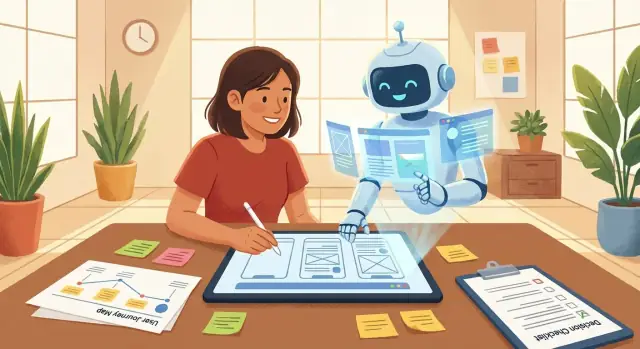
Automation can write code, generate screens, suggest user flows, and even draft tests. What it can’t do is carry responsibility for the consequences of a product. App building is full of moments where someone must choose a direction, accept the risk, and explain the “why” to users, teammates, and regulators.
Automation vs. judgment: set the right expectations
Think of AI and tooling as force multipliers: they speed up execution and widen your options. Human judgment is what narrows those options into a coherent product.
Automation is great at producing drafts, exploring variants, catching obvious errors, and accelerating repetitive work. Judgment is needed when the decision changes what the app means—for users, the business, and society.
Platforms like Koder.ai fit well on the “force multiplier” side: you can move from an idea to working web, backend, and mobile flows through a chat interface, then iterate quickly. The responsibility for what you build—and the trade-offs you accept—still stays with humans.
What “human decision” really means
A human decision is any choice that involves:
- Trade-offs (speed vs. quality, convenience vs. privacy, growth vs. trust)
- Accountability (who owns the outcome when something goes wrong)
- Ethics and fairness (who benefits, who is excluded, who is harmed)
- Context that isn’t fully captured in tickets, prompts, or metrics
Tools can recommend; humans must commit.
Where judgment concentrates across the lifecycle
Most app projects follow a familiar path: define the problem, align stakeholders, scope an MVP, clarify requirements, design UX, make security/privacy calls, pick architecture, test for “good enough,” ensure reliability, then launch and iterate.
The heaviest judgment tends to cluster at the start (what to build and for whom), at the trust boundary (UX, privacy, security), and at the finish line (quality thresholds, launch decisions, and growth bets).
How this guide helps
Each section highlights the specific decisions that can’t be delegated, with practical examples and questions you can use in meetings. If you want a quick summary after reading, jump to the final checklist at /blog/a-practical-decision-checklist-for-your-next-build.
Deciding the Goal: Problem, Audience, and Success Metrics
Before anyone writes a spec or generates screens, a human has to decide what “winning” looks like. AI can propose options, but it can’t pick the one that matches your business reality, risk tolerance, and priorities.
Clarify the problem (and the person who feels it)
Start with a plain-language statement of the pain you’re solving and for whom. “Make a better app” is vague; “reduce support calls from new customers who can’t find invoices” is concrete.
A quick way to sharpen this is to answer:
- Who is it for (job role, customer segment, internal team)?
- What is the moment of frustration or delay?
- What happens if we do nothing (cost, churn, missed revenue, compliance risk)?
Define success metrics you can actually measure
Pick 1–3 primary metrics and agree how you’ll track them. Examples:
- Retention: do people come back after week 1 or month 1?
- Conversion: do they complete signup, checkout, or a key step?
- Time saved: how many minutes per task are reduced for staff?
- Revenue: upgrades, repeat purchases, average order value.
Also define a “leading indicator” (early signal) and a “guardrail” (something you won’t sacrifice, like support volume or refund rate).
Choose the app type and constraints
Your goal changes depending on what you’re building: an internal tool, consumer app, marketplace, or partner portal all have different expectations for onboarding, trust, and scale.
Finally, set constraints upfront: timeline, budget, platform (web/iOS/Android), and team capacity. Constraints aren’t limitations—they’re design inputs that keep the plan honest.
Stakeholder Alignment and Decision Ownership
Many app projects don’t fail because the team can’t build—they fail because people disagree (quietly) about what they’re building, who it’s for, and who gets to decide when trade-offs show up. AI can draft plans and summarize meetings, but it can’t own the accountability that keeps a project moving.
Identify stakeholders (and the real decision-makers)
Start by naming everyone who is affected by the app: users, business owners, legal/compliance, support, sales, operations, engineering, and any external partners.
Then separate two roles that often get confused:
- Stakeholders: provide input and constraints.
- Decision owners: make the call when input conflicts.
For each major area—scope, budget, timeline, brand, privacy/security, and UX—assign a single decision owner. “We’ll decide as a group” usually turns into “no one decides.”
Document assumptions and risks that affect scope
Most early plans rely on assumptions (e.g., “users will sign up with Google,” “we can use existing data,” “support can handle chat requests”). Write these down, along with the risk if they’re wrong.
A simple format works:
- Assumption → What could go wrong → Impact on scope/timeline → Who owns the decision if it changes
This prevents surprise debates halfway through the build.
Agree on what “done” means for v1 vs later
Alignment improves when you define “done” in practical terms:
- What must be true for v1 to ship (minimum acceptable quality, legal requirements, core user journey).
- What is explicitly not in v1 (nice-to-haves, edge cases, advanced reporting).
- What gets evaluated for v1.1/v2 based on feedback and metrics.
This is less about a perfect roadmap and more about reducing ambiguity.
Keep a lightweight decision log to prevent rework
Create a shared decision log (doc, Notion page, or spreadsheet) with:
- Date
- Decision (one sentence)
- Options considered
- Rationale and trade-offs
- Decision owner
- Follow-up task
When someone revisits a settled topic, you can point to the log and decide whether new information truly warrants reopening it—saving weeks of churn.
If you use a build platform such as Koder.ai, keep the log close to the work: pairing decisions with short “planning mode” notes and saved snapshots can make it easier to explain why a change happened and roll back if a decision turns out to be wrong.
Scope and Priorities: Picking the Right MVP
An MVP isn’t “the smallest app you can ship.” It’s the smallest set of features that proves value to a specific audience. Tools (including AI) can help you estimate effort or generate screens, but only a human team can decide what outcome matters, what risks are acceptable, and what you’re willing to delay.
Start with the value proof
Choose the smallest set of features that demonstrates the promise of the product in a real scenario. A good test: if you removed one feature, would users still reach the “aha” moment?
For example, a meal-planning app’s MVP might be: create a plan for the week → generate a shopping list → save it. It’s tempting to add recipes, nutrition tracking, social sharing, and coupons—but those don’t prove the core value faster.
Draw a clear scope box
Define what is in-scope vs out-of-scope (and why). This isn’t paperwork; it prevents the common failure mode where “just one more thing” quietly doubles the timeline.
Write it down in plain language:
- In-scope: what must exist for the value proof and basic safety
- Out-of-scope: anything that’s nice-to-have, uncertain, or depends on later learning
Make the trade-offs explicit
Set trade-offs: speed vs polish, breadth vs depth. If speed is the priority, you might accept fewer personalization options and a simpler UI. If trust is the priority (payments, health, kids), you may choose less functionality but higher QA and clearer UX.
Create a “not now” list
Decide what you will not build yet (the “not now” list). This keeps stakeholders aligned and turns future ideas into a backlog with intent—so your MVP stays focused and shippable.
Requirements That Only Humans Can Clarify
AI can help draft requirements, but it can’t be accountable for the real-world trade-offs behind them. Good requirements aren’t just “what the app does”—they define boundaries, responsibility, and what happens when things go wrong.
Start with roles, permissions, and responsibility
Before listing features, decide who can do what. “Users” is rarely one group.
Define roles and permissions early (for example: admin, member, guest) and be specific about sensitive actions:
- Who can invite or remove people?
- Who can view/export data?
- Who can change billing, settings, or security options?
These choices are product and business decisions, not technical details. They affect trust, support load, and risk.
Write user stories that include edge cases
A requirement like “User can upload a document” is incomplete until you add failure states. Humans clarify the messy parts:
- What if the file is too large, the wrong format, or contains personal data?
- What if the upload fails halfway through?
- What if the user loses access to the project after uploading?
User stories should include the happy path plus edge cases and failure states. That’s how you prevent surprises during QA and after launch.
Define acceptance criteria (the definition of done)
Acceptance criteria are the contract between product, design, and engineering: what must be true for each feature to be considered complete.
Examples:
- “A guest can view a shared item but cannot comment or download.”
- “If payment fails, the user sees a clear message and can retry without losing work.”
Clear criteria also protect you from scope creep: the team can say “not in this release” with confidence.
Decide conditions: offline, slow networks, accessibility
Real users aren’t always on fast Wi‑Fi, and not everyone uses your app the same way.
Make explicit decisions about:
- Offline behavior (read-only? queue changes? block actions?)
- Slow networks (timeouts, retries, progress indicators)
- Accessibility expectations (keyboard support, contrast, screen reader labels)
These requirements shape the experience—and only humans can choose what “good” means for your audience and budget.
UX Choices: Flows, Friction, and Trust
UX isn’t just “making it pretty.” It’s deciding what people will do first, what they’ll do next, and what they’ll believe about your product while they do it. AI can generate screens, but it can’t own the trade-offs between speed, clarity, and trust—especially when your users are anxious, in a hurry, or skeptical.
Pick the primary journey—and cut steps
Every app has dozens of possible paths, but only one or two that matter most. A human has to choose the primary user journey (the path that delivers value fastest) and remove anything that slows it down.
For example: if the goal is “book an appointment,” the journey shouldn’t start with account creation unless it’s truly necessary. Many teams earn trust by letting users browse first, then asking for details only at the moment of commitment.
Decide what to ask for, and when
Data requests are UX decisions with business consequences. Ask too early and people bounce; ask too late and the workflow breaks.
Good human judgment looks like:
- Minimizing fields to what’s required for the next step
- Explaining why you need sensitive info (not legal copy—plain language)
- Using progressive profiling (collecting optional details over time)
Tone matters here: a friendly, confident explanation can reduce friction more than any layout tweak.
Tone, trust cues, and brand fit
Trust is built through small choices: button labels, confirmation messages, warning language, and the overall “voice.” Humans decide whether the product should feel formal, playful, clinical, or premium—and where that tone must switch (e.g., payments and privacy screens often need extra clarity).
Design for failure, not just success
Real users hit bad connections, empty screens, wrong passwords, and accidental taps. Your UX should include:
- Empty states that explain what’s happening and what to do next
- Retries for flaky actions (with clear feedback)
- Undo for destructive actions (or at least a confirmation)
These aren’t edge cases—they’re the moments where users decide if they can rely on you.
Privacy and Security Trade-offs You Must Own
AI can suggest best practices, but it can’t take responsibility for how your app treats people’s data. These choices affect user trust, legal exposure, support workload, and even your product’s long-term flexibility. A human has to decide what risks are acceptable—and be able to explain those decisions in plain language.
Start with “why” before “what”
Decide what data you collect and why (purpose limitation). If the purpose isn’t clear, don’t collect it “just in case.” Extra data increases breach impact, increases compliance work, and can create awkward user questions later.
A useful prompt for teams: If we removed this field, what feature breaks? If nothing breaks, it’s a candidate for removal.
Identity, login, and recovery are product decisions
Choose authentication method and account recovery approach. This isn’t only a security choice—it changes conversion rates and support tickets.
For example, passwordless login may reduce password resets, but it makes email/phone ownership critical. Social login can be convenient, but some users won’t have (or won’t trust) the provider.
Retention and deletion need clear promises
Set retention rules and deletion expectations. Decide:
- How long you keep data after a user becomes inactive
- What “Delete my account” actually deletes (and what must remain for invoices, fraud prevention, or backups)
- How fast deletion happens and how you communicate it
Write the user-facing promise first; then implement the system to match it.
Compliance: only what you truly require
Decide compliance needs (only what you truly require). Avoid “collect everything and ask legal later.” If you don’t operate in a region, don’t overbuild for its rules. If you do need a framework (GDPR, HIPAA, SOC 2), name an owner and define the scope early so product, engineering, and support don’t make conflicting assumptions.
Architecture and Tech Choices: When a Human Must Decide
AI can suggest stacks and generate code, but it can’t own the consequences of technical decisions. Architecture is where “good ideas” meet budgets, timelines, and long-term responsibility.
Choosing the build approach
A human needs to pick the approach that matches the product’s constraints, not just what’s trendy:
- Native (iOS/Android): best for performance, deep device features, and polished feel—but usually higher cost to build and maintain.
- Cross-platform (Flutter/React Native): faster to ship to two platforms with one team, but you may hit edge cases with complex animations, platform-specific UI, or new OS features.
- Web app/PWA: fastest iteration and simplest distribution, but limited access to some device capabilities and often weaker app-store presence.
The right choice depends on what must feel “instant,” what devices you need, and how often you’ll ship updates.
Buy vs. build (and why it’s rarely neutral)
Teams often underestimate how much time “non-core” features consume. Humans must decide what to own versus rent:
- Payments, analytics, chat, maps, authentication
Buying speeds delivery, but it adds recurring costs, usage limits, and dependencies.
Integration priorities and acceptable lock-in
Integrations aren’t just technical; they’re business commitments. Decide which systems must integrate on day one (CRM, inventory, support tools), and what level of vendor lock-in is acceptable. An “easy” vendor today can become a painful migration later—so make that trade-off explicit.
Environments and release workflow expectations
Finally, set expectations for how work moves to users:
- Environments (dev/staging/production), access and approvals
- Release cadence (weekly vs. monthly), hotfix process, rollback plan
These are operational decisions that affect speed, risk, and accountability—areas where a human must make the call.
If you’re using a platform like Koder.ai, it helps to treat operational expectations as product choices too: source code export, deployment/hosting, custom domains, and snapshot-based rollback can reduce operational friction, but you still need humans to define who can deploy, when to roll back, and what the communication plan is.
Quality, Testing, and What “Good Enough” Means
AI can generate code and even suggest tests, but it can’t decide what failure is acceptable for your business. “Good enough” is a human judgment about risk, reputation, cost, and user trust.
Set a quality bar per feature
Not every feature deserves the same level of protection. Define categories like:
- Must-not-fail: login, payments, data saving/sync, critical notifications, account deletion.
- Should-work: core flows that drive value, but have safe workarounds.
- Nice-to-have: cosmetic enhancements, optional personalization, low-stakes integrations.
This is where you decide what must be boringly reliable versus what can ship iteratively.
Decide test coverage goals (and what “covered” means)
Coverage isn’t just a percentage; it’s whether the right risks are tested. Pick targets such as:
- Smoke tests for every release (app opens, critical flow works end-to-end).
- Regression tests for areas that break often (checkout, onboarding, permissions).
- Edge cases that reflect real users: poor network, low battery, older devices, interrupted sessions, invalid inputs.
Also decide what gets automated versus what stays manual (often UX-heavy or visual checks).
Bug triage: severity and ownership
You need a clear rulebook for what stops a release. Define severity levels (e.g., S0 blocker to S3 minor), who can label them, and who makes the final call when deadlines conflict with quality.
Real-device and accessibility checks
Simulators miss reality. Plan periodic real-device testing across the devices your users actually have, and include accessibility checks (contrast, dynamic text size, screen reader basics). These choices protect users—and reduce costly support tickets later.
Reliability Decisions: Performance, Errors, and Monitoring
Reliability isn’t only “did the app crash?” It’s the set of choices that decide whether users feel safe, in control, and willing to come back. Tools (and AI) can detect issues, but humans have to decide what matters most, what “acceptable” looks like, and what the product should do under stress.
Performance targets users actually notice
Pick a few measurable targets tied to real moments in the app—then treat them as product requirements, not engineering preferences. For example: time to first screen, time to search results, scroll smoothness on older phones, or how quickly an upload finishes on shaky networks.
Be explicit about trade-offs. A richer home screen might look great, but if it makes the first load feel slow, you’re choosing aesthetics over trust.
What the app should do when things go wrong
Errors are inevitable; confusion is optional. Decide your fallbacks up front:
- What happens when the user is offline—read-only mode, cached content, or a clear “try again”?
- When a payment fails, do you retry automatically, save state, or guide the user to support?
- If a third‑party service is down, do you degrade gracefully or block the feature?
These are product decisions because they shape user emotion: frustration, confidence, or abandonment.
Monitoring basics and ownership
Choose observability that matches your risk and team size:
- Logs with enough context to reproduce issues (without leaking personal data)
- Crash reports grouped by device/app version
- A small set of key events (signup completion, checkout success, message sent)
Finally, define support expectations: who responds, how quickly, and what “resolved” means. If there’s no on-call, decide what you’ll do instead—like next-business-day triage and clear user messaging—so reliability isn’t left to hope.
Launch and Growth: Humans Choose the Go-to-Market Plan
A great build can still fail if it launches into the wrong channel, with the wrong message, or at the wrong speed. Tools can generate copy, suggest audiences, and automate campaigns—but deciding how you’ll win trust and attention is a human job because it’s tied to brand risk, timing, and business constraints.
Decide the commercial “ask”
If pricing matters for your app, humans must choose the model because it sets expectations and shapes the whole product:
- Free (maximize adoption, monetize later)
- Free trial (prove value fast, then convert)
- Subscription (steady revenue, requires ongoing value)
- Usage-based (align price with value, needs clear metering)
This decision affects onboarding, feature gating, support load, and even what you measure as success.
Define onboarding and activation
“Onboarding” isn’t a tutorial; it’s the path to an activation moment—the first time a user feels the app worked for them. Humans need to pick:
- What the first session should accomplish (one key outcome)
- Where to add friction (verification) vs remove it (fast start)
- What you’ll consider activation (e.g., first project created, first message sent)
Plan launch phases and blast radius
Humans own the risk management:
- Beta (tight feedback, safe failures)
- Staged rollout (limit exposure while monitoring)
- Public release (marketing push + support readiness)
Tie each phase to clear exit criteria: stability, retention, and support capacity.
Pick feedback loops that inform decisions
Choose channels that match your audience and your ability to respond: in-app surveys, a support inbox, community posts, and analytics events that map to your activation and retention goals. When you’re ready, create a simple “what we heard / what we changed” cadence—users reward visible follow-through.
A Practical Decision Checklist for Your Next Build
This checklist keeps human ownership where it matters, while letting AI speed up the work it’s good at.
What AI can assist with vs. what it shouldn’t decide
AI can assist with: drafting user stories, summarizing interview notes, generating UI copy variations, suggesting edge cases, producing test cases, comparing common tech stacks, and turning meeting notes into action items.
AI should not decide: your success definition, which users you serve first, what risks you accept (privacy, security, compliance), what you will not build, trade-offs that affect trust, or any decision that needs accountability when outcomes are uncertain.
If you’re building with a chat-driven platform like Koder.ai, this division becomes even more important: the system can accelerate implementation, but humans must still own the goal, the scope box, and the trust boundaries.
Lightweight phase checklists
Discovery (before building):
- Define the user problem in one sentence and the “why now.”
- Choose 1–2 measurable success metrics and a time window.
- Name the decision owner (one person) and the input providers.
Build (while shipping the MVP):
- Lock the MVP scope: must-have, nice-to-have, explicitly out.
- Confirm the riskiest assumptions and how you’ll test them.
- Decide what “good enough” means for the first release (quality bar, support plan).
Launch (getting it into the world):
- Pick one primary channel (e.g., existing customers, partner, ads, app store).
- Define onboarding success (activation moment) and where users drop off.
- Set a weekly review cadence: metrics, feedback themes, next iteration.
A “decision snapshot” template
Use this whenever you’re stuck or when a trade-off affects cost, time, or trust.
Decision:
Owner:
Date:
Options (2–4):
Pros/Cons (per option):
Risks + mitigations:
Chosen path + why:
Revisit trigger (what would change our mind?):
Next steps
Schedule a 45-minute alignment meeting, fill out 2–3 decision snapshots (goal, MVP scope, launch channel), then start building in short iterations. Keep decisions visible, revisit them on a trigger—not on opinions.
FAQ
Why does app building still need human judgment even with advanced automation?
Because someone must own the consequences of the product.
Automation can speed up drafting, exploration, and repetition, but it can’t take responsibility for outcomes like user harm, privacy failures, or misleading UX. Human judgment is what commits to a direction, accepts trade-offs, and can explain the “why” to users, teammates, and regulators.
How should I set expectations for what AI can and can’t do on an app project?
Use a simple rule: tools widen options; humans narrow them into a coherent product.
Let automation help with drafts (user stories, screens, copy variants, test cases), but keep humans in charge of decisions that change what the app means: success metrics, target users, privacy/security risk tolerance, MVP scope boundaries, and launch quality thresholds.
What counts as a “human decision” in an app build?
It’s any choice involving:
- Trade-offs (speed vs. quality, convenience vs. privacy)
- Accountability (who owns outcomes when things go wrong)
- Ethics and fairness (who benefits, who’s excluded)
- Context not captured in tickets, prompts, or dashboards
AI can recommend; a human has to commit and be answerable.
How do I clarify the real problem and audience before building anything?
Start with a plain-language problem statement and the person who feels it.
A practical checklist:
- Who is it for (segment/role/team)?
- What is the moment of frustration or delay?
- What happens if you do nothing (cost, churn, compliance risk)?
If you can’t answer these clearly, metrics and features will drift.
How do we pick success metrics that are measurable and useful?
Choose 1–3 primary metrics, then add:
- A leading indicator (early signal you’re on track)
- A guardrail metric (something you won’t sacrifice, like refunds or support volume)
Make tracking explicit (events, reports, ownership). A metric that isn’t instrumented is just a wish.
How do we avoid stakeholder misalignment and “decision by committee”?
Assign a single decision owner per major area (scope, UX, privacy/security, timeline/budget).
Keep stakeholders involved for input, but don’t rely on “decide as a group.” When trade-offs appear, one person must be empowered to make the call and document the rationale in a shared decision log.
What’s the best way to choose an MVP scope without scope creep?
Define the MVP as the smallest set of features that proves value to a specific audience.
Helpful tactics:
- Identify the “aha” moment and remove anything that doesn’t enable it.
- Write an explicit in-scope / out-of-scope box.
- Maintain a “not now” list so ideas aren’t lost but don’t derail v1.
If removing a feature doesn’t break the value proof, it probably isn’t MVP.
Which requirements are hardest to delegate to AI or templates?
Focus on decisions that define boundaries and responsibility:
- Roles and permissions (admin/member/guest) for sensitive actions
- Edge cases and failure states (timeouts, invalid inputs, partial uploads)
- Acceptance criteria that state exactly what “done” means
- Expectations for offline, slow networks, and accessibility
This prevents late-stage surprises during QA and after launch.
What privacy and security decisions must humans own early?
Make explicit choices on:
- Data minimization: collect only what you can explain in plain language
- Auth and recovery: conversion and support impact matters as much as security
- Retention and deletion: define what “delete” means and how fast it happens
- Compliance scope: name an owner and only build what you truly need
Write the user-facing promise first, then implement to match it.
How do we decide what “good enough” means for testing, reliability, and launch?
Define quality by risk, not by hope.
- Categorize features (must-not-fail vs. should-work vs. nice-to-have)
- Decide what stops a release (severity levels + who makes the final call)
- Plan real-device and basic accessibility checks
- Set reliability expectations: performance targets, error fallbacks, monitoring ownership
“Good enough” is a business and trust decision, not just a technical one.