

What Vibe Coding Feels Like: A Non-Technical Guide
A plain-English look at what “vibe coding” feels like: guiding an AI, shaping features by conversation, quick feedback loops, and common emotions to expect.
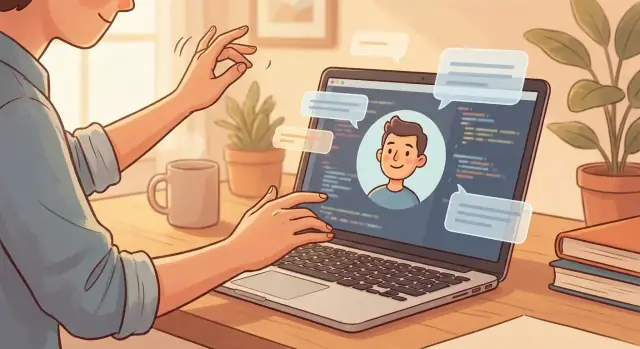
What “Vibe Coding” Means in Plain English
“Vibe coding” is building software by directing an AI instead of writing code syntax yourself. You describe what you want—often in normal, messy human language—and the AI produces a draft: a page, a script, a tiny app, a fix, or a new feature. Your role isn’t to remember commas, brackets, or framework rules. Your role is to steer.
If traditional coding feels like learning to play an instrument before you can write a song, vibe coding feels like humming the melody and having someone else put it into sheet music—then you listen, react, and refine.
Who it’s for
Vibe coding fits people who can explain problems clearly but don’t want (or don’t have time) to become programmers:
- Founders shaping a prototype before hiring
- Operators automating repetitive workflows
- Creators experimenting with interactive ideas
- Beginners who want to make something real without a long on-ramp
You don’t need a “no-code mindset” so much as a director mindset: you’re comfortable saying “more like this,” “less like that,” and “here’s the outcome I need.”
The key expectation: you still make the decisions
An AI coding assistant can draft quickly, but it can’t decide what matters to your users. It won’t automatically know your constraints, your tone, your edge cases, or what “good” means for your project.
So vibe coding isn’t “software without thinking.” It’s “software without typing syntax.” You supply intent, priorities, examples, and feedback. The AI supplies iterations.
What this guide will cover
This guide focuses less on tools and more on the experience: the emotional arc of building with AI, the simple workflow (ask → see → adjust), how to write prompts as creative briefs, and the common pitfalls—especially scope creep and confusion when outputs break.
By the end, you should feel comfortable using rapid prototyping and human–AI collaboration to move from an idea to a working draft—without pretending the AI is magic or that you need to become an engineer overnight.
The Core Feeling: Directing Instead of Programming
Vibe coding doesn’t feel like “learning to code.” It feels like describing what you want in normal language and watching an AI translate that into something real.
From writing instructions to describing outcomes
Traditional programming is a step-by-step recipe: you tell the computer exactly how to do everything. Vibe coding flips that. You focus on the outcome—“make a simple page where I can add tasks, mark them done, and filter by status”—and the AI fills in the technical steps.
That shift is surprisingly emotional: instead of feeling blocked by syntax and rules, you feel invited to think like a product person. You’re not proving you know the “right” commands. You’re clarifying what “done” looks like.
A director-and-assistant mindset
A useful analogy is a film director working with a skilled assistant.
You’re the director: you set the vision, the tone, and what matters most. The AI is the assistant: it drafts scenes quickly, suggests options, and handles the fiddly setup. You don’t need to know where every cable goes—you just need to know when the scene feels right.
If you’ve tried a vibe-coding platform like Koder.ai, this is exactly the posture it encourages: you iterate through chat, ask for a screen or flow, then tighten it with concrete feedback until the app matches your intent.
Momentum now, checking later
The biggest sensation is momentum. Ideas turn into screens fast. You ask for a login page, a dashboard, a “Save” button—and suddenly you have something you can click.
The tradeoff is that speed up front often means more checking later. You still need to confirm details: Does the button really save? What happens with empty inputs? Are you storing anything sensitive? Vibe coding is fast, but it rewards people who review outcomes carefully and keep refining the direction.
Your First 15 Minutes: From “No Way” to “Wait, Why?”
The first 15 minutes of vibe coding usually don’t feel like “learning software.” They feel like watching something respond to you—quickly—without you knowing the rules yet.
The usual first emotions
Most people cycle through a familiar stack of reactions:
- Surprise: “It actually understood me.”
- Excitement: “I can see a real thing on the screen.”
- Disbelief: “There’s no way this is how building software works.”
Why it feels magical at first
Early vibe coding hits you with fast, visible results. You ask for a simple page, a button, a form, a little calculator—and it appears. That speed creates a powerful illusion: that the hard parts are gone.
What’s really happening is simpler (and still impressive): the AI is making reasonable default choices for dozens of tiny decisions you didn’t have to touch—layout, naming, basic logic, and glue code. You’re getting a “good enough” version of an idea before your brain has time to doubt it.
The first friction point: when the AI guesses wrong
Then you hit the moment where it confidently does the wrong thing. The button doesn’t do what you meant. The numbers are off. The text looks right but the behavior is weird. This is where the magic feeling turns into: “Wait—why did it do that?”
That question is the start of skill.
Keep it experimental
Treat the first session like a lab, not a test. Make tiny requests, check what changed, and don’t be shy about correcting it: “Not like that—do X instead.” Curiosity beats perfection here, and iteration beats big plans.
The Vibe Coding Loop: Ask, See, Adjust, Repeat
Vibe coding usually isn’t a single “perfect prompt.” It’s a conversation loop where you steer by reacting to what you see.
The loop in plain terms
You make a request → the AI shows an output → you tweak your request → you repeat.
That can look like:
- Ask: “Build a simple page where I can paste text and click ‘Summarize.’ Keep it clean and readable.”
- See: The AI returns a working page, but the button is tiny and the summary box is hard to notice.
- Adjust: You respond with concrete changes.
- Repeat: The next version is closer, and you keep nudging until it feels right.
What “good feedback” sounds like
The best feedback is specific and observable, not abstract.
Less useful: “Make it better.”
More useful:
- “Make the button full-width on mobile, and label it ‘Summarize’ in bold.”
- “After I click, show a loading state that says ‘Summarizing…’ and disable the button.”
- “Move the summary output above the fold and increase the font size to 18px.”
Notice how these are things you can point to and verify.
Why iteration feels lighter than traditional development
Traditional development often asks you to define everything upfront, then wait for a build, then file fixes, then wait again. With vibe coding, the feedback cycle is short. You’re not “starting over”—you’re shaping what already exists.
Examples are your secret weapon
If you’re not sure how to describe something, reference a familiar pattern:
“Make it like a notes app: simple, lots of whitespace, but with a ‘Copy summary’ button and a word-count indicator.”
Examples give the AI a target style and behavior, while your tweaks keep it aligned with your real intent.
Prompts as Creative Briefs (Not Secret Commands)
When people talk about “prompting,” it can sound like you need the perfect incantation. In vibe coding, prompts work better when you treat them like mini-briefs you’d give a teammate: clear, specific, and grounded in what you’re trying to achieve.
A good prompt doesn’t “force” the AI to obey. It gives the AI enough context to make sensible choices—and gives you a clear place to push back when it makes the wrong ones.
A simple prompt structure that works
If you’re not sure what to write, start with this lightweight template:
- Goal: What you want to build or change (one sentence)
- Users: Who it’s for and what they’re trying to do
- Constraints: Must-haves, must-not-haves, and limits (time, budget, tools)
- Examples: A couple of “like this / not like this” notes, or sample inputs/outputs
Here’s what that sounds like in plain English:
Goal: Add a “Save draft” button to the form.
Users: Customer support agents saving partial notes during a call.
Constraints: Don’t change the existing “Submit” behavior. Keep it simple—one button, no new screens.
Examples: If the page refreshes, the draft should still be there. If the user clicks Submit, the draft should be cleared.
Notice how nothing there is “technical,” but it still removes guesswork.
Tone changes the outcome
Your tone tells the AI whether you’re exploring or deciding.
- Use firm, testable language when requirements matter: “Must,” “Do not,” “Keep existing behavior.”
- Use open-ended language when you want options: “Suggest two approaches,” “What are trade-offs?”
A small shift helps a lot:
- “Make it better” invites random improvements.
- “Improve the empty-state message to reduce confusion; keep it under 20 words” gives direction.
Keep prompts small, then test often
Vibe coding works best in short cycles. Instead of asking for “the whole feature,” ask for the next visible step, check it, and then adjust.
A practical rule: one prompt = one change you can verify quickly. If you can’t easily tell whether it worked, the prompt is probably too big.
This is how you stay in control: brief, observe, refine—like you’re shaping a draft, not issuing secret commands.
Speed With a Side Effect: Scope Creep
Vibe coding can feel like improv: you make one suggestion, the AI responds with “yes, and…,” and suddenly your simple idea has a settings screen, a login flow, an admin panel, and a dashboard you never asked for. That momentum is exciting—because it feels like progress—but it can also hide a trap.
The sneaky way scope creep shows up
Scope creep isn’t just “adding features.” It’s adding them before the basics work, or before you’ve decided what “working” actually means.
You might start with “a page that collects emails,” and five minutes later you’re debating subscription tiers and analytics events while the email form still doesn’t submit.
When this happens, the project gets harder to steer. Each new feature creates new questions (“Where do we store this?” “Who can access it?” “What happens if it fails?”), and the AI will happily keep expanding the world unless you set boundaries.
A simple guardrail: define “done” per step
Before you ask for the next improvement, write a one-sentence definition of done:
- Done means: “I can enter an email, click submit, and see a success message. The email is saved somewhere I can view.”
If a request doesn’t help you reach that definition, park it.
Must-haves vs. nice-to-haves
Keep a tiny backlog with two columns:
- Must-have: required for the first usable version
- Nice-to-have: exciting, but optional
Then prompt accordingly: “Only implement the must-have items. Don’t add new features unless I ask.” You’ll still get speed—just with a steering wheel.
When It Breaks: Confusion, Then a Better Question
You’ll hit a moment where everything looks finished—buttons are in the right place, the page has the right vibe, the copy reads well—and then you click around and think: “Why is it doing that?”
This is one of the most common vibe coding experiences: the UI looks right but the behavior is off. A form submits but doesn’t save. A “Delete” button removes the wrong item. A filter works on one screen but not another. Nothing is “visibly broken,” yet the app doesn’t behave the way a real person expects.
The usual surprises (and why they happen)
Most breakages aren’t dramatic. They’re small mismatches between what you meant and what you said.
Typical surprises include:
- Edge cases: it works for the happy path, but fails when a field is empty, a name has a space, or a list is long.
- Data issues: demo data behaves; real data has duplicates, missing values, or unexpected formats.
- Confusing flows: the app lets users get into a state you didn’t imagine (back button, refresh, two tabs open).
Turn confusion into a better question
The fix usually starts with a clearer test. Instead of “It’s not working,” describe a scenario:
“When I do A, I expect B.”
For example:
“When I add an item to the cart and refresh the page, I expect the cart count to stay the same.”
That single sentence gives the AI something concrete to debug: inputs, actions, and expected result. And it reinforces a key truth: vibe coding isn’t magic—it’s iterative clarification.
The Emotional Ride: Confidence, Doubt, and Relief
Vibe coding often feels less like a steady march and more like a confidence rollercoaster. One minute the AI produces something that looks like magic, and the next minute it misunderstands a detail you thought was obvious. That swing is normal—especially when you’re building something new and you don’t have “programmer instincts” to lean on.
Why your confidence swings
Some tasks naturally reward vibe coding because they’re visual and easy to judge. UI work can feel instantly satisfying: “Make the button bigger,” “Use a calmer color,” “Put the form in a card,” “Add a loading spinner.” You can see the result right away, and you can tell if it’s better.
Other tasks are harder because the failure is invisible until you test it. Complex logic—like payment rules, permissions, data syncing, or edge cases (“What if the user closes the tab mid-save?”)—can look correct while being subtly wrong.
Easy wins vs. harder wins
UI and copy tweaks often feel easy because the feedback loop is short.
More complex logic feels harder because you have to define the rules precisely and check them in multiple situations.
A good way to stay grounded is to work in smaller steps and create checkpoints:
- Ask for one change at a time (“Add validation for empty email”) instead of a bundle (“Make the whole form production-ready”).
- After each change, do a quick test: try a normal case, then a weird one.
- If you feel lost, back up and re-state the goal in plain language.
Relief: how to get back to “in control”
The fastest path from doubt to relief is reducing the size of the next step. When something breaks, resist the urge to demand a full rewrite. Instead, ask the AI to explain what it changed, what files it touched, and how to test the fix.
Also: save working versions. Keep a “known good” checkpoint (even just a copied folder or a commit) before big changes. Knowing you can roll back turns anxiety into experimentation—and that emotional shift is a big part of what makes vibe coding sustainable.
Some platforms make this easier by design. For example, Koder.ai includes snapshots and rollback so you can experiment quickly, keep momentum, and still return to a stable version when an iteration goes sideways.
What “Good” Feels Like: Simple Quality Signals
Vibe coding can feel magical right up until you ask, “Is this actually good?” The answer depends on what you’re building: a prototype to learn fast, or a product someone will rely on.
“Good enough” changes with the goal
For a prototype, “good” usually means: it demonstrates the idea, you can click through the main path, and it’s clear what problem it solves. Rough edges are fine if they don’t hide the point.
For a real product, “good” means: people can use it repeatedly without confusion, data doesn’t get lost, and behavior is predictable across devices and situations.
Simple quality signals you can feel
- Clarity: Buttons say what they do; screens have one obvious next step.
- Consistency: The same action works the same way everywhere (labels, colors, placement).
- Fewer surprises: Errors are explained in plain language, and nothing “mysteriously” resets.
A surprisingly strong signal: you can hand it to someone else and they don’t immediately ask you what to click.
Quick checks that catch most issues
Try these before you celebrate:
- Mobile check: Does it still work on a small screen? Are buttons tappable? Is anything cut off?
- Slow network check: Refresh mid-action. Does it show loading states, or does it freeze and leave you guessing?
- Empty states: What happens with zero items, no search results, or missing info? Does it guide the user or just look broken?
A tiny acceptance checklist per feature
For each new feature, write 5–7 “done when…” lines. Example:
- “User can add an item, see it in the list, and it persists after refresh.”
- “If a required field is empty, the message says what to fix.”
- “Works on mobile width without horizontal scrolling.”
This keeps vibe coding creative—but anchored to real outcomes.
Your Real Job: Making Decisions, Not Writing Code
Vibe coding feels empowering because you’re no longer blocked by syntax—but it also reveals something quickly: you didn’t “escape work,” you switched jobs. You become the product manager of a tiny product team made of you + an AI coding assistant.
Instead of asking, “How do I code this?” you’re asking, “What should this do, for whom, and what matters most?” That’s priorities, tradeoffs, and clarity. The AI can generate options fast, but it can’t decide what’s right for your users.
The decisions you still have to make
Even with great prompts, you’re still the one steering the build. You’ll regularly need to choose things like:
- Copy and tone: What should buttons, error messages, and onboarding text actually say?
- User flows: What happens first, what’s optional, and where do people go after they finish a task?
- Permissions and access: Who can view, edit, delete, export? What needs approval?
- Data rules: What fields are required, what formats are allowed, what gets saved?
- Edge cases: What should happen if someone submits an empty form, uploads the wrong file, or tries something unexpected?
When those are fuzzy, the AI will fill in blanks with guesses. That’s when the product starts feeling “almost right” but somehow off.
The quiet satisfaction: shaping details without knowing syntax
One of the best parts is realizing you can shape the experience at a surprisingly detailed level—without reading a wall of code. You can say, “Make the signup feel lighter,” “Reduce steps from four to two,” or “This screen needs to reassure users about privacy,” and then watch the UI and behavior shift.
It’s less like typing magic commands and more like giving feedback on a draft. The satisfaction comes from seeing your intent turned into something tangible, then refining it until it matches your taste.
Keep the AI consistent by documenting choices
A simple habit makes everything smoother: write down your decisions as you go.
Keep a short “project note” with things like naming conventions, tone of voice, key rules (who can do what), and what you already agreed is out of scope. Then reuse it in future prompts.
That way, you’re not re-litigating decisions every session—and the AI can build on your direction instead of reinventing it.
Trust and Safety: What to Share and What to Double-Check
Vibe coding feels casual—like chatting your way into a working tool. That friendliness can trick you into oversharing. A good rule: treat the AI like a smart contractor you just met. Useful, fast, but not someone you hand your keys to.
Trust boundaries: what not to paste
Don’t paste secrets or sensitive data into prompts:
- Passwords, API keys, private tokens, SSH keys
- Real customer names, emails, addresses, support tickets, internal documents
- Anything regulated (medical, financial, identity data)
Instead, use placeholders like API_KEY_HERE, fake names, or a tiny made-up sample that matches the shape of your real data.
Safety habits that prevent “oops” moments
A few small habits keep experiments safe:
- Use test accounts and sandbox environments whenever possible
- Keep backups (or version history) before you run big changes
- Start with a copy of your data, not the original
If you’re building something that touches payments, logins, or customer records, slow down and add an extra review step—even if the demo looks perfect.
Double-check generated instructions
AI can confidently suggest steps that are outdated, insecure, or simply wrong for your setup. Before you run commands or click “deploy,” read what it generated and make sure you understand the effect.
When you don’t, ask for a translation: “Explain what this change does in plain English, what could go wrong, and how to undo it.” That one question turns vibe coding from guess-and-hope into informed decision-making.
Where Vibe Coding Shines—and Where You’ll Want Help
Vibe coding is at its best when the goal is momentum: getting a working thing on the screen that you can click, react to, and reshape. If you’re trying to prove an idea, build an internal tool, or prototype a workflow, it feels almost unfair how quickly you can go from “blank page” to “usable draft.”
Where it shines
It shines in early-stage product thinking: turning a fuzzy concept into a simple app, form, dashboard, or script you can test with real people. It’s also great for “glue work”—small automations, data cleanups, or lightweight features that would normally sit at the bottom of a backlog.
In practice, this is where an end-to-end vibe-coding environment can help: for example, Koder.ai is designed to generate full web apps (commonly in React), backends (Go + PostgreSQL), and even mobile apps (Flutter) from chat—so you can go beyond mockups into something you can actually run and share.
The moment it hits limits
The limit usually shows up as one of three frictions:
- Performance and scale: it works with 50 rows or 5 users, then slows down or behaves oddly at 50,000 rows or 500 users.
- Bugs that feel slippery: you fix one issue, and two new ones appear because the underlying structure isn’t solid.
- Complexity creep: a quick prototype grows into a real product, and the “quick fixes” start fighting each other.
When to get help
Bring in an experienced developer when you need payments, security, permissions, compliance, or complex integrations (third-party APIs, legacy systems, single sign-on). These aren’t “hard because of code”—they’re hard because mistakes cost money or trust.
How to hand it off smoothly
Share context like a creative brief: the goal, who it’s for, constraints (budget, deadline, data sensitivity), what already works, what’s broken, and examples of expected behavior.
The realistic takeaway: vibe coding is a fast start and a powerful drafting tool—but it’s not a universal shortcut. It gets you to “something real” quickly, and then the right help turns that draft into a dependable product.
FAQ
What is “vibe coding” in plain English?
Vibe coding is building software by describing outcomes to an AI and iterating on what it generates, rather than writing every line of syntax yourself. You steer with intent, examples, and feedback; the AI drafts code and UI quickly.
Who is vibe coding best for?
People who can explain what they want clearly but don’t want a long programming on-ramp—founders prototyping, operators automating workflows, creators experimenting, and beginners trying to ship something real. The key skill is a director mindset: “more like this, less like that.”
Is vibe coding the same as building software without thinking?
No. You still need to make product decisions: what “done” means, what users should see, how edge cases behave, and what matters most. Vibe coding reduces typing syntax; it doesn’t remove thinking or responsibility.
What’s the basic workflow for vibe coding?
Use a simple loop:
- Ask: Request one change you can verify.
- See: Run it and observe what actually changed.
- Adjust: Give specific, testable feedback.
- Repeat: Iterate until it matches the outcome you want.
Treat it like shaping a draft, not writing a perfect prompt once.
What does “good feedback” to an AI coding assistant sound like?
Specific and observable feedback works best. For example:
- “Make the button full-width on mobile and label it ‘Summarize’.”
- “After click, show ‘Summarizing…’ and disable the button.”
- “If input is empty, show an error under the field.”
Avoid vague requests like “make it better” unless you also define what “better” means.
How do I write prompts that actually work?
Write prompts like a mini creative brief:
- Goal: one sentence
- Users: who it’s for
- Constraints: must/must-not (keep existing behavior, no new screens)
- Examples: sample inputs/outputs or “like this / not like this”
This reduces guessing and makes it easier to debug when the AI gets it wrong.
Why does vibe coding lead to scope creep, and how do I stop it?
Because AI tends to respond with “yes, and…,” adding features you didn’t ask for—often before the basics work. Prevent it by:
- Writing a one-sentence definition of done for the current step
- Keeping a must-have vs nice-to-have list
- Prompting explicitly: “Only implement must-haves; don’t add new features unless I ask.”
What should I do when the UI looks right but the behavior is wrong?
Describe a concrete scenario instead of “it’s broken”:
- “When I do A, I expect B, but I’m seeing C.”
Then ask for a focused fix and how to test it. Also request transparency: “Tell me what you changed, what files were touched, and how to roll it back.”
How do I know if what I built is actually “good”?
Not directly. For prototypes, “good” may mean the main path works and the idea is clear. For anything people rely on, you should at least check:
- Mobile layout (tappable buttons, no cut-off content)
- Loading states and refresh behavior
- Empty states and validation
- Persistence (does data survive reload?)
A short acceptance checklist (5–7 “done when…” lines) keeps you honest.
What should I not share with an AI when vibe coding, and what should I double-check?
Avoid pasting sensitive information:
- Passwords, API keys, tokens, SSH keys
- Real customer data or internal documents
- Regulated data (medical, financial, identity)
Use placeholders and fake samples. For risky areas (payments, auth, permissions, compliance), slow down, add reviews, and consider bringing in an experienced developer.