

How AI-Driven Development Makes Programming Easier to Learn
AI-driven development helps beginners learn faster with instant feedback, examples, and debugging help—making core programming concepts easier to grasp.
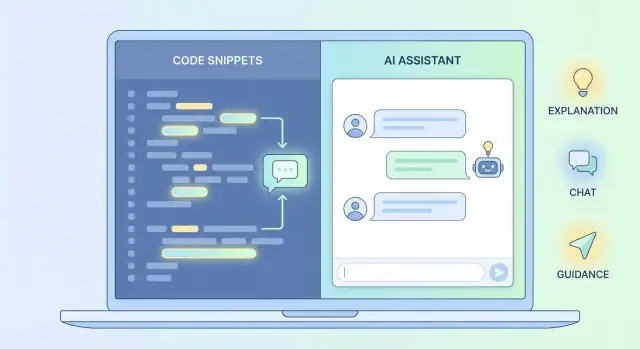
What AI-Driven Development Means for Beginners
AI-driven development is a way of building (and learning) software where an AI assistant helps you work with code as you go. Instead of staring at a blank editor and guessing what to do next, you can ask for help writing a small function, explaining an error message, suggesting a cleaner approach, or summarizing what a piece of code does.
Think of it as having a patient pair-programming partner that can:
- Write starter code from your description (and adjust it as you refine your idea)
- Read code with you by explaining what each part is doing
- Improve code by pointing out bugs, simplifying logic, or suggesting better names
What “lowering the barrier” really means
For beginners, the hardest part is often not the “smart” stuff—it’s the friction: confusing setup steps, unclear instructions, and getting stuck in dead ends where you don’t even know what to search for.
AI can lower that barrier by helping you get unstuck faster, translating jargon into plain English, and suggesting next steps when you’re unsure.
That doesn’t mean the work disappears. It means you spend more of your time practicing the core skills (variables, loops, functions, data structures, debugging) and less time stalled by obstacles that don’t teach you much.
Setting expectations (so AI actually helps you learn)
AI can speed up learning, but only if you treat it as a guide—not a magic “do it for me” button. You still need to understand what the code is doing, test it, and connect it back to the underlying concepts.
Over the rest of this article, you’ll see the main ways AI changes the learning curve: faster feedback when you try things, clearer explanations of errors, breaking big tasks into smaller steps, examples on demand, personalized help at your level, and smoother setup so you can reach your first working program sooner.
Why Learning Programming Feels Hard at First
Most beginners don’t quit because programming is “too abstract.” They quit because early progress is fragile: one small snag can stop everything, and it’s not obvious how to recover.
The common early blockers
At the start, you’re juggling several problems at once:
- Confusing errors: messages like “unexpected token” or “null reference” don’t explain what you should do next.
- Unclear docs: tutorials assume background knowledge, skip steps, or use unfamiliar jargon.
- Too many tools: editors, terminals, package managers, version control, frameworks—each with its own rules.
- Slow recovery: you try something, it breaks, then you spend 20 minutes just getting back to the same point.
Why it feels overwhelming
This is mostly cognitive load and context switching. You’re learning the programming concept and the environment it lives in.
When something fails, you don’t know whether the issue is your logic, your syntax, a missing dependency, a wrong file path, or a misconfigured tool. Switching between your code, a browser tab, stack traces, and docs makes it harder to keep a clear mental model.
Small mistakes, big stalls
A missing bracket, a trailing comma, or an indentation mistake can prevent your program from running at all. If you don’t yet know how to read errors, you can spend hours searching, copying fixes you don’t understand, and still feel stuck.
When practice sessions repeatedly end in confusion, it’s easy to avoid coding “until you’re ready.” But programming readiness is built by practice—so these early blockers often lead to dropping out right when momentum matters most.
Faster Feedback Loops: Learn by Trying, Not Waiting
One of the biggest advantages of AI-driven development for beginners is speed: you get feedback while you’re still thinking about the problem.
An AI coding assistant can suggest a missing bracket, explain why a loop never runs, or propose a simpler approach—right where you’re working. That tight loop (write → run → see results → adjust) helps you build intuition faster than reading explanations in isolation.
How instant feedback changes learning
Traditional learning often looks like this: you hit an error, copy it into a search engine, open five forum tabs, and try a few “maybe this works” fixes. Sometimes you find the answer quickly. Other times you don’t know what to search for, or the solution assumes knowledge you haven’t learned yet.
With AI, the gap shrinks. You can ask, “What does this error mean in plain English?” or “Show me two ways to do this and explain the trade-offs.” That encourages experimentation: try an idea, get a hint, iterate.
Don’t accept fixes blindly
Speed helps only when it’s paired with understanding. Before you accept a suggested fix, pause and check:
- Can you explain what changed and why?
- Can you predict what will happen if the input changes?
- Could you reproduce the fix without the assistant?
If you can’t answer those, ask the AI to walk through the code line by line. Fast feedback accelerates learning when you keep yourself in the driver’s seat.
Making Errors Understandable Instead of Intimidating
For beginners, error messages can feel like a wall of noise. They’re often written for people who already know the rules, not for someone still learning them.
An AI coding assistant can act like a translator: it takes the raw error output and explains what it likely means in plain language—plus what to try next.
What AI changes about debugging
Instead of staring at “unexpected token” or a stack trace, you can ask: “Explain this error like I’m new.” Good assistants will point to the exact line, describe what the computer expected, and suggest one or two concrete fixes.
Here are a few common beginner errors and what AI typically clarifies:
- Syntax errors (e.g., missing bracket/colon): AI can highlight an unclosed
)/}or a missing:and explain the rule behind it. - Null references (e.g., “cannot read property of null”): AI can explain that you’re using something that doesn’t exist yet, then suggest checking whether the value is created, returned, or loaded before you access it.
- Type mismatches (e.g., “expected number, got string”): AI can show where the wrong type came from and offer options: convert the value, change the variable type, or adjust the function signature.
Learn the repeatable pattern: symptom → cause → fix
The real skill isn’t memorizing errors—it’s learning a loop:
Symptom (what you see) → Cause (why it happened) → Fix (what to change)
After you apply a suggested fix, ask: “Explain why that worked in simple terms, and show an alternative solution.” Seeing two valid approaches helps you understand the concept instead of just patching the code.
Turning Big Problems into Small, Learnable Steps
One reason programming feels overwhelming at the beginning is that “build a to‑do app” or “make a website” isn’t a single task—it’s dozens of tiny decisions bundled together.
Beginners often don’t know what the next smallest step should be, so they either freeze or jump into code too early and get stuck.
Use AI to break the problem down (before writing code)
An AI coding assistant is especially helpful at the planning stage. You can ask it to turn a vague goal into a short outline, a checklist, or even a set of function names that suggest a clean structure.
For example, instead of “Build a quiz app,” ask:
- “List the smallest steps to build a quiz app that shows one question and checks an answer.”
- “Suggest function names for loading questions, showing a question, and validating input.”
- “Give me a checklist where each item can be tested in under 5 minutes.”
That last prompt matters: good learning happens when you can confirm progress quickly.
Planning first, coding second
A practical workflow is:
- Write the goal in one sentence.
- Ask AI for a minimal version (the simplest thing that still works).
- Turn that into a checklist.
- Only then start coding, one checkbox at a time.
When AI suggests steps, treat them as a draft. Remove anything you don’t understand yet, and keep the first version intentionally small.
Rule of thumb: keep steps “testably small”
If you can’t test a step quickly, it’s probably too big. A good step is something like “print the first question” or “return true/false from isCorrectAnswer().”
Small steps create fast feedback, which makes learning feel manageable—and keeps you moving forward.
Examples on Demand: Seeing Concepts in Action
When you’re new to programming, explanations can feel abstract until you see a real example that matches what you’re trying to build.
AI-driven development helps by generating small, focused code snippets on request—examples that map directly to your goal instead of a generic tutorial scenario.
Ask for examples at the right “zoom level”
A common mistake is asking for “an example of X” and getting a full mini-app you can’t understand yet.
Instead, request a snippet that’s deliberately small—often 10–30 lines—and limited to one concept.
For example:
- “Show a 15-line Python example that parses a CSV row into a dictionary.”
- “Give a 20-line JavaScript example of filtering an array of objects by
status.”
This keeps the example readable, and it makes it easier to connect each line to the concept you’re learning.
Request variations to strengthen understanding
Once you understand one version, ask for a second implementation that uses a different technique. This is where learning accelerates, because you start seeing the underlying idea rather than memorizing one pattern.
Try prompts like:
- “Show the same idea using a loop instead of recursion.”
- “Now rewrite it with recursion instead of a loop.”
- “Can you show a version that uses a dictionary/map instead of a list?”
Verify examples like a scientist
Treat AI-generated examples as hypotheses. Run them, add a tiny test, or print intermediate values to confirm what’s happening.
If something is unclear, ask: “Add prints so I can see the value of total after each iteration,” or “Write two quick test cases: one normal input and one edge case.”
Seeing a concept work (and break) in a small example makes it stick.
Personalized Explanations That Match Your Current Level
One reason learning to code can feel confusing is that most explanations aren’t written for your exact point on the journey. A textbook might be too formal, a video might assume you already know the basics, and documentation often reads like a reference manual.
An AI coding assistant can adjust the same concept to match how you learn best—more conversational, more step-by-step, or more “just show me a tiny example.” If you’re brand new, it can define terms like “variable” and “function” without skipping steps.
Prompts to try (copy/paste)
Use direct prompts to control the explanation:
- “Explain this like I’m new to programming: [paste code or concept].”
- “Use an analogy for this concept (avoid jargon): [concept].”
- “Show a diagram in text that explains how this works.”
- “Give me a minimal example first, then a slightly bigger one.”
- “Quiz me with 5 questions to check my understanding.”
If you paste code, add context: what you expected to happen, what actually happened, and what part feels unclear.
Make it active, not passive
Don’t just ask for answers—ask the AI to teach interactively:
“Ask me questions one at a time, wait for my reply, and correct me if I’m wrong. Keep going until I can explain it back in my own words.”
This turns the assistant into a study partner that checks understanding instead of producing a quick explanation you forget tomorrow.
Personalization isn’t a curriculum
Personalized help is powerful, but it shouldn’t replace a structured learning path.
Keep a simple syllabus (course, book, or checklist of fundamentals) and use AI to fill gaps, rephrase confusing sections, and generate targeted practice. Think of AI as a tutor that adapts to you—while your curriculum provides the direction.
Lower Setup Friction: Getting to “Hello World” Faster
A surprising amount of beginner frustration has nothing to do with variables or loops. It’s the tooling: installing the right version, fixing missing dependencies, configuring paths, or figuring out why a project won’t run on your machine.
AI-driven development can reduce this early “setup tax” by helping you choose a simpler, more reliable starting point—so you can spend your limited beginner energy on learning programming concepts.
Let AI pick the simplest workable route
Instead of starting with a heavyweight framework and 20 steps of configuration, ask an AI coding assistant to recommend:
- A minimal project structure (one file first, then folders later)
- Fewer dependencies (use built-in libraries when possible)
- A starter template that matches your goal (CLI app, small web page, basic API)
- Clear, OS-specific steps (Windows vs macOS vs Linux)
You can also paste an error message like “command not found” or “module not found” and ask for a short diagnosis plus the one most likely fix—without spiraling into random forum threads.
If you want to go one step further, vibe-coding platforms like Koder.ai can remove even more setup friction by generating a working web, backend, or mobile app from a chat prompt—then letting you iterate in small steps. For beginners, that can be a practical way to reach a runnable “first version” quickly, then learn by modifying real code.
Safety habits while using AI for setup
AI suggestions can be helpful, but they’re still suggestions. A few simple rules keep you safe:
- Read every command before you run it. If you don’t understand it, ask what it changes.
- Prefer commands that install dependencies through official tools (e.g., package managers) rather than downloading unknown scripts.
- Never paste secrets into chat: API keys, passwords, private tokens, or company code.
Keep “setup notes” for future you
Once you get a project running, create a small setup-notes.md file with what worked: versions, install commands, and how you launched the app.
Next time you start a new project—or reinstall your computer—you won’t have to rediscover the same steps from scratch.
Understanding Existing Code Without Getting Lost
Most beginners assume programming means writing everything from scratch. In practice, you spend a lot of time reading code you didn’t write—tutorial projects, open-source snippets, or code from a teammate.
That can feel confusing because code has “hidden context”: what calls it, what data it expects, and what it changes.
How AI helps you get oriented faster
An AI coding assistant can act like a guide while you explore unfamiliar code. You can ask it to:
- Summarize a file: “What is this module responsible for?”
- Explain a function: “What does
calculateTotals()do, step by step?” - Trace the flow: “If a user clicks ‘Checkout’, which functions run next?”
- Point out important state changes: “Where does
cartget modified?”
The goal isn’t to “trust the answer.” It’s to reduce the time you spend staring at code with no entry point.
Key reading skills to practice (with or without AI)
When you read code, focus on a few anchors:
- Names: Do function and variable names match what they actually do?
- Inputs and outputs: What arguments go in, and what gets returned?
- Side effects: Does it write to a database, modify a global variable, update UI, or log?
- Where state changes: Find the lines where the app’s data is created, updated, or deleted.
Ask the AI to highlight these explicitly: “List inputs, outputs, and side effects.”
Simple exercises that build real confidence
Try this loop:
- Paste a function and ask: “Explain it in plain English, line by line.”
- Then ask: “Rewrite it with clearer names and add short comments.”
- Compare the original and rewritten version—what became easier to follow?
Real learning often happens by modifying existing code, not inventing new code.
Once you can read code reliably, you can fix bugs, add features, and learn patterns from real projects—exactly what professional development looks like.
AI as a Practice Partner, Not a Shortcut
Think of an AI coding assistant like a patient pair-programming partner: it sits with you, watches what you’re trying to do, and offers suggestions in real time.
It’s not a replacement for learning, and it’s definitely not a “do everything for me” button. Used well, it helps you practice more often, with less frustration—and practice is what actually builds skill.
What AI is great for during practice
When you’re learning, the fastest wins often come from using AI to unblock your thinking, not to finish your assignment.
Good tasks to hand to AI include:
- Brainstorming approaches ("What are 2–3 ways to solve this?")
- Refactoring suggestions ("Can this be simpler or clearer?")
- Test ideas ("What should I test to feel confident?")
- Edge cases ("What inputs might break this?")
These prompts keep you in control while giving you more angles to explore.
If you’re building something end-to-end (even a tiny app), tools like Koder.ai can be useful here too: you can ask for a minimal React UI, a Go API, and a PostgreSQL schema, then iterate feature-by-feature while the platform keeps the project coherent. The learning value comes from reviewing the generated code, editing it, and validating behavior with small tests—not from accepting everything blindly.
What you should still do yourself
To actually learn programming fundamentals, you need to own the core reasoning.
Make sure you do these parts yourself:
- Write the final logic (even if you start from a sketch)
- Explain the solution back in your own words (why it works, not just that it works)
- Choose trade-offs (readability vs. performance, simplicity vs. flexibility)
A good rule: if you can’t explain a piece of code, you don’t “have” it yet.
Close each session with a tiny learning log
After you practice, write 2–3 bullet notes to lock in what you learned:
- One concept I used today:
- One mistake I made and how I fixed it:
- One question to explore next time:
That small habit turns AI help into real progress—because the goal isn’t just working code, it’s growing understanding.
Common Pitfalls and How to Learn Safely with AI
AI coding assistants can feel like having a tutor on call—but they’re not a source of truth. Using them well is less about “trust” and more about building habits that keep you learning and keep your code safe.
The most common risks
One pitfall is hallucinated APIs: the assistant confidently invents function names, library options, or configuration flags that don’t exist (or changed in a newer version).
Another is insecure code, especially around authentication, file uploads, SQL queries, and input validation.
A third is overly complex solutions—the model may offer a “clever” pattern (heavy abstractions, unnecessary frameworks) when a simple loop would teach you more and be easier to debug.
A beginner safety checklist
When AI suggests code, treat it like a draft:
- Run the code and confirm it does what the prompt claimed.
- Read the docs for any new library or method (official docs first).
- Add a small test (even one or two cases) to lock in expected behavior.
- Simplify: ask for a version with fewer moving parts and clearer variable names.
Questions that prevent surprises
Two prompts that uncover weak spots quickly:
- “What assumptions are you making?” (Input format, environment, versions, data types.)
- “What could go wrong?” (Edge cases, failure modes, security issues, performance traps.)
Privacy basics
Don’t paste API keys, passwords, access tokens, private customer data, or proprietary source code into an assistant.
If you need help, redact values and replace them with placeholders. When in doubt, summarize the problem instead of sharing raw data.
A Simple Path to Keep Improving (With and Without AI)
Learning programming is less about “finishing a course” and more about building a steady loop: write something small, notice what breaks, fix it, and repeat.
AI can make that loop faster, but real progress comes from your routine.
A weekly learning routine that actually sticks
Aim for consistency over intensity. Try this simple structure:
- 4–5 short sessions (20–40 minutes): build a tiny feature or solve one small bug.
- Spaced repetition (5 minutes): revisit yesterday’s key idea (one note, one snippet, one quiz card). Re-typing a small example from memory works well.
- Weekly review (30–60 minutes): summarize what you learned, save “best examples,” and list the top 3 mistakes you keep making.
Use AI during sessions to clarify errors, generate practice exercises, or suggest a next step—but keep yourself in the driver’s seat by typing and testing the code.
A friendly progression of concepts
You don’t need to master everything at once. A practical order looks like this:
Variables → control flow → functions → data structures → APIs → testing
For each step, keep a tiny “definition + example” in your notes.
When you ask an AI assistant for help, include your current level: “Explain this like I know variables and if-statements, but not functions yet.” You’ll get explanations that fit where you are.
Build one portfolio project, then iterate
Pick a simple project you can improve for weeks:
- a habit tracker
- a personal budget helper
- a book/movie list with search
Start with a basic version, then add one feature at a time (login can wait).
Ask AI for small, testable tasks, like: “Add a ‘mark as done’ button and explain the changes.” Keep a changelog so you can see progress.
If you want a faster runway to a portfolio-grade project, consider using a platform like Koder.ai to scaffold the first version from a chat prompt, then iterate manually—reviewing the generated React/Go/PostgreSQL (or Flutter) code and making targeted changes. For learning, the key is to keep each change small and to verify behavior with tests or simple checks.
When to lean on AI—and when not to
Use AI for hints, examples, and debugging help. Avoid copying long solutions you don’t understand.
A good rule: if you can’t explain a piece of code in your own words, ask the AI to simplify it—or rebuild it with you step by step.
If you want more guided practice, browse related articles on /blog. If you’re exploring tools that support learning workflows (including templates, deployment, and source export), you can also check /pricing.
FAQ
What does “AI-driven development” mean in plain terms?
AI-driven development means using an AI assistant while you code to write small pieces of code, explain what code is doing, and help debug issues as they come up. The goal is faster learning through faster feedback—not outsourcing the thinking.
How does AI lower the barrier for beginners learning to code?
It lowers friction by helping with:
- translating confusing errors into plain English
- suggesting the next smallest step when you’re stuck
- reducing time spent searching across docs and forum threads
You still need to practice fundamentals, but you spend less time stalled by avoidable dead ends.
What’s the best way to use AI for faster feedback while learning?
Ask for tight, actionable feedback while you’re working, for example:
- “Why does this loop never run?”
- “What’s the simplest fix for this error?”
- “Show two approaches and explain the trade-offs.”
Then run the code immediately and make one small change at a time to keep the feedback loop fast.
How can AI help me understand error messages and stack traces?
Paste the full error message plus the few lines around where it happened, then ask:
- “Explain this error like I’m new.”
- “Point to the exact line that’s most likely wrong.”
- “Give 1–2 fixes and tell me why they work.”
After applying a fix, ask for the pattern: symptom → cause → fix so you can recognize it next time.
How do I use AI to break a big project into small steps?
Use AI before coding to turn a vague goal into a checklist. Good prompts:
- “List the smallest steps to build a minimal version of this.”
- “Give me a checklist where each item can be tested in under 5 minutes.”
- “Suggest function names for the main parts.”
Keep the first version intentionally tiny so you can test progress quickly.
How do I get useful code examples from AI without getting overwhelmed?
Request examples at the right “zoom level”:
- ask for 10–30 lines focused on one concept
- ask for a second version using a different approach
- ask for 1–2 quick test cases (normal + edge case)
Treat AI code as a draft: run it, tweak inputs, and verify outputs.
How can I make sure I’m actually learning and not just copying AI output?
Don’t accept fixes blindly. A simple self-check is:
- Can I explain what changed and why?
- Can I predict what happens with different input?
- Could I recreate this without the assistant?
If not, ask: “Walk through it line by line” or “Rewrite it simpler with clearer names.”
Can AI help with installation and environment setup problems?
It can speed up setup by recommending:
- a minimal project structure
- fewer dependencies (built-in libraries when possible)
- OS-specific steps (Windows vs macOS vs Linux)
Safety habits matter: read every command, prefer official package managers, and keep a setup-notes.md with what worked.
What are the biggest risks of using AI to code, and how do I stay safe?
Common pitfalls include:
- hallucinated APIs (made-up functions or flags)
- insecure code (auth, uploads, SQL, input validation)
- overly complex “clever” solutions
Good safeguards:
- verify methods in official docs
- add a small test
- ask “What assumptions are you making?” and “What could go wrong?”
- never paste secrets (API keys, passwords, tokens)
What’s a simple learning path that works well with AI assistance?
A practical routine is:
- 4–5 short sessions/week (20–40 minutes)
- a 5-minute review of yesterday’s key idea
- a weekly recap of mistakes and “best examples”
Use AI for hints, explanations, and debugging—but keep yourself typing, testing, and explaining solutions back in your own words. For more guided practice, you can also browse /blog.