

Why Many Apps Don’t Need Perfect Engineering to Be Useful
Many apps succeed without perfect engineering. Learn when “good enough” is the right call, how to manage risk and debt, and where quality must be non‑negotiable.
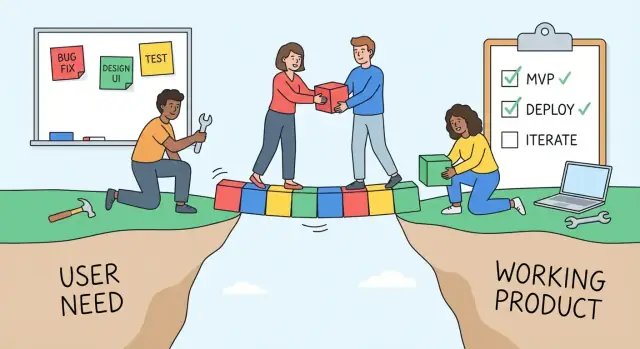
Usefulness Beats Perfection: The Core Argument
“Perfect engineering” often means code that’s beautifully structured, heavily optimized, exhaustively tested, and designed to handle every future scenario—whether those scenarios ever happen.
“Useful software” is simpler: it helps someone get a job done reliably enough that they keep using it. It might not be elegant internally, but it delivers clear user value.
Value delivered beats internal elegance
Most people don’t adopt an app because its architecture is clean. They use it because it saves time, reduces mistakes, or makes something possible that used to be hard. If your app consistently produces the right outcome, loads reasonably fast, and doesn’t surprise users with data loss or confusing behavior, it can be extremely useful—even if the codebase isn’t a showcase.
This isn’t an argument for sloppy work. It’s an argument for choosing your battles. Engineering effort is finite, and every week spent polishing internals is a week not spent improving what users actually experience: onboarding, clarity, core features, and support.
What this article will cover
We’ll explore how to make pragmatic product engineering tradeoffs without gambling with quality.
We’ll answer questions like:
- What can you simplify (or postpone) without hurting the user experience?
- What must be protected from day one (security, data integrity, core reliability)?
- How do you use an MVP to learn fast while still planning for maintenance?
- When does “good enough software” stop being good enough—and how do you tell early?
The goal is to help you ship faster with confidence: delivering real user value now, while keeping the path open to improve software quality levels later based on risk and evidence—not pride.
What Users Actually Care About (Most of the Time)
Most users don’t wake up hoping your codebase has elegant abstractions. They’re trying to complete a task with minimal friction. If the app helps them reach a clear outcome quickly—and doesn’t betray their trust along the way—they’ll usually call it “good.”
The priorities users notice first
For most everyday apps, user priorities are surprisingly consistent:
- Speed: screens load quickly, actions respond instantly, waiting feels rare.
- Clarity: it’s obvious what to do next; labels and buttons mean what they say.
- Reliability (enough): the core flow works when they need it; failures are uncommon and recoverable.
Notice what’s missing: internal architecture, frameworks, the number of microservices, or how “clean” the domain model is.
Users judge outcomes, not architecture diagrams
Users evaluate your product by what happens when they click, type, pay, upload, or message—not by how you achieved it. A messy implementation that reliably lets them book the appointment or send the invoice will beat a beautifully engineered system that feels slow or confusing.
This isn’t anti-engineering—it’s a reminder that engineering quality matters insofar as it improves experience and reduces risk.
What “good enough” looks like in practice
“Good enough” often means nailing behaviors users feel immediately:
- Fast onboarding: a new user reaches a first success in minutes, not after a tutorial marathon.
- Clear error messages: “Card declined—try a different card or contact your bank” beats “Error 402.”
- Sane defaults: the app makes a reasonable guess so users don’t have to configure everything.
- Recoverability: autosave, undo, and “try again” options reduce fear of mistakes.
Small annoyances vs. deal-breakers
Users tolerate minor rough edges—an occasional slow animation, a slightly awkward settings screen, a missing keyboard shortcut.
They don’t tolerate deal-breakers: lost data, incorrect results, surprise charges, security issues, or anything that blocks the main job the app promises to do. That’s the line most products should protect first: secure the core outcome, then polish the highest-touch edges.
Uncertainty Makes Perfection a Bad Investment
Early in a product’s life, you’re making decisions with missing information. You don’t yet know which customer segment will stick, which workflows will become daily habits, or which edge cases will never occur. Trying to engineer “perfectly” under that uncertainty often means paying for guarantees you won’t use.
The problem: you can’t optimize what you don’t understand
Perfection is usually a form of optimization: tighter performance, cleaner abstractions, more flexible architecture, broader coverage. These can be valuable—when you know where they create user value.
But at the start, the biggest risk is building the wrong thing. Overbuilding is expensive because it multiplies work across features nobody uses: extra screens, settings, integrations, and layers “just in case.” Even if everything is beautifully designed, it’s still waste if it doesn’t move adoption, retention, or revenue.
Feedback loops beat speculation
A better strategy is to get something real into users’ hands and learn quickly. Shipping creates a feedback loop:
- Release a focused version
- Observe what people actually do (not what they say they’ll do)
- Adjust priorities based on evidence
That loop turns uncertainty into clarity—and forces you to concentrate on what matters.
Reversible vs. hard-to-undo decisions
Not all choices deserve the same level of rigor. A useful rule is to separate decisions into two buckets:
- Reversible decisions: copy, UI layout, feature flags, pricing experiments, onboarding steps.
- Hard-to-undo decisions: data model choices, security posture, privacy and compliance commitments, migration paths, core platform dependencies.
Invest more upfront only where reversals are costly or risky. Everywhere else, “good enough to learn” is usually smarter.
MVP Done Right: Fast Learning Without Cutting Corners
An MVP (minimum viable product) isn’t a “cheap version” of your app. It’s a learning tool: the smallest release that can answer a real question about user value. Done well, it helps you validate demand, pricing, workflows, and messaging before you invest months polishing the wrong thing.
MVP vs. prototype: know what you’re building
A prototype is for internal learning. It can be a clickable mock, a concierge test, or a throwaway demo that helps you explore ideas quickly.
An MVP is for users. The moment real customers rely on it, it needs production basics: predictable behavior, clear limits, and a support path when something goes wrong. The MVP can be small, but it can’t be careless.
Guidelines for fast learning (without lowering the bar)
Keep scope tiny and the goal specific. Instead of “launch our app,” aim for something like “can users complete task X in under 2 minutes?” or “will 10% of trial users pay for feature Y?”
Measure outcomes, not effort. Pick a couple of signals (activation, completion rate, retention, paid conversion, support volume) and review them on a set cadence.
Iterate in tight loops. Ship, observe, adjust, ship again—while keeping the experience coherent. If you change a workflow, update the copy and onboarding so users aren’t confused.
A note on speed: tools can amplify (or waste) your effort
One reason teams drift into overengineering is that the path from idea to working software feels slow, so they “make it worth it” with extra architecture. Using a faster build loop can reduce that temptation. For example, Koder.ai is a vibe-coding platform where you can create web, backend, or mobile apps through a chat interface, then export source code, deploy, and iterate with snapshots/rollback. Whether you use Koder.ai or a traditional stack, the principle is the same: shorten feedback cycles so you can invest engineering time where real usage proves it matters.
The trap: becoming “MVP forever”
An MVP is a phase, not a permanent identity. If users keep seeing missing basics and shifting rules, they stop trusting the product—even if the core idea is good.
A healthier pattern is: validate the riskiest assumptions first, then harden what’s working. Turn your MVP into a reliable 1.0: better defaults, fewer surprises, clearer UX, and a plan for maintenance and support.
Technical Debt: Not Evil, Just a Cost to Manage
“Technical debt” is useful because it frames engineering shortcuts in a way non‑technical teams understand: it’s like taking a loan. You get something valuable now (speed), but you pay interest later (extra time, bugs, slower changes). The key isn’t avoiding all loans—it’s borrowing on purpose.
Healthy debt vs. unhealthy debt
Healthy debt is intentional. You choose a simpler approach to learn faster, hit a deadline, or validate demand—and you understand the tradeoff and plan to revisit it.
Unhealthy debt is accidental. It happens when “temporary” hacks pile up until nobody remembers why they exist. That’s when interest spikes: releases get scary, onboarding takes longer, and every change feels like it might break something unrelated.
Where debt usually comes from
Most debt doesn’t come from one big architectural decision. It comes from everyday shortcuts, such as:
- Quick fixes that bypass normal design patterns
- Missing tests (or tests that are too slow or too brittle to run)
- Messy data models that grew organically and now fight every new feature
None of these are moral failures—they’re often rational in the moment. They just become expensive if left unmanaged.
A simple rule: document it, then schedule repayment
If you take on debt, make it visible and time-bound:
- Document it in the issue tracker: what you did, why, and what “done” looks like when it’s fixed.
- Schedule repayment by reserving capacity each cycle (even a small percentage) or attaching paydown tasks to the next related feature.
Treat technical debt like any other roadmap cost: acceptable when controlled, risky when ignored.
Where Quality Must Be Non‑Negotiable
“Good enough” works until your app touches areas where a small defect can cause outsized harm. In those zones, you’re not polishing for pride; you’re preventing incidents, protecting customers, and preserving trust.
Areas where near‑perfection is expected
Some parts of a product carry inherent risk and should be treated as “must not fail”:
- Security: authentication, authorization, session handling, password resets, and admin actions.
- Privacy: data collection, storage, sharing, deletion, and access controls.
- Payments and billing: charging, refunds, invoices, taxes, subscription state, and idempotency.
- Safety-critical features: anything that can affect physical wellbeing (medical guidance, mobility features, industrial controls) or emergency information.
In these areas, “mostly works” isn’t a feature—it’s a liability.
Compliance and trust risks (the real cost)
Privacy and payment flows often carry legal obligations, audit expectations, and contractual commitments. More importantly, users have a long memory: one breach, one unauthorized charge, or one leaked document can undo years of goodwill.
Small bug, big harm: concrete examples
A few realistic scenarios where a tiny bug can cause massive damage:
- A permission check fails only on an edge case, exposing another customer’s files.
- A “retry” button triggers duplicate charges because the payment call isn’t idempotent.
- An email-change flow doesn’t re-verify ownership, enabling account takeover.
- A rounding error in credits/points accumulates, quietly over- or under-charging thousands of users.
A simple risk test: Impact × Likelihood × Detectability
When deciding whether a component needs “non‑negotiable” quality, score it quickly:
Risk score = Impact × Likelihood × Detectability
- Impact: How bad is the outcome (money, data, safety, reputation)?
- Likelihood: How often could it happen in real use?
- Detectability: How quickly would you notice (monitoring, alerts, user reports)?
High impact + hard to detect is your signal to invest in stronger reviews, tests, monitoring, and safer design.
Set Quality Levels by Risk, Not by Pride
Not every part of your app deserves the same level of effort. Set the quality bar based on risk: user harm, revenue impact, security exposure, legal obligations, and support cost.
A simple way to set different quality bars
Tag each feature into a quality tier:
- Tier 1 (Non‑negotiable): anything that can lose money, leak data, or lock users out.
- Tier 2 (Important): features users rely on often, where bugs are painful but recoverable.
- Tier 3 (Nice-to-have / internal): low-impact areas where speed matters more than elegance.
Then align expectations: Tier 1 gets conservative design, careful reviews, and strong monitoring. Tier 3 can ship with known rough edges—as long as there’s a plan and an owner.
Concrete examples: where to be strict vs. flexible
-
Login / authentication (Tier 1): A login bug can block every user; security mistakes can be catastrophic. Invest in clear flows, rate limiting, safe password reset, and good error handling.
-
Billing and subscriptions (Tier 1): Mis-billing creates refunds, churn, and angry emails. Aim for idempotent payments, audit trails, and a reliable way to reconcile issues.
-
Data export (Tier 1 or Tier 2): Exports can be tied to compliance or trust. Even if it’s “just a CSV,” incorrect data can cause real business damage.
-
Internal admin pages (Tier 3): If only your team uses it, accept clunkier UI and less refactoring. The bar is “works, doesn’t corrupt data, and is easy to fix.”
Tiered testing: match tests to risk
Testing can be layered the same way:
- Smoke tests: “Does the app start? Can users log in? Can they complete the main action?”
- Critical path tests: automated checks for the highest-risk flows (login, billing, export).
- Deeper tests later: broader unit/integration coverage added as the product stabilizes and the cost of regressions rises.
Time-box perfection work
Polish expands to fill the calendar. Put a hard limit on it: for example, “two days to improve billing error messages and add reconciliation logs,” then ship. If more improvements remain, convert them into scoped follow-ups tied to measurable risk (refund rate, support tickets, failed payments) rather than personal standards.
The Hidden Cost of Overengineering
Overengineering rarely fails loudly. It fails quietly—by making everything take longer than it should. You don’t notice it in a single sprint; you notice it months later when “small changes” start needing meetings, diagrams, and a week of regression testing.
The costs that hide in plain sight
A highly engineered system can be impressive, but it often charges interest:
- Slower releases: more layers, more rules, more “right ways” to do anything.
- Harder hiring and onboarding: new people must learn custom architecture before they can contribute.
- Fragile changes: when many parts are abstracted and interconnected, small tweaks create unexpected side effects.
These don’t show up as a line item on a budget, but they show up as missed opportunities and reduced adaptability.
When complexity is actually justified
Some apps truly need more engineering effort upfront. Complexity is usually worth it when you have clear, present requirements like:
- Scale: heavy traffic, large data volumes, or strict uptime expectations.
- Performance: real-time interactions or costly computations.
- Integrations: many third-party systems, payments, SSO, compliance, or partner APIs.
If those needs aren’t real yet, building for them “just in case” is an expensive guess.
Create a “complexity budget”
Treat complexity like money: you can spend it, but you should track it.
Keep a lightweight log of “complexity purchases” (new service, new framework, new abstraction) with (1) why it’s needed now, (2) what it replaces, and (3) a review date. If it doesn’t pay off by the review date, simplify.
Simplify before you rewrite
Before rebuilding code, try deleting.
Cut rarely used features, merge settings, and remove steps in key flows. Often the fastest performance win is a shorter path. A smaller product reduces engineering strain—and makes “good enough” easier to reach and maintain.
Perceived Quality: UX, Clarity, and Support Matter More
When people say an app “feels high quality,” they usually mean something simple: it helped them achieve a goal without making them think too hard. Users will tolerate some rough edges if the core job gets done and they trust they won’t lose work.
Rough edges users forgive (and the ones they don’t)
Small imperfections are acceptable when the app is predictable. A settings page that loads in two seconds instead of one is annoying but survivable.
What users don’t forgive is confusion: unclear labels, surprising behavior, or errors that look like the app “ate” their data.
A practical tradeoff: improving error messages often beats a fancy refactor.
- Less helpful: “Something went wrong (code 500).”
- More helpful: “We couldn’t save your invoice because the total is empty. Add an amount and try again.”
That second message can reduce support tickets, increase task completion, and boost trust—even if the underlying code isn’t elegant.
Onboarding, docs, and support are part of the product
Perceived quality isn’t only in the UI. It’s also how quickly someone becomes successful.
Good onboarding and documentation can compensate for missing “nice-to-have” features:
- A short checklist or guided tour that helps users reach a first win
- Clear FAQs that match real questions (not internal terminology)
- Support that replies with concrete steps, not vague apologies
Even a lightweight help center linked from inside the app can change how polished the experience feels.
Reliability basics that build trust
You don’t need perfect engineering to feel dependable, but you do need the basics:
- Monitoring and alerts so issues are detected quickly
- Backups and restore drills so data loss is unlikely—and recoverable
- A clear incident response plan (who investigates, who communicates, how users are updated)
These don’t just prevent disasters; they signal maturity.
How to Know When “Good Enough” Isn’t Enough Anymore
“Good enough” is a moving target. Shortcuts that were fine during early validation can become user-facing pain once customers rely on the product daily. The goal isn’t perfection—it’s noticing when the cost of staying “good enough” is rising.
Warning signs you’re past the safe zone
Look for patterns that signal the product is becoming harder to change and less trustworthy:
- Bug backlog grows faster than it shrinks, especially repeat bugs in the same areas
- Lead times stretch (simple changes take days instead of hours)
- Teams are afraid to deploy: big release days, lots of manual steps, “let’s wait until Monday”
- Hotfixes become normal, and every fix seems to break something else
Metrics worth watching (simple, not fancy)
You don’t need a dashboard wall. A few numbers, tracked consistently, can tell you when quality needs to rise:
- Crash rate / uptime (even a weekly snapshot is helpful)
- Support ticket volume and theme: are users reporting the same failure repeatedly?
- Churn or cancellations tied to reliability (“It’s buggy,” “It lost my data,” “It’s slow”)
- Time-to-fix: how long it takes from “issue reported” to “issue resolved and shipped”
If these trend the wrong way for several weeks, “good enough” has expired.
Pay debt as you go (without a rewrite)
A practical habit: refactor near the change. When you touch a feature, spend a small, fixed amount of time making that area easier to understand and safer to modify—rename confusing functions, add a missing test, simplify a conditional, delete dead code. This keeps improvements tied to real work and prevents endless “cleanup projects.”
A lightweight monthly maintenance routine
Once a month, schedule a short maintenance block (half-day to two days):
- Fix the top recurring issues from support
- Reduce the biggest deployment pain point (one step less, one check automated)
- Address one high-risk area (payments, auth, data loss paths)
- Review the trend metrics and pick next month’s focus
This keeps quality aligned with actual risk and user impact—without drifting into polishing for its own sake.
A Practical Decision Framework for Shipping vs. Polishing
Shipping vs. polishing isn’t a moral debate—it’s prioritization. The goal is to deliver user value quickly while protecting trust and keeping future work affordable.
Step-by-step checklist: what to improve next
- Name the decision. Write down the specific change you’re debating (e.g., “refactor auth module” vs. “add export button”).
- Identify who is harmed if you ship as-is. Is it paying customers, internal staff, a small edge-case group, or no one?
- Ask the worst-case outcome. Could this cause data loss, privacy issues, incorrect billing, or safety risks? Or is it mainly annoyance and extra clicks?
- Estimate frequency. How often does it happen: every session, daily for a subset, monthly, or “only when Mercury is in retrograde”? Use real numbers if you have them (support tickets, logs, refunds).
- Assess detectability. Will you notice quickly (alerts, obvious UI) or only after damage accumulates?
- Calculate reversibility. Can you roll back or hotfix in hours, or does it require a risky migration?
- Pick the smallest trust-preserving action. Sometimes it’s not “perfect it,” it’s “add guardrails”: validation, rate limits, better error messages, or a feature flag.
- Time-box polishing. If you can’t justify it with risk or measurable value, cap the effort and move on.
Questions you should literally answer
- Who is harmed?
- What is the worst-case outcome?
- How often does it happen?
Sample roadmap split (simple, sustainable)
- User value work: new features, onboarding improvements, UX clarity, pricing/plan fit.
- Reliability work: monitoring, retries, performance hotspots, backups, permission checks.
- Cleanup work: refactors, dependency upgrades, reducing complexity, deleting dead code.
A balanced takeaway: ship fast when the risks are contained, protect trust where failure is costly, and improve continuously by revisiting decisions as real usage teaches you what matters.
FAQ
What’s the difference between “perfect engineering” and “useful software”?
“Perfect engineering” optimizes for internal qualities like architecture purity, maximum flexibility, exhaustive test coverage, and future-proofing.
“Useful software” optimizes for user outcomes: it reliably helps someone complete a real task with minimal friction. If it’s fast enough, clear enough, and doesn’t betray trust (data loss, security failures), users will keep it—even if the internals aren’t elegant.
What do users actually care about most?
Most users notice:
- Speed: screens and actions feel responsive.
- Clarity: it’s obvious what to do next.
- Reliability (enough): the core flow works and failures are recoverable.
They rarely care about your architecture, framework choices, or abstraction quality unless those directly affect the experience.
Why is perfection a bad investment early in a product?
Because early on you don’t know which features, workflows, or edge cases will matter.
If you “perfect” the wrong thing, you pay the cost of optimization without getting user value back. Shipping something small creates a feedback loop that replaces speculation with evidence, so you can invest engineering effort where it actually pays off.
How do I know what can be simplified or postponed safely?
Treat it as a spectrum:
- Reversible decisions (copy, onboarding steps, UI layout, feature flags): ship earlier and iterate.
- Hard-to-undo decisions (data model, security posture, privacy commitments, payment semantics): invest more upfront.
A simple test is: if changing it later requires risky migrations, legal exposure, or customer-impacting downtime, don’t “MVP” it carelessly.
What’s the difference between an MVP and a prototype?
An MVP is a learning tool: the smallest release that can answer a real question about user value.
It shouldn’t be “cheap and careless.” If real users rely on it, it needs production basics like predictable behavior, clear limits, and a support path when something breaks. Keep it small, but not irresponsible.
Is technical debt always bad?
Technical debt is like borrowing time now and paying it back later.
- Healthy debt is intentional, documented, and time-bound.
- Unhealthy debt accumulates accidentally and makes every change slower and riskier.
A practical approach: create a ticket that explains what shortcut you took, why, and what “paid back” looks like—then reserve capacity to repay it.
Where does quality need to be non-negotiable?
Some areas should be treated as “must not fail,” including:
- Security (auth, authorization, password reset, admin actions)
- Privacy (access controls, sharing, deletion)
- Payments/billing (idempotency, refunds, subscription state)
- Safety-critical features (anything affecting physical wellbeing)
Here, “mostly works” can become a serious liability.
How can I decide which parts deserve stricter engineering?
Use a simple scoring method:
Risk = Impact × Likelihood × Detectability
- Impact: money, data exposure, safety, reputation.
- Likelihood: how often it can happen in real use.
- Detectability: how quickly you’ll notice (alerts vs. user complaints weeks later).
High-impact and hard-to-detect areas deserve stronger design, testing, and monitoring.
What are the hidden costs of overengineering?
Overengineering often shows up as:
- Slower releases (more layers and “rules” to ship anything)
- Harder onboarding (new hires must learn custom complexity)
- Fragile changes (small tweaks cause surprising side effects)
Complexity is justified when you have real, current requirements—like scale, strict uptime, heavy integrations, or real-time performance—not hypothetical future needs.
How do I know when “good enough” isn’t good enough anymore?
Watch for trends like:
- Bugs accumulating faster than you fix them
- “Simple” changes taking days instead of hours
- Fear of deploying (manual steps, big-bang releases, frequent hotfixes)
- Support tickets repeating the same reliability complaints
When these patterns persist, raise the quality bar by paying down debt near the area you’re changing, improving monitoring/alerts, and hardening critical paths—without defaulting to a full rewrite.