

Why Databases Outlive Most Application Code (and Why It Matters)
Databases often last decades while apps are rewritten. See why data endures, why migrations are costly, and how to design schemas that evolve safely.
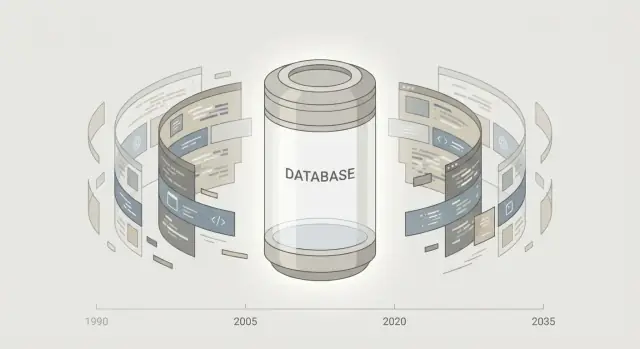
The surprising pattern: apps change, databases stay
If you’ve worked around software for a few years, you’ve probably seen the same story repeat: the app gets redesigned, rewritten, rebranded—or replaced entirely—while the database quietly keeps going.
A company might move from a desktop app to a web app, then to mobile, then to “v2” built with a new framework. Yet the customer records, orders, invoices, and product catalog are often still sitting in the same database (or a direct descendant of it), sometimes with tables that were created a decade ago.
What “the database outlives the code” means
In plain terms: application code is the interface and behavior, and it changes often because it’s relatively easy to replace. The database is the memory, and changing it is risky because it holds the history the business relies on.
A simple non-technical example: you can renovate a store—new shelves, new checkout counters, new signage—without throwing away the inventory records and receipts. The renovation is the app. The records are the database.
Why this matters (and what you’ll get from this article)
Once you notice this pattern, it changes how you make decisions:
- You treat data as a long-term asset, not a byproduct of features.
- You become more cautious about “quick” database choices that can linger for years.
- You design schemas and migrations with future change in mind, even if the current app is temporary.
In the sections ahead, you’ll learn why databases tend to stick around, what makes data harder to move than code, and practical ways to design and operate databases so they can survive multiple application rewrites—without turning every change into a crisis.
Data is the product’s long-term memory
Applications feel like the “product,” but the database is where the product remembers what happened.
A shopping app can be redesigned five times, yet customers still expect their purchase history to be there. A support portal can change vendors, yet the record of tickets, refunds, and promises made needs to remain consistent. That continuity lives in stored data: customers, orders, invoices, subscriptions, events, and the relationships between them.
History is harder to recreate than features
If a feature disappears, users are annoyed. If data disappears, you may lose trust, revenue, and legal footing.
An app can often be rebuilt from source control and documentation. Real-world history can’t. You can’t “re-run” last year’s payments, reproduce a customer’s consent at the moment it was given, or reconstruct exactly what was shipped and when from memory. Even partial loss—missing timestamps, orphaned records, inconsistent totals—can make the product feel unreliable.
Data compounds in value
Most data becomes more useful the longer it exists:
- Reporting improves as you accumulate more periods to compare.
- Support gets faster when agents can see full context.
- Audits and disputes become easier when records are complete.
This is why teams treat data as an asset, not a byproduct. A fresh application rewrite might deliver a better UI, but it rarely replaces years of historical truth.
People build workflows around what’s stored
Over time, organizations quietly standardize on the database as the shared reference point: spreadsheets exported from it, dashboards built on it, finance processes reconciled to it, and “known-good” queries used to answer recurring questions.
That’s the emotional center of database longevity: the database becomes the memory everyone relies on—even when the application around it keeps changing.
Many systems depend on one database
A database is rarely “owned” by a single application. Over time, it becomes the shared source of truth for multiple products, internal tools, and teams. That shared dependency is a big reason databases stick around while application code gets replaced.
One database, many consumers
It’s common for a single set of tables to serve:
- The customer-facing app
- An admin dashboard used by operations
- Billing and finance workflows
- Analytics and data science pipelines
- Support tools that search historical records
Each of these consumers may be built in different languages, released on different schedules, and maintained by different people. When an application is rewritten, it can adapt its own code quickly—but it still needs to read and preserve the same records everyone else relies on.
Integrations need stable data models
Integrations tend to “bind” themselves to a particular data model: table names, column meanings, reference IDs, and assumptions about what a record represents. Even if the integration is technically via an API, the API often mirrors the database model underneath.
That’s why changing the database isn’t a one-team decision. A schema change can ripple into exports, ETL jobs, reporting queries, and downstream systems that aren’t even in the main product repo.
Breaking the database breaks multiple systems at once
If you ship a buggy feature, you roll it back. If you break a shared database contract, you can interrupt billing, dashboards, and reporting simultaneously. The risk is multiplied by the number of dependents.
This is also why “temporary” choices (a column name, an enum value, a quirky meaning of NULL) become sticky: too many things quietly depend on them.
If you want practical strategies for managing this safely, see /blog/schema-evolution-guide.
Rewriting code is easier than moving data
Rewriting application code can often be done in pieces. You can swap a UI, replace a service, or rebuild a feature behind an API while keeping the same database underneath. If something goes wrong, you can roll back a deploy, route traffic back to the old module, or run old and new code side by side.
Data doesn’t give you the same flexibility. Data is shared, interconnected, and usually expected to be correct every second—not “mostly correct after the next deploy.”
Apps can be replaced module by module; data cannot
When you refactor code, you’re changing instructions. When you migrate data, you’re changing the thing the business relies on: customer records, transactions, audit trails, product history.
A new service can be tested on a subset of users. A new database migration touches everything: current users, old users, historical rows, orphaned records, and weird one-off entries created by a bug from three years ago.
Moving data safely is slow, risky, and expensive
A data move isn’t just “export and import.” It usually includes:
- Mapping old fields to new ones (including defaults and missing values)
- Transforming formats (timestamps, currencies, text encoding)
- Preserving IDs and relationships so references don’t break
- Validating totals and invariants (e.g., sums, counts, uniqueness)
- Re-indexing and performance tuning after the move
Each step needs verification, and verification takes time—especially when the dataset is large and the consequences of an error are high.
Downtime, cutovers, and rollback plans add complexity
Code deployments can be frequent and reversible. Data cutovers are more like surgery.
If you need downtime, you’re coordinating business operations, support, and customer expectations. If you aim for near-zero downtime, you’re likely doing dual-writes, change data capture, or carefully staged replication—plus a plan for what happens if the new system is slower, wrong, or both.
Rollbacks are also different. Rolling back code is easy; rolling back data often means restoring backups, replaying changes, or accepting that some writes happened in the “wrong” place and must be reconciled.
Edge cases appear only at scale and over time
Databases accumulate history: odd records, legacy statuses, partially migrated rows, and workarounds nobody remembers. These edge cases rarely show up in a development dataset, but they surface immediately during a real migration.
That’s why organizations often accept rewriting code (even multiple times) while keeping the database steady. The database isn’t just a dependency—it’s the hardest thing to change safely.
Schema changes are harder than code changes
Changing application code is mostly about shipping new behavior. If something goes wrong, you can roll back a deployment, feature-flag it, or patch quickly.
A schema change is different: it reshapes the rules for data that already exists, and that data may be years old, inconsistent, or relied on by multiple services and reports.
Schemas can evolve without discarding old data
Good schemas rarely stay frozen. The challenge is evolving them while keeping historical data valid and usable. Unlike code, data can’t be “recompiled” into a clean state—you have to carry forward every old row, including edge cases no one remembers.
This is why schema evolution tends to favor changes that preserve existing meanings and avoid forcing a rewrite of what’s already stored.
Additive changes are safer than breaking ones
Additive changes (new tables, new columns, new indexes) usually let old code keep working while new code takes advantage of the new structure.
Breaking changes—renaming a column, changing a type, splitting one field into several, tightening constraints—often require coordinated updates across:
- Application code and APIs
- Background jobs and integrations
- BI dashboards and ad-hoc queries
- Data pipelines and exports
Even if you update the main app, a forgotten report or integration can quietly depend on the old shape.
Migrations must handle existing rows and constraints
“Just change the schema” sounds simple until you have to migrate millions of existing rows while keeping the system online. You need to think about:
- Backfilling values for new
NOT NULLcolumns - Choosing defaults that are correct (not just convenient)
- Handling unique constraints that existing data may violate
- Avoiding long-running locks or timeouts during
ALTERoperations
In many cases you end up doing multi-step migrations: add new fields, write to both, backfill, switch reads, then retire old fields later.
Why it’s risky
Code changes are reversible and isolated; schema changes are durable and shared. Once a migration runs, it becomes part of the database’s history—and every future version of the product has to live with that decision.
Databases benefit from long-lived standards and skills
Application frameworks cycle quickly: what felt “modern” five years ago can be unsupported, unpopular, or simply hard to hire for today. Databases change too, but many of the core ideas—and the day-to-day skills—move far more slowly.
SQL and relational thinking don’t expire quickly
SQL and relational concepts have been remarkably stable for decades: tables, joins, constraints, indexes, transactions, and query plans. Vendors add features, but the mental model stays familiar. That stability means teams can rewrite an application in a new language and still keep the same underlying data model and query approach.
Even newer database products often preserve these familiar query concepts. You’ll see “SQL-like” query layers, relational-style joins, or transaction semantics reintroduced because they map well to reporting, troubleshooting, and business questions.
Skills and tools carry forward
Because the basics remain consistent, the surrounding ecosystem persists across generations:
- Skills: Analysts, engineers, and DBAs can transfer knowledge from one company (and decade) to the next.
- Tools: Backups, monitoring, query editors, migration tools, and BI/reporting platforms tend to support SQL-first workflows.
- Documentation: A well-documented schema stays readable long after the original application code is gone.
This continuity reduces “forced rewrites.” A company might abandon an app framework because hiring dries up or security patches stop, but it rarely abandons SQL as a shared language for data.
Standards reduce churn compared to app frameworks
Database standards and conventions create a common baseline: SQL dialects are not identical, yet they’re closer to each other than most web frameworks are. That makes it easier to keep a database steady while the application layer evolves.
The practical effect is simple: when teams plan an application rewrite, they can often keep their existing database skills, query patterns, and operational practices—so the database becomes the stable foundation that outlasts multiple generations of code.
Operations and reliability keep databases anchored
Most teams don’t stay with the same database because they love it. They stay because they’ve built a working set of operational habits around it—and those habits are hard-won.
Once a database is in production, it becomes part of the company’s “always-on” machinery. It’s the thing people page for at 2 a.m., the thing audits ask about, and the thing every new service eventually needs to talk to.
Operational routines turn into institutional habits
After a year or two, teams usually have a dependable rhythm:
- Backups, replication, and monitoring become institutional habits. Runbooks exist. Alerts are tuned. People know what “normal” looks like.
- Incident response gets practiced. You learn how to restore, how long failover takes, and what shortcuts are safe.
Replacing the database means re-learning all of that under real load, with real customer expectations.
Reliability work accumulates, not resets
Databases are rarely “set and forget.” Over time, the team builds a catalog of reliability knowledge:
- Performance tuning knowledge accumulates over years: which queries spike CPU, which indexes matter, what maintenance windows actually require.
- Capacity planning becomes sharper: seasonal traffic, growth curves, storage patterns, and retention policies stop being guesses.
That knowledge often lives in dashboards, scripts, and people’s heads—not in any one document. A rewrite of application code can preserve behavior while the database keeps serving. A database replacement forces you to rebuild behavior, performance, and reliability simultaneously.
Security controls are sticky by design
Security and access controls are central and long-running. Roles, permissions, audit logs, secrets rotation, encryption settings, and “who can read what” often align with compliance requirements and internal policies.
Changing the database means redoing access models, revalidating controls, and re-proving to the business that sensitive data is still protected.
Operational maturity keeps the database in place
Operational maturity keeps the database in place because it lowers risk. Even if a new database promises better features, the old one has something powerful: a history of staying up, staying recoverable, and staying understandable when things go wrong.
Compliance and reporting tie you to the data
Application code can be replaced with a new framework or a cleaner architecture. Compliance obligations, however, are attached to records—what happened, when, who approved it, and what the customer saw at the time. That’s why the database often becomes the immovable object in a rewrite.
Retention rules make “old data” still active
Many industries have minimum retention periods for invoices, consent records, financial events, support interactions, and access logs. Auditors usually don’t accept “we rewrote the app” as a reason to lose history.
Even if your team no longer uses a legacy table day-to-day, you may be required to produce it on request, along with the ability to explain how it was created.
Historical truth supports disputes and refunds
Chargebacks, refunds, delivery disputes, and contract questions depend on historical snapshots: the price at the time, the address used, the terms accepted, or the status at a specific minute.
When the database is the authoritative source of those facts, replacing it isn’t just a technical project—it risks altering evidence. That’s why teams keep the existing database and build new services around it, rather than “migrating and hoping it matches.”
You can’t always delete or reshape records
Some records can’t be deleted; others can’t be transformed in ways that break traceability. If you denormalize, merge fields, or drop columns, you might lose the ability to reconstruct an audit trail.
This tension is especially visible when privacy requirements interact with retention: you may need selective redaction or pseudonymization while still keeping transaction history intact. Those constraints usually live closest to the data.
Governance outlasts versions of the app
Data classification (PII, financial, health, internal-only) and governance policies tend to remain stable even as products evolve. Access controls, reporting definitions, and “single source of truth” decisions are commonly enforced at the database level because it’s shared by many tools: BI dashboards, finance exports, regulators’ reports, and incident investigations.
If you’re planning a rewrite, treat compliance reporting as a first-class requirement: inventory required reports, retention schedules, and audit fields before you touch schemas. A simple checklist can help (see /blog/database-migration-checklist).
Why “temporary” database decisions become permanent
Most “temporary” database choices aren’t made carelessly—they’re made under pressure: a launch deadline, an urgent client request, a new regulation, a messy import. The surprising part is how rarely those choices get undone.
Compatibility keeps old tables and columns alive
Application code can be refactored quickly, but databases have to keep serving old and new consumers at the same time. Legacy tables and columns linger because something still depends on them:
- An older version of the app still running somewhere
- A partner integration calling a field by its old name
- A warehouse/BI tool expecting yesterday’s schema
Even if you “rename” a field, you often end up keeping the old one too. A common pattern is adding a new column (e.g., customer_phone_e164) while leaving phone in place indefinitely because a nightly export still uses it.
Reports and exports harden workarounds
Workarounds get embedded in spreadsheets, dashboards, and CSV exports—places that are rarely treated like production code. Someone builds a revenue report that joins a deprecated table “just until Finance migrates.” Then Finance’s quarterly process depends on it, and removing that table becomes a business risk.
This is why deprecated tables can survive for years: the database isn’t just serving the app; it’s serving the organization’s habits.
“Temporary” fields become business-critical
A field added as a quick fix—promo_code_notes, legacy_status, manual_override_reason—often becomes a decision point in workflows. Once people use it to explain outcomes (“We approved this order because…”), it’s no longer optional.
Shadow data is the hidden anchor
When teams don’t trust a migration, they keep “shadow” copies: duplicated customer names, cached totals, or fallback flags. These extra columns feel harmless, but they create competing sources of truth—and new dependencies.
If you want to avoid this trap, treat schema changes like product changes: document intent, mark deprecation dates, and track consumers before you remove anything. For a practical checklist, see /blog/schema-evolution-checklist.
How to design databases that survive rewrites
A database that outlives multiple app generations needs to be treated less like an internal implementation detail and more like shared infrastructure. The goal isn’t to predict every future feature—it’s to make change safe, gradual, and reversible.
Treat the schema like an API
Application code can be rewritten, but data contracts are harder to renegotiate. Think of tables, columns, and key relationships as an API that other systems (and future teams) will rely on.
Prefer additive change:
- Add new columns or tables rather than renaming or deleting existing ones.
- Introduce new “v2” structures alongside old ones, then migrate consumers over time.
- Avoid reinterpreting a column’s meaning; create a new field with the new meaning instead.
Make meaning obvious: names, constraints, documentation
Future rewrites often fail not because data is missing, but because it’s ambiguous.
Use clear, consistent naming that explains intent (for example, billing_address_id vs. addr2). Back that up with constraints that encode rules where possible: primary keys, foreign keys, NOT NULL, uniqueness, and check constraints.
Add lightweight documentation close to the schema—comments on tables/columns, or a short living doc linked from your internal handbook. “Why” matters as much as “what.”
Plan migrations as a lifecycle, not a one-off
Every change should have a path forward and a path back.
- Versioning: track schema changes explicitly (migration files, release notes).
- Backfills: populate new structures in the background, then switch reads/writes.
- Rollbacks: design changes so you can revert without data loss (or at least with a clear recovery plan).
One practical way to keep database changes safer during frequent application iterations is to bake “planning mode” and rollback discipline into your delivery workflow. For example, when teams build internal tools or new app versions on Koder.ai, they can iterate via chat while still treating the database schema as a stable contract—using snapshots and rollback-style practices to reduce the blast radius of accidental changes.
If you design your database with stable contracts and safe evolution, application rewrites become a routine event—not a risky data rescue mission.
Planning for the day you do replace the database
Replacing a database is rare, but it’s not mythical. The teams that pull it off aren’t “braver”—they prepare years earlier by making data portable, dependencies visible, and the application less tightly bound to one engine.
Plan an exit strategy (before you need it)
Start by treating exports as a first-class capability, not a one-off script.
- Know who owns the data: define which team is responsible for definitions, retention, and access.
- Standardize export formats: keep at least one neutral option (CSV/JSON for tables, plus a full logical dump). If possible, maintain a repeatable “snapshot export” you can run on demand.
- Version your data contracts: document what each table/field means so another system can interpret it correctly.
Reduce coupling between app and database
Tight coupling is what turns a migration into a rewrite.
Aim for a balanced approach:
- Don’t hide all business rules in stored procedures or only in application code—split responsibilities intentionally.
- Prefer widely supported SQL features when you can, and isolate vendor-specific features behind a thin data-access layer.
- Keep schema changes backward compatible for a time (add new columns, deprecate later) so you can run old and new code side by side.
If you’re building a new service quickly (say, a React admin app plus a Go backend with PostgreSQL), it helps to choose a stack that makes portability and operational clarity the default. Koder.ai leans into those widely adopted primitives, and it supports source code export—useful when you want your application layer to remain replaceable without locking your data model into a one-off tool.
Document every dependency (the “unknown users”)
Databases often power more than the main app: reports, spreadsheets, scheduled ETL jobs, third-party integrations, and audit pipelines.
Maintain a living inventory: what reads/writes, how often, and what happens if it breaks. Even a simple page in /docs with owners and contact points prevents nasty surprises.
When replacement is real: signs, risks, and a safe approach
Common signs: licensing or hosting constraints, unfixable reliability issues, missing compliance features, or scale limits that force extreme workarounds.
Main risks: data loss, subtle meaning changes, downtime, and reporting drift.
A safer approach is typically parallel run: migrate data continuously, validate results (counts, checksums, business metrics), gradually shift traffic, and keep a rollback path until confidence is high.
FAQ
What does it mean that “the database outlives the code”?
Because the database holds the business’s historical truth (customers, orders, invoices, audit trails). Code can be redeployed or rewritten; lost or corrupted history is hard to reconstruct and can create financial, legal, and trust issues.
Why is changing a database riskier than changing application code?
Data changes are shared and durable.
- A code change can often be rolled back quickly.
- A schema or data migration affects existing rows, historical edge cases, and multiple dependent systems.
- Rollback may require backups, replays, or reconciliation—not just a redeploy.
Why do databases end up serving many systems, not just one app?
A single database often becomes a shared source of truth for:
- the main product
- admin/ops tools
- billing/finance processes
- analytics/BI dashboards
- ETL and exports
Even if you rewrite the app, all those consumers still rely on stable tables, IDs, and meanings.
Can you replace an application without replacing its database?
Rarely. Most “migrations” are staged so the database contract stays stable while application components change.
Common approach:
- add new tables/columns
- backfill in the background
- switch reads/writes gradually
- retire old structures later (if ever)
What are the safest types of schema changes?
Most teams aim for additive changes:
- Add new columns/tables rather than renaming or deleting.
- Introduce “v2” structures alongside legacy ones.
- Deprecate old fields only after you’ve verified all consumers moved.
This lets old and new code run side by side while you transition.
How can I make a schema understandable years later?
Ambiguity lasts longer than code.
Practical steps:
- Use clear names that express meaning (e.g.,
billing_address_id). - Encode rules with constraints where feasible (PK/FK,
NOT NULL, uniqueness, checks). - Add lightweight documentation near the schema (table/column comments; a short living doc).
What makes data migrations slow and expensive in practice?
Expect the “weird” rows.
Before migrating, plan for:
- missing values and inconsistent formats
- legacy statuses/enums no one remembers
- orphaned records and violated assumptions
- validation of totals and invariants (counts, sums, uniqueness)
Test migrations against production-like data and include verification steps, not just transformation logic.
How do compliance and reporting requirements keep databases “sticky”?
Compliance attaches to records, not UI.
You may need to retain and reproduce:
- invoices and financial events
- consent and approval history
- support interactions and audit logs
Reshaping or dropping fields can break traceability, reporting definitions, or auditability—even if the app has moved on.
Why do “temporary” columns and tables become permanent?
Because compatibility creates hidden dependencies:
- exports, dashboards, and spreadsheets hard-code old fields
- integrations rely on specific IDs and column meanings
- “temporary” fields become workflow decision points
- teams keep shadow copies when they don’t trust a migration
Treat deprecations like product changes: document intent, track consumers, and set retirement plans.
How do you design a database to survive multiple application rewrites?
A practical checklist:
- Treat the schema like an API (stable contracts; backward compatibility).
- Prefer additive evolution and staged migrations (dual-write/backfill/switch).
- Inventory consumers (apps, ETL, BI, partners) and owners.
- Build repeatable exports/snapshots to keep data portable.
- Isolate vendor-specific features behind a thin data-access layer.
This keeps rewrites routine instead of turning into risky “data rescue” projects.