

Why Framework Lifecycles Beat Initial Popularity Long-Term
Framework choice shouldn’t be about hype. Learn how lifecycles, support timelines, upgrade paths, and ecosystem health reduce risk and long-term cost.
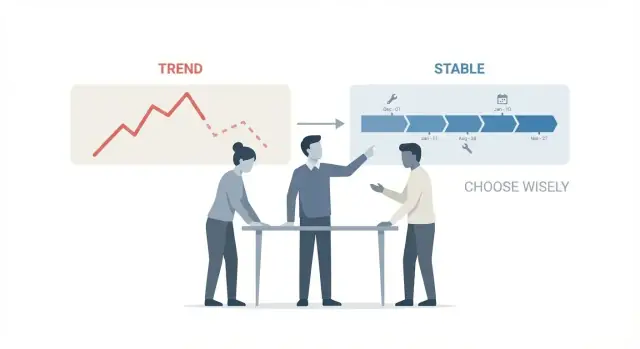
Lifecycle vs Popularity: What We’re Really Choosing
When teams debate a new framework, the conversation often sounds like “everyone’s using it” versus “it feels safer.” Those instincts point to two different realities: popularity and lifecycle.
What “framework lifecycle” means (plain English)
A framework’s lifecycle is its predictable rhythm and rules over time:
- Release cadence: how often new versions arrive (monthly, quarterly, irregular).
- Support window: how long a version receives bug fixes and security updates.
- Deprecation policy: how features are phased out, and how much warning you get.
- End-of-life (EOL): the point where updates stop and you’re effectively on your own.
Think of lifecycle as the framework’s “maintenance contract,” whether or not you ever sign anything.
What “initial popularity” really measures
Initial popularity is what you can see quickly:
- GitHub stars, trending charts, conference buzz
- Lots of tutorials and social posts
- Hiring excitement (“we can recruit easily!”)
These are useful signals, but they’re mostly about right now. Popularity doesn’t guarantee that the team behind the framework will keep a stable support policy, avoid breaking changes, or provide a sane upgrade path.
Why lifecycle decisions change budgets and risk
Over a 2–3 year window, lifecycle quality affects:
- Budgets: frequent breaking changes become recurring upgrade projects.
- Timelines: uncertain releases and short support windows force upgrades at awkward moments.
- Risk: unpatched vulnerabilities, abandoned plugins, and incompatible dependencies can trigger emergency work.
This guide is a practical decision aid for non-technical leaders and mixed teams: not “which framework is best,” but how to choose one you can live with—financially and operationally—after the first-launch excitement fades.
Why Most Costs Happen After the First Release
The first release is the part everyone remembers: a sprint of building, demos, and shipping. For most real products, that’s the shortest phase. The expensive part is everything that follows—because your software keeps interacting with a world that doesn’t stand still.
Maintenance outlasts the initial build
Once users rely on a product, you don’t get to “finish” it. You fix bugs, tune performance, update dependencies, and respond to feedback. Even if the feature set barely changes, the environment around it does: browsers update, mobile OS versions shift, cloud services deprecate endpoints, and third-party APIs revise terms.
Security and compliance are ongoing obligations
Security fixes don’t stop at launch—they often accelerate afterward. New vulnerabilities are discovered in frameworks and dependencies, and you’ll need a clear path to apply patches quickly.
For regulated or enterprise customers, compliance requirements evolve too: logging rules, data retention policies, encryption standards, and audit trails. A framework with a predictable lifecycle (and clear patch practices) reduces the time you spend scrambling when requirements change.
Hiring, onboarding, and knowledge transfer are “slow costs”
Teams churn. People leave, new hires join, responsibilities shift. Over time, the framework’s conventions, tooling, and documentation matter as much as its features.
If your stack aligns with long-term support schedules and stable upgrade paths, onboarding is smoother—and the system is less dependent on a few experts who remember every workaround.
Change stresses aging stacks
The biggest cost spikes often come from unexpected change: a new integration, a sudden scaling need, adding internationalization, or migrating auth. Popularity may help you ship version 1 faster, but lifecycle quality determines whether version 4 is a weekend upgrade or a multi-month rewrite.
Risks That Lifecycle Quality Reduces
A framework with a clear, dependable lifecycle doesn’t just “feel safer.” It removes specific risks that otherwise turn into surprise work, rushed decisions, and downtime. Popularity can hide these issues for a while; lifecycle quality keeps them under control when the honeymoon ends.
Security risk: slow or unclear patching
Security issues are inevitable. The question is how quickly fixes arrive—and how easy they are to apply.
When a framework has predictable patch releases, published security advisories, and a supported-version policy, you reduce the chance of being stuck on a vulnerable version while you scramble to upgrade. You also reduce the risk of patching becoming a mini-project—because the team can plan regular updates rather than doing emergency “big bang” jumps.
Change risk: breaking updates that disrupt your roadmap
Breaking changes aren’t automatically bad—sometimes they’re necessary. The risk is unplanned breakage.
Lifecycle-mature frameworks usually have explicit deprecation policies: features are warned about first, documentation shows replacement paths, and older behavior is supported for a defined period. That lowers the chance that a routine update forces you to rewrite core parts of your app or delay a product release.
Compatibility risk: drifting away from platforms you rely on
Over time, your app must keep working with evolving runtimes, browsers, operating systems, and hosting environments. If the framework lags behind (or drops support suddenly), you can get trapped:
- Unable to upgrade your cloud runtime without rewriting
- Blocked from new browser capabilities or performance improvements
- Forced to keep outdated OS images for “one legacy service”
A well-managed lifecycle makes compatibility changes explicit and scheduled, so you can budget time for them.
Continuity risk: maintainer commitment and support signals
The biggest long-term risk is uncertainty: not knowing whether your framework will still be maintained when you need it.
Look for commitment signals like published roadmaps, clear LTS/support statements, timely releases, and transparent governance (who maintains it, how decisions are made). These reduce the chance you’ll be pushed into an urgent migration because a project stalls or priorities shift.
The Cost Curve: Popular Now, Expensive Later
Early popularity can make a framework feel “cheap”: hiring is easier, tutorials are everywhere, and there’s a sense that problems have already been solved. But the real cost shows up later—when the framework’s lifecycle proves shorter, noisier, or less predictable than you expected.
Total cost of ownership is mostly after adoption
Your initial build is only the down payment. Total cost of ownership (TCO) accumulates through:
- Upgrades: adapting to breaking changes, dependency bumps, and new runtime requirements.
- Retraining: onboarding new hires is easier when something is popular, but retraining an existing team every 12–18 months is expensive.
- Rewrites: when upgrades aren’t incremental, “migration” quietly becomes a partial rewrite.
If a framework releases major versions frequently without a clear long-term support (LTS) story, the upgrade line item becomes a standing tax.
Opportunity cost: the feature work you don’t ship
The most painful cost isn’t the engineering hours spent upgrading—it’s what those hours replace.
When teams pause roadmap work to “catch up,” you lose momentum: fewer experiments, delayed launches, and more stakeholder skepticism. This compounding effect is why fast-moving frameworks can feel productive early and restrictive later.
Hidden costs that don’t show up in estimates
Lifecycle churn tends to drag your whole toolchain with it. Common surprises include:
- Build pipeline updates (CI images, Node/Java versions, container baselines)
- Linter, formatter, and test runner changes
- Refactoring to match new conventions (routing, state patterns, configuration formats)
- Revalidating security and compliance controls after dependency shifts
These changes are small individually, but they create a steady stream of “maintenance weeks” that are hard to plan and easy to underestimate.
Lifecycle planning buys predictable delivery
A framework with clear support timelines, incremental upgrade paths, and conservative deprecations lets you schedule maintenance like any other work: a quarterly upgrade window, an annual dependency review, and an explicit end-of-life plan.
That predictability is what keeps the cost curve flat—so you can keep shipping features instead of constantly paying yesterday’s popularity bill.
Support Timelines: LTS, Versioning, and Patch Practices
A framework’s support timeline tells you how long you can stay secure and stable without constantly reworking your code. Popularity can spike overnight, but support practices determine whether you’ll still be happy with the choice two years from now.
Release frequency: too fast vs. too slow
Release cadence is a tradeoff:
- Very fast releases can mean frequent improvements, but also frequent churn—more upgrades, more breaking changes to track, and more time spent reading changelogs.
- Very slow releases can feel stable, but sometimes signal limited investment. If security patches arrive late (or not at all), your “stability” turns into risk.
What you want is predictability: a clear schedule, a clear policy for breaking changes, and a track record of patching issues promptly.
LTS versions: what they are and when they matter
LTS (Long-Term Support) versions are releases that receive security and bug fixes for an extended window (often 1–3+ years). They matter most when:
- You’re running production software that can’t be upgraded every few months.
- You have regulated or risk-sensitive workloads.
- Your team is small, and upgrade time competes with feature work.
If a framework offers LTS, check how long it lasts, what is included (security-only vs. security + bug fixes), and how many LTS lines are supported at once.
Backporting security fixes
Backporting means fixing a vulnerability in the newest version and applying the fix to older supported versions. This is a practical marker of lifecycle maturity.
Questions to ask:
- Are security fixes consistently backported to supported versions?
- Are patches released quickly with clear advisories?
- Do maintainers publish upgrade guidance when patches require configuration or code changes?
If backporting is rare, you may be forced into major upgrades just to stay secure.
Reading versioning: semantic versioning basics
Many projects follow semantic versioning: MAJOR.MINOR.PATCH.
- PATCH: bug/security fixes; should be low-risk.
- MINOR: new features; ideally backward compatible.
- MAJOR: breaking changes; plan time to upgrade.
Not every project follows this strictly. Confirm the project’s stated policy and compare it to real release notes. If “minor” releases often break apps, your maintenance costs will trend upward even if the framework stays popular.
Upgrade Path Reality Check
“Can we upgrade later?” is usually asked as if upgrades are a single task you schedule on a quiet week. In practice, a major-version jump is a small project with planning, testing, and coordination across your app and its dependencies.
What a major upgrade really costs
The time isn’t just updating a version number. You’re paying for:
- Code changes: APIs removed, defaults changed, new patterns introduced.
- Behavior changes: subtle differences that only show up under load or at edge cases.
- Test and release overhead: regression testing, canary releases, rollback plans.
A “simple” upgrade can still take days; a breaking release across a large codebase can take weeks—especially if you’re also upgrading build tools, TypeScript, bundlers, or SSR settings at the same time.
Tooling makes or breaks the experience
Frameworks vary hugely in how much they help you. Look for:
- Migration guides that are version-specific (not generic blog posts)
- Codemods/automated refactors that cover the common changes
- Deprecation periods (warnings in one version, removals in the next)
- Clear compatibility tables for runtime, compiler, and tooling versions
If upgrades rely on “search and replace” and guesswork, expect repeated pauses and rework. (Even strong internal platforms can’t fix a weak lifecycle; they can only help you execute your plan.)
The dependency chain is where upgrades stall
Your app rarely upgrades alone. UI kits, form libraries, authentication plugins, analytics packages, and internal shared components may lag behind. One abandoned package can freeze you on an old major version, which then blocks security patches and future features.
A practical check: list your top 20 dependencies and see how quickly they historically adopted the last major framework release.
Two strategies: small steps or big leaps
Little and often means upgrading as part of normal work: fewer breaking changes at once, less fear, and easier rollbacks.
Periodic big migrations can work if the framework has long LTS windows and excellent tooling—but they concentrate risk. When you finally move, you’ll fight multiple years of churn in one release.
A lifecycle-friendly framework is one where upgrades are predictable, documented, and survivable even when third-party libraries don’t move at the same speed.
Ecosystem Health Signals Beyond Hype
Popularity is easy to measure—and easy to misread. Stars, conference talks, and “trending” lists tell you what people noticed recently, not whether the framework will still be a safe bet when you’re shipping patch releases two years from now.
What popularity metrics miss
A GitHub star is a one-time click; sustained maintenance is repetitive work. You want signals that the project keeps showing up for that work:
- Release cadence with substance: Are releases consistent, and do they include meaningful fixes—not just breaking changes and marketing?
- Release notes quality: Clear notes (what changed, why, how to migrate) usually reflect a team that expects real-world use.
Bus factor: who holds the keys?
If only one or two maintainers can merge critical fixes, the risk isn’t theoretical—it’s operational. Look for:
- Multiple active maintainers with merge rights
- Shared ownership across areas (core, docs, build tooling)
- Evidence of continuity (not a long gap followed by a “big comeback”)
A small team can be fine, but the project should be structured so it doesn’t stall when someone changes jobs.
Community responsiveness (the “support queue” test)
Scan recent issues and pull requests. You’re not judging politeness—you’re checking throughput.
Healthy projects tend to show: timely triage, labels/milestones, PR reviews that explain decisions, and closed loops (issues resolved with references).
Ecosystem maturity: the boring stuff that saves you
Frameworks live or die by their surrounding tools. Favor ecosystems that already have:
- Well-maintained testing utilities and examples
- Documentation that includes upgrade guides and “gotchas”
- Common integrations (auth, payments, observability) that don’t feel abandoned
If you want a quick gut check, ask: “Could we maintain this ourselves if needed?” If the answer is “no,” hype isn’t enough to justify the dependency risk.
A Simple Lifecycle Plan for Your Team
A framework choice isn’t “set and forget.” The easiest way to keep maintenance predictable is to turn lifecycle awareness into a lightweight team habit—something you can review in minutes each month.
1) Inventory dependencies and map support windows
Start with a simple inventory of what you actually run in production:
- The framework and its major plugins (routing, state, ORM, UI kit)
- The runtime (Node/JVM/.NET/Python), build tools, and package manager
- Hosting platform and base images (if you use containers)
For each item, record: current version, next major version, LTS window (if any), and expected end-of-life date. If a project doesn’t publish dates, treat that as a risk signal and note “unknown.”
Put this in a shared document or repo file (e.g., lifecycle.md) so it’s visible during planning.
2) Create an upgrade calendar tied to product milestones
Instead of upgrading “when it hurts,” schedule upgrades like product work. A practical rhythm:
- Monthly: patch/minor updates (security + bug fixes)
- Quarterly: one “dependency sprint” to absorb larger changes
- Annually: planned major upgrades for the framework/runtime
Align these with quieter product periods and avoid stacking upgrades right before launches. If you run multiple services, stagger them.
If you’re building and iterating quickly (especially across web, backend, and mobile), using a platform like Koder.ai can make this calendar easier to execute: you can generate changes in “planning mode,” deploy consistently, and use snapshots/rollback when an upgrade introduces unexpected behavior—while still keeping the option to export and own the source code.
3) Set a policy for major version adoption (and lag tolerance)
Define your team’s acceptable delay for major releases. Example policy:
- Adopt within 3–6 months if it’s an LTS or security-driven release
- Otherwise, adopt within 6–12 months
- Never run past published end-of-life
This turns “Should we upgrade?” into “Does this violate policy?”—much faster and less political.
4) Define ownership: who tracks advisories and releases
Assign clear responsibility:
- A primary owner (often the tech lead) to watch release notes and lifecycle changes
- A backup owner to cover vacations and avoid knowledge bottlenecks
Make the output concrete: a short monthly note in your team channel and a quarterly ticket batch. The goal is steady, boring progress—so upgrades don’t become emergency projects.
Decision Checklist: Questions to Ask Before Committing
Popularity can get a framework into your backlog. Lifecycle clarity keeps it from becoming a recurring emergency.
Questions for internal stakeholders
Product: What’s our expected feature velocity for the next 12–24 months, and how much “platform work” can we realistically absorb each quarter?
Security: What patch SLAs do we need (e.g., critical CVEs within 7 days)? Do we require vendor-backed advisories, SBOMs, or FedRAMP/ISO-related controls?
Ops / Platform: How does this framework deploy in our environment (containers, serverless, on-prem)? What’s the rollback story? Can we run two versions side-by-side during migrations?
Finance / Leadership: What is the acceptable maintenance budget over 3 years (time + tooling + support contracts)? Is paying for enterprise support cheaper than hiring specialists?
Questions for framework maintainers or vendors
- What is the published support policy (LTS duration, patch cadence, security backports)?
- Where is the official upgrade guide, and how often do upgrades require code changes?
- What migration tooling exists (codemods, linters, compatibility layers)?
- How are breaking changes communicated (RFC process, deprecation window)?
- What’s the end-of-life policy, and how far ahead is EOL announced?
Red flags (slow down or walk away)
Unclear or shifting EOL dates, major releases that regularly break common patterns, “just read the source” documentation, and upgrades that require large rewrites without guided paths.
Green flags (lifecycle-friendly)
A visible roadmap, stable APIs with clear deprecations, well-maintained migration docs, automated upgrade helpers, and predictable release trains.
If you want a quick internal record, turn the answers into a one-page “lifecycle brief” and store it next to your architecture decision record in /docs/architecture.
Choosing Differently by Company Stage and Risk Tolerance
The “right” framework isn’t universal. The lifecycle you can live with depends on how long you’ll own the code, how painful change is for you, and what happens when support ends.
Startups: move fast, but don’t buy a dead end
Speed matters, so a popular framework can be a good bet—if it also has a clear roadmap and predictable support policy. Your risk is betting on a trendy stack that forces a rewrite right when product-market fit arrives.
Look for:
- A published release cadence and support window (even if it’s short)
- A documented migration guide between majors
- Evidence of consistent maintenance (not just stars)
Enterprises: predictable support windows beat hype
In larger orgs, upgrades involve coordination, security review, and change management. A framework lifecycle with LTS support, clear versioning, and patch practices reduces surprises.
Prioritize:
- LTS releases with defined end dates
- Security patch commitments and disclosure practices
- Auditability: changelogs, signed releases, stable dependency policies
Agencies: you’re signing up for long-tail maintenance
Agencies often inherit years of “small updates” after launch. A framework with frequent breaking changes can turn fixed-price work into margin erosion.
Choose frameworks where:
- Upgrades are incremental (not “rewrite to upgrade”)
- Support timelines are easy to explain in a client contract
- The ecosystem is mature enough that plugins won’t disappear overnight
Public sector / regulated: lifecycle clarity is a requirement
If you’re constrained by procurement, compliance, or long approval cycles, you need stable, documented lifecycles—because you may not be able to upgrade quickly even when you want to.
Favor:
- Longer LTS windows
- Conservative dependency chains
- Strong documentation and archived versions for traceability
Ultimately, match the framework’s lifecycle to your ability to absorb change—not its current popularity.
Conclusion: Optimize for the Next 3 Years, Not This Month
Picking a framework is less like choosing a library and more like signing a contract: you’re agreeing to its release rhythm, its upgrade burden, and its end-of-life story. Popularity can help you start quickly—but lifecycle quality determines how smoothly you’ll ship the tenth release, not just the first.
Treat lifecycle as a non-negotiable requirement
The most common “surprise costs” show up after launch: security patches, breaking changes, dependency churn, and the time it takes to keep your app compatible with modern tooling. A framework with clear LTS support, predictable versioning, and well-documented upgrade paths turns those costs into planned work instead of emergency sprints.
Plan upgrades early (even if you don’t upgrade yet)
You don’t need to upgrade constantly, but you do need a plan from day one:
- Know the support timelines (what’s supported, for how long, and what happens at end-of-life).
- Budget small, regular upgrade work instead of big, risky rewrites.
- Track major dependencies and how tightly they couple you to the framework.
Balance popularity with maintainability and hiring realities
Popularity still matters—especially for hiring, learning resources, and third-party integrations. The goal is not to ignore popularity, but to treat it as one input among others. A slightly less trendy framework with stable maintenance can be cheaper, safer, and easier to operate over multiple years.
Suggested next step
Take your top 2–3 framework options and run them through the decision checklist from this article. If one choice can’t give you a credible three-year maintenance story, it’s probably not the long-term win—no matter how exciting it looks this month.
FAQ
What does “framework lifecycle” mean in practical terms?
Lifecycle is the framework’s predictable rules over time: release cadence, how long versions are supported, how deprecations work, and when updates stop (EOL). It’s essentially the maintenance contract you’re accepting when you adopt it.
How is popularity different from lifecycle quality?
Popularity is a snapshot: stars, buzz, tutorials, and hiring excitement. It helps you start fast, but it doesn’t guarantee predictable support windows, safe upgrades, or timely security fixes over the next 2–3 years.
Why do most framework-related costs show up after the first release?
Most cost arrives after launch: patches, upgrades, dependency churn, and platform changes. A weak lifecycle turns those into emergency projects; a strong lifecycle turns them into scheduled, budgetable work.
What lifecycle signals matter most for security and compliance?
Look for:
- Published security advisories and clear disclosure practices
- A supported-version policy (what gets patches)
- Evidence of backporting fixes to supported older versions
- A track record of timely patch releases
How do frequent breaking changes affect budget and timelines?
Because breaking updates create unplanned work: refactors, behavior changes, retesting, and coordinated releases. When major versions arrive frequently without strong deprecation and migration tooling, upgrades become a recurring “tax” on your roadmap.
What is LTS, and when should we require it?
LTS (Long-Term Support) versions get fixes for longer (often 1–3+ years). They matter when you can’t upgrade constantly—small teams, regulated environments, or products with heavy change management—because they reduce forced migrations just to stay secure.
What does “backporting security fixes” mean, and why should we care?
Backporting means security fixes are applied not only to the latest release, but also to older supported versions. If a project doesn’t backport, you may be forced into a major upgrade under time pressure just to remediate a vulnerability.
How should we interpret semantic versioning when evaluating risk?
Semantic versioning is usually MAJOR.MINOR.PATCH:
- PATCH: low-risk bug/security fixes
- MINOR: backward-compatible features
- MAJOR: breaking changes
Don’t assume it’s followed perfectly—spot-check release notes to see whether “minor” updates routinely break apps.
Why do upgrades fail in the dependency chain (plugins and libraries)?
Upgrades often stall on third-party libraries (UI kits, auth, analytics, internal shared components). A practical test is to list your top dependencies and see how quickly they adopted the last major framework version—and whether any look abandoned.
What’s a simple lifecycle plan we can implement without heavy process?
Create a lightweight lifecycle plan:
- Keep a dependency inventory with support/EOL dates (e.g.,
lifecycle.md) - Schedule regular updates (monthly patches, quarterly dependency sprint, annual majors)
- Set a major-version lag policy (e.g., adopt within 6–12 months; never past EOL)
- Assign an owner and backup to track advisories and releases