

Why JavaScript Runtimes Compete on Performance, Security & DX
Learn why Node.js, Deno, and Bun compete on performance, security, and developer experience—and how to evaluate tradeoffs for your next project.
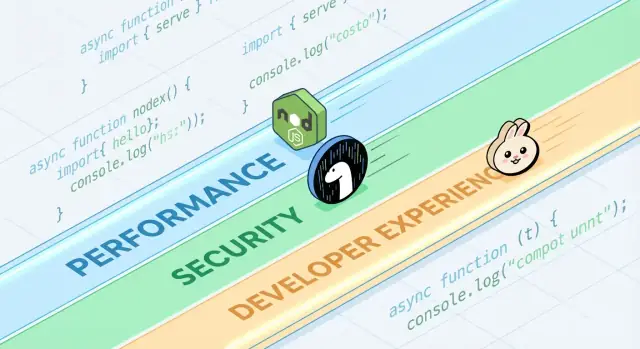
What JavaScript Runtimes Are and Why They Matter
JavaScript is the language. A JavaScript runtime is the environment that makes the language useful outside a browser: it embeds a JavaScript engine (like V8) and surrounds it with the system features real apps need—file access, networking, timers, process management, and APIs for cryptography, streams, and more.
If the engine is the “brain” that understands JavaScript, the runtime is the whole “body” that can talk to your operating system and the internet.
Where runtimes show up
Modern runtimes aren’t just for web servers. They power:
- Servers and APIs (traditional backend apps)
- CLI tools (formatters, build tools, automation scripts)
- Edge functions (code running close to users, often with tighter limits)
- Desktop apps (often via frameworks that bundle a runtime)
The same language can run in all these places, but each environment has different constraints—startup time, memory limits, security boundaries, and available APIs.
Why multiple runtimes exist (and keep changing)
Runtimes evolve because developers want different trade-offs. Some prioritize maximum compatibility with the existing Node.js ecosystem. Others aim for stricter security defaults, better TypeScript ergonomics, or faster cold starts for tooling.
Even when two runtimes share the same engine, they can differ dramatically in:
- Built-in APIs and standards support
- Package management approach
- Permission and sandboxing model
- Tooling experience (testing, formatting, bundling)
What “compete” really means
Competition isn’t only about speed. Runtimes compete for adoption (community and mindshare), compatibility (how much existing code “just works”), and trust (security posture, stability, long-term maintenance). Those factors determine whether a runtime becomes a default choice—or a niche tool you only reach for in specific projects.
A Quick Tour of Popular Runtimes
When people say “JavaScript runtime,” they usually mean “the environment that runs JS outside (or inside) a browser, plus the APIs you use to actually build things.” The runtime you pick shapes how you read files, start servers, install packages, handle permissions, and debug production issues.
Common examples you’ll hear about
Node.js is the long-time default for server-side JavaScript. It has the widest ecosystem, mature tooling, and huge community momentum.
Deno was designed with modern defaults: first-class TypeScript support, a stronger security posture by default, and a more “batteries included” standard library approach.
Bun focuses heavily on speed and developer convenience, bundling a fast runtime with an integrated toolchain (like package installation and testing) aimed at reducing setup work.
Browser runtimes (Chrome, Firefox, Safari) are still the most common JS runtimes overall. They’re optimized for UI work and ship with Web APIs like DOM, fetch, and storage—but they don’t provide direct file system access the way server runtimes do.
What’s shared across runtimes
Most runtimes pair a JavaScript engine (often V8) with an event loop and a set of APIs for networking, timers, streams, and more. The engine executes code; the event loop coordinates asynchronous work; the APIs are what you actually call day to day.
What differs (and why it matters daily)
Differences show up in built-in features (like built-in TypeScript handling), default tooling (formatter, linter, test runner), compatibility with Node’s APIs, and security models (for example, whether file/network access is unrestricted or permission-gated). That’s why “runtime choice” isn’t abstract—it affects how quickly you can start a project, how safely you can run scripts, and how painful (or smooth) deployment and debugging feel.
Performance: The Metrics Runtimes Fight Over
“Fast” is not one number. JavaScript runtimes can look amazing on one chart and ordinary on another, because they optimize for different definitions of speed.
Latency vs throughput
Latency is how quickly a single request finishes; throughput is how many requests you can complete per second. A runtime tuned for low-latency startup and quick responses may sacrifice peak throughput under heavy concurrency, and vice versa.
For example, an API that serves user profile lookups cares about tail latency (p95/p99). A batch job that processes thousands of events per second cares more about throughput and steady-state efficiency.
Cold start time (serverless and CLIs)
Cold start is the time from “nothing is running” to “ready to do work.” It matters a lot for serverless functions that scale to zero, and for CLI tools users run frequently.
Cold starts are influenced by module loading, TypeScript transpilation (if any), initialization of built-in APIs, and how much work the runtime does before your code executes. A runtime can be very fast once warm, yet feel slow if it takes extra time to boot.
I/O performance: network, file system, streams
Most server-side JavaScript is I/O-bound: HTTP requests, database calls, reading files, streaming data. Here, performance is often about the efficiency of the event loop, the quality of async I/O bindings, stream implementations, and how well backpressure is handled.
Small differences—like how quickly the runtime parses headers, schedules timers, or flushes writes—can show up as real-world wins in web servers and proxies.
CPU-bound work: engine strengths and limits
CPU-heavy tasks (parsing, compression, image processing, crypto, analytics) stress the JavaScript engine and JIT compiler. Engines can optimize hot code paths, but JavaScript still has limits for sustained numeric workloads.
If CPU-bound work dominates, the “fastest runtime” may be the one that makes it easiest to move hot loops to native code or use worker threads without complexity.
Benchmarking Reality Check (and Common Traps)
Benchmarks can be useful, but they’re easy to misunderstand—especially when they’re treated like universal scoreboards. A runtime that “wins” a chart might still be slower for your API, your build pipeline, or your data processing job.
Microbenchmarks vs. real applications
Microbenchmarks usually test a tiny operation (like JSON parsing, regex, or hashing) in a tight loop. That’s helpful for measuring one ingredient, not the whole meal.
Real apps spend time on things microbenchmarks ignore: network waits, database calls, file I/O, framework overhead, logging, and memory pressure. If your workload is mostly I/O-bound, a 20% faster CPU loop may not move your end-to-end latency at all.
Results change with workload, OS, and versions
Small environment differences can flip results:
- Workload shape: many small requests vs. fewer large ones; streaming vs. buffering.
- OS and hardware: Linux vs. macOS; different CPUs; container limits.
- Runtime and dependency versions: engine updates, libc differences, and library changes can dominate.
When you see a benchmark screenshot, ask what versions and flags were used—and whether those match your production setup.
Warm-up (JIT) and caching effects
JavaScript engines use JIT compilation: code can run slower at first, then speed up once the engine “learns” hot paths. If a benchmark only measures the first few seconds, it may reward the wrong things.
Caching matters too: disk cache, DNS cache, HTTP keep-alive, and application-level caches can make later runs look dramatically better. That can be real, but it must be controlled.
Designing fair, repeatable tests
Aim for benchmarks that answer your question, not someone else’s:
- Measure end-to-end: include framework + typical middleware + real payload sizes.
- Separate cold vs. warm: record startup, first request, and steady-state.
- Run multiple trials: report median and variance, not just the best run.
- Lock the environment: pin versions, isolate CPU, and document commands.
If you need a practical template, capture your test harness in a repo and link it from internal docs (or a /blog/runtime-benchmarking-notes page) so results can be reproduced later.
Under the Hood: Engines, APIs, and Execution Models
When people compare Node.js, Deno, and Bun, they often talk about features and benchmarks. Underneath, the “feel” of a runtime is shaped by four big pieces: the JavaScript engine, the built-in APIs, the execution model (event loop + schedulers), and how native code is wired in.
Engines: V8, JavaScriptCore, and why they matter
The engine is the part that parses and runs JavaScript. V8 (used by Node.js and Deno) and JavaScriptCore (used by Bun) both do advanced optimizations like JIT compilation and garbage collection.
In practice, engine choice can influence:
- Startup time and memory behavior (how quickly a process becomes useful)
- “Hot code” performance after optimizations kick in
- Which low-level features arrive first (some engines ship new JS capabilities earlier than others)
Built-in APIs: more than “can I fetch?”
Modern runtimes compete on how complete their standard library feels. Having built-ins like fetch, Web Streams, URL utilities, file APIs, and crypto can reduce dependency sprawl and make code more portable between server and browser.
The catch: the same API name doesn’t always mean identical behavior. Differences in streaming, timeouts, or file watching can affect real apps more than raw speed.
Execution models: event loops, schedulers, and native bindings
JavaScript is single-threaded at the top, but runtimes coordinate background work (networking, file I/O, timers) via an event loop and internal schedulers. Some runtimes lean heavily on native bindings (compiled code) for I/O and performance-critical tasks, while others emphasize web-standard interfaces.
WebAssembly: when it helps
WebAssembly (Wasm) is useful when you need fast, predictable computation (parsing, image processing, compression) or want to reuse code from Rust/C/C++. It won’t magically speed up typical I/O-heavy web servers, but it can be a strong tool for CPU-bound modules.
Security: Defaults, Permissions, and Supply-Chain Reality
“Secure by default” in a JavaScript runtime usually means the runtime assumes untrusted code until you explicitly grant access. That flips the traditional server-side model (where scripts can often read files, call the network, and inspect environment variables by default) into a more cautious posture.
At the same time, many real-world incidents start before your code runs—inside your dependencies and install process—so runtime-level security should be treated as one layer, not the whole strategy.
Permission prompts and allowlists
Some runtimes can gate sensitive capabilities behind permissions. The practical version of this is an allowlist:
- File system: allow read/write only to specific paths (e.g., a config directory)
- Network: allow outbound requests only to approved hosts/ports
- Environment variables: expose only specific keys instead of the whole process env
This can reduce accidental data leaks (like sending secrets to an unexpected endpoint) and limits blast radius when you run third-party scripts—especially in CLIs, build tools, and automation.
Sandboxing has limits
Permissions are not a magic shield. If you grant network access to “api.mycompany.com,” a compromised dependency can still exfiltrate data to that same host. And if you allow reading a directory, you’re trusting everything in it. The model helps you express intent, but you still need dependency vetting, lockfiles, and careful review of what you’re allowing.
Secure defaults in common APIs
Security also lives in the small defaults:
- TLS/HTTPS: sane certificate validation and modern protocol settings by default
- HTTP: safe redirect behavior and clear control over headers/cookies
- Crypto APIs: modern primitives with hard-to-misuse interfaces
The trade-off is friction: stricter defaults can break legacy scripts or add flags you must maintain. The best choice depends on whether you value convenience for trusted services, or guardrails for running mixed-trust code.
Supply-chain risks you can’t ignore
Supply-chain attacks often exploit how packages are discovered and installed:
- Typosquatting: a malicious package named one character off a popular one (e.g.,
expresss). - Dependency confusion: a public package is published with the same name as an internal one, tricking installers into pulling the public version.
- Compromised maintainers: an account takeover ships a “legit” update with injected code.
These risks affect any runtime that pulls from a public registry—so hygiene matters as much as runtime features.
Lockfiles, integrity checks, and provenance
Lockfiles pin exact versions (and transitive dependencies), making installs reproducible and reducing surprise updates. Integrity checks (hashes recorded in the lockfile or metadata) help detect tampering during download.
Provenance is the next step: being able to answer “who built this artifact, from what source, using which workflow?” Even if you don’t adopt full provenance tooling yet, you can approximate it by:
- preferring well-maintained packages with transparent release practices,
- avoiding unpinned Git dependencies for production builds,
- requiring tags/releases rather than installing from random commits.
Audit and update workflows that work
Treat dependency work like routine maintenance:
- run automated audits in CI on every pull request,
- schedule regular update windows (weekly/biweekly) to avoid “big bang” upgrades,
- review changelogs for major jumps and security-related releases.
Team policies that don’t slow delivery
Lightweight rules go far:
- block new dependencies unless there’s a clear need and owner,
- restrict install scripts where possible (they’re a common execution path),
- use a private registry or scoped packages for internal names to reduce confusion.
Good hygiene is less about perfection and more about consistent, boring habits.
Compatibility and Ecosystem as Competitive Advantages
Performance and security get headlines, but compatibility and ecosystem often decide what actually ships. A runtime that runs your existing code, supports your dependencies, and behaves the same across environments reduces risk more than any single feature.
Compatibility affects security and maintenance
Compatibility isn’t just about convenience. Fewer rewrites means fewer chances to introduce subtle bugs, and fewer one-off patches you’ll forget to update. Mature ecosystems also tend to have better-known failure modes: common libraries have been audited more, issues are documented, and mitigations are easier to find.
On the flip side, “compatibility at all costs” can keep legacy patterns alive (like overly broad file/network access), so teams still need clear boundaries and good dependency hygiene.
Node compatibility layers vs Web-standard APIs
Runtimes that aim to be drop-in compatible with Node.js can run most server-side JavaScript immediately, which is a huge practical advantage. Compatibility layers can smooth over differences, but they can also hide runtime-specific behavior—especially around filesystem, networking, and module resolution—making debugging harder when something behaves differently in production.
Web-standard APIs (like fetch, URL, and Web Streams) push code toward portability across runtimes and even edge environments. The tradeoff: some Node-specific packages assume Node internals and won’t work without shims.
NPM ecosystem: strengths and tradeoffs
NPM’s biggest strength is simple: it has nearly everything. That breadth speeds up delivery, but it also increases exposure to supply-chain risk and dependency bloat. Even when a package is “popular,” its transitive dependencies can surprise you.
When “works everywhere” beats new features
If your priority is predictable deployments, easier hiring, and fewer integration surprises, “works everywhere” is often the winning feature. New runtime capabilities are exciting—but portability and a proven ecosystem can save weeks over the lifetime of a project.
Developer Experience: Tooling, Types, and Debugging
Developer experience is where runtimes quietly win or lose. Two runtimes can run the same code, yet feel totally different when you’re setting up a project, chasing a bug, or trying to ship a small service quickly.
TypeScript support: built-in vs “bring your own”
TypeScript is a good DX litmus test. Some runtimes treat it as a first-class input (you can run .ts files with minimal ceremony), while others expect a traditional toolchain (tsc, a bundler, or a loader) that you configure yourself.
Neither approach is “better” universally:
- Built-in support reduces setup and can standardize defaults across a team.
- Configured tooling gives you finer control over tsconfig, emit targets, and build output—useful for libraries and larger monorepos.
The key question is whether your runtime’s TypeScript story matches how your team actually ships code: direct execution in dev, compiled builds in CI, or both.
Bundling, transpiling, and testing defaults
Modern runtimes increasingly ship with opinionated tooling: bundlers, transpilers, linters, and test runners that work out of the box. That can eliminate the “choose your own stack” tax for smaller projects.
But defaults are only DX-positive when they’re predictable:
- Can you easily change output formats (ESM/CJS), targets, and external dependencies?
- Does the test runner integrate well with coverage and CI?
- Is the configuration minimal, and does it stay stable across versions?
If you frequently start new services, a runtime with solid built-ins plus good docs can save hours per project.
Debugging: stack traces, sourcemaps, and inspectors
Debugging is where runtime polish becomes obvious. High-quality stack traces, correct sourcemap handling, and an inspector that “just works” determine how quickly you can understand failures.
Look for:
- Clear errors that point to your source (not generated code)
- Reliable async stack traces
- Good integration with editors and Chrome DevTools-style inspectors
Templates and scaffolding that remove friction
Project generators can be underrated: a clean template for an API, CLI, or worker often sets the tone for a codebase. Prefer scaffolds that create a minimal, production-shaped structure (logging, env handling, tests), without locking you into a heavy framework.
If you need inspiration, see related guides in /blog.
As a practical workflow, teams sometimes use Koder.ai to prototype a small service or CLI in different “runtime styles” (Node-first vs Web-standard APIs), then export the generated source code for a real benchmark pass. It’s not a substitute for production testing, but it can shorten the time from idea → runnable comparison when you’re evaluating trade-offs.
Package Management Choices Shape DX
Package management is where “developer experience” becomes tangible: install speed, lockfile behavior, workspace support, and how reliably CI reproduces a build. Runtimes increasingly treat this as a first-class feature, not an afterthought.
Runtime-native package managers and performance goals
Node.js historically relied on external tooling (npm, Yarn, pnpm), which is both a strength (choice) and a source of inconsistency across teams. Newer runtimes ship opinions: Deno integrates dependency management via deno.json (and supports npm packages), while Bun bundles a fast installer and lockfile.
These runtime-native tools often optimize for fewer network round-trips, aggressive caching, and tighter integration with the runtime’s module loader—helpful for cold starts in CI and for onboarding new teammates.
Monorepos, workspaces, and caching basics
Most teams eventually need workspaces: shared internal packages, consistent dependency versions, and predictable hoisting rules. npm, Yarn, and pnpm all support workspaces, but behave differently with disk usage, node_modules layout, and deduplication. That affects install time, editor resolution, and “it works on my machine” bugs.
Caching matters just as much. A good baseline is caching the package manager’s store (or download cache) plus lockfile-based install steps, then keeping scripts deterministic. If you want a simple starting point, document it alongside your build steps in /docs.
Publishing and consumption: what teams need to know
Internal package publishing (or consuming private registries) pushes you to standardize auth, registry URLs, and versioning rules. Ensure your runtime/tooling supports the same .npmrc conventions, integrity checks, and provenance expectations.
Migration concerns: lockfile changes and CI adjustments
Switching package managers or adopting a runtime-bundled installer typically changes lockfiles and install commands. Plan for PR churn, update CI images, and align on one “source of truth” lockfile—otherwise you’ll debug dependency drift instead of shipping features.
Choosing a Runtime by Use Case (Not Hype)
Picking a JavaScript runtime is less about “the fastest on a chart” and more about the shape of your work: how you deploy, what you need to integrate with, and how much risk your team can absorb. A good choice is the one that reduces friction for your constraints.
Serverless and edge workloads
Here, cold-start and concurrency behavior matter as much as raw throughput. Look for:
- Startup time (how quickly a function begins handling requests)
- Isolation model (processes vs isolates/worker-style execution)
- API availability (Web APIs, fetch, streams, crypto) in the target platform
Node.js is widely supported across providers; Deno’s Web-standard APIs and permissions model can be appealing when available; Bun’s speed can help, but confirm platform support and edge compatibility before committing.
CLI tools and automation
For command-line utilities, distribution can dominate the decision. Prioritize:
- Single-binary builds and predictable installs
- Cross-platform behavior (macOS, Windows, Linux)
- Fast startup and good developer ergonomics
Deno’s built-in tooling and easy distribution are strong for CLIs. Node.js is solid when you need npm’s breadth. Bun can be great for quick scripts, but validate packaging and Windows support for your audience.
Containers and long-running services
In containers, stability, memory behavior, and observability often outweigh headline benchmarks. Evaluate steady-state memory use, GC behavior under load, and maturity of debugging/profiling tooling. Node.js tends to be the “safe default” for long-lived production services because of ecosystem maturity and operational familiarity.
Team constraints beat novelty
Choose the runtime that matches your team’s existing skills, libraries, and operations (CI, monitoring, incident response). If a runtime forces rewrites, new debugging workflows, or unclear dependency practices, any performance win may be erased by delivery risk.
If your goal is to ship product features faster (not just debate runtimes), consider where JavaScript actually sits in your stack. For example, Koder.ai focuses on building full applications via chat—web frontends in React, backends in Go with PostgreSQL, and mobile apps in Flutter—so teams often reserve “runtime decisions” for the places where Node/Deno/Bun truly matter (tooling, edge scripts, or existing JS services), while still moving quickly with a production-shaped baseline.
Decision Checklist and Next Steps
Choosing a runtime is less about picking a “winner” and more about reducing risk while improving outcomes for your team and product.
A short checklist
- Performance tests: Do you know your top 3 bottlenecks (startup time, request throughput, CPU-heavy work, I/O latency)? Can you reproduce them locally and in CI?
- Security needs: Do you need a permissions model (file/network/env access), tighter sandboxing, or compliance-driven controls?
- DX priorities: Which friction costs you most today—TypeScript setup, debugging, hot reload, test tooling, or deployment packaging?
Questions to ask before switching runtimes
- What problem are we solving: cost, latency, developer speed, or safety?
- Which parts of our system are runtime-sensitive (edge functions, CLIs, APIs, background jobs)?
- Are we tied to a specific package ecosystem behavior (native addons, postinstall scripts, CommonJS/ESM expectations)?
- What’s our rollback plan if a dependency or platform integration behaves differently?
- Who will own runtime upgrades and track breaking changes?
A practical pilot plan
Start small and measurable:
- Pick a single service or internal tool with clear inputs/outputs (e.g., a webhook handler, a CLI, a small worker).
- Define success metrics: p95 latency, memory, CPU, build time, cold start, and developer time-to-fix.
- Run the pilot in two environments: staging and a production canary (if feasible).
- Compare results, document surprises, then iterate (tune configs, dependency choices) before considering broader migration.
If you want to tighten the feedback loop, you can draft the pilot service and benchmark harness quickly in Koder.ai, use Planning Mode to outline the experiment (metrics, endpoints, payloads), then export the source code so the final measurements run in the exact environment you control.
Where to learn more next
Use primary sources and ongoing signals:
- Official docs and compatibility notes for Node.js, Deno, and Bun
- Release notes and changelogs (watch for security fixes and breaking changes)
- Security advisories and CVE feeds relevant to your dependencies
- Community issue trackers to spot real-world edge cases
If you want a deeper guide to measuring runtimes fairly, see /blog/benchmarking-javascript-runtimes.
FAQ
What’s the difference between a JavaScript engine and a JavaScript runtime?
A JavaScript engine (like V8 or JavaScriptCore) parses and executes JavaScript. A runtime includes the engine plus the APIs and system integration you rely on—file access, networking, timers, process management, crypto, streams, and the event loop.
In other words: the engine runs code; the runtime makes that code able to do useful work on a machine or platform.
Why does the runtime choice matter if it’s all “just JavaScript”?
Your runtime shapes day-to-day fundamentals:
- Which APIs you can call (
fetch, file APIs, streams, crypto) - How you install and lock dependencies
- How secure execution is by default (permissions vs unrestricted access)
- How fast tools start (cold start) and how services behave under load
- How debugging, sourcemaps, and testing feel in practice
Even small differences can change deployment risk and developer time-to-fix.
Why are there multiple runtimes (Node.js, Deno, Bun) instead of one?
Multiple runtimes exist because teams want different trade-offs:
- Compatibility with the Node/npm ecosystem vs web-standard APIs
- Security defaults (permission-gated access) vs maximum convenience
- Tooling built-in (TypeScript, formatting, testing, bundling) vs bring-your-own stack
- Performance goals like fast CLI startup or high throughput servers
Those priorities can’t all be optimized the same way at once.
Is one runtime universally faster than the others?
Not always. “Fast” depends on what you measure:
- Latency (including tail latency like p95/p99)
- Throughput (requests per second under concurrency)
- Cold start (serverless + CLIs)
- I/O performance (networking, filesystem, streams)
- CPU-bound work (JIT behavior, GC, worker threads, native/Wasm options)
A runtime can lead in one metric and lag in another.
What is “cold start,” and when should I care about it?
Cold start is the time from “nothing running” to “ready to do work.” It matters most when processes start frequently:
- Serverless/edge functions that scale to zero
- CLIs users run repeatedly
- Short-lived jobs in CI
It’s influenced by module loading, initialization cost, and any TypeScript transpilation or runtime setup done before your code executes.
How do I avoid being misled by runtime benchmarks?
Common benchmarking traps include:
- Using microbenchmarks that don’t reflect end-to-end app behavior
- Comparing results across different OS/hardware/runtime versions
- Ignoring JIT warm-up and caching (DNS, disk, HTTP keep-alive)
- Reporting only the best run instead of median + variance
Better tests separate cold vs warm, include realistic frameworks/payloads, and are reproducible with pinned versions and documented commands.
What does “secure by default” mean in a JavaScript runtime?
In “secure by default” models, sensitive capabilities are gated behind explicit permissions (allowlists), typically for:
- Filesystem read/write (specific paths)
- Network access (specific hosts/ports)
- Environment variables (specific keys)
This helps reduce accidental leaks and limits blast radius when running third-party scripts—but it’s not a substitute for dependency vetting.
How do supply-chain risks affect runtime choice and day-to-day development?
Because many incidents start in the dependency graph, not the runtime:
- Typosquatting and dependency confusion target install workflows
- Compromised maintainers can ship malicious updates
- Transitive dependencies can introduce surprising risk and bloat
Use lockfiles, integrity checks, audits in CI, and disciplined update windows to keep installs reproducible and reduce surprise changes.
How important is Node.js compatibility when choosing a runtime?
If you depend heavily on the npm ecosystem, Node.js compatibility is often decisive:
- Many packages assume Node-specific modules and behaviors
- Native addons and postinstall scripts can be runtime-sensitive
- CommonJS/ESM and module resolution differences can break “it just works” expectations
Web-standard APIs improve portability, but some Node-centric libraries may need shims or replacements.
What’s a safe way to evaluate or switch runtimes without betting the whole project?
A practical approach is a small, measurable pilot:
- Pick one service/tool (CLI, webhook handler, small worker).
- Define metrics: p95 latency, memory, CPU, build time, cold start, dev time-to-fix.
- Test in staging and (if possible) a production canary.
- Document surprises (API differences, dependency issues), tune, and decide.
Also plan rollback and assign ownership for runtime upgrades and breaking-change tracking.