

Why PostgreSQL Is a Default Database for Modern Startups
Learn why many startups pick PostgreSQL as a default: reliability, features like JSONB, strong tooling, and a clear path from MVP to scale.
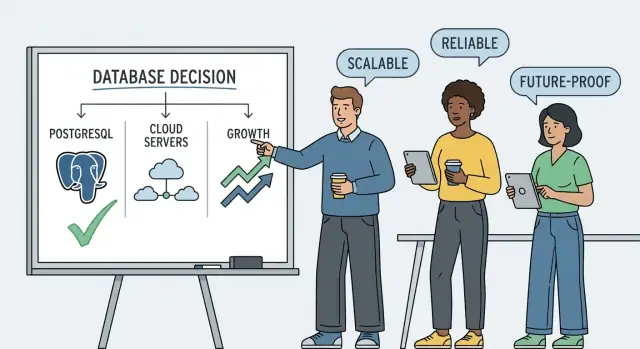
What “Default Database” Means for a Startup
When founders say PostgreSQL is the “default database,” they usually don’t mean it’s the best choice for every product. They mean it’s the option you can pick early—often without a long evaluation—and be confident it won’t block you as your product and team evolve.
For an MVP, “default” is about reducing decision tax. You want a database that’s widely understood, easy to hire for, well-supported by hosting providers, and forgiving when your data model changes. A default choice is one that fits the common startup path: build quickly, learn from users, then iterate.
This is also why PostgreSQL shows up in many modern “standard stacks.” For example, platforms like Koder.ai use Postgres as the backbone for quickly shipping real applications (React on the web, Go services on the backend, PostgreSQL for data). The point isn’t the brand—it’s the pattern: pick proven primitives so you can spend your time on product, not infrastructure debates.
Setting expectations (no one-size-fits-all)
There are real cases where another database is a better first move: extreme write throughput, time-series-heavy workloads, or highly specialized search. But most early products look like “users + accounts + permissions + billing + activity,” and that shape maps cleanly to a relational database.
PostgreSQL, in plain language
PostgreSQL is an open-source relational database. “Relational” means your data is stored in tables (like spreadsheets), and you can reliably connect those tables (users ↔ orders ↔ subscriptions). It speaks SQL, a standard query language used across the industry.
What this article will cover
We’ll walk through why PostgreSQL so often becomes the default:
- Reliability and data integrity (so mistakes don’t silently corrupt data)
- Practical features that cover many product needs, including JSONB
- A clear path from MVP to scale, including performance fundamentals
- Operational realities (managed PostgreSQL, backups, migrations)
- Trade-offs versus MySQL and NoSQL, plus cost and lock-in considerations
The goal isn’t to sell a single “right answer,” but to highlight the patterns that make PostgreSQL a safe starting point for many startups.
Reliability and Data Integrity You Can Build On
PostgreSQL earns trust because it’s designed to keep your data correct—even when your app, servers, or networks don’t behave perfectly. For startups handling orders, payments, subscriptions, or user profiles, “mostly correct” isn’t acceptable.
ACID transactions: the safety net for real money and real users
PostgreSQL supports ACID transactions, which you can think of as an “all-or-nothing” wrapper around a set of changes.
If a checkout flow needs to (1) create an order, (2) reserve inventory, and (3) record a payment intent, a transaction ensures those steps either all succeed or none do. If a server crashes halfway through, PostgreSQL can roll back incomplete work instead of leaving behind partial records that cause refunds, double-charges, or mysterious “missing orders.”
Consistency you can explain in plain language
Data integrity features help prevent bad data from ever entering your system:
- Constraints (like “email must be unique” or “quantity can’t be negative”) stop invalid inputs at the database boundary.
- Foreign keys ensure relationships stay real—for example, every invoice must belong to an existing customer.
This shifts correctness from “we hope every code path does the right thing” to “the system won’t allow incorrect states.”
Safe iteration: schema changes without chaos
Teams move fast, and your database structure will change. PostgreSQL supports safe migrations and schema evolution patterns—adding columns, backfilling data, introducing new constraints gradually—so you can ship features without corrupting existing data.
Predictable behavior under load and failures
When traffic spikes or a node restarts, PostgreSQL’s durability guarantees and mature concurrency control keep behavior steady. Instead of silent data loss or inconsistent reads, you get clear outcomes and recoverable states—exactly what you want when customers are watching.
SQL and Relational Modeling Fit Many Products
PostgreSQL’s biggest advantage for many startups is simple: SQL makes it easy to ask clear questions of your data, even when your product is evolving. When a founder wants a weekly revenue breakdown, a PM wants a cohort report, or support needs to understand why an order failed, SQL is a shared language that works for reporting, debugging, and one-off “can we quickly check…” requests.
Relational modeling turns product rules into data rules
Most products naturally have relationships: users belong to teams, teams have projects, projects have tasks, tasks have comments. Relational modeling lets you express those connections directly, and joins make it practical to combine them.
That’s not just academic structure—it helps features ship faster. Examples:
- Permissions: join users → memberships → roles to determine access.
- Billing: join accounts → subscriptions → invoices to power accurate receipts.
- Activity feeds: join events → actors → objects to render a timeline.
When your data is organized around well-defined entities, your app logic becomes simpler because the database can answer “who is related to what” reliably.
Productivity wins: indexes, views, and constraints
SQL databases offer a set of everyday tools that save time:
- Indexes speed up common lookups (like “all projects for this team”) without rewriting your application.
- Views let you package a complicated query into a reusable, readable interface for analytics and internal tooling.
- Constraints (unique, foreign keys, checks) prevent bad data at the source—like duplicate emails, orphaned records, or negative quantities—so you spend less time cleaning up downstream.
Hiring and collaboration are easier
SQL is widely taught and widely used. That matters when you’re hiring engineers, analysts, or data-savvy PMs. A startup can onboard people faster when many candidates already know how to read and write SQL—and when the database itself encourages clean, queryable structure.
Flexibility with JSONB Without Switching Databases
Startups rarely have perfect data models on day one. PostgreSQL’s JSONB gives you a practical “pressure valve” for semi-structured data while keeping everything in one database.
What JSONB is (and why it’s useful)
JSONB stores JSON data in a binary format that PostgreSQL can query efficiently. You can keep your core tables relational (users, accounts, subscriptions) and add a JSONB column for fields that change often or differ by customer.
Common, startup-friendly uses include:
- Feature flags: per-user or per-organization toggles like
{ \"beta\": true, \"new_checkout\": \"variant_b\" } - Event properties: analytics-style payloads (UTM tags, device info, experiment IDs)
- Flexible profiles: optional fields that vary by market (job title, preferences, locale-specific attributes)
- Metadata: integrations, import sources, “extra” details you don’t want to normalize yet
Trade-offs: use it intentionally
JSONB isn’t a replacement for relational modeling. Keep data relational when you need strong constraints, joins, and clear reporting (e.g., billing status, permissions, order totals). Use JSONB for truly flexible attributes, and treat it like a “schema that evolves” rather than a dumping ground.
Indexing JSONB (so it stays fast)
Performance depends on indexing. PostgreSQL supports:
- GIN indexes for containment queries (e.g.,
props @\u003e '{\"beta\":true}') - Expression indexes for specific keys you query often (e.g., indexing
(props-\u003e\u003e'plan'))
These options matter because without indexes, JSONB filters can devolve into table scans as your data grows—turning a convenient shortcut into a slow endpoint.
Extensions That Add Features as You Grow
One reason startups stick with PostgreSQL longer than expected is extensions: optional “add-ons” you enable per database to expand what Postgres can do. Instead of introducing a brand-new service for every new requirement, you can often meet it inside the same database you already run, monitor, and back up.
Extensions as practical add-ons
Extensions can add new data types, indexing methods, search capabilities, and utility functions. A few common, well-known examples worth knowing early:
- PostGIS: geospatial types and queries (distance, polygons, “near me” searches)
- pg_trgm: fast fuzzy text matching (typos, partial matches) using trigram indexes
- uuid-ossp: UUID generation functions (useful if your app needs UUIDs created in SQL)
These are popular because they solve real product problems without forcing you to bolt on extra infrastructure.
When extensions save you from extra services
Extensions can reduce the need for separate systems in the early and mid stages:
- Building location-based features? PostGIS can replace (or delay) adopting a specialized geo database.
- Need “search-like” behavior for names, titles, or autocomplete? pg_trgm can cover many cases without standing up Elasticsearch.
- Want consistent IDs across services and scripts? uuid-ossp can generate them in the database, not just in application code.
This doesn’t mean Postgres should do everything forever—but it can help you ship sooner with fewer moving parts.
A caution before you enable anything
Extensions affect operations. Before relying on one, confirm:
- Hosting support: managed PostgreSQL providers don’t allow every extension, or may require extra steps to enable them.
- Operational impact: new indexes can increase storage and write costs; some extensions add CPU-heavy queries; upgrades may require extra testing.
Treat extensions like dependencies: pick them deliberately, document why you’re using them, and test them in staging before production.
Performance Basics: Indexes and Query Planning
Database performance is often the difference between an app that “feels snappy” and one that feels unreliable—even if it’s technically correct. With PostgreSQL, you get strong fundamentals for speed, but you still need to understand two core ideas: indexes and the query planner.
Indexes: why they change perceived speed
An index is like a table of contents for your data. Without it, PostgreSQL may need to scan many rows to find what you asked for—fine for a few thousand records, painful at a few million.
This shows up directly in user-perceived speed:
- Searching by email, username, or order ID gets faster when those columns are indexed.
- Sorting and filtering can speed up dramatically if the index matches the way you query.
- Some pages feel “randomly slow” because one missing index forces a full scan under real traffic.
The catch: indexes aren’t free. They take disk space, add overhead to writes (every insert/update must maintain the index), and too many indexes can hurt overall throughput. The goal is not “index everything”—it’s “index what you actually use.”
The query planner: how PostgreSQL decides what to do
When you run a query, PostgreSQL builds a plan: which indexes (if any) to use, what order to join tables, whether to scan or seek, and more. That planner is a major reason PostgreSQL performs well across many workloads—but it also means two queries that look similar can behave very differently.
When something is slow, you want to understand the plan before guessing. Two common tools help:
EXPLAIN: shows the plan PostgreSQL would use.EXPLAIN ANALYZE: runs the query and reports what actually happened (timing, row counts), which is usually what you need for real debugging.
You don’t need to read every line like an expert. Even at a high level, you can spot red flags like “sequential scan” on a huge table or joins that return far more rows than expected.
Practical habits that prevent performance drama
Startups win by staying disciplined:
- Measure first: identify the exact slow query (from logs/APM) instead of optimizing guesses.
- Add indexes carefully: create one that matches your common filters/joins, then re-check with
EXPLAIN (ANALYZE). - Re-test under realistic data sizes: performance at 10k rows can be misleading at 10M.
This approach keeps your app fast without turning your database into a pile of premature optimizations.
A Clear Path from MVP to Scale
PostgreSQL works well for a scrappy MVP because you can start small without painting yourself into a corner. When growth shows up, you usually don’t need a dramatic re-architecture—just a sequence of sensible steps.
Step 1: Scale up before you scale out
The simplest first move is vertical scaling: move to a bigger instance (more CPU, RAM, faster storage). For many startups, this buys months (or years) of headroom with minimal code changes. It’s also easy to roll back if you overestimate.
Step 2: Add read replicas for heavy reads
When your app has lots of reads—dashboards, analytics pages, admin views, or customer reporting—read replicas can help. You keep one primary database handling writes, and direct read-heavy queries to replicas.
This separation is especially useful for reporting: you can run slower, more complex queries on a replica without risking the core product experience. The trade-off is that replicas can lag slightly behind the primary, so they’re best for “near real-time” views, not critical write-after-read flows.
Step 3: Partition when tables get truly large
If certain tables grow into tens or hundreds of millions of rows, partitioning becomes an option. It splits a large table into smaller parts (often by time or tenant), making maintenance and some queries more manageable.
Complementary strategies: cache + background jobs
Not every performance problem is solved in SQL. Caching popular reads and moving slow work (emails, exports, rollups) to background jobs often reduces database pressure while keeping the product responsive.
Managed PostgreSQL and Day-2 Operations
Choosing PostgreSQL is only half the decision. The other half is how you’ll run it after launch—when deployments are frequent, traffic is unpredictable, and nobody wants to spend Friday night debugging disk space.
What a managed Postgres service usually includes
A good managed PostgreSQL service takes care of the recurring work that quietly causes outages:
- Automated backups (often daily + continuous WAL archiving)
- Patching and minor version upgrades
- Built-in monitoring dashboards (CPU, memory, connections, replication lag)
- High availability options (standby replicas, automatic failover)
- Automated storage scaling or clear capacity alerts
This frees a small team to focus on product while still getting professional-grade operations.
Operational essentials to verify before you commit
Not all “managed Postgres” offerings are equal. Startups should confirm:
- Point-in-time recovery (PITR): ability to restore to “just before the bad deploy”
- Encryption: at rest and in transit, with sane key management defaults
- Alerts: configurable notifications for failed backups, low disk, high connection counts, replication issues, and slow queries
- Upgrade policy: how changes are scheduled, and whether you can pin versions for a period
Decision criteria: what matters for your team
If your team has limited database expertise, managed Postgres can be a high-leverage choice. If uptime requirements are strict (paid plans, B2B SLAs), prioritize HA, fast restore times, and clear operational visibility. If budget is tight, compare total cost: instance + storage + backups + replicas + egress—then decide what reliability you truly need for the next 6–12 months.
Finally, test restores regularly. A backup you’ve never restored is a hope, not a plan.
Concurrency: Handling Many Users at Once
A startup app rarely has “one user at a time.” You have customers browsing, background jobs updating records, analytics writing events, and an admin dashboard doing maintenance—all at once. PostgreSQL is strong here because it’s designed to keep the database responsive under mixed workloads.
MVCC, explained without the jargon
PostgreSQL uses MVCC (Multi-Version Concurrency Control). In plain terms: when a row is updated, PostgreSQL typically keeps the old version around for a bit while creating the new one. That means readers can often keep reading the old version while writers proceed with the update, instead of forcing everyone to wait.
This reduces the “traffic jam” effect you might see in systems where reads block writes (or vice versa) more frequently.
Why it matters for real apps (and admin work)
For multi-user products, MVCC helps with common patterns like:
- A busy feed or catalog where many users are reading while a few updates are happening.
- Checkout or booking flows where writes must be correct, but the rest of the site shouldn’t freeze.
- Admin actions (bulk edits, backfills) that shouldn’t stall customer traffic.
PostgreSQL still uses locks for some operations, but MVCC makes routine reads and writes play together nicely.
The trade-off: cleanup and routine maintenance
Those older row versions don’t disappear instantly. PostgreSQL reclaims that space through VACUUM (usually handled automatically by autovacuum). If cleanup can’t keep up, you can get “bloat” (wasted space) and slower queries.
Practical takeaway: monitor table bloat and long-running transactions. Long transactions can prevent cleanup, making bloat worse. Keep an eye on slow queries, sessions that run “forever,” and whether autovacuum is falling behind.
PostgreSQL vs MySQL vs NoSQL: Practical Trade-offs
Choosing a database early is less about picking “the best” and more about matching your product’s shape: data model, query patterns, team skills, and how quickly requirements will change.
PostgreSQL: the flexible generalist
PostgreSQL is a common default because it handles a wide mix of needs well: strong ACID transactions, rich SQL features, great indexing options, and room to evolve your schema. For many startups, it’s the “one database” that can cover billing, user accounts, analytics-ish queries, and even semi-structured data via JSONB—without forcing an early split into multiple systems.
Where it can feel heavier: you may spend more time on data modeling and query tuning as the app grows, especially if you lean into complex joins and reporting.
MySQL: a strong fit in many stacks
MySQL can be a great choice, particularly for straightforward OLTP workloads (typical web app reads/writes) and teams that already know it well. It’s widely supported, has mature managed offerings, and can be easier to operate in some environments.
Trade-off: depending on your feature needs (advanced indexing, complex queries, strictness around constraints), PostgreSQL often gives you more tools out of the box. That doesn’t make MySQL “worse”—it just means some teams hit feature limits sooner.
NoSQL: when the model is simple or the scale is extreme
NoSQL databases shine when you have:
- Very high write event streams (logs, telemetry, clickstreams) where you mostly append and aggregate later
- Simple key-value access patterns (session storage, caching-like workloads)
- Schemas that truly vary wildly per record and you don’t need relational joins
Trade-off: you’ll usually give up some combination of ad-hoc querying, cross-entity constraints, or multi-row transactional guarantees—so you may rebuild those in application code.
A quick decision checklist
Pick PostgreSQL if you need relational modeling, evolving requirements, and flexible querying.
Pick MySQL if your app is conventional, your team is comfortable with it, and you value operational familiarity.
Pick NoSQL if your access pattern is predictable (key-based) or you’re optimizing for massive write throughput and simple queries.
If you’re unsure, PostgreSQL is often the safest default because it keeps more doors open without committing you to a specialized system too early.
Cost, Lock-in, and Long-Term Optionality
Choosing a database is also choosing a business relationship. Even if the product is great today, pricing, terms, and priorities can change later—often right when your startup is least able to absorb surprises.
Licensing and lock-in, in plain terms
With PostgreSQL, the core database is open source under a permissive license. Practically, that means you’re not paying per-core or per-feature licensing fees to use PostgreSQL itself, and you’re not limited to a single vendor’s version to stay compliant.
“Vendor lock-in” usually shows up in two ways:
- Proprietary features you can’t move (special SQL syntax, custom data types, closed extensions).
- Managed-only dependencies (you rely on a platform feature that doesn’t exist elsewhere).
PostgreSQL reduces these risks because the database behavior is well-known, widely implemented, and supported across providers.
Open source + broad hosting options = lower risk
PostgreSQL can run almost anywhere: your laptop, a VM, Kubernetes, or a managed service. That flexibility is optionality—if a provider raises prices, has an outage pattern you can’t accept, or doesn’t meet compliance needs, you can move with fewer rewrites.
This doesn’t mean migrations are effortless, but it does mean you can negotiate and plan from a stronger position.
Portability: standard SQL, common tooling, multiple providers
PostgreSQL leans on standard SQL and a huge ecosystem of tooling: ORMs, migration frameworks, backup tools, and monitoring. You’ll find PostgreSQL offered by many clouds and specialists, and most teams can hire for it.
To keep portability high, be cautious about:
- Overusing provider-specific database “add-ons” when a PostgreSQL-native option exists.
- Relying on nonstandard SQL that your team won’t be able to reproduce elsewhere.
Document the schema and migrations early
Optionality isn’t just about where you host—it’s about how clearly your data model is defined. Early habits pay off later:
- Keep schema changes in version control with repeatable migrations.
- Write down key tables, relationships, and invariants (what must always be true).
- Track data migrations separately from app deploys when they’re risky.
These practices make audits, incident response, and provider moves far less stressful—without slowing down your MVP.
Common Mistakes and How to Avoid Them
Even teams that pick PostgreSQL for the right reasons can trip over a few predictable problems. The good news: most are preventable if you spot them early.
Data modeling pitfalls
A frequent mistake is oversized JSONB: treating JSONB like a dumping ground for everything “we’ll model later.” JSONB is great for flexible attributes, but large, deeply nested documents become hard to validate, hard to index, and expensive to update.
Keep core entities relational (users, orders, subscriptions), and use JSONB for genuinely variable fields. If you find yourself frequently filtering on JSONB keys, it may be time to promote those fields into real columns.
Another classic: missing indexes. The app feels fine with 1,000 rows and suddenly falls over at 1,000,000. Add indexes based on real query patterns (WHERE, JOIN, ORDER BY), and verify with EXPLAIN when something is slow.
Finally, watch for unbounded-growth tables: event logs, audit trails, and session tables that never get cleaned up. Add retention policies, partitioning when appropriate, and scheduled purges from the start.
Operational gotchas
PostgreSQL has connection limits; a sudden traffic spike plus one-connection-per-request can exhaust it. Use a connection pooler (often built into managed services) and keep transactions short.
Avoid N+1 queries by fetching related data in batches or with joins. Also plan for slow migrations: large table rewrites can block writes. Prefer additive migrations and backfills.
Monitor early, not after the incident
Turn on slow query logs, track basic metrics (connections, CPU, I/O, cache hit rate), and set simple alerts. You’ll catch regressions before users do.
Next steps
Prototype a minimal schema, load-test your top 3–5 queries, and choose your hosting approach (managed PostgreSQL vs self-hosted) based on your team’s operational comfort—not just cost.
If your goal is to move fast while keeping a conventional, scalable stack, consider starting with a workflow that bakes in Postgres from day one. For instance, Koder.ai lets teams build web/server/mobile apps via chat while generating a familiar architecture (React + Go + PostgreSQL), with options like planning mode, source export, deployment/hosting, and snapshots/rollback—useful if you want speed without locking yourself into a no-code black box.
FAQ
What does it actually mean when people call PostgreSQL the “default database” for startups?
It means PostgreSQL is a safe, broadly compatible starting choice you can pick early without an extensive evaluation.
For many startups, it minimizes decision overhead because it’s widely understood, easy to hire for, well supported by tooling/hosting, and unlikely to force an early rewrite as requirements change.
Why is PostgreSQL such a common first choice for an MVP?
PostgreSQL is a relational database that excels at the “users + accounts + permissions + billing + activity” shape most products start with.
It gives you:
- Strong correctness guarantees (ACID transactions, constraints)
- Powerful querying with SQL for product questions and debugging
- A long runway from MVP to scale with well-known operational patterns
When should I care about ACID transactions in PostgreSQL?
Use PostgreSQL when you need correctness across multiple related writes (e.g., create order + reserve inventory + record payment intent).
Wrap those steps in a transaction so they succeed or fail together. This helps prevent partial state (missing orders, double charges, orphaned records) when something crashes mid-request.
How do constraints and foreign keys help a fast-moving startup?
Constraints and foreign keys enforce rules at the database boundary so bad states can’t slip in.
Examples:
UNIQUE(email)prevents duplicate accountsCHECK(quantity >= 0)blocks invalid values- Foreign keys ensure related records exist (e.g., every invoice belongs to a real customer)
This reduces reliance on every code path “remembering” to validate.
When should we use JSONB instead of adding new columns?
Use JSONB as a “pressure valve” for fields that genuinely vary or evolve quickly, while keeping core entities relational.
Good fits:
- Feature flags and per-tenant settings
- Event properties (UTMs, device info)
- Metadata from integrations/imports
Avoid putting important reporting/billing/permission fields only in JSONB if you need strong constraints, joins, or clear analytics.
How do we keep JSONB queries fast as data grows?
Index the parts you query.
Common options:
- GIN indexes for containment queries (e.g.,
props @> '{"beta":true}') - Expression indexes for specific keys (e.g.,
(props->>'plan'))
Without indexes, JSONB filters often degrade into full table scans as rows grow, turning a convenient shortcut into a slow endpoint.
What are PostgreSQL extensions, and which ones help startups most?
Extensions add capabilities without adding a whole new service.
Useful examples:
- PostGIS for geospatial queries
pg_trgmfor fuzzy/typo-tolerant search on textuuid-osspfor generating UUIDs in SQL
Before committing, confirm your managed provider supports the extension and test performance/upgrade behavior in staging.
How do we troubleshoot slow PostgreSQL queries without becoming experts?
Start by fixing the actual slow query, not guessing.
Practical workflow:
- Identify slow queries via logs/APM
- Use
EXPLAIN ANALYZEto see what really happened - Add or adjust indexes that match
WHERE/JOIN/ORDER BY - Re-test with realistic data sizes
Also remember indexes have costs: more disk and slower writes, so add them selectively.
What’s a sane scaling path for PostgreSQL from MVP to growth?
A typical path is incremental:
- Scale up vertically first (bigger CPU/RAM/storage)
- Add read replicas for read-heavy dashboards/reporting (accepting some replication lag)
- Consider partitioning when individual tables become extremely large
Complement with caching and background jobs to reduce database pressure for expensive reads and batch work.
What should we verify when choosing a managed PostgreSQL provider?
Managed Postgres usually provides backups, patching, monitoring, and HA options—but you should verify the details.
Checklist:
- Point-in-time recovery (PITR)
- Restore testing (practice, don’t assume)
- Alerts for disk, connections, replication lag, failed backups
- Encryption in transit/at rest
Also plan for connection limits: use pooling and keep transactions short to avoid exhausting the database under spikes.