

Why Swift Exists: How It Succeeded Objective‑C in iOS
Learn why Apple created Swift, how it gradually replaced Objective‑C in iOS apps, and what the shift means for tooling, hiring, and codebases today.
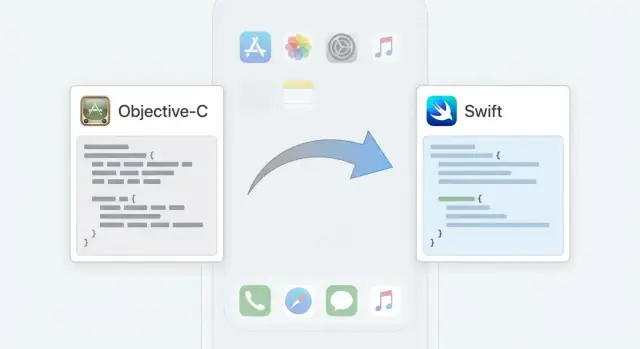
What This Post Covers (and Who It’s For)
Swift didn’t appear just because Apple wanted a new language “for fun.” It was a response to real pain points in iOS development: slow iteration, unsafe patterns that were easy to write by accident, and a growing mismatch between modern app complexity and Objective‑C’s older design.
This post answers a practical question: why Swift exists, how it became the default, and why that history still affects your codebase and team decisions today.
What you’ll get out of this post
You’ll get a clear, lightweight timeline—from early Swift releases to a stable, widely adopted toolchain—without getting lost in trivia. Along the way, we’ll connect the history to day-to-day consequences: how developers write safer code, how APIs evolved, what changed in Xcode workflows, and what “modern Swift” means with features like concurrency and SwiftUI.
Who this is for
- iOS developers who want context for why Swift feels different (and where the sharp edges used to be).
- Tech leads and engineering managers evaluating modernization: migration cost, maintainability, and hiring.
- Product and delivery teams who need to understand why “rewrite vs. incremental migration” is not a simple yes/no.
- Learners who hear “Objective‑C is dead” and want a more accurate mental model.
A quick note about Objective‑C
Objective‑C is still present in many successful apps, especially older codebases and certain libraries. The goal here isn’t fear or urgency—it’s clarity: Swift didn’t erase Objective‑C overnight; it gradually took over through interoperability and ecosystem shifts.
Objective‑C Before Swift: What Worked and What Didn’t
Objective‑C was the foundation of Apple development for decades. When the first iPhone SDK arrived in 2008, Objective‑C (plus the Cocoa Touch frameworks) was the main way to build apps, just as it had been for Mac OS X with Cocoa. If you wrote iOS apps in the early years, you were effectively learning Apple’s platform conventions through Objective‑C.
What worked well
Objective‑C had a lot going for it—especially once you leaned into the “Cocoa way” of building software.
It sat on top of a powerful dynamic runtime: messaging, introspection, categories, and method swizzling enabled patterns that felt flexible and “plug-in friendly.” Cocoa conventions like delegation, target–action, notifications, and KVC/KVO (key-value coding/observing) were deeply integrated and well-documented.
Just as important, it had a mature ecosystem. Apple’s frameworks, third‑party libraries, and years of Stack Overflow answers all assumed Objective‑C. Tooling and APIs were built around it, and teams could hire developers with predictable skills.
What didn’t
The pain points weren’t philosophical—they were practical, day-to-day friction.
Objective‑C could be verbose, especially for “simple” tasks. Method signatures, brackets, and boilerplate made code longer and harder to scan. Many APIs exposed pointer-heavy concepts that increased the chance of mistakes, particularly before ARC (Automatic Reference Counting) became standard.
Memory and safety issues were an ongoing concern. Even with ARC, you still needed to understand ownership, reference cycles, and how nullability could surprise you at runtime.
Interfacing with C APIs was also common—and not always pleasant. Bridging C types, dealing with Core Foundation, and managing “toll‑free bridging” added mental overhead that didn’t feel like writing modern app code.
Why it still matters
Legacy iOS codebases often rely on Objective‑C because they’re stable, battle-tested, and expensive to rewrite. Many long-lived apps include Objective‑C layers (or older dependencies) that are still doing real work—and doing it reliably.
Why Apple Created Swift in the First Place
Apple didn’t create Swift because Objective‑C was “broken.” Objective‑C powered years of successful iPhone and Mac apps. But as apps grew larger, teams grew, and APIs expanded, the costs of certain Objective‑C defaults became more noticeable—especially when you multiply small risks across millions of lines of code.
Safer defaults (with fewer sharp edges)
A major goal was making common mistakes harder to write. Objective‑C’s flexibility is powerful, but it can hide problems until runtime: sending messages to nil, confusing id types, or mismanaging nullability in APIs. Many of these issues were manageable with discipline, conventions, and good reviews—but they were still expensive at scale.
Swift bakes in guardrails: optionals force you to think about “can this be missing?”, strong typing reduces accidental misuse, and features like guard, switch exhaustiveness, and safer collection handling push more bugs to compile time instead of production.
Modern syntax and better performance potential
Swift also modernized the day-to-day experience of writing code. Concise syntax, type inference, and a richer standard library make many tasks clearer with less boilerplate than header/implementation patterns, verbose generics workarounds, or heavy macro usage.
On performance, Swift was designed to allow aggressive compiler optimizations (especially with value types and generics). That doesn’t automatically make every Swift app faster than every Objective‑C app, but it gives Apple a language model that can evolve toward speed without relying as much on dynamic runtime behavior.
Learnability, readability, and long-term maintainability
Apple needed iOS development to be approachable for new developers and sustainable for long-lived products. Swift’s API naming conventions, clearer intent at call sites, and emphasis on expressive types aim to reduce “tribal knowledge” and make codebases easier to read months later.
The result: fewer foot-guns, cleaner APIs, and a language that better supports large teams maintaining apps over many years—without pretending Objective‑C couldn’t get the job done.
A Short Timeline: From Swift 1.0 to a Mature Language
Swift didn’t “win” overnight. Apple introduced it as a better option for new code, then spent years making it stable, faster, and easier to adopt alongside existing Objective‑C apps.
Key milestones (Swift 1 → 5)
- 2014: Swift 1.0 announced at WWDC. It was exciting, but early Swift changed quickly—teams who adopted immediately had to update code often.
- 2015: Swift 2 focused on developer productivity (better error handling) and, importantly, Swift was open‑sourced. That opened the door for more community involvement, third‑party tooling, and broader experimentation outside Apple’s own ecosystem.
- 2016: Swift 3 was the big “cleanup” release. It introduced major API naming and style changes that made Swift feel more consistent, but it also meant large migrations.
- 2017–2018: Swift 4 / 4.2 improved performance and stabilized the language direction, making upgrades less disruptive.
- 2019: Swift 5 was a turning point because of ABI stability.
Why Swift 5’s ABI stability mattered
ABI stability means the Swift runtime and standard libraries are compatible at the binary level across Swift 5 versions on Apple platforms. Before Swift 5, many apps had to bundle Swift libraries inside the app, increasing app size and complicating distribution. With ABI stability, Swift became more like Objective‑C in how reliably compiled code could run across OS updates, helping Swift feel “safe” for long-lived production codebases.
Gradual adoption, by design
For years, many teams used Swift for new features while leaving core modules in Objective‑C. That step-by-step path—rather than a full rewrite—made Swift’s rise practical for real apps and real deadlines.
How Swift “Replaced” Objective‑C: Interoperability, Not a Rewrite
Swift didn’t win by forcing every team to throw away working Objective‑C code. Apple made sure both languages could live side-by-side in the same app target. That compatibility is a big reason Swift adoption didn’t stall on day one.
One app, two languages
A mixed codebase is normal on iOS: you might keep older networking, analytics, or UI components in Objective‑C while writing new features in Swift. Xcode supports this directly, so “Swift replacing Objective‑C” usually means gradual change, not a single big rewrite.
Bridging headers and generated interfaces (the high-level idea)
Interoperability works through two complementary mechanisms:
- Objective‑C → Swift: You add a bridging header to list the Objective‑C headers you want Swift to see. Once included, Swift can import those types and call them like normal APIs (with some naming tweaks).
- Swift → Objective‑C: Xcode generates a header (often named something like
YourModuleName-Swift.h) that exposes Swift classes and methods that are compatible with Objective‑C. You typically opt in with attributes such as@objc(or by inheriting fromNSObject).
You don’t need to memorize the plumbing to benefit from it—but understanding that there’s an explicit “expose this to the other language” step helps explain why some types appear automatically and others don’t.
Common integration patterns you’ll actually see
Most teams run into a few recurring integration points:
- Calling existing Objective‑C frameworks (including older internal libraries) from Swift
- Using Swift for new screens while legacy Objective‑C view controllers still exist
- Exposing a Swift service or model layer back to Objective‑C when a rewrite would be risky
Practical takeaway: incremental migration is the default
Real apps are long-lived. Interoperability lets you migrate feature by feature, keep shipping, and reduce risk—especially when third‑party SDKs, older components, or time constraints make an all-at-once conversion unrealistic.
Language Differences That Changed iOS Development
Swift didn’t just modernize syntax—it changed what “normal” iOS code looks like day to day. Many patterns that used to rely on conventions (and careful code review) became things the compiler can help enforce.
Optionals: Making “nil” explicit
Objective‑C developers were used to messages to nil quietly doing nothing. Swift makes absence explicit with optionals (String?), pushing you to handle missing values up front with if let, guard, or ??. That tends to prevent entire categories of crashes and “why is this empty?” logic bugs—without pretending mistakes can’t still happen.
Type inference and generics: Less casting, more intent
Swift can infer types in many places, which cuts boilerplate while keeping code readable:
let title = "Settings" // inferred as String
More importantly, generics let you write reusable, type-safe code without relying on id and runtime checks. Compare “array of anything” versus “array of exactly what I expect”—fewer unexpected objects sneaking through and fewer forced casts.
Errors, strings, and collections: Safer defaults
Swift’s throw/try/catch encourages explicit error paths instead of ignoring failure or passing NSError ** around. Collections are strongly typed ([User], [String: Int]), and strings are full Unicode-correct String values rather than a mix of C strings, NSString, and manual encoding decisions. The net effect is fewer off-by-one mistakes, fewer invalid assumptions, and fewer “it compiles but breaks at runtime” issues.
Where Objective‑C dynamism still shines
Objective‑C’s runtime is still valuable for runtime-heavy patterns: method swizzling, dynamic message forwarding, certain dependency injection approaches, KVC/KVO-driven code, and older plugin-style architectures. Swift can interoperate with these, but when you truly need runtime dynamism, Objective‑C remains a practical tool in the box.
Tooling and Ecosystem Shifts: Xcode, Packages, and APIs
Swift didn’t just change syntax—it forced the iOS ecosystem to modernize its tooling and conventions. That transition wasn’t always smooth: early Swift releases often meant slower builds, shakier autocomplete, and refactors that felt riskier than they should have. Over time, the developer experience became one of Swift’s biggest advantages.
Xcode grew up with Swift
Xcode’s Swift support improved in practical, day-to-day ways:
- Fix-its and diagnostics got more useful. Swift’s strict typing enables Xcode to suggest precise corrections (not just point out errors).
- Refactoring tools (rename, extract, update call sites) became more dependable because the compiler understands more of the code structure.
- Build times became a real consideration. Swift’s compile-time checks and generics can add cost, especially in large projects. Teams learned to watch incremental build performance, split modules, and keep dependencies in check.
If you used Swift in the 1.x/2.x era, you probably remember rough edges. Since then the trend has been consistent: better indexing, better source stability, and far fewer “Xcode is confused” moments.
Swift Package Manager made dependencies simpler
Swift Package Manager (SPM) reduced the need for external dependency systems in many teams. At a basic level, you declare packages and versions, Xcode resolves them, and the build integrates them without extra project file gymnastics. It’s not perfect for every setup, but for many apps it simplified onboarding and made dependency updates more predictable.
APIs started to “feel” Swifty
Apple’s API Design Guidelines pushed frameworks toward clearer naming, better default behaviors, and types that communicate intent. That influence spread outward: third-party libraries increasingly adopted Swift-first APIs, making modern iOS codebases more consistent—even when they still bridge to Objective‑C under the hood.
Frameworks Today: UIKit in Swift and the Rise of SwiftUI
UIKit hasn’t gone anywhere. Most production iOS apps still rely on it heavily, especially for complex navigation, finely tuned gestures, advanced text handling, and the long tail of UI components that teams have battle-tested for years. What has changed is that Swift is now the default way people write UIKit code—even when the underlying framework is the same.
UIKit is still the workhorse—just written in Swift
For many teams, “UIKit app” no longer implies Objective‑C. Storyboards, nibs, and programmatic views are routinely driven by Swift view controllers and Swift models.
That shift matters because Apple increasingly designs new APIs with Swift ergonomics in mind (clearer naming, optionals, generics, result types). Even when an API exists for Objective‑C, the Swift overlay often feels like the “intended” surface area, which affects how quickly new developers can become productive in a UIKit codebase.
SwiftUI: a Swift‑first UI framework that nudged architecture
SwiftUI wasn’t just a new way to draw buttons. It pushed a different mental model:
- UI is a function of state, not an imperative sequence of updates.
- Data flow (bindings, observed objects) becomes a first‑class design concern.
In practice, that changed app architecture discussions. Teams that adopt SwiftUI often place more emphasis on unidirectional data flow, smaller view components, and isolating side effects (networking, persistence) away from view code. Even if you don’t go “all in,” SwiftUI can reduce boilerplate for screens that are mostly forms, lists, and state-driven layouts.
Real apps mix SwiftUI and UIKit—and that’s normal
Shipping apps frequently combine both frameworks:
- Embed SwiftUI inside UIKit using
UIHostingControllerfor new screens. - Wrap existing UIKit components (custom controls, map views, camera, web views) to use them in SwiftUI.
This hybrid approach lets teams keep mature UIKit infrastructure—navigation stacks, coordinators, existing design systems—while incrementally adopting SwiftUI where it provides clear benefits. It also keeps risk manageable: you can pilot SwiftUI in contained areas without rewriting the entire UI layer.
Swift‑first frameworks influence new projects
If you’re starting fresh today, Apple’s newest UI story is SwiftUI, and many adjacent technologies (widgets, Live Activities, some app extensions) are strongly Swift-oriented. Even outside UI, Swift-friendly APIs across Apple platforms tend to shape defaults: new projects are usually planned with Swift, and the decision becomes “how much UIKit do we need?” rather than “should we use Objective‑C?”
The result is less about one framework replacing another, and more about Swift becoming the common language across both the legacy‑friendly path (UIKit) and the newer, Swift-native path (SwiftUI).
Modern Swift: Concurrency and Safer Multithreading
Concurrency is how an app does more than one thing “at once”—loading data, decoding JSON, and updating the screen—without freezing the interface. Swift’s modern approach is designed to make that work feel more like normal code and less like thread juggling.
async/await in plain language
With async/await, you can write asynchronous work (like a network request) in a top-to-bottom style:
asyncmarks a function that might pause while waiting for something.awaitis the “pause here until the result is ready” point.
Instead of deeply nested completion handlers, you read it like a recipe: fetch data, parse it, then update state.
Structured concurrency: tasks with rules
Swift pairs async/await with structured concurrency, which basically means: “background work should have a clear owner and lifetime.” Tasks are created in a scope, and child tasks are tied to their parent.
This matters because it improves:
- Networking: requests can be started, awaited, and retried in a predictable flow.
- UI responsiveness: heavy work stays off the main thread, while UI updates remain smooth.
- Cancelation: canceling a parent task can cancel its children, so your app doesn’t waste battery downloading data the user no longer needs.
Actors and Sendable: safety tools (high level)
Two concepts help reduce “random” crashes caused by simultaneous access:
- Actors protect mutable state so only one piece of code touches it at a time.
- Sendable is a rule-of-thumb check for values that are safe to pass between concurrent tasks.
Adoption realities in real codebases
Most teams don’t flip a switch overnight. It’s common to mix modern Swift concurrency with older patterns—OperationQueue, GCD, delegate callbacks, and completion handlers—especially when integrating legacy libraries or older UIKit flows.
Migrating Existing Apps: Practical Strategies and Pitfalls
Migrating a real iOS app isn’t a “convert everything” project—it’s a risk-management project. The goal is to keep shipping while steadily reducing the amount of Objective‑C you have to maintain.
Strategies that work in production
A common approach is incremental migration:
- Start with new features in Swift. Keep existing Objective‑C stable, and add Swift screens, services, or view models behind well-defined interfaces.
- Refactor hotspots next. Identify crashy modules, performance bottlenecks, or frequently changed areas, then rewrite or wrap them in Swift once tests are in place.
This lets you build confidence while containing blast radius—especially when deadlines don’t pause for a language transition.
Where migrations get tricky
Several Objective‑C patterns don’t translate cleanly:
- Third‑party Objective‑C dependencies. Some older libraries rely on runtime behavior or haven’t been updated for modern Swift-friendly APIs.
- Runtime reflection and dynamic dispatch. Code that uses selectors, swizzling, or heavy
objc_runtimetricks may need redesign rather than translation. - Macros and preprocessor logic. Swift has different tools (generics, protocols, build settings), so macro-heavy code often becomes a small refactor project.
Testing to preserve behavior
Treat the migration as an implementation swap, not a feature change. Add characterization tests around critical flows first (networking, caching, payments, auth), then port. Snapshot tests can help catch UI regressions when UIKit code moves to Swift.
Build an internal migration checklist
Create a lightweight standard for teams to follow: coding conventions, linting (SwiftLint or similar), module boundaries, bridging header rules, and “no new Objective‑C unless justified.” Writing it down prevents your codebase from becoming bilingual in inconsistent ways.
What the Shift Means for Teams, Hiring, and Maintenance
Swift didn’t just change syntax—it changed what “normal” looks like on an iOS team. Even if your product still has Objective‑C in it, day‑to‑day decisions around people, process, and long‑term upkeep are now shaped by Swift-first expectations.
Hiring and onboarding
Most new iOS roles assume Swift as the default. Candidates may have never shipped Objective‑C professionally, and that affects ramp-up time if a codebase is mixed.
A practical takeaway: treat Objective‑C knowledge as a “plus,” not a gate, and make onboarding materials explicit about where Objective‑C exists and why. A short internal guide to bridging headers, file ownership, and “don’t touch without context” areas can prevent early mistakes.
Code review and architecture
Swift’s stronger typing and clearer optionals can make reviews faster: reviewers spend less time guessing what a value can be, and more time validating intent. Patterns like protocols, generics, and value types also encourage more consistent architecture—when used with restraint.
The flip side is style drift. Teams benefit from a shared Swift style guide and automated formatting/linting so reviews focus on behavior, not whitespace. (If you already have guidelines, link them from your internal docs hub.)
Long-term maintenance and budgeting
Maintenance gets easier when you can lean on modern APIs directly instead of carrying custom wrappers built around older patterns. But Objective‑C won’t vanish overnight—especially in mature apps with stable, battle-tested modules.
Budget realistically for mixed codebases: plan migration around business milestones, not as an endless “cleanup.” Define what “done” means (e.g., all new code in Swift, legacy modules only touched opportunistically), and revisit that rule during major refactors.
For decision-making frameworks, see /blog/migrating-objective-c-to-swift.
How to Decide What to Do Next (New Apps and Legacy Apps)
Choosing between Swift and Objective‑C usually isn’t a philosophical debate—it’s a cost, risk, and timeline decision. The good news is you rarely have to pick “all or nothing.” Most teams get the best outcome by evolving the codebase in place.
New apps: default to Swift (with a clear UI direction)
If you’re starting fresh, Swift should be your default. It aligns with Apple’s newest APIs, has better safety features, and gives you straightforward access to modern patterns like async/await.
Your first decision is UI strategy: UIKit in Swift, SwiftUI, or a mix. If you’re unsure, compare tradeoffs in /blog/swiftui-vs-uikit.
Legacy apps: introduce Swift where it reduces risk
For an existing Objective‑C app, keep stable, well-tested modules in Objective‑C and introduce Swift where you’ll benefit quickly:
- New features/screens that would otherwise add complexity to the old architecture
- Areas with frequent crashes or threading bugs
- Networking, data parsing, and domain logic that can be isolated behind clean interfaces
A practical rule: start a new Swift module when you can define clear boundaries (API surface, ownership, tests). Keep Objective‑C stable when the code is mature, heavily intertwined, or risky to touch without a larger refactor.
For planning, check /blog/ios-migration-checklist.
A learning path that matches real work
For individuals and teams, this sequence maps well to day-to-day iOS development:
- Swift fundamentals (types, optionals, error handling)
- UIKit and/or SwiftUI basics
- Concurrency (async/await, actors, task cancellation)
- Packaging and reuse (Swift Package Manager)
One practical way to move faster (without rewriting everything)
Modernizing iOS code often surfaces adjacent work that competes for the same engineering time: admin dashboards, internal tools, backend services, and APIs that the iOS app depends on. If you want to keep your iOS team focused on Swift migration while still shipping supporting software, Koder.ai can help you spin up web apps, Go backends (with PostgreSQL), or Flutter companion apps via a chat-driven workflow—then export the source code, deploy, and use snapshots/rollback to manage iteration safely.
If you want outside help scoping the safest next step—new module, partial migration, or “leave it alone”—see /pricing.
FAQ
Why did Apple create Swift if Objective‑C already worked?
Swift was created to reduce common iOS development risks (like unexpected nil behavior and loose typing), improve readability/maintainability for large codebases, and enable stronger compiler optimizations over time. It wasn’t about Objective‑C being “bad”—it was about making safe, modern defaults easier to use at scale.
How did Swift become the default language for iOS without forcing rewrites?
Swift became the default through a gradual combination of factors:
- Interoperability enabled incremental adoption in real apps.
- API design shifted toward Swift-first ergonomics.
- Tooling and ecosystem support improved (Xcode, SwiftPM).
- Swift 5 ABI stability reduced distribution and upgrade friction.
That made “new code in Swift” the path of least resistance for most teams.
What does Swift 5 ABI stability change for teams shipping apps?
Swift 5 introduced ABI stability on Apple platforms, meaning compiled Swift code can remain binary-compatible across Swift 5.x runtime versions shipped with the OS. Practically, it reduced the need to bundle Swift libraries with apps, helped app sizes and deployment reliability, and made Swift feel safer for long-lived production codebases.
How does Swift and Objective‑C interoperability work in a mixed codebase?
You can mix both in the same app target:
- Objective‑C → Swift: import selected Objective‑C headers via a bridging header.
- Swift → Objective‑C: expose Objective‑C-compatible Swift APIs via the generated
YourModuleName-Swift.h, typically using@objcand/orNSObjectinheritance.
Not every Swift feature is visible to Objective‑C, so plan boundaries intentionally.
What problem do Swift optionals solve compared to Objective‑C nil behavior?
Optionals (T?) make “missing values” explicit and force handling at compile time (e.g., if let, guard, ??). In Objective‑C, messaging nil and ambiguous nullability can hide bugs until runtime. The practical win is fewer crashes and fewer “this value was unexpectedly empty” logic errors.
How did generics and strong typing change everyday iOS coding?
Swift generics and strong typing reduce casting and runtime type checks (common with id and untyped collections in Objective‑C). In practice, you get:
- safer collections like
[User]instead of “array of anything” - clearer APIs that express intent
- fewer forced casts and fewer runtime surprises
When is Objective‑C still the better choice today?
Yes—Objective‑C still makes sense when you truly need runtime dynamism (e.g., heavy KVC/KVO usage, method swizzling, selector-based APIs, or some plugin-style architectures). Swift can interoperate with these patterns, but pure Swift equivalents may require redesign rather than direct translation.
What’s the safest strategy to migrate an existing Objective‑C app to Swift?
A practical approach is incremental migration:
- Build new features in Swift behind stable interfaces.
- Refactor “hotspots” (crashy, frequently changed modules) once tests exist.
- Keep stable, intertwined Objective‑C code in place unless there’s a clear payoff.
Treat it as risk management: keep shipping while reducing long-term maintenance cost.
What are the most common pitfalls in Swift/Objective‑C migrations?
Common pitfalls include:
- Objective‑C libraries that rely on runtime tricks and don’t map cleanly to Swift
- selector/macro-heavy code that needs refactoring, not conversion
- exposing Swift APIs to Objective‑C (you may need
@objc,NSObject, and limited language features) - build-time and module boundary issues in large Swift projects
Plan boundaries and add tests before swapping implementations.
Do teams have to choose between UIKit and SwiftUI, or can they mix them?
Not at all. Many production apps are hybrid:
- Use
UIHostingControllerto embed SwiftUI screens inside UIKit. - Wrap UIKit components so they can be used from SwiftUI.
This lets teams adopt SwiftUI where it reduces boilerplate while keeping mature UIKit navigation, infrastructure, and complex components intact.