

Why Vibe Coding Shines for AI-First Tools and Prototypes
Learn how vibe coding speeds AI-first product work, internal tools, and prototypes—while keeping quality through guardrails, tests, and reviews.
What “Vibe Coding” Means (and What It Doesn’t)
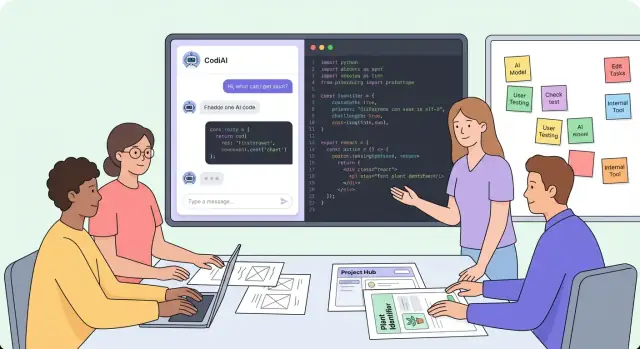
“Vibe coding” is a practical way to build software quickly by pairing product intuition (“the vibe”) with AI assistance. You describe what you’re trying to achieve, let an LLM generate a first draft of code or UI, then iterate in short loops: run it, see what breaks, adjust the prompt, and keep moving.
The goal isn’t perfect code on the first try. The goal is to get something working fast enough to learn: does this workflow feel right, does the model output make sense, and does anyone actually want this feature?
How it differs from traditional development
Traditional development often emphasizes upfront design, detailed tickets, and careful implementation before anyone touches the product. Vibe coding flips the order: you start with a thin, working slice, then refine. You still make engineering decisions—you just postpone the ones that don’t matter yet.
That doesn’t mean you abandon structure. It means you apply structure where it buys you speed: tight scope, quick demos, and clear acceptance checks (even if they’re simple).
How it differs from no-code
No-code tools are great when your problem fits their blocks. Vibe coding is different because you’re still building real software: APIs, data models, integrations, auth, and all the messy edge cases. The AI helps you write and edit code faster, without forcing you into a platform’s constraints.
In practice, vibe coding often starts as “prompt-to-code,” but quickly becomes “prompt-to-change”: you ask the model to refactor a function, add logging, generate a test, or reshape a schema.
What vibe coding is not
It’s not skipping thinking. You still need a clear outcome, constraints, and a definition of “works.” If you can’t explain the feature in plain language, an LLM will happily generate something that looks right but solves the wrong problem.
It’s not skipping validation. A fast prototype that no one uses is still a miss. Vibe coding should accelerate product discovery, not replace it.
Where it works best (and where it doesn’t)
Vibe coding shines for AI-first products, internal tools, and early prototypes—places where the main risk is “are we building the right thing?” It’s a weaker fit for safety-critical systems, heavily regulated domains, or large-scale rewrites where correctness and long-term maintainability dominate every decision.
Why AI-First Products Benefit More Than Typical Apps
AI-first products reward speed because so much of the “product” is behavior, not just screens. With a typical app, you can often reason about requirements up front: inputs, rules, outputs. With an LLM in the loop, the fastest way to learn is to run real scenarios and watch what actually happens.
AI-first work is a chain of small experiments
You’re rarely testing one thing at a time. A small change to the prompt, a new tool call, or a different UI affordance can reshape the whole experience. Vibe coding fits this reality: sketch a workflow, try it immediately, then adjust based on what you observe.
For example, a “summarize this ticket” feature might depend on:
- prompt instructions (tone, structure, constraints)
- what context you include (last message vs. full thread)
- which tools you expose (search, CRM lookup, file access)
- how the UI frames the output (editable draft vs. one-click send)
Probabilistic outputs demand early, real testing
Because outputs are probabilistic, correctness isn’t binary. You learn patterns: when it hallucinates, when it refuses, when it overconfidently guesses, and how users react. Running 30 real examples today beats debating edge cases for a week.
Model and tooling choices can change behavior quickly
Switching models, changing temperature, hitting context window limits, or adding a single function call can produce surprisingly different results. Early on, iteration speed matters more than perfect architecture—because you’re still discovering what the product should do.
Vibe coding helps you ship “learning prototypes” fast: small, testable flows that reveal where the value is (and where the risk is) before you invest in long-term structure.
Internal Tools: The Ideal Use Case for Vibe Coding
Internal tools are where vibe coding feels most “natural”: the audience is known, the stakes are contained, and speed matters more than polish. When the users sit a few desks away, you can iterate with real feedback instead of debating hypotheticals.
Build the workflow, not the org chart
Internal requests often start vague: “Can we automate approvals?” or “I need a dashboard.” With vibe coding, you explore the actual workflow by building tiny versions fast—one screen, one report, one script—then letting people react to something concrete.
A useful pattern is to prototype the path a user takes end-to-end:
- Start with the trigger (a request form, a Slack message, a CSV upload)
- Show the next action (approve/deny, enrich data, assign owner)
- Output something verifiable (a ticket, an email, a status change)
Turn ambiguity into a working artifact in hours
Instead of writing a long spec, translate the request into a clickable screen or a simple working script the same day. Even a “fake” UI backed by hardcoded data is enough to answer key questions: Which fields are required? Who can approve? What happens when data is missing?
Prototypes expose the hidden complexity
Internal processes are full of exceptions: missing IDs, duplicate records, manager overrides, compliance checks. A quick prototype surfaces these edge cases early—along with the data you don’t have yet and the approvals you forgot existed.
Reduce meeting time by showing, not describing
A five-minute demo beats an hour of alignment. People point to what’s wrong, what’s missing, and what they actually meant—so you spend less time interpreting requirements and more time shaping a tool that gets used.
Early Prototypes: Ship the Learning, Not the Perfect Product
Early prototypes are for answering one question: is this worth building? Vibe coding is a great fit because it optimizes for fast, believable experiments—not polished infrastructure.
Prototype the “happy path” end-to-end
Start with the smallest flow that proves value: input → processing → output. If the tool summarizes support tickets, don’t begin with roles, dashboards, and settings. Begin with: paste a ticket → get a summary → copy it into the reply.
A good prototype feels real because the core loop works. Everything else can stay thin.
Mock integrations before you commit
Integrations are where prototypes often stall. Mock them first:
- Hardcode a few realistic payloads (like CRM records or calendar events)
- Simulate latency and errors to see how the UX holds up
- Log what data you wish you had, so you know what to request later
Once you’ve validated value, swap mocks for real APIs one by one. This keeps momentum while avoiding premature complexity.
Release small, collect feedback continuously
Ship frequent, small updates to a limited audience (5–20 people is plenty). Give them a simple way to respond:
- “Was this output useful? yes/no”
- “What would you change?” (one sentence)
Treat each release like a testable hypothesis, not a milestone.
Decide early: continue, pivot, or stop
Set evidence-based checkpoints. For example: “At least 60% of users choose the AI output without heavy edits” or “This saves 5 minutes per task.” If you don’t hit the bar, pivot the workflow—or stop. The prototype succeeded if it prevented you from building the wrong thing.
A Practical Vibe Coding Workflow That Stays Focused
Vibe coding works best when you treat speed as a constraint, not the objective. The objective is fast learning—with enough structure that you don’t spiral into endless prompt tweaks and half-finished features.
1) Start with a concrete goal and real examples
Before you open an editor, write down:
- The goal (what the user accomplishes)
- Sample inputs (realistic prompts, files, or data)
- Expected outputs (what “good” looks like)
For AI-first features, examples beat abstractions. Instead of “summarize tickets,” use 10 real tickets and the exact summary format you’d accept.
2) Write a short spec you can actually finish
Keep it to a page. Include:
- User story (who, what, why)
- Constraints (latency, cost, privacy, tone, allowed tools)
- Definition of done (a small checklist you can verify today)
This spec becomes your anchor when the model suggests “nice-to-have” expansions.
3) Maintain an “examples” folder as your source of truth
Create a lightweight folder in the repo (or shared drive) with:
- Real prompts and transcripts
- Screenshots of good/bad outputs
- Edge cases and “do not do this” examples
When you ask an LLM to generate code, paste examples directly from this folder. It reduces ambiguity and makes results reproducible.
4) Track decisions as you go
Vibe coding creates lots of micro-decisions: prompt wording, tool choice, UI phrasing, fallback behavior. Capture why you chose them in a simple log (README or /docs/decisions.md). Future you—and teammates—can tell what was intentional versus accidental.
If you want a template for specs and decision logs, keep it linked internally (e.g., /blog/vibe-coding-templates) so the workflow stays consistent across projects.
Where a vibe-coding platform can help
If your team is doing a lot of prompt-to-change iteration, a dedicated vibe-coding platform can reduce friction: tighter loops, reproducible runs, and safer rollbacks.
For example, Koder.ai is built around a chat-driven build workflow: you can describe the feature, iterate on UI and backend changes, and keep progress moving without re-laying the same scaffolding each time. It also supports source code export, deployment/hosting, custom domains, and snapshots with rollback—useful when you’re shipping fast but still need a safety net.
Design Patterns for AI-First Features
AI-first features feel “magical” when they’re actually well-structured systems around an LLM. The fastest teams rely on repeatable patterns that keep experiments understandable—and upgradeable.
1) Map the core loop (before you code)
Start by drawing the loop your feature must execute every time:
User message → retrieval (context) → tool call(s) → response.
Even a simple sketch forces good decisions: what data is needed, when you should call a tool (CRM lookup, ticket creation, calculation), and where you’ll store intermediate results. It also makes it obvious which parts are “prompt work” versus “systems work.”
2) Treat prompts like code
Prompts are not copywriting—they’re logic. Keep them versioned, reviewed, and tested.
A practical approach is to store prompts in your repo (or a config store) with clear names, changelogs, and small unit-style tests: given input X and context Y, the model should produce intent Z or tool call A. This is how vibe coding stays safe: you iterate quickly without losing track of what changed.
3) Design for failure, not perfection
Real users will push edge cases immediately. Build explicit behavior for:
- Refusals (sensitive requests, policy boundaries)
- Unknowns (“I don’t have enough info; here’s what I need”)
- Partial answers (give a best-effort response plus next steps)
You’re not just avoiding bad outputs—you’re protecting trust.
4) Make logging and replay effortless
If you can’t replay a conversation with the exact retrieved context, tool outputs, and prompt version, debugging becomes guesswork.
Log each step of the loop (inputs, retrieved docs, tool calls, responses) and add a “re-run” button for your team. It turns vague feedback into actionable fixes and helps you measure improvements over time.
Keeping Quality High While Moving Fast
Speed is the point of vibe coding—but quality is what keeps the experiment usable. The trick is to add a few lightweight guardrails that catch predictable failures without turning your prototype into a full enterprise build.
Lightweight guardrails that pay off immediately
Start with the basics that prevent “weird outputs” from becoming user-facing incidents:
- Input validation: refuse empty prompts, enforce required fields, cap prompt size, and sanitize uploaded text.
- Output checks: verify the model’s response is in the format you expect (JSON shape, required keys, max length). If it fails, retry with a tighter instruction or fall back to a safe message.
- Timeouts and rate limits: assume external APIs and LLM calls will stall. Timebox calls, fail gracefully, and log the event.
These guardrails are cheap and reduce the most common prototype failures: silent breakage, infinite waiting, and inconsistent formatting.
Add a small “golden set” test suite
Instead of broad automated testing, create a golden set: 10–30 fixed prompts that represent real usage (plus a couple of adversarial ones). For each prompt, define expected properties rather than exact text, such as:
- includes required fields
- citations present when asked
- no PII leakage
- stays within tone and length
Run the golden set on every meaningful change. It’s fast, and it catches regressions that humans miss.
Review changes like code
Treat prompts, tool definitions, and safety policies as versioned assets. Use diffs and simple review rules (even in a lightweight PR) so you can answer: what changed, why, and what could break?
Define stop conditions
Write down the moment you’ll stop “moving fast,” such as: handling sensitive data, supporting paying users, high-volume usage, or repeated golden-set failures. When any stop condition triggers, it’s time to harden, refactor, or narrow scope.
Integrations and Data: How to Scale Up from a Prototype
Prototypes often feel done right up until they touch real data: flaky third-party APIs, slow databases, inconsistent schemas, and permissions. The trick is to scale integrations in phases without rewriting your whole app every week.
Phase the work: mock → real → hardened
Start with a mock API (static JSON, local fixtures, or a tiny stub server) so you can validate the product flow and AI behavior quickly. Once the UX is proving useful, swap in the real integration behind the same interface. Only after you’ve seen real traffic and edge cases should you invest in hardening: retries, rate limiting, observability, and backfills.
This lets you ship learning early while keeping the “integration tax” proportional to evidence.
Prefer stable interfaces with thin wrappers
External services change, and prototypes tend to accumulate one-off calls scattered everywhere. Instead, create a thin wrapper per service (e.g., PaymentsClient, CRMClient, VectorStoreClient) that exposes a small, stable set of methods your app uses.
That wrapper becomes your swap point for:
- moving from mock → real
- adding caching/retries
- normalizing data shapes
- writing focused tests
Treat secrets as non-negotiable
Even in prototypes, handle credentials safely: environment variables, a secrets manager, and least-privilege API keys. Avoid committing tokens to repos, pasting them into prompts, or logging raw request payloads that might contain customer data.
Use feature flags for AI behavior
AI outputs can shift with prompt changes, model updates, and new context sources. Put new AI behaviors behind feature flags so you can:
- enable for internal users first
- compare old vs. new behavior
- roll back instantly if quality drops
Feature flags turn risky changes into controlled experiments—exactly what a prototype-to-product path needs.
When to Refactor (and When to Leave It Alone)
Vibe coding rewards momentum. Refactoring is useful—but only when it protects momentum rather than replacing it with “cleanup work” that doesn’t change outcomes. A good rule: if the current structure still lets you learn, ship, and support the team, leave it alone.
Refactor only when it blocks progress
Avoid big refactors. Make small, targeted improvements when something is actively slowing you down:
- You can’t safely change prompts or tool logic without breaking unrelated features.
- Bugs keep reappearing because the flow is unclear.
- Adding a new integration takes hours of copy/paste and guesswork.
When you refactor, keep the scope narrow: improve one bottleneck, ship, then move on.
Extract modules as they stabilize
Early on, it’s fine if prompt text, tool definitions, and UI wiring live close together. Once patterns repeat, extract modules:
- Prompt library: versioned prompts, templates, and examples.
- Tool layer: API calls, retries, rate limits, and input/output validation.
- UI components: reusable interaction patterns (confirmations, citations, “why this result”).
A practical signal: when you’ve copied the same logic twice, it’s ready to become a module.
Use observability to decide, not intuition
AI-first features fail in ways that aren’t obvious. Add basic observability early: error rates, tool success rate, latency, and cost per task. If costs spike or tool calls fail often, that’s a refactor trigger because it directly impacts usability and budget.
Keep a tiny tech-debt list with paydown triggers
Maintain a short debt list with a clear trigger for each item (e.g., “refactor tool router when we add the third tool” or “replace prompt-in-code once two people edit prompts weekly”). This keeps debt visible without letting it hijack the roadmap.
Where Vibe Coding Wins—and Where It’s a Bad Fit
Vibe coding is at its best when speed matters more than pristine architecture—especially when the goal is learning. If the work is exploratory, user-facing polish is secondary, and you can tolerate occasional rough edges, you’ll get compounding returns.
Great fits: high-leverage, low-risk tools
Internal tools are ideal because the user contract is flexible and the feedback loop is short. Great candidates include:
- Admin dashboards that unify a few data sources and save teams from spreadsheet gymnastics
- Ops automation (triage queues, routing rules, incident notes, lightweight runbooks)
- Support copilots that draft replies, summarize tickets, or suggest next steps
- Onboarding helpers that generate checklists, answer FAQs, or personalize learning paths
Good fits: tight experiments and helpers
These are valuable even if the code won’t live forever:
- Quick A/B prompt tests to validate tone, structure, or retrieval strategies
- Data cleanup helpers that standardize labels, dedupe entries, or flag anomalies
- Report generators that turn raw events into weekly summaries or stakeholder-ready briefs
Poor fits: when failure is expensive
Avoid vibe coding for systems where mistakes carry real-world harm or contractual risk:
- Safety-critical or regulated software (health, finance, compliance workflows)
- High-uptime core systems (billing, auth, payments, primary data pipelines)
- Anything with strict auditability and change control requirements
A quick decision checklist
Before you start, ask:
- Risk level: What’s the worst credible failure?
- Users: Internal team, limited beta, or broad public audience?
- Data sensitivity: Are you handling PII, secrets, or regulated data?
- Failure impact: Can you roll back easily, or would downtime break the business?
If you can ship, observe, and revert safely, vibe coding is usually a win.
Common Pitfalls and How to Avoid Them
Vibe coding is fast, but speed can hide avoidable mistakes. The good news: most pitfalls have simple, repeatable fixes—especially for AI-first tools and prototypes.
1) Building without real examples
If you design prompts and flows from hypothetical inputs, you’ll ship something that demos well but fails in real use.
Fix: collect 20–50 real cases before you optimize anything. Pull them from support tickets, spreadsheets, call notes, or shadowing sessions. Turn them into a lightweight evaluation set (a table is fine): input, expected output, “good enough” criteria, and edge-case notes.
2) Prompt sprawl (a.k.a. unmaintainable magic)
Prompts multiply quickly: one per screen, per feature, per developer—until nobody knows which one matters.
Fix: treat prompts like product assets. Use clear naming, short templates, and review rules.
- Naming:
feature.goal.version(e.g.,summarize.followup.v3) - Templates: keep a consistent structure (role, context, constraints, examples, output format)
- Review: one owner per prompt; changes require a quick diff + test against the evaluation set
3) No fallback when the model fails
Models will sometimes refuse, hallucinate, time out, or misunderstand. If your UX assumes perfection, users lose trust fast.
Fix: plan graceful degradation and a human handoff. Provide “Try again,” “Use a simpler mode,” and “Send to teammate” options. Store enough context so the user doesn’t have to retype everything.
4) Ignoring cost until it hurts
Token usage can quietly become your biggest scaling problem.
Fix: measure early. Log tokens per request, add caching for repeated context, and set limits (max input size, max tool calls, timeouts). If cost spikes, you’ll see it before finance does.
A 30-Day Plan to Apply Vibe Coding in Your Team
A month is enough to learn whether vibe coding increases velocity for your team—or just generates noise. The goal isn’t to “build an app.” It’s to create a tight feedback loop where prompts, code, and real usage teach you what to build next.
Week 1: Pick one workflow, define success, build a working demo
Choose a single, high-frequency workflow (e.g., “summarize support tickets,” “draft a sales follow-up,” “tag documents”). Write a one-paragraph success definition: what outcome improves, for whom, and how you’ll measure it.
Build the smallest working demo that proves the core loop end-to-end. Avoid UI polish. Optimize for learning: can the model reliably produce something useful?
Week 2: Add logging, a test set, and basic guardrails
Turn “it seemed good” into evidence. Add:
- Structured logging (inputs, outputs, model version, latency, user edits)
- A small test set (20–50 real examples) you can rerun after prompt changes
- Guardrails: redaction for sensitive text, output constraints, and clear “I don’t know” behavior
This is the week that prevents demo magic from turning into accidental production risk.
Week 3: Connect real data and ship to a small internal group
Integrate one real system (ticketing, CRM, docs, database) and ship to 5–15 internal users. Keep scope tight and collect feedback in one place (a dedicated Slack channel plus a weekly 20-minute review).
Focus on where users correct the AI, where it stalls, and which data fields it consistently needs.
Week 4: Decide: productionize, expand scope, or stop
At the end of the month, make a clear call:
- Productionize if quality is stable on the test set and users save time consistently.
- Expand scope if the core works but data coverage or UX is the limiter.
- Stop if the value isn’t repeatable—then document what you learned and move on.
If you do choose to productionize, consider whether your tooling supports fast iteration and safe change management (versioned prompts, deploy/rollback, and reproducible environments). Platforms like Koder.ai are designed around those loops: chat-driven building for web/server/mobile, planning mode for scoping before generating, and snapshots for quick rollback when an experiment doesn’t pan out.
The win is a decision backed by usage, not a bigger prototype.
FAQ
What is vibe coding in plain terms?
Vibe coding is a fast, iterative way to build software using AI to generate and revise code while you steer with a clear product goal.
It optimizes for learning quickly (does this work, does anyone want it?) rather than getting a perfect implementation on the first pass.
What does a practical vibe coding loop look like day-to-day?
A minimal loop looks like:
- Define a concrete outcome and acceptance check
- Provide a couple real examples (inputs and expected outputs)
- Prompt the model to generate a thin working slice
- Run it immediately, observe failures, and prompt for targeted changes
- Log decisions and keep iterating in short cycles
What does vibe coding NOT mean?
You still need thinking and structure: constraints, a definition of “works,” and validation with real users.
Vibe coding is not an excuse to skip clarity; without a clear outcome, the model can produce plausible output that solves the wrong problem.
How is vibe coding different from no-code tools?
No-code is constrained by the platform’s building blocks.
Vibe coding still produces real software—APIs, auth, integrations, data models—and uses AI to speed up writing and changing code, not to replace engineering control.
Why does vibe coding work especially well for AI-first products?
AI-first features are probabilistic and behavior-driven, so you learn fastest by running real scenarios, not debating requirements.
Small changes (prompt wording, temperature, model choice, tool calls, context size) can materially change outcomes, making iteration speed especially valuable.
Why are internal tools an ideal use case for vibe coding?
Internal tools have a tight feedback loop (users are nearby), contained risk, and clear time-saving goals.
That makes it easy to ship a rough but working flow, demo it, and refine based on concrete feedback instead of long specs and meetings.
How should you approach early prototypes with vibe coding?
Focus on the “happy path” end-to-end: input → processing → output.
Keep everything else thin, and use mocks for integrations so you can validate the workflow first. Once the value is proven, replace mocks with real APIs incrementally.
How do you keep quality high while moving fast?
Start with lightweight guardrails that prevent common failures:
- Input validation (required fields, size limits)
- Output checks (expected JSON shape/keys, length constraints)
- Timeouts and rate limits with clear failure messages
Add a small golden-set test suite (10–30 real cases) and rerun it after meaningful prompt or code changes.
What’s the best way to scale integrations from prototype to real data?
Move in phases: mock → real → hardened.
Wrap each external service behind a thin client interface so you can swap implementations, normalize data, and add retries/caching without scattering one-off calls throughout the codebase.
When should you refactor in a vibe coding workflow?
Avoid big refactors unless they unblock progress. Refactor when:
- Changes keep breaking unrelated features
- Bugs recur because the flow is unclear
- Adding an integration requires copy/paste and guesswork
A practical rule: if you’ve duplicated the same logic twice, extract a module (prompt library, tool layer, or reusable UI component).