

Why Vibe Coding Thrives on Imperfection and Change
Vibe coding works when you ship imperfectly, use temporary hacks responsibly, and keep iterating. Practical habits, guardrails, and examples to move fast.
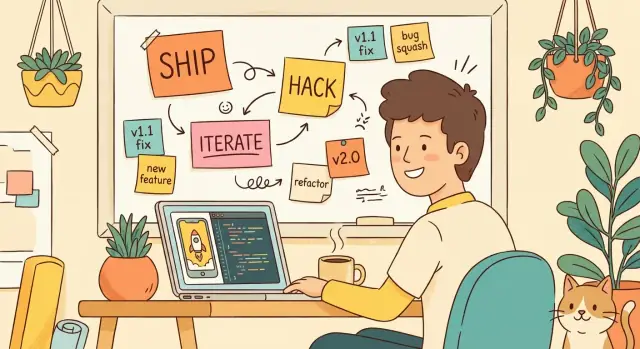
What Vibe Coding Means (and What It Doesn’t)
“Vibe coding” is a way of building software where you lean into momentum: start with a rough idea, write the simplest thing that works, and let real feedback shape what you build next. It’s less about following a perfect plan and more about keeping the project moving long enough to discover what actually matters.
What it is
Vibe coding is a practical mindset:
- Start small, ship something you can test.
- Learn from what breaks, confuses users, or takes too long.
- Adjust quickly, even if that means changing direction.
Early on, speed matters because uncertainty is high. You don’t yet know which features are valuable, which edge cases are real, or whether the idea even deserves a “final” version. Fast iterations buy you clarity.
What it isn’t
Vibe coding isn’t “whatever, it’s fine.” It’s not an excuse to ignore basics like data safety, security, or user trust. It also doesn’t mean you’ll never refactor—only that you postpone polish until you’ve earned it.
Quick vs. careless
“Quick” means you make deliberate trade-offs to reduce time-to-learning:
- You simplify requirements.
- You cut optional features.
- You accept a temporary hack with a clear plan to revisit it.
“Careless” means you skip thinking altogether:
- No notes on what’s temporary.
- No minimal checks.
- No way to reproduce problems.
The real goal: learning
The goal of vibe coding isn’t perfection—it’s insight. Each small release is a question you’re asking the real world: Does anyone want this? Which part is confusing? What should be automated next? You’re building knowledge as much as you’re building software.
Imperfection Is a Feature of Real Work
Perfect plans are rare because real projects aren’t static. Requirements shift after a customer call, a teammate spots a better approach, or you finally see the product in use. Vibe coding works because it treats that messiness as normal, not as a failure of discipline.
Why perfection slows you down
The fear of mistakes often creates a hidden delay: you wait to start until you feel certain. But certainty usually arrives only after you’ve built something and watched it behave.
When you aim for “no rough edges,” you tend to:
- postpone shipping until you’ve predicted every case
- avoid decisions that would generate feedback (because feedback might be negative)
- overbuild safeguards for problems that may never happen
The result isn’t higher quality—it’s slower learning.
Bugs and rough edges are signals
Imperfections are information. A confusing screen tells you where people get stuck. A brittle function reveals where the boundaries of your system really are. A “weird” support ticket shows what users actually try, not what you imagined.
Seen this way, bugs aren’t just defects to hide. They’re a map of what matters next.
“Good enough for now” is a valid decision
Shipping imperfect code doesn’t mean shipping careless code. It means matching effort to uncertainty.
“Good enough for now” is the right call when:
- the feature is still being shaped by feedback
- the cost of being wrong is low and reversible
- you need real usage data to choose the right direction
If you can roll back, limit blast radius, and learn quickly, imperfection becomes a tool. You’re not lowering standards—you’re sequencing them: first prove value, then harden what lasts.
Temporary Hacks: The Good, the Bad, and the Useful
Temporary hacks are a normal part of vibe coding: you’re trying to learn what the work really is before you commit to “proper” architecture. The trick is knowing which shortcuts are healthy and which ones quietly turn into permanent problems.
The good: hacks that buy you learning
Common “get it working” hacks include:
- Hardcoded values (API keys in a local file, fixed IDs, a single user account)
- Manual steps (run a command, copy/paste a CSV, trigger a deploy by hand)
- Simple scripts (one-off Python/Bash to rename files or backfill data)
- Thin integrations (“just call the endpoint,” no retries, no monitoring yet)
These can be valid prototypes because they answer high-value questions fast: Does anyone want this? Which inputs matter? Where are the real edge cases? A hack is useful when it reduces uncertainty and keeps scope under control.
The bad: hacks that become invisible dependencies
Hacks turn harmful when they stop feeling like hacks.
The danger pattern is “it works, so nobody touches it.” Over time, teammates (or future you) start relying on hidden assumptions:
- A hardcoded value becomes “the only value” the system can handle
- A manual step becomes the single point of failure in a release
- A quick script becomes the only record of how data is transformed
That’s how temporary shortcuts become invisible dependencies: critical behavior that isn’t documented, tested, or owned.
“Temporary” is a promise you must manage
Calling something temporary isn’t a label—it’s a commitment.
Make the promise concrete:
- Write down why it’s a hack and what “done properly” means
- Put an expiration date or trigger on it (“remove after first paying customer,” “replace before public launch”)
- Track it in your backlog, not just in your head
A well-managed hack is honest, time-boxed, and easy to replace. An unmanaged hack is just technical debt with better vibes.
Continuous Change Beats Perfect Prediction
Trying to “get it right” upfront feels responsible—until reality shows up. Vibe coding leans into a simpler truth: you can’t predict what users will value until they can actually use something.
Fast releases create real feedback
A quick release turns opinions into evidence. Instead of debating features in meetings, you ship a small slice and watch what happens: where people click, what they ignore, what they ask for, and what confuses them.
That feedback is hard to fake. It’s also the only kind that reliably changes priorities. A plan is a guess; a shipped feature is a test.
Early code is meant to be reshaped
The first version isn’t a foundation—it’s a probe. Early code often gets:
- Replaced because you learned a better approach
- Simplified because the feature wasn’t as important as you thought
- Expanded because users found a real need you didn’t anticipate
This isn’t failure. It’s the expected cost of learning quickly.
The feedback loop: build → ship → learn → adjust
The power comes from the loop, not the first attempt:
- Build the smallest useful version
- Ship it to real users (even if it’s rough)
- Learn from behavior and support requests
- Adjust scope, design, and implementation
When the loop is short, change is cheap. When the loop is long, change becomes scary—so teams cling to predictions instead.
Simple example: requirements shift after the first demo
Say you demo a “Saved Searches” feature. You built a UI to name and store filters, expecting users to manage a library of saved views.
After the demo, three things happen:
- Users don’t name searches—they just want “one-tap re-run” of the last filter.
- The real pain is sharing searches with teammates.
- Support reports confusion about what gets saved (filters vs. results).
If you planned everything perfectly, you’d still be wrong. If you shipped quickly, you now have clear direction: prioritize “Recent Filters” and “Shareable Links,” and simplify the storage model. The code you wrote isn’t wasted—it’s a stepping stone that revealed what to build next.
The goal isn’t to predict change. It’s to design your workflow so change is normal, safe, and productive.
How to Make Imperfect Work Safe
Imperfect work becomes dangerous when nobody can tell what’s “temporary” and what’s “the system now.” The goal isn’t to avoid shortcuts—it’s to make shortcuts visible, reversible, and bounded.
Make the shortcut explicit
The simplest safety move is naming what you’re doing while you’re doing it. Use labels like “hack,” “prototype,” or “v1” in commits or tickets so future-you (or a teammate) doesn’t treat a quick patch as a long-term design.
If you’re working solo, this still matters. A month from now, you won’t remember which parts were intentional and which were “just for now.”
Create the “receipt” immediately
Shortcuts are fine; forgotten shortcuts are expensive. Add a follow-up task the moment you introduce a shortcut—while the context is fresh and you still know what the “right” version would look like.
A useful follow-up task is specific and testable:
- Replace hard-coded limit with config + validation
- Add error handling for timeout and retry strategy
- Remove temporary flag and migrate stored data
Write down assumptions before they bite you
Most hacks rely on hidden assumptions: small data size, low traffic, one user, friendly inputs. Write down assumptions you’re making (data size, usage patterns) in the ticket description, a short doc, or even a comment near the workaround.
This isn’t bureaucracy—it’s a trigger for when the code should change. When an assumption stops being true (e.g., “only 100 records”), you’ve already documented why the shortcut may fail.
Keep a lightweight “known issues” list
Maintain a small, visible list of risks and rough edges so anyone can quickly answer:
- What could break under growth?
- What is intentionally incomplete?
- What needs attention before we call this “v1”?
Imperfect work stays safe when it’s labeled, tracked, and surrounded by clear boundaries. That’s how you move fast without building a mystery machine.
Guardrails: Where You Should Not Wing It
Vibe coding works because you move fast and learn fast. But some areas don’t forgive “we’ll fix it later.” The trick is to keep your creative speed while putting a few hard rails around the parts that can cause irreversible harm.
Choose your “non-negotiables”
Pick 1–2 categories where you will not improvise:
- Security (auth, access control, secrets, rate limits)
- Privacy (PII handling, consent, retention)
- Payments (idempotency, retries, receipts, fraud basics)
- Backups (restore tested, not just created)
You don’t need enterprise compliance. You need clear lines: if you touch a non-negotiable, you slow down, review it, and document it.
Test the pain points, not everything
Add basic tests where failure would hurt most. That usually means:
- Login/signup and permission checks
- Any code that writes money-related records
- Data migrations or bulk edits
- The “one-way doors” (deletes, emails, irreversible state changes)
A handful of focused tests can prevent the class of bugs that destroy trust.
Ship safely: flags, stages, and rollbacks
Use feature flags or staged rollouts when possible, especially for changes to billing, data models, or core flows. Even a simple “internal-only” toggle buys you time to observe real behavior before everyone depends on it.
Define a rollback plan for risky changes. Concretely: know what version you’ll revert to, what data might be impacted, and how you’ll verify recovery. If rollback is impossible, treat the change as higher risk and add extra review.
If you want a lightweight checklist to keep nearby, link to your own /release-notes or /runbook page and keep it updated as you learn.
Technical Debt Without the Guilt Trip
Technical debt isn’t a confession that you “did it wrong.” It’s the extra cost you accept when you choose speed or simplicity now, knowing you’ll tidy things later. In vibe coding, that trade can be smart—especially when you’re still learning what the product should be.
Debt is a tool, not a personality flaw
Sometimes you take debt on purpose: hard-coded values, quick copy-paste, skipping tests, using a temporary data model. The key is being honest about what’s temporary and why. Debt becomes a problem only when it starts dictating your pace.
Signs it’s growing too fast
Watch for these practical symptoms:
- Small changes feel oddly slow because you’re afraid of breaking something
- Bugs repeat in the same areas (the code “springs leaks”)
- Fixes cause new breakages elsewhere
- You avoid touching certain files, routes, or screens
When those show up, your debt is charging interest.
Track it with a tiny list
Don’t create a massive rewrite plan. Keep a short “Debt List” (5–15 items) that’s easy to scan. Each item should include:
- What hurts (e.g., “Checkout validation is duplicated in 3 places”)
- The impact (speed, reliability, customer pain)
- A small next step (not “rewrite payments,” but “centralize validation function”)
This turns vague guilt into manageable work.
Set a paydown rhythm
Pick a default rule and stick to it. A common one is 20% of each cycle (or one day per week) for debt paydown: cleanups, tests around risky areas, deleting dead code, simplifying confusing flows. If deadlines compress, shrink the scope—but keep the rhythm. Consistent maintenance beats occasional “debt bonfires” that never happen.
Practical Workflow: Ship Small, Then Expand
Vibe coding works when you treat your first version as a move, not a monument. The goal is to deliver something that’s already useful, then let real usage tell you what to build next.
1) Define the smallest useful version (your real MVP)
Don’t start with “all the features we eventually want.” Start with one concrete job your code should do end-to-end.
A good MVP definition usually includes:
- One primary user action (e.g., “create and save a note”)
- One success metric (“it saves reliably and loads fast enough”)
- One constraint (“no accounts yet”)
If the MVP doesn’t fit in a sentence, it’s probably a v2.
2) Timebox experiments so they stay experiments
Exploration is valuable until it quietly turns into a multi-week detour. Put a clock on it: hours or days, not weeks.
Examples:
- “Try two approaches for 3 hours, pick one by end of day.”
- “Prototype the UI in one afternoon, validate with one friend.”
Timeboxing forces decisions. It also makes it easier to throw away a dead-end without feeling like you wasted a month.
3) Choose simple solutions you can replace later
Early on, prefer the version that’s easiest to understand and easiest to remove. A basic implementation that you can swap out beats a clever one you’re stuck with.
Ask: “If this breaks, can I explain it and fix it in 10 minutes?” If not, it may be too fancy for the current stage.
4) Make scope cuts explicit
Write down what you are not building yet—literally.
“Not yet” items might include: permissions, onboarding, analytics, mobile polish, perfect error handling. Scope cuts reduce stress, prevent accidental complexity, and make the next expansion a deliberate choice instead of a creeping obligation.
Where platforms can help (without changing the mindset)
If you’re using a vibe-coding platform like Koder.ai, it can make the build → ship → learn loop tighter: you can go from a chat prompt to a working web app (React) or backend (Go + PostgreSQL) quickly, then iterate as feedback comes in. The key is to use the speed to test hypotheses, not to skip guardrails—keep your non-negotiables (security, privacy, payments) explicit even when the tooling makes prototyping feel effortless.
Turning a Hack into a Maintainable v1
A hack becomes a v1 when you stop treating it like a personal experiment and start treating it like something other people will depend on. You don’t need a rewrite. You need a few deliberate upgrades that make the current behavior understandable, diagnosable, and supportable.
A “Done for Now” checklist
Before you call it v1, run a lightweight checklist that forces clarity without slowing you down:
- Can someone else run it? One command or a short set of steps.
- Are the assumptions written down? Inputs, environments, credentials, and “it only works if…” constraints.
- What happens when it fails? Errors should be visible and actionable.
- Is there a rollback or off switch? Even a manual one is better than none.
- Is scope frozen for this version? New ideas go to a list, not into the release.
Document the rough edges (on purpose)
A maintainable v1 doesn’t pretend it’s perfect. It tells the truth.
Create a short “Known Limitations” note that answers:
- What breaks? Edge cases, scaling limits, browser/device quirks.
- What’s missing? Features users will expect later.
- What’s manual? Steps a human still has to do (approvals, data fixes, scheduled tasks).
Keep it near the code or in a simple internal doc, and link it from your README. This turns “tribal knowledge” into something your future self can actually use.
Add basic observability early
You don’t need a monitoring program. You need signals.
Start with:
- Structured logs for key actions (who/what/when), plus error details.
- Error tracking so crashes don’t rely on someone telling you.
- A few counters: sign-ups, successful runs, failed runs, latency if relevant.
The goal is simple: when someone reports “it didn’t work,” you can find the reason in minutes, not hours.
Make a simple support path
If users can’t report issues, they’ll churn silently.
Pick one channel and make it obvious:
- A short feedback form
- A dedicated email alias
- A “Report a problem” link that opens an issue template
Then decide who triages, how quickly you respond, and what “we’ll fix later” looks like. That’s when a hack stops being fragile and starts being a product.
Refactoring as You Go (Without Endless Rewrites)
Refactoring is how vibe coding stays fast without turning into a pile of fragile shortcuts. The trick is to treat it as a series of small, purposeful upgrades—not a dramatic “start over” event.
Refactor after learning, not before
Early code is mostly a question you’re asking the product: Will this workflow be used? Which edge cases matter? Refactor after you’ve learned what’s real. If you clean things up too early, you’ll polish assumptions that won’t survive contact with users.
A good signal it’s time: you’ve shipped a thin version, it’s getting used, and you keep touching the same area repeatedly.
Replace the riskiest hack first
Not all hacks are equal. Some are ugly but safe; others are quiet time bombs.
Prioritize what’s both high impact and most likely to fail:
- Anything that can lose data, charge money incorrectly, or expose private info
- A workaround that breaks whenever someone adds a new option or customer type
- A manual step that one person “remembers to do”
Knocking out the riskiest hack first buys you safety and breathing room.
Avoid rewrites driven by taste
Rewrites are tempting because they feel clean. But “I don’t like this code” isn’t a business outcome. Aim refactoring at results: fewer bugs, faster changes, clearer ownership, easier testing, simpler onboarding.
If you can’t name the outcome, you’re probably refactoring for style.
Use thin slices to improve without breaking everything
Instead of ripping out a whole system, improve one narrow path end-to-end.
Example: keep the old flow working, but refactor just the “create invoice” path—add validation, isolate one dependency, write a couple of tests—then move to the next slice. Over time, the improved path becomes the default, and the old code fades out naturally.
When to Slow Down and Clean Up
Vibe coding rewards motion, but momentum isn’t the same as progress. Sometimes the fastest way to ship is to pause, reduce risk, and make the next few changes cheaper.
Red flags that mean “pause and repair”
If you’re seeing any of these, you’re no longer trading polish for speed—you’re trading reliability for luck:
- Repeated outages or recurring “same bug, new day” incidents
- Security concerns (exposed keys, sloppy auth, unreviewed permissions)
- Releases getting blocked because the code is too fragile to change confidently
- Customer-impacting performance regressions that keep returning
- A growing pile of manual steps that only one person knows how to do
“Stop and fix” vs “keep moving”
A useful rule: stop and fix when the current mess makes the next change unpredictable.
Stop and fix moments:
- A bug could cause data loss, privacy issues, or incorrect billing
- You can’t test a change without “try it in prod and see”
- A quick tweak requires touching five unrelated files and breaks something every time
Keep moving moments:
- The issue is cosmetic or affects an internal tool with a clear workaround
- You have a temporary hack that’s isolated and easy to rip out later
- The risk is understood, documented, and time-boxed
How to communicate the tradeoff
Be explicit about cost, risk, and payoff. Instead of “we should refactor,” say:
- What’s happening now (e.g., “deploys fail twice a week because migrations are inconsistent”)
- The impact (time lost, user harm, revenue risk)
- The smallest cleanup that changes the trend (1–3 concrete tasks)
- What you’re postponing by doing it (and why it’s worth it)
End with a simple mindset summary: learn fast, repair often—ship the experiment, then pay down the uncertainty before it compounds.
FAQ
What does vibe coding actually mean?
Vibe coding means building a small working version, releasing it, and changing it from real feedback. You move quickly to learn what users need, while still protecting security, privacy, payments, and data.
Is vibe coding just careless coding?
No. It means you delay polish until you know the feature has value. You still use basic checks, document shortcuts, and avoid risks that could harm users or lose data.
When is a temporary hack acceptable?
Use a temporary hack when it answers an important product question quickly and you can replace or remove it safely. Keep the scope small, write down the assumption behind it, and add a follow-up task.
How do temporary hacks become a problem?
Treat a shortcut as risky when people start relying on it but nobody owns, documents, or tests it. Hardcoded values, manual release steps, and one-off data scripts need clear limits before they become hidden dependencies.
Why should I ship an imperfect first version?
A small release turns guesses into evidence. User behavior, support requests, and failed workflows show what to fix, simplify, or build next far better than a long planning session can.
How can I keep imperfect work safe?
Make shortcuts visible in a ticket, commit, or comment. Record why they exist, what assumption they rely on, and the event that should trigger replacement, such as a public launch or the first paying customer.
What parts of a product need stricter guardrails?
Do not wing it with authentication, permissions, secrets, private data, payments, backups, deletes, or other irreversible actions. Slow down for those areas, review the change, test the risky path, and plan how to undo it.
How do I define a useful MVP?
Start with one user action that works end to end, one measure of success, and a clear list of what you are postponing. If you cannot describe the first version in one sentence, reduce the scope.
When should I refactor vibe-coded software?
Refactor after users validate a workflow or when you repeatedly change the same area. Fix the shortcuts most likely to cause data loss, privacy issues, incorrect charges, or slow releases before cleaning up code you merely dislike.
When should I stop moving fast and clean up?
Pause when repeated bugs, fragile releases, security concerns, performance problems, or manual steps make the next change unpredictable. Choose the smallest repair that restores confidence, then return to shipping and learning.