

Wix/Squarespace Migration: When to Switch and How to Win
Learn when moving from Wix or Squarespace makes sense, what it costs, and a step-by-step migration checklist to protect SEO, design, and content.
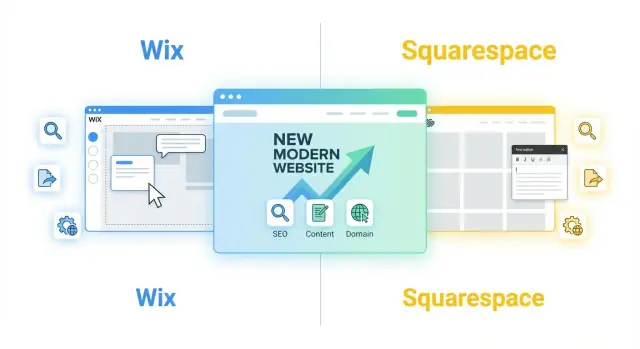
What a Wix/Squarespace Migration Really Involves
A “migration” from Wix or Squarespace isn’t a single button-click. It’s a coordinated move of several parts—some transfer cleanly, and some need to be rebuilt.
What “migration” usually includes
Content: Pages, blog posts, product listings, and basic text can often be exported or copied, but formatting and blocks rarely match 1:1.
Design: You’re typically recreating the look and feel (layout, typography, components) rather than literally “moving the theme.” Think of it as rebuilding the house using the same floor plan.
Domain and email: Your domain may stay with its current registrar, or you may transfer it. Either way, DNS changes are part of launch. Email (Google Workspace/Microsoft 365) usually stays put, but records must be preserved.
SEO: URLs, titles, meta descriptions, headings, internal links, image alt text, and redirects need a plan. The goal is to keep search visibility steady while the site changes underneath.
Features and integrations: Forms, booking, members areas, ecommerce, analytics, CRM, and custom scripts must be replicated (or improved) on the new platform.
A quick decision framework
Ask two questions:
-
What’s hurting you right now? Examples: limited SEO control, slow editing workflow, ecommerce constraints, design limits, or hard-to-maintain integrations.
-
What will switching unlock? Examples: better performance, advanced marketing tools, cleaner content management, more flexible design, or lower long-term costs.
If the current pain is minor and the benefits are unclear, a migration may be premature. If the pain is ongoing and the new platform directly solves it, the effort is usually justified.
Common destinations (and why)
Most Wix/Squarespace migrations go to WordPress (content flexibility), Webflow (design control with a managed feel), Shopify (ecommerce focus), or a custom build (unique requirements).
Set the right expectation
Some rebuild is normal. Not every widget, template element, or app can be “moved” exactly. A successful migration focuses on outcomes: same (or better) content, cleaner structure, preserved SEO, and features that work reliably on day one.
Signs It’s Worth Switching
Sometimes a Wix migration or Squarespace migration isn’t about “wanting something new”—it’s about removing friction that’s slowing the business down. If you recognize the patterns below, moving platforms can be the faster path than patching around limits.
You’ve outgrown templates and need real design control
If every change turns into workarounds (fighting section rules, spacing quirks, or mobile layouts), you’re paying a “template tax.” A move from Wix or a move from Squarespace makes sense when you need reusable design components, cleaner page structure, and the ability to scale new pages without redesigning each one.
You keep hitting feature limits
Switching is worth it when key features are either unavailable or awkward to maintain—think memberships, advanced forms, custom fields, booking logic, or integrations with your CRM/marketing stack. If you’re relying on multiple apps that don’t quite talk to each other, the “site rebuild vs migration” decision often leans toward migration plus a tighter, more integrated setup.
Performance goals are hard to reach
If you’re chasing faster load times or better Core Web Vitals and you’ve already compressed images, cleaned up pages, and removed unnecessary add-ons—but results plateau—platform constraints may be the bottleneck. Better performance can mean more conversions, not just nicer scores.
SEO needs are getting more advanced
A platform switch can be justified when you need stronger control over URLs, structured data, redirects, and content architecture—especially if you’re expanding into lots of landing pages or a content library. This is where an SEO migration plan and a website migration checklist protect rankings while you move.
Your team needs a better workflow
If publishing requires one person to do everything, or you lack roles, approvals, and staging, growth gets blocked. A platform with clearer permissions and an editorial process reduces errors and speeds up launches.
When You Should Stay Put (For Now)
Migration is often the right move—but not always the right next move. If your current Wix or Squarespace site is doing its job, switching platforms can add cost and risk without a clear payoff.
Stay if the site already supports your business
If your website is small, loads fine, and reliably brings in leads or sales, a migration may be a distraction. Many businesses don’t need a more flexible stack; they need clearer messaging, better pages, and consistent updates.
Stay if you don’t need frequent changes or new functionality
If you rarely update content and don’t expect to add major features (membership, advanced SEO tooling, custom checkout flows, complex integrations), your current platform might be “good enough” for another year.
Stay if time and budget are tight
A proper move involves planning, rebuilding key templates, migrating content, and validating SEO. If you’re in a busy season, it can be smarter to schedule improvements that deliver faster ROI now (homepage rewrite, service page cleanup, speed tweaks), then revisit a move later.
Consider fixes before a full switch
Often the real problem is execution, not the platform. You may be able to resolve pain points with:
- A redesign or template refresh
- Content cleanup (remove outdated pages, tighten navigation)
- Better copy and clearer calls-to-action
Watch for app lock-in
If you rely on platform-specific apps or extensions—booking, forms, member areas, payments—confirm there are equivalent tools elsewhere before you commit. Otherwise, you may end up rebuilding workflows from scratch.
If you decide to pause the move, still document what’s not working. That list becomes your requirements later, and it will make your eventual /blog/website-migration-checklist far easier to execute.
Choosing the Right Platform to Move To
Your best destination depends less on “Wix vs Squarespace” and more on what your site needs to do next: publish, sell, rank in search, or support custom features.
Quick decision criteria (what actually matters)
Start with these practical checks:
- Editing ease: Can your team update pages without breaking layout?
- Developer flexibility: Do you need custom code, integrations, or a bespoke design system?
- Total cost: Monthly fees plus templates, apps/plugins, paid forms, ecommerce add-ons, and ongoing help.
- Apps/plugins: Are the tools you rely on (booking, memberships, email capture, analytics) available and well-supported?
- SEO basics: Can you control URL structure, create 301 redirects, and manage sitemaps/robots.txt (or at least sitemap + indexing settings)?
Compare top options by use case
Marketing site (lead gen, service business): Webflow or WordPress
Blog / content publishing: WordPress or Ghost
Online store: Shopify (or WooCommerce if you want WordPress)
Portfolio / lightweight brochure site: Webflow, Framer, or WordPress with a clean theme
“Pick this if…” mini guide
- Pick WordPress if you want the widest flexibility, lots of plugins, strong blogging, and you’re okay managing hosting (or hiring help).
- Pick Webflow if design control and clean, visual editing matter most—and you want fewer plugin maintenance headaches.
- Pick Shopify if ecommerce is core and you want reliable checkout, shipping/tax tools, and a big app ecosystem.
- Pick Ghost if your focus is publishing/newsletters and you want a fast, minimalist editor.
If SEO is a priority, put redirect support and URL control at the top of your shortlist—those two details often decide whether a move protects rankings or hurts them.
A note on modern “custom builds” (without a long dev cycle)
If you’re choosing a custom build because you’ve outgrown Wix/Squarespace but don’t want months of traditional development, a vibe-coding approach can be a middle path. For example, Koder.ai lets teams create web apps through a chat interface (React front end, Go + PostgreSQL back end), then export source code, deploy, and iterate with snapshots/rollback. It’s especially useful when your “migration” includes custom logic (advanced forms, member flows, internal tools) rather than just pages.
Pre-Migration Audit: Make a Complete Site Inventory
Before you touch design or SEO settings, get a clear picture of what you actually have. Most migration headaches happen because something “small” (a hidden landing page, an old PDF, a form integration) is discovered after the rebuild is underway.
1) Inventory everything visitors can access
Start with a master list (a spreadsheet is fine) and capture:
- All pages (including “utility” pages like privacy policy, thank-you pages, and any password-protected areas)
- Blog posts, categories/tags, author pages (if relevant)
- Products, collections, variants, and digital downloads
- Galleries, portfolios, events, menus, and location pages
- Forms, popups, banners, chat widgets, and any lead magnets
Also list what must be recreated because it won’t transfer cleanly: booking tools, multilingual setups, memberships/logins, custom scripts, and automations.
2) Collect your current URLs (yes, even the old ones)
Export or crawl your site and record every URL you can find, including:
- Hidden pages not in the main navigation
- Old campaign/landing URLs used in ads or email
- PDFs and file URLs people may have bookmarked
This becomes your redirect map later, and it protects both SEO and user experience.
3) Capture baseline performance metrics
Download benchmarks so you can verify you didn’t lose ground after the move:
- Top pages by traffic and conversions
- Queries/landing pages from Search Console (if you have it)
- Key conversion actions (form submissions, purchases, bookings)
4) Back up assets and brand essentials
Create a folder with original images, videos, PDFs, logo files, fonts, color codes, and any copy that lives inside widgets (announcement bars, popups, footers). If you can’t easily re-download something later, treat it as “must-backup.”
SEO Plan: Protect Rankings While You Move
A Wix migration or Squarespace migration can be great for your business—until traffic drops because Google can’t find your pages anymore. The goal is simple: make the new site look “familiar” to search engines, even if it’s built on a different platform.
1) Start with a URL map (before you build)
Export or crawl your current site and list every indexable URL (pages, blog posts, products, categories). Then decide what each URL becomes on the new site.
- Map old URLs to new URLs (keep structure where possible)
- Decide what to prune, merge, or improve (thin pages, duplicates)
If you delete a page, don’t redirect everything to the homepage. Redirect to the closest equivalent page, or serve a clean 404 if there truly isn’t a relevant replacement.
2) Plan redirects like it’s a deliverable
Redirects are the difference between a successful “move from Wix” and watching your best pages disappear from search.
- Plan 301 redirects and avoid redirect chains
Create a redirect spreadsheet with three columns: Old URL → New URL → Notes. Then implement redirects in your new platform (or at the server level if you have that control). Test them on a staging site first.
3) Preserve what already works on-page
Even if the design changes, keep your proven SEO signals consistent wherever possible.
- Preserve on-page elements: titles, meta descriptions, headings, alt text
Pay special attention to top-traffic pages and posts. If you’re redesigning, keep the primary topic and intent intact—avoid turning a focused service page into a generic marketing page.
4) Prepare technical SEO checks for launch day
Before switching DNS, confirm the new site is crawlable and self-consistent.
- Prepare SEO checks: sitemap, robots.txt, canonical tags, schema
Also verify:
- Analytics and Search Console are set up on the new property
- No “noindex” tags remain from staging
- Internal links point to the new URLs (not redirected ones)
A careful SEO migration plan takes time, but it’s usually the cheapest way to protect rankings while you rebuild and grow.
Content and Media Migration: What Transfers Cleanly
Content is usually the most time-consuming part of a Wix migration or Squarespace migration—not because it’s hard, but because different platforms store content differently. The good news: most “core” content can be moved, even if the process isn’t always one-click.
What you can typically export
Blog posts and basic pages usually transfer well at the text level. Squarespace offers exports geared toward common CMS formats, while Wix exports are often more limited—expect to export structured data (when available) and then rebuild formatting.
Products and store data are often exportable via CSV (products, variants, prices, SKUs). That’s a solid starting point for re-importing into Shopify, WooCommerce, or another platform. Order history and customer accounts may be partial or require separate exports.
Manual vs automated migration options
You’ll generally choose between:
- CSV exports/imports for products, some blog metadata, redirects, and lists
- Copy/paste or re-creating pages when layouts are highly customized
- Migration tools that can pull content via feeds/APIs where supported (helpful for posts and basic pages, less reliable for complex layouts)
A practical approach is “automate the database, manually rebuild the presentation.” That keeps the move fast without sacrificing quality.
Images and media: what to watch
Media rarely transfers perfectly. Plan to:
- Preserve filenames where possible (useful for organization and sometimes SEO)
- Re-upload images to the new media library and set consistent folder/collection rules
- Apply compression during upload (or before) so the new site stays fast
- Recreate alt text—it’s often not included in exports, so capture it in your inventory
Formatting pitfalls (tables, embeds, buttons)
Expect to rebuild elements like tables, buttons, and multi-column sections, especially if they were created with a visual editor. Also check:
- Embeds (YouTube, Calendly, maps): re-embed using the new platform’s blocks
- Shortcodes or platform-specific widgets: replace with equivalent plugins/apps
Comments, tags, categories, and authors
Before moving content, decide what matters to keep:
- Tags/categories: usually transferable, but naming and URL structures may change
- Authors: confirm whether you need true multi-author attribution or just bylines
- Comments: native comments often don’t migrate cleanly; consider exporting for archives or switching to a third-party system if community interaction matters
If you treat content migration as a controlled rebuild (not a blind copy), you’ll end up with cleaner pages, lighter media, and fewer SEO surprises.
Design and Features: Rebuild Without Starting Over
A migration is a chance to keep what’s working visually and functionally—without dragging over every old workaround. The goal isn’t a pixel-perfect clone. It’s a familiar experience for visitors, built with cleaner building blocks so future updates are easier.
Recreate the key templates first
Start by rebuilding a small set of page templates that represent 80% of your site. For most businesses, that’s:
- Homepage (your main messaging, trust signals, primary CTA)
- Service page (benefits, process, FAQs, inquiry path)
- Blog post (readability, headings, author/date, related content)
- Product page (if applicable: price, variants, shipping/returns, reviews)
Once these look right, the remaining pages become fast variations instead of one-off designs.
Match brand basics before you chase details
Lock in your brand “system” first: typography, colors, spacing, and reusable components (buttons, cards, callouts, form fields). When those basics are consistent, the site will feel like your brand even if some layout details change.
Create a simple component set you can reuse across pages:
- Primary/secondary buttons
- Section headers and intro text
- Testimonial blocks
- FAQ accordion or simple Q&A layout
- Pricing or package cards
Rebuild critical features (and cut what you don’t need)
List your must-have features and rebuild them intentionally rather than trying to replicate every plugin or widget.
Common “critical” features to confirm early:
- Forms (contact, lead magnets, file uploads, autoresponders)
- Scheduling/booking (availability, time zones, confirmations)
- Ecommerce (tax/shipping rules, discounts, inventory, abandoned cart)
- Site search (especially for blogs or product catalogs)
If a feature existed only because of a platform limitation (for example, extra pages to simulate navigation), it may be unnecessary on the new platform.
Accessibility basics that prevent expensive rework
Build accessibility in from the start, because retrofitting later is slow and error-prone.
Focus on the basics:
- Sufficient color contrast for text and buttons
- Visible focus states for keyboard navigation
- Proper form labels (not placeholders-only)
- Clear heading structure (H1, then H2/H3 in order)
Leave yourself a mini style guide
Before you move on, write down the rules you just set—fonts, colors, button styles, spacing, and how to use key components. Even a one-page style guide keeps future edits consistent and prevents the design from drifting as more people touch the site.
Migration Project Plan and Timeline
A smooth Wix or Squarespace migration is less about “moving files” and more about running a small project with clear steps, owners, and a predictable changeover. The goal is to avoid last-minute surprises—especially around navigation, SEO, and DNS.
Pick your launch approach
Big bang launch means you rebuild the entire site, then switch everything over in one go. It’s faster and simpler to communicate, but it concentrates risk into launch day.
Phased rollout moves sections over gradually (for example, blog first, then services, then ecommerce). It reduces risk and lets you learn as you go, but requires tighter tracking to avoid duplicate or conflicting pages.
Build the structure before importing content
Start by locking in your site map, URL structure, and navigation. If you import or rewrite content too early, you’ll end up reorganizing it multiple times. Confirm what pages exist, what pages will be merged/removed, and what the new menu will look like.
Use staging + set a content freeze
Create a staging environment (a private preview site) where the rebuild happens safely. Then schedule a content freeze window—a short period when no one edits the old site—so you don’t miss new updates, blog posts, or product changes right before launch.
Assign owners and track decisions
Give each workstream a clear owner: SEO, content, design/features, QA, and domain/DNS. Keep a shared website migration checklist (one doc) where you record decisions like redirects, page removals, form destinations, and launch tasks. This avoids “Who approved this?” moments later.
A realistic timeline (typical)
Most small-to-mid sites take 2–6 weeks: 1 week planning/structure, 1–3 weeks rebuild + content, 1 week QA and fixes, then launch + post-launch monitoring.
Domain, Email, and DNS: Switch Without Losing Anything
This is the part of a Wix migration or Squarespace migration where people accidentally break the things that aren’t “the website” — like email, tracking, and logins. The good news: with a simple plan, you can switch cleanly with little to no downtime.
Domain transfer vs. DNS pointing (which should you do?)
You have two main options when you move from Wix or move from Squarespace:
- Transfer the domain to your new registrar/host. This can simplify billing long-term, but it’s slower and adds extra steps (approval emails, transfer locks, waiting periods).
- Keep the domain where it is and update DNS to point to the new platform. This is usually the fastest, safest path during a website migration checklist because you can cut over at a specific time.
For most migrations, start by pointing DNS. You can always transfer later once everything is stable.
Protect email: MX records first
Email is controlled by MX records, not by your website platform. Before changing anything:
- Export your current DNS zone (or screenshot every record).
- Identify your email provider (Google Workspace, Microsoft 365, etc.).
- Make sure your DNS keeps the same MX records, plus any required TXT records (SPF, DKIM, DMARC).
If you overwrite DNS without recreating these records, email can stop delivering.
Don’t forget the “hidden” DNS records
Beyond A/AAAA records for the site and MX for email, many businesses rely on:
- TXT records for domain verification and security
- CNAME records for tools like mail tracking, landing pages, or support widgets
Before cutover, list every integration you need to re-check: analytics, ad pixels, CRM/forms, scheduling tools, and payment providers.
SSL, security basics, and backups
On the new platform, confirm:
- SSL is active (your site loads as https://)
- Backups are enabled (or you have a rollback plan)
- Basic security settings are configured (admin access, updates, spam protection for forms)
Avoid downtime: lower TTL and schedule the cutover
A simple way to reduce downtime is to lower DNS TTL (time-to-live) 24–48 hours before switching. That makes DNS changes propagate faster.
Plan a cutover window when traffic is lowest, then validate the essentials right after: homepage loads, key forms work, checkout works (if applicable), and email is still sending/receiving.
Launch and QA Checklist
Launch day is less about “flipping the switch” and more about confirming that the new site behaves like the old one (or better) in every place visitors and search engines touch it. Use this checklist to catch the most common migration misses before they become support tickets.
1) Core functionality (the stuff that breaks sales)
Start with real user paths—don’t just click around your homepage.
- Links: spot-check navigation, footer, buttons, and any high-traffic blog posts.
- Forms: test every form end-to-end (confirmation message, email delivery, CRM/Zapier connection if used).
- Search: run a few queries; confirm results pages load and filters work.
- Checkout / payments (if applicable): test with a real transaction or a sandbox order.
- Tracking: confirm analytics and ad pixels are firing on key events (pageview, form submit, purchase).
- 404s: intentionally visit an old URL you know changed and confirm it redirects (or shows a helpful 404 page).
2) Mobile, browser, and speed spot-check
- Test on mobile first (menus, sticky headers, tap targets, image cropping).
- Check at least Chrome, Safari, and Firefox.
- Run a quick speed pass using your preferred tool; watch for oversized images, video embeds, and heavy sliders.
3) Redirect verification (protect your rankings)
Don’t try to validate every URL manually. Instead:
- Take a sample of your top pages (home, services, key blog posts) and confirm old-to-new redirects.
- Include a handful of legacy URLs you’ve shared historically (social posts, email campaigns).
4) Search engine steps after launch
- Generate/confirm your XML sitemap and submit it.
- Verify the site in search tools and request indexing for a few important pages.
5) Monitor for 2–4 weeks
Expect small fluctuations. What matters is trend and errors.
- Watch crawl errors, redirects, and 404 reports.
- Compare traffic and conversions week-over-week.
- Keep a short “fix log” so issues get resolved once, not repeatedly.
Costs, Effort, and Getting Help
A Wix or Squarespace migration isn’t “one price.” It’s a bundle of small projects that add up—so it helps to budget by buckets rather than guess a single number.
Common cost buckets
- Design/build: rebuilding templates, layout, components, mobile tweaks
- Content work: rewriting, formatting, moving pages, creating new landing pages
- Media + assets: image compression, downloads, alt text, organizing files
- SEO + analytics: redirects, metadata, sitemap, GA4/GSC setup, tracking checks
- Tools + subscriptions: plugins/apps, forms, email marketing, reviews, CRM
- Hosting + maintenance: new hosting plan, backups, security, ongoing edits
What drives effort (and timeline)
Timeline usually depends on:
- Number of pages and how different they are from each other
- Complexity: blog, membership, booking, multilingual, custom forms
- Ecommerce: product count, variants, subscriptions, shipping/tax rules
- Custom features: calculators, gated content, integrations (Zapier/CRM)
- Approval speed: how quickly feedback and assets arrive
A small brochure site can be a weekend DIY project; a content-heavy or ecommerce site can take weeks once you include revisions and testing.
DIY vs hiring help (risk tradeoffs)
DIY works if you have time, can follow a checklist, and the site is simple. Hiring help pays off when rankings and revenue matter—mistakes like broken redirects, missing metadata, or checkout issues can cost more than the project.
If you’re rebuilding as part of the migration, consider how you’ll iterate after launch. Platforms like Koder.ai can help teams ship faster (and keep momentum) by generating the new app structure from chat, supporting planning mode, and letting you export the source code when you’re ready to own the stack.
If you want a quick estimate, share your inventory and goals via /contact or compare options on /pricing.
Copy/paste scope template
Project goal:
Current platform (Wix/Squarespace):
New platform:
Pages to migrate (count + key URLs):
Blog posts (count):
Ecommerce? (products/SKUs/variants):
Must-have features (forms, booking, members, etc.):
Integrations (email/CRM/payments):
SEO requirements (redirects, metadata, analytics):
Design notes (keep similar vs redesign):
Target launch date:
Who provides copy/images:
Who approves and how fast:
FAQ
What does a Wix or Squarespace “migration” actually include?
It’s a coordinated rebuild that typically includes:
- Moving/copying content (pages, posts, products)
- Recreating design/templates (not “moving the theme”)
- Repointing domain DNS (and preserving email records)
- Planning SEO (URL mapping + 301 redirects)
- Rebuilding features/integrations (forms, booking, analytics, ecommerce)
Think “rebuild with continuity,” not “export/import everything perfectly.”
How do I know if it’s worth switching platforms?
You’re ready when the platform limits are creating ongoing business friction, for example:
- You need more design control than templates allow
- Key features feel hacked together with apps
- Performance/Core Web Vitals improvements have plateaued
- You need stronger SEO control (URLs, schema, redirects)
- Your team needs roles, approvals, staging, or a better publishing workflow
If the pain is minor and benefits are vague, you’ll usually get better ROI from improving the current site first.
What are the best platforms to move to after Wix or Squarespace?
The most common destinations and what they’re best for:
- WordPress: flexible content + plugins, strong blogging
- Webflow: high design control with a managed-editor feel
- Shopify: ecommerce-first, strong checkout and app ecosystem
- Custom build: unique requirements or complex integrations
Choose based on what the site must do next (publish, rank, sell, integrate), not just “Wix vs Squarespace.”
What criteria should I use to choose the right new platform?
Start by listing what’s hurting you now and what the new platform must unlock. Then pressure-test:
- URL control + redirects: can you keep or map URL structure cleanly?
- Editing workflow: can non-devs update safely?
- Integrations: CRM, email, booking, analytics, ads
- Total cost: platform fees + apps/plugins + maintenance
- Performance: can you realistically hit your speed goals?
If SEO matters, prioritize URL control and reliable 301 redirect support.
What should I audit before starting the migration?
Create a site inventory before you design anything:
- All pages (including thank-you, policy, hidden landing pages)
- Blog posts, categories/tags, authors (if needed)
- Products/collections/variants (if ecommerce)
- Forms, popups, banners, chat widgets, scripts
- File assets (PDFs, lead magnets) and media
This inventory becomes your build scope and your redirect plan later.
Why is collecting old URLs so important for SEO?
Export/crawl every accessible URL, including:
- Old campaign/landing pages used in ads and email
- PDFs and file URLs people may have bookmarked
- Hidden pages not in navigation
Then build a redirect map: Old URL → New URL → Notes. This is one of the biggest predictors of whether rankings hold after launch.
How do I protect SEO and rankings during a migration?
A practical plan:
- Map every indexable old URL to a new URL (or decide to retire it)
- Implement 301 redirects (avoid chains)
- Preserve what already works: titles, meta descriptions, headings, internal links, alt text
- Launch with clean technicals: sitemap, robots settings, canonicals, schema
After launch, submit the sitemap and monitor errors/404s in your search tools for a few weeks.
What content transfers cleanly, and what needs to be rebuilt?
Usually, data transfers better than layouts:
- Blog posts/pages: text often moves, formatting usually needs cleanup
- Products: often export/import via CSV (SKUs, variants, prices)
- Media: typically requires re-uploading and reapplying alt text
Plan to “automate the database, manually rebuild the presentation,” especially for custom layouts, tables, buttons, and multi-column sections.
How do I switch DNS without breaking email or integrations?
Treat domain cutover as a separate checklist:
- Keep email working: preserve MX records and required TXT records (SPF/DKIM/DMARC)
- Decide: DNS pointing (fastest) vs domain transfer (slower, can do later)
- Don’t lose “hidden” records used by tools (verification, tracking, support widgets)
- Reduce downtime by lowering DNS TTL 24–48 hours before switching
If you’re unsure, screenshot/export your current DNS zone before making changes.
How long does a migration take, and what affects cost/effort?
Most small-to-mid migrations land in the 2–6 week range depending on pages, complexity, and approvals. Effort grows quickly with:
- Lots of unique pages and custom layouts
- Ecommerce (variants, shipping/tax rules, subscriptions)
- Booking/memberships/multilingual setups
- Multiple integrations (CRM, Zapier, analytics, ads)
If you want to scope it properly, start with an inventory and a checklist (see /blog/website-migration-checklist), then decide whether to DIY or get help via /contact and /pricing.