

From Zero Users to First Paying Customers with AI Products
A step-by-step playbook to turn an AI-built product into revenue: pick a niche, validate demand, reach early users, price simply, and close your first customers.
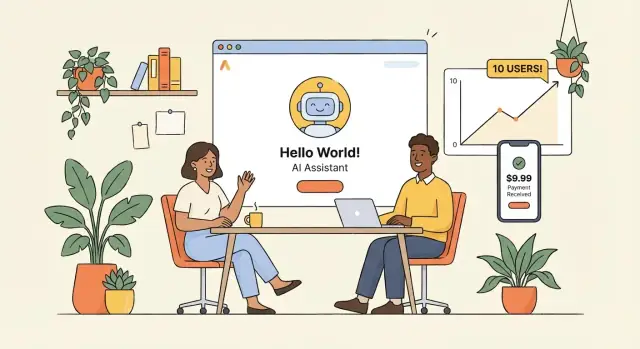
Start With a Clear Definition of “First Paying Customers”
Before you build more features or chase “growth,” define the exact win you’re trying to achieve: your first 1–5 paying customers. This is not about scale yet—it’s about proving that a real buyer will exchange money for the outcome your AI product delivers.
Clarify the goal (and what it’s not)
Early traction should optimize for learning speed, not vanity metrics. A hundred sign-ups can still mean “no market,” while three paid customers can teach you more than months of free usage—because payment forces clarity on value, expectations, and objections.
Keep the goal tight:
- 1–5 paying customers in a specific niche
- Each customer represents a clear use case you can repeat
- You can explain, in one sentence, why they paid
Define what “paying” means
Decide upfront what counts as a paying customer so you don’t accidentally move the goalposts.
Common valid definitions:
- Card payment (self-serve or assisted)
- Invoice paid (even for a small amount)
- Pilot fee (a paid trial with a fixed scope)
Avoid fuzzy definitions like “they said they would pay later” or “they agreed to a free pilot.” If money doesn’t move, you haven’t tested pricing or urgency.
Set a realistic timeline and weekly activity targets
Give yourself a short, focused window—typically 3–6 weeks—and measure inputs you control.
Example weekly targets:
- 10–15 customer conversations
- 5 demos or walkthroughs
- 2–3 tailored follow-ups with a clear ask (trial, pilot fee, or invoice)
With a concrete definition and weekly targets, every decision becomes simpler: does this action increase the odds of getting the first 1–5 paid commitments?
Pick a Specific Buyer and a Single Pain to Solve
Early AI products fail less because the model is “wrong” and more because the target is vague. “Teams,” “marketers,” and “small businesses” don’t buy. A specific person in a specific workflow does.
Choose a painful, frequent problem
Look for a problem that shows up weekly (or daily), wastes real time or money, and has a clear “before vs. after.” AI helps most when it compresses a repetitive task into minutes, reduces errors, or unlocks work that people avoid because it’s tedious.
Good examples are narrow: “turn inbound support tickets into draft replies with the right tone” is better than “improve customer service.”
Pick a narrow segment: role + industry + workflow
Define your buyer like this:
- Role: who feels the pain and has authority (or can strongly influence it)
- Industry: where the workflow is common and the language is consistent
- Workflow moment: the exact step where the work gets stuck
For instance: “Operations managers at mid-sized logistics companies who manually reconcile delivery exceptions from emails and PDFs.”
List your “must-have” conditions
Before you build or pitch, filter for prospects who can realistically buy:
- Budget: they already spend money on tools, contractors, or overtime for this task
- Urgency: the pain has a deadline (SLA, end-of-month close, compliance)
- Access to data: the inputs exist and can be shared (docs, tickets, call notes)
These conditions prevent weeks of friendly chats that never convert.
Write a one-sentence value proposition
Use plain language with a measurable result:
“For [role] in [industry], we [do outcome] by [how], so you can [measurable benefit].”
Example: “For clinic billing teams, we extract claim data from faxes and portal PDFs in under 2 minutes, reducing rework and speeding up submissions.”
Map the Alternatives Your Customers Use Today
Before you try to “beat” the market, write down what your buyer is already using to get the job done. Most early AI products don’t replace nothing—they replace a messy mix of tools, habits, and workarounds.
List 3–5 real alternatives (including DIY)
Pick a short set of substitutes your customer would actually name on a call:
- Direct competitors (2–3 tools that solve the same job)
- Adjacent tools (a helpdesk, CRM, or BI tool they’ve stretched beyond its purpose)
- DIY workflows (spreadsheets, email templates, shared docs, manual tagging)
Be specific: “Google Sheets + copy/paste into ChatGPT + manager review” is an alternative.
Collect the complaints people already say out loud
Scan public sources where users vent:
- G2/Capterra reviews (filter by 2–3 stars)
- Reddit threads, niche Slack/Discord communities
- “How do I…” forum posts and YouTube comments
Look for repeating patterns: setup takes too long, results are inconsistent, too many clicks, pricing jumps at the wrong time, integration is painful, compliance worries, or it needs a specialist to run.
Find gaps you can win on (without being “everything”)
Translate the complaints into a clear advantage. Common, winnable gaps:
- Speed: fewer steps, faster time-to-result
- Simplicity: one workflow that matches their day-to-day
- Integration: works where the data already lives (email/CRM/helpdesk)
- Cost: predictable pricing tied to value, not vague “AI credits”
Draft your “why now” (no hype)
Keep it grounded: “Teams already have the data, but the workflow is still manual. New model capabilities + better integrations make it possible to automate this specific step reliably.” Avoid big promises; commit to one measurable outcome.
Run Fast Customer Discovery Interviews
Customer discovery is your fastest shortcut to messaging that converts and a product that people will pay for. The goal isn’t to “validate your idea” in the abstract—it’s to understand the real workflow, where it breaks, and what outcome someone would pay to improve.
Build 10–15 workflow-first questions
Keep questions concrete and anchored in recent behavior. A simple structure is: context → steps → pain → current workaround → buying process.
Examples you can mix and match:
- “Walk me through the last time you did [task] from start to finish.”
- “What tools, templates, or people are involved at each step?”
- “Where does it slow down or get stuck? How often does that happen?”
- “What do you do today when that happens?”
- “What’s the cost of the problem—time, errors, missed revenue, risk?”
- “Have you tried anything to fix it? Why didn’t it stick?”
- “If you could wave a magic wand, what would the improved result look like?”
- “Who else cares about this outcome (manager, finance, compliance)?”
- “How are tools like this typically approved and purchased?”
- “Is there a budget already allocated for this kind of thing?”
- “When would you need a solution by for it to matter?”
Recruit 15–30 conversations quickly
Aim for volume and speed: 15–30 short calls will reveal patterns. Source participants from LinkedIn outreach, relevant communities, and warm referrals (“Who else on your team deals with this weekly?”). Offer a small incentive if needed, but clarity and respect for their time usually works better: “15 minutes, I’m not selling—just learning.”
Listen for buying signals, not compliments
Compliments are cheap; specifics aren’t. Pay attention to:
- Budget language: “We already pay for X,” “I could expense this,” “This needs procurement.”
- Approval paths: “My VP signs,” “Security review,” “We need legal.”
- Timing signals: “Quarter-end,” “before the busy season,” “when we hire the next person.”
Capture exact phrases for your landing page
Write down verbatim wording—especially emotional or vivid phrases (“I’m stuck copying and pasting for hours,” “We miss things in the handoff”). Later, reuse those lines in your headline, problem statement, and call-to-action. If you can mirror how buyers describe the pain, your landing page will feel instantly “for me.”
Ship a Narrow MVP That Produces One Measurable Result
Your first MVP isn’t a smaller version of the final product—it’s the smallest workflow that gets a buyer from “I have this problem” to “I got a result” in one sitting. For AI products, that means picking a single use case, a single input, and a single output you can measure.
Define one outcome (and how you’ll prove it)
Choose an outcome that a customer would actually pay for, and make it measurable. Examples:
- “Turn a 60-minute call recording into a shareable summary with action items in under 5 minutes.”
- “Classify 200 support tickets with 95% accuracy into our existing categories.”
- “Draft a compliant product description that passes our checklist with fewer than 2 edits.”
Then build only what’s required to deliver that end-to-end: upload/input → processing → usable output → export/share.
Decide what can be manual (without lying)
Early on, you’re allowed to run parts of the system manually behind the scenes—especially data cleaning, edge-case handling, or review. The rule: the customer experience should still be honest and consistent. If a human is checking outputs, position it as “reviewed” or “quality-checked,” not “fully automated.”
This approach helps you learn what automation is actually worth building, and it keeps you from spending weeks engineering features customers don’t value.
Cut anything that doesn’t move problem → result
Avoid building:
- Multiple roles, permissions, and admin dashboards
- Complex settings and model selection
- Fancy analytics before customers rely on the output
If a feature doesn’t directly reduce time, cost, or risk for the buyer, it can wait.
Set the right quality bar: real work, not demos
Your MVP must be reliable enough that someone can use it in real work—even if it’s narrow. That means clear failure handling (what happens when the AI is uncertain), predictable formatting, and a simple way to correct mistakes.
A good test: would the customer feel comfortable sending the output to a colleague or client today? If yes, you’re ready to sell the MVP, not just show it.
Build fast without locking into a huge engineering cycle
If your goal is the first 1–5 paying customers, speed-to-learning matters more than a perfect architecture. One practical approach is to prototype the workflow end-to-end in a platform like Koder.ai, where you can create a web app (React), backend (Go + PostgreSQL), and even a mobile companion (Flutter) through a chat-based build flow.
The point isn’t the tech stack—it’s reducing time between “a buyer described the workflow” and “they can try a real version of it,” with the option to export source code later if you outgrow the prototype.
Create a Landing Page That Collects Leads
A landing page isn’t your company website. Its job is to turn curiosity into a measurable next step—so you can start conversations with real potential buyers.
1) Write a headline that names the user and the result
Make it instantly clear who it’s for and what outcome they get.
Examples:
- “For boutique agencies: generate client-ready campaign briefs in 10 minutes.”
- “For operations managers: turn messy invoices into a clean monthly report—automatically.”
Follow with one short paragraph that describes the before → after change. Skip broad claims like “AI-powered productivity.” Be specific about the win.
2) Add 3–5 proof elements you can support
Proof reduces hesitation. Use only what you can defend.
Good proof options:
- A short, real demo clip (30–60 seconds) showing input → output
- A screenshot of the result (report, draft, dashboard)
- A simple workflow diagram (“Upload → Review → Export”)
- A quote from a real user (only if it’s genuine)
- A concrete metric from your own testing (“Cuts review time from 45 to 15 minutes in our pilot”)
If you don’t have testimonials yet, that’s fine—show the product doing the job.
3) Include one clear CTA
Pick a single action and repeat it:
- Request access (best for waitlists)
- Book a call (best for B2B or higher-priced offers)
Keep the form short: name, email, and one qualifying question (e.g., “What tool do you use today?”). Too many fields will kill conversions.
4) Track conversions and drop-off with simple analytics
At minimum, track:
- Visits → CTA clicks → form submits
- Where visitors come from (one or two channels)
Use lightweight analytics and add event tracking to your CTA button. Then run small tweaks weekly (headline, proof order, CTA text) and keep what improves sign-ups.
Find Early Users Through One or Two Focused Channels
If you try to “be everywhere,” you’ll usually end up being invisible. Early traction is about concentration: pick one or two places where your exact buyer already spends time and where conversation is already happening around the pain you solve.
Choose channels your buyer already trusts
Start by naming your buyer (role + industry) and then choose channels that match their daily habits. Examples:
- B2B operators: LinkedIn + a niche newsletter community
- Technical teams: a specific Slack/Discord + Reddit/Stack Overflow tags
- Creators/marketers: X + a focused community (Circle, Slack, FB group)
The goal isn’t reach—it’s repeated exposure to the same people.
Post helpful “proof” instead of pitching
For two weeks, show what your AI product does in small, concrete bites:
- Before/after examples (input → output)
- Short walkthroughs (30–90 seconds or a tight thread)
- Templates people can copy (prompts, checklists, SOPs)
Tie each post to a real scenario your buyer recognizes (“Here’s how a recruiting lead can turn messy interview notes into a clean scorecard in 2 minutes”). This builds credibility without asking for anything.
If you’re building on a platform like Koder.ai, you can also share short build logs (what changed, what you learned from users) and earn credits through its content program—useful when you’re iterating quickly and want to keep costs predictable.
Use a small lead magnet tied to the pain
Offer something that helps even if they never buy:
- A checklist (“5 steps to reduce support tickets with AI replies”)
- A prompt pack tailored to their job
- A simple calculator (time saved, cost per ticket, revenue impact)
Send people to a simple signup page (or a pinned post). Don’t overcomplicate it—name, email, and one qualifying question is enough.
Engage daily before asking for calls
Comment on relevant posts, answer questions, and share quick wins. After you’ve shown up consistently, invite a small number of people to try it: “If you want, I can run this on one of your real examples and send the output.” That transition feels natural—and it’s where early users come from.
Use Targeted Outreach to Get the First Demos
Targeted outreach is the fastest way to replace “waiting for signups” with real conversations. The goal isn’t to convince everyone—it’s to book a small number of high-quality demos with people who already feel the pain your AI product fixes.
Build a tight prospect list (50–150)
Start with a list that’s specific enough that your message can be true for every person on it. Aim for 50–150 highly relevant prospects, not everyone.
Good sources: recent job posts that mention the workflow you automate, tools they already use, communities where your buyer hangs out, and companies similar to any interviewees who expressed urgency.
Write messages that are easy to say “yes” to
Keep it short and concrete: the problem, the result, and a low-friction ask. Avoid explaining how your model works.
Example structure:
- Problem: “Noticed your team is doing X manually…”
- Result: “We cut that from Y hours to Z minutes with an AI workflow.”
- Ask: “Worth a 15-minute call to see if it fits?”
If you need inspiration, keep templates in your own voice and refine them as you learn. (You can also point people to your /pricing or /product page after they reply.)
Qualify with a paid pilot option
Offer a paid pilot option early. This doesn’t need to be complicated—just a clear, time-boxed engagement (e.g., 2–4 weeks) with a measurable outcome. Serious buyers self-select, and you learn what they will actually pay for.
Follow up without nagging
Most replies come from follow-ups. Plan 2–3 follow-ups, each adding new value:
- a quick mini-audit of their public workflow
- a relevant example from a similar company
- a small “quick win” suggestion they can use even without you
Each follow-up should stand on its own and end with the same simple ask: a short call to confirm fit.
Price for Early Sales Without Overthinking It
Early pricing is not a forever decision—it’s a tool to learn what people will actually pay for. Your goal is to make it easy for a buyer to say “yes” without needing a spreadsheet.
Keep it simple: one plan, or two tiers max
Start with a single plan at one clear price. If you need flexibility, add a second tier (for example, “Standard” and “Team”). More tiers create hesitation and slow sales conversations.
A simple starting point:
- One price for individuals
- One higher price for teams that need shared seats or admin features
Anchor to outcomes, not model details
Buyers pay for saved time, reduced risk, or new revenue—not for tokens, parameters, or which model you used.
Name the measurable result your product delivers (examples: “cuts weekly reporting from 3 hours to 30 minutes” or “reduces support reply time by 50%”). Then price so the buyer can justify it quickly.
Offer monthly first; add annual later
Monthly billing lowers commitment and helps you close the first deals faster. Once you see steady usage and repeat value, introduce annual plans (often with a discount) to improve retention and cash flow.
Write clear terms on what’s included
Avoid vague “unlimited” promises. Put the basics in plain language:
- Usage limits (seats, reports, documents, calls—whatever fits your product)
- Support level (email only vs. priority)
- Onboarding (self-serve vs. one live session)
Clarity prevents friction at checkout and reduces refund risk.
Convert Trials and Demos Into Paid Commitments
Trials and demos are only useful if they lead to a clear decision. Your goal is to move from “interesting” to “approved” by making the value obvious, reducing perceived risk, and giving the buyer a simple next step to say yes.
Demo the workflow, not the feature list
A feature tour invites debate (“Do you also have…?”). A workflow demo invites agreement (“Yes, that’s exactly what we do today.”). Start by asking the prospect to describe their current process, then mirror it back with your product.
Instead of showing every capability, run the demo as: today’s input → your tool → the output they need to ship work. If you can’t connect the demo to a real deliverable (a report, a ticket, a customer reply, a draft contract clause), it will feel like a toy.
Show one “happy path” in minutes
Pick a single, repeatable use case and show it end-to-end fast. The best AI demos have one measurable result, such as:
- Reduce time to create a first draft from 60 minutes to 10
- Find the top 10 relevant items from a large document set
- Produce a consistent summary that matches their internal template
Keep the “happy path” clean: one input, one button, one output, one takeaway. Save edge cases for Q&A.
Handle risk upfront (so they don’t stall later)
Buyers hesitate when they’re unsure about privacy, accuracy, and accountability. Address these directly:
- Data privacy: what you store, for how long, and what you don’t use for training
- Accuracy limits: where the AI can be wrong and how you detect it
- Human review options: approvals, confidence signals, audit trails, or “human-in-the-loop” checks
If you have a short security overview or FAQ, link it after the call (e.g., /security).
Ask for the close with a specific commitment
End every trial or demo with one clear proposal. Give options that match their urgency:
- Paid pilot: a 2–4 week pilot with defined success metrics
- First month: a small paid plan for one user/team
- Small team rollout: 5–10 seats with onboarding included
Use a simple close: “If we can deliver X by Y date for Z price, are you comfortable starting with a paid pilot?”
Then be quiet. If they hesitate, ask what would need to be true for them to move forward, and turn that into the pilot’s acceptance criteria.
Design Onboarding That Reaches Value in One Session
Your first paying customers don’t want a tour—they want proof. Great onboarding gets them to a clear “this works for me” moment in a single sitting, even if they only have 20 minutes between meetings.
Build a 10‑minute setup path
Assume new users have no clean data, no time to configure, and mild skepticism about AI. Make the first run effortless:
- Preload sample data (or a sandbox project) so they can see output instantly.
- Use guided steps with sensible defaults (one primary use case, one workflow).
- Ask only for the minimum inputs needed to produce a result.
If your product needs real data to be meaningful, provide a “quick import” with templates and a tiny dataset (5–20 rows) that demonstrates the workflow without requiring a full migration.
Add a Day‑1 “success moment” checklist
Give users a short checklist they can finish on day one—ideally 3–5 items. Each item should move them closer to a measurable outcome (time saved, fewer manual steps, a better decision).
Example checklist:
- Connect one data source (or upload a template)
- Run one prebuilt workflow
- Review results and accept/edit one output
- Export/share the result with one teammate
This isn’t gamification. It’s a way to reduce uncertainty and make progress obvious.
Send a short onboarding email sequence (3–5 emails)
Keep emails short, practical, and timed to how people actually try tools:
- “Your first result in 10 minutes” (link to the checklist)
- “Common mistakes + quick fixes” (especially around inputs)
- “One advanced tip that improves output quality”
- “How teams use this weekly” (a simple use pattern)
- “Want help setting it up?” (invite a call)
Offer white‑glove onboarding early
For your first customers, do it with them. White‑glove onboarding helps you spot where users hesitate, what they expected the AI to do, and what proof they need to justify payment. Record patterns, then turn them into defaults, templates, and clearer steps.
Measure What Matters and Iterate Toward Repeatable Sales
Early revenue is great, but repeatable revenue is the goal. That requires a simple measurement loop: track a few conversion points, learn why people stall, fix the biggest blockers, and re-run the same sales motion until results stabilize.
Track a small set of “funnel” metrics
Keep your metrics close to the buying journey so they directly inform what to change:
- Lead → call: Are the right people interested enough to talk?
- Call → trial (or pilot): Does your pitch + use case convince them to try?
- Trial → paid: Do they see enough value to commit money?
- Activation rate: What % reach the “aha” moment (your key outcome) in the first session?
Don’t add more metrics until you’re taking action on these. A single spreadsheet you update weekly is enough.
Collect feedback at two moments
Ask for feedback immediately after first use (while friction is fresh) and again after a week (when they’ve tried to fit it into real work). Keep it structured:
- “What were you trying to accomplish?”
- “Where did you get stuck?”
- “What would make you confident to pay?”
Fix the top 3 blockers before building new features
List every reason deals fail or trials don’t convert. Rank them by frequency and impact. Then fix the top three—even if the fixes are unglamorous (copy changes, clearer setup steps, better default outputs, simpler pricing).
Document wins and turn them into proof
When someone gets a measurable result, capture it: before/after numbers, timeframe, and a short quote. Turn these into mini case studies you can reuse in outreach, your landing page, and follow-up emails.
If you’re using Koder.ai to ship quickly, snapshots and rollback are also useful for this phase: you can iterate aggressively while keeping a stable version for paying customers, and export source code when you’re ready to formalize the stack or hand it to a larger engineering team.
FAQ
What’s the right definition of “first paying customers” for an AI product?
Aim for 1–5 paying customers in a specific niche to prove real demand. That number is enough to validate:
- Someone will exchange money for the outcome
- Which use case is repeatable
- What objections, approval steps, and expectations you must handle
What counts as a “paying customer” (and what doesn’t)?
Pick a definition where money actually changes hands:
- Card payment (self-serve or assisted)
- Invoice paid (even small)
- Paid pilot with fixed scope and success metrics
Avoid “they said they’d pay later” or unpaid pilots—those don’t test urgency or pricing.
How long should it take to get the first 1–5 paid customers?
Use a short, focused sprint—typically 3–6 weeks—and track inputs you control:
- 10–15 customer conversations/week
- 5 demos or walkthroughs/week
- 2–3 tailored follow-ups/week with a clear ask (trial, paid pilot, invoice)
This keeps you from hiding behind building and “marketing” without closing.
How do I choose the right niche and buyer for early traction?
Start with a narrow buyer definition: role + industry + workflow moment. Then filter for “must-haves”:
- Budget (they already pay in tools, contractors, or overtime)
- Urgency (deadlines like SLAs, compliance, month-end)
- Access to data (docs, tickets, call notes they can share)
This prevents lots of friendly conversations that never convert.
How do I write a value proposition that gets people to book a demo?
Use a one-sentence value prop tied to a measurable result:
“For [role] in [industry], we [do outcome] by [how], so you can [measurable benefit].”
Keep it concrete (time saved, errors reduced, faster turnaround) and avoid generic phrases like “AI-powered productivity.”
Why should I map alternatives before building more features?
List what customers do today to solve the problem, including DIY:
- 2–3 direct competitors
- Adjacent tools they’ve stretched (CRM, helpdesk, BI)
- Manual workflows (spreadsheets, copy/paste into ChatGPT, templates)
Then ask: what complaint do they repeatedly mention (speed, simplicity, integrations, predictable pricing) that you can win on with one narrow workflow?
What should I ask in customer discovery interviews to find real buyers?
Run workflow-first interviews anchored in recent behavior, not hypotheticals. Ask things like:
- “Walk me through the last time you did [task].”
- “Where does it get stuck, and how often?”
- “What’s the cost (time, errors, risk, revenue)?”
- “How is software like this approved and purchased?”
Look for buying signals (budget, timing, approval path), not compliments.
What does a “narrow MVP” look like for an AI product?
A good MVP is the smallest workflow that produces one measurable result end-to-end in one sitting:
- One input → processing → usable output → export/share
- Clear quality bar for real work (not just demos)
- Honest use of manual steps (position as reviewed/quality-checked)
Cut anything that doesn’t move the user from “problem” to “result.”
What should an early landing page include to collect leads?
Your landing page should do one job: convert interest into a next step.
Include:
- Headline naming who it’s for and the result
- 3–5 proof elements you can defend (short demo clip, screenshot, workflow diagram, real metric)
- One CTA (book a call or request access)
- Minimal form fields + basic event tracking
If you don’t have testimonials yet, show the product doing the work.
How should I price and close early deals without overthinking it?
Keep pricing simple to reduce hesitation:
- One plan (or two tiers max)
- Price anchored to outcomes (time saved, risk reduced), not tokens/credits
- Monthly first; add annual later
- Clear terms: usage limits, support level, onboarding
Then close with a specific commitment, like a 2–4 week paid pilot with defined success metrics and a clear “yes/no” decision point.