

কিভাবে একটি ওয়েব অ্যাপ বানাবেন যা কাস্টমার সাকসেস প্লেবুক ম্যানেজ করে
কিভাবে একটি ওয়েব অ্যাপ ডিজাইন, তৈরি ও চালু করবেন যা কাস্টমার সাকসেস প্লেবুক সংরক্ষণ করে, টাস্ক অ্যাসাইন করে, ফলাফল ট্র্যাক করে এবং আপনার টিমের সঙ্গে স্কেল করে।
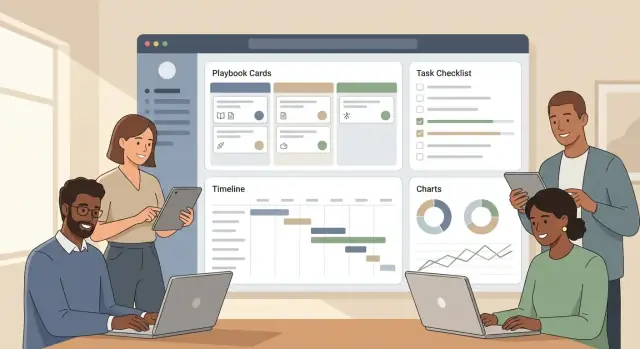
What a Customer Success Playbook App Should Do
A customer success playbook is a set of repeatable steps your team follows for a specific scenario—like onboarding a new customer, driving feature adoption, or rescuing an at-risk account. Think of it as the “best known way” to get a consistent outcome, even when different CSMs run it.
Common playbook scenarios
Most teams start with a few high-impact use cases:
- Onboarding: guide stakeholders, kickoff, training, first value, and rollout milestones.
- Adoption: increase usage of key features, track activation signals, and remove blockers.
- Renewal: timeline planning, value recap, champion alignment, and negotiation prep.
- Risk: early warning triggers, escalation steps, and recovery actions.
- Expansion: identify opportunities, validate fit, coordinate handoffs, and track progress.
Why a web app beats docs and spreadsheets
Docs are easy to write, but hard to run. Spreadsheets can track checkboxes, but they usually miss context, ownership, and accountability. A web app makes playbooks operational:
- Everyone follows the same steps and definitions
- Progress is visible across accounts and teammates
- Hand-offs are clearer (CSMs, support, sales, implementation)
- Changes roll out once—without copying new versions everywhere
What “managing playbooks” includes
A useful playbook management app does four things well:
- Authoring: create templates with steps, guidance, owners, and timing.
- Running: launch a playbook for a specific customer and assign work.
- Tracking: see status, overdue items, blockers, and outcomes in one place.
- Improving: learn what works (and what doesn’t) and update the template based on results.
Done right, playbooks become a shared system for delivering consistent customer outcomes—not just a document repository.
Identify Users, Jobs-to-Be-Done, and Success Metrics
Before you draw screens or pick a database, get specific about who will use the app and what “success” looks like. A playbook tool that isn’t anchored to real jobs and measurable outcomes quickly turns into a static document library.
Primary users (and what they’re trying to do)
CSMs need to run repeatable workflows across many accounts, stay on schedule, and avoid missing key steps.
Onboarding specialists focus on fast, consistent launches—checklists, handoffs, and clear customer milestones.
CS Ops needs to standardize playbooks, keep data clean, manage tooling rules, and report on what’s actually being used.
Managers care about coverage (are the right playbooks running?), exceptions (who is stuck?), and outcomes by segment.
Customer-level objects you’ll manage
Even in an MVP, you should treat a playbook run as something that attaches to real customer records:
- Accounts (the parent entity: company, segment, owner)
- Contacts (champion, admin, executive sponsor)
- Subscriptions (plan, renewal date, seats, expansion potential)
This ensures playbooks can be filtered, assigned, and measured by the same “unit of work” your CS team already uses.
Define outcomes per playbook
For each playbook, write down 1–3 outcomes that can be tracked, such as:
- Time-to-value (e.g., days from kickoff to first key action)
- Adoption (feature usage, active users, usage frequency)
- Renewal rate (on-time renewal, risk reduced, expansion readiness)
Make the outcome measurable and tied to a timeframe.
Must-have vs. nice-to-have (v1 reality check)
Must-have: assign owners, due dates, account linkage, basic statuses, simple reporting on completion and outcomes.
Nice-to-have: advanced automation, complex branching, deep analytics, custom dashboards, and multi-step approvals.
Design the Playbook Data Model (Templates vs. Runs)
A playbook app gets messy fast if you don’t separate what you intend to do from what is happening for a specific customer. The cleanest approach is to treat playbooks as templates in a library, and runs as the per-customer instances created from those templates.
Library: templates you can reuse
Your Playbook (template) is the canonical definition: the steps, defaults, and guidance your team wants to follow.
Typical core entities:
- Playbook: name, goal, audience (segment), tags, owner, current version
- Step: ordered items inside a playbook (e.g., “Kickoff call”, “Configure SSO”)
- Task: actionable items under a step (often what gets assigned)
- Evidence / Notes: what “done” looks like (links, files, call summary, screenshots)
Keep template content opinionated but not customer-specific. A template can include default owners (role-based like “CSM” or “Implementation”) and suggested due dates (e.g., “+7 days from start”).
Runs: instances per customer (or renewal)
A Playbook Run represents one execution of a template for a specific account—onboarding, renewal, expansion, or escalation.
At run time you’ll store:
- Run metadata: customer/account ID, start date, target end date, run owner
- Step Run / Task Run: status, assignee, due date, completion time
- Evidence/notes captured during execution
This lets you answer questions like: “How many onboarding runs are overdue?” without editing the underlying template.
Variations without chaos: optional, conditional, branching
Not every customer needs every step. You can support variations in increasing complexity:
- Optional steps (simple):
isOptional=trueand allow the run owner to skip with a reason. - Conditional steps (medium): show/activate steps based on attributes (plan tier, region, integration enabled).
- Branching (advanced): “if A then path X else path Y” with explicit dependencies.
If you’re building an MVP, start with optional + conditional. Branching can wait until you see repeated real-world needs.
Versioning: draft, published, archived (and active runs)
Treat templates as versioned documents:
- Draft: editable, not available to start new runs
- Published: can create new runs
- Archived: kept for history, not selectable
When a template changes, don’t silently rewrite active runs. Prefer a safe policy:
- Active runs stay on their original template version.
- Admins can migrate a run to a newer version (with a preview of added/removed steps).
That rule prevents “why did my checklist change overnight?” and keeps reporting trustworthy.
Plan the UI: Library, Editor, and Run Experience
Your UI should support three distinct moments: choosing a playbook, authoring it, and running it for a specific customer. Treat these as separate screens with clear navigation between them.
Playbook library: find the right playbook fast
The library is the “home base” for CSMs and CS Ops. Keep it scannable and filter-friendly.
Include:
- Search by name and step keywords
- Tags (e.g., Onboarding, Renewal, Expansion, Risk)
- Owner (who maintains it)
- Last updated date
- Usage count (how often it’s been run)
A table view works well, with a secondary card view for teams who prefer browsing. Add quick actions like Run, Duplicate, and Archive without forcing users into the editor.
Playbook editor: structure without friction
Authors need to create consistent playbooks quickly. Aim for an editor that feels like a checklist builder—not a form maze.
Core elements to support:
- Steps with short titles and clear descriptions
- Links to assets (docs, videos, internal SOPs)
- Checklists inside steps for repeatable sub-tasks
- Required fields (e.g., “Set kickoff date,” “Confirm success criteria”) so runs don’t miss essentials
Use sensible defaults: pre-filled due-date offsets, a standard status set, and a simple “step type” dropdown only if it changes behavior (like sending an email or creating a CRM task).
Run view (per customer): what’s next, by when
A “run” is where the playbook becomes day-to-day work. The run view should answer four questions instantly: what’s next, what’s due, what’s blocked, and what happened already.
Show:
- Next actionable step at the top
- Due dates and owners for upcoming steps
- Blockers (missing inputs, overdue dependencies, approval needed)
- A history/timeline of completed steps and notes
Keep UX simple: fewer clicks, clearer statuses
Keep primary actions consistent across screens (Run, Complete step, Add note). Use plain statuses like Not started, In progress, Blocked, Done. If you need more detail, add it in tooltips or a side panel—not in the main flow.
Add Workflow: Tasks, Triggers, Timelines, and Alerts
A playbook becomes useful when it can move work forward automatically. Workflow is the layer that turns a “checklist in a template” into a repeatable process your team can run consistently across accounts.
Tasks as first-class objects
Model tasks with a clear lifecycle so everyone interprets status the same way: created → assigned → in progress → done → verified.
A few practical fields go a long way: owner, due date, priority, related customer/account, and a short “definition of done.” The “verified” step matters when tasks affect reporting (e.g., onboarding complete) and when managers need a lightweight approval step.
Triggers that start (and adapt) the run
Triggers decide when a playbook run starts or when new steps become active. Common triggers include:
- start on signup date
- start on stage change (e.g., Trial → Paid)
- start on renewal date
- start on health drop (e.g., score falls below a threshold)
Keep trigger rules readable for non-technical users: “When renewal is in 90 days, start Renewal Playbook.”
Timelines and scheduling rules
Most customer success work is relative to a starting event. Support due dates like “Day 3” or “2 weeks before renewal,” plus business-day handling (skip weekends/holidays, shift to next business day).
Also consider dependencies: some tasks should unlock only after earlier tasks are completed or verified.
Alerts that people won’t ignore
Notifications should be configurable by channel (email/Slack), frequency (digest vs. immediate), and urgency. Add reminders for upcoming due dates and escalations for overdue items (e.g., notify manager after 3 business days).
Make alerts actionable: include the task, customer, due date, and a direct link to the run (e.g., /playbooks/runs/123).
Integrations and Data Inputs (CRM, Support, Product Usage)
A playbook app only works if it’s fed with the same signals your team already uses to make decisions. Integrations turn playbooks from “nice documentation” into workflows that update themselves.
Start with the essentials
Focus on the systems that define customer context and urgency:
- CRM (Salesforce/HubSpot): account ownership, lifecycle stage, renewal date, ARR, contacts, and key notes.
- Support (Zendesk/Intercom/Freshdesk): open ticket count, severity, time-to-first-response, CSAT, recent escalations.
- Billing (Stripe/Chargebee/Zuora): plan, invoice status, payment failures, expansion/downgrade events.
These inputs unlock obvious triggers like “Kick off onboarding when Deal = Closed Won” or “Alert CSM when invoice becomes past due.”
Product usage events: what you actually need
Usage data can get noisy. For playbooks, prioritize a small set of events tied to outcomes:
- Logins/active days (basic adoption)
- Feature usage for the 3–5 “sticky” features
- Milestones (project created, first report shared, integration connected)
Store both the latest value (e.g., last login date) and a time window summary (e.g., active days in last 7/30 days) to support health score tracking.
Sync strategy: pull vs. push
- Pull (scheduled sync) is easier to start: run every 15–60 minutes for CRM/support, daily for billing.
- Push (webhooks) is best for real-time triggers: ticket created, subscription failed, milestone reached.
Define rules for conflicts (which system is the source of truth), retries (exponential backoff), and error handling (dead-letter queue + visible sync status per account).
Keep a CSV fallback
Even with integrations, add CSV import/export for accounts, contacts, and playbook runs. It’s a reliable escape hatch for pilots, migrations, and troubleshooting when an API changes.
Permissions, Access Control, and Audit History
Permissions decide whether your playbook app feels trustworthy or risky. Customer Success teams often handle sensitive notes, renewal details, and escalation steps—so you need clear rules that match how teams actually work.
Role-based access (who can do what)
Start with a small set of roles and make them easy to understand:
- Admin: manages org settings, integrations, roles, and data retention policies.
- Manager: can create/edit templates, approve changes, reassign work, and see reporting for their team.
- CSM: can run playbooks on accounts they own, update tasks, change due dates (within limits), and add notes.
- Read-only: can view playbooks and progress, but can’t edit steps, assignments, or outcomes.
Keep permissions consistent across the app: the Library, Editor, and Run views should enforce the same rules so users don’t get surprised.
Account-level permissions (sensitive customers)
Role-based access isn’t enough when certain accounts require extra restrictions (enterprise customers, regulated industries, executive escalations). Add account-level controls such as:
- “Restricted account” flag that limits visibility to a named list (or specific team).
- Segment-based rules (e.g., only “Enterprise CSMs” can access Enterprise accounts).
- Field-level hiding for sensitive properties (e.g., contract value, legal notes) if needed.
Audit trail (proof of what happened)
Your audit history should answer “who changed what, and when?” Track events like:
- step edits (text, order, templates)
- due date changes
- assignment changes
- task completion/reopening
Show an Activity panel per playbook run, and store a tamper-resistant log for admins.
Retention and deletion basics
Define what happens when a customer or user is deleted:
- Soft-delete customers to preserve history for reporting while hiding them from day-to-day views.
- Deactivate users (don’t delete) so audit entries still map to a real identity.
- Set retention windows for logs and archived playbook runs, and document them in your admin settings.
Reporting, Health Views, and Outcome Tracking
Reporting is where a playbook app proves it’s more than a checklist. Your goal isn’t “more charts”—it’s fast answers to everyday questions: What’s next for this customer? Are we on track? Who needs help right now?
Operational metrics (is the workflow working?)
Start with a small set of operational metrics that show whether playbooks are being executed consistently:
- Tasks completed on time: % of tasks closed before due date (filterable by playbook, team, and CSM).
- Playbook cycle time: time from playbook start → completion (median is usually more useful than average).
- Step drop-off: where runs commonly stall (e.g., “Kickoff scheduled” never reached).
These metrics let CS Ops spot broken templates, unrealistic timelines, or missing prerequisites.
Customer-level views (is the customer progressing?)
Every account page should make it obvious what’s happening without opening multiple tabs:
- Current stage (e.g., Onboarding, Adoption, Renewal)
- Active playbooks and their status (On track / At risk / Blocked)
- Next milestone with an owner and a date
A simple “what should I do next?” panel reduces busywork and makes handoffs smoother.
Health indicators (track changes with context)
Health scoring should be easy to input and easy to explain. Use a lightweight score (for example 1–5 or Red/Yellow/Green) supported by a few structured inputs, plus reason codes whenever the health changes.
Reason codes matter because they turn a subjective score into trendable data: “Low usage,” “Executive sponsor left,” “Support escalations,” “Billing risk.” Require a short note for anything marked “At risk” so reports reflect reality.
Manager dashboards (make workload and risk visible)
Managers typically need the same four views, updated in real time:
- Workload by CSM (active runs, tasks due this week)
- Overdue items (by severity and age)
- At-risk accounts (with latest reason codes and last touch)
- Bottlenecks (templates with unusually long cycle times)
Keep drill-down consistent: every metric should link to the list of accounts/tasks behind it so leaders can act immediately.
Pick a Practical Tech Stack and Architecture
Your first version should optimize for learning speed and low operational overhead. Customer success teams will judge you on reliability and ease of use—not whether you picked the trendiest framework.
Authentication: start simple, keep it secure
Begin with email + password login, but bake in secure defaults:
- Use a proven auth library (avoid rolling your own).
- Store passwords with strong hashing (Argon2/bcrypt).
- Add MFA as an option early if your customers handle sensitive accounts.
Design your user model so you can add SSO later (SAML/OIDC) without reworking everything: organizations/workspaces, users, roles, and a “login method” abstraction.
Backend basics: API + database + background jobs
A clean, API-first backend keeps the product flexible (web today, maybe integrations or mobile later). A practical baseline:
- API: REST (or GraphQL if your team already knows it well).
- Database: Postgres (great for multi-tenant SaaS, reporting, and audit history).
- Background jobs: for reminders, scheduled tasks, and data syncs from CRM/support tools.
Common choices: Node.js (Express/NestJS), Python (Django/FastAPI), or Ruby on Rails—pick what your team can ship fastest.
If you want to move even faster on a first build, a vibe-coding platform like Koder.ai can help you prototype the core flows (Library → Editor → Run) from a chat interface, then export the source code when you’re ready to take it in-house. It’s a natural fit for this kind of product because the default stack (React on the front end, Go + PostgreSQL on the back end) maps well to a multi-tenant playbook app.
Frontend basics: reusable building blocks
Use a component-based UI where “playbook steps,” “tasks,” and “customer/run views” share the same primitives. React (often via Next.js) is a safe bet for building an editor-like experience while keeping performance decent.
Hosting: managed first
Start on a managed platform to reduce ops work:
- App hosting: Render/Fly.io/Heroku-like platforms
- Database: managed Postgres
- Jobs/queues: managed Redis where needed
You can always move to Kubernetes later, after product-market fit. For MVP planning, see /blog/build-the-mvp-step-by-step.
Build the MVP: A Step-by-Step Development Plan
An MVP for a customer success playbook app should prove one thing: teams can consistently run repeatable workflows without getting lost. Aim for a tight loop—pick a playbook, start a run, assign work, track completion, and see progress.
Step 1: Lock the MVP scope
Keep it simple:
- Create a playbook library (view + basic management)
- Start a “run” from a playbook
- Assign tasks to owners and due dates
- Mark tasks complete and capture notes
Anything beyond that (complex automation, advanced analytics, multi-step approvals) can wait.
Step 2: Build the foundation first (data model → CRUD)
Start with the data model and only then build screens. You’ll move faster and avoid UI rewrites.
-
Data model: Playbook templates, sections/steps, tasks, and runs.
-
CRUD screens: A simple Library view (list + search), and a basic Editor (add steps/tasks, reorder, save).
-
Run view: A clear checklist-style experience: status, owners, due dates, completion, and comments.
If you’re using Koder.ai for the MVP, “planning mode” is especially useful here: you can outline the entities (templates vs. runs), permissions, and screens before generating the first iteration—then use snapshots/rollback to safely iterate when requirements change.
Step 3: Add guardrails that prevent messy playbooks
MVP quality is mostly guardrails:
- Required fields (name, task title, owner, due date rules)
- Validation (no empty tasks; sensible date ranges)
- Clear empty states (what to do when there are no playbooks, no tasks, or no runs)
Step 4: Add reminders and lightweight reporting
Once runs work end-to-end, add the minimum workflow support:
- Reminders for overdue tasks (email/in-app)
- A simple progress summary: tasks done vs. remaining, overdue count, run status
Step 5: Seed with starter playbooks
Ship with 3–5 ready-to-use templates so users see value immediately:
- Customer onboarding playbook
- Adoption / feature rollout
- Renewal prep
- At-risk / recovery
This gives your MVP a “plug-and-play” feel and reveals what the editor must support next.
QA, Security, and Reliability Essentials
A playbook app quickly becomes a “source of truth” for onboarding, renewals, and escalations—so bugs and access mistakes are costly. Put a lightweight but disciplined quality bar in place before you ship the MVP.
QA: test the critical flows first
Focus on end-to-end scenarios that mirror real work, and automate them as early as possible.
- Create playbook: build a template, add steps, assign an owner, and publish.
- Start a run: pick an account, launch the run, and confirm tasks appear with due dates.
- Reassign tasks: change assignee mid-run (including out-of-office cases) and verify notifications.
- Close run: complete tasks, mark outcomes, and confirm reporting updates.
Keep a small set of “golden paths” in CI, plus smoke tests for every release.
Security: minimum access, safe secrets, encrypted traffic
Start with least-privilege roles (e.g., Admin, Manager, CSM, Read-only) and restrict who can edit templates vs. only run them. Use encryption in transit (HTTPS/TLS everywhere) and store secrets in a managed vault (never in code or logs). If you integrate with CRMs or support tools, scope OAuth tokens tightly and rotate credentials.
Privacy: treat playbooks as PII-adjacent
Playbooks often include notes, contact info, and renewal context. Define which fields are PII, add access logs for sensitive views/exports, and support data export for customers and compliance requests. Avoid copying full CRM records—store references when possible.
Reliability and performance checks
Measure the “everyday pages”: playbook library lists, run lists, and search. Test with large accounts (many runs and thousands of tasks) to catch slow queries early. Add basic monitoring (error tracking, uptime checks), safe retries for background jobs, and backups with a documented restore drill.
Launch, Onboard Users, and Improve Playbooks Over Time
Shipping the MVP is only the start. A playbook app succeeds when it becomes the default place your CS team plans work, tracks outcomes, and updates processes. Treat launch like a controlled experiment, then expand.
Start with a small pilot
Pilot with a small CS team and a limited set of customers. Pick one or two common motions (for example: onboarding and QBR prep) and define what “good” looks like before you roll out:
- Time to complete a playbook run
- % of tasks completed on time
- Fewer “where is this at?” pings in Slack
- Better outcomes (activation, renewal risk reduction)
Keep the pilot tight: fewer playbooks, fewer fields, and clear ownership for playbook edits. This makes it easier to tell whether the product is helping—or just adding clicks.
Onboarding that gets people to their first win
Onboarding should feel like guided setup, not documentation homework. Include:
- A short guided setup that creates the first workspace, roles, and a sample customer
- Sample playbooks (onboarding, renewal, adoption push) that users can copy and tweak
- Role-based tips (CSM vs. CS Ops vs. manager) that explain what each person should do next
Aim for a first completed “run” in the first session. That’s the moment users understand the value.
Build a feedback loop into the product
Set up a lightweight feedback loop that answers three questions: where users get stuck, what data they miss, and what to automate next. Combine in-app prompts (after completing a run), a single “Report an issue” entry point, and a monthly review with your pilot team.
As patterns emerge, improve playbooks like you would product features: version templates, note what changed, and retire outdated steps.
Make the next step clear
When teams are ready to expand beyond the pilot, offer a clear next step—see plans and rollout support on /pricing or talk through your use case on /contact.
If you’re building this product for your own team (or as a SaaS), you can also use Koder.ai to accelerate iteration: build the MVP on the free tier, then move to pro/business/enterprise as you add collaboration, deployment, and hosting needs. If you publish learnings about your build process, check whether the earn-credits program can offset usage as you scale.
সাধারণ প্রশ্ন
ডকস এবং স্প্রেডশিটের তুলনায় কাস্টমার সাকসেস প্লেবুক অ্যাপ কোন সমস্যা সমাধান করে?
একটি প্লেবুক অ্যাপকে স্থির নথির বদলে ওপারেশোনাল করে তোলে। এটি দেয়:
- দলের মধ্যে একই কনসিস্টেন্ট ধাপ ও সংজ্ঞা
- অগ্রগতি, বাধা এবং সময়োচিত কাজগুলোর দৃশ্যমানতা
- CSM, সাপোর্ট, সেলস এবং ইমপ্লিমেন্টেশনের মধ্যে পরিষ্কার হ্যান্ডঅফ
- কেন্দ্রীভূত আপডেট (নতুন ডক কপি করে ঘুরাতে হয় না)
ডকস বানানো সহজ, কিন্তু সেগুলো চালানো ও পরিমাপ করা বড় দলে কঠিন।
প্রথমে কোন প্লেবুক সিনারিওগুলো তৈরি করা উচিত?
প্রতিদিন বারবার ঘটে এমন এবং অনিয়ম হলে সবচেয়ে বেশি ঝুঁকি তৈরি করে এমন মশিনগুলো দিয়ে শুরু করুন:
- অনবোর্ডিং (দ্রুত time-to-value)
- অ্যাডপশন (ফিচার ব্যবহার ও activation মাইলস্টোন)
- রিনিউয়াল (টাইমলাইনে মূল্য পুনরাবৃত্তি ও স্টেকহোল্ডার সমন্বয়)
- রিস্ক (হেলথ ড্রপ ট্রিগার + এসক্যালেশন + রিকভারি স্টেপ)
- এক্সপানশন (অভিযোগ সনাক্তকরণ + সমন্বয়)
MVP পাইলটের জন্য 1–2টি নিয়ে শুরু করুন যাতে দ্রুত শেখা যায় এবং অতিরিক্ত বিল্ড করতে না হয়।
প্লেবুক টেমপ্লেট এবং প্লেবুক রান-এর মধ্যে পার্থক্য কী?
টেমপ্লেটকে “সোর্স অফ ট্রুথ” ও রানের (run) মাধ্যমে নির্দিষ্ট গ্রাহক নির্বাহ হিসেবে দেখুন:
- টেমপ্লেট: পুনঃব্যবহারযোগ্য ধাপ, ডিফল্ট মালিক, ডিউ-ডেট অফসেট, নির্দেশিকা
- রান: একটি অ্যাকাউন্টের সঙ্গে যুক্ত বাস্তব ইনস্ট্যান্স — অ্যাসাইনিগুলো, ডিউ-ডেট, স্ট্যাটাস এবং নোটসহ
এই বিভাজন রিপোর্টিংকে সঠিক রাখে এবং টেমপ্লেট এডিট করলে চলমান গ্রাহক কাজ বদলে না যায়।
কোন মূল কাস্টমার ডেটা একটি প্লেবুক রানে সংযুক্ত করা উচিত?
আপনার অ্যাপটিকে সেই অবজেক্টগুলোর সঙ্গে লিংক করুন যেগুলো আপনার CS দল ইতিমধ্যে পরিচালনা করে:
- অ্যাকাউন্টস (সেগমেন্ট, মালিক, প্রধান বৈশিষ্ট্য)
- কন্টাক্টস (চ্যাম্পিয়ন, অ্যাডমিন, এক্সিকিউটিভ স্পন্সর)
- সাবস্ক্রিপশনস (প্ল্যান, রিনিউয়াল ডেট, সিট, ARR)
রান ও টাস্কগুলোর সঙ্গে এসব লিংক করলে ফিল্টারিং (যেমন “90 দিনের মধ্যে রিনিউয়াল”) ও আউটকাম রিপোর্টিং সহজ হয়।
কীভাবে অপ্রয়োজনীয় বা শর্তাধীন ধাপগুলো জটিল না করে পরিচালনা করা উচিত?
পদ্ধতিটাকে জটিল না করে পরিবর্তনগুলো সহজ রাখুন:
- Optional steps: স্কিপ করার অনুমতি দিন এবং স্কিপ করার কারণ আবশ্যক করুন
- Conditional steps: অ্যাট্রিবিউটের উপর ভিত্তি করে (প্ল্যান টিয়ার, অঞ্চল, ইনটিগ্রেশন আছে কিনা) কার্যকর করুন
সম্পূর্ণ ব্রাঞ্চিং (“if A then path X else Y”) দ্রুত জটিলতা বাড়ায়। MVP-এ optional + conditional সাধারণত যথেষ্ট।
টেমপ্লেট বদলে গেলে প্লেবুক ভার্সনিং কীভাবে হ্যান্ডেল করা উচিত?
স্পষ্ট ভার্সনিং ওয়ার্কফ্লো ব্যবহার করুন:
- Draft (এডিটেবল)
- Published (নতুন রান শুরু করা যাবে)
- Archived (ইতিহাসের জন্য রাখা)
সেরা অনুশীলন: চলমান রানগুলোকে নীরবভাবে নতুন করে লিখবেন না। রানগুলোকে তারা যে টেমপ্লেট ভার্সন দিয়ে শুরু করেছিল সেগুলোতেই পিন করুন, এবং অ্যাডমিন-কন্ট্রোলড মাইগ্রেশন অফার করুন যাতে পরিবর্তনের প্রিভিউ দেখা যায়।
CSM-দের দ্রুত এক্সিকিউট করতে সাহায্য করার জন্য রান অভিজ্ঞতায় কী দেখানো উচিত?
একটি রান ভিউয়ে চারটি প্রশ্নের উত্তর প্রথমেই পাওয়া উচিত: পরবর্তী কাজ কী, কোনটা ডিউ, কোথায় ব্লক আছে, এবং আগে কি হয়েছে।
শামিল করুন:
- উপরের দিকে পরবর্তী করণীয় আইটেম
- আসন্ন ধাপগুলোর মালিক ও ডিউ-ডেট
- ব্লকার্স ও ডিপেন্ডেন্সি
- সম্পন্ন ধাপ ও নোটের টাইমলাইন/হিস্ট্রি
সাধারণ, স্থির স্ট্যাটাস সেট ব্যবহার করুন (যেমন Not started / In progress / Blocked / Done)।
টাস্কগুলো কীভাবে মডেল করা উচিত যাতে স্ট্যাটাস ও রিপোর্টিং কনসিস্টেন্ট থাকে?
টাস্কগুলোকে ফার্স্ট-ক্লাস ওয়ার্ক আইটেম হিসেবে মডেল করুন এবং একটি মিলে যাওয়া লাইফসাইকেল ব্যবহার করুন, উদাহরণস্বরূপ:
created → assigned → in progress → done → verified
প্র্যাকটিক্যাল ফিল্ডগুলো রাখুন:
- মালিক, ডিউ-ডেট, প্রায়োরিটি
- সম্পর্কিত অ্যাকাউন্ট/রান
- definition of done
যেখানে টাস্ক কমপ্লিশন রিপোর্টিংকে ড্রাইভ করে (যেমন অনবোর্ডিং সম্পন্ন) সেখানে verification বিশেষভাবে উপকারী।
প্লেবুক ম্যানেজমেন্ট MVP-এর জন্য কোন ইন্টিগ্রেশনগুলো সবচেয়ে গুরুত্বপূর্ণ?
প্রথমে সেই সিস্টেমগুলোই নিয়ে শুরু করুন যেগুলো ইতিমধ্যেই কাস্টমার প্রসঙ্গ ও জরুরি সিদ্ধান্ত নির্ধারণ করে:
- CRM (মালিক, স্টেজ, রিনিউয়াল ডেট, ARR, কন্টাক্টস)
- Support (টিকিট ভলিউম/সেভিয়ারিটি, এসক্যালেশন, CSAT)
- Billing (প্ল্যান, ইনভয়েস স্ট্যাটাস, পেমেন্ট ফেল)
প্রোডাক্ট ইউজেজের জন্য ফোকাস রাখুন: লগইন/অ্যাক্টিভ ডেজ, 3–5টি “স্টিকি” ফিচারের ব্যবহার, এবং কী মাইলস্টোন।
প্লেবুকগুলো কাজ করছে কিনা প্রমাণ করতে কী মেট্রিক রিপোর্ট করা উচিত?
MVP-এ কার্যকরতা প্রমাণ করার জন্য একুশটি চার্ট নয়—কাজ হচ্ছে দ্রুত উত্তর পাওয়া: কাজ ঠিকঠাক চলছে কি না?
শুরুতে ট্র্যাক করুন:
- সময়ের মধ্যে সম্পন্ন টাস্ক (%)
- প্লেবুক সাইকেল টাইম (স্টার্ট → কমপ্লিশন, median ব্যবহার করুন)
- স্টেপ ড্রপ-অফ (কোথায় রানগুলো সাধারণত আটকে যায়)
প্রতিটি প্লেবুককে 1–3টি পরিমাপযোগ্য আউটকামে (যেমন time-to-value, ফিচার অ্যাডপশন, রিনিউয়াল রেডিনেস) বেঁধে দিন এবং টাইমফ্রেম নির্ধারণ করুন।